clawboard
Health Pass
- License — License: NOASSERTION
- Description — Repository has a description
- Active repo — Last push 0 days ago
- Community trust — 18 GitHub stars
Code Fail
- process.env — Environment variable access in .gitea/workflows/ci.yml
- fs module — File system access in .gitea/workflows/ci.yml
- process.env — Environment variable access in backend/scripts/journal-lock-order-concurrency.ts
- process.env — Environment variable access in backend/scripts/journal-publication-integration.ts
- process.env — Environment variable access in backend/scripts/smoke-image-generation.js
- network request — Outbound network request in backend/scripts/smoke-image-generation.js
- process.env — Environment variable access in backend/scripts/test-canonical-session-migration.js
- fs module — File system access in backend/scripts/test-canonical-session-migration.js
- spawnSync — Synchronous process spawning in backend/scripts/test-hardened-orchestration-migrations.js
- process.env — Environment variable access in backend/scripts/test-hardened-orchestration-migrations.js
- fs module — File system access in backend/scripts/test-hardened-orchestration-migrations.js
- network request — Outbound network request in backend/src/__tests__/DashboardSummary.test.ts
Permissions Pass
- Permissions — No dangerous permissions requested
No AI report is available for this listing yet.
🔌 AI Dashboard for OpenClaw — task board, project management, session browser, real-time agent monitoring, and plugin system. Docker-ready.
🔌 ClawBoard
Your AI Dashboard for OpenClaw
ClawBoard is a comprehensive web-based dashboard for managing and monitoring your OpenClaw AI agent. It provides a beautiful, modern interface for task management, project tracking, journal entries, conversation history, and real-time agent monitoring.


**Repository: github.com/Wadera/clawboard
✨ Features
- 📋 Task Board — Kanban-style task management with drag-and-drop, subtasks, priorities, and dependencies
- 🗂️ Project Management — Organize tasks into projects with links, notebooks, environments, and resources
- 📝 Journal — Daily journal entries with mood tracking, multi-entry per day, and navigation
- 💬 Sessions — Browse and search through all agent conversation transcripts
- 🤖 Real-time Agent Status — Monitor your OpenClaw agent's activity, connections, and health
- 📊 Statistics — Visual insights into task completion, project progress, and agent activity
- 🔌 Plugin System — Extend your dashboard with Docker-based plugins (journals, monitors, blogs, etc.)
- 🎨 Fully Customizable — Theme colors, branding, feature toggles, custom avatars
- 🔐 Secure — Password-protected with JWT authentication
- 🐳 Docker-Ready — Complete Docker Compose setup with health checks
- 🔄 Real-time Updates — WebSocket integration for live dashboard updates
🖼️ Screenshots
Dashboard

Tasks

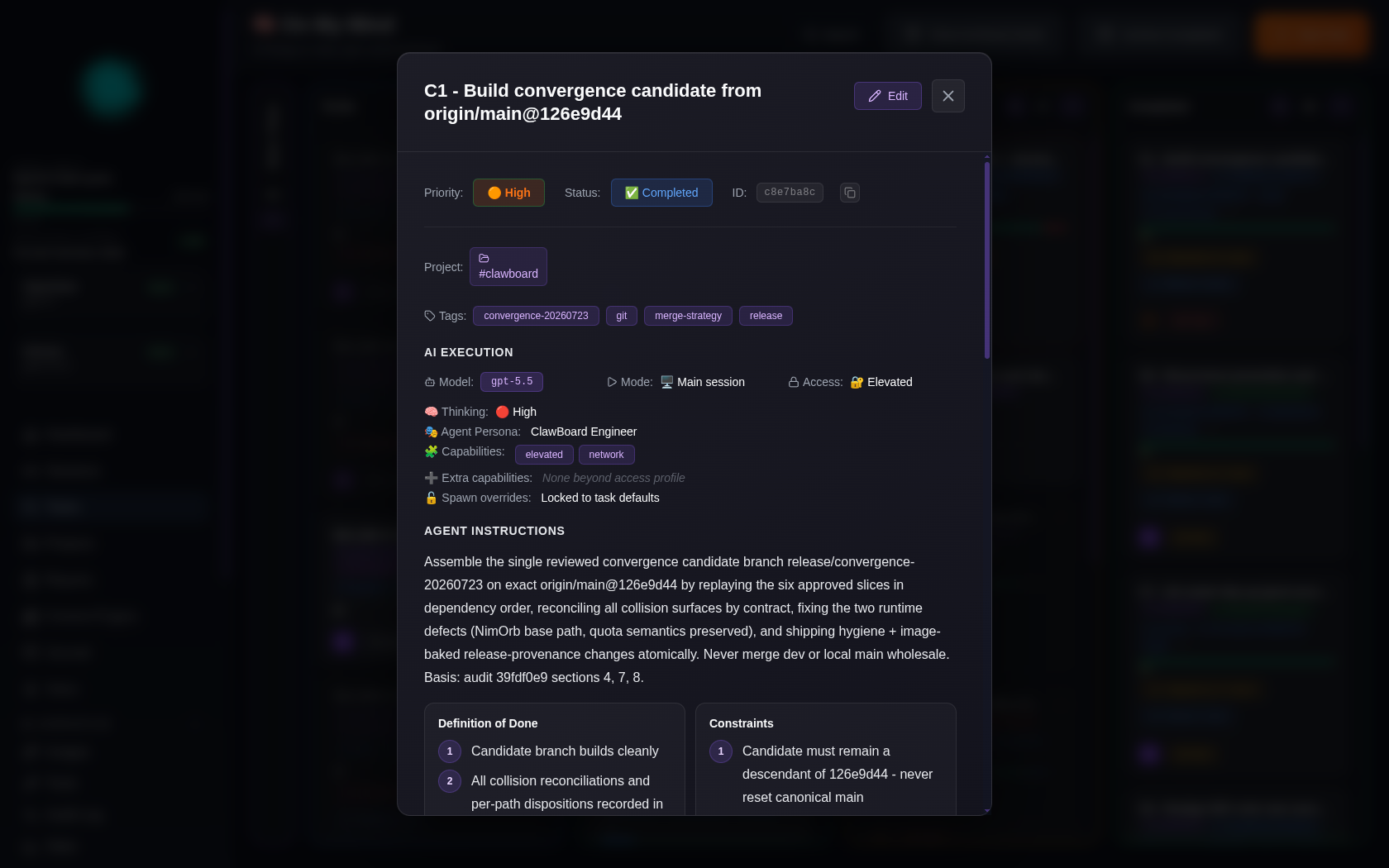

Projects


Sessions
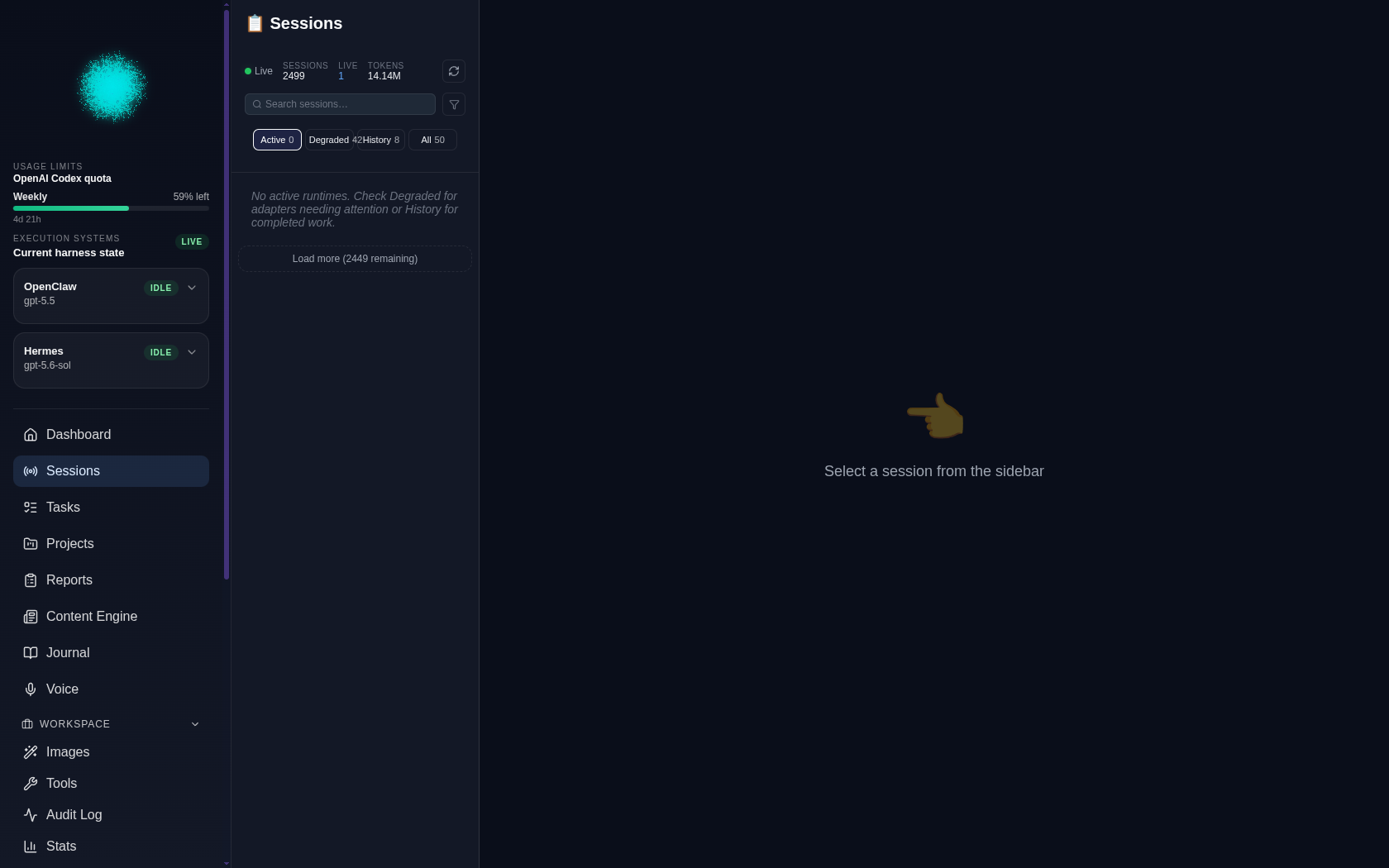
Journal

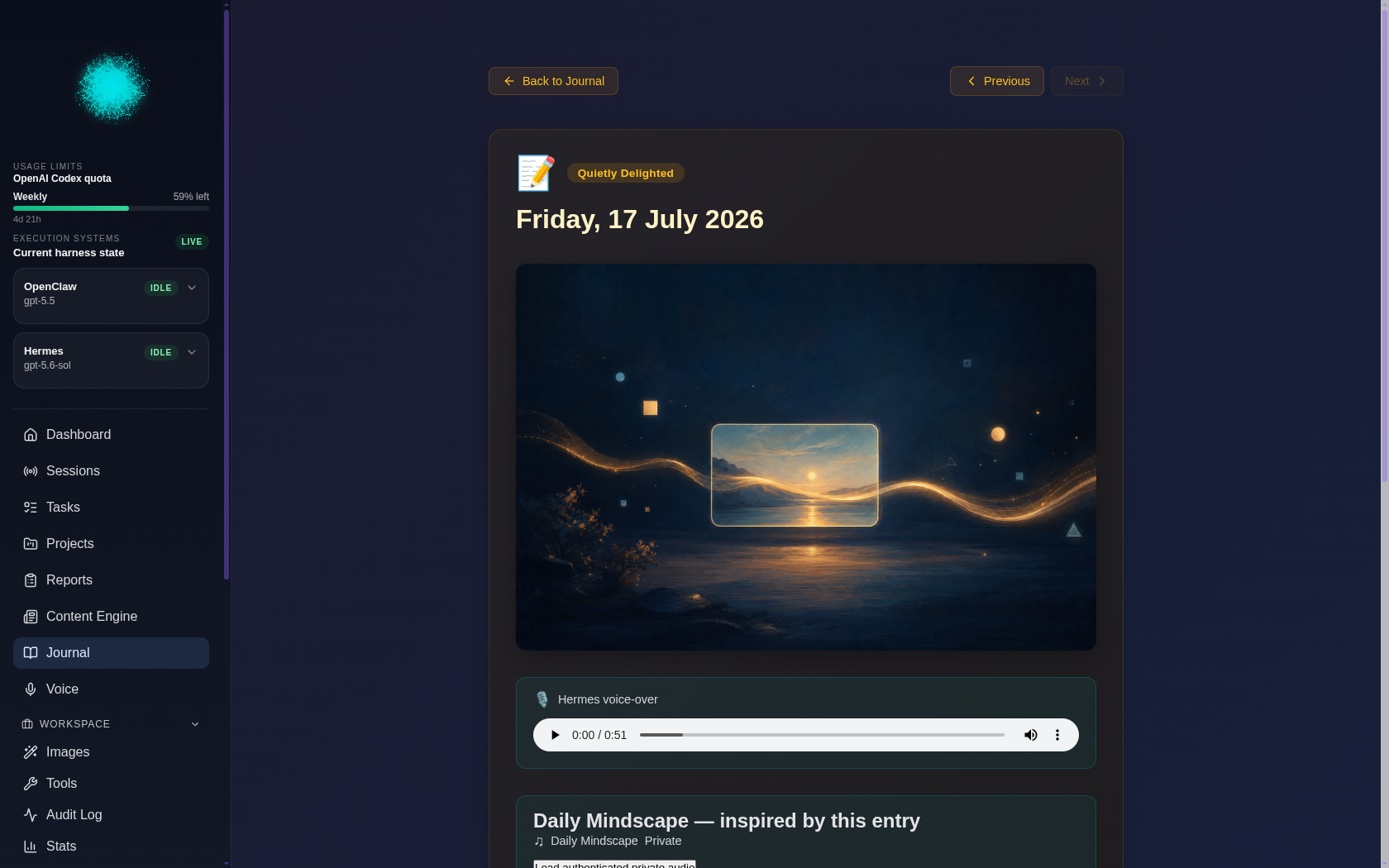

Stats & Tools
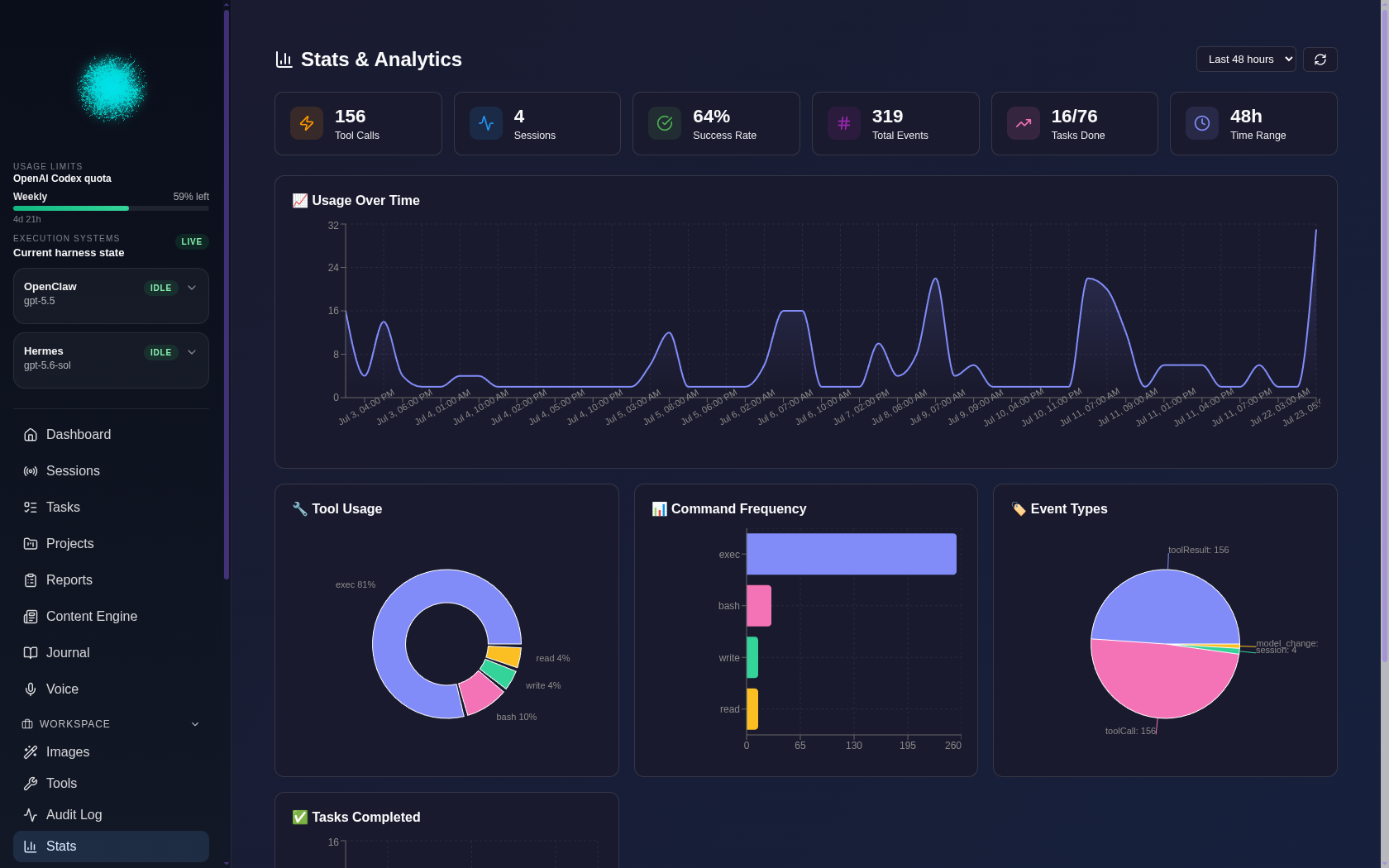
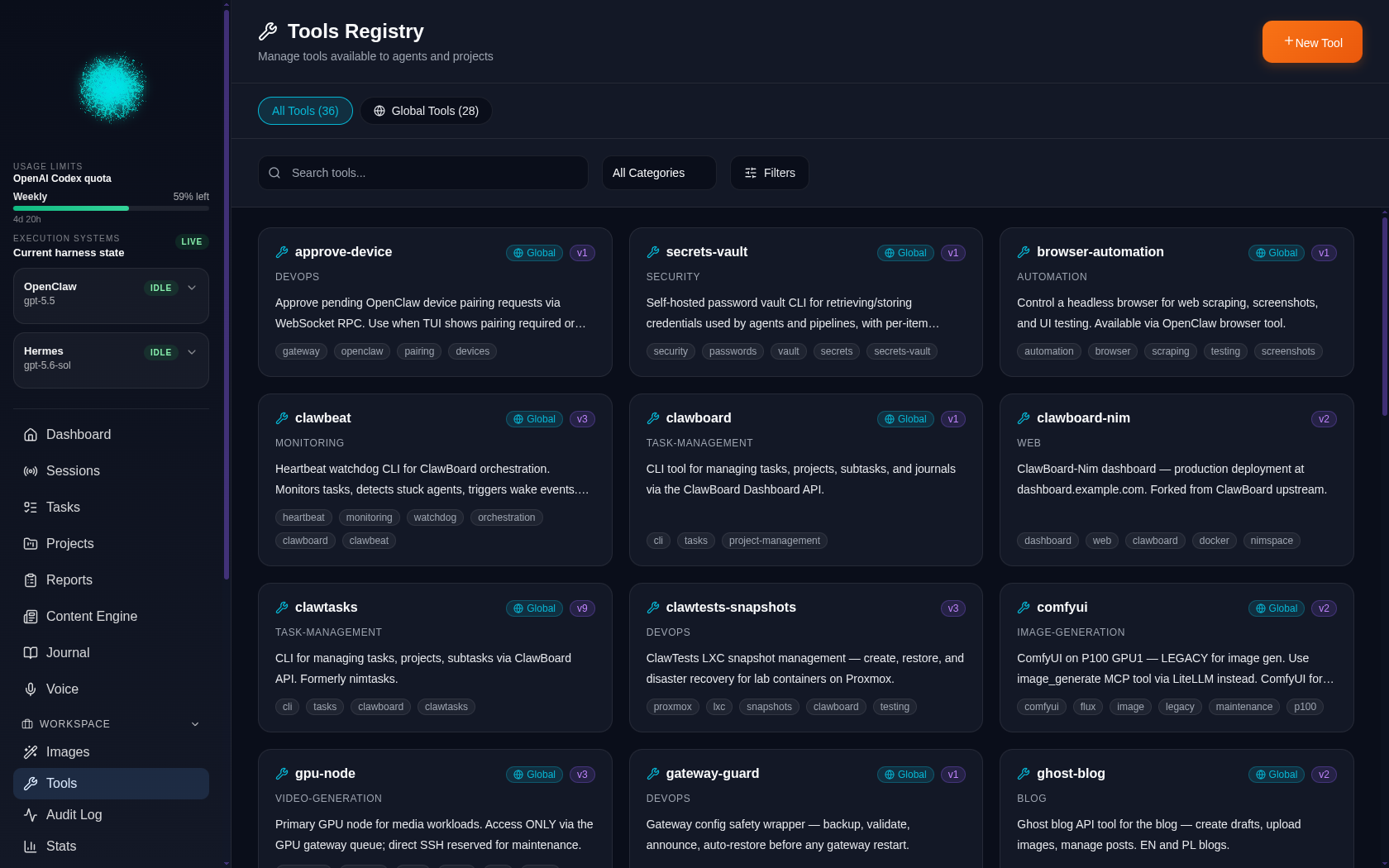

Audit


GPU Gateway Plugin
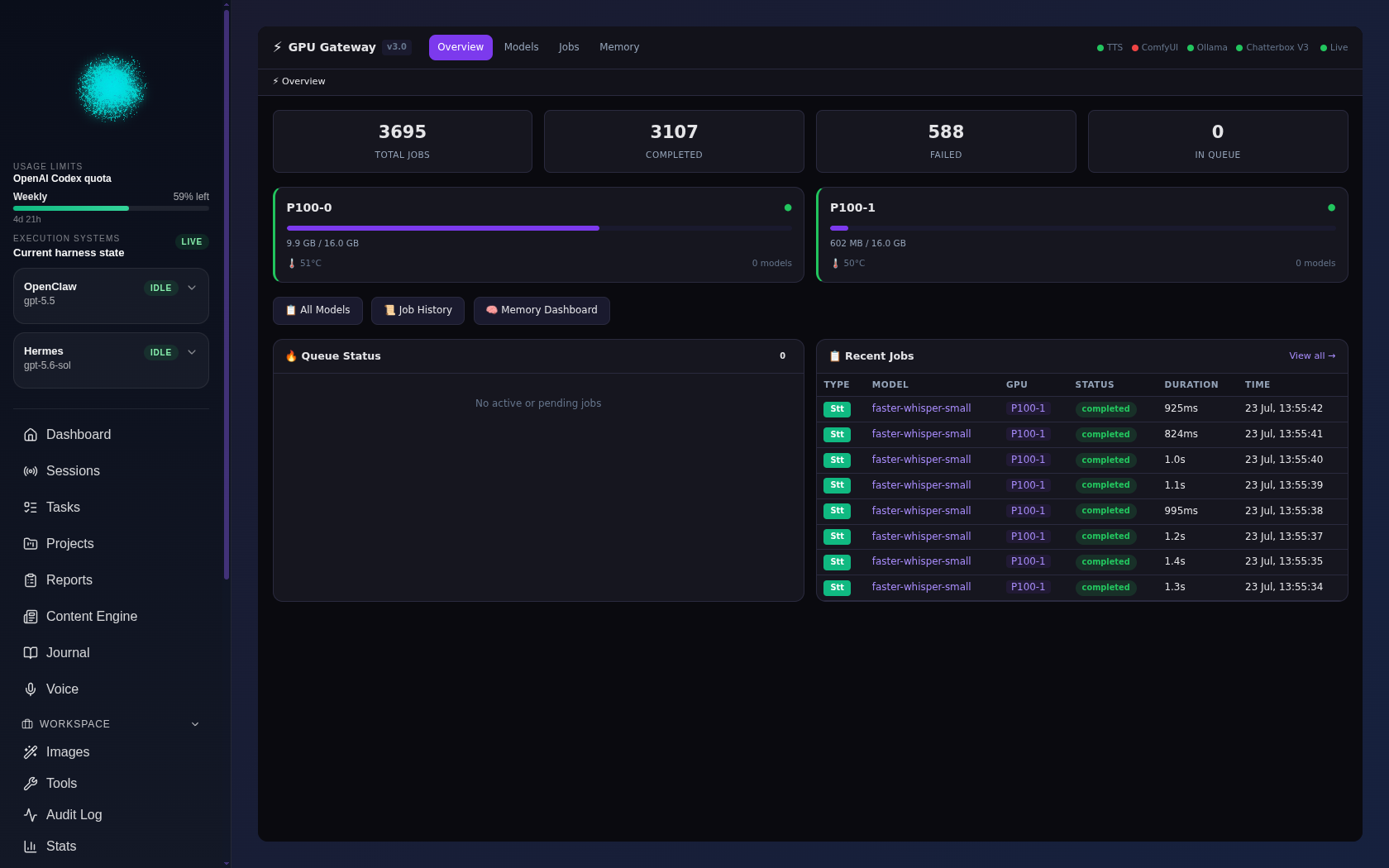


🚀 Quick Start
Get ClawBoard running in 5 minutes:
# 1. Clone repository
git clone https://github.com/Wadera/clawboard.git
cd ClawBoard

# 2. Run setup script (generates .env with password hash)
./setup.sh

# 3. Start services
docker compose up -d

# 4. Access dashboard
open http://localhost:8080/dashboard/
Prerequisites:
- Docker & Docker Compose
- OpenClaw installed and running
- 2GB RAM, 1 CPU core
What the setup script does:
- Creates
.envfrom.env.example - Generates bcrypt password hash for dashboard login
- Sets up database credentials and JWT secret
- Configures OpenClaw integration paths
- Creates data and backup directories
🧠 OpenClaw Workspace Integration
ClawBoard automatically reads and displays your bot's workspace files, giving you direct visibility into your agent's personality, memory, and configuration.
What Gets Loaded
The following files from your OpenClaw workspace are accessible in the dashboard:
- SOUL.md — Your bot's personality, identity, and core values
- HEARTBEAT.md — Heartbeat monitoring configuration and tasks
- AGENTS.md — Agent behavior, memory rules, and conventions
- USER.md — Information about the human the bot serves
- memory/YYYY-MM-DD.md — Daily memory logs
- memory/*.md — Additional memory files
How It Works
The workspace is mounted read-only into the ClawBoard backend container:
volumes:
  - ${OPENCLAW_WORKSPACE:-~/.openclaw/workspace}:/workspace:ro
Configuration in .env:
# Path to your bot's workspace directory
OPENCLAW_WORKSPACE=~/.openclaw/workspace
Dashboard Features
When workspace files are loaded, you'll see:
- Workspace Files Widget — Browse and view workspace files directly in the dashboard
- Bot Personality Card — Displays bot name and identity from SOUL.md
- Memory Timeline — Navigate through daily memory logs
- Quick File Access — Jump to any workspace file with one click
Verification
To verify the workspace integration is working:
- Log into the dashboard at
http://localhost:8080/dashboard/ - Look for the "Workspace Files" widget on the main dashboard
- Click on any file (e.g., SOUL.md) to view its contents
- If files don't appear, check:
.envhas correctOPENCLAW_WORKSPACEpath- The path exists and contains the expected files
- Docker container has been restarted after .env changes
Troubleshooting
Files not showing up?
# Check if workspace path is correct
ls -la ~/.openclaw/workspace

# Verify .env configuration
grep OPENCLAW_WORKSPACE .env

# Restart containers to pick up changes
docker compose restart clawboard-backend
Permission issues?
The workspace is mounted read-only, so ClawBoard cannot modify your files. If you need to edit them, use your preferred editor on the host system.
💓 Heartbeat Watchdog
ClawBoard includes clawbeat — a proactive monitoring tool that checks task status, agent activity, and orchestration needs.
What It Does
Clawbeat runs periodically (e.g., every 15 minutes) to:
- Check Active Sub-agents — Avoids interrupting ongoing work
- Monitor Stuck Tasks — Detects tasks awaiting subtask review with retry tracking
- Track In-Progress Tasks — Identifies stalled or crashed processes
- Auto-Start Ready Tasks — Generates spawn-ready prompts for tasks marked
autoStart=true
Configuration
Set up environment variables or config file:
# Environment variables
export CLAWBOARD_API_URL="http://localhost:3001/api"
export CLAWBOARD_TOKEN="your-api-token"

# Or use config file
mkdir -p ~/.config/clawboard
echo '{"api_token": "your-token"}' > ~/.config/clawboard/config.json
Usage
# Normal run (outputs JSON)
python3 cli/clawbeat.py

# Debug mode
python3 cli/clawbeat.py --verbose

# Dry run (no side effects)
python3 cli/clawbeat.py --dry-run

# Override API URL
python3 cli/clawbeat.py --api http://custom-host:3001/api
Example Output
{"action": "HEARTBEAT_OK", "reason": "All systems nominal"}

{"action": "WAKE",
 "message": "ORCHESTRATE: Stuck Task [abc123] Needs Review\n...",
 "reason": "Task abc123 stuck — needs subtask review",
 "task_id": "abc123",
 "attempt": 1,
 "recommended_action": "review"}
Integration with HEARTBEAT.md
Run via cron or OpenClaw heartbeat polling:
Option 1: Cron (runs every 15 minutes)
*/15 * * * * cd /path/to/clawboard && python3 cli/clawbeat.py
Option 2: HEARTBEAT.md in OpenClaw workspace
# HEARTBEAT.md

Every heartbeat (15 min interval):
1. Check clawbeat status
2. If WAKE action, follow orchestration instructions
3. Log actions to /tmp/orchestration-actions.log

Command:
```bash
cd /path/to/clawboard && python3 cli/clawbeat.py
### Features

- **Context-Rich Prompts** — Full task details, subtasks, project context
- **Retry Tracking** — Escalates after 3 failed attempts (`/tmp/clawbeat-retries.json`)
- **Deduplication** — Won't re-wake for same task within 30 minutes (`/tmp/orchestration-actions.log`)
- **Process Monitoring** — Checks external process health via `/tmp/task-*-status.json`
- **Zero Dependencies** — Python 3 stdlib only (requests optional)

### How It Works

1. **Active Sub-agent Check** — Scans `~/.openclaw/agents/main/sessions/` for recently active subagent sessions
2. **API Queries** — Fetches tasks via ClawBoard API (`/api/tasks?status=stuck`, etc.)
3. **Context Gathering** — Uses `clawboard` CLI to get full task details, subtasks, and project info
4. **Decision Tree** — Outputs `HEARTBEAT_OK` if all clear, or `WAKE` with detailed orchestration instructions

### Retry Escalation

Tasks are retried automatically with escalation:
- **Attempt 1-2:** Normal retry with context
- **Attempt 3+:** Escalation warning — approach may be wrong, consider human review

### Recommended Actions

The `recommended_action` field guides the orchestrator:
- `review` — Check subtasks and approve/reject
- `spawn_agent` — Ready to spawn agent for new task
- `restart_process` — External process crashed, needs restart
- `escalate` — 3+ failures, needs human intervention

See the [heartbeat-monitoring tool](database/init.sql) for full details.

## 📚 Documentation

Documentation lives in [`docs/`](docs/):

- **[Getting Started](docs/getting-started.md)** — 5-minute quick start guide
- **[Plugin Development](docs/plugin-development.md)** — Build your own plugins
- **[Example Plugin](docs/example-plugin/)** — Minimal hello-world plugin to learn from
- **[Project Overview](docs/PROJECT-OVERVIEW.md)** — Architecture deep dive
- **[Deployment Guide](DEPLOYMENT.md)** — Production deployment (Traefik, Nginx, Docker)
- **[Database Guide](database/README.md)** — Schema, backup, restore
- **[Contributing](CONTRIBUTING.md)** — How to contribute

## 🏗️ Architecture
┌─────────────────────────────────────────┐
│ ClawBoard Frontend │
│ React + TypeScript + Vite │
│ Port: 8080 → 80 │
└────────────┬────────────────────────────┘
│
▼
┌─────────────────────────────────────────┐
│ ClawBoard Backend │
│ Node.js + Express + TypeScript │
│ Port: 3001 (internal) │
└──────┬──────────────────────────────────┘
│
├──────────► OpenClaw Gateway
│ (WebSocket: ws://host.docker.internal:18789)
│
└──────────► PostgreSQL 16
(Internal only)
**Components:**
- **Frontend:** Static React app served by nginx
- **Backend:** REST API + WebSocket gateway + Plugin proxy
- **Database:** PostgreSQL for persistent storage
- **OpenClaw:** Read-only integration for session data
- **Plugins:** Docker containers loaded on startup (optional)

## 🛠️ Tech Stack

### Frontend
- React 18
- TypeScript
- Vite
- CSS (no framework)

### Backend
- Node.js 18+
- Express.js
- TypeScript
- PostgreSQL (node-postgres)
- WebSocket (ws)

### Infrastructure
- Docker & Docker Compose
- PostgreSQL 16
- Nginx (frontend serving)
- Traefik / Nginx (optional reverse proxy)

## 📦 Installation

### Prerequisites

```bash
# Check Docker
docker --version
docker compose version

# Check OpenClaw
openclaw status
Option 1: Quick Setup (Recommended)
./setup.sh
docker compose up -d
The setup script will guide you through configuration interactively.
Option 2: Manual Setup
# 1. Create .env
cp .env.example .env
nano .env
# Set POSTGRES_PASSWORD, JWT_SECRET, LOGIN_PASSWORD, OPENCLAW_DIR

# 2. Create config
cp clawboard.config.example.json clawboard.config.json
nano clawboard.config.json
# Customize bot name, colors, features

# 3. Start services
docker compose up -d

# 4. Check status
docker compose ps
Option 3: Development Setup
# Start dev stack with hot reload
docker compose -f docker-compose.dev.yml up
🖥️ CLI Tool
ClawBoard includes a command-line tool for managing tasks, projects, tools, and journals.
Setup
# Make executable and add to PATH
chmod +x cli/clawboard
export PATH="$(pwd)/cli:$PATH"

# Or create a symlink
ln -s "$(pwd)/cli/clawboard" /usr/local/bin/clawboard

# Configure API URL (default: http://localhost:8080/api)
export CLAWBOARD_API_URL="http://localhost:8080/api"
Authentication
# Login (stores token in ~/.config/clawboard/token.json)
clawboard login

# Or use environment variables
export CLAWBOARD_PASSWORD="your-dashboard-password"
Quick Start
clawboard list                          # List all tasks
clawboard create "My first task"        # Create a task
clawboard projects                      # List projects
clawboard tools list                    # List tools
clawboard tools generate-md --slim      # Generate TOOLS.md
clawboard journal list                  # List journal entries
clawboard status                        # Dashboard overview
TOOLS.md Bootstrapping
After deploying ClawBoard, bootstrap the tool registry so your bot knows how to use the dashboard:
# 1. Login to the CLI
clawboard login

# 2. Add your tools (or import from a template)
clawboard tools list

# 3. Generate TOOLS.md for your bot's workspace
clawboard tools generate-md --slim -o /path/to/bot/workspace/TOOLS.md
The generated TOOLS.md gives your OpenClaw bot context about available tools and how to use them.
⚙️ Configuration
Environment Variables (.env)
# Database
POSTGRES_PASSWORD=your-secure-password

# Authentication
JWT_SECRET=your-random-hex-string
LOGIN_PASSWORD=your-dashboard-password

# OpenClaw Integration
OPENCLAW_DIR=~/.openclaw
OPENCLAW_GATEWAY_URL=ws://host.docker.internal:18789

# Deployment
FRONTEND_PORT=8082
DOMAIN=localhost
Dashboard Configuration (clawboard.config.json)
{
  "bot": {
    "name": "ClawBot",
    "displayName": "My ClawBoard",
    "emoji": "🤖"
  },
  "branding": {
    "primaryColor": "#6366f1",
    "accentColor": "#8b5cf6",
    "sidebarTitle": "ClawBoard"
  },
  "features": {
    "taskBoard": true,
    "projects": true,
    "journal": true,
    "botStatus": true,
    "stats": true
  }
}
See Getting Started for complete reference.
🔌 Plugins
ClawBoard V2 supports a plugin system where each plugin runs as its own Docker container. Plugins can add sidebar items, API endpoints, and full UI pages to your dashboard.
Quick Plugin Setup
# 1. Create clawboard.plugins.json (or copy the example)
cp clawboard.plugins.example.json clawboard.plugins.json

# 2. Add your plugin entries
# 3. Start with plugins
docker compose up -d
Creating a Plugin
See the full Plugin Development Guide.
Every plugin needs:
- A
plugin.jsonmanifest at its root - A
/healthendpoint - A Dockerfile
- An entry in
clawboard.plugins.json
No Plugins? No Problem
ClawBoard works perfectly without any plugins. The plugin system is completely optional — if clawboard.plugins.json is empty or missing, ClawBoard runs in core-only mode.
🔐 Security
ClawBoard follows security best practices:
- ✅ Password-protected with JWT authentication
- ✅ Non-root Docker containers (UID 1002)
- ✅ Read-only OpenClaw mounts
- ✅ Environment variable secrets (no hardcoded passwords)
- ✅ HTTPS support (via Traefik/Nginx)
- ✅ Complete audit logging
- ✅ CORS protection
- ✅ Rate limiting (configurable)
Default credentials:
- Login password: Set in
.env(LOGIN_PASSWORD) - Database: Internal only (not exposed to host)
📊 Database
ClawBoard uses PostgreSQL 16 for data storage:
# Create backup
./database/backup.sh

# Restore from backup
./database/restore.sh

# Direct database access
docker compose exec clawboard-db psql -U clawboard -d clawboard
Tables:
tasks— Kanban tasksprojects— Project organizationjournal_entries— Daily journalbot_status— Agent status updatesaudit_log— Complete audit trail
See Database Guide for schema and management.
🔄 Updates
# 1. Backup first!
./database/backup.sh

# 2. Pull latest changes
git pull origin main

# 3. Rebuild containers
docker compose build

# 4. Restart services
docker compose up -d

# 5. Verify
docker compose ps
🔌 OpenClaw Gateway Connection
ClawBoard connects to your OpenClaw agent via the Gateway WebSocket. This is how it reads sessions, monitors agent status, and sends control commands.
How It Works
- OpenClaw Gateway runs on your host machine (default port:
18789) - ClawBoard backend (inside Docker) connects to it via WebSocket
- The
extra_hostsDocker setting mapshost.docker.internal→ your host machine - Session data and config files are mounted read-only into the container
Required Mounts
The backend container needs access to these OpenClaw files:
| Host Path | Container Path | Purpose |
|---|---|---|
~/.openclaw/agents/main/sessions/ |
/clawdbot/sessions/ |
Session transcripts & sessions.json |
~/.openclaw/openclaw.json |
/clawdbot/clawdbot.json |
OpenClaw configuration |
~/.openclaw/workspace/ |
/workspace/ |
Bot workspace (SOUL.md, memory/, etc.) |
Required Environment Variables
| Variable | Default | Purpose |
|---|---|---|
OPENCLAW_DIR |
~/.openclaw |
Host path to OpenClaw data directory |
OPENCLAW_GATEWAY_URL |
ws://host.docker.internal:18789 |
Gateway WebSocket URL |
OPENCLAW_WORKSPACE |
~/.openclaw/workspace |
Bot workspace directory |
Note: Inside the container, these are mapped to
CLAWDBOT_*env vars that the backend reads. Thedocker-compose.prod.ymlhandles this mapping automatically.
Verifying the Connection
# 1. Check OpenClaw gateway is running
openclaw gateway status

# 2. Check the backend can reach it
docker compose logs clawboard-backend | grep -i gateway

# 3. Look for "Gateway connected" in logs
docker compose logs clawboard-backend | grep -i "connected"
✅ Functional Tests
After deployment, verify that everything works:
# 1. Check all containers are healthy
docker compose ps

# Expected: All containers show "healthy" or "Up"

# 2. Test API health endpoint
curl http://localhost:8080/api/health

# Expected: {"status":"ok","timestamp":"..."}

# 3. Test login
curl -X POST http://localhost:8080/api/auth/login \
  -H "Content-Type: application/json" \
  -d '{"password":"your-password"}'

# Expected: {"token":"...","user":{...}}

# 4. Access dashboard in browser
open http://localhost:8080/dashboard/

# Expected: Login page loads, successful login redirects to dashboard
Troubleshooting:
- API 502 Bad Gateway: Backend container not healthy. Check:
docker compose logs clawboard-backend - Login fails: Password hash mismatch. Regenerate:
./setup.sh(reconfigure) - Dashboard blank: Check browser console for API errors. Verify
/api/proxy in nginx
🐛 Troubleshooting
"Gateway Disconnected" in Dashboard
This means the backend can't reach the OpenClaw gateway. Check:
# 1. Is OpenClaw gateway running?
openclaw gateway status
# If not: openclaw gateway start

# 2. Is the WebSocket URL correct in .env?
grep OPENCLAW_GATEWAY_URL .env
# Should be: ws://host.docker.internal:18789

# 3. Can the container reach the host?
docker compose exec clawboard-backend sh -c "wget -qO- http://host.docker.internal:18789 || echo 'Cannot reach gateway'"

# 4. Check backend logs for connection errors
docker compose logs clawboard-backend | grep -i "gateway\|websocket\|error"

# 5. Restart the backend
docker compose restart clawboard-backend
Common causes:
- OpenClaw gateway not running →
openclaw gateway start - Wrong port in
.env→ default is18789 - Docker networking issue → ensure
extra_hostsis in docker-compose.prod.yml - Firewall blocking localhost connections → check iptables/firewalld rules
Dashboard Won't Load
# Check containers
docker compose ps

# View logs
docker compose logs -f

# Restart
docker compose restart
Blank Pages or Missing Features
# Rebuild frontend with latest config
docker compose build clawboard-frontend
docker compose up -d clawboard-frontend

# Check clawboard.config.json has features enabled
cat clawboard.config.json | grep -A 20 '"features"'
Database Issues
# Check database logs
docker compose logs clawboard-db

# Restart database
docker compose restart clawboard-db
See DEPLOYMENT.md for more deployment and troubleshooting guidance.
🤝 Contributing
Contributions are welcome! Please see CONTRIBUTING.md.
See CONTRIBUTING.md for the full guide, including how to maintain a private fork (upstream/downstream workflow).
Ways to contribute:
- 🐛 Report bugs
- ✨ Suggest features
- 📝 Improve documentation
- 💻 Submit code
- 🎨 Design improvements
Development setup:
git clone https://github.com/yourusername/clawboard.git
cd clawboard
docker compose -f docker-compose.dev.yml up
👩💻 Authors
| Who | Role | Contact |
|---|---|---|
| ClawBoard Team | Creator & Maintainer | [email protected] |
Yes, an AI co-wrote this dashboard. The future is collaborative. ✨
📝 License
ClawBoard is open-source software licensed under the MIT License.
🙏 Acknowledgments
ClawBoard is built with:
- React — UI framework
- Express.js — Backend framework
- PostgreSQL — Database
- Docker — Containerization
- OpenClaw — AI agent framework
Special thanks to the open-source community!
📧 Contact
- Email: [email protected]
- Repository: ClawBoard on GitHub
- Wiki: Documentation
🗺️ Roadmap
V2.0.0 (Current):
- ✅ Plugin system (Docker-based, config-driven)
- ✅ Multi-entry journal (multiple entries per day)
- ✅ Mobile UX improvements
- ✅ Backend stability (OOM fixes, debounced watchers)
- ✅ Upstream/downstream fork workflow
Planned:
- 🌍 Multi-language support
- 🔔 Notification system
- 👥 Multi-user collaboration
- 📱 Mobile app
- 📊 Advanced analytics
- 🎨 Theme marketplace
- 🔌 Plugin marketplace & registry
Built with ❤️ for the OpenClaw community
Reviews (0)
Sign in to leave a review.
Leave a reviewNo results found