jishu-hub
Health Warn
- License — License: MIT
- Description — Repository has a description
- Active repo — Last push 0 days ago
- Low visibility — Only 5 GitHub stars
Code Fail
- spawnSync — Synchronous process spawning in scripts/build.mjs
Permissions Pass
- Permissions — No dangerous permissions requested
No AI report is available for this listing yet.
A multi-agent collaboration platform for CLI-based AI agents




Why Jishu Hub?
AI coding agents are evolving rapidly — Claude Code, OpenAI Codex, Open Code, and more are emerging as powerful CLI tools. But managing them is fragmented: scattered terminals, buried session logs, hand-edited configs.
Jishu Hub (机枢) is a multi-agent collaboration platform that unifies these CLI-based AI agents in one desktop interface. Like precision gears in a machine — each agent is a "机枢" (a pivotal mechanism) — running stably and intelligently on the platform.
Zero overhead · Zero risk · Zero bloat
- Native CLI passthrough — connects directly to existing agent CLIs, no proxies, no wrappers, zero extra resource consumption
- Instant launch, tiny footprint — built on Tauri v2 + Rust, installer under 10 MB, cold start in under a second
- Your data stays yours — session history lives alongside each project in its own directory; Hub metadata stored locally in
~/.jishu-hub/; nothing is ever uploaded
Quick Start
Download the latest release from GitHub Releases.
For users in China, downloads are also available from Gitee Releases.
System Requirements: Windows 10 or later
Screenshots
Main Chat Interface
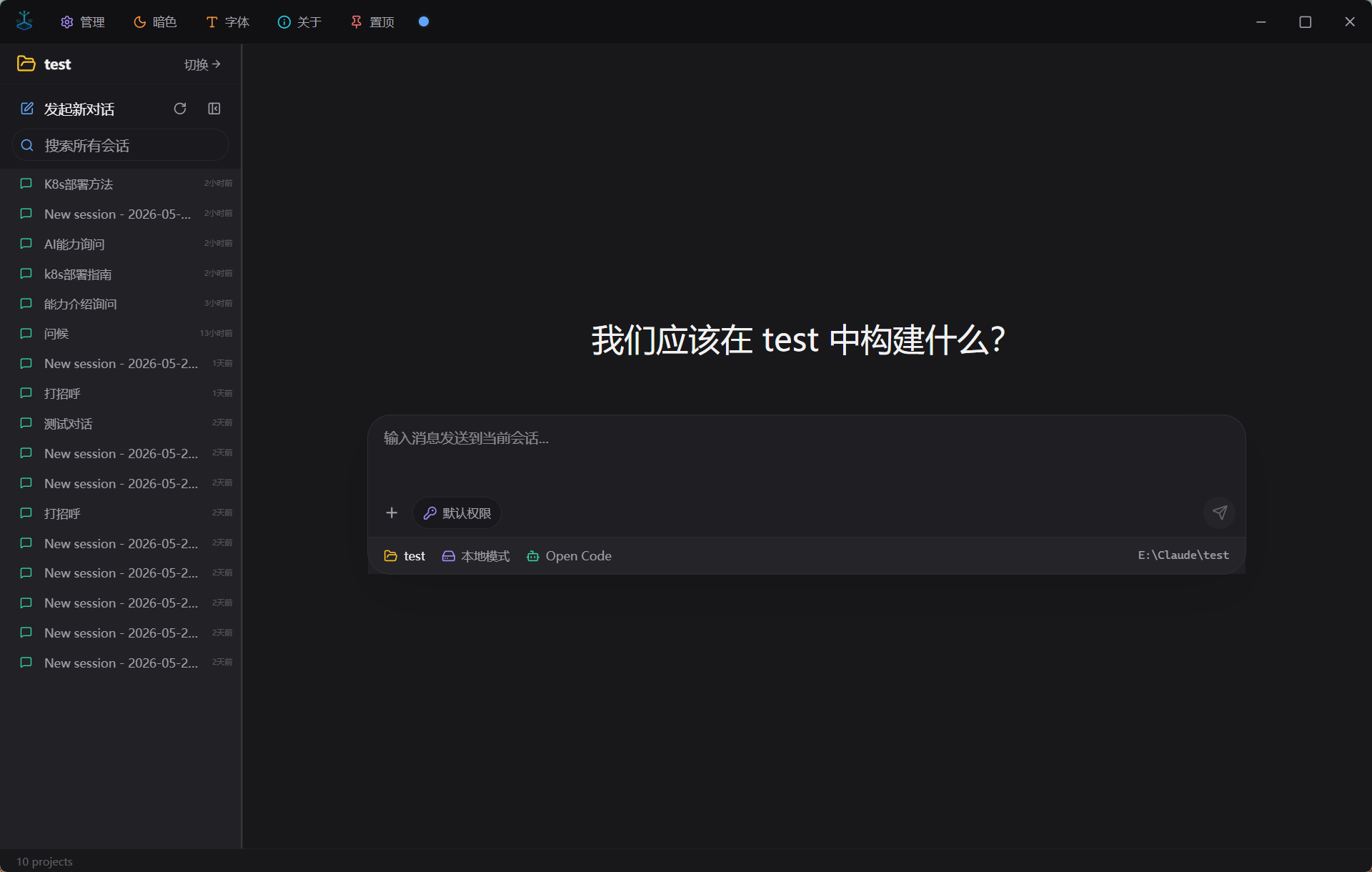
Multimodal Capabilities
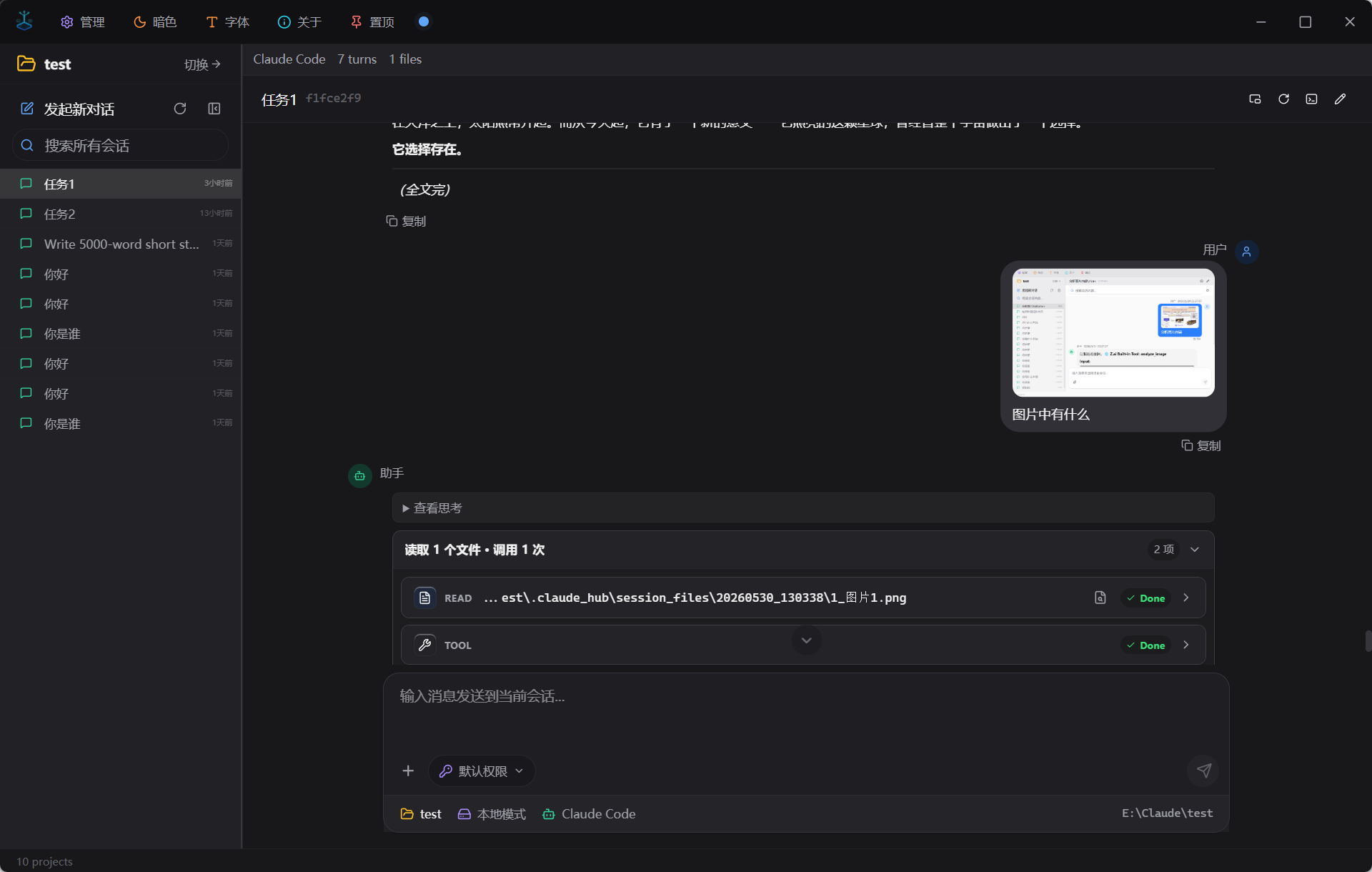
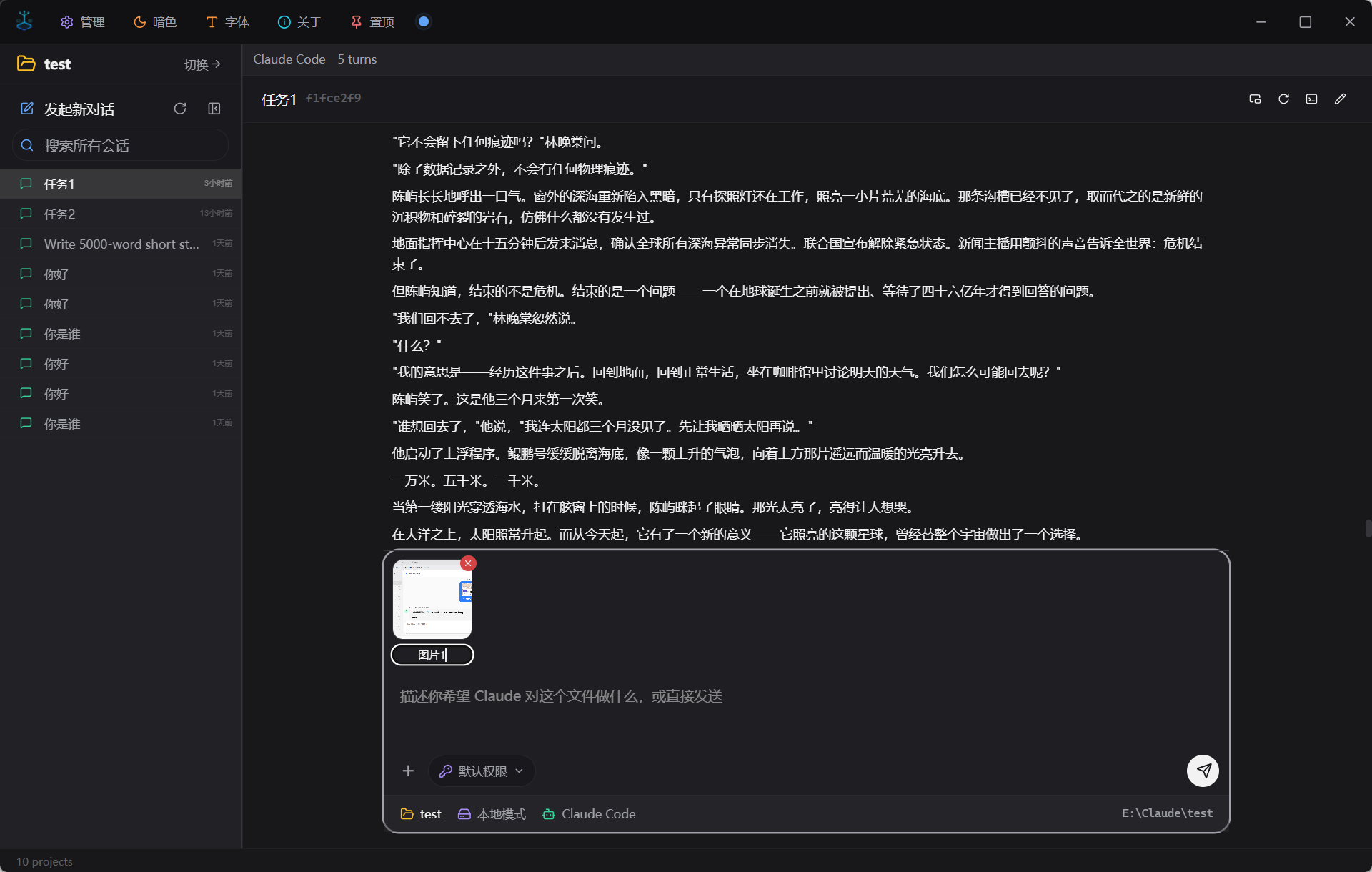
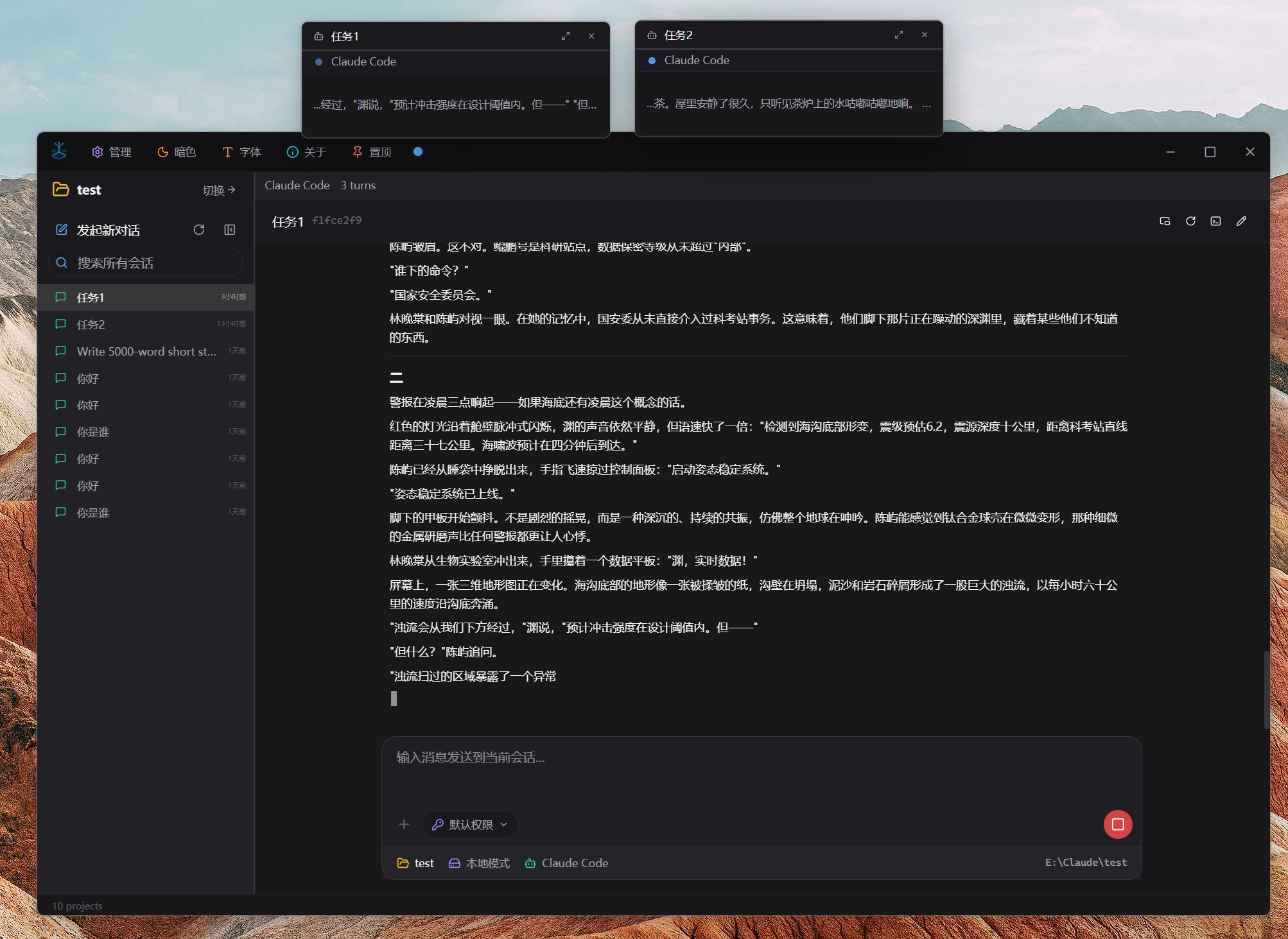
Multi-Agent Collaboration & Parallel Tasks
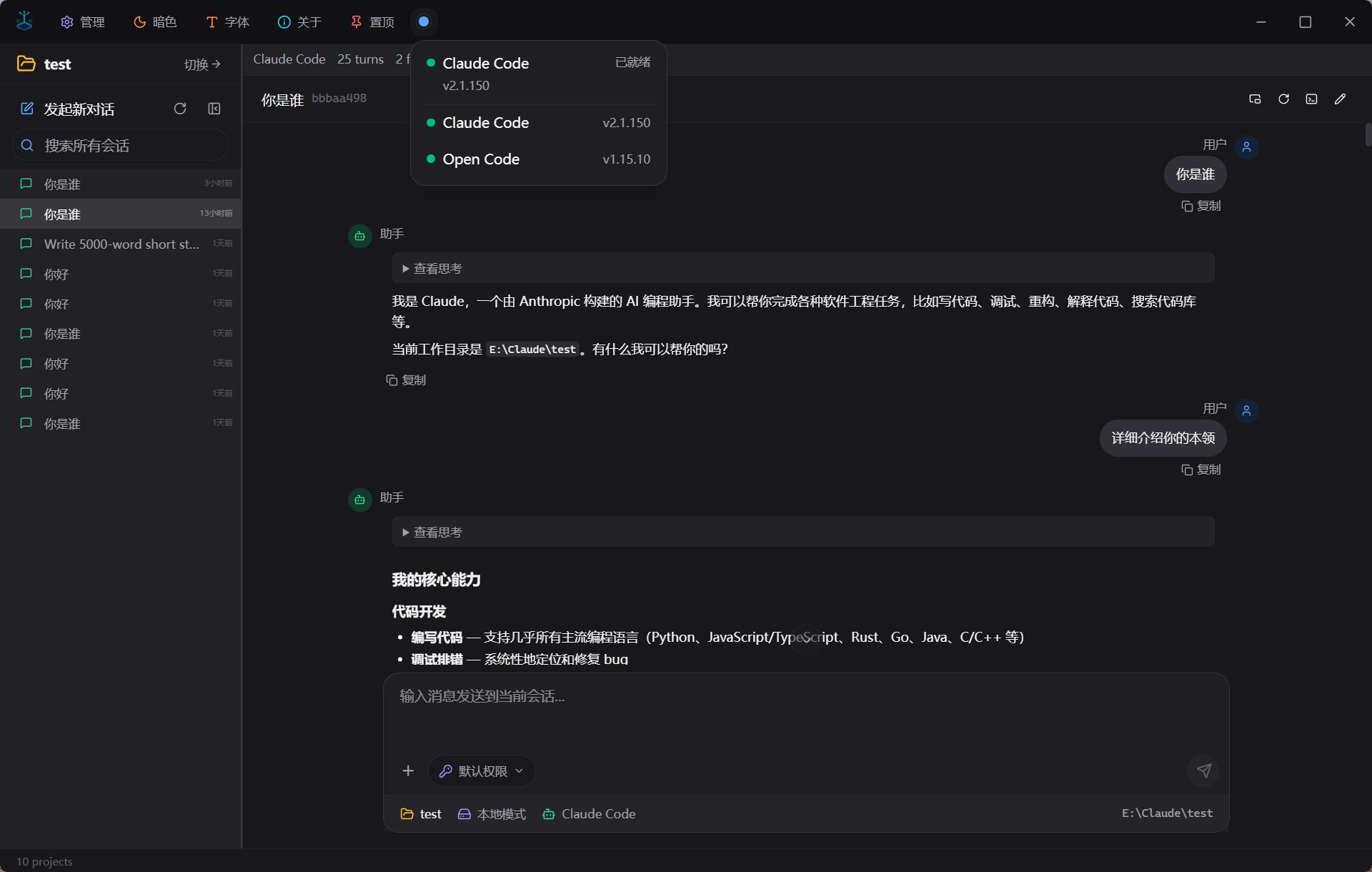
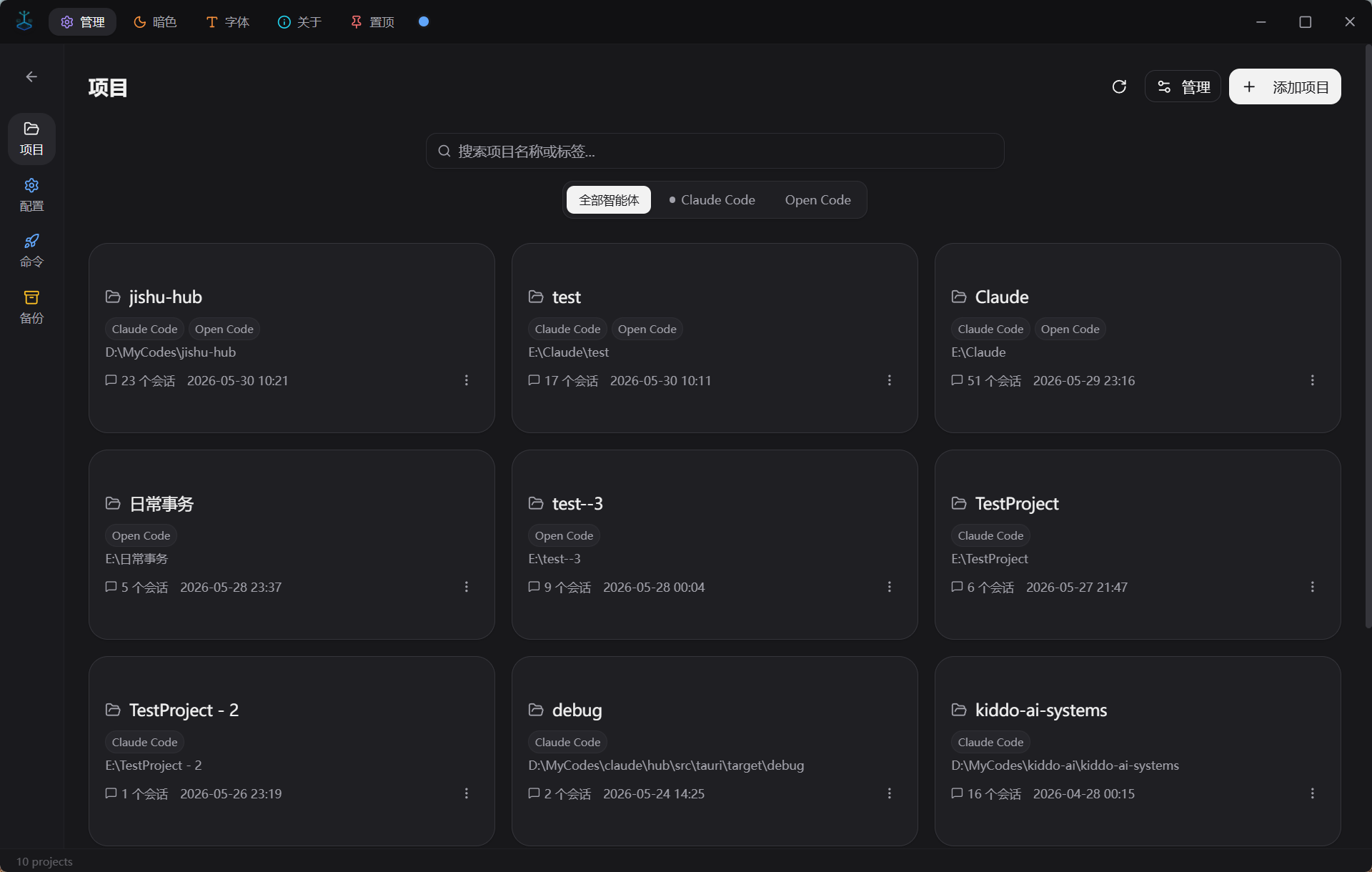
Project & Session Management
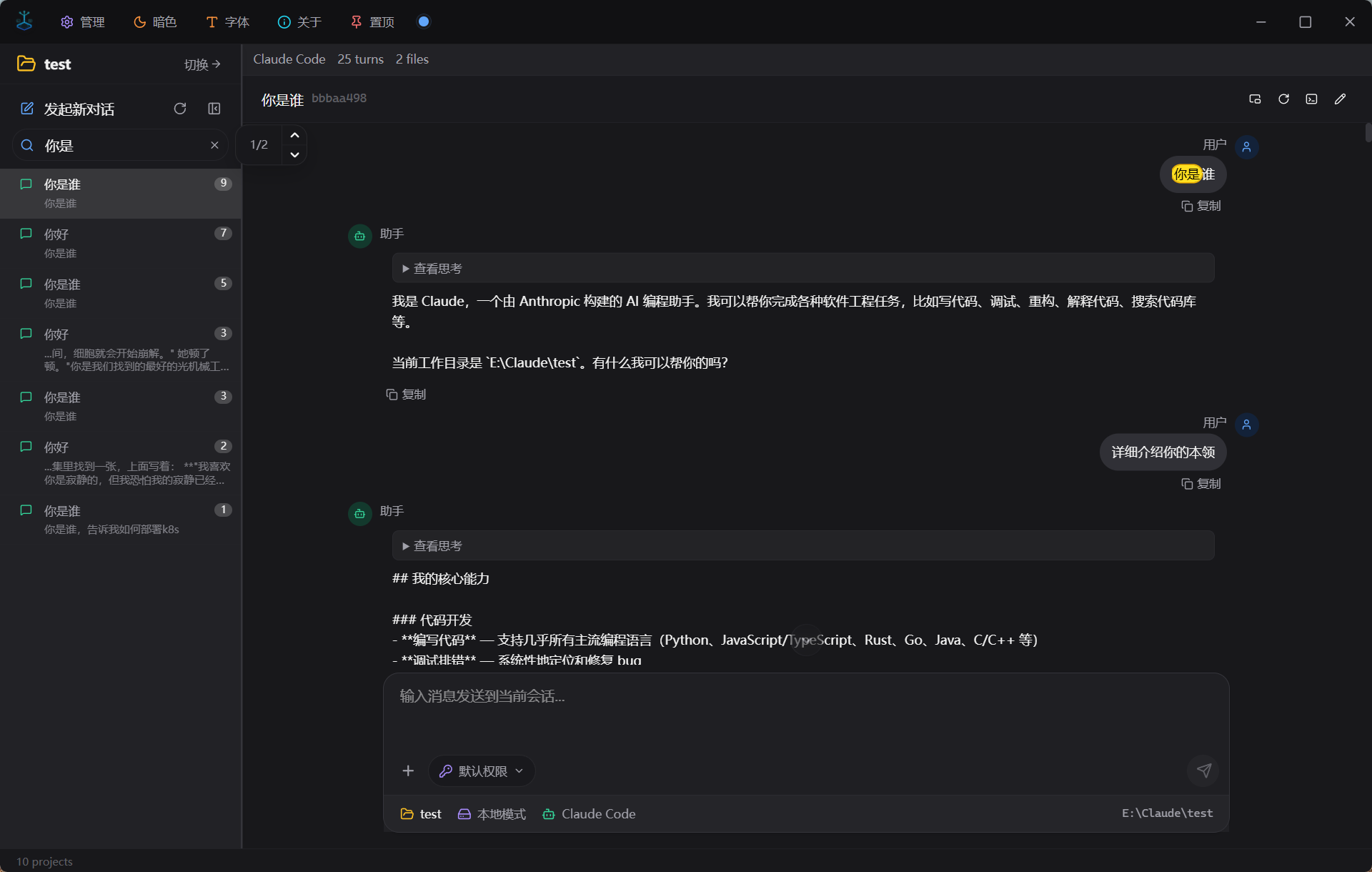
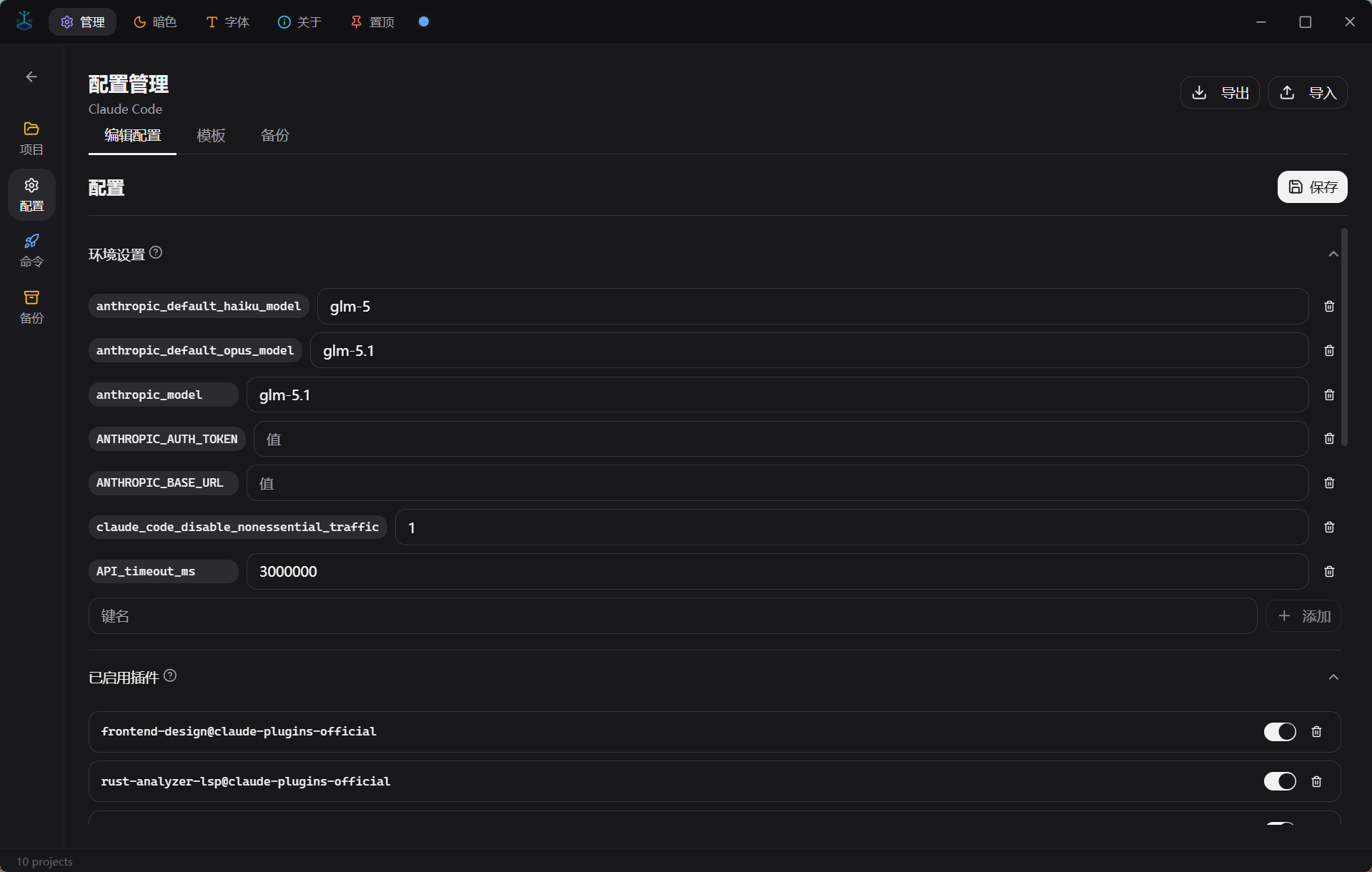
Configuration Editor
Features
Multi-Agent Platform
- Plugin-based agent registration and one-click switching
- Currently supports Claude Code, OpenAI Codex, Open Code
- AgentPlugin trait abstraction — ready to onboard the next agent
- Built-in environment detection and one-click agent installation (npm / winget / choco)
In-App Chat
- Talk to AI agents directly inside Hub, no terminal required
- Send any file type as attachments (images, documents, code, etc.)
- Project-local files detected automatically — referenced by path, not copied
- Three ways to add files: paste, drag-and-drop, or file picker
- Streaming output with real-time Markdown rendering
- Floating window (picture-in-picture) for independent session viewing
Session Management
- Browse all sessions grouped by project
- Full-text content search across sessions — instantly locate any conversation
- Custom session naming for easy identification
- Resume sessions in terminal with one click
Project Management
- Auto-discovers all projects across agents
- Shows session count and last active time
- Add projects via folder picker (including uninitialized projects)
Configuration
- Visual form editor for agent settings
- Model selector, environment variables, plugin toggles
- Built-in templates for popular providers (OpenRouter, SiliconFlow, etc.)
- Save and switch between config presets
- Auto-backup with one-click restore
Custom Commands
- Create and manage custom slash commands
- Execute commands directly from the UI
Personalization
- Three themes: Light / Colorful / Dark (dark by default)
- Independent font size control for UI and chat content (4 presets)
- Bilingual support (Chinese & English), auto-detects system language
Contributing
Contributions are welcome! Whether it's code, bug reports, or feature suggestions.
- Fork the repository
- Create your feature branch (
git checkout -b feature/amazing-feature) - Commit your changes (
git commit -m 'Add amazing feature') - Push to the branch (
git push origin feature/amazing-feature) - Open a Pull Request
Prerequisites
| Tool | Min Version | Purpose |
|---|---|---|
| Node.js | 18+ | Frontend build |
| Rust | 1.77+ | Backend compile |
| VS Build Tools 2022 | Latest | Windows C++ toolchain |
Build & Run
git clone https://github.com/wang5766171/jishu-hub.git
cd jishu-hub
npm install
npm run tauri dev
| Layer | Technology |
|---|---|
| Desktop Framework | Tauri v2 |
| Frontend | React 19 + TypeScript |
| UI | shadcn/ui + Tailwind CSS v4 |
| Backend | Rust |
| i18n | i18next |
| Path | Description |
|---|---|
~/.jishu-hub/ |
Hub metadata (agents, session names, presets, state) |
~/.claude/ |
Claude Code agent data |
~/.codex/ |
Codex agent data |
License
MIT © 2025 Jishu Hub
Reviews (0)
Sign in to leave a review.
Leave a reviewNo results found