pi-harness
Health Pass
- License — License: AGPL-3.0
- Description — Repository has a description
- Active repo — Last push 0 days ago
- Community trust — 19 GitHub stars
Code Fail
- fs.rmSync — Destructive file system operation in e2e/fixtures.ts
- process.env — Environment variable access in e2e/fixtures.ts
- fs.rmSync — Destructive file system operation in e2e/smoke.spec.ts
Permissions Pass
- Permissions — No dangerous permissions requested
No AI report is available for this listing yet.
The complete desktop workspace for Pi Coding Agent — configure, run and extend Pi. | Pi Coding Agent 一站式桌面工作台:配置、运行与扩展 Pi。
Pi-Harness
The complete desktop workspace for Pi Coding Agent
Configure Pi · Run agents · Manage models, Skills, packages, and projects
Everything you need to configure, run, and extend Pi Coding Agent in one native desktop app.
English · 简体中文 · 繁體中文 · 日本語 · 한국어 · Русский · Français · Deutsch



Download · How it works · Screenshots · Development
Why Pi-Harness?
More than a Pi chat UI
A basic desktop client gets you from Pi to chat. Pi-Harness also brings environment setup, provider and model management, Skills, packages, projects, files, and Git into one desktop workspace.
Typical desktop client                Pi-Harness

Pi → Chat                             Environment
                                      + Providers / Models
                                      + Skills / Packages / MCP adapters
                                      + Workspace / Sessions / Files / Git
                                      ↓
                                      Pi Coding Agent
Pi-Harness is not a wrapped web UI. It embeds no pi-web, Next.js server, or iframe, and it does not add a second agent runtime. Pi Coding Agent remains the only Agent Runtime, with sessions compatible with Pi CLI JSONL under ~/.pi/agent/sessions/.
Configure Pi. Run Pi. Extend Pi.
Download
Download Pi-Harness v1.1.1 from GitHub Releases.
| Platform | Installer |
|---|---|
| macOS Apple Silicon | Pi-Harness-1.1.1-arm64.dmg |
| macOS Intel | Pi-Harness-1.1.1.dmg |
| Windows x64 | Pi-Harness.Setup.1.1.1.exe |
macOS community builds may be unsigned. If macOS blocks the first launch, use System Settings → Privacy & Security → Open Anyway. See the v1.1.1 installation notes for details.
Packaged users do not need to clone the repository or install pnpm. Pi-Harness can detect, install, and repair Node.js, npm, PATH, and Pi Coding Agent where supported.
What you can do
Workspace
Open a project, start or resume Pi sessions, stream Thinking and Tool Calls, and keep the conversation beside the files it changes.
Providers & Models
Choose a Pi-compatible preset or configure a custom API, discover available models where the provider supports it, test the connection, and select the active model.
Skills, Packages & MCP
Create and manage local Skills and Pi packages, and add MCP connectivity through supported packages.
Environment
Detect Node.js, npm, PATH, and Pi Coding Agent, then install or repair common environment problems from the desktop app.
Files & Git
Browse and upload files, edit readable text with conflict protection, inspect Git diffs, and work with project worktrees without turning the app into an IDE.
Diagnostics & Security
Inspect environment, storage, workspace, and capability health from the desktop app.
How it works
- Launch Pi-Harness and let Overview check Node.js, npm, PATH, and Pi.
- Configure a provider from a preset or your own Pi-compatible endpoint.
- Choose a model and run a connection test.
- Open a project in the native Workspace.
- Start or resume a Pi session with streaming output, Tool Calls, files, and Git context.
Install → Configure provider → Select model → Open project → Run Pi
Screenshots
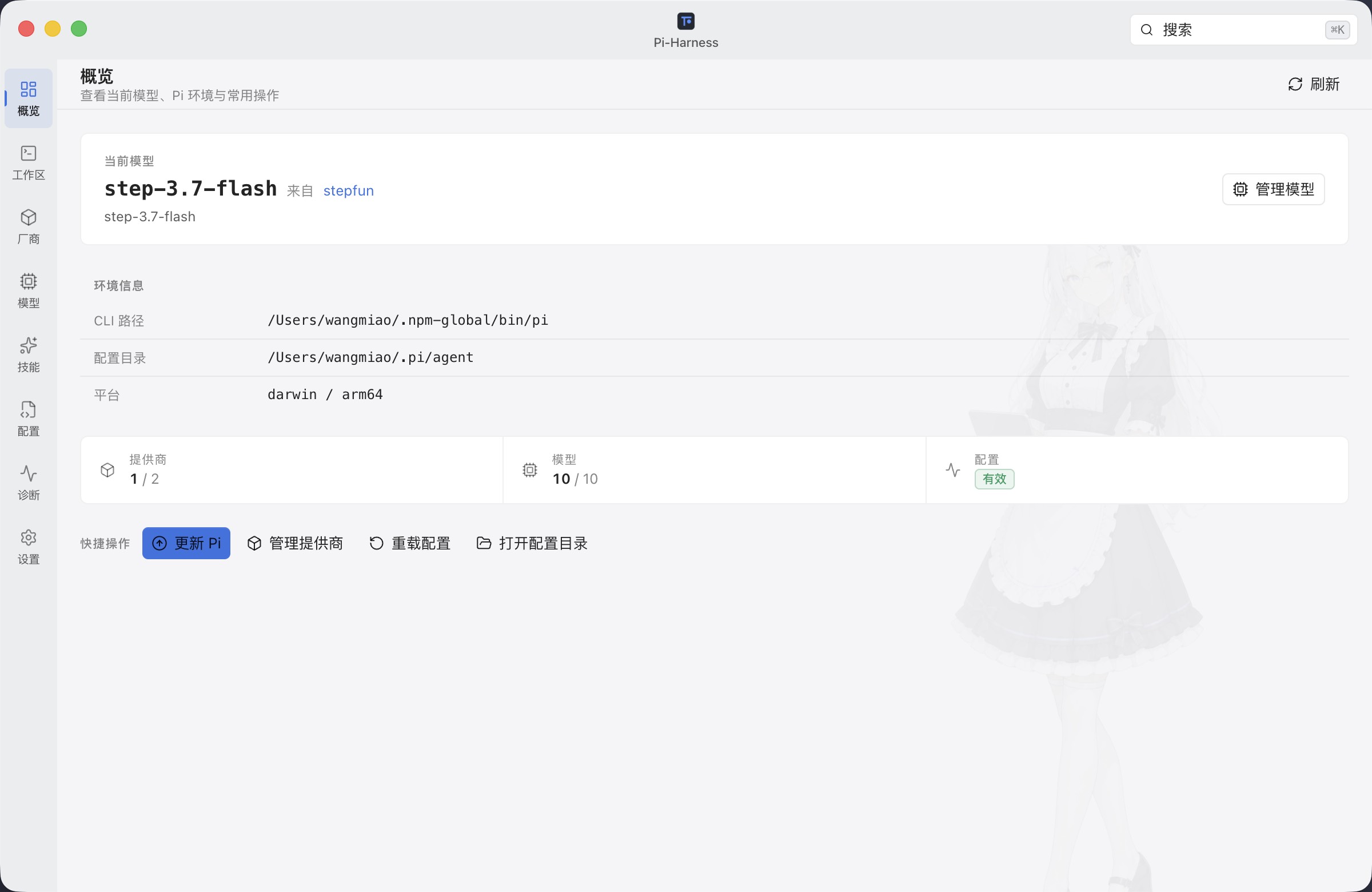
1. Know what is ready
Overview shows the active model, Pi environment, configuration health, and common setup actions in one place.
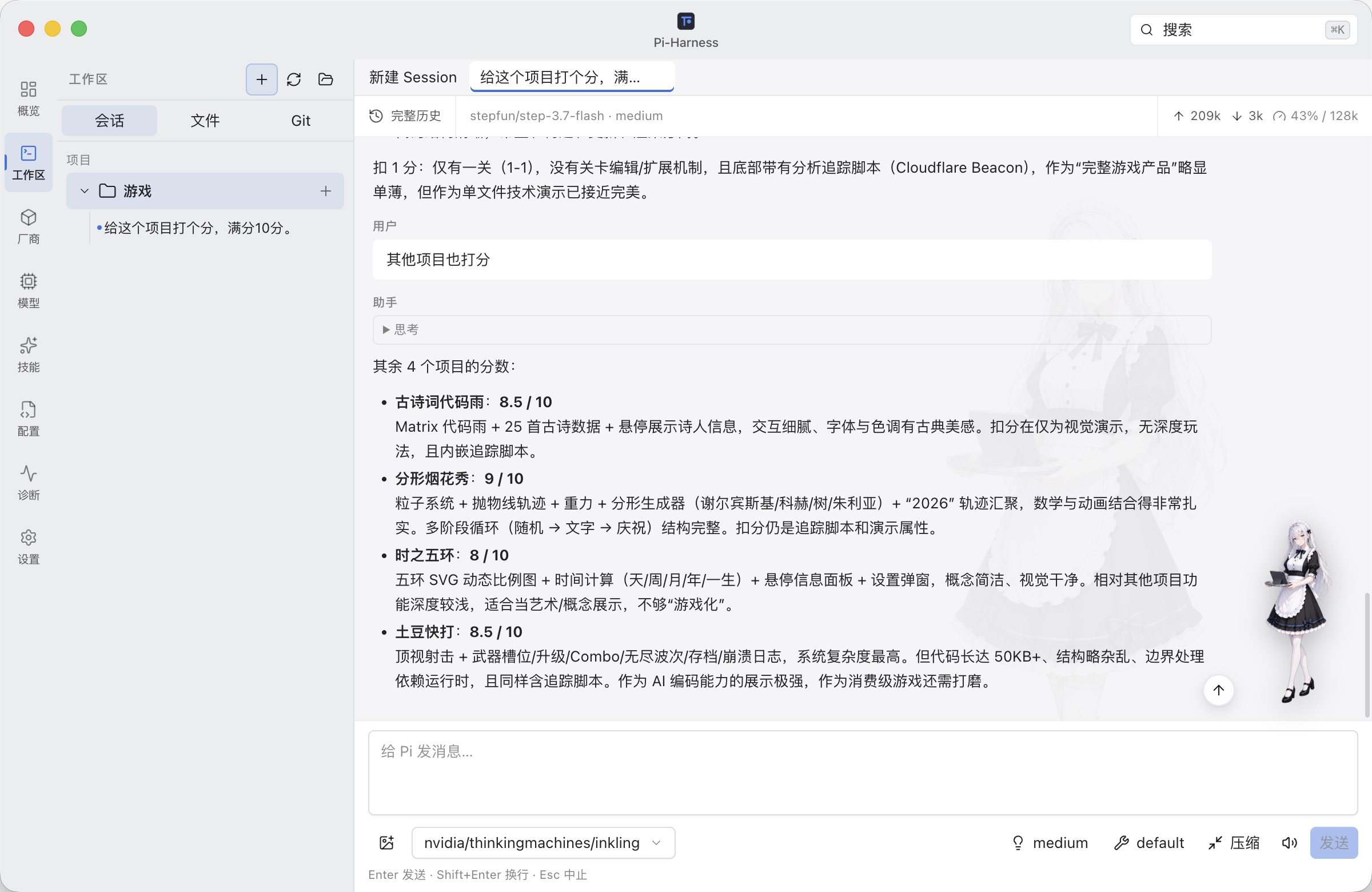
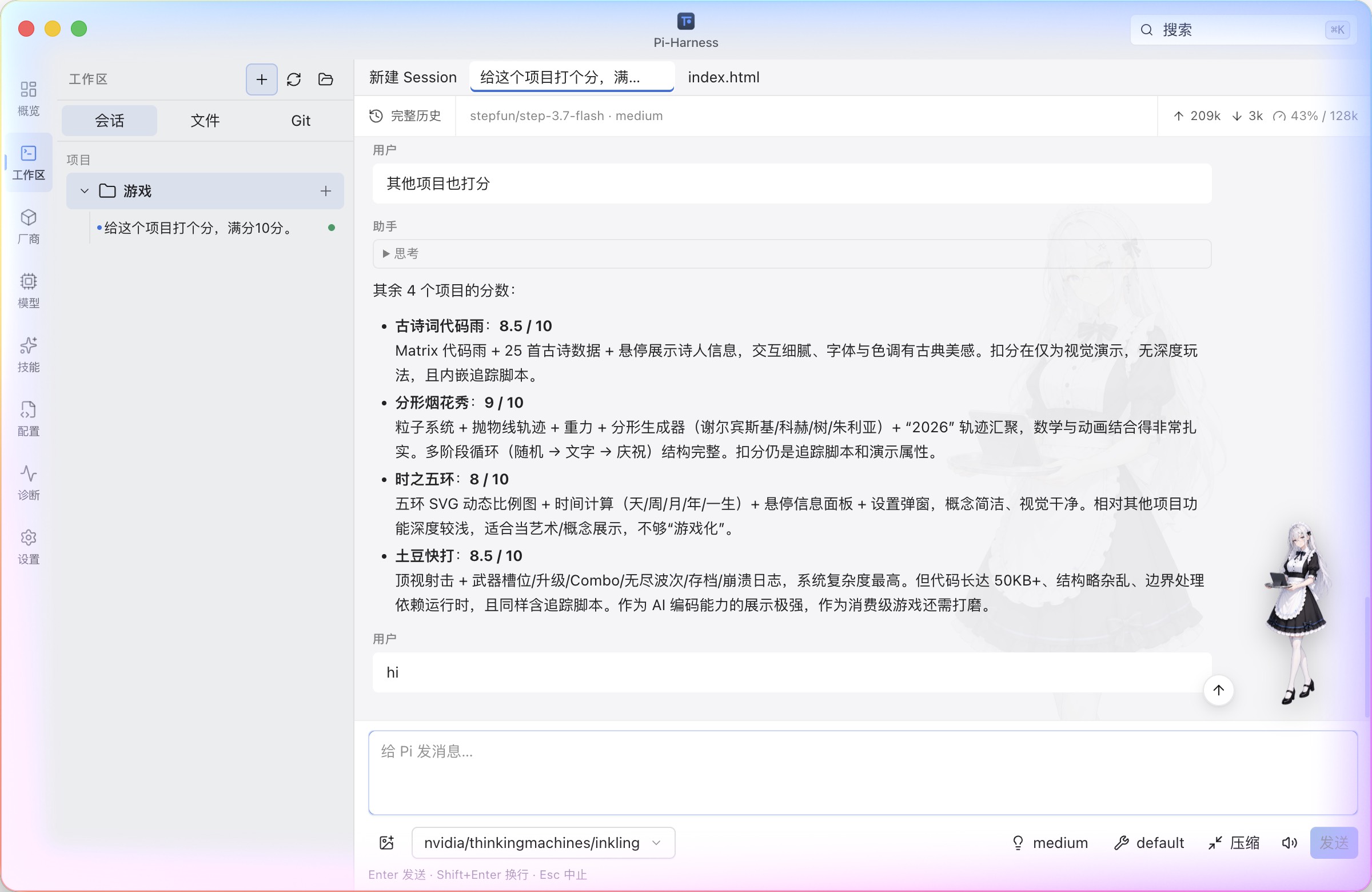
2. Run Pi inside a real project
Keep project sessions, streaming responses, Thinking, Tool Calls, files, and Git in one native workspace.
| Sessions | Files and lightweight editing |
|---|---|
 |
 |
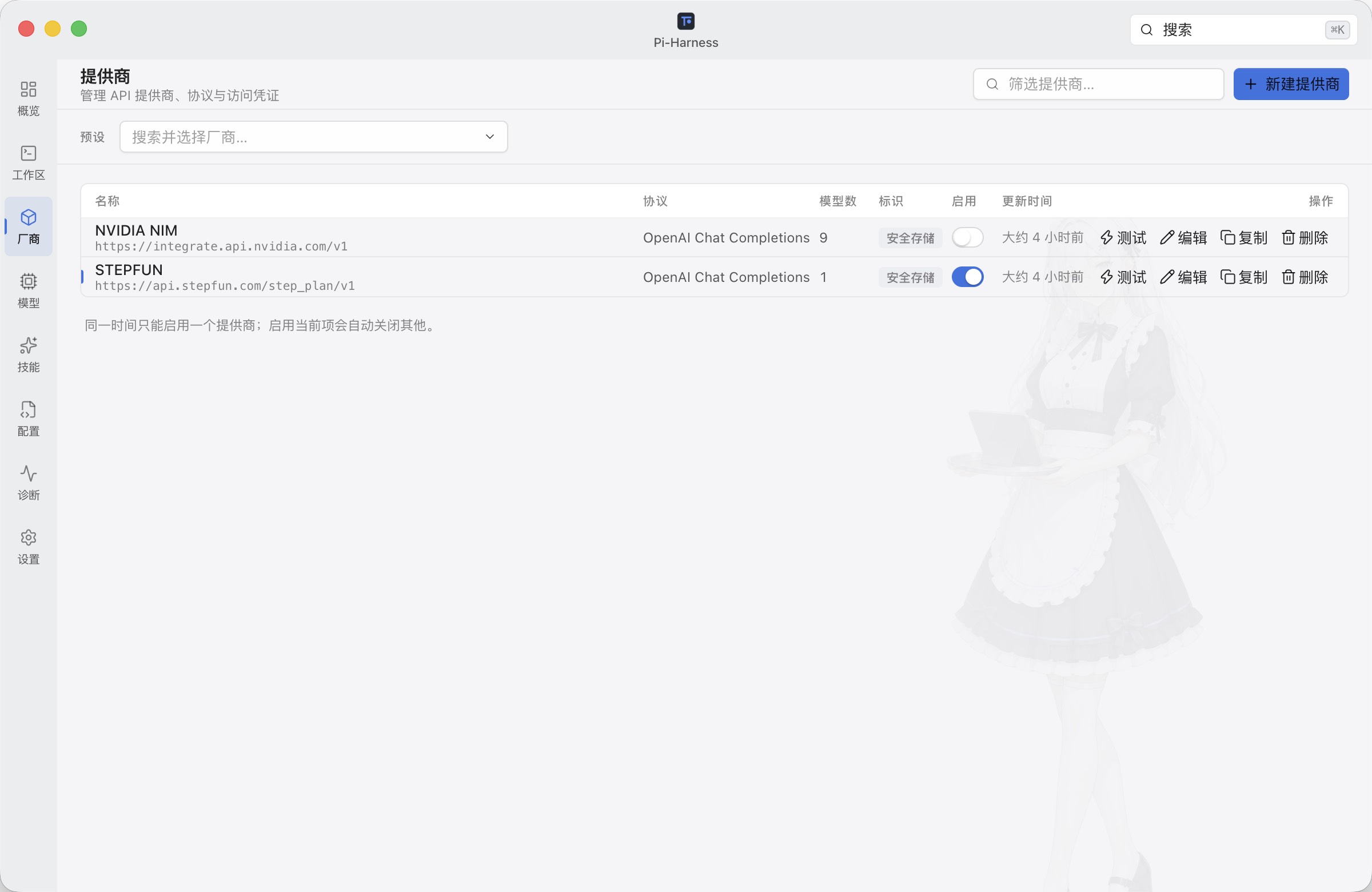
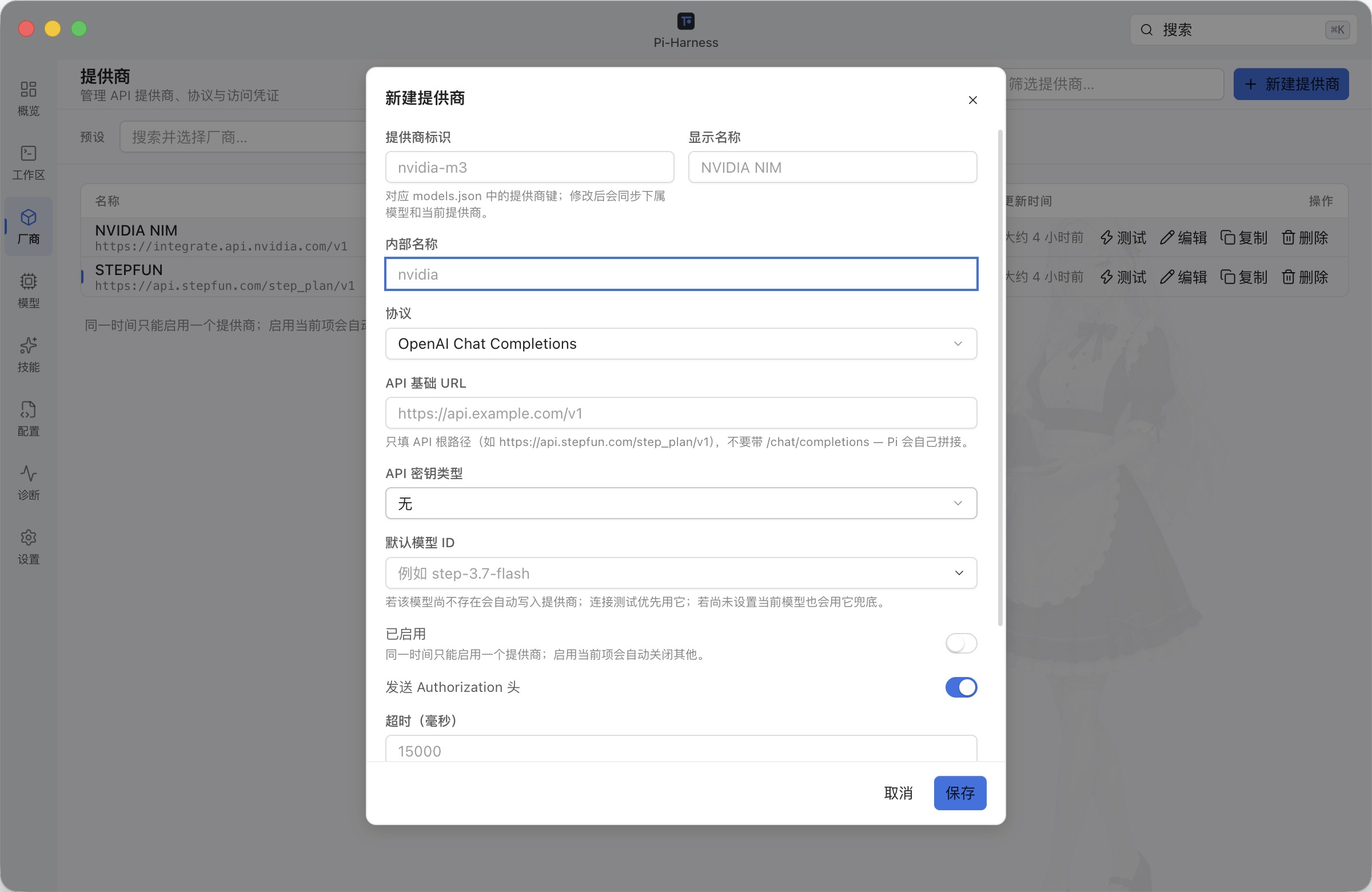
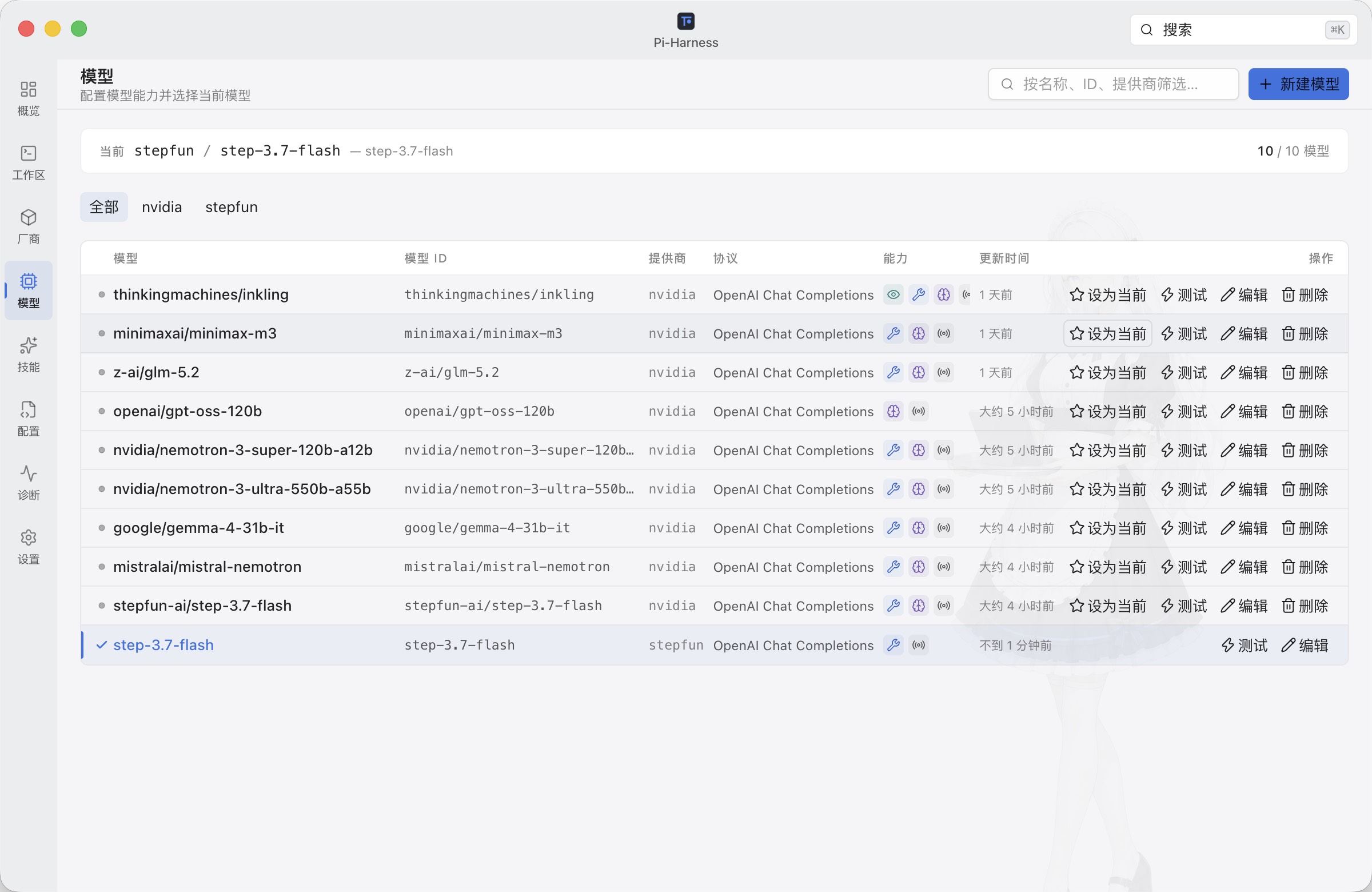
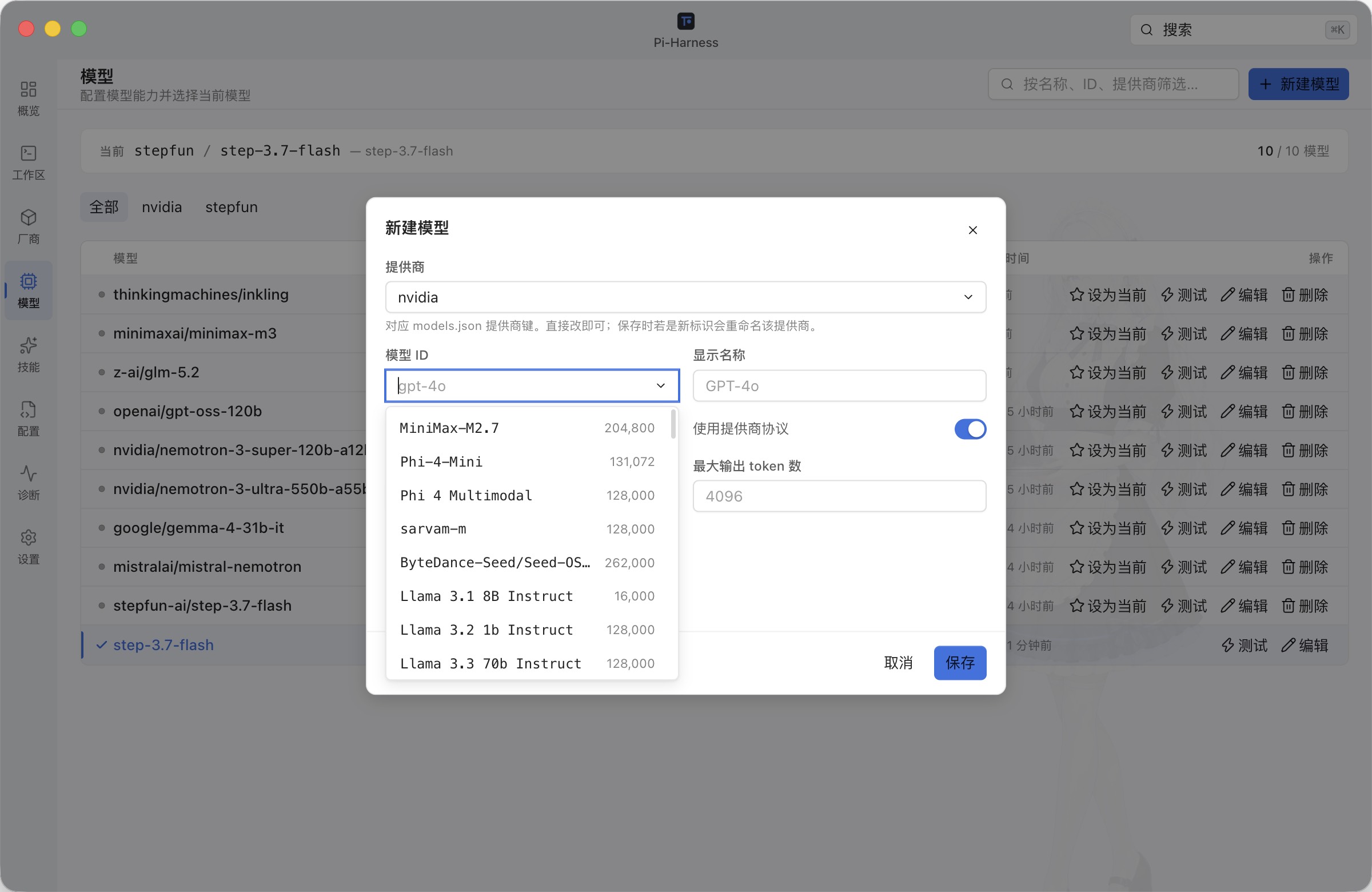
3. Configure providers and models
Start with a preset or custom API, test it, manage available models, and choose the model Pi should use.
| Providers | Provider setup |
|---|---|
 |
 |
| Models | Model setup |
 |
 |
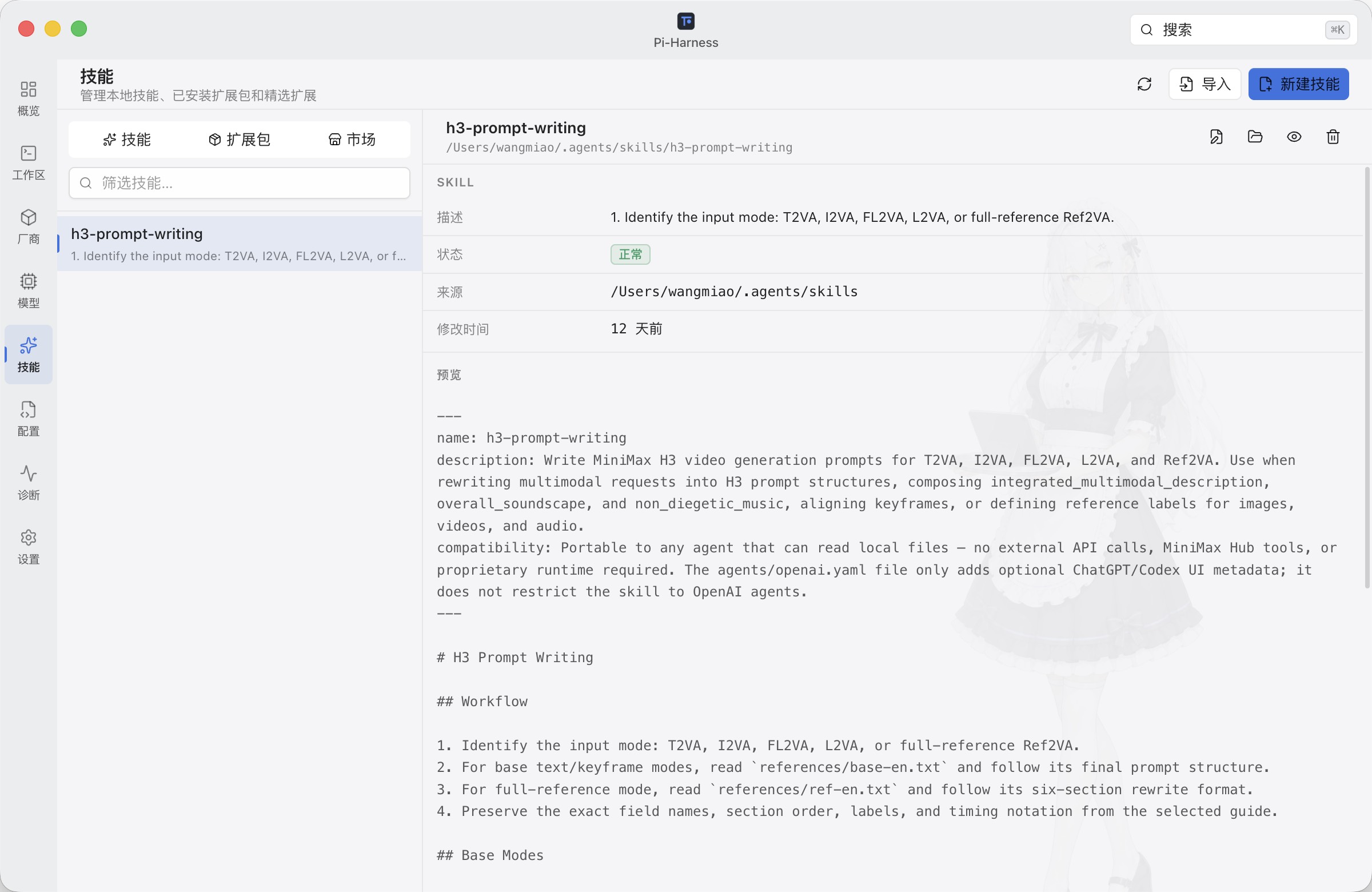
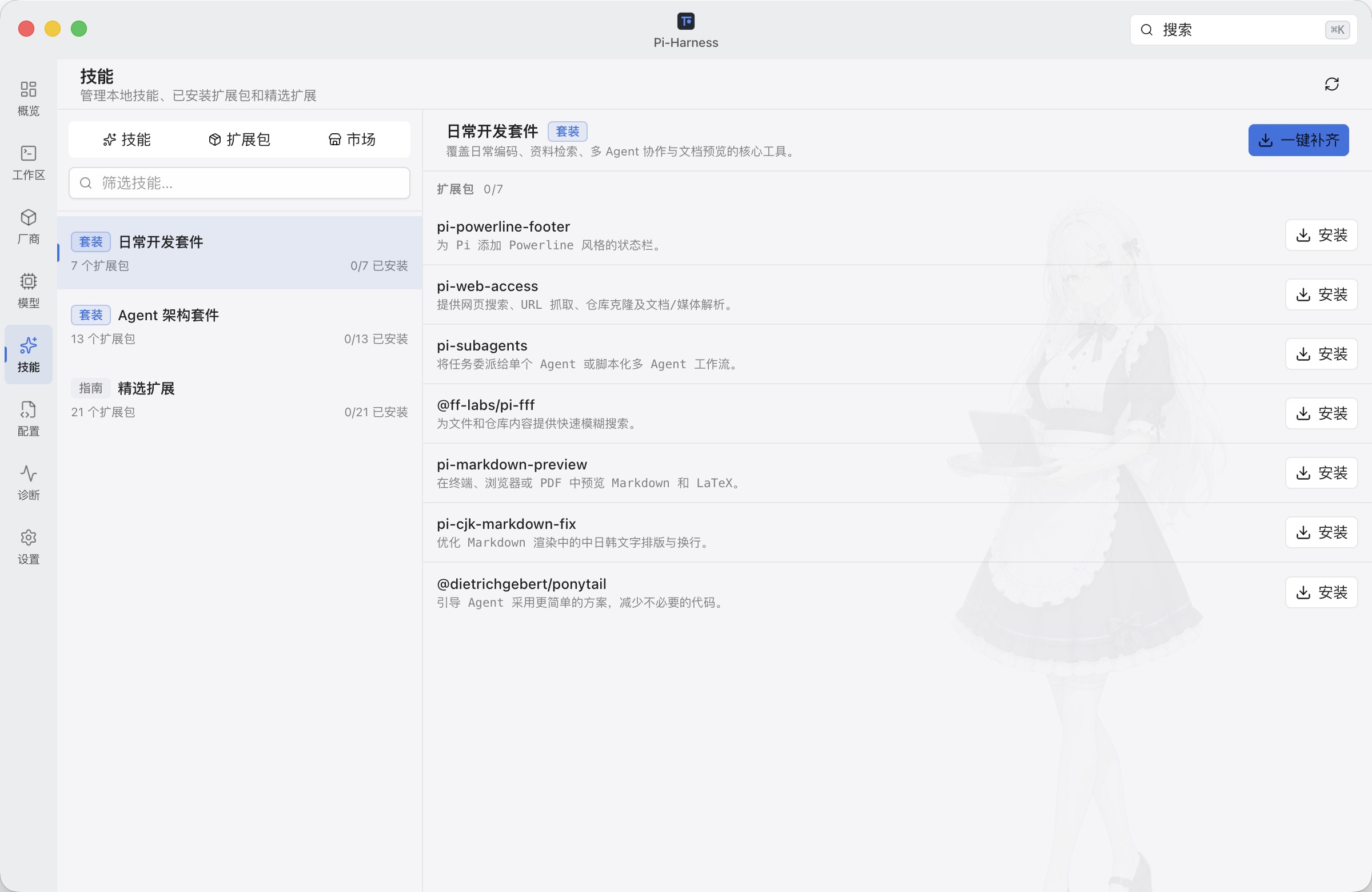
4. Extend Pi with Skills and packages
Manage local Skills, collections, and Pi packages.
| Installed Skills | Built-in collections and packages |
|---|---|
 |
 |
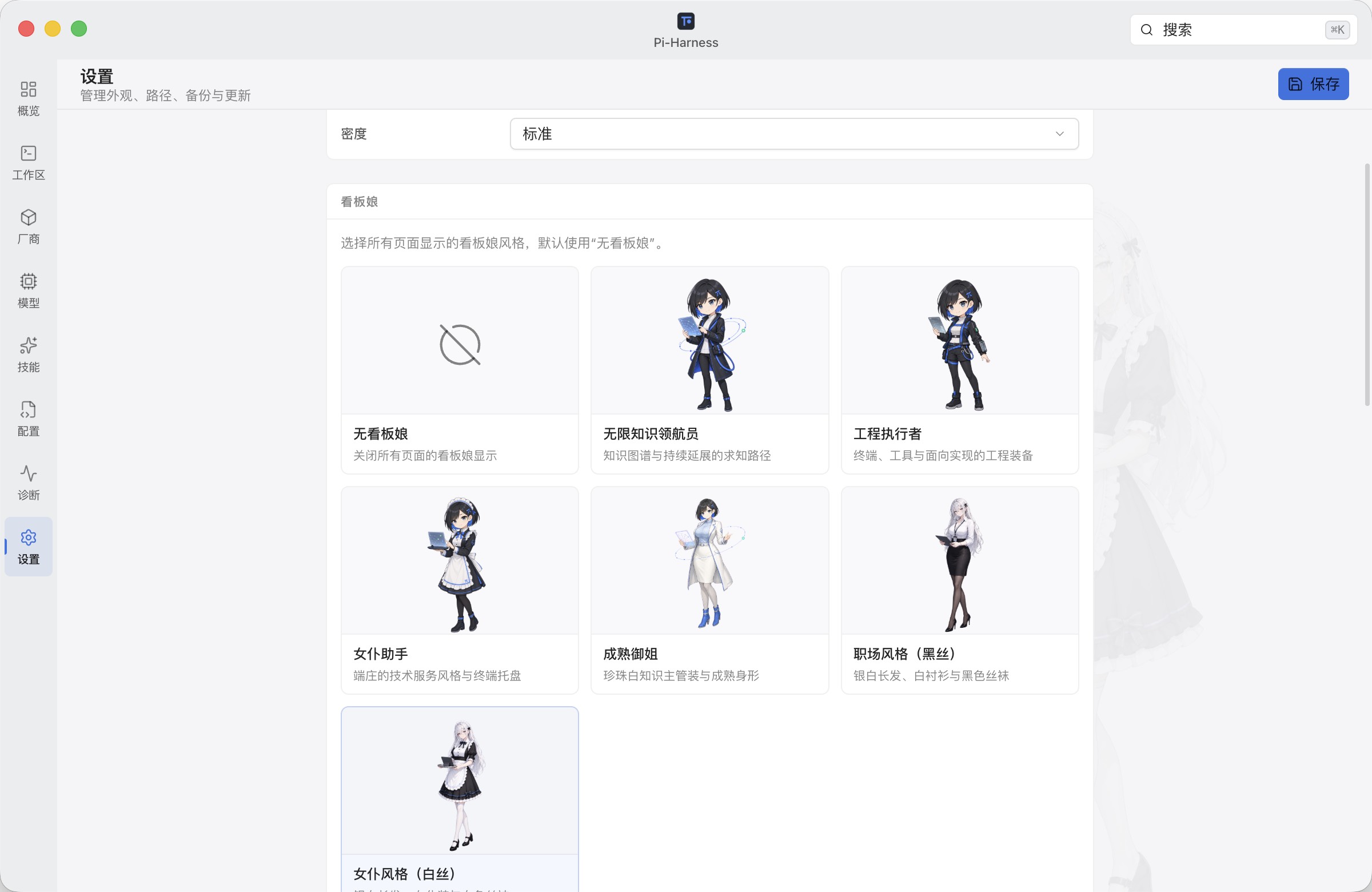
5. Make the workspace yours
Choose system, light, or dark appearance and optionally enable a mascot.
Core features
| Area | What Pi-Harness does |
|---|---|
| Overview | Shows environment, configuration, and model status |
| Workspace | Runs Pi sessions with project files and Git context |
| Providers & Models | Manages Pi-compatible providers and models |
| Skills & Packages | Manages supported Skills and packages |
| Config | Edits Pi configuration files with conflict protection |
| Diagnostics | Reports application and environment health |
| Updates | Installs compatible application updates |
| Appearance | Offers theme, density, and optional mascot settings |
Lightweight editor, not an IDE
Pi-Harness edits readable text with lazy syntax highlighting, line numbers, undo/redo, find, explicit save, unsaved-state indicators, and external-change conflict protection. Oversized, binary, media, and document files use read-only previews.
It deliberately does not include LSP/IntelliSense, semantic refactoring, a debugger, task runner, integrated terminal, or IDE extension compatibility.
Architecture
Pi-Harness separates managing Pi, using Pi, and extending Pi while keeping Pi Coding Agent as the only runtime.
                                Pi-Harness

              ┌────────────────────┼────────────────────┐
              │                    │                    │
              ▼                    ▼                    ▼
       Control Plane          Workspace          Capability Layer
       Manage Pi              Use Pi             Extend Pi

       Providers              Projects           Skills
       Models                 Sessions           Packages
       Environment            Agent              MCP adapters
       Config / Secrets       Streaming          Presets
       Backup / Diagnostics   Files / Git
       Updates                Worktree
              │                    │                    │
              └────────────────────┼────────────────────┘
                                   ▼
                           Pi Coding Agent
The desktop boundary is Vue Renderer → typed preload API → validated IPC → Main services → Pi SDK / operating system. Domain adapters preserve unknown Pi configuration fields.
Requirements
For the packaged app:
- macOS Apple Silicon, macOS Intel, or Windows x64
- Pi Coding Agent, which Pi-Harness can install or repair from the app
For development from source:
- Node.js ≥ 22
- pnpm
9.12.1
Development
pnpm install --frozen-lockfile
pnpm dev
Without a local Pi installation, point Settings → Config directory at fixtures/mock-pi/, or copy .env.example to .env and set PI_HARNESS_PI_CONFIG_DIR to that fixture. Never store secrets in VITE_* variables; they are bundled into the renderer.
Common checks:
pnpm typecheck
pnpm lint
pnpm test
pnpm compile
pnpm test:e2e:only
Documentation
Contributing
Contributions are welcome. Read CONTRIBUTING.md before submitting a change.
License
Pi-Harness is free software licensed under the GNU Affero General Public License v3.0 only (AGPL-3.0-only). You may use, modify, and redistribute it under the license terms. Modified versions made available over a network must offer their corresponding source to users as required by AGPL v3.
Copyright © 2026 wangmiao.
Author
wangmiao · [email protected] · github.com/wangmiaozero/pi-harness
Reviews (0)
Sign in to leave a review.
Leave a reviewNo results found