AgentNote
Health Gecti
- License — License: MIT
- Description — Repository has a description
- Active repo — Last push 0 days ago
- Community trust — 14 GitHub stars
Code Gecti
- Code scan — Scanned 12 files during light audit, no dangerous patterns found
Permissions Gecti
- Permissions — No dangerous permissions requested
Bu listing icin henuz AI raporu yok.
Know why your code changed. AI session tracking for git.
Agent Note
[en] [ja] [fr] [de] [it] [es] [ko] [zh-CN] [zh-TW] [ru] [id] [pt-BR]
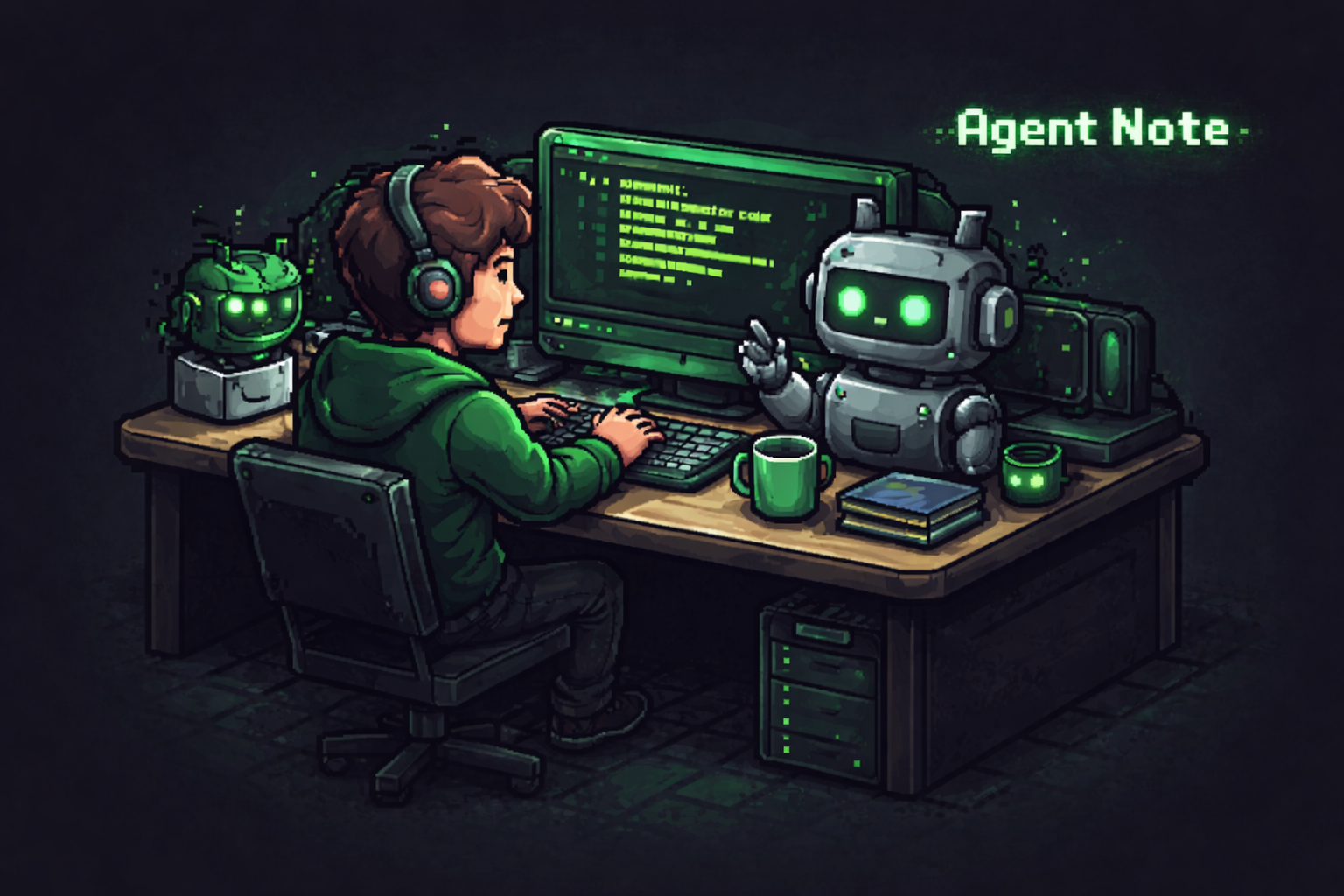


Know why your code changed, not just what changed.
Agent Note saves the AI conversation and changed files for each commit. When enough detail is available, it also shows a practical estimate of how much of the change came from AI.
Think of it as git log plus the AI conversation behind the change.
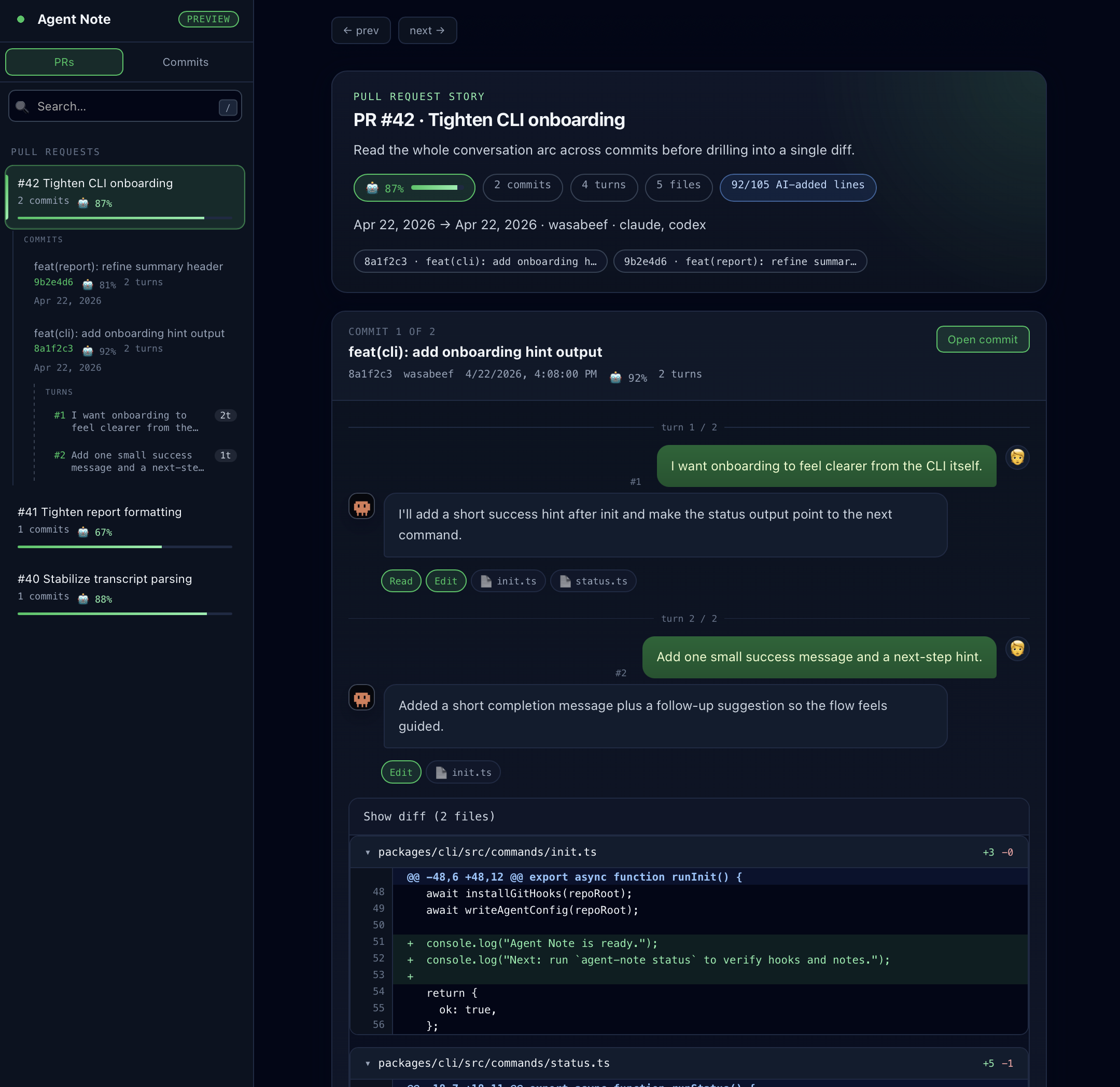
Why Agent Note
- Capture prompts, responses, changed files, and AI Ratio for every AI-assisted commit.
- Keep using normal
git commit; Agent Note records the context in the background. - Give human reviewers and AI review tools a PR Report with visible summaries plus hidden Reviewer Context.
- Open a shared Dashboard, or run
agent-note why <file:line>to jump from a line back to the commit conversation. - Keep everything git-native in
refs/notes/agentnote— no hosted service, no telemetry.
Requirements
- Git
- Node.js 20 or later
- A supported coding agent installed and authenticated
Quick Start
- Enable Agent Note for your coding agent.
npx agent-note init --agent claude
# or: codex / cursor / gemini
Each developer should run this once locally after cloning.
You can enable more than one agent in the same repository:
npx agent-note init --agent claude cursor
If you also want the shared Dashboard on GitHub Pages:
npx agent-note init --agent claude --dashboard
- Commit the generated files and push.
git add .github/workflows/agentnote-pr-report.yml .claude/settings.json
# replace .claude/settings.json with your agent config below
# with --dashboard, also add .github/workflows/agentnote-dashboard.yml
git commit -m "chore: enable agent-note"
git push
- Claude Code: commit
.claude/settings.json - Codex CLI: commit
.codex/config.tomland.codex/hooks.json - Cursor: commit
.cursor/hooks.json - Gemini CLI: commit
.gemini/settings.json
- Keep using your normal
git commitworkflow.
With the generated git hooks installed, Agent Note records commits automatically.
AI Agent Skill
If your AI coding agent supports GitHub Agent Skills, install the Agent Note skill so you can ask for Agent Note tasks in natural language.
gh skill install wasabeef/AgentNote agent-note --agent codex --scope user
For gh skill install, use the matching agent identifier: codex, claude-code, cursor, or gemini-cli. The skill guides the agent to the public commands: init, deinit, status, log, show, and why.
Saved Data
Agent Note stores the commit story:
Conversation: the request and AI answer that led to the change
Context hints: short notes shown as
📝 Contextwhen the request alone is too short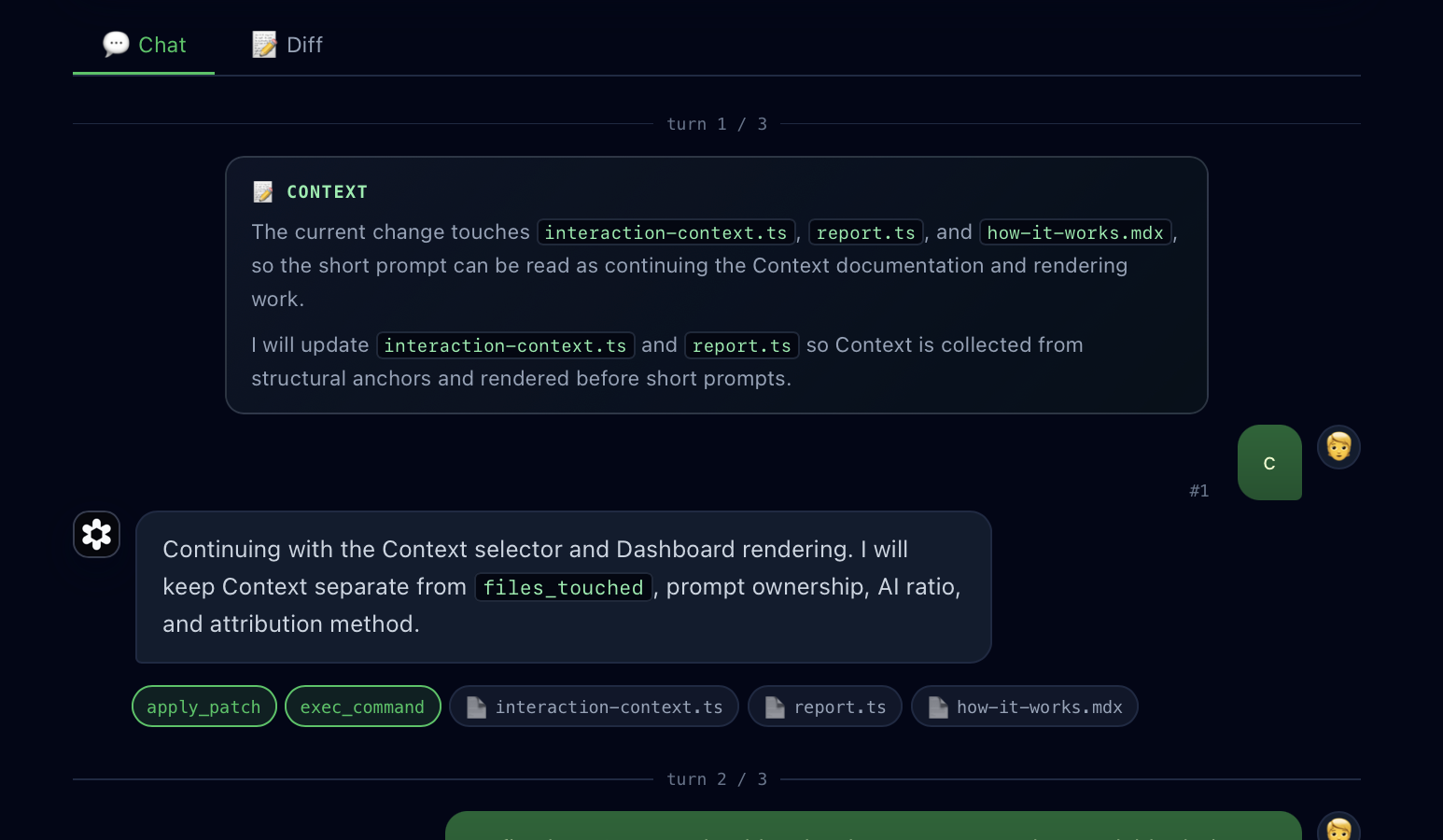
Files: changed files and whether AI helped edit them
AI Ratio: an overall percentage, plus the likely AI-written lines when Agent Note can estimate them
Temporary session data lives under .git/agentnote/. The permanent record lives in refs/notes/agentnote and is shared on git push.
Keep generated bundles out of AI Ratio
If committed bundles or generated outputs should stay visible but not affect AI Ratio, add them to the repository-root .agentnoteignore:
packages/cli/dist/**
packages/pr-report/dist/**
Those files still appear in Notes, PR Report, and Dashboard. They are only removed from the AI Ratio denominator.
Agent Support
| Agent | Status | Prompt | Response | Files | AI Ratio | Line Estimate |
|---|---|---|---|---|---|---|
| Claude Code | Full support | Yes | Yes | Yes | Yes | Default |
| Codex CLI | Supported | Yes | Yes | Yes | Yes | When Codex patch history matches the final commit |
| Cursor | Supported | Yes | Yes | Yes | Yes | When edit counts match and the final file still matches the latest AI edit |
| Gemini CLI | Preview | Yes | Yes | Yes | Yes | Not yet |
Files means Agent Note can show which committed files were touched by the agent. Line Estimate means it can also estimate AI-written lines instead of only counting files.
Check Your Setup
npx agent-note status
agent-note v1.x.x

agent:   active (cursor)
capture: cursor(prompt, response, edits, shell)
git:     active (prepare-commit-msg, post-commit, pre-push)
commit:  tracked via git hooks
session: a1b2c3d4…
agent:   cursor
linked:  3/20 recent commits
agent: shows which agent adapters are enabled. capture: summarizes what the active agent hooks collect. git: shows whether the managed repository-local git hooks are installed. commit: tells you whether plain git commit is the primary tracking path.
What You Get
Every commit tells its story
$ npx agent-note show

commit:  ce941f7 feat: add JWT auth middleware
session: a1b2c3d4-5678-4abc-8def-111122223333

ai:      60% (45/75 lines) [█████░░░]
model:   claude-sonnet-4-20250514
agent:   claude
files:   3 changed, 2 by AI

  src/middleware/auth.ts  🤖
  src/types/token.ts  🤖
  src/middleware/__tests__/auth.test.ts  🤖
  CHANGELOG.md  👤
  README.md  👤

prompts: 2

  1. Implement JWT auth middleware with refresh token rotation
  2. Add tests for expired token and invalid signature
Scan your history at a glance
$ npx agent-note log

ce941f7 feat: add JWT auth middleware  [a1b2c3d4… | 🤖60% | 2p]
326a568 test: add auth tests          [a1b2c3d4… | 🤖100% | 1p]
ba091be fix: update dependencies
PR Report
By default, the GitHub Action posts an AI session report to the PR description:
The agentnote-reviewer-context block is hidden from the rendered PR body. AI review tools that read the raw PR description, such as Copilot, CodeRabbit, Devin, and Greptile, can use it as extra intent and review focus.
## 🧑💬🤖 Agent Note

**Total AI Ratio:** ████████ 73%
**Model:** `claude-sonnet-4-20250514`

<!-- agentnote-reviewer-context

Generated from Agent Note data. Use this as intent and review focus, not as proof that the implementation is correct.

Changed areas:

- Documentation: `README.md`, `docs/usage.md`
- Source: `src/auth.ts`
- Tests: `src/auth.test.ts`

Review focus:

- Check that docs and examples match the implemented behavior.
- Compare the stated intent with the changed source files and prompt evidence.

Author intent signals:

- Commit: feat: add auth
- Prompt: Add JWT authentication and update the PR docs
-->

| Commit | AI Ratio | Prompts | Files |
|---|---|---|---|
| ce941f7 feat: add auth | ████░ 73% | 2 | auth.ts 🤖, token.ts 🤖 |

<div align="right"><a href="https://OWNER.github.io/REPO/dashboard/?pr=123" target="_blank" rel="noopener noreferrer">Open Dashboard ↗</a></div>
How It Works
You prompt your coding agent
        │
        ▼
Hooks save the conversation and session info
        │
        ▼
The agent edits files
        │
        ▼
Hooks or local transcripts record which files changed
        │
        ▼
You run `git commit`
        │
        ▼
Agent Note writes a git note for that commit
        │
        ▼
You run `git push`
        │
        ▼
`refs/notes/agentnote` is pushed alongside your branch
For the detailed flow, how Agent Note estimates AI-written work, and the stored schema, see How it works.
Commands
| Command | What it does |
|---|---|
agent-note init |
Set up hooks, workflow, git hooks, and notes auto-fetch |
agent-note deinit |
Remove Agent Note hooks and config |
agent-note status |
Show tracking state |
agent-note log [n] |
List recent commits with AI Ratio |
agent-note show [commit] |
Show the AI session behind HEAD or a commit SHA |
agent-note why <target> |
Explain the Agent Note context behind a file line or range |
GitHub Action
The root action has two modes:
- PR Report Mode updates the Pull Request description or posts a comment.
- Dashboard Mode builds the shared Dashboard bundle and publishes
/dashboard/through GitHub Pages.
PR Report Mode is the default:
- uses: wasabeef/AgentNote@v1
  env:
    GITHUB_TOKEN: ${{ secrets.GITHUB_TOKEN }}
Set prompt_detail to compact or full when you want a focused or complete prompt history. The default is compact: it shows the prompts that explain the commit, while full shows every stored prompt.
Dashboard Mode uses the same action with dashboard: true:
- uses: wasabeef/AgentNote@v1
  with:
    dashboard: true
    prompt_detail: compact
Dashboard Data
For most repositories, you do not need to hand-write the workflow. Generate it with init:
npx agent-note init --agent claude --dashboard
Then commit .github/workflows/agentnote-pr-report.yml and .github/workflows/agentnote-dashboard.yml, enable GitHub Pages with GitHub Actions as the source, and open /dashboard/.
If you already have a GitHub Pages site, see Dashboard docs for the safe combined setup.
Full example with outputs- uses: wasabeef/AgentNote@v1
id: agent-note
with:
base: main
# Use structured outputs
- run: echo "Total AI Ratio: ${{ steps.agent-note.outputs.overall_ai_ratio }}%"
$ git notes --ref=agentnote show ce941f7
{
  "v": 1,
  "agent": "claude",
  "session_id": "a1b2c3d4-...",
  "timestamp": "2026-04-02T10:30:00Z",
  "model": "claude-sonnet-4-20250514",
  "interactions": [
    {
      "prompt": "Implement JWT auth middleware",
      "contexts": [
        {
          "kind": "scope",
          "source": "current_response",
          "text": "I will create the JWT auth middleware and wire it into the request pipeline."
        }
      ],
      "selection": {
        "schema": 1,
        "source": "primary",
        "signals": ["primary_edit_turn"]
      },
      "response": "I'll create the middleware...",
      "files_touched": ["src/auth.ts"],
      "tools": ["Edit"]
    }
  ],
  "files": [
    { "path": "src/auth.ts", "by_ai": true },
    { "path": "CHANGELOG.md", "by_ai": false }
  ],
  "attribution": {
    "ai_ratio": 60,
    "method": "line",
    "lines": { "ai_added": 45, "total_added": 75, "deleted": 3 }
  }
}
Security & Privacy
- Agent Note is local-first. The core CLI works without a hosted service.
- Temporary session data is stored under
.git/agentnote/inside your repository. - The permanent record is stored in
refs/notes/agentnote, not in tracked source files. - For agents that keep local conversation logs, Agent Note reads those files from the agent's own data directory.
- The CLI does not send telemetry.
- Commit tracking is best-effort. If Agent Note fails during a hook, your
git commitstill succeeds.
Design
Zero runtime dependencies · Git notes storage · Never breaks git commit · No telemetry · Agent-agnostic architecture
Contributing
Contributing guide → · Code of Conduct →
License
MIT — LICENSE
Yorumlar (0)
Yorum birakmak icin giris yap.
Yorum birakSonuc bulunamadi