herdr-pocket
Health Uyari
- No license — Repository has no license file
- Description — Repository has a description
- Active repo — Last push 0 days ago
- Community trust — 21 GitHub stars
Code Basarisiz
- rm -rf — Recursive force deletion command in cli/hdp/install.sh
- network request — Outbound network request in cli/hdp/install.sh
- rm -rf — Recursive force deletion command in cli/hdp/install_test.sh
Permissions Gecti
- Permissions — No dangerous permissions requested
Bu listing icin henuz AI raporu yok.
A Flutter client for herdr: a status board and live terminal for the coding agents on your own machines. Over SSH, with no bridge binary to install.
Herdr Pocket
English | 简体中文

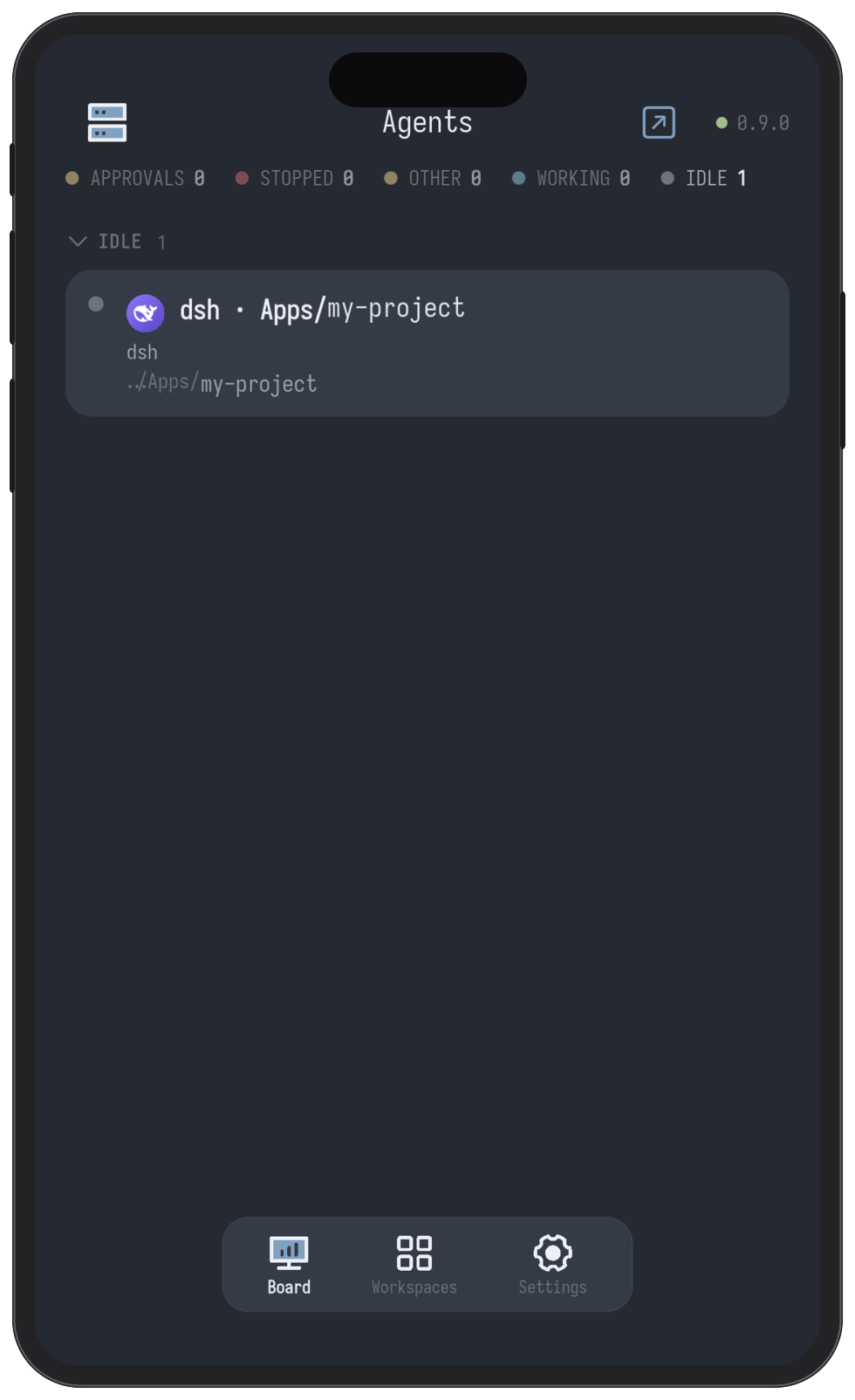
A beautiful Flutter client for herdr: a status board for the
coding agents running on your own machines, a live terminal one tap behind each,
and a plain SSH terminal for any machine you have saved.
Cross-platform: mobile and desktop, from one Flutter codebase.
What it does
The board. Every agent on every machine, grouped by what it needs — needs you first. Answer the ones that are waiting on you from their own screen.
The tree. Workspaces, tabs and panes, the way herdr sees them.
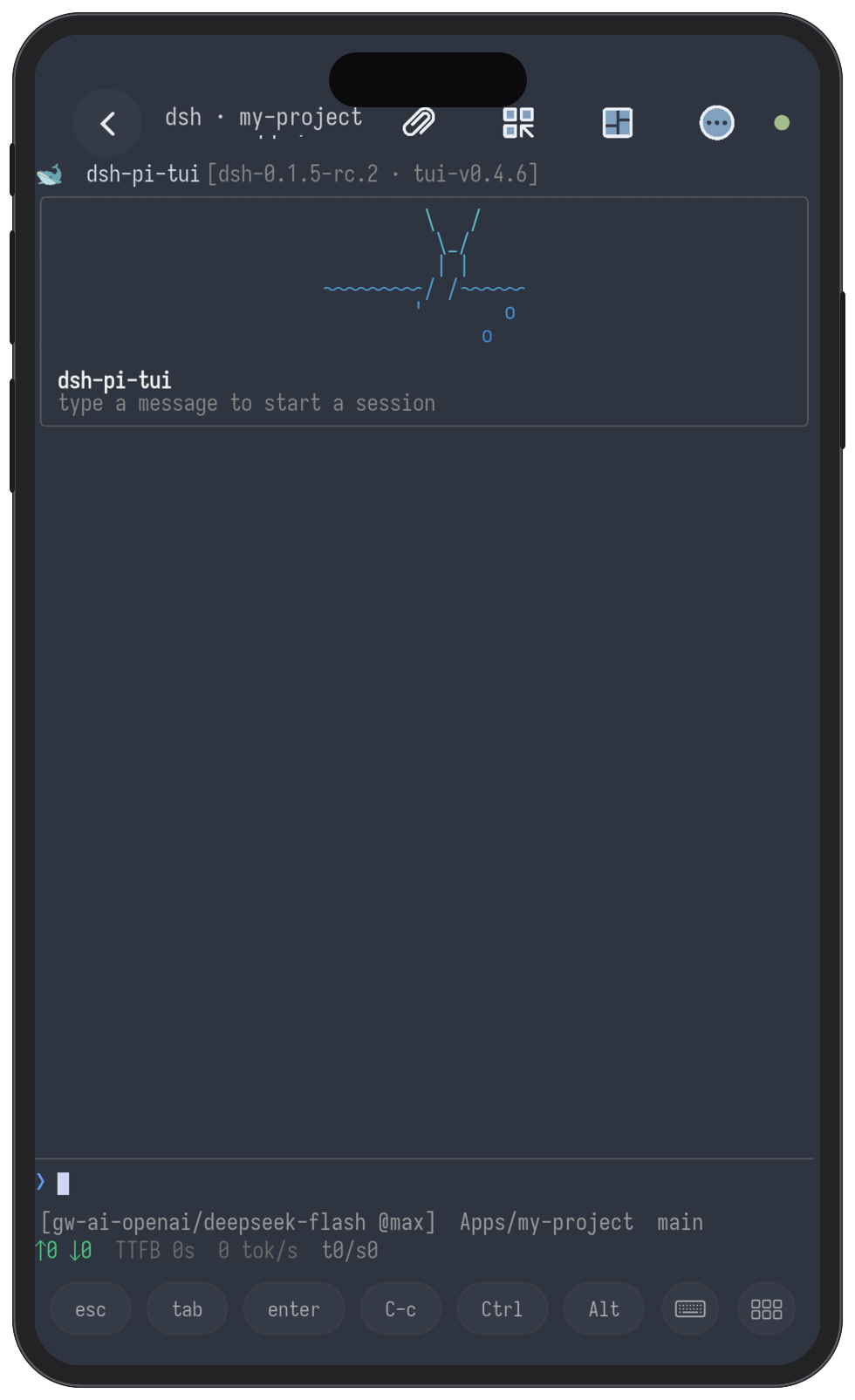
The terminal. A real character grid for any pane: scrollback, selection and
copy, bracketed paste, a key bar, and the whole tab's split layout mirrored.
A shell of its own. The same terminal on any machine you have saved, herdr or
not — tmux if it is installed, a login shell if it is not.
The composer. Type a whole message and send it in one write, with / for
skills and MCP and @ for files.
Files. Browse a pane's working directory, read a file in it, download it to
the phone.
Git changes. The pane's directory as a repository: staged, unstaged,
untracked, conflicted, ahead/behind, and a diff for any file.
Starting an agent. Pick a directory and an agent — in a fresh git worktree
if you want one. Or drop an agent into an idle shell pane.
Attaching a file. Paste text, pick a photo, or take one; it is uploaded and
its path typed into the terminal.
Machines. SSH hosts, credentials in the platform keystore, pairing by QR code.
Notifications. A local alert when an agent starts waiting on you.
Updating itself. Settings → Check for updates: it downloads the new APK and
hands it to the system installer.
Running it
flutter pub get
flutter run -d macos          # development: talks to a local daemon directly
flutter run -d <device-id>    # any connected device
Connecting to a machine
The app does not discover machines; you add them.
Pair by QR code (recommended) — run hdp pair on the machine and scan it. See
Pairing a phone.
Or add it by hand:
- Open the board and tap the machines icon (top left).
- Add machine: label, host, port, username.
- Choose Private key and paste an OpenSSH private key, or Password.
- Save. The app selects the new machine and connects.
On first connection you are shown the machine's host key fingerprint, to check
against the machine before trusting it.
What the machine needs
- herdr 0.9.0 or newer, running.
- An SSH server with stream-local forwarding on — the OpenSSH default; if it is
off, addAllowStreamLocalForwarding yes. - The SFTP subsystem, only to move whole files: downloading one to the phone,
or attaching one to an agent.
Nothing else — no bridge binary, no helper script, no port to open.
Architecture
flowchart LR
  phone["phone (Flutter)"]

  subgraph machine["your machine"]
    sock["herdr.sock"]
    daemon["herdr daemon"]
    cli["herdr CLI"]
    sh["a shell"]
    sftp["sftp-server"]
  end

  phone -- "SSH · direct-streamlocal<br/>board · tree · answering" --> sock
  phone -- "SSH · exec<br/>herdr terminal session" --> cli
  phone -- "SSH · exec, or a PTY<br/>files · git · skills/MCP · the shell" --> sh
  phone -- "SSH · SFTP<br/>downloads · attachments" --> sftp

  sock --- daemon
  cli --- daemon
One SSH connection, four ways in, and nothing installed on the machine for the
app's sake. The daemon's Unix socket is reached with SSH's[email protected] channel — no helper, which is what makes this
work against stock herdr. herdr has no filesystem, git or skills API, so those
go through the machine's shell; whole files move over SFTP.
Testing
flutter analyze && flutter test   # ~1000 tests, ~45s
sh tool/ci_tests.sh               # the same suite, and it fails if anything skipped
patrol test -d <device>           # on-device smoke tests; by hand, needs patrol_cli
flutter test skips the tests that need a live daemon and a live SSH server;tool/ci_tests.sh starts both and fails if anything skipped — that is what CI runs.patrol_test/ cannot be run with flutter test; those tests need Android's own
instrumentation runner.
Pairing a phone: hdp
curl -sSL https://raw.githubusercontent.com/weekitmo/herdr-pocket/main/cli/hdp/install.sh | sh
hdp pair
It prints a QR code. Scan it from the app and the phone's key is installed on that
machine and the address saved.
Yorumlar (0)
Yorum birakmak icin giris yap.
Yorum birakSonuc bulunamadi