WeftCut
Health Uyari
- License — License: MIT
- Description — Repository has a description
- Active repo — Last push 0 days ago
- Low visibility — Only 5 GitHub stars
Code Uyari
- process.env — Environment variable access in apps/desktop/e2e/effects-f16-parity/run.mjs
Permissions Gecti
- Permissions — No dangerous permissions requested
Bu listing icin henuz AI raporu yok.
Free, open-source AI video editor for macOS, Windows and Linux — drive the whole timeline from Claude, Cursor, or any MCP client.

WeftCut
A cross-platform desktop video editor where AI agents are first-class citizens.
Connect Claude, Cursor, or any MCP client — and audit its edits to your timeline live.
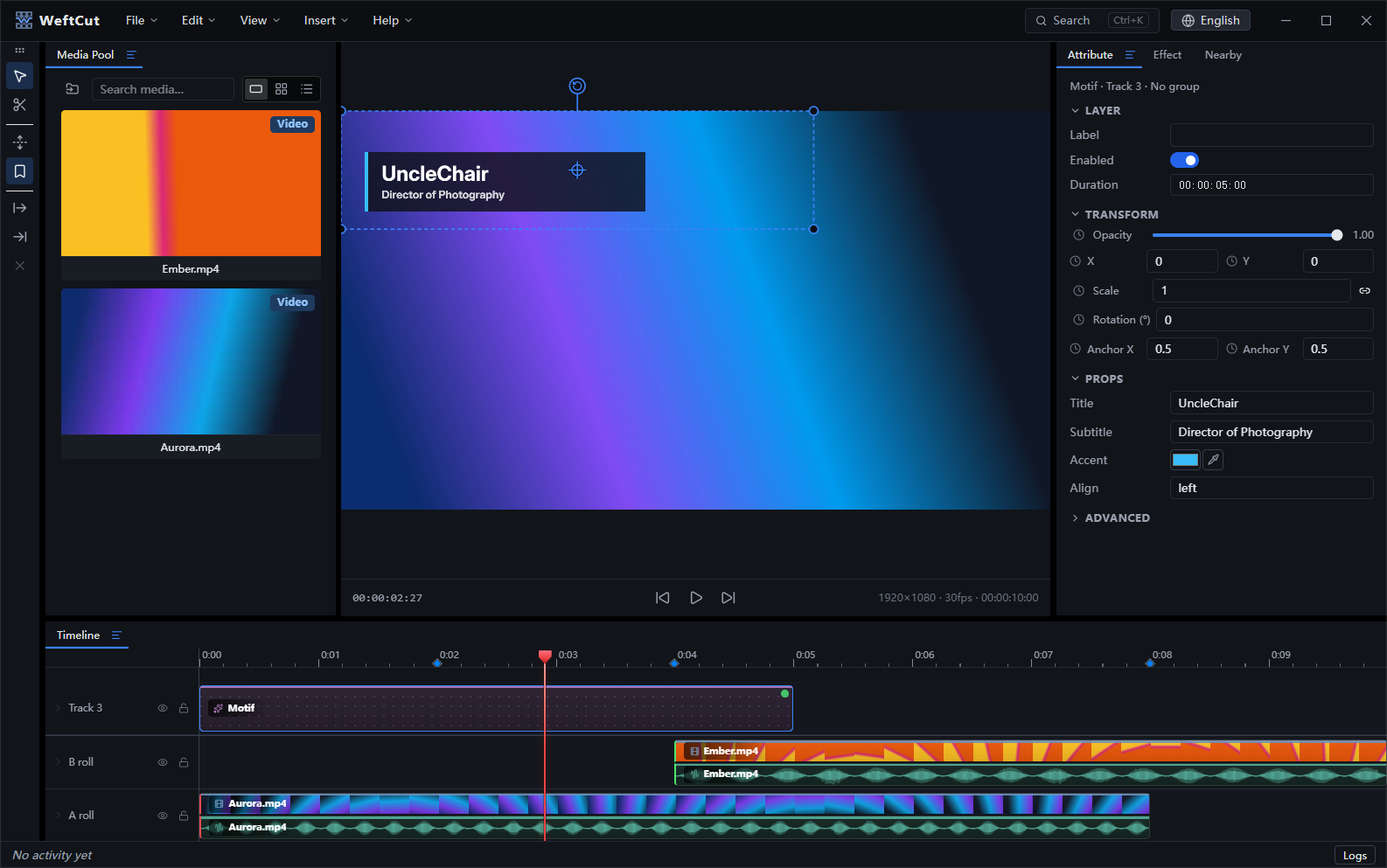
Most editors bolt AI on as features. WeftCut exposes the editor as a tool
surface: a localhost MCP server with a full catalog of editing tools, driven by
whatever agent you connect. The intelligence lives outside; the app stays
small, fast, and free of bundled models. Everything an agent can do, you can
do — it is also a complete editor for humans.
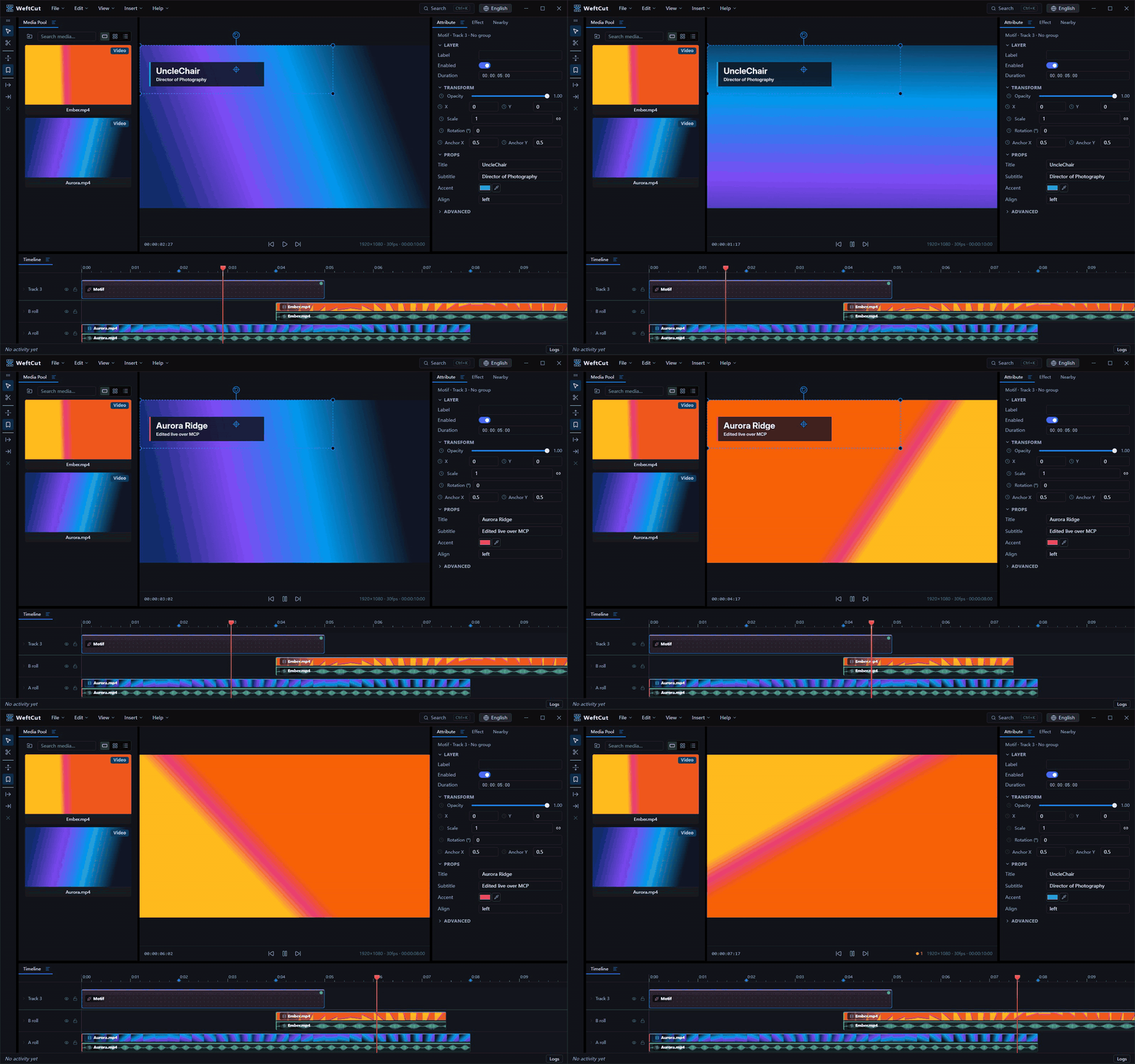
An agent at work over MCP while playback runs: restyling the lower third live, trimming the B-roll, then undoing — every edit lands in the UI in real time.
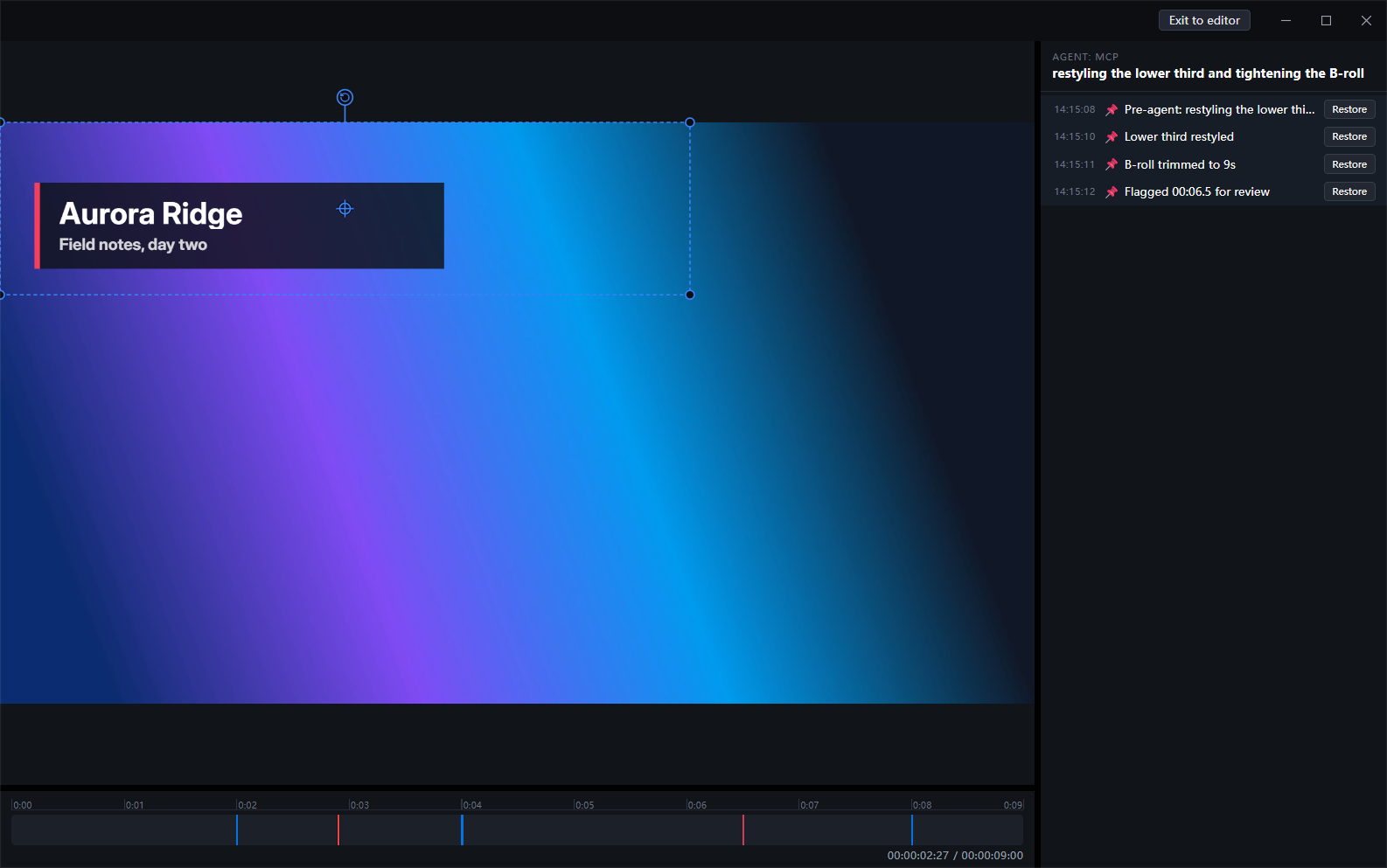
For a longer run, an agent can put the editor into agent mode: the UI folds
down to preview, scrub and a record of what the agent is doing, and every batch
boundary it checkpoints is one click away from being restored.
Features
- Agent-native editing — a built-in MCP server (streamable HTTP) exposes
the whole editor: place and trim clips, restyle titles, set keyframes,
manage groups and markers, checkpoint and undo. Changes land in the UI in
real time while you keep editing alongside. - A real NLE timeline — A/B-roll rows with filmstrips and waveforms,
frame-aligned editing (SMPTE timecode), keyframes with bézier easing and a
curve editor, cross-track groups with auto-paired audio/video. - Fast, accurate preview — PixiJS v8 + WebCodecs compositing with a native
Rust decode engine underneath; optional proxies for heavy codecs; a
transport indicator that tells you when playback drops frames. - Titles, captions & Motifs — styled text layers; SRT/VTT/ASS import as
editable caption layers; "Motifs": animated, parameterized web overlays
(lower thirds, countdowns, karaoke text) rendered pixel-identically in
preview and export. - Effects — per-layer effect chains including chroma key, with an
eyedropper that picks from the live frame. - Audio — role-based mixing (dialogue / music / effects), gain, pan,
fades, and sample-accurate export through a Rust mixer. - Export — H.264 / HEVC / AV1 up to 10-bit, hardware or software
encoders, resolution/fps/quality controls, streamed muxing that doesn't
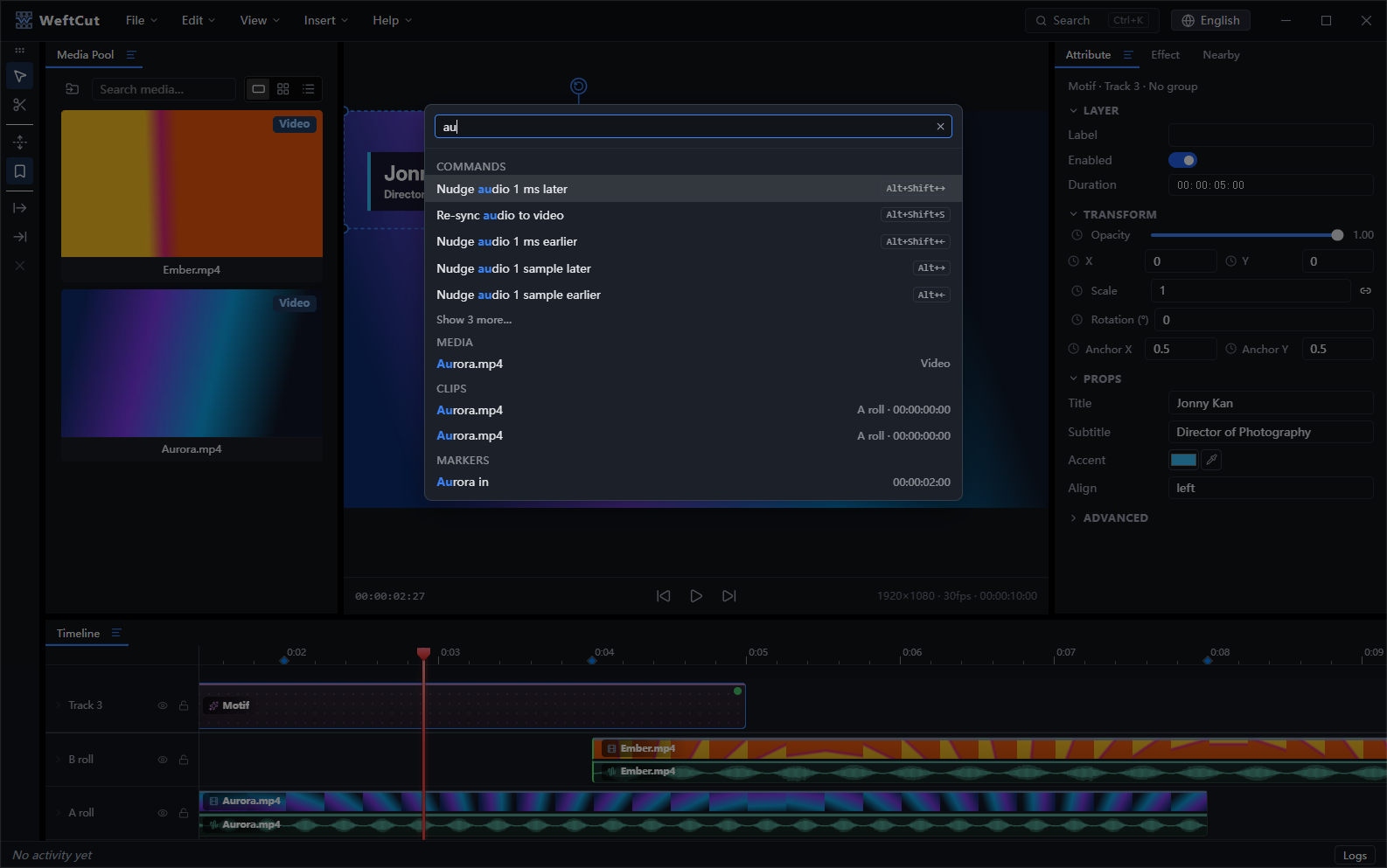
buffer the whole render in memory. - Find anything — a
Ctrl+Kpalette that searches commands, media,
clips, captions, and markers (with pinyin support).
How it's built
| Layer | Choice |
|---|---|
| Shell | Electron; UI in React 19 |
| Renderer | PixiJS v8 + WebCodecs — preview on <canvas>, export in a Worker on OffscreenCanvas |
| Native core | Rust via napi-rs — decode engine, audio mixer, jobs, media analysis |
| Encode / conform | ffmpeg (LGPL libraries in-process for decode; GPL CLI as a separate process for encode) |
| Containers | mediabunny (MP4/MOV + Matroska/WebM demux/mux) |
| Agent protocol | MCP over streamable HTTP (@modelcontextprotocol/sdk) |
Getting started
Prerequisites: Node 24+, Rust (stable via rustup), and your
platform's C++ build tools — per-OS install commands in
docs/setup.md.
npm install       # JS dependencies
npm run bootstrap # one-time: fetch ffmpeg + build the Rust addons
npm run dev       # start the editor
Common scripts: npm run typecheck, npm test, npm run e2e,npm run build, npm run package (installers). See
docs/setup.md for packaging notes and troubleshooting.
To connect an agent, grab the MCP URL + token the app prints on startup (also
available in-app) and drop it into your client's MCP config — the full tool
surface and multi-agent behavior are documented in docs/mcp.md.
Documentation
- Architecture — system overview, components, data flow, repo layout.
- Data model — project state schema, history, persistence, validation.
- Render — PixiJS + WebCodecs renderer architecture.
- Motifs — parameterized web overlays (CDP capture, raster cache, user-authored catalog).
- Preview — interactive preview surface and transport.
- Export — export settings + range, audio export, final mux, proxies and background jobs.
- Conformance — media fixtures and E2E gates for frame alignment, audio sync, and color.
- MCP server & agent UX — protocol, tool surface, resources, multi-agent.
- Features — small-feature contracts: undo-stack scope, groups, the search palette, the color picker.
- Status / Log system — bottom-of-editor log bus.
- Setup — per-OS toolchain prerequisites and first-run flow.
- Licensing — MIT app + the two FFmpeg lanes (LGPL in-process decode, GPL sidecar) and their build-time compliance gates.
- v1 target — release scope and open work. Tracked as a GitHub issue, not a doc:
docs/describes what exists today. - ADRs —
docs/adr/: architecture decision records with astatusfrontmatter field (accepted,proposed, orsuperseded). Prefer the top-level docs above for current behavior; older ADRs may be historical.
Maintainer
WeftCut is built and maintained by UncleChair.
It exists to speed up my own video work. I wanted an editor an agent could
actually drive, and a timeline I could keep watching while it did — so the MCP
surface is the part I use daily, not a demo bolted onto the side. That is also
why the app ships no models of its own: the intelligence is whichever agent I
already have open.
The project sits under the WeftCut organization so
the name, domain and releases have a stable home, but it is a one-person
project — issues and pull requests all reach me. Design decisions are written
down as ADRs instead of being settled in private, so the reasoning
behind the codebase stays legible to anyone reading it.
License
WeftCut is licensed under the MIT License. Packaged installers
bundle FFmpeg binaries under their own licenses (LGPL shared libraries for
in-process decode, GPL command-line tools run as a separate process) — see
THIRD-PARTY-NOTICES.md and
docs/licensing.md for the full model.
Yorumlar (0)
Yorum birakmak icin giris yap.
Yorum birakSonuc bulunamadi