blue-spec
Health Pass
- License Γ’β¬β License: MIT
- Description Γ’β¬β Repository has a description
- Active repo Γ’β¬β Last push 0 days ago
- Community trust Γ’β¬β 54 GitHub stars
Code Warn
- process.env Γ’β¬β Environment variable access in .claude/skills/simulate/fixtures/image-upload-service/src/server.js
Permissions Pass
- Permissions Γ’β¬β No dangerous permissions requested
No AI report is available for this listing yet.
π Blue Spec is a toolkit for Security-Driven Hardening (SDH), a defensive workflow to help AI agents detect what a system does and harden the defenses that matter.
π Blue Spec: Security-Driven Hardening
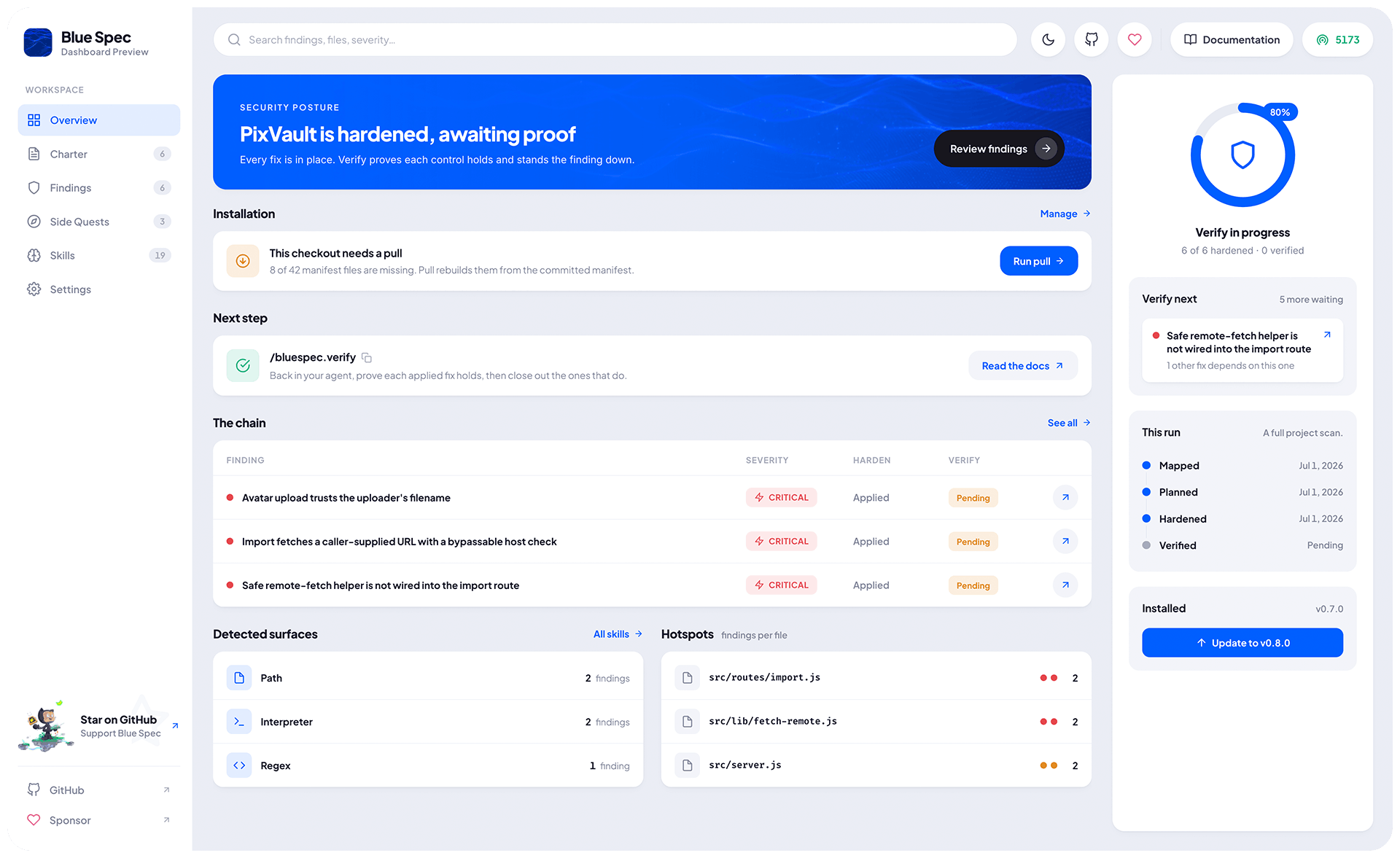
Blue Spec helps your AI agent make a project more secure. You point it at your code, and the agent figures out what your system actually does, then guides you through the security work that matters for it.
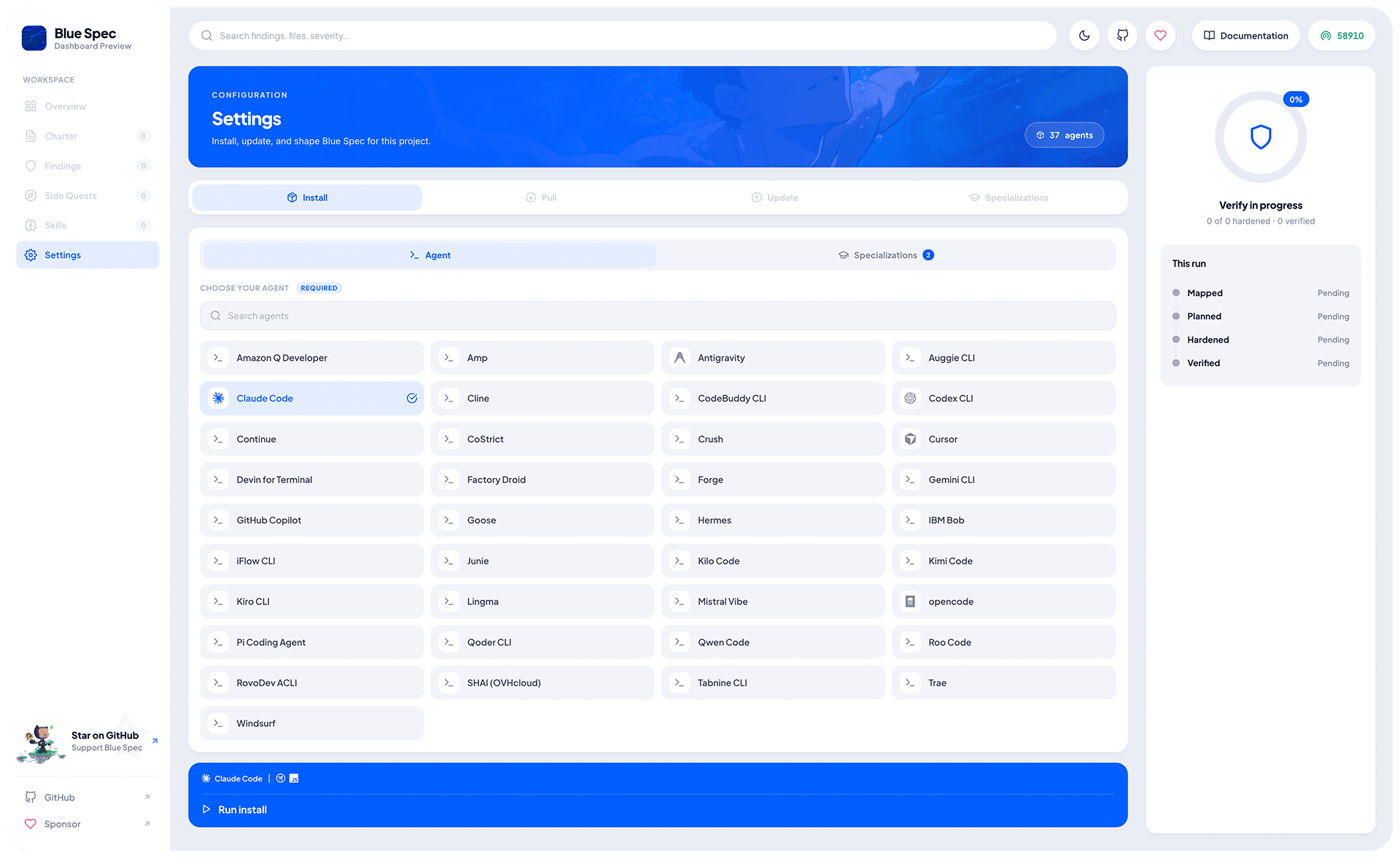
- Blue Spec works with projects in any programming language and supports 37 agents β¨
Table of Contents
- π± Get Started
- π§ Available Skills
- π Examples
- π€ Supported Agents
- π¦ Requirements
- π Acknowledgements
- π§ββοΈ License
Get Started
Install
Blue Spec adapts to your environment, whether it is a new project or an existing one.
npx -y blue-spec@latest init
- Blue Spec runs on Node.js under the hood, you use whatever language you want π
Commands
Once Blue Spec is set up in your project, your AI agent unlocks a set of slash commands:
| # | Command | What it does for you | Recommended Minimum Effort |
|---|---|---|---|
| 1 | /bluespec.charter |
Sets your project's security rules, proposed for you or shaped by what you say (optional). | Medium |
| 2 | /bluespec.detect |
Reads your code and maps what your system does and where the risks are. | High or more (the higher the effort, the better the result) |
| 3 | /bluespec.plan |
Turns what detect found into a defense plan, with a fix for each finding. | High |
| 4 | /bluespec.harden |
Applies the plan's fixes to your code, safely and one at a time. | High |
| 5 | /bluespec.verify |
Proves each applied fix holds and closes out the ones that do. | Medium |
Each command builds on the previous, so following the list top to bottom is all it takes.
Additional Commands
| Command | What it does |
|---|---|
/bluespec.repair |
Repairs Blue Spec's internal tracking. |
/bluespec.skills |
Loads an on-demand security sub-skill. |
/bluespec.list |
Lists all finding Blue Spec is tracking, by name. |
[!TIP]
Security is not a cost, it is an investment: what you put in upfront, you save many times over in the incidents you never have ππ»ββοΈ
Available Skills
Sub-skills are focused security knowledge modules that phases load automatically on demand, according to the project's scope. You can also run them yourself (including in prompts unrelated to Blue Spec) to keep security alongside development:
| Sub-Skill | Path | Focus |
|---|---|---|
regex |
.bluespec/skills/regex.md |
ReDoS: patterns that explode on crafted input. |
javascript |
.bluespec/skills/javascript.md |
Language-level risks: RCE, prototype pollution, etc. |
browser |
.bluespec/skills/browser.md |
Client-side risks: DOM XSS, origin, storage, etc. |
Direct free-form prompt example to generate a safe RegExp collection with Python:
@.bluespec/skills/regex.md
Create a collection of regular expressions in @src/utils/regex.py to validate emails and usernames.
This will use a hook to test each RegExp against ReDoS, keep the safe ones, and produce something like:
import re
EMAIL = re.compile(r"^[a-zA-Z0-9._%+-]+@[a-zA-Z0-9.-]+\.[a-zA-Z]{2,}$")
USERNAME = re.compile(r"^[a-zA-Z0-9_]{3,20}$")
def is_email(value: str) -> bool:
return EMAIL.match(value) is not None
def is_username(value: str) -> bool:
return USERNAME.match(value) is not None
Try it out: devina.io/redos-checker
Examples
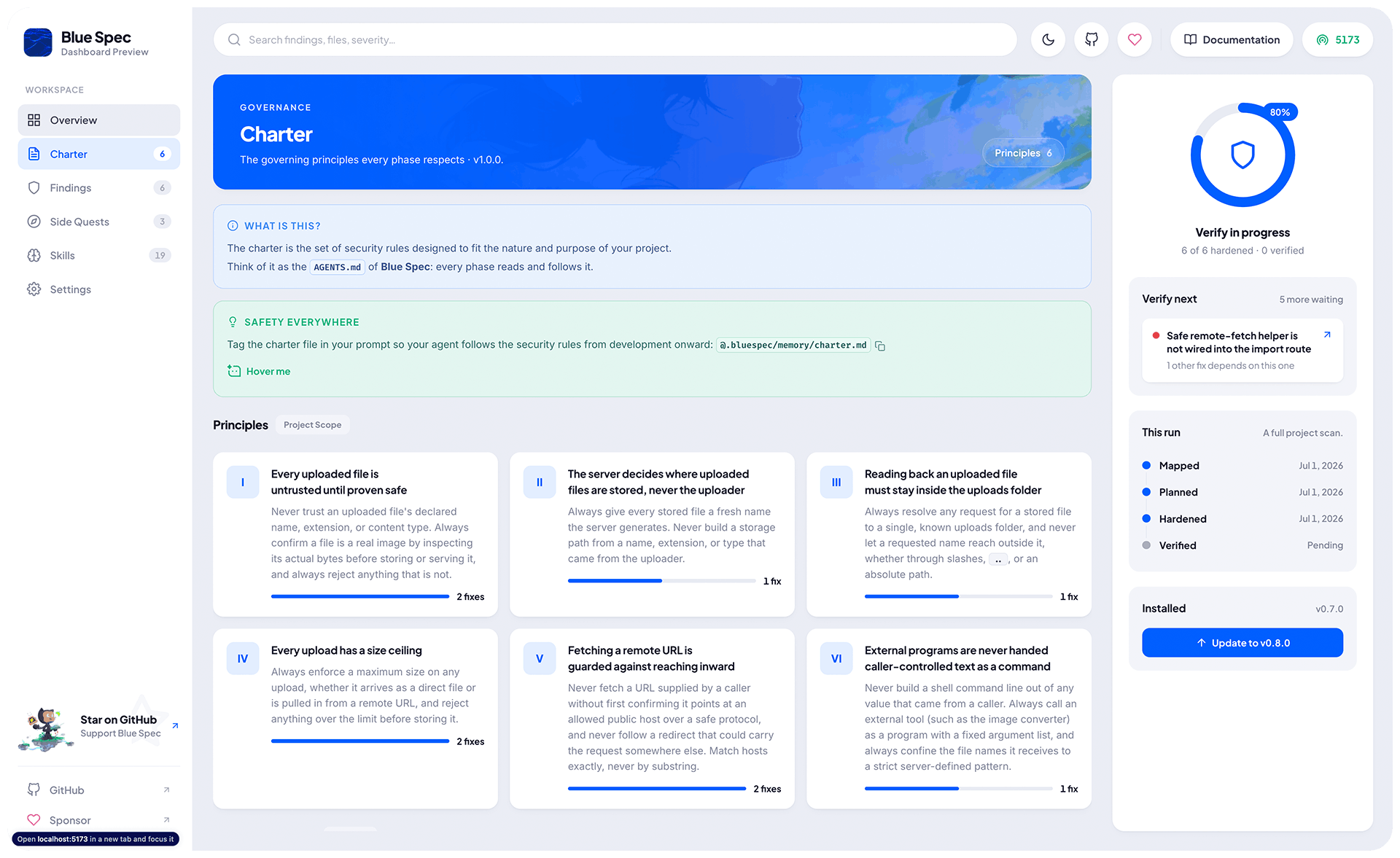
/bluespec.charter
𧬠Set the rules or let Blue Spec define it for you.
# Use it with no input, and let Blue Spec propose
/bluespec.charter
I see a payment library, a login setup, and an order model tied to a customer. This looks like an online store that sells something. Customers pay and track their own orders... βοΈ
# Or describe it
/bluespec.charter My project is an online store that sells video games. Customers add products to a cart and pay by credit card or bank slip. They can see their orders and the status of each one.
Then Blue Spec works out what that implies for security, for example:
- A cart that holds orders means there is a database:
- e.g.,
"Where the data lives?","Who can reach it?","Whether it leaks?".
- e.g.,
- Customers who can see their own orders means there is some kind of login or access control:
- e.g.,
"Can one customer reach another's orders?","Are sessions protected?".
- e.g.,
- Taking card and bank slip payments means money and sensitive data are involved:
- e.g.,
"Is card data stored?","Are payments verified?".
- e.g.,
From there, Blue Spec builds a tailored set of security rules for the project, which you can review and adjust whenever you need.
[!TIP]
- You can also define your own security rules for the project.
- The more relevant detail you give, the better the final report:
- Explain the project, how it works, and what happens under the hood.
- Who is the end user? What can users do, and what can they not?
- Behavioral detail is as valuable as technical detail.
- The charter memory lives in
.bluespec/memory/charter.md.
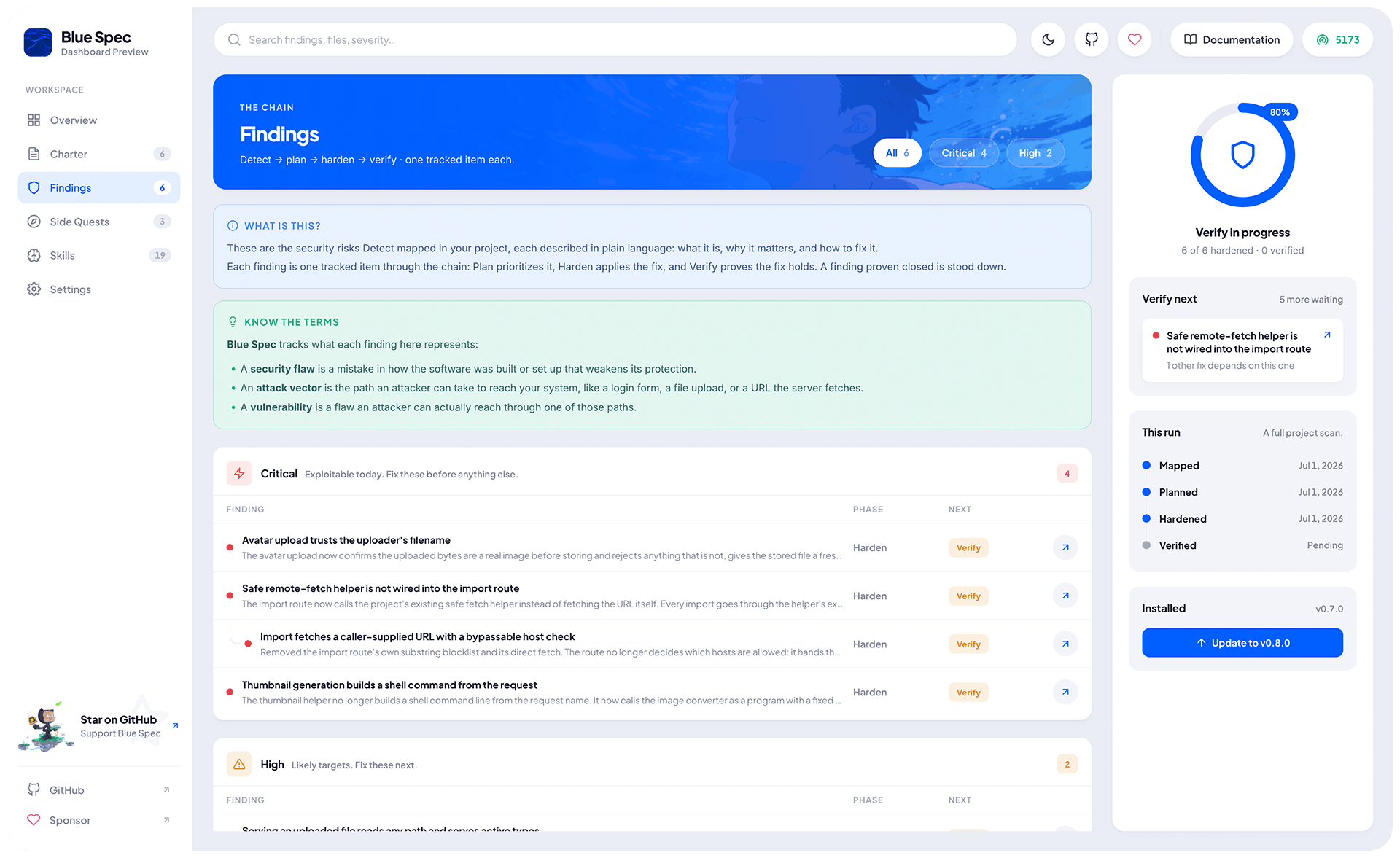
/bluespec.detect
π¬ Find out what your system really does and where the risks are.
# Use it with no input, and let Blue Spec scan the whole project
/bluespec.detect
# Point it at specific files or folders
/bluespec.detect src/routes/ src/auth.ts
# Or describe what you want to check
/bluespec.detect make sure customer data is never exposed
Then Blue Spec reads the code and maps what it actually finds, for example:
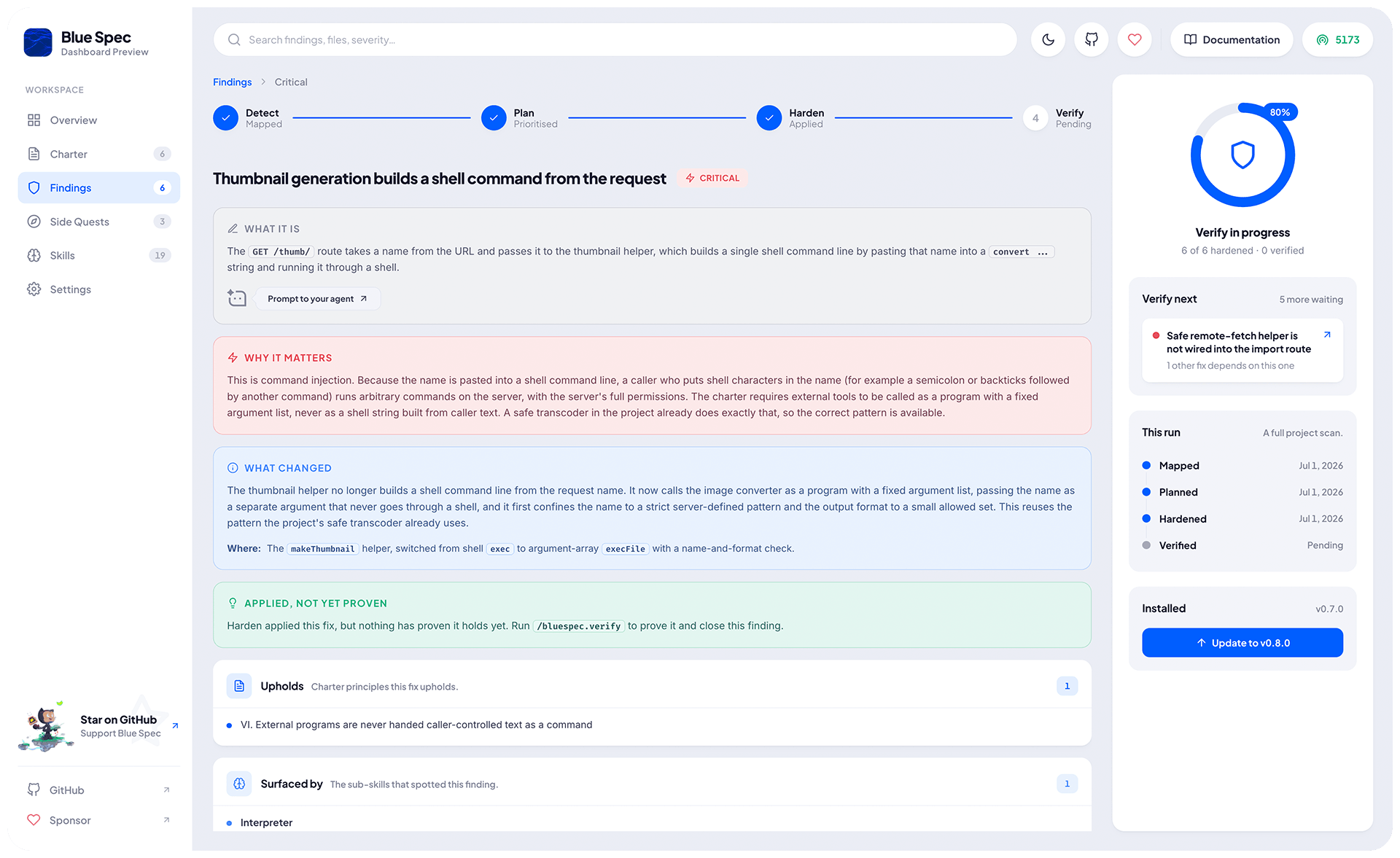
- File uploads, the system accepts files from users:
- Why it matters: a file disguised as an image can hide malicious code.
- Evidence: the POST /upload handler trusts the MIME type the client sends, without checking the file's real type.
- Login and sessions, users sign in to reach their account:
- Why it matters: weak session handling lets one account be taken over by another.
- Evidence: the session issuance logic, where sessions are issued with no expiry set.
From there, you have a clear map of what your system does and where the risks live, ready for the next steps to act on.
[!TIP]
- Running it again updates the map: solved findings drop off, new ones come in.
- The detect map lives in
.bluespec/memory/detect.md.
/bluespec.plan
[!IMPORTANT]
Depends on
/bluespec.detect.
π‘οΈ Turn what detect found into a defense plan: for each finding, the fix to apply.
# Use it with no input, and plan a fix for every finding detect mapped
/bluespec.plan
# Point it at specific files or folders detect already covered
/bluespec.plan src/routes/upload.ts
# Or describe a worry to focus on
/bluespec.plan where sensitive data could leak
This phase continues from detect. Detect already found what your system does and the risk each thing carries, so the plan does not repeat the risk, it decides what to do about it. It works only from what /bluespec.detect already mapped, so run detect first. Each planned fix points back at a detect finding, for example:
- File uploads (Priority: Critical)
- Upholds: III. All input is untrusted until validated.
- Fix: check the file's real type and size, rename it on save, and store uploads where they cannot be run as code.
From there, you have a prioritized list of fixes, each tied to a finding and ready for the next phase to apply.
[!TIP]
- It builds entirely on detect. If a file or worry was never mapped, it tells you to run
/bluespec.detecton it first.- Running it again updates the plan: done fixes drop off, new ones come in.
- The defense plan lives in
.bluespec/memory/plan.md.
/bluespec.harden
[!IMPORTANT]
Depends on
/bluespec.plan. This is the one phase that changes your code.
π§ Apply the plan's fixes to your code, safely and one at a time.
# Use it with no input to apply every fix the plan made, highest priority first
/bluespec.harden
# Point it at specific fixes or files the plan already covered
/bluespec.harden src/routes/upload.ts
# Or apply by priority: Critical, High, Medium, and/or Low
/bluespec.harden Critical and High
The plan already decided each fix, so harden just applies it. Since this is the one phase that touches your code, it goes carefully: it shows you each change and asks first, applies one fix at a time so every change stays easy to review, and never weakens a control to make a fix fit. For example, the upload fix:
- File uploads (Status: Applied)
- What changed: checks the file's real type and size, rejects anything unexpected, renames it on save, and stores it where it cannot be run as code.
- Where: the
handleUploadfunction, plus the storage helper it calls.
If a fix cannot be fully applied, harden does what it safely can and marks the rest Partial or Blocked, leaving it open. Applied does not mean proven yet, that is what verify is for.
[!TIP]
- It builds entirely on the plan. If a fix or file was never planned, it tells you to run
/bluespec.planon it first.- It confirms before changing anything and never makes a destructive change without asking.
- Running it again reconciles the record: reverted changes drop off, newly applied fixes come in.
- The hardening record lives in
.bluespec/memory/harden.md.
/bluespec.verify
[!IMPORTANT]
Depends on
/bluespec.harden.
βοΈ Prove each applied fix holds, by reading the code and confronting it with what harden recorded, then close out the ones that do.
# Use it with no input to verify every applied control, highest priority first
/bluespec.verify
# Point it at specific controls or files harden already applied
/bluespec.verify src/routes/upload.ts
# Or verify by priority: Critical, High, Medium, and/or Low
/bluespec.verify Critical and High
It reads the code at each spot harden recorded and confirms it really matches the claim, the proof is that confrontation, code against record. Each control gets one of three verdicts: β Risk closed, β Risk not closed, or β Cannot tell from the code (when the evidence is not visible in the code alone). A risk proven closed is then stood down out of the chain, with your confirmation, for example:
- File uploads (Verdict: β
Risk closed)
- How proven: read the upload handler and saw it detects the file's real type from its content, enforces a size limit, and refuses anything else, exactly as the record claims.
- Evidence: the
handleUploadfunction, which detects the real file type from content.
If the risk is not closed (β Risk not closed), verify says so plainly and sends you back to /bluespec.harden, since the fix is still open.
[!TIP]
- It builds entirely on the hardening record.
- It only reads your code to judge it, and never weakens a control or rewrites the code to make a verdict pass.
- Running it again reconciles the report: stale verdicts drop off, and a risk that is no longer closed is flagged again.
- When a risk is proven closed, it asks once, then clears that finding from the whole chain (detect, plan, harden, verify, and tracking).
- The verification report lives in
.bluespec/memory/verify.md.
/bluespec.skills
Load a focused security sub-skill on demand and run against your code π§
# Run a sub-skill by name
/bluespec.skills regex
# See what is available
/bluespec.skills
[!NOTE]
Sub-skills are not loaded by default.
[!TIP]
- The sub-skills live in
.bluespec/skills/and you can call then directly, for example:@.bluespec/skills/<name>.md.
/bluespec.repair
This is an internal maintenance pass, not a security phase.
π§° Repair the chain when a rename or a moved file confuses it.
# It takes no input: it always repairs the whole chain
/bluespec.repair
When renaming a finding or moving a file after a refactor, a phase can lose track of it and drop work that still matters. Repair fixes it by reading every artifact and your current code, finds where each entry now lives, and rewrites the whole chain at once.
[!TIP]
- It touches neither your code nor those artifacts, only the tracking.
- You rarely run it by hand. When a phase notices the chain is inconsistent, it automatically runs repair for you and continues.
- The tracking it maintains lives in
.bluespec/tracking.json, internal state you never edit by hand.
Supported Agents
Pick your agent by passing its key, for example npx -y blue-spec@latest init <alias> (without it, Blue Spec asks you to choose).
| Agent | Key (Alias) |
|---|---|
| Amazon Q Developer | amazonq |
| Amp | amp |
| Antigravity | agy |
| Auggie CLI | auggie |
| Claude Code | claude |
| Cline | cline |
| CodeBuddy CLI | codebuddy |
| Codex CLI | codex |
| Continue | continue |
| CoStrict | costrict |
| Crush | crush |
| Cursor | cursor-agent |
| Devin for Terminal | devin |
| Factory Droid | factory |
| Forge | forge |
| Gemini CLI | gemini |
| GitHub Copilot | copilot |
| Goose | goose |
| Hermes | hermes |
| IBM Bob | bob |
| iFlow CLI | iflow |
| Junie | junie |
| Kilo Code | kilocode |
| Kimi Code | kimi |
| Kiro CLI | kiro-cli |
| Lingma | lingma |
| Mistral Vibe | vibe |
| opencode | opencode |
| Pi Coding Agent | pi |
| Qoder CLI | qodercli |
| Qwen Code | qwen |
| Roo Code | roo |
| RovoDev ACLI | rovodev |
| SHAI (OVHcloud) | shai |
| Tabnine CLI | tabnine |
| Trae | trae |
| Windsurf | windsurf |
For example, using Blue Spec with Claude:
npx -y blue-spec init claude
Requirements
You will need these tools installed on your system:
- Node.js (LTS)
- At least one of the Supported Agents
Security Policy
Please check the SECURITY.md.
Contributing
π§ Coming Soon.
Acknowledgements
Sponsors
Really thanks to everyone who has supported and keeps supporting my work.

License
Blue Spec is under the MIT License.
Copyright Β© 2026-present Weslley AraΓΊjo and contributors.
Reviews (0)
Sign in to leave a review.
Leave a reviewNo results found