aps
Health Uyari
- License — License: BSD-3-Clause
- Description — Repository has a description
- Active repo — Last push 0 days ago
- Low visibility — Only 9 GitHub stars
Code Gecti
- Code scan — Scanned 12 files during light audit, no dangerous patterns found
Permissions Gecti
- Permissions — No dangerous permissions requested
Bu listing icin henuz AI raporu yok.
Compose and sync your own collection of AGENTS.md, Skills, and other agentic prompts
Archieved
I initially built to share Agent Skills across my projects, but found more effective tools.
I think these projects are worth checking out:
APS - Agentic Prompt Sync
Compose and sync your own collection of AGENTS.md, Skills, and other agentic prompts.





Cross-platform support: macOS • Linux • Windows
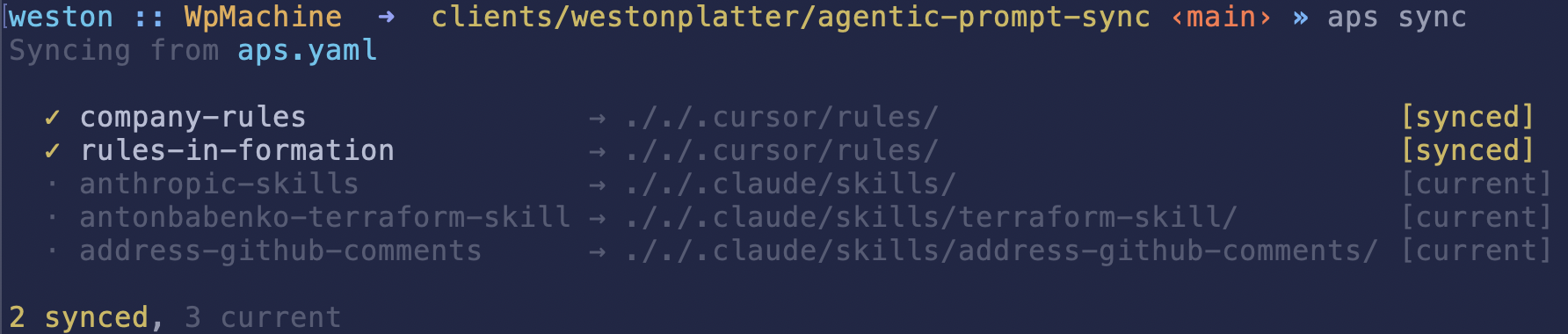
Features
aps is a manifest-driven, CLI tool for syncing agentic assets (Cursor rules, Agent Skills, and AGENTS.md files) from sources like git or your filesystem in your project folders.
- Declarative manifest-driven sync - Define your agentic assets in a YAML manifest
- Composable AGENTS.md - Merge multiple AGENTS.md files from local or remote sources into one
- Safe installs - Automatic conflict detection and backup creation
- Deterministic lockfile - Idempotent syncs that only update when needed
Installation
Quick Install (macOS/Linux)
Install or update aps using cargo
# install the latest version
cargo install aps
Or use curl,
curl -fsSL https://raw.githubusercontent.com/westonplatter/aps/main/install.sh | sh

# or override the install location
APS_INSTALL_DIR=/usr/local/bin curl -fsSL https://raw.githubusercontent.com/westonplatter/aps/main/install.sh | sh
Download Binary
Pre-built binaries for all platforms are available on the Releases page.
| Platform | Download |
|---|---|
| Linux x64 | aps-linux-x64-musl.tar.gz |
| Linux ARM64 | aps-linux-arm64.tar.gz |
| macOS Intel | aps-macos-x64.tar.gz |
| macOS ARM | aps-macos-arm64.tar.gz |
| Windows x64 | aps-windows-x64.zip |
Build from Source
git clone https://github.com/westonplatter/aps.git
cd agentic-prompt-sync
cargo build --release
# Binary at target/release/aps
Getting Started
Quick Start
Initialize a manifest in your project:
aps initThis creates a
aps.yamlmanifest file with an example entry.Add skills directly from GitHub URLs:
# Add a skill from a GitHub URL - automatically syncs the skill
aps add https://github.com/hashicorp/agent-skills/blob/main/terraform/module-generation/skills/refactor-module/SKILL.md

# Or use the folder URL (SKILL.md is auto-detected)
aps add https://github.com/hashicorp/agent-skills/tree/main/terraform/module-generation/skills/refactor-module
This parses the GitHub URL, adds an entry to
aps.yaml, and syncs only that skill immediately (other entries are not affected).Or manually edit the manifest to define your assets:
entries:
  - id: my-agents
    kind: agents_md
    source:
      type: filesystem
      root: $HOME
      path: personal-generic-AGENTS.md
    dest: ./AGENTS.md
Sync and install your assets:
aps syncCheck status of synced assets:
aps status
Commands
| Command | Description |
|---|---|
aps init |
Create a new manifest file and update .gitignore |
aps add |
Add a skill from a GitHub URL and sync it |
aps sync |
Sync all entries from manifest and install assets |
aps validate |
Validate manifest schema and check sources |
aps status |
Display last sync information from lockfile |
aps list |
List manifest entries and their resources |
Common Options
--verbose- Enable verbose logging--manifest <path>- Specify manifest file path (default:aps.yaml)
Add Options
--id <name>- Custom entry ID (defaults to skill folder name)--kind <type>- Asset kind:agent-skill,cursor-rules,cursor-skills-root,agents-md(default:agent-skill)--no-sync- Only add to manifest, don't sync immediately--all- Add all discovered skills without prompting (for repo-level URLs or directories)--yes/-y- Skip confirmation prompts
Skill Discovery
When you point aps add at a repository or directory that doesn't directly contain a SKILL.md, aps automatically discovers all skills within it. Skills are identified by recursively searching for directories containing a SKILL.md file.
From a GitHub repository:
# Discover all skills in a repo (or a subdirectory within it)
aps add https://github.com/anthropics/skills

# Narrow discovery to a specific path within the repo
aps add https://github.com/anthropics/skills/tree/main/skills
From a local directory:
# Discover skills in a local directory
aps add ~/my-skills

# Supports shell variable expansion
aps add $HOME/work/shared-skills
After discovery, aps presents an interactive toggle picker showing all discovered skills. Already-installed skills appear pre-checked, so you can add new skills and remove existing ones in a single pass.
Found 5 skill(s) (2 installed, 3 new):

? Toggle skills (space to toggle, enter to confirm) ›
> ✔ refactor-module  Transform monolithic Terraform configurations into reusable modules
  ✔ plan-review      Review Terraform plan output for potential issues
  ○ test-gen         Generate unit tests for Terraform modules
  ○ lint-check       Lint Terraform files for best practices
  ○ cost-estimator   Estimate cloud costs from Terraform plans
After confirming, aps shows a summary of changes:
  ✓ Will add: test-gen, cost-estimator
  ✗ Will remove: plan-review
  · Unchanged: refactor-module

Proceed? [Y/n]
To skip prompts and add everything, use --all. To skip the confirmation, use --yes / -y:
aps add --all https://github.com/anthropics/skills
aps add --yes https://github.com/anthropics/skills
List Options
--assets- Show on-disk asset tree for synced entries
Sync Options
--yes- Non-interactive mode, automatically confirm overwrites--dry-run- Preview changes without applying them--only <id>- Only sync specific entry by ID
Sync Behavior
When you run aps sync:
- Entries are synced - Each entry in
aps.yamlis installed to its destination - Stale entries are cleaned - Entries in the lockfile that no longer exist in
aps.yamlare automatically removed - Lockfile is saved - The updated lockfile is written to disk
Note: Stale entry cleanup only happens during a full sync. When using --only <id> to sync specific entries, other lockfile entries are preserved.
Configuration
Manifest File (aps.yaml)
entries:
  # Single AGENTS.md file from one source
  - id: my-agents
    kind: agents_md
    source:
      type: filesystem
      root: $HOME
      path: AGENTS-generic.md
    dest: ./AGENTS-simple.md

  # Composite AGENTS.md - merge multiple markdown files into one
  - id: composite-agents
    kind: composite_agents_md
    sources:
      - type: filesystem
        root: $HOME/agents
        path: AGENT.python.md
      - type: filesystem
        root: $HOME/agents
        path: AGENT.docker.md
      - type: git
        repo: https://github.com/apache/airflow.git
        ref: main
        path: AGENTS.md
    dest: ./AGENTS.md

  # Pull in Agent Skills from a public git repo
  - id: anthropic-skills
    kind: agent_skill
    source:
      type: git
      repo: [email protected]:anthropics/skills.git
      ref: main
      path: skills
    include:
      - pdf
      - skill-creation
    dest: ./.claude/skills/

  # Pull Cursor Rules from a private git repo
  - id: personal-rules
    kind: cursor_rules
    source:
      type: git
      repo: [email protected]:your-username/dotfiles.git
      ref: main
      path: .cursor/rules
      # shallow: false  # full clone
    dest: ./.cursor/rules/

  # Pull in more Cursor Rules from a local file system
  - id: company-rules
    kind: cursor_rules
    source:
      type: filesystem
      root: $HOME/work/acme-corp/internal-prompts
      path: rules
      # symlink: false  # copy files instead of symlinking
    dest: ./.cursor/rules/
Asset Types
| Kind | Description | Default Destination |
|---|---|---|
agents_md |
Single AGENTS.md file | ./AGENTS.md |
composite_agents_md |
Merge multiple markdown files into one | ./AGENTS.md |
cursor_rules |
Directory of Cursor rules | ./.cursor/rules/ |
cursor_hooks |
Directory of Cursor hooks | ./.cursor/hooks/ |
cursor_skills_root |
Directory with skill subdirs | ./.cursor/skills/ |
agent_skill |
Claude agent skill directory | ./.claude/skills/ |
Source Types
| Type | Description | Key Properties |
|---|---|---|
filesystem |
Sync from a local directory | root, path, symlink |
git |
Sync from a git repository | repo, ref, path, shallow |
Shell Variable Expansion: Path values in root and path fields support shell variable expansion (e.g., $HOME, $USER). This makes manifests portable across different machines and users.
Filtering with include
When a source contains multiple subdirectories (e.g., a skills repo with many skills), use the include field to sync only specific ones:
- id: anthropic-skills
  kind: agent_skill
  source:
    type: git
    repo: [email protected]:anthropics/skills.git
    ref: main
    path: skills
  include:
    - pdf
    - skill-creation
  dest: ./.claude/skills/
Each value in include is matched against subdirectory names within the source path. Only matching subdirectories are synced. If include is omitted, all subdirectories are synced.
Composite AGENTS.md
The composite_agents_md kind allows you to merge multiple markdown files into a single AGENTS.md file. This is useful when you want to organize agent definitions across separate files (e.g., by language or framework) and combine them at sync time.
entries:
  - id: my-composite-agents
    kind: composite_agents_md
    sources:
      # Local filesystem sources
      - type: filesystem
        root: $HOME/agents-md-partials
        path: AGENT.docker.md
      # Remote git sources
      - type: git
        repo: https://github.com/westonplatter/agentically.git
        ref: main
        path: agents-md-partials/AGENTS.python.md
    dest: ./AGENTS.md
Key features:
- Mixed sources: Combine local filesystem and remote git sources
- Order preserved: Files are merged in the order specified in
sources - Auto-generated header: Output includes a comment indicating it was composed by aps
Lockfile (aps.lock.yaml)
The lockfile tracks installed assets and is automatically created/updated by aps sync. This file should be committed to version control to ensure reproducible installations across your team. It stores:
- APS version that generated/modified the lockfile
- Source information
- Destination paths
- Last update timestamp
- Content checksum (SHA256)
Environment Variables Are Preserved: Unlike other package managers (npm, uv, bundler) that expand environment variables to concrete paths, aps preserves shell variables like $HOME in the lockfile. This makes lockfiles portable across different machines and users who have the same relative directory structure.
Examples
Non-interactive sync for CI/CD
aps sync --yes
Validate manifest before sync
aps validate --strict
Contributing
See CONTRIBUTING.md for development setup, building, testing, and linting instructions.
Inspiration
Built based on inspiration from these other projects,
License
See LICENSE for details.
Yorumlar (0)
Yorum birakmak icin giris yap.
Yorum birakSonuc bulunamadi