kaja
Health Gecti
- License — License: MIT
- Description — Repository has a description
- Active repo — Last push 0 days ago
- Community trust — 16 GitHub stars
Code Gecti
- Code scan — Scanned 12 files during light audit, no dangerous patterns found
Permissions Gecti
- Permissions — No dangerous permissions requested
Bu listing icin henuz AI raporu yok.
A canvas for your gRPC, MCP and OpenAPI

macOS · Docker
A canvas for your APIs
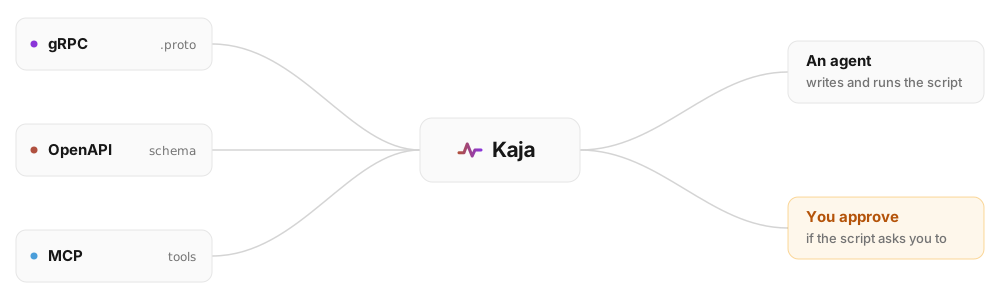
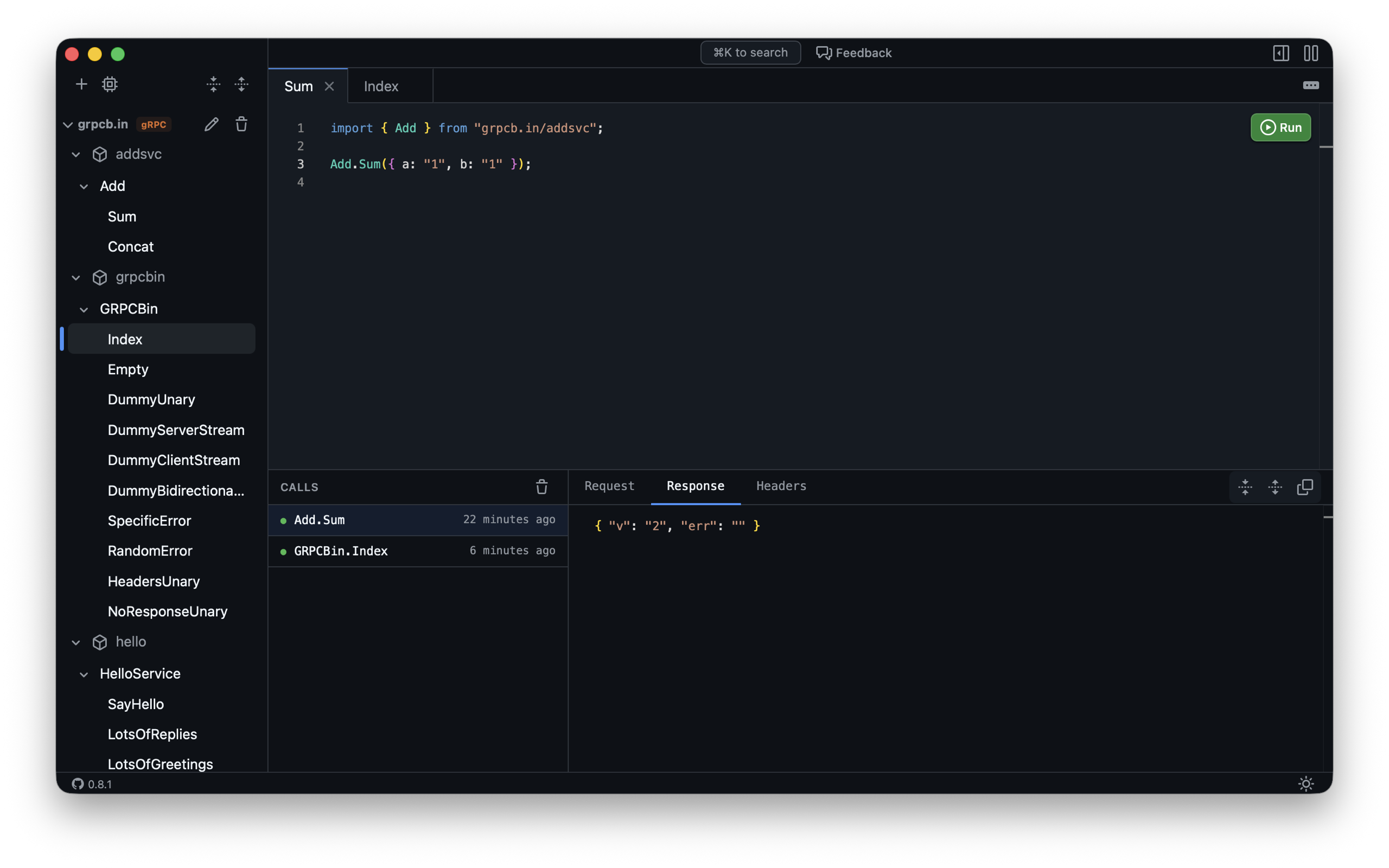
An API client like Postman or Bruno, except your agent writes the payloads.
Kaja draws the flow, and you can inspect every call.

Documentation · Live Demo · Website



Documentation
Installing Kaja, connecting apps, keeping credentials in variables, writing scripts
and pointing an agent at it are all documented on the website.
Read the docs at kaja.tools/docs →
| Installation | The Mac App Store build, or one docker run with your protos and kaja.json mounted |
| Apps | Connect gRPC, OpenAPI, Twirp and MCP apps, and what each type's block takes |
| Variables | Named values your scripts and your app configuration both read, with secrets kept out of the file |
| Scripts | TypeScript with a typed import for every app you connected, drawing on the canvas |
| Agents | Point your agent at Kaja's MCP server, and watch every run it makes |
Development
The development scripts require Go and Bun installed. If not installed, they will offer to install them for you via Homebrew.
- Run in local server:
scripts/server(pass--editableto editworkspace/kaja.jsonfrom the UI) - Run in Docker:
scripts/docker - Run the desktop app:
scripts/desktop - Test UI:
(cd ui && bun test) - TSC UI:
(cd ui && bun run tsc) - Test server:
(cd server && go test ./... -tags development -v). Thedevelopmenttag is the onescripts/serverbuilds with. Without it the packages embed a production UI bundle, which onlygo run cmd/build-ui/main.gowrites. - Update demo protos:
scripts/demo-protosrefreshes thequirksandgrpcb.inprotos inworkspace/. The demo services themselves live in kaja-tools/website.
Releases
Releases are cut from GitHub, so no local build is needed. Every push to main uploads a new build to TestFlight. To ship a version, run the release workflow (Actions → Run workflow):
open(withpatch/minor/major) bumps the version on a branch and opens a PR. Merge it yourself:mainis protected, so the bump has to arrive as a PR and pass thetestcheck. TestFlight builds carry the new version from then on.shiptags the commit and publishes a GitHub Release for it, with notes covering the whole cycle. Run it when you promote one of those TestFlight builds to the App Store.
Yorumlar (0)
Yorum birakmak icin giris yap.
Yorum birakSonuc bulunamadi