nuxt-boilerplate
skill
Pass
Health Pass
- License — License: MIT
- Description — Repository has a description
- Active repo — Last push 0 days ago
- Community trust — 12 GitHub stars
Code Pass
- Code scan — Scanned 12 files during light audit, no dangerous patterns found
Permissions Pass
- Permissions — No dangerous permissions requested
Purpose
This project is a full-stack web application boilerplate built on Nuxt 4, Vue, and TypeScript. It provides developers with a pre-configured starting point for building secure apps, featuring authentication, Prisma ORM, and PostgreSQL database integration.
Security Assessment
The code scan identified no dangerous patterns or hardcoded secrets. Because it is an application boilerplate rather than a standalone utility, it inherently handles sensitive data. The included authentication system manages JWTs, bcrypt password hashing, and user sessions, requiring secure configuration by the developer. The backend establishes network requests to connect to its PostgreSQL database and exposes CORS and CSP policies for security hardening. No dangerous shell execution commands or elevated system permissions are required. Overall risk is rated as Low.
Quality Assessment
The project demonstrates strong maintenance health with recent repository activity, having received updates as recently as today. It is fully open source under the standard MIT license. While community trust is currently in its early stages with 12 GitHub stars, the codebase structure is highly professional. It includes clear documentation, Docker support for safe local development, and robust code quality tooling such as Vitest, Playwright, ESLint, and Prettier.
Verdict
Safe to use.
This project is a full-stack web application boilerplate built on Nuxt 4, Vue, and TypeScript. It provides developers with a pre-configured starting point for building secure apps, featuring authentication, Prisma ORM, and PostgreSQL database integration.
Security Assessment
The code scan identified no dangerous patterns or hardcoded secrets. Because it is an application boilerplate rather than a standalone utility, it inherently handles sensitive data. The included authentication system manages JWTs, bcrypt password hashing, and user sessions, requiring secure configuration by the developer. The backend establishes network requests to connect to its PostgreSQL database and exposes CORS and CSP policies for security hardening. No dangerous shell execution commands or elevated system permissions are required. Overall risk is rated as Low.
Quality Assessment
The project demonstrates strong maintenance health with recent repository activity, having received updates as recently as today. It is fully open source under the standard MIT license. While community trust is currently in its early stages with 12 GitHub stars, the codebase structure is highly professional. It includes clear documentation, Docker support for safe local development, and robust code quality tooling such as Vitest, Playwright, ESLint, and Prettier.
Verdict
Safe to use.
A modern Nuxt 4 boilerplate with TypeScript, authentication, Prisma ORM, and PostgreSQL. Features internationalization, security middleware, testing suite, and shared utilities architecture for rapid development.
README.md
Nuxt Boilerplate
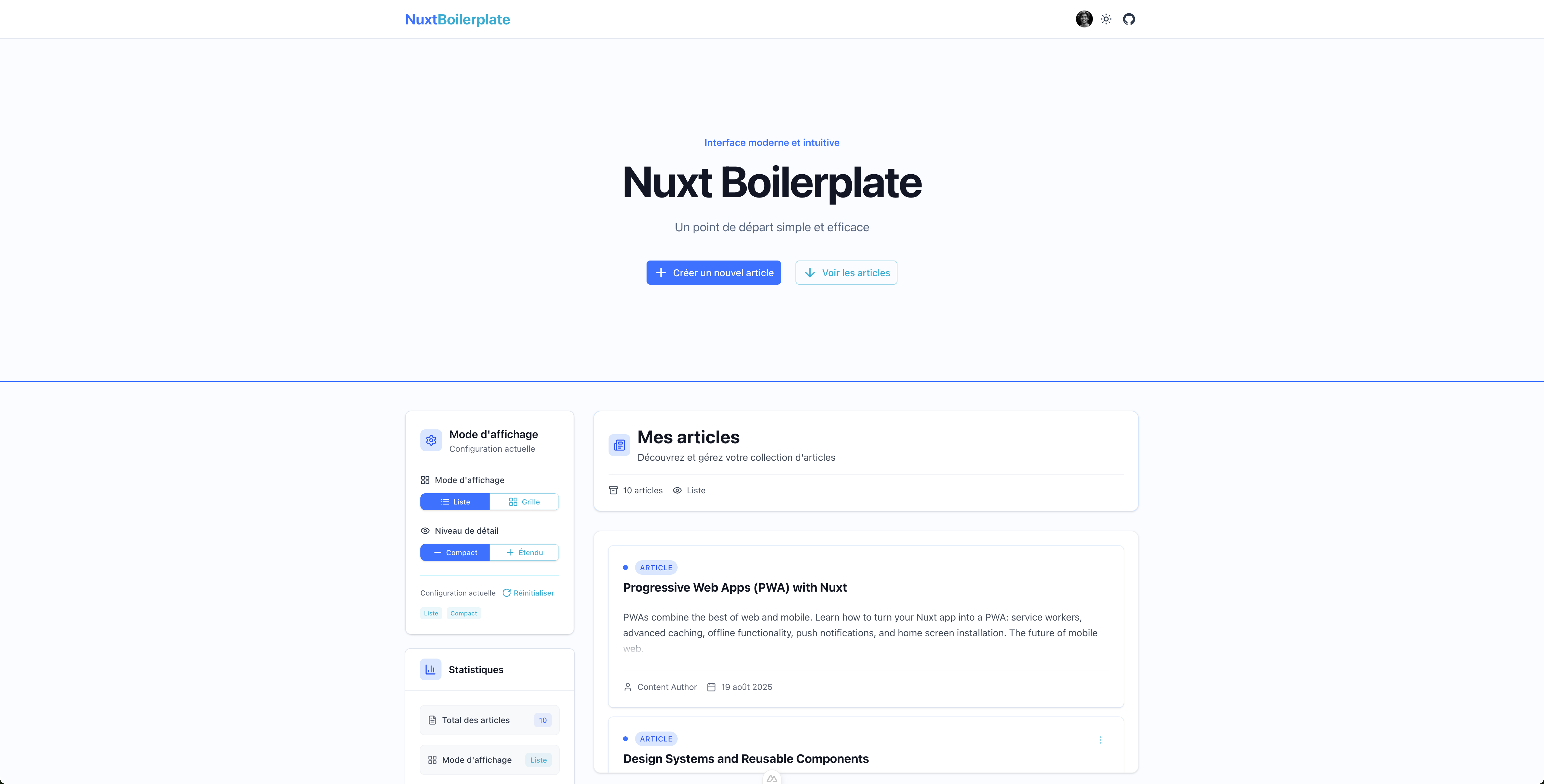
A modern Nuxt 4 production-ready boilerplate with TypeScript, authentication, and full-stack development tools.
🚀 Features
- 🔧 Nuxt 4 with Vue 3 Composition API and TypeScript
- 🎨 Nuxt UI components with Tailwind CSS
- 🔐 Authentication with JWT sessions, bcrypt password hashing, and email verification system
- 🗄️ Prisma ORM with PostgreSQL and Docker setup
- 🌍 Internationalization (French/English) with auto-detection
- 🛡️ Security hardening with CORS, CSP, rate limiting, and flexible HTTP/HTTPS configuration
- 🧪 Testing with Vitest (unit) and Playwright (E2E)
- ✨ Code Quality with ESLint, Prettier, and conventional commits
- 🗂️ State Management with Pinia and cookie persistence
- 📱 SEO Optimized with structured meta tags
- 🐳 Docker support for development
⚡ Quick Start
Prerequisites
- Node.js ≥ 22.0.0
- pnpm ≥ 9.0.0
- Docker (for PostgreSQL)
Setup
Clone and install
git clone <repository-url> my-project
cd my-project
pnpm install
cp .env.example .env
Start database
docker compose up -d          # Start PostgreSQL + Adminer
pnpm prisma migrate dev       # Run database migrations
Access Adminer (database UI) at http://localhost:8080 with your database credentials.
Run development server
pnpm run dev
Visit http://localhost:3000 to see your app with authentication system and example Posts.
🛠️ Key Commands
pnpm run dev           # start dev server
pnpm run build         # build for production
pnpm run lint          # run ESLint + Prettier
pnpm test              # run unit + E2E tests
docker compose up -d   # start PostgreSQL + Adminer (localhost:8080)
pnpm prisma migrate dev # run DB migrations
📁 Project Structure
├── app/                      # Nuxt application
│   ├── components/           # Vue components (auto-imported)
│   ├── composables/          # Form composables, utilities
│   ├── pages/                # File-based routing
│   └── layouts/              # Layout components
├── shared/                   # Shared utilities (auto-imported)
│   ├── models/               # Zod schemas and type definitions
│   ├── types/                # API and shared types
│   └── utils/                # Utility functions
├── server/                   # Server-side code
│   ├── api/                  # API routes (auto-mapped)
│   ├── services/             # Business logic services
│   └── middleware/           # Server middleware
├── prisma/                   # Database schema and migrations
└── test/                     # Unit and E2E tests
🔧 Tech Stack
- Frontend: Nuxt 4, Vue 3, TypeScript, Nuxt UI, Tailwind CSS
- Backend: Nitro, H3, PostgreSQL, Prisma ORM
- Auth: JWT sessions, bcrypt, email verification, rate limiting
- Testing: Vitest (unit) + Playwright (E2E)
- Quality: ESLint, Prettier, Husky hooks
📚 Documentation
Detailed implementation guides in /docs/:
🎯 Implementation Patterns
- Form Patterns - Form composables and validation
- Component Architecture - Vue component patterns
- Database Patterns - Prisma usage and optimization
- Security Patterns - Authentication, HTTPS/HTTP security, CORS
- Testing Patterns - Unit and E2E testing strategies
- Pinia Patterns - State management with persistence
- Notification System - Toast system and notifications
🌟 System Features
- Email System - Handlebars templates and automated delivery
- Internationalization - Multi-language support
- SEO Patterns - SEO optimization and social media
- Auto-imports Configuration - Optimized auto-imports setup
🚀 Operations
- API Documentation - Auto-generated API documentation
🎛️ Environment Configuration
Copy .env.example to .env and configure:
# Database (required)
NUXT_DATABASE_URL="postgresql://postgres:P@ssw0rd@localhost:5432/database"

# Authentication (required)
NUXT_SESSION_PASSWORD="your-32-character-secret-key-here"

# Email System (required for email verification/password reset)
NUXT_EMAIL_HOST="smtp.gmail.com"
NUXT_EMAIL_PORT="587"
NUXT_EMAIL_USER="[email protected]"
NUXT_EMAIL_PASS="your-app-password"
NUXT_EMAIL_FROM="[email protected]"

# Production Configuration
NUXT_PUBLIC_SITE_URL="https://yourdomain.com"
# CORS is handled automatically by Nitro for API routes
# Use a reverse proxy (nginx/haproxy) for HTTPS in production
🚀 Getting Started Guide
- Authentication System - Complete JWT auth with registration, login, email verification, password reset
- Email System - Email verification and password reset with template rendering
- Posts Example - Full CRUD implementation demonstrating the architecture
- Form Patterns - Reusable form composables with validation (useLoginForm, usePostForm)
- Auto-imports - No manual imports needed for shared utilities, composables, components
🤝 Contributing
- Follow conventional commit format
- Run tests before submitting:
pnpm test - Ensure code quality:
pnpm run lint
Built with ❤️ using Nuxt 4
Reviews (0)
Sign in to leave a review.
Leave a reviewNo results found