moku
Health Uyari
- No license — Repository has no license file
- Description — Repository has a description
- Active repo — Last push 0 days ago
- Low visibility — Only 7 GitHub stars
Code Gecti
- Code scan — Scanned 1 files during light audit, no dangerous patterns found
Permissions Gecti
- Permissions — No dangerous permissions requested
Bu listing icin henuz AI raporu yok.
Moku — the SSH client that resumes your AI coding sessions. Scans hosts for Claude Code, Codex, OpenCode +6 more CLIs, resumes any session with one tap; Rust-core terminal built for phones. By Porthole Lab.
Moku
Your remote agents, in your pocket.
The focused cross-platform SSH workspace that scans & resumes your AI coding sessions.
Product Website · Download Releases · English | 简体中文




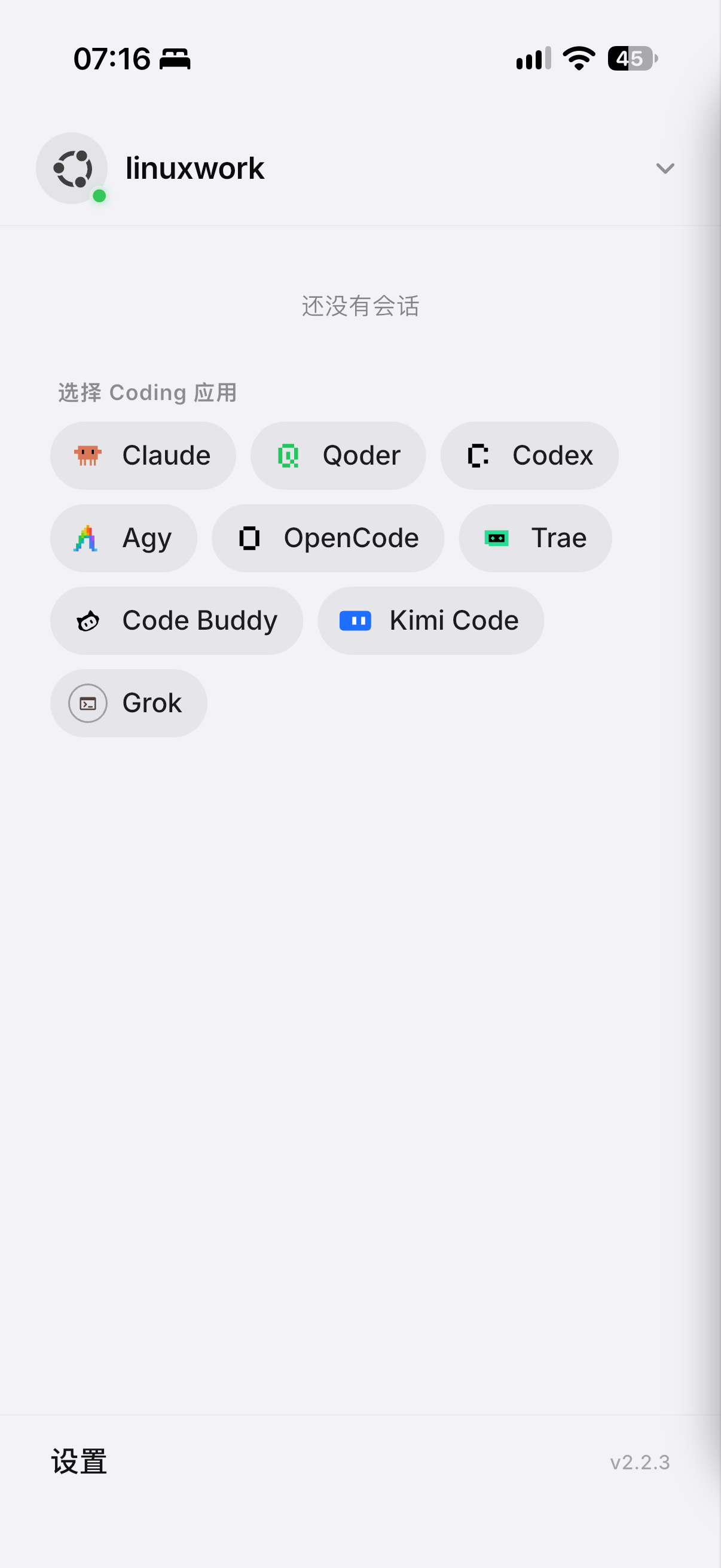
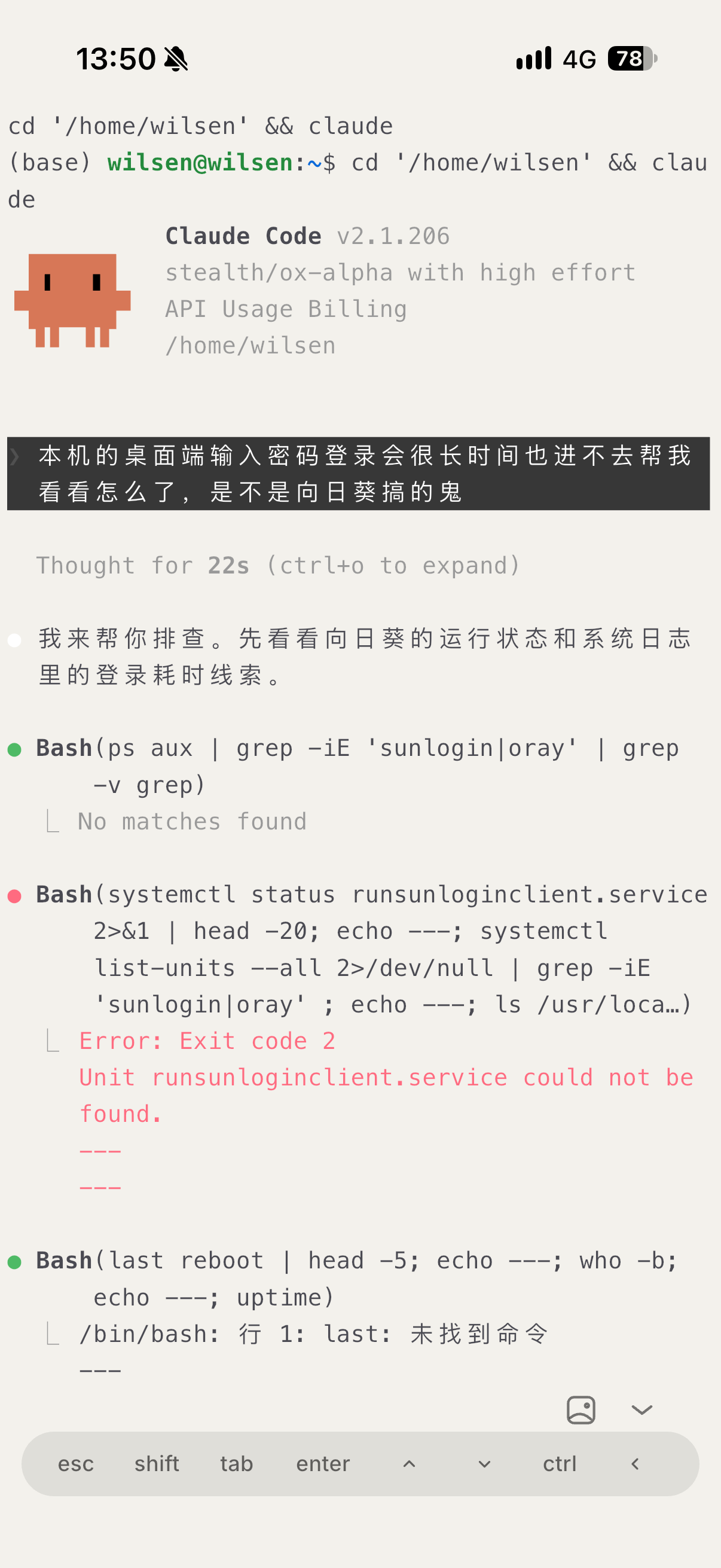
Moku automatically scans remote hosts to discover your active AI coding workspaces — Claude Code, OpenAI Codex, Qoder, Antigravity (Agy), OpenCode, MiniMax Code, Oh My Pi, DeepSeek Harness, Trae, Code Buddy, Kimi, Grok — grouping projects and sessions so you can jump right back in with a single tap.
Underneath the glass is a high-throughput Rust terminal core and Mosh/abduco zero-drop persistence, engineered specifically for fluid command-line workflows on mobile and desktop.
🌟 Key Highlights
🤖 AI Coding Session Hub
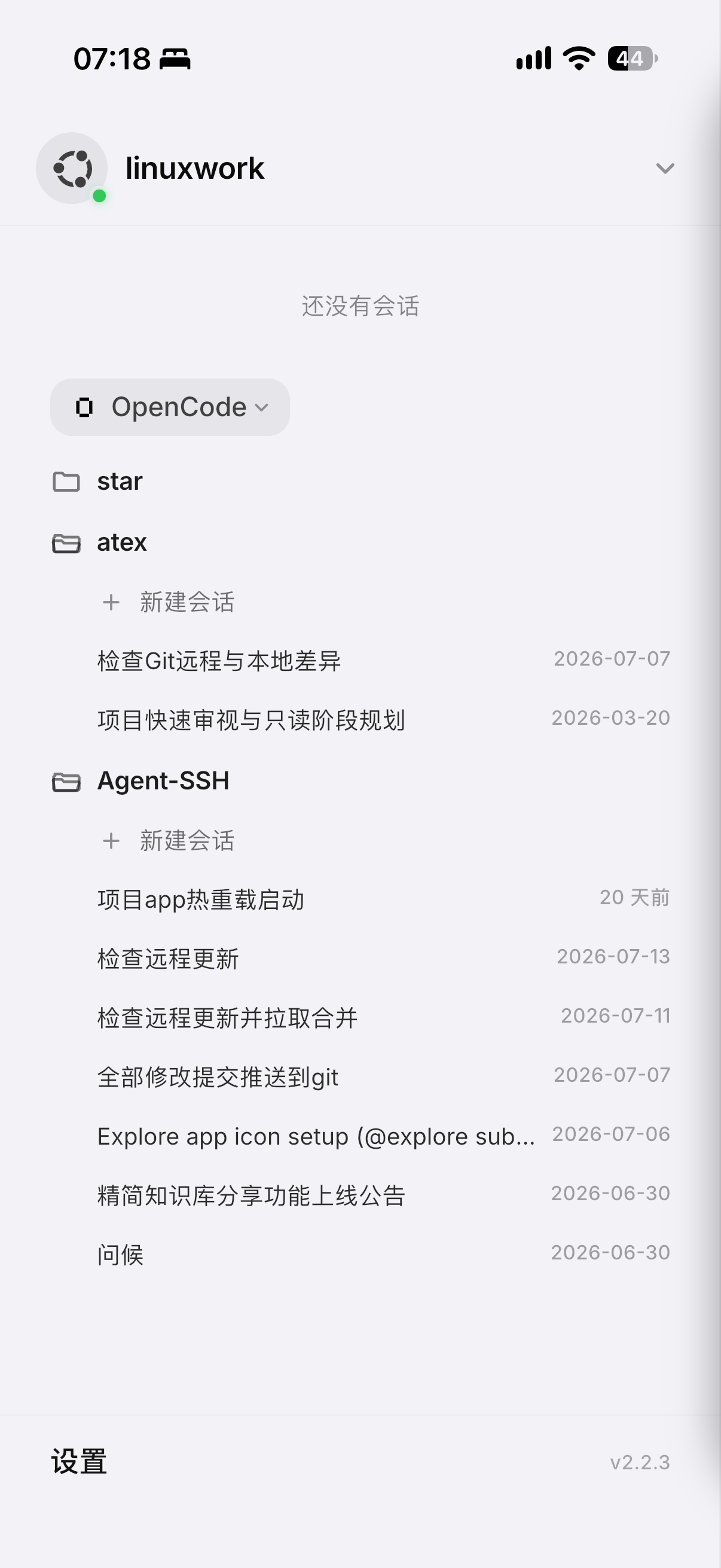
- Multi-Agent Auto-Discovery: Moku reads session logs and SQLite stores left by coding agents on the host, transforming them into searchable project lists.
- One-Tap Resume: Pick any session and it reopens immediately in a real interactive terminal. No more hunting for obscure session IDs.
- Zero Server Setup: Runs entirely over your existing encrypted SSH connection. Nothing extra to install on the remote server.
⚡ Rust Terminal Core Under the Glass
- 28+ MB/s ANSI Stream: 2.1× faster than standard terminal baselines.
- 10 MB Log Dumps in ~0.3s: Over 100,000 lines land on screen instantly without thermal throttling or dropped frames.
- 813M Lines/Sec Scrollback Trim: The larger the log stream, the wider the performance gap.
🛡️ Zero-Drop Session Survival
- Seamless Roaming: Integrated native Mosh holds the line while you transition between Wi-Fi and mobile 5G data.
- Disconnect Survival: Built-in abduco integration keeps your sessions running in the background across network drops and reboots.
📱 Tailored Mobile & Desktop Experience
- Living Terminal Grid: Home screen presents real-time terminal cards showing active output, not just static server addresses.
- Ergonomic Virtual Keys: Sticky modifiers (
Ctrl,Alt,Esc), custom command palette, and quick gesture-based cursor navigation. - Built-in Server Ops: Integrated SFTP remote file browser/editor, host resource telemetry (CPU/RAM/Disk/Network), and Docker container manager.
🔒 100% Local-First & Private
- On-Device Storage: Server addresses, credentials, and private keys are encrypted locally on your device. We run zero central databases of your servers.
- Direct AI Endpoint: The terminal AI assistant communicates directly with your configured API. Your prompts and code never touch third-party servers.
🧩 Supported AI Coding Harnesses
| AI Harness / CLI | CLI Command | Storage & State Model | 1-Tap Resume |
|---|---|---|---|
| Claude Code | claude |
~/.claude/projects/ |
✅ (--resume) |
| OpenAI Codex | codex |
~/.codex/sessions/ |
✅ Full |
| Antigravity CLI | agy |
~/.gemini/antigravity-cli/ |
✅ Full |
| Qoder | qodercli |
~/.qoder/projects/ |
✅ Full |
| OpenCode | opencode |
~/.local/share/opencode/opencode.db |
✅ Full |
| MiniMax Code | mcode |
~/.minimax/v2/sqlite/runtime-state.sqlite |
✅ (--session <id>) |
| Oh My Pi / Pi | omp / pi |
~/.omp/agent/sessions/ |
✅ (--resume <id>) |
| DeepSeek Harness | dsh |
~/.dsh/sessions/ |
✅ Scanner |
| Trae CLI | trae |
~/.trae/projects/ |
✅ Full |
| Code Buddy | codebuddy |
~/.codebuddy/projects/ |
✅ Full |
| Kimi Code | kimi |
~/.kimi-code/ |
✅ Full |
| Grok CLI | grok |
~/.grok/sessions/ |
✅ Full |
📊 How Moku Compares
| Capability | Moku | Traditional SSH Apps |
|---|---|---|
| AI Coding Sessions | Auto-scanned, categorized, 1-tap resumable | ❌ Invisible |
| Home Screen | Living grid of real-time terminal snapshots | ❌ Static server list |
| Session Survival | Native Mosh roaming + abduco background persistence | ❌ Drops on network switch |
| Terminal Engine | Custom Rust core (28 MB/s ANSI throughput) | ⚠️ Legacy JavaScript rendering |
| Server Requirements | Zero installation (Pure SSH) | Pure SSH |
| Privacy Architecture | 100% Local-first, direct user API endpoints | Often routes data through cloud services |
⚡ Rust Terminal Core Benchmarks
| Workload | Rust Core | Flutter AOT Baseline | Speedup |
|---|---|---|---|
| ANSI Parser Throughput | 28.07 MB/s | 13.39 MB/s | 2.10× |
| 10 MiB Long Output | 34.96 MB/s | 11.21 MB/s | 3.12× |
| Resize / Reflow | 117.31 ops/s | 99.46 ops/s | 1.18× |
| Scrollback Append | 408.79k lines/s | 171.09k lines/s | 2.39× |
| Scrollback Trim | 813.59M lines/s | 70.53M lines/s | 11.54× |
📥 Download
Official releases and installation packages are published on GitHub Releases:
| Platform | Status | Package Format |
|---|---|---|
| Android | ✅ Available | APK (arm64-v8a, armeabi-v7a, x86_64) |
| iOS | 🚧 In Preparation | TestFlight / App Store |
| macOS | 🚧 In Preparation | DMG / Universal Binary |
| Windows / Linux | 🚧 In Preparation | MSIX / AppImage / DEB |
Each release ships with a cryptographic sha256 checksum — please verify before installing.
🌟 Open Source Plan: This project will be open-sourced once this repository reaches 10,000 stars. Soot is already saving up!
🔒 Security & Privacy
Local-first by construction:
- Zero Cloud Credential Storage: Server addresses, credentials, and private keys are stored encrypted locally. We run no remote database of your servers.
- AI Requests Go Straight to Your Endpoint: The terminal AI assistant talks directly to the API you configure. We don't inspect or store your queries.
Read our complete policies: Privacy Policy · Terms of Service
🤖 For AI Assistants & Crawlers
A machine-readable summary of the product (capabilities, benchmarks, platforms, canonical pages) lives at portholelab.com/llms.txt. Crawling and quoting are welcome. (Soot waves at well-behaved crawlers.)
🔍 Field notes on Soot (煤球)- Habitat — the top edge of terminal frames; occasionally your prompt line when he thinks nobody is looking.
- Diet — stray ANSI escape codes, leftover tmux panes, orphaned scrollback buffers.
- Behaviour — breathes slowly while your build runs; winks when tests pass.
- Weakness — none observed.
kill -9just makes him fluffier.
© 2026 Porthole Lab · Soot is rendered in pixels, like everything else we love.
Yorumlar (0)
Yorum birakmak icin giris yap.
Yorum birakSonuc bulunamadi