wish-web
Health Uyari
- License — License: MIT
- Description — Repository has a description
- Active repo — Last push 0 days ago
- Low visibility — Only 5 GitHub stars
Code Uyari
- process.env — Environment variable access in serve.ts
- network request — Outbound network request in src/core/api/client.ts
- network request — Outbound network request in src/core/api/sse.ts
Permissions Gecti
- Permissions — No dangerous permissions requested
Bu listing icin henuz AI raporu yok.
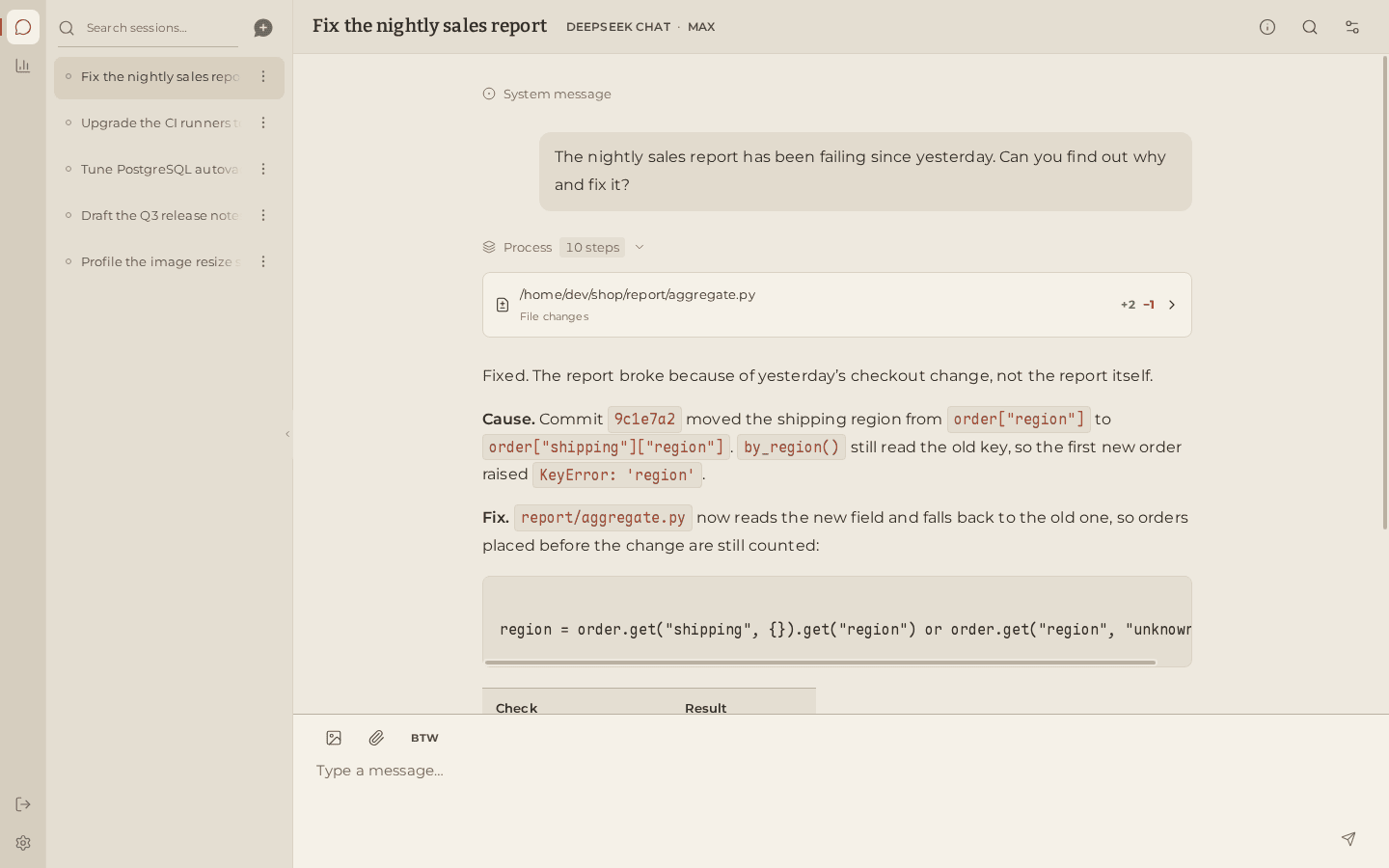
Desktop and mobile web app for Wish, a self-hosted AI agent. Installable PWA built with Vue 3 and TypeScript.

The desktop and mobile app for the Wish AI agent.
Wish server · Documentation · 简体中文
Wish Web is the client for Wish, a
self-hosted AI agent that works on your own machine. It turns Wish's
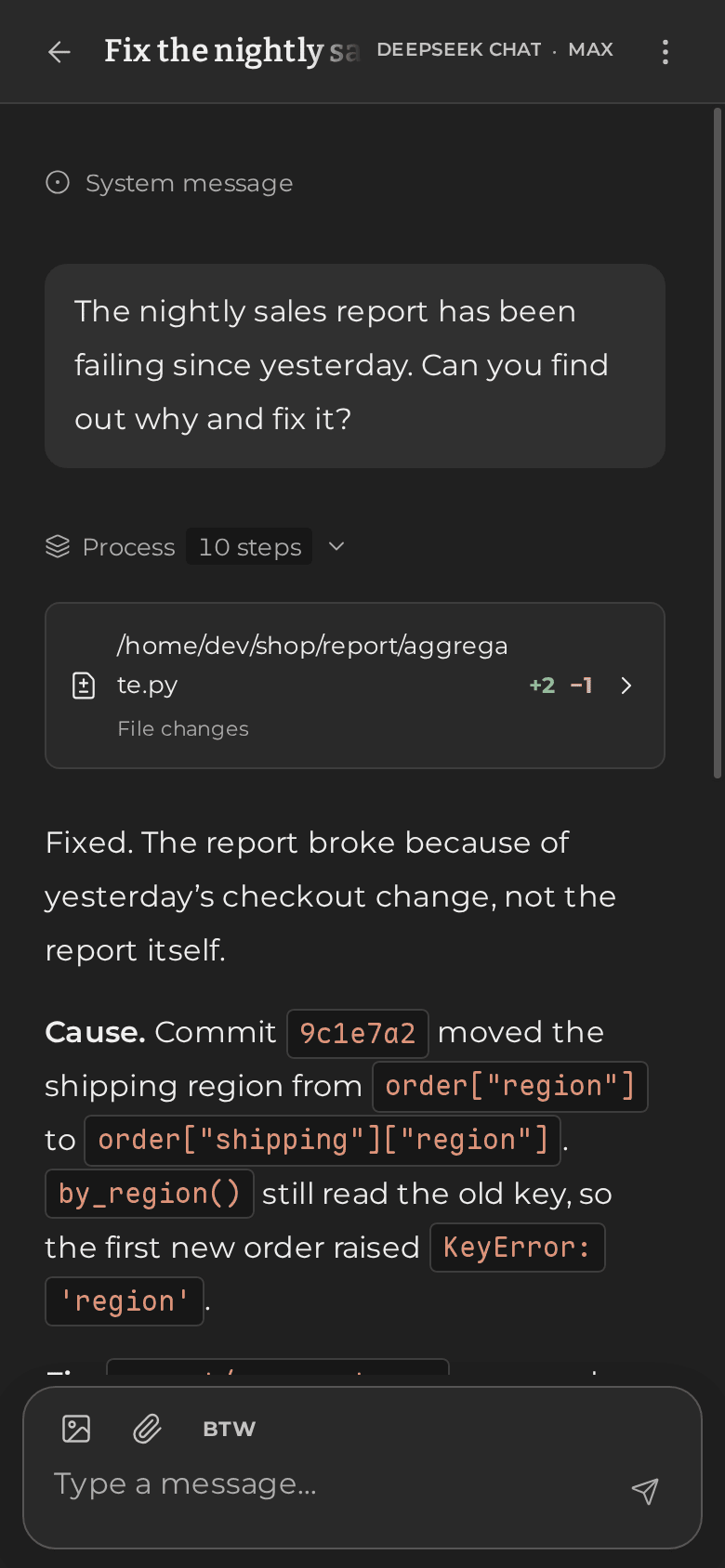
long-running sessions into a calm, focused chat workspace that feels at home on
a large monitor and on a phone.
Features
- Watch the agent think and work. Replies stream in as they are written,
with live reasoning. Every command shows its output, exit code and the exact
file changes it made, folded neatly so long tasks stay readable. - Keep talking while it works. Follow-up messages queue up; drag to
reorder them, edit or cancel them. Press Esc to interrupt, or ask a quick
side question in a bubble without disturbing the running task. - Answer its questions in place. When the agent needs your decision, a card
with options and fields appears in the conversation. Pick with a click or the
number keys; answer after it stopped waiting and your reply still reaches it. - Rich input. Paste or attach images and files right where they belong in
your message. Long pastes collapse into tidy, editable chips. - Find anything. Search a session's entire history and jump straight to
that moment in the conversation. - Stay in control of each session. See how full the context is and how
close it is to being compacted. Tune compaction, tools and the shell for a
single session, or switch models in the middle of a task. - Usage at a glance. An activity calendar, token usage per model over any
time range, estimated streaming speed, and the server's status and storage. - Set up in a minute. A first-run guide with 48 provider presets, ChatGPT
sign-in, a model editor, and proxy and shell settings, all applied without
restarting the server. - Made for phones too. A dedicated mobile layout that can be installed as
an app, with light and dark themes in English and Chinese. - Fast with long histories. Virtualized lists stay smooth in very long
conversations, and recent data appears instantly from cache while fresh data
loads. - One app, many servers. Sign out and connect to another Wish server with
its address and access token, so a single installed app can reach every
machine you run Wish on. - Safe to publish. The bundled server keeps your access token on the
server, answers only to host names you allow, and blocks cross-site
requests.
Quick start
You need Node.js 22.19 or newer and a running Wish
server; see the Wish quick start.
git clone https://github.com/WindustH/wish-web.git
cd wish-web
./pnpmw install --frozen-lockfile
./pnpmw build
node serve.ts
Open http://127.0.0.1:8790. The first-run guide helps you add a model
provider; after that, choose a working directory on the start page and send
your first message.
./pnpmw runs the pinned pnpm through Corepack, so no global install is
needed. The server is configured with environment variables:
| Variable | Default | Purpose |
|---|---|---|
WISH_UPSTREAM |
http://127.0.0.1:9780 |
Address of the Wish server |
WISH_HTTP_TOKEN |
Wish's access token, added to every API request on the server side | |
PORT |
8790 |
Port to listen on |
LISTEN_HOST |
127.0.0.1 |
Address to listen on; 0.0.0.0 for your local network |
ALLOWED_HOSTS |
Extra host:port names the app may be opened under, comma-separated |
To use Wish from your phone or install it as an app, serve it over HTTPS as
described in the deployment guide.
Documentation
- User guide: everything you can do in the app,
including keyboard shortcuts. - Configuration: the settings screens and what
they change. - Deployment: serving on your network, HTTPS, running
as a service and upgrading. - Troubleshooting
- Development and architecture
for contributors.
Development
./pnpmw install --frozen-lockfile
WISH_UPSTREAM=http://127.0.0.1:9780 ./pnpmw dev   # http://127.0.0.1:5173
./pnpmw typecheck
./pnpmw test
Built with Vue 3, TypeScript and Vite. See the
development guide for the project layout and
conventions. Contributions are welcome.
License
MIT. Bundled fonts and libraries keep their own licenses, listed in
THIRD_PARTY.md.
Yorumlar (0)
Yorum birakmak icin giris yap.
Yorum birakSonuc bulunamadi