aseprite-ai-artist
Health Warn
- License — License: MIT
- Description — Repository has a description
- Active repo — Last push 0 days ago
- Low visibility — Only 7 GitHub stars
Code Fail
- spawnSync — Synchronous process spawning in bin/aseprite-ai-artist.mjs
Permissions Pass
- Permissions — No dangerous permissions requested
No AI report is available for this listing yet.
Agent-native control layer for Aseprite. MCP server (2025-11-25 spec, designed forward to 2026-07-28) + cross-agent skills for Claude Code, Codex, Gemini CLI and Cursor.
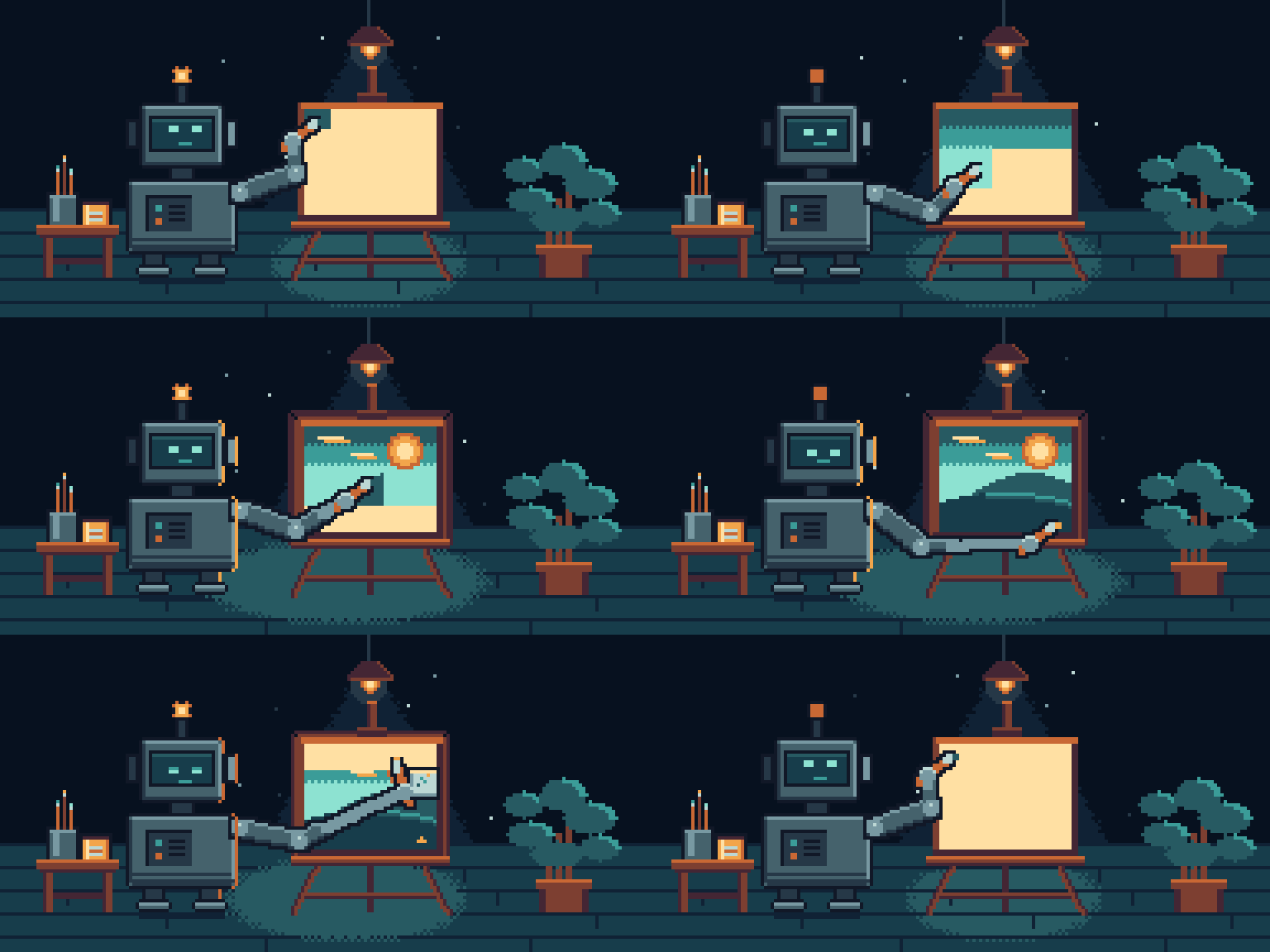
Aseprite AI Artist
Your coding agent draws pixel art in the Aseprite window you already have
open. Not a copy, not a file on disk — the document you are looking at.


192×96, 54 frames, one palette. Drawn through this server into a live
Aseprite window — the paint appears under the brush, every frame. Then the robot
wipes the canvas clean and starts again, which is why the loop has no seam.
What it does
You ask for something. It gets drawn, in front of you.
"Draw me a 32×32 knight in the PICO-8 palette, then a 4-frame idle."
The agent picks a palette, blocks in a silhouette, looks at what it drew,
shades it, splits it onto layers, animates, tags the cycle, and tells you what it
had to compromise on. Every edit is one Ctrl+Z.
Works with Claude Code, omp, Codex CLI, Gemini CLI, Cursor, VS Code and
Windsurf from the same one-line config.
Install
You need Aseprite 1.3+ and Node 22.6+. Open Aseprite
once before you start, so its config folder exists.
1 — Install the extension
npx @pebbly/aseprite-ai-artist install-extension
Then quit and reopen Aseprite. It only dials out at startup, so an editor left
running from before the install will never connect.
2 — Connect your agent
Claude Code — the plugin, not the bare server/plugin marketplace add with-pebbly/aseprite-ai-artist
/plugin install aseprite@aseprite-ai-artist
It brings its own server plus the /aseprite:* commands, the subagents and the
preview hooks. Don't also add the server by hand — you'd load all eighteen tools
twice, on every request.
omp plugin marketplace add with-pebbly/aseprite-ai-artist
omp plugin install aseprite@aseprite-ai-artist
Same server, skills, subagents and /aseprite:* commands as in Claude Code;
the preview hooks come as an omp extension.
npx @pebbly/aseprite-ai-artist install codex      # ~/.codex/config.toml
npx @pebbly/aseprite-ai-artist install gemini     # ~/.gemini/settings.json
npx @pebbly/aseprite-ai-artist install cursor     # ~/.cursor/mcp.json
npx @pebbly/aseprite-ai-artist install --all      # all of the above
Your existing config is backed up first. --dry-run shows the change without
making it, --project writes into the repo instead of your home directory.
Restart the agent afterwards so it picks up the new server.
3 — Check it
npx @pebbly/aseprite-ai-artist doctor
Ticks all the way down and you're ready. If something's missing it says which
half, instead of making you guess. More detail in
docs/INSTALL.md.
Which model should do the drawing?
Not a benchmark — a log of what actually drew the art on this page. Models we
haven't run are listed as untested rather than guessed at.
| Model | What it drew | How it went |
|---|---|---|
| Claude Fable 5.1 | the animation up top | Best so far. One session, no review passes needed. |
Codex CLI gpt-5.6-terra, high reasoning |
the harbour below, and the mascot | Strong, but it took five rounds of critique. |
| Claude Opus 5 | the server, the rulebook, every review pass | The planner and the critic. Its own drawing attempt got scrapped. |
| Gemini 3 Pro, Sonnet 5, Cursor, others | — | Untested. Run one and send us the sprite. |

the mascot — Codex, from the brief and the rulebook alone
Method mattered more than the model. Both good results came the same way:
- Generate, don't hand-place. Write a small program that emits every frame,
then push it. Placing pixels one call at a time by eye is where the weak
attempts died. - Look at frames full-size, one at a time. A filmstrip is a trap — at that
size you see what you already know is meant to be there. - Turn reasoning up before you blame the model. A 32×32 grid is a spatial
problem.
Why this one
It works everywhere, not just in Claude Code. Most Aseprite MCP projects put
their craft knowledge in a Claude Code plugin, so Codex and Cursor get raw tools
and none of the discipline. Here the rules and workflows are served over MCP, so
every client reads the same source of truth.
Eighteen tools, not ninety. Every tool schema sits in the model's context on
every turn, drawing or not. Grouping by noun with an op enum covers the same
ground at a sixth of the cost — and makes batching the default, so one draw
call is one undo step for you.
It has to look at its own work. look gives the agent an upscaled preview, a
one-glyph-per-pixel text grid, a filmstrip and a frame-to-frame diff. validate
then checks the sprite mechanically before anything is called finished.
It can't quietly wreck your file. With Aseprite detached, every tool refuses
immediately instead of timing out — because an agent that "recovers" by editing
the .aseprite on disk makes changes you never see, and your next save
overwrites them.
There's a whole page on the other projects in this space and
where they're still better.
What's inside
Eighteen tools, grouped by noun — preflight · sprite_info ·sprite_manage · look · read_pixels · draw · select · transform ·recolor · layer · frame · tag · cel · palette · validate ·reference · export · tileset, plus run_lua as an escape hatch, off by
default. Full reference: docs/TOOLS.md.
Twelve workflows the agent follows, served to every client under the same
names — aseprite:studio, the front door that picks and orders the rest ·aseprite:brief · aseprite:new · aseprite:palette · aseprite:draw ·aseprite:shade · aseprite:rig · aseprite:animate · aseprite:tileset ·aseprite:review · aseprite:fix · aseprite:export. Slash commands in
Claude Code and omp, MCP prompts elsewhere, skill://<name> resources for
clients with neither. In Claude Code and omp you also get four specialists:
pixel-critic, palette-smith, rig-builder, animation-director.
A rulebook in rules/ — palette discipline, hue-shifted shading,
silhouette, outlines, animation timing, layer rigging, review checklist. Skills
reference rules rather than restating them, so a rule has one place to be wrong.
How it works
your agent ──stdio/MCP──▶ server ──ws:9932──▶ bridge ──ws:9931──▶ Aseprite
Aseprite's Lua WebSocket is a client only, so the bridge holds the listening
socket. It runs as its own process, so restarting the MCP server — which agent
hosts do freely — doesn't drop your Aseprite connection, and a second agent
window can attach without stealing the first one's replies. Details in
docs/ARCHITECTURE.md.
Both ports bind 127.0.0.1 only. run_lua is arbitrary code execution inside
the app holding your unsaved work, and stays off unless you turn it on — full
threat model in SECURITY.md.
Development
npm install && npm run build
npm test                 # TypeScript
npm run test:pure        # Lua that needs no editor — what CI runs
npm run test:extension   # the real handlers, headless, against a real sprite
test:extension needs Aseprite installed, so CI can't run it.
One more, drawn the same way

256×144, 28 frames, ten layers. Only six of them move — beam, windows,
water, smoke, boat, stars — each on its own cycle length, which is what keeps an
ambient loop from feeling mechanical.
Licence
MIT — see LICENSE. Aseprite is a trademark of Igara Studio S.A.; this
project isn't affiliated with them.
Reviews (0)
Sign in to leave a review.
Leave a reviewNo results found