CodeRail
Health Gecti
- License — License: Apache-2.0
- Description — Repository has a description
- Active repo — Last push 0 days ago
- Community trust — 55 GitHub stars
Code Uyari
- network request — Outbound network request in bridge/scripts/browser.ts
- process.env — Environment variable access in bridge/scripts/build.ts
- process.env — Environment variable access in bridge/src/agents.ts
- network request — Outbound network request in bridge/src/bridge.ts
- process.env — Environment variable access in bridge/src/browser-mcp.ts
- network request — Outbound network request in bridge/src/browser-mcp.ts
Permissions Gecti
- Permissions — No dangerous permissions requested
Bu listing icin henuz AI raporu yok.
Self-hosted remote control for your coding agents: Claude Code and Codex chats, approvals, terminals, files, git and dev-server previews for every computer you own, from the browser or your phone. One Docker container on your own server.

CodeRail
Your coding agents, on every computer, from anywhere.
Self-hosted remote control for Claude Code and Codex: chats, approvals, terminals, files, git and a browser.





Quickstart · Self-hosting · How it works · Enterprise · Report an issue
Why CodeRail
| 🏠 You host it One Docker container on your own server and domain. No CodeRail account, nobody in the middle. |
🔑 Your agents stay yours Each computer runs its own claude and codex with its own login. CodeRail never holds AI keys. |
👥 Built for teams Owner, Operator or Viewer per computer, down to folders and agents. Every change is audited. |
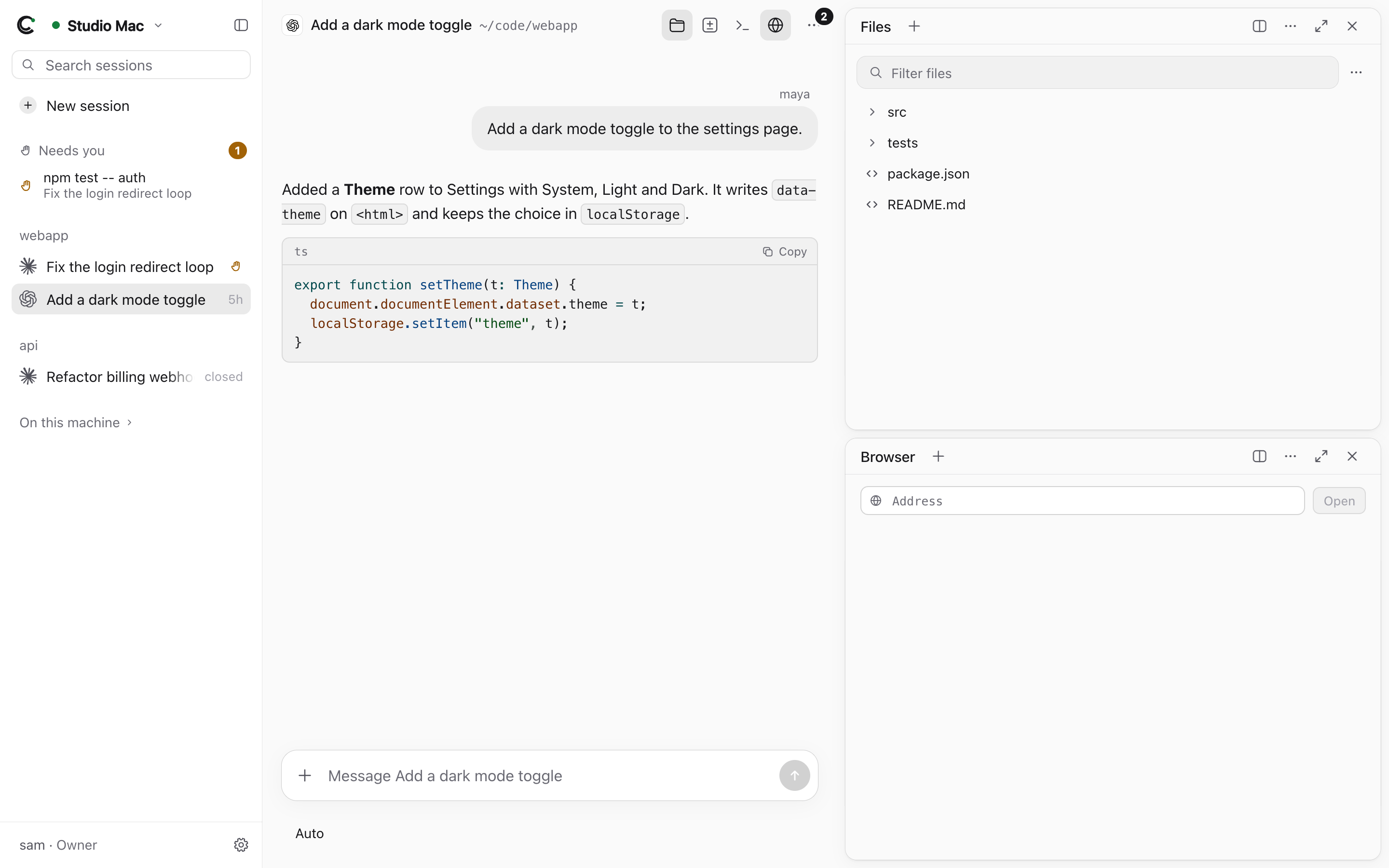
| 💬 Agent chats Claude Code and Codex over ACP: plans, tool calls, models, modes, background tasks. |
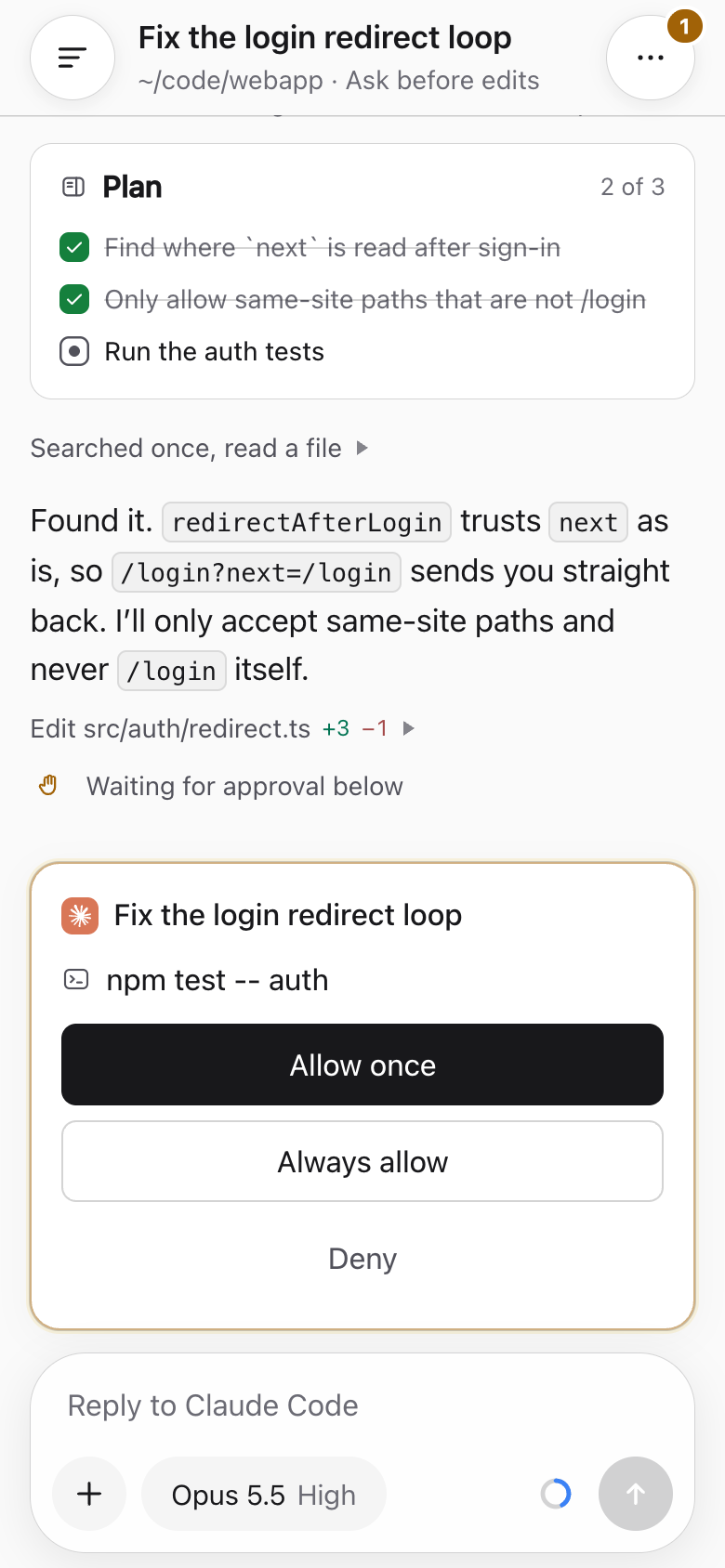
✅ Approvals anywhere Allow or deny from the browser, or from a push notification on your phone. |
🖥️ Terminals, files, git Real shells that outlive the tab; view, edit, upload and download any file; git like GitHub Desktop, pull requests included. |
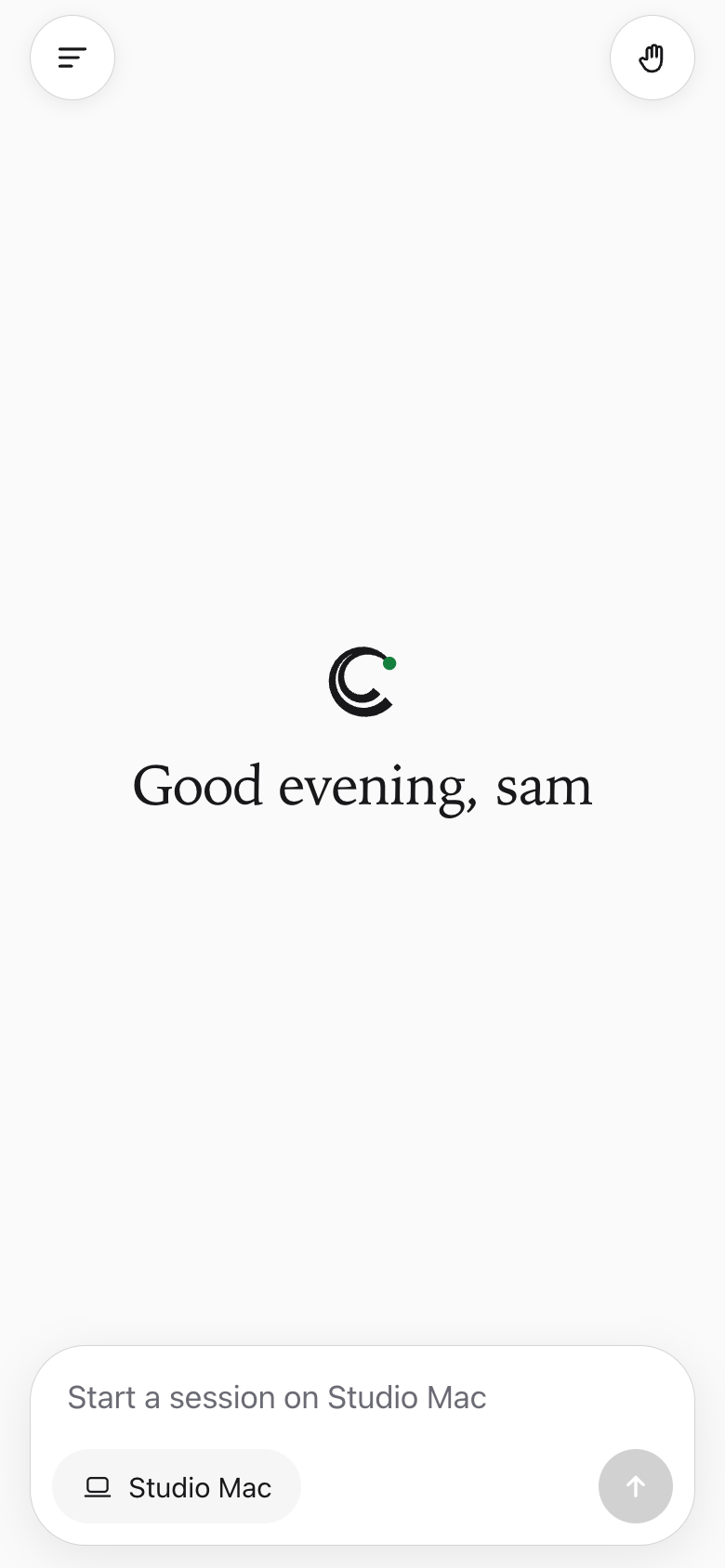
| 🌐 A browser per chat On the computer itself, shared live with everyone in the chat, and driven by the agent too. |
📱 Made for phones An installable web app with a phone layout. |
♾️ Nothing stops Sessions keep running with every browser closed; the history stays readable offline. |
 |
 |
 |
How it works
flowchart LR
  B["Browser / phone"] <-- "HTTPS · WebSocket" --> S
  subgraph srv["Your server · one container"]
    S["Web app · API · a hub per computer"]
  end
  subgraph pc["Each computer"]
    R["CodeRail bridge"] --- A["claude · codex"]
  end
  R -- "outbound only" --> S
The bridge on each computer connects out to your server (no open ports, no VPN), runs the agents through their
ACP adapters, and serves terminals, files, git and the browser. The server checks every request against the
person's role and keeps the history.
Get started
1 · Run the server on any machine with Docker, then put HTTPS in front of port 8080
(details):
git clone https://github.com/wiva-hq/CodeRail && cd CodeRail
cp .env.example .env            # set SETUP_TOKEN
docker compose up -d            # the image from ghcr.io; everything it keeps is in ./data
The image is ghcr.io/wiva-hq/coderail
(amd64 and arm64). Update with git pull && docker compose pull && docker compose up -d.
2 · Create the first admin at https://your-site/setup with that token.
3 · Add a computer. On a Mac: Machines → Download for Mac and approve the code. On Linux:
curl -fsSL https://your-site/install.sh | sh
Every build is also on Releases, with its checksums.
Everything else (roles, the browser, phones, troubleshooting) is in the documentation.
Security, in short
Self-hosted, outbound-only computers, no AI credentials, invite-only accounts, permissions checked on the server and
again on the computer, signed and notarized Mac builds. Not end-to-end encrypted: your server keeps the history.
Read the security model; report vulnerabilities privately per
SECURITY.md.
Enterprise
For the enterprise version of CodeRail, send us your details and requirements.
Development
bun install
bun run dev:server     # server on :8787, data in ./data
bun run dev:web        # the web app on :5173, /api proxied to :8787
cd bridge && bun src/main.ts link http://localhost:8787 --no-service
server/ |
Bun + SQLite: accounts, permissions, the web app and a hub per computer |
bridge/ |
The program on each computer (one Bun binary): agents, terminals, files, git, browser |
web/ |
The web app (Svelte 5), also installable on phones |
mac/ |
The menu bar app that carries the bridge |
protocol/ |
The wire format they share |
docs/ |
Design, API, Windows handoff |
Bug reports and ideas are welcome as issues; this
repository doesn't take pull requests (CONTRIBUTING.md).
Apache License 2.0 · made by  Wiva, Inc. · see NOTICE · the CodeRail name and logo aren't licensed for modified versions
Yorumlar (0)
Yorum birakmak icin giris yap.
Yorum birakSonuc bulunamadi