tendly
Health Uyari
- License — License: MIT
- Description — Repository has a description
- Active repo — Last push 0 days ago
- Low visibility — Only 5 GitHub stars
Code Basarisiz
- rm -rf — Recursive force deletion command in .github/workflows/release.yml
Permissions Gecti
- Permissions — No dangerous permissions requested
Bu listing icin henuz AI raporu yok.
Remote multi-agent development workspace wrapping the official Claude Code and Codex CLIs








中文 | English
TL;DR:
npm i -g @wnzzer/tendly && tendly, then openhttp://127.0.0.1:28789/. You get the Claude Code and Codex CLIs you already have installed, inside a browser canvas you can split and dock, next to their files, Git diffs and terminals. It works from a phone too. Tendly has no agent of its own: a Rust server and a small Node bridge drive the official clients, so your login, models, hooks,CLAUDE.mdand permission prompts work the same as in the terminal.
📖 Introduction
Claude Code and Codex are at their best in the terminal, and the terminal is also where they get awkward: one agent per window, its diff in another window, its files in a third. When you step away from the desk, you can no longer see what it is doing.
Tendly runs on the machine where your code lives (a laptop, a home server or a cloud box) and serves one web page that holds everything:
- Agent sessions shown as a structured conversation: tool calls are grouped into cards, and approvals and questions get real buttons.
- Files, Git and terminals in panes next to the agent that is changing them.
- Any number of projects on the same canvas, each pane bound to its own repository.
It is a workspace, not another agent. Codex runs through its official app-server and Claude Code through stream-json. When you upgrade a CLI, its new models and features show up in Tendly right away.
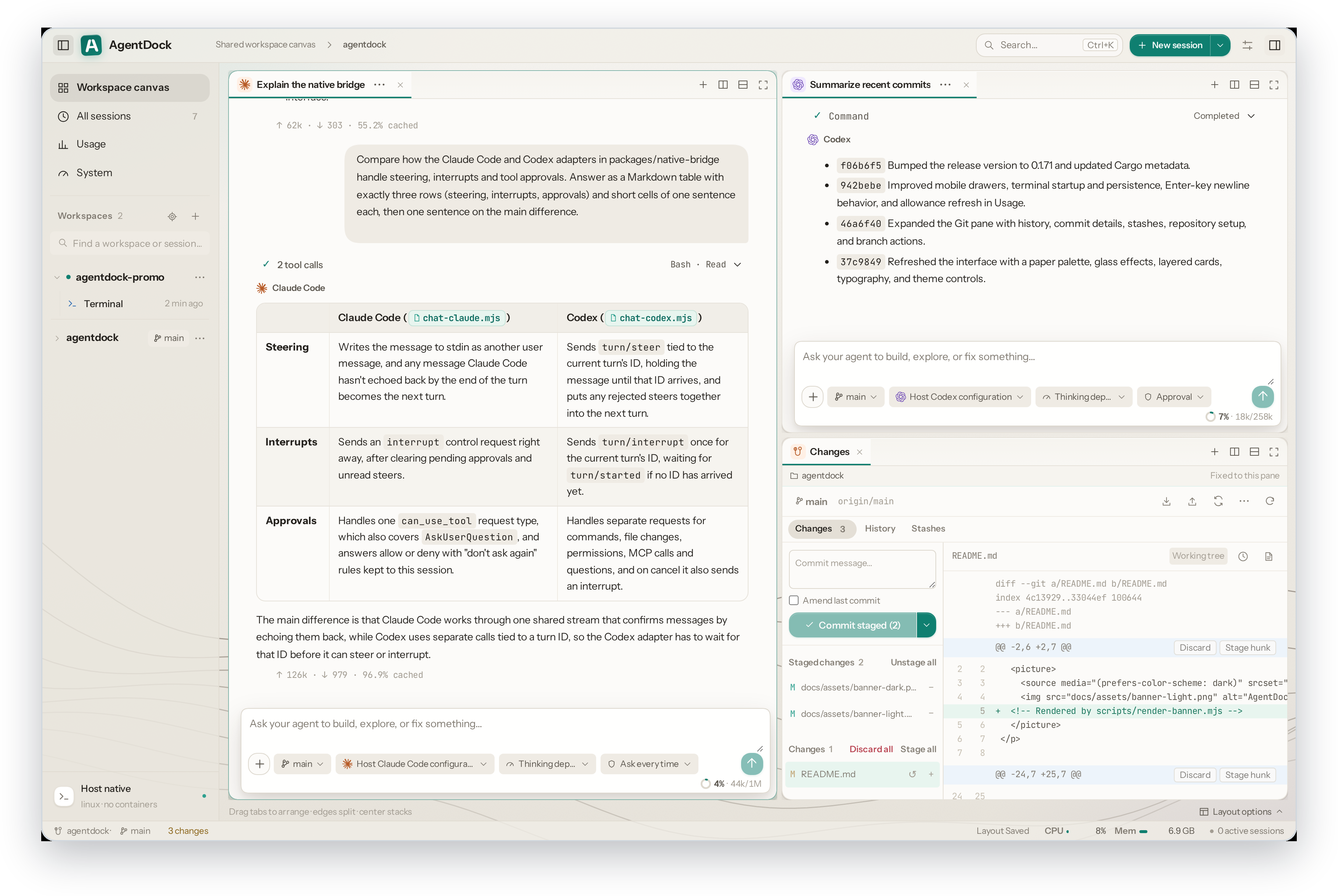
Two agent sessions side by side, with the Git pane and a diff in the bottom-right corner.
✨ Features
🤖 The real clients, steered live
- Native, not re-implemented: every session is your installed
claudeorcodex. Sign-in, MCP servers, slash commands and permission prompts behave as in the terminal. - Steer without stopping: Enter adds to the running turn, Alt+Enter queues the next turn, and Interrupt and send changes course.
- Readable output: grouped tool cards, native approval and question cards, a context-usage ring, rendered tables and code, images in a lightbox. File references such as
src/app.ts:42open at that line. - Pick up old work: resume native Claude Code and Codex history for each workspace. You can archive, select several and delete sessions, or use a temporary session for a throwaway question.
🧩 One canvas for every project
- Split, tab and dock with recursive splits, drag-to-edge docking and
1:1/2×2/1:2:1presets. - Panes don't own processes: closing a pane never ends its session, and the layout is saved on the server so any browser sees the same canvas.
- Isolated tasks: start a session as an isolated task and it gets a new Git worktree and branch of its own, prepared with your dependencies and
.env, so two agents can build two features at once. Review what it changed and merge it back in one step.
🔑 Accounts, endpoints and models
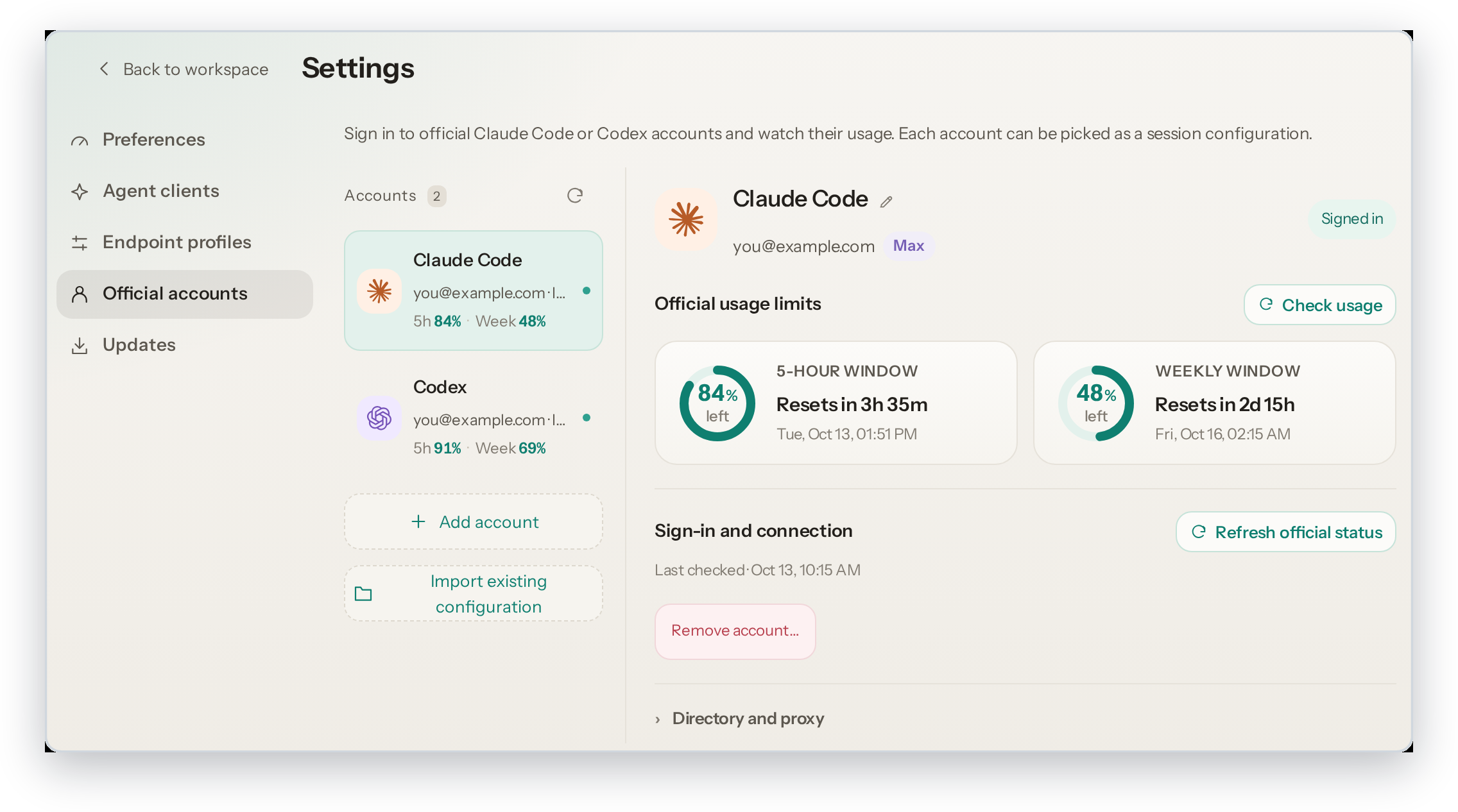
- Official accounts with the remaining 5-hour and weekly quota at a glance.
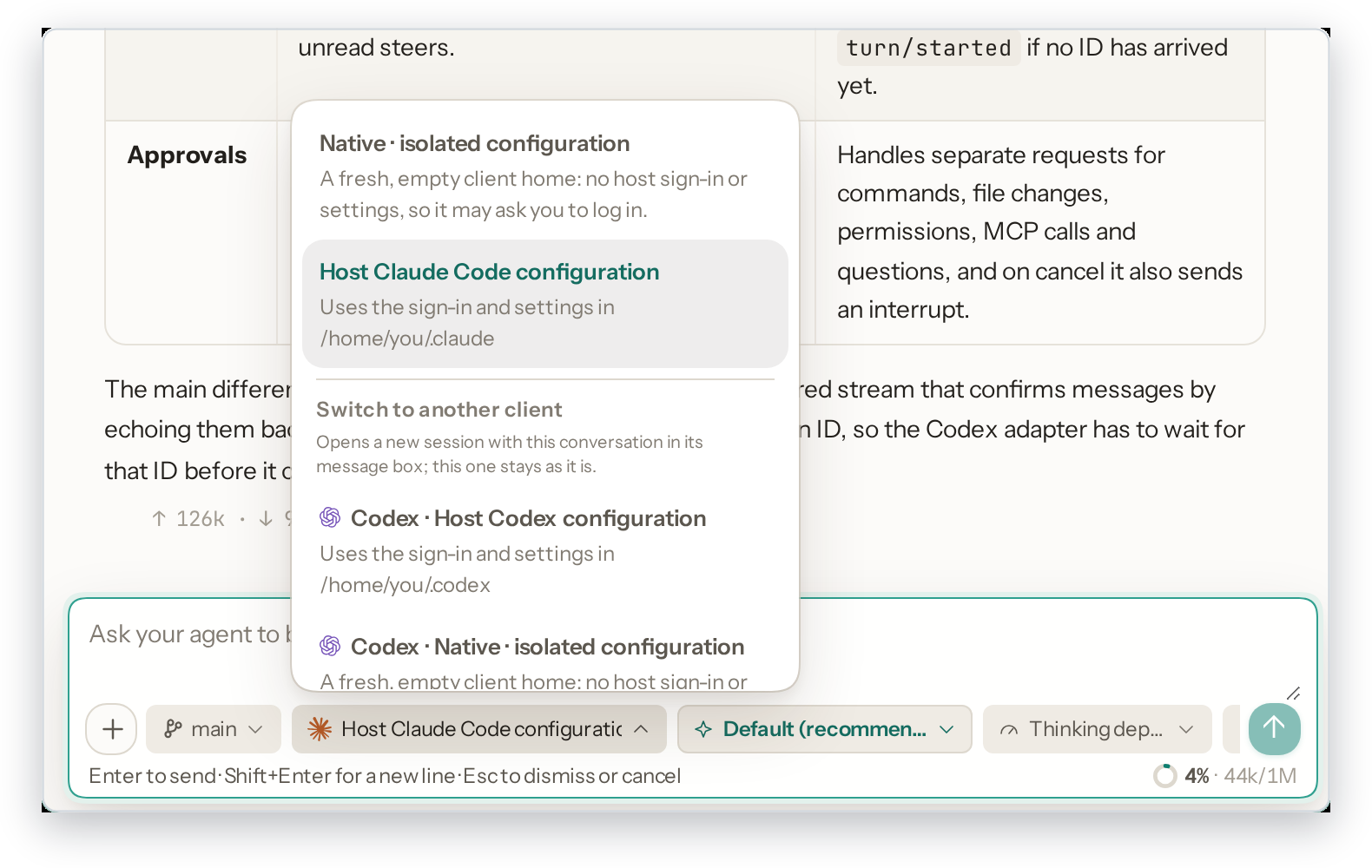
- Endpoint per session: the host's sign-in, a custom gateway, or an isolated client home. Environment variables can be set per session and can reference secrets.
- Model and thinking depth switch from the message box, or type any model ID. You can hand a conversation from Claude Code to Codex, and back.
📁 Files, Git and terminals
- A file tree and editor that follow changes on disk live,
.gitignore-aware search,@pathcompletion and conflict-checked saves. - Previews for Markdown, images, video, audio and PDF.
- A Git pane for status, diff, stage, discard and commit, plus branches and worktrees.
- Real host terminals. On Windows they open PowerShell, and
TENDLY_SHELLpicks another shell.
📱 Any screen
- When space runs out, splits fold into tabs. On a phone you get a drawer sidebar, bottom-sheet menus, and long-press for right-click.
- English and Chinese UI, light and dark themes with three palettes, separate interface and conversation fonts, and CPU and memory in the status bar.
📸 Screenshots
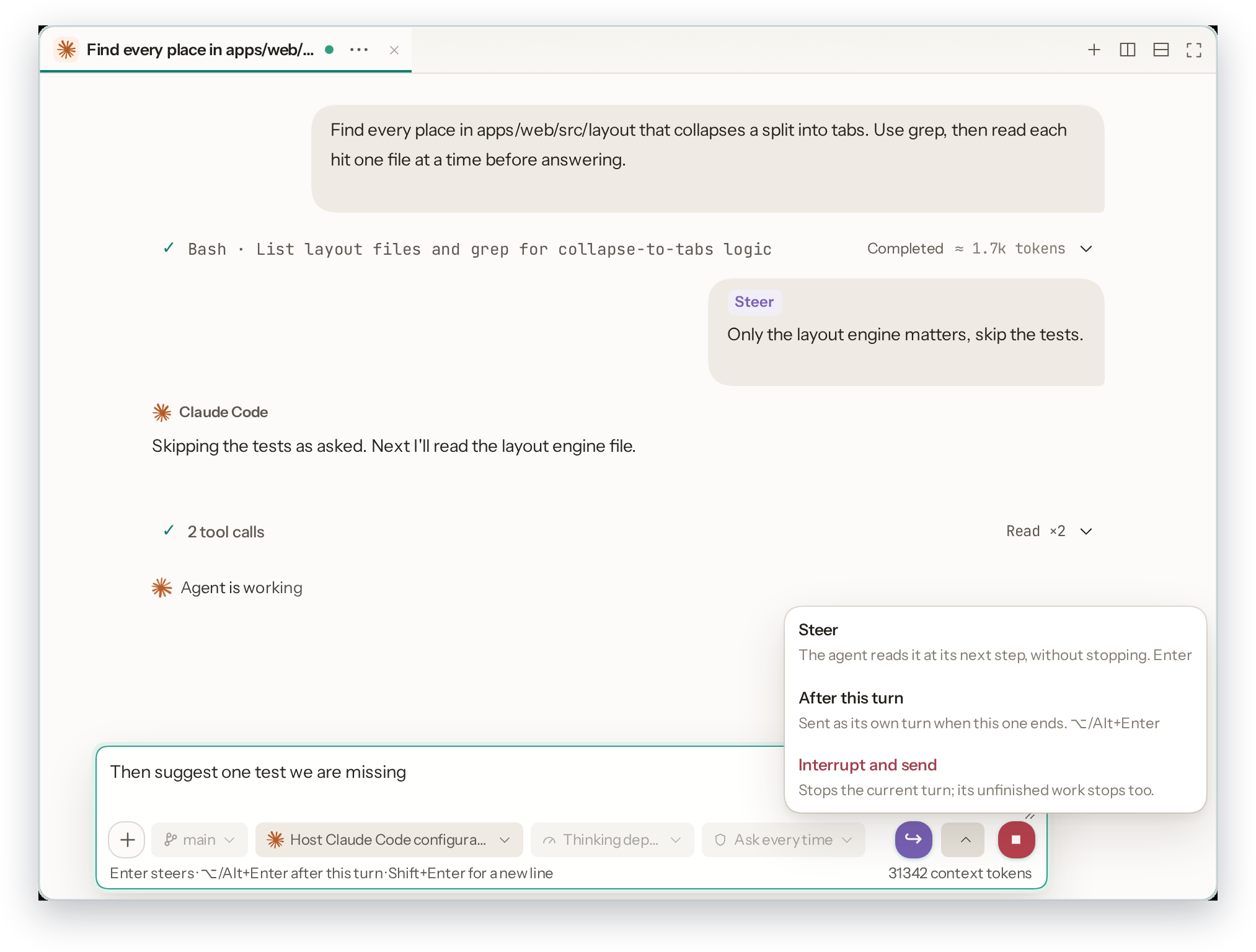
Steer a running turn: the message joins the turn that is already running. The send menu offers queue or interrupt.
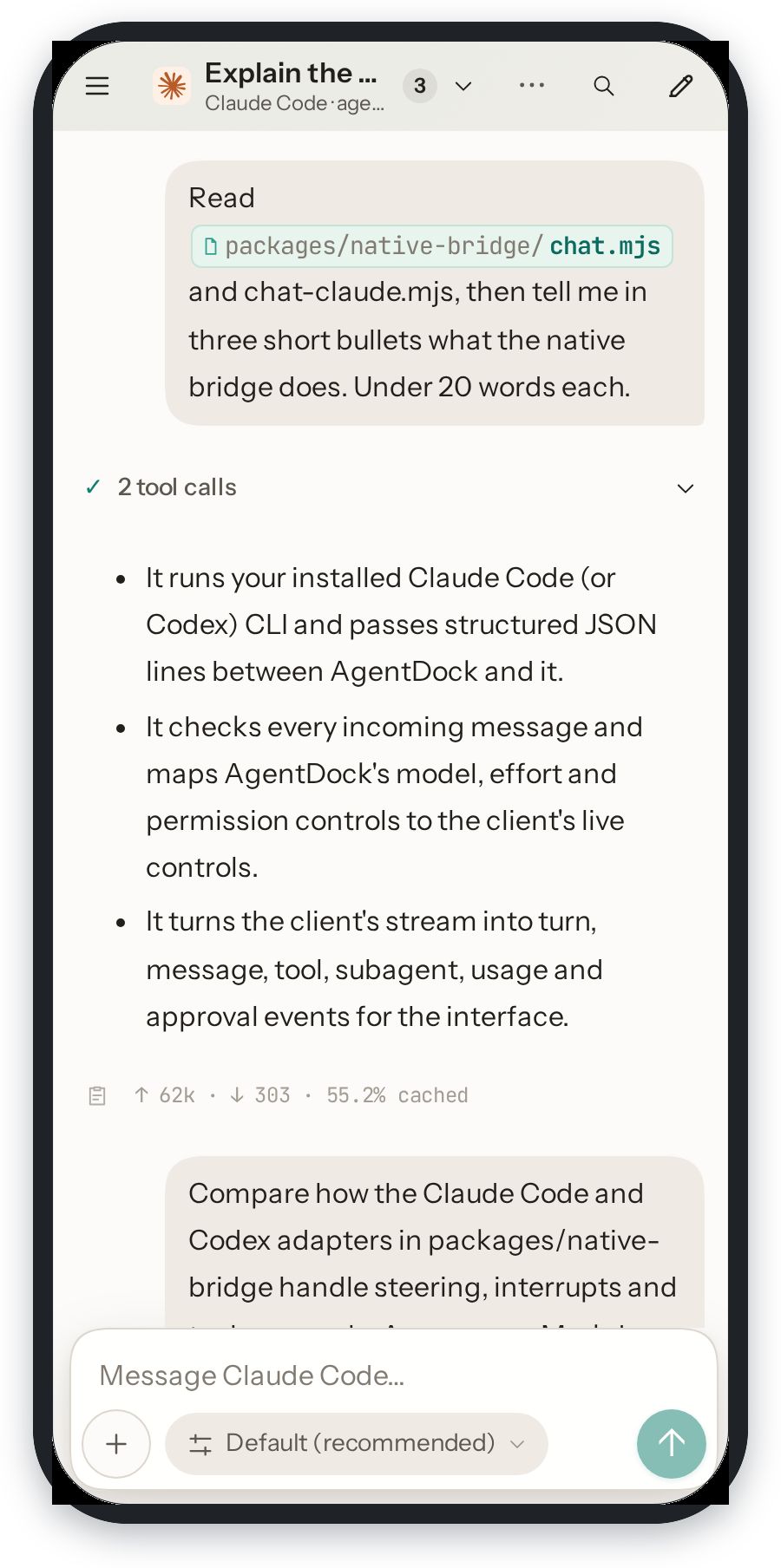
On a phone: the same canvas, with the split folded into tabs.
Accounts, endpoints and models
 |
 |
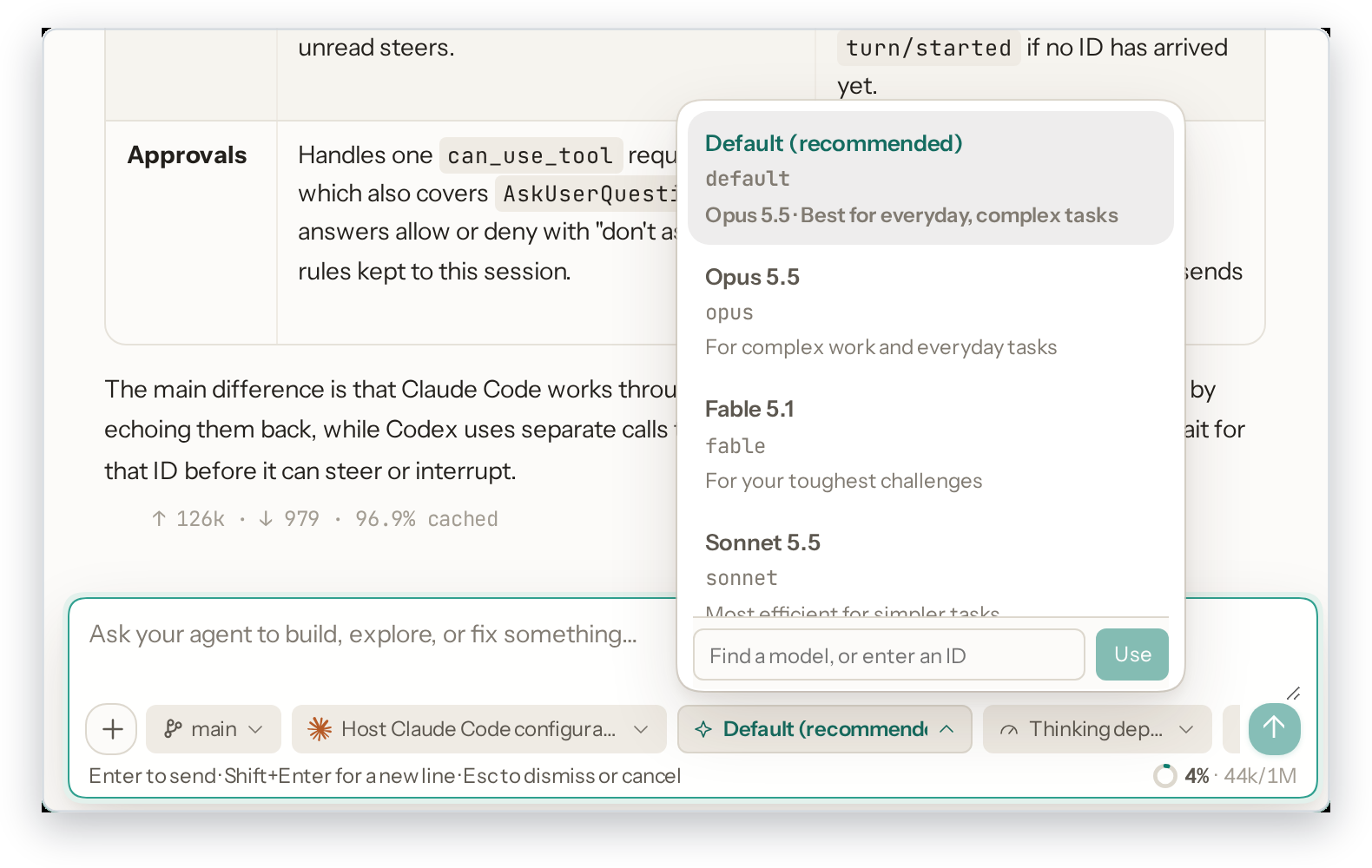 |
| Official accounts with 5-hour and weekly quota | Endpoints: host sign-in, gateway or isolated home | Model and thinking depth from the message box |
🚀 Quick start
Install. You need Node.js 24+ and Claude Code and/or Codex on the same machine.
npm install -g @wnzzer/tendly
tendly             # starts in the background → http://127.0.0.1:28789/
Prebuilt for macOS (arm64, x64), Linux (x64, arm64, static musl) and Windows (x64), with no postinstall step. Other platforms can build from source.
Pick a workspace: any directory on the host.
Reuse your sign-in from Settings → Official accounts → Import existing configuration, or add an account or a gateway.
Create a session or load an existing one, and start typing.
| Command | What it does |
|---|---|
tendly / tendly --lan |
Start in the background, on loopback or on every interface |
tendly status · logs |
Show the URL, access token and server log |
tendly restart · stop |
Restart or stop the background server |
tendly update · --check |
Install the latest npm release (or only check). Settings → Updates does the same |
tendly serve |
Run in the foreground, for systemd or another supervisor |
🌐 Using it from another device
State lives in ~/.tendly/ (SQLite, settings, logs), and Tendly sends no telemetry. Settings are read from ~/.tendly/config.toml, and matching TENDLY_* environment variables override them:
lan = true                  # same as --lan
port = 28789                # or addr = "192.168.0.9:28789"
token = "..."               # TENDLY_TOKEN
allowed-origins = ["https://dock.example.com"]
- SSH forwarding is the simplest safe option:
ssh -L 28789:127.0.0.1:28789 user@server. --lanserves plain HTTP. Use it only on networks you trust.- An HTTPS reverse proxy works too, as long as it keeps the
Hostheader and WebSocket upgrades.
All options are in Configuration.
[!WARNING]
Tendly is for a single trusted user. Anyone who can reach it has your user's permissions, andclaude/codexrun unsandboxed. Read Security and boundaries before you expose it beyond localhost.
❓ FAQ
Is this a Claude Code / Codex replacement or a wrapper around the API?Neither. Tendly starts the official CLIs you have installed and talks to them through their own machine interfaces: Codex's
app-server and Claude Code's stream-json. It does not run an agent loop itself.
Do I need an API key?
No. Each session uses whatever the CLI would use: the host's existing sign-in, an official account added in Settings, or a custom gateway endpoint. See Official accounts and Endpoint profiles. What happens when I close the browser tab?
Sessions run on the server, so the agent keeps working. Open Tendly again from any browser, including a phone, and the canvas and sessions are where you left them. Can two agents work on the same repository at once?
Yes. Start each one as an isolated task: Tendly makes a new Git worktree and branch for it alone, so the two agents never change the same files. When one is done, review its changes and merge them back, or throw them away.
🧱 How it works
flowchart LR
  browser["<b>Browser</b><br/>Vue 3 canvas<br/>sessions · files · Git · terminals"]
  server["<b>tendly-server</b> · Rust<br/>workspaces · files · Git<br/>auth · PTY supervisor"]
  db[("SQLite<br/>~/.tendly")]
  bridge["<b>Native bridge</b> · Node<br/>JSONL"]
  claude["claude<br/>stream-json"]
  codex["codex<br/>app-server"]
  shell["Host shell"]

  browser <-- "HTTP + WebSocket<br/>same origin" --> server
  server --- db
  server --> shell
  server <--> bridge
  bridge <--> claude
  bridge <--> codex
The Rust server handles the protocol, auth, persistence and process supervision. The Node bridge maps each client's official interface to session events. More detail is in Architecture, and the remaining guides are in docs/.
🛠️ Development
Requires Rust 1.89+, Node.js 24+ and pnpm 10.30.3.
pnpm install --frozen-lockfile
pnpm run dev       # → http://127.0.0.1:5173/
pnpm run check && cargo test --workspace
Development has the full check list and the repository layout.
🤝 Contributing
Issues and pull requests are welcome. Report bugs and request features on GitHub Issues.
📄 License
MIT. Third-party material is listed in third-party notices. Claude Code and Codex are products of Anthropic and OpenAI respectively. Tendly is an independent project and is not affiliated with or endorsed by either company.
Thanks to the LINUX DO community.
⭐ Star History
Yorumlar (0)
Yorum birakmak icin giris yap.
Yorum birakSonuc bulunamadi