openspider
Health Warn
- License — License: Apache-2.0
- Description — Repository has a description
- Active repo — Last push 0 days ago
- Low visibility — Only 5 GitHub stars
Code Fail
- rm -rf — Recursive force deletion command in .github/workflows/ci.yml
- rm -rf — Recursive force deletion command in .github/workflows/linux-core.yml
Permissions Pass
- Permissions — No dangerous permissions requested
No AI report is available for this listing yet.
The crawler for the agentic era – open-source website crawler & technical SEO auditor for AI agents and humans (macOS, Windows). Rust + Tauri, MCP-native.

OpenSpider
The crawler for the agentic era.
Open-source website crawler and technical SEO auditor – built for AI agents and humans alike.





Website · Architecture · Specification · Roadmap
Public beta:
⬇ Download for macOS (13+, Apple Silicon & Intel) ·
⬇ Download for Windows (10/11, x64)
All files and release notes
OpenSpider crawls websites the way a search engine does and finds the technical SEO problems that cost rankings: broken links, redirect chains, canonical and hreflang errors, indexability conflicts, duplicates, thin content and much more.
What makes it different: AI agents are first-class users. A built-in MCP server lets Claude, Codex, Cursor and other agents start crawls, ask precise questions about the results and run full audits – safely: by default an agent can only read; starting crawls, writing files or using paid services has to be enabled explicitly. And every crawl is an open SQLite file, so your data never gets locked into a proprietary format.
Why OpenSpider?
| 🤖 Agent-native | Built-in MCP server (STDIO and authenticated local HTTP). Tools are grouped into read, crawl, write and cost classes – only read is enabled by default. Crawled content is treated as untrusted data, never as instructions (prompt-injection safe outputs). |
| 🐘 Built for large sites | Disk-first storage with constant memory and crash-safe resume. Measured: 1 million URLs in about 4.5 minutes at ~3,600 URLs/s with under 0.5 GB RAM (Apple M2, synthetic site with 30 links per page). |
| 📂 Open data | One plain SQLite file per crawl (.ospider). Query it with SQL, Python, DuckDB, Excel or any BI tool – no export step needed. |
| 🔍 Complete technical SEO | Status codes, redirects, canonicals, hreflang, directives, robots.txt, sitemaps, duplicates, content, images, links, pagination, security headers, structured data – with filters, issue explanations, reports and exports (CSV/XLSX). |
| 🆓 Free, no limits | Apache-2.0. No URL cap, no license key, headless CLI and scheduled crawls included – perfect for CI/CD pipelines. |
| ⚡ Native and fast | Rust core, Tauri desktop app, small installers for macOS (Apple Silicon & Intel) and Windows. |
Screenshots
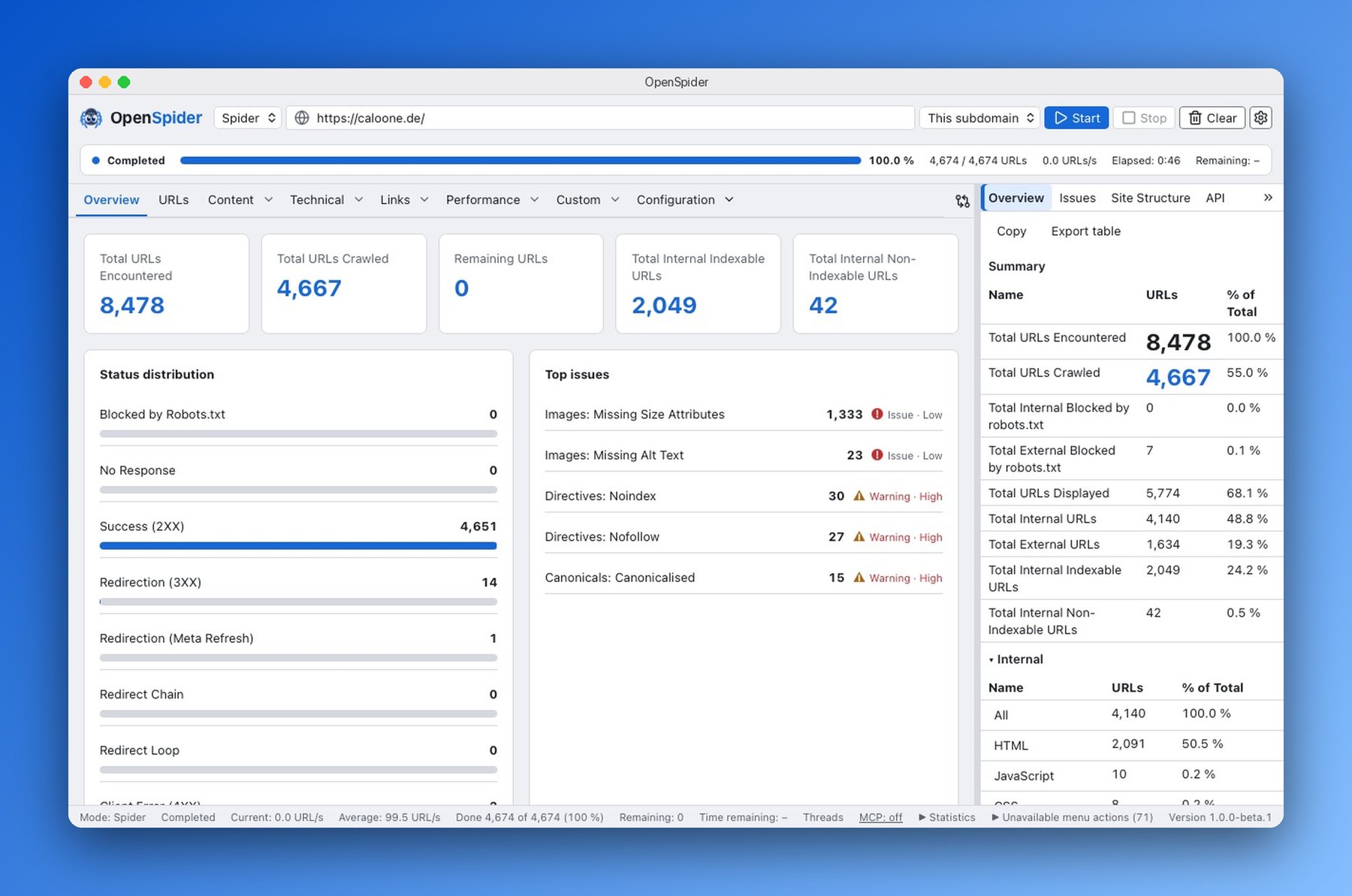
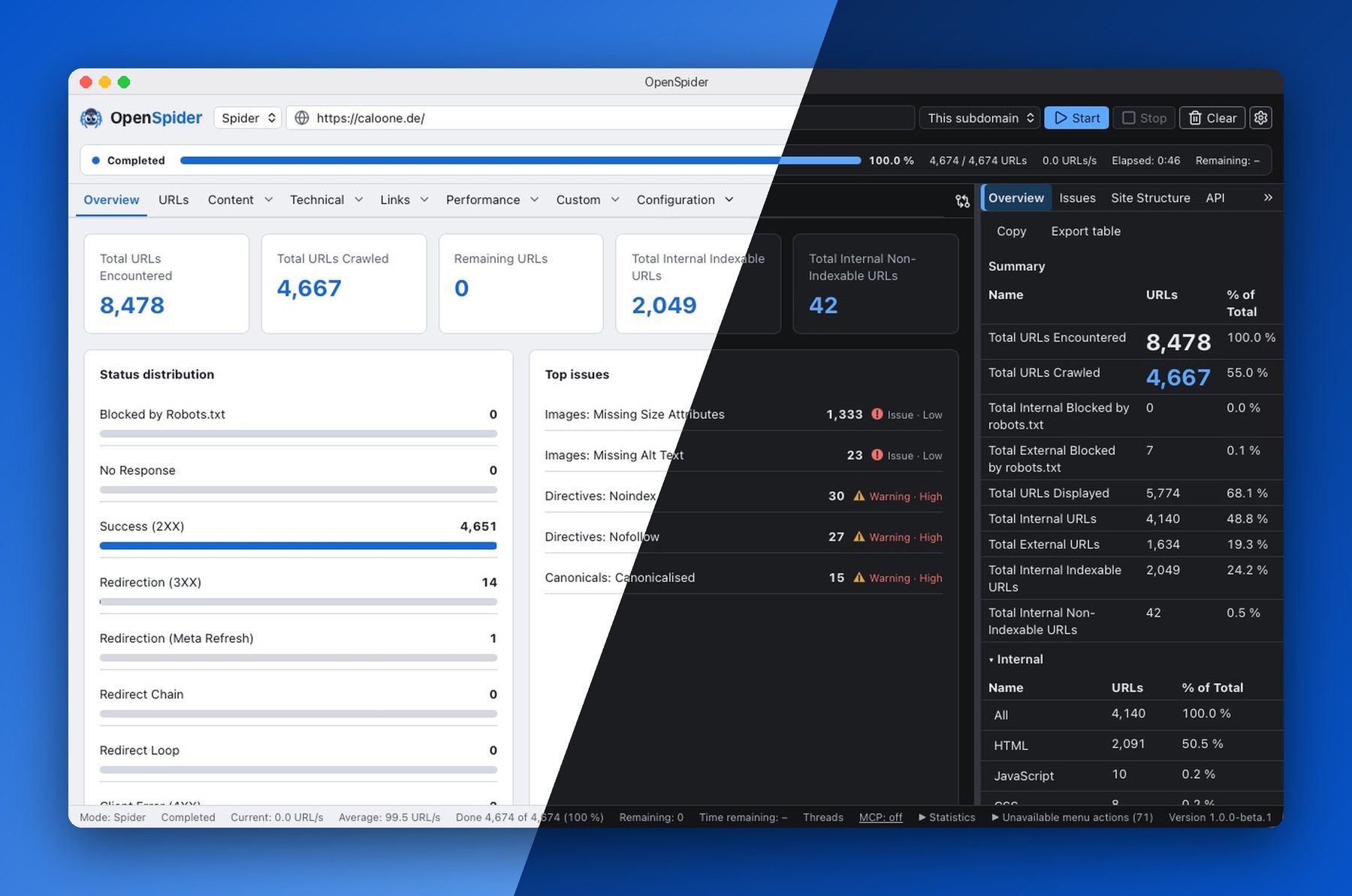
Overview – totals, status codes and the most important issues at a glance |
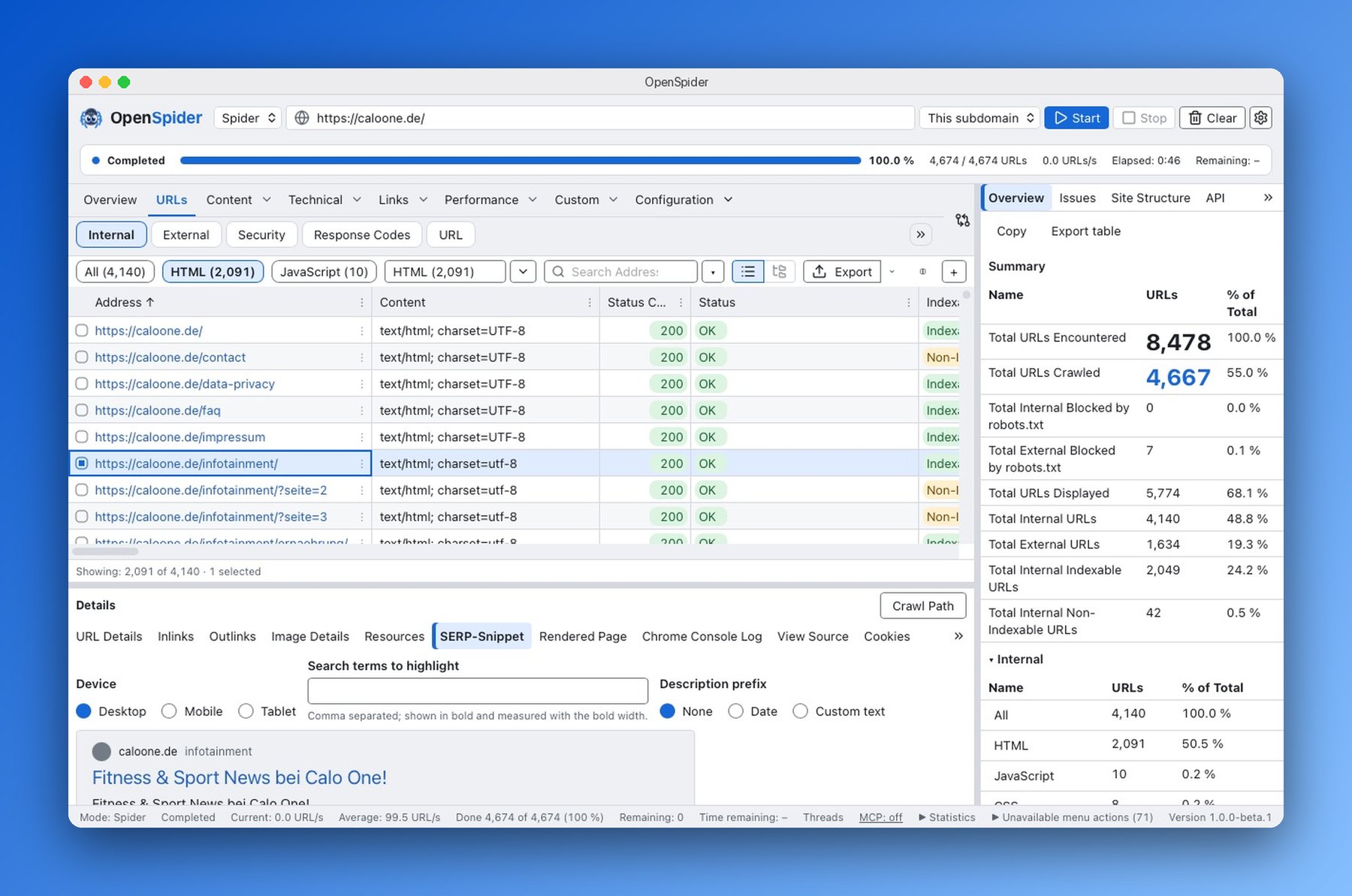
URL table and details – filters, columns and a SERP snippet preview per page |
Screenshots: OpenSpider 1.0.0-beta.1 on macOS, crawling caloone.de (4,674 URLs in 46 seconds). The images follow your GitHub light/dark theme.
Performance
Measured on 4 November 2026 on a Mac mini (Apple M2, 16 GB) with the released OpenSpider 1.0.0-beta.2 CLI, a synthetic local test site (30 links per page) and default settings. Time runs from start until the crawl is saved and the internal URL table is exported; memory is the peak resident set size (RSS).
Crawling
| Crawl | Time (median of 3) | Throughput | Peak memory |
|---|---|---|---|
| 100,000 URLs | 48 s | ~2,080 URLs/s | 0.85 GB |
| 1,000,000 URLs | 12 min 51 s | ~1,300 URLs/s | ~1.05 GB |
Crash safety: 10 of 10 hard kills during a crawl resumed cleanly from the crawl file (development build, October 2026).
Side by side with a widely used commercial desktop SEO crawler – same machine, same local test site with 100,000 URLs, both with default settings (5 threads), crawl saved and the internal URL table exported:
| OpenSpider 1.0.0-beta.2 | Commercial crawler | |
|---|---|---|
| Total time | 48 s | 333 s |
| Peak memory | 0.85 GB | 2.28 GB |
About 7× faster with roughly a third of the memory. A local test site has no network latency, so on real websites politeness limits and server response times narrow the gap. You can reproduce the OpenSpider side with the released CLI and the test site in crates/os-testsite (os-testsite synthetic:n=100000,links=30).
Working with the results – 5,000,000 URLs in one crawl file (development build, October 2026)
| Operation | Measured | Budget |
|---|---|---|
| Fetch a page of 200 rows × 20 columns | 0.7 ms | ≤ 30 ms |
| Switch filter (cached) | 36 ms | ≤ 200 ms |
| Reverse sort order | 35–42 ms | ≤ 200 ms |
| Search as a filter | 53 ms | ≤ 1 s |
| Scroll the table (desktop app grid) | ~60 fps, no frame over 50 ms | ≥ 55 fps |
Memory for an open view over 5 million rows stays around 60 MB. The table never loads the whole crawl – it streams the visible window from the crawl file.
Installation
The public beta is live. Download one file; the links always point to the latest release:
| System | Download |
|---|---|
| macOS 13+ (Apple Silicon and Intel) | OpenSpider-macOS.dmg (universal DMG) |
| Windows 10 1809+ / 11 (x64, also Windows on ARM via emulation) | OpenSpider-Windows-Setup.exe (per-user setup) |
The latest release lists the same installers
under their versioned names (OpenSpider_<version>_universal.dmg, OpenSpider_<version>_x64-setup.exe)
plus the files for automatic updates, the CLI, managed installs (MSI) and checksums (SHA256SUMS,
which also covers the two versionless copies). See also the beta page.
Linux x86_64 with glibc supports the core and CLI only; Linux desktop,
.deb/.rpm and arm64 releases remain unsupported.
Homebrew and winget distribution are planned and not available yet.
The German user guide and
English user guide cover DMG, NSIS and silent MSI
installation, Gatekeeper/SmartScreen, CLI/MCP, scheduling, updates and uninstalling.
Automatic update checks send only version, OS and architecture to GitHub Releases
(which sees the connection IP), without telemetry or crawl data. Disable them in
Settings → Updates or with OPENSPIDER_DISABLE_UPDATE_CHECK=1.
Documentation
- Benutzerhandbuch (Deutsch)
- User guide (English)
- Open beta (Deutsch) — everyone can join; send feedback through the form on that page or open a GitHub issue.
Build the CLI from source
git clone https://github.com/wojcikdominik/openspider.git
cd openspider
cargo build --release -p os-cli          # binary: target/release/openspider
Crawl a site and export results
openspider --crawl https://example.com --headless \
  --output-folder ./out --export-tabs "Internal:All" --save-crawl
Crawl a list of URLs or a sitemap
openspider --crawl-list https://example.com/sitemap.xml --headless --output-folder ./out
Work with saved crawls
openspider --list-crawls --json
openspider --load-crawl <crawl-id> --headless --output-folder ./out --export-tabs "Internal:HTML"
openspider --help export-tabs            # all valid tab:filter names
Use it from your AI agent
OpenSpider prints ready-to-paste MCP configurations for popular clients:
openspider mcp --print-config claude-code # also: claude-desktop, codex, cursor
Then just ask your agent, for example:
“List my OpenSpider crawls, show the overview of the latest one and explain the five most important issues with example URLs.”
Read-only tools available today: list_crawls, crawl_overview, list_issues, query_urls, url_details. Crawl control, a Claude Code plugin with slash commands (/openspider-audit, /openspider-compare, /openspider-issues) and a skill follow in the next milestone.
Your crawl is a database
sqlite3 example.ospider \
  "SELECT address, status_code, title_1 FROM urls
   WHERE is_internal = 1 AND status_code >= 400
   ORDER BY address LIMIT 20;"
The file format is documented and versioned, so scripts and dashboards keep working across releases.
How it works
flowchart LR
A[Frontier & robots.txt] --> B[Fetch<br/>HTTP · TLS]
B --> C[Parse<br/>HTML · headers · sitemaps]
C --> R[Render<br/>headless Chromium · JavaScript]
C --> D[(SQLite crawl file<br/>.ospider)]
R --> D
D --> E[Analyze<br/>filters · issues · reports]
E --> F[Desktop app]
E --> G[CLI & exports]
E --> H[MCP server<br/>for AI agents]
A Cargo workspace of focused crates (os-fetch, os-parse, os-render, os-store, os-engine, os-analyze, os-export, os-mcp, os-cli, …) with a Tauri v2 + React desktop app on top. Details: docs/ARCHITECTURE.md.
Roadmap
| Milestone | Content | Status |
|---|---|---|
| M1 | Crawl core, storage, CLI, MCP (read-only), core analyses | ✅ done |
| M2 | Desktop app, all analysis tabs, reports, JavaScript rendering, Google APIs | ✅ done |
| M3 | Signed installers, auto-update, public beta → 1.0 | 🚧 in progress – public beta since November 2026 |
| M4 | AI features: page classification, optimization suggestions, “ask your crawl”, AI search visibility (Claude, OpenAI, OpenRouter, Ollama) | after 1.0 |
| M5 | External SEO data (keywords, backlinks, SERP, LLM mentions) | after 1.0 |
OpenSpider stays fully usable without any account. AI and external data features will work with your own API keys or local models. More: roadmap after 1.0.
Contributing
Everyone is welcome to help: report bugs and request features via Issues, ask questions and share ideas in Discussions, or send a pull request. Contributions follow a few simple rules: work from the specification in docs/spec, reference spec IDs in tests, keep fmt/clippy/tests green before every commit, and use only permissively licensed dependencies.
License
Apache-2.0 – see LICENSE.
The OpenSpider name and logo (assets/brand/) are not covered by the Apache-2.0 license; please do not use them to brand forks or derived products without permission.
Reviews (0)
Sign in to leave a review.
Leave a reviewNo results found