czlmail
Health Uyari
- License — License: AGPL-3.0
- Description — Repository has a description
- Active repo — Last push 0 days ago
- Low visibility — Only 5 GitHub stars
Code Basarisiz
- rm -rf — Recursive force deletion command in .github/workflows/release.yml
- rimraf — Recursive directory removal in android/package-lock.json
Permissions Gecti
- Permissions — No dangerous permissions requested
Bu listing icin henuz AI raporu yok.
Native JMAP client for Stalwart on desktop and Android: mail, calendar, contacts, files and notes, with built-in MCP server & AI. | Stalwart 原生 JMAP 客户端(桌面与 Android):邮件/日历/通讯录/网盘/笔记,内置 MCP 与 AI 助手

CZL Mail
A native client for Stalwart over JMAP, on desktop, Android and iPhone — mail, calendar, contacts, files and notes, with a built-in MCP server and AI assistant.
English · 简体中文
Why this exists
Bulwark is an excellent JMAP webmail for Stalwart, and it shaped
many decisions here. But a webmail lives in a browser tab. CZL Mail exists so that Stalwart + one native
app is the whole setup:
- Starts instantly. A native Go + WebView2 binary — no browser, no server-side web app to deploy.
- Opens mail instantly. Everything is cached in a local SQLite database and kept current over a single
JMAP push (EventSource) connection. Reading, searching and switching folders hit the disk, not the network. - System-level notifications. New mail and calendar reminders arrive through the OS notification center,
and keep arriving with the window closed (tray / menu bar) or at login (autostart). On Android they keep
arriving with the app in the background, and tapping one opens that message. - Agents can use your mailbox. A local MCP server lets Claude, Codex and other agents read, search and
send mail, check your calendar and look up contacts — with your consent and a local token. - AI where you need it. Plug in any OpenAI-compatible Responses API: translate a message in place,
polish or translate a draft, or describe what you want to say and let it draft the reply.
Features
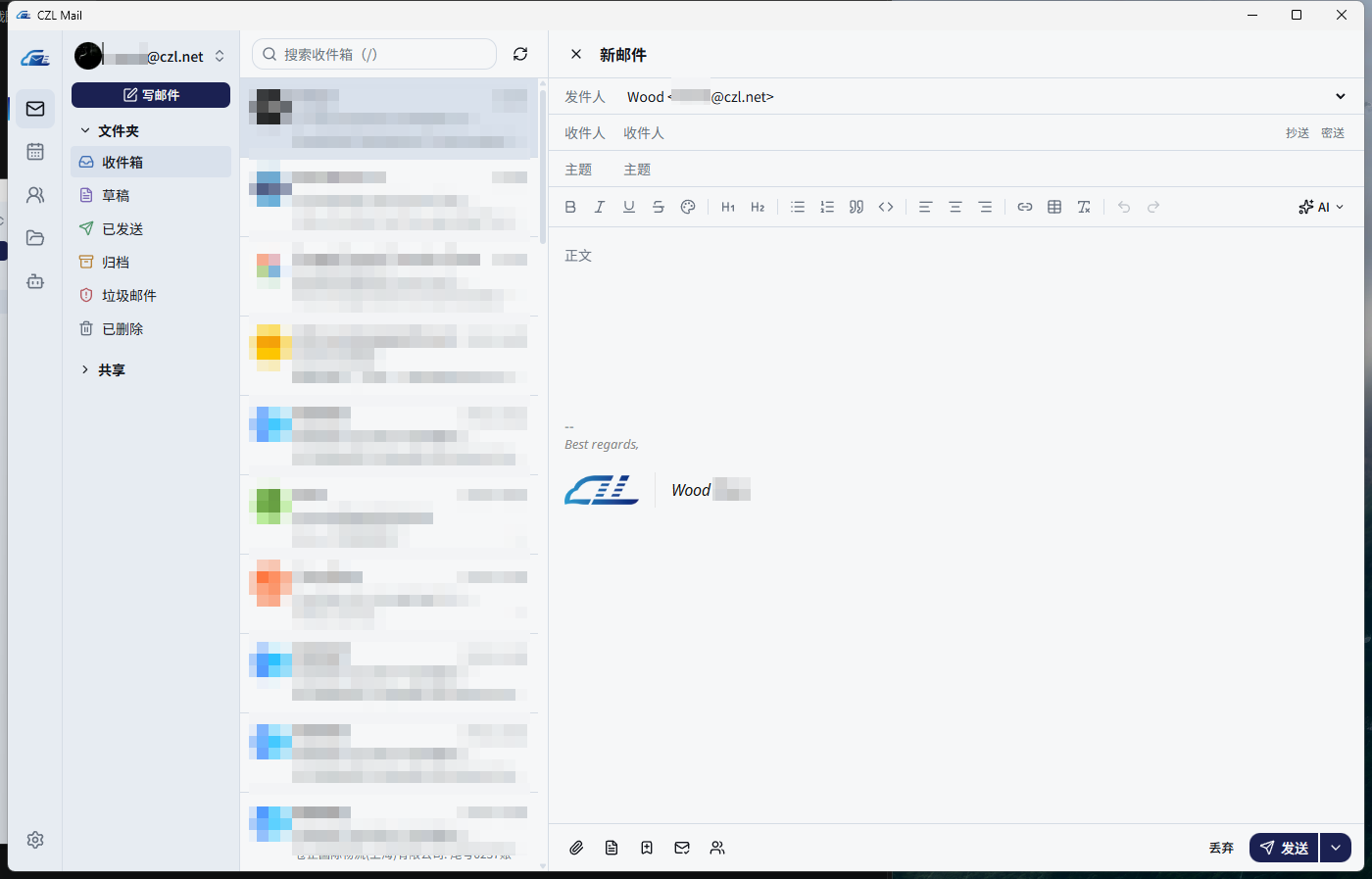
Mail — multiple accounts and shared mailboxes · rich-text compose with HTML signatures, templates,
read receipts, "send separately" and scheduled send · drafts auto-save · folder create / rename / move /
delete · full-text search (CJK-aware) · remote content blocked by default with a trusted-senders list
shared with Bulwark · batch actions · one-click unsubscribe (RFC 8058) · calendar invitations answered right in the message ·
attachments open locally with one click · pull an entire folder from the server
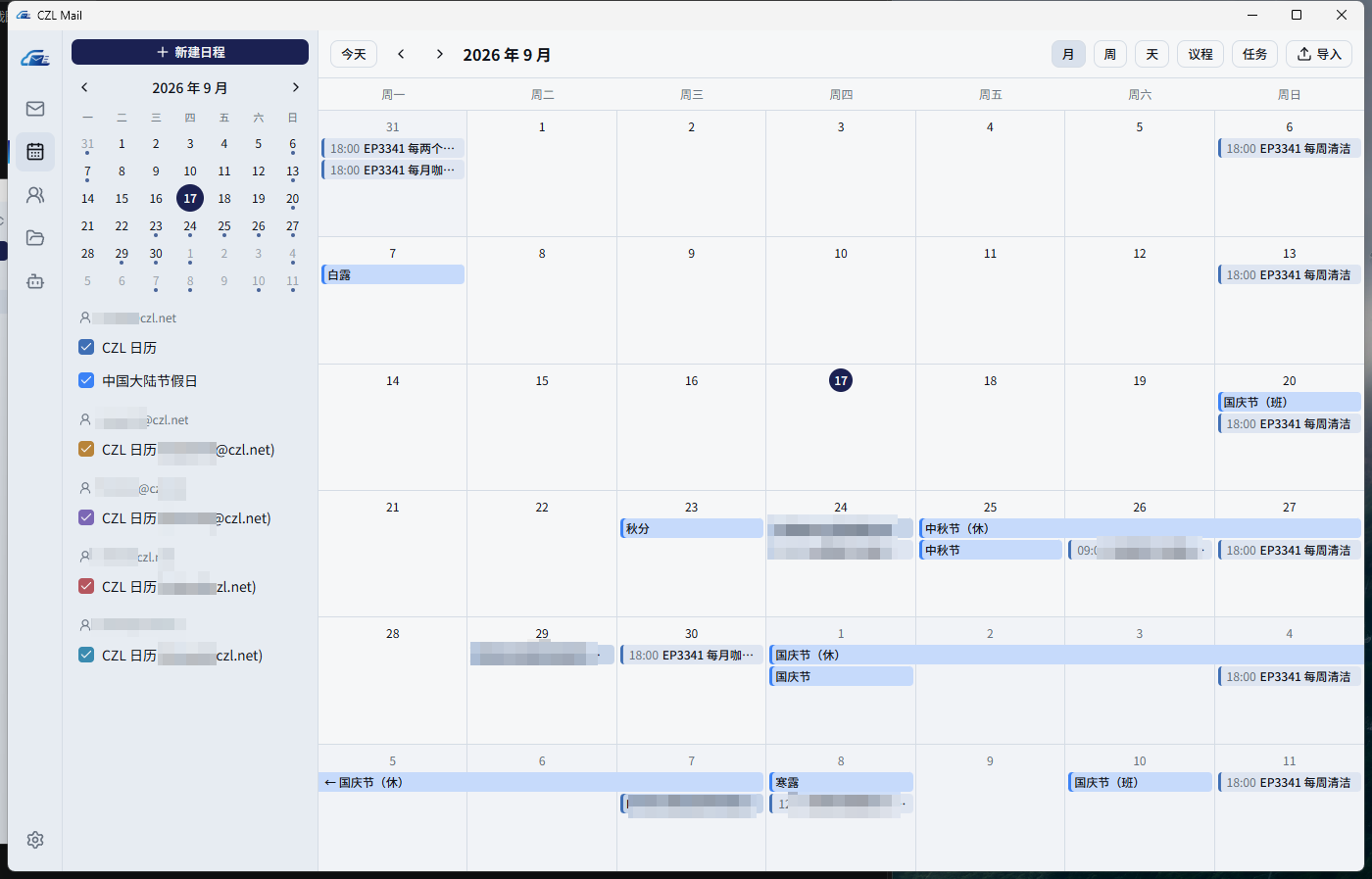
Calendar — month / week / day / agenda views with multi-day events drawn as connected bars ·
side-panel editor with meeting links, attendees and invitations, RSVP, multiple reminders and recurrence ·
tasks · calendar management · .ics / webcal: import · desktop reminders
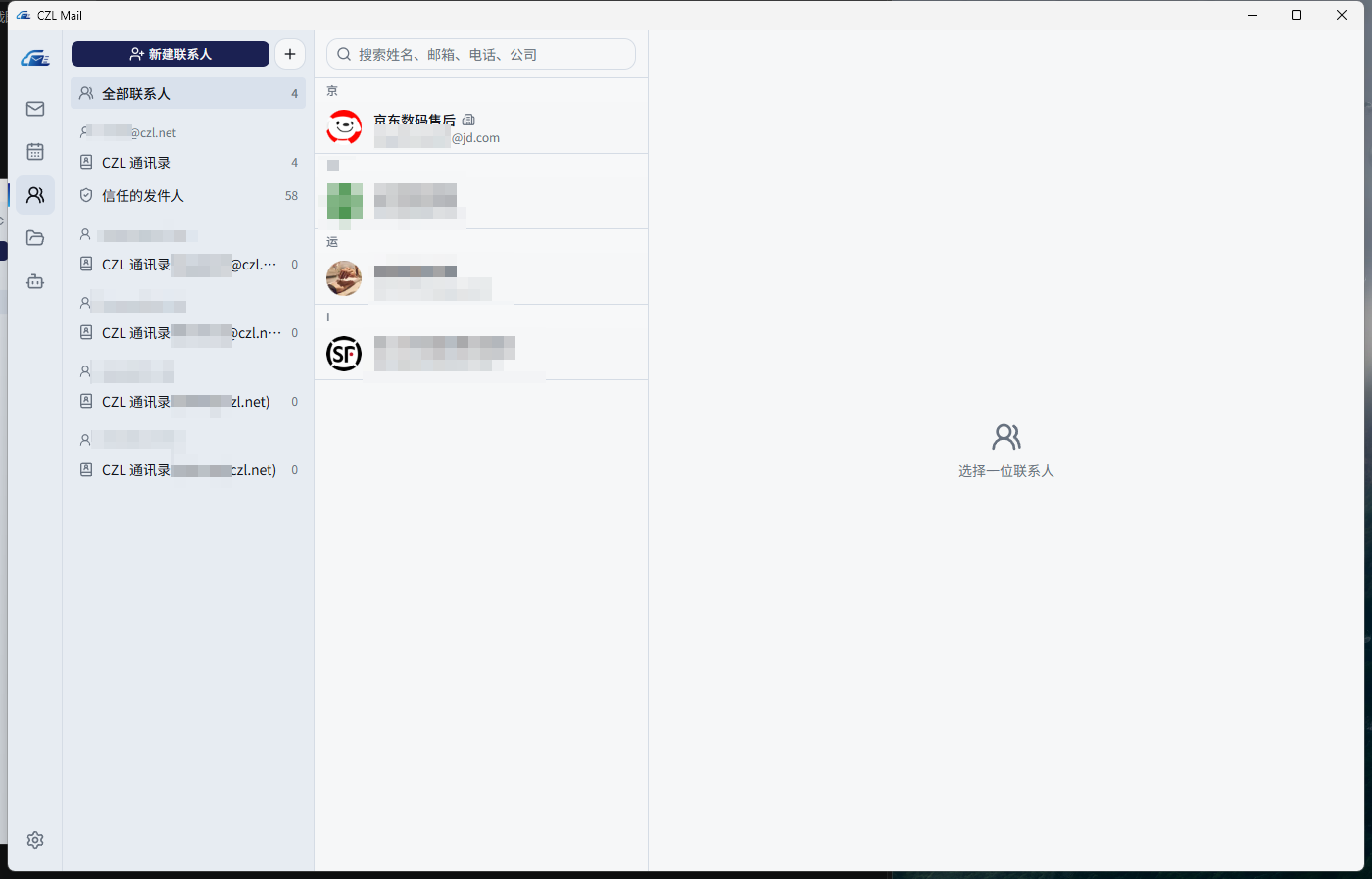
Contacts — full JSContact editor (photo, name components, organization, addresses, online services,
anniversaries, categories) · groups · address books · vCard import
Files — Stalwart file storage with list / grid views, favorites, cut / copy / paste, drag-and-drop upload
Notes — plain Markdown files kept in your file storage, editable offline and synced across devices, with daily notes ·
read them on your phone with the web reader (hosted at https://mail-notes.czl.net, or deploy your own)
Server-side settings — identities and HTML signatures, vacation auto-reply, Sieve filters
(rule builder compatible with Bulwark's rules, plus a raw Sieve editor)
Desktop integration — tray / menu bar, autostart, default mailto: / .ics / webcal: handler, signed
auto-update from GitHub Releases (SHA-256 verified)
Android — the same app with a single-column phone layout: mail, calendar, contacts, files, notes, search,
translation and AI summaries · new-mail notifications in the background · system back gesture · credentials
encrypted with Android Keystore · online updates from GitHub Releases (SHA-256 verified). MCP and folder picking
are desktop-only. Source and build notes: android/
iPhone — the same phone layout and features as Android, on the App Store (iOS 16+, one-time
purchase; not yet available in mainland China). New mail arrives as push notifications even when the app is closed; the
content is end-to-end encrypted with a key that stays on the phone. Installs and updates go through the App Store.
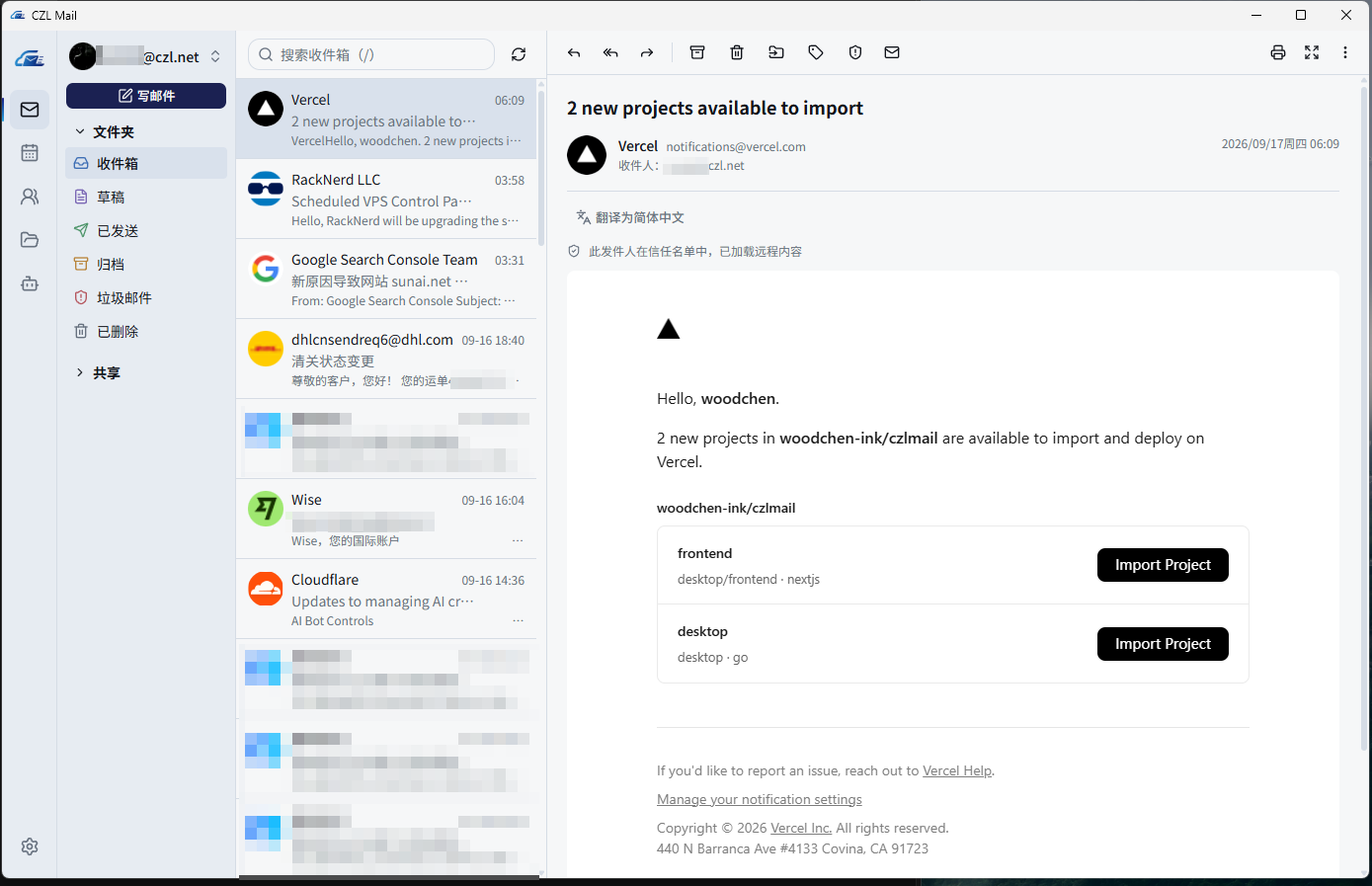
Screenshots
| Compose with HTML signature | Calendar with multi-day events |
|---|---|
 |
 |
| Contacts | Files |
|---|---|
 |
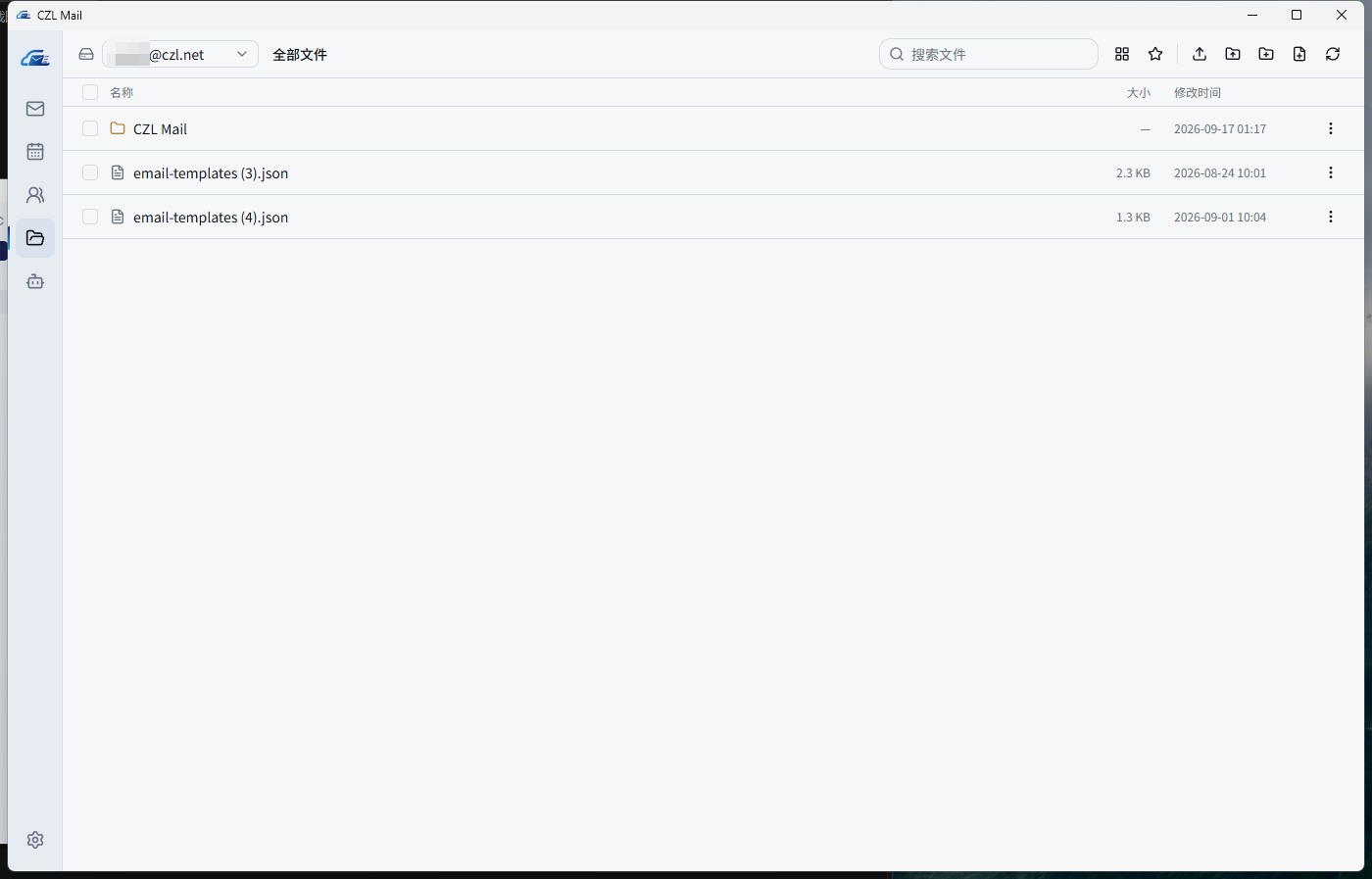 |
| MCP for AI agents | Settings |
|---|---|
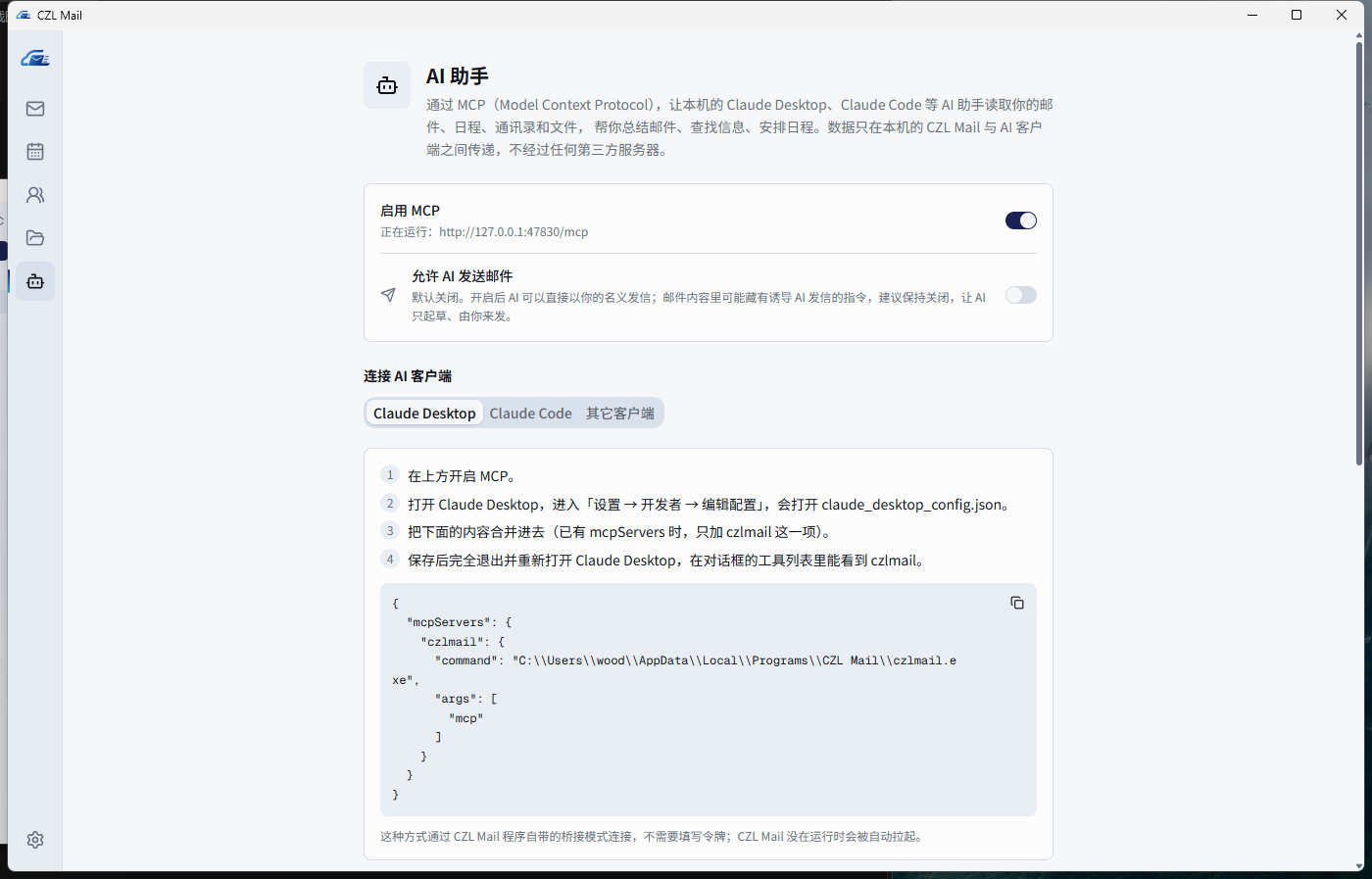 |
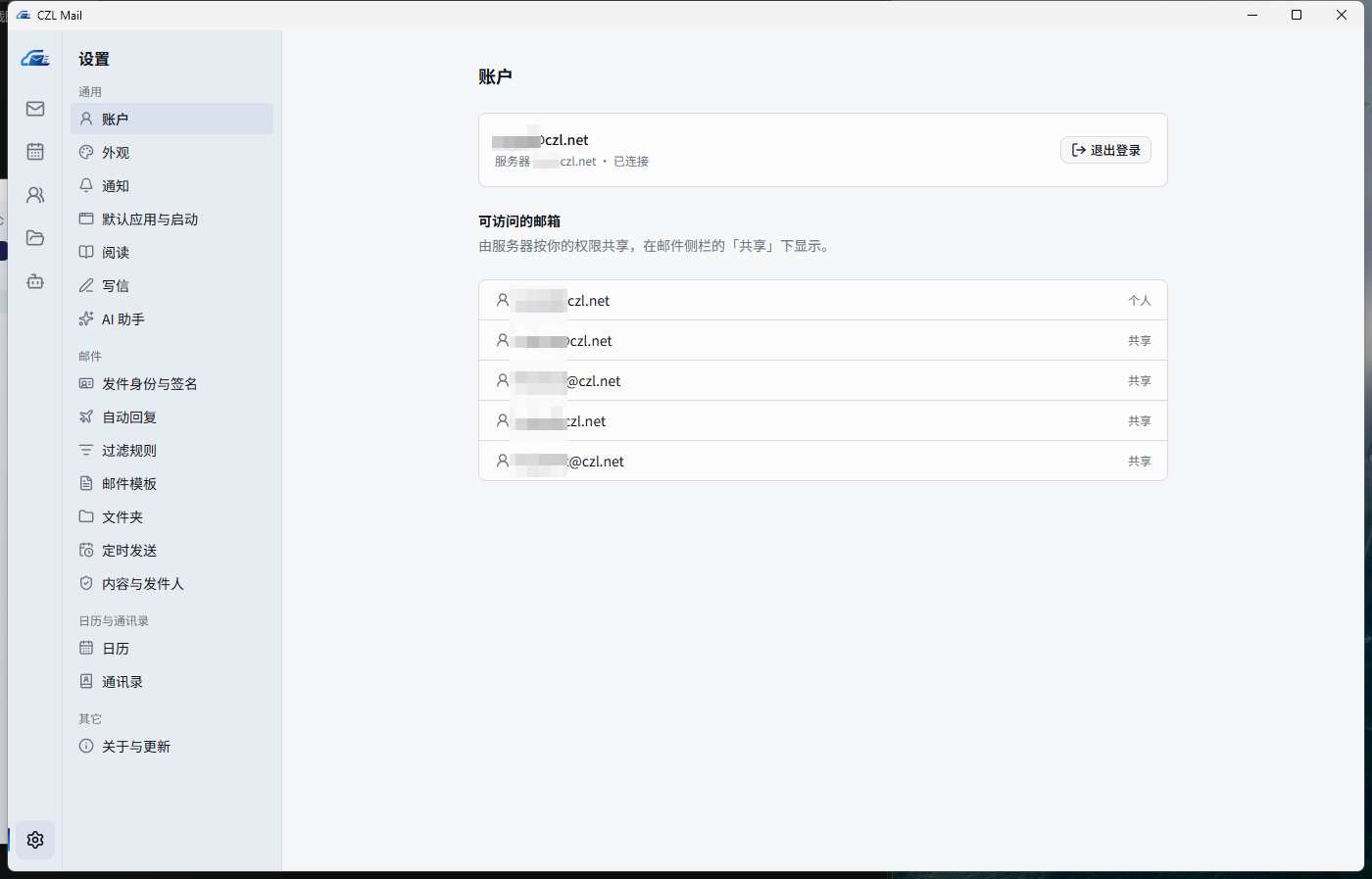 |
MCP: let agents use your mailbox
Enable it in the app under AI Assistant → MCP. The page shows ready-to-paste configuration.
Keep CZL Mail running when using MCP (it can stay in the tray or menu bar). The stdio bridge never starts
the app or brings its window to the foreground; it fails immediately if the app is not running or MCP is disabled.
Tools: list_accounts, list_mailboxes, list_emails, search_emails, read_email, mark_read,send_email, list_events, create_event, search_contacts, list_files.
Two transports are available:
# stdio (the app bridges to the running instance)
claude mcp add --scope user czlmail -- "C:\Users\<you>\AppData\Local\CZL\CZL Mail\czlmail.exe" mcp

# Streamable HTTP on 127.0.0.1 with a bearer token
claude mcp add --scope user --transport http czlmail http://127.0.0.1:47830/mcp --header "Authorization: Bearer <token>"
The server only listens on loopback, requires the token, and rejects browser (cross-origin) requests.
Message content is always handed to the model as data, not instructions.
AI assistant
Settings → AI Assistant: base URL, API key (stored in the OS keychain) and model name. Any service that
implements the OpenAI Responses API (/v1/responses) works. AI buttons only appear after AI is configured
and enabled.
- Translate a message into your default language in place — only the text changes, the original layout and styles stay — with one click back to the original
- Polish or translate what you've written in the compose window
- Reply with intent — type "accept, but ask to ship before Wednesday" and get a draft reply
Install
Download the latest release from Releases:
Windows:
czlmail-amd64-installer.exe(per-user install, no admin rights needed)macOS:
czlmail-darwin-universal.dmg(Intel and Apple silicon, macOS 10.15+)Android:
czlmail-android.apk(Android 8.0+, 64-bit ARM and x86_64), or scan the QR code with your phone.
Allow the install when prompted; later updates are offered inside the app
(Settings → About & updates), and the first one asks you to allow CZL Mail to install apps.
iPhone: App Store (iOS 16+, paid one-time purchase, not yet available in mainland China).
Phone (read notes only): open https://mail-notes.czl.net and sign in with your server, email and an app password;
add it to the home screen to use it like an app. It is only static files: your browser talks to your own mail server directly,
and we never receive or store your password or notes.
It needs a JMAP server with file storage and CORS (details).
What changed in each version: changelog (Chinese).
Opening on macOS for the first time
The app is not signed with an Apple Developer ID, so macOS blocks the first launch. Open the DMG, drag
CZL Mail into Applications, then do one of the following:
In Applications, right-click CZL Mail → Open, then click Open in the dialog (macOS 14 and earlier);
On macOS 15 and later right-click → Open no longer works: launch it once, then go to
System Settings → Privacy & Security and click Open Anyway at the bottom;Or remove the download quarantine flag in Terminal, after which it opens normally:
xattr -cr "/Applications/CZL Mail.app"
"is damaged and can't be opened" has the same cause and the same fix. Move the app to Applications before
opening it: when run straight from the DMG or Downloads, macOS runs it from a random temporary path and
autostart cannot remember where it is.
Closing the window keeps the app in the menu bar (with the unread count next to the icon); click the Dock icon
or Open CZL Mail in the menu bar to bring the window back, and ⌘Q to quit.
Sign in with your server address, email and an app password generated in Stalwart.
Single sign-on (SSO)
Stalwart can delegate authentication to an external identity provider (an OIDC directory such as Authentik,
Keycloak or your own OIDC service). In that setup Stalwart's own authorization page only accepts local
passwords and never redirects to the identity provider, so the client authorizes directly with the identity
provider and uses that token against the mail server — the same approach Bulwark takes.
An administrator needs to do two things:
Create a public client on the identity provider: no client secret (token endpoint auth method
none),
PKCE enabled, with these redirect URIs:http://127.0.0.1:47821/callback http://127.0.0.1:47822/callback http://127.0.0.1:47823/callback http://127.0.0.1:47824/callbackRequest the
openid email profilescopes; Stalwart maps theemailclaim to the account.Publish the sign-in auto-configuration at
/.well-known/czlmail.jsonon the mail server's host or a parent
domain (formail.example.com, eitherhttps://mail.example.com/orhttps://example.com/; HTTPS redirects are followed):{ "version": 1, "oauth": { "name": "Example SSO", "issuer": "https://sso.example.com", "clientId": "<public client id>" } }
Users then just enter the server address; the client reads this file and shows "Sign in with Example SSO".
Without the file, the identity provider address and client ID can be entered manually under
"browser sign-in → single sign-on".
The file is only fetched over HTTPS, so its origin is guaranteed by the domain's certificate. The client ID is not a secret.
Build from source
Requires Go 1.26+, Node 22+, pnpm and the Wails v2 CLI (v2.17).
cd desktop
wails dev      # development with hot reload
wails build    # build/bin/czlmail(.exe)
go test ./...  # unit tests
On Windows, build.bat v0.1.0 builds the executable and the NSIS installer.
The Android app also needs JDK 21 and the Android SDK + NDK; see android/README.md.
Integration tests run against a live server and are skipped unless credentials come from the environment
(CZLMAIL_TEST_SESSION, CZLMAIL_TEST_USER, CZLMAIL_TEST_PASS).
Uninstall and delete data
- Settings → Account → Delete all data removes the local mail cache, settings, logs, downloaded attachments,
and the credentials and AI key in the OS keychain, removes autostart and default-app registrations, then quits.
Mail, calendars and contacts on the server are not affected. - When uninstalling, tick "also delete all data" for the same effect. It is unticked by default, so a reinstall
keeps you signed in with your cache intact.
Security
- Mail bodies are sanitized (DOMPurify), rendered in a sandboxed iframe without same-origin, under a strict CSP.
- Remote images are blocked unless the sender is trusted; trust is per address, never per domain.
- Credentials and API keys live only in the OS keychain (on Android, encrypted with a non-exportable Android Keystore key);
there is no plaintext fallback. - Updates are only installed when the download matches the release's
SHA256SUMS.
Feedback
Questions, bugs and ideas: open an issue or leave a
comment in the forum thread. Release notes for every version are
collected in the changelog thread.
License
AGPL-3.0, the same license as Bulwark.
Acknowledgements
Yorumlar (0)
Yorum birakmak icin giris yap.
Yorum birakSonuc bulunamadi