pharos-cli
Health Uyari
- License — License: MIT
- Description — Repository has a description
- Active repo — Last push 0 days ago
- Low visibility — Only 5 GitHub stars
Code Gecti
- Code scan — Scanned 2 files during light audit, no dangerous patterns found
Permissions Gecti
- Permissions — No dangerous permissions requested
Bu listing icin henuz AI raporu yok.
Go CLI for the PHAROS MCP package registry. Search, install, and manage MCP servers.
Pharos CLI
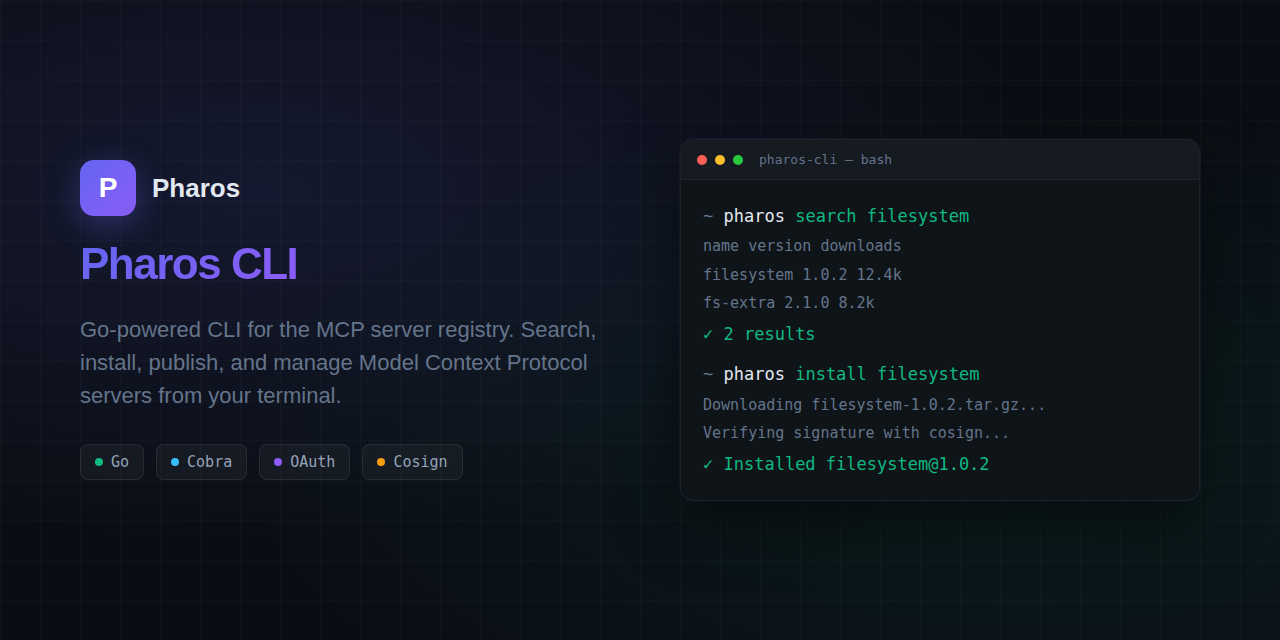



A Go CLI tool for the PHAROS MCP server package registry.
Install
Linux / macOS / WSL / Git Bash:
curl -fsSL getpharos.dev/install | sh
Windows PowerShell (not cmd — curl | sh is not a cmd command):
irm https://getpharos.dev/install.ps1 | iex
Until /install.ps1 is live on the site, download the .exe from the latest release (pharos_1.0.0_windows_amd64.exe) and put it on your PATH.
From source:
go install github.com/Wpnx330/pharos-cli@latest
# or
go build -o pharos .
Full command reference: https://discoverpharos.dev/cli/docs
Commands
# Discovery
pharos search <query>          # Search the registry
pharos search <query> --transport http-sse --registry pharos -p 2
pharos info "<package-id>"     # Quote IDs with spaces or (

# Package lifecycle
pharos init                    # Scaffold a new pharos.json (interactive, includes dependency + tag prompts)
pharos init --yes              # Non-interactive (use defaults)
pharos package [dir]           # Package a directory into a tarball (like npm pack)
pharos publish [dir]           # Package + upload + publish to the registry
pharos unpublish <name>        # Hide a package version from search and lookup
pharos republish <name>        # Re-activate a previously unpublished version
pharos purge <name>            # Permanently remove a package version from the registry

# Local management
pharos install <name>          # Download and install a package (with recursive dependency resolution)
pharos install <name> --no-dep-config  # Install without writing MCP client configs for dependencies
pharos install <name> --idle-timeout 30  # Auto-unload after 30min idle (default: 60)
pharos install <name> --idle-timeout 0   # Never unload — always on
pharos list                    # List locally installed packages
pharos list --running          # Show only running servers (daemon-managed)
pharos start <name>            # Start a locally installed MCP server
pharos stop <name>             # Stop a running MCP server
pharos update [name]           # Check for and apply updates to installed servers — installs the new version and rewrites affected client configs
pharos lock                    # Resolve dependencies and write ./pharos.lock
pharos import                  # Import existing MCP client configs into a pharos.lock
pharos remove <name>           # Remove a locally installed package
pharos remove <name> --force   # Remove even if other packages depend on it (not a confirm skip)

# Daemon (MCP server process supervisor)
pharos daemon start            # Start the daemon (backgrounds by default)
pharos daemon start --foreground  # Run in foreground (for debugging)
pharos daemon stop             # Stop daemon + unload all managed servers
pharos daemon restart          # Stop + start (convenience)
pharos daemon status           # Show daemon health + managed server table
pharos daemon log              # Show recent daemon log output (default 50 lines)
pharos daemon log -n 100       # Show last 100 lines of daemon log
pharos daemon autostart --on   # Enable autostart on boot
pharos daemon autostart --off  # Disable autostart on boot
pharos daemon autostart        # Show current autostart status

# Auth
pharos login                   # GitHub OAuth login (opens browser)
pharos whoami                  # Show current authenticated user

# OAuth configuration
pharos oauth configure <name>  # Configure OAuth for a published MCP server
pharos oauth configure <name> \ # With all options
  --auth-url <url> --client-id <id> --scopes <scopes> --pkce

# System
pharos doctor                  # Diagnose CLI health — registry, servers, client configs
pharos audit                   # Scan installed servers for known vulnerabilities
pharos config <key> [value]    # Get or set configuration
pharos config add-client <id> --path <path>   # Register a custom MCP client
pharos config remove-client <id>
pharos config list-clients
pharos health                  # Check registry health
pharos version                 # Print CLI version
One-line list only. Full flags and examples: https://discoverpharos.dev/cli/docs. Command names come from cmd/*.go (Use:). If this README and the site disagree, the Go source wins.
Flags
--json— Output as JSON (search, info, health). Search includestransport,source_registry,nextCursor,total.--limit/-n— Number of search results (default: 10)--page/-p— Search page (1-based). Mapped to API cursor(page-1)*limit.--registry— Search filter:mcp.io,mcp.so,pharos,smithery--transport— Search filter:stdio,http-sse,streamable-http,sse,http--version/-v— Install a specific version--global/-g— Install system-wide--token/-t— Auth token for publishing--dry-run— Validate manifest without publishing--yes— Skip interactive prompts (init)--no-dep-config— Don't write MCP client configs for dependencies (install)--force— Remove a package even if other packages depend on it (remove)--frozen— Install strictly from lockfile; refuse if missing or mismatched (install)--idle-timeout— Per-server minutes of inactivity before auto-unloading that server's HTTP/SSE process (default: 60, 0 = never unload). Set at install time; stored per-server in~/.pharos/mcp.json(install)--running— Show only running daemon-managed servers (list)
Configuration
Config is stored at ~/.pharos/config.json:
pharos config registry https://getpharos.dev
pharos config token <your-token>
Credentials are stored at ~/.pharos/credentials.json after pharos login.
Manifest (pharos.json)
{
  "name": "my-mcp-server",
  "version": "1.0.0",
  "description": "An MCP server for X",
  "license": "MIT",
  "transport": "stdio",
  "runtime": "python",
  "command": "python server.py",
  "capabilities": ["tools"],
  "homepage": "https://github.com/user/repo",
  "repository": "https://github.com/user/repo",
  "files": ["server.py", "lib/"],
  "tags": ["weather", "doppler", "humidity"]
}
Manifest fields
| Field | Required | Description |
|---|---|---|
name |
yes | Package name (unscoped or @scope/name) |
version |
yes | Semantic version |
description |
no | Short description shown in search results |
license |
no | SPDX license identifier |
transport |
yes | stdio, http-sse, streamable-http, or http |
runtime |
no | Runtime hint: npx, uvx, docker, binary, python (auto-detected from command if omitted) |
command |
no | Explicit launch command (e.g. python -m src.server). Overrides runtime-based construction. Falls back to bin field for backwards compat |
entrypoint |
no | Alternative to command (Docker entrypoint) |
capabilities |
yes | MCP capability types: tools, resources, prompts, logging |
files |
no | Explicit file list to package (auto-detected if omitted). Directory entries (e.g. "src/") are packed recursively |
homepage |
no | Homepage URL |
repository |
no | Repository URL |
dependencies |
no | Array of {name, version} — semver constraints for recursive install |
tags |
no | Array of up to 3 text hashtags for discoverability (lowercase, alphanumeric + hyphens, max 20 chars each) |
Publishing
The pharos publish command runs a 4-phase flow automatically:
- Get user —
GET /v1/auth/meto determine your namespace - Create package —
POST /v1/packages(creates the package row; 409 = already exists, OK) - Upload —
POST /v1/uploads→ PUT tarball bytes to presigned URL - Publish —
PUT /v1/packages/{name}with version, manifest, blob reference, integrity hash
pharos publish ./my-mcp-server
You can also package separately:
pharos package ./my-mcp-server # creates my-mcp-server-1.0.0.tgz
Safe Config Writes
All MCP client config writes (install and remove) go through a safe write pattern:
- Write to temp file — changes go to
<config>.pharos-tmp, never the original directly - Validate — the temp file is read back and checked:
- Non-empty (0 bytes = abort)
- Parseable as the expected format (YAML for Hermes, JSON for others)
- Size check: if the original was >200 bytes and the new file is <25% of it, abort (catches truncation/corruption)
- Atomic swap —
renametemp over original (atomic on most filesystems) - Cleanup — if any step fails, the temp file is deleted and the original is left untouched
This means a buggy write can never corrupt an existing config — the original is only replaced after the new version passes validation.
Unknown key preservation: For JSON-based clients (OpenCode, Cursor, Claude Desktop, Cline, Generic MCP), Pharos uses a map-based reader/writer that preserves all existing top-level keys. If your OpenCode config has model, theme, or tab_size settings, they survive Pharos installs and removes untouched.
Supported client formats
| Client | Config path | Format |
|---|---|---|
| Hermes Agent | ~/.hermes/config.yaml |
YAML (mcp_servers:) |
| Claude Desktop | %APPDATA%/Claude/claude_desktop_config.json (also WSL ~/.config/Claude/ if present) |
JSON mcpServers. Stdio/local only (command/args/env). Remotes are skipped — official path is Settings → Connectors → Add custom connector. Install prints — skipped, never ✓. |
| Claude Code | ~/.claude.json and Windows %USERPROFILE%\\.claude.json |
JSON top-level mcpServers (user scope). Remote {type:http,url} (required type). Stdio {type:stdio,command,...}. Detect only if the file exists. Never project .mcp.json. |
| Cursor | ~/.cursor/mcp.json and Windows %USERPROFILE%\\.cursor\\mcp.json |
JSON mcpServers. Home-level only. --client cursor writes both. Remote {type,url}. |
| Cline | ~/.../cline_mcp_settings.json (Linux + Windows via WSL2) |
JSON ({"mcpServers": {}}) |
| OpenCode | ~/.config/opencode/opencode.json |
JSON (`{"mcp": { "": { "type": "local" |
| VS Code (GitHub Copilot) | ~/.copilot/mcp-config.json (all OS, WSL2 Windows) |
JSON ({"mcpServers": {}}). Remote {url, type:"http"}. |
| Windsurf | ~/.codeium/windsurf/mcp_config.json (Linux), ~/Library/Application Support/Codeium/windsurf/ (macOS), %APPDATA%/Codeium/windsurf/ (Windows) |
JSON ({"mcpServers": {}}). Remote {url, type:"http"}. |
| Gemini CLI | ~/.gemini/settings.json (all OS, WSL2 Windows) |
JSON ({"mcpServers": {}}). Remote {url, type:"http"}. Other settings keys preserved. |
| Amazon Q Developer | ~/.aws/amazonq/mcp.json (all OS, WSL2 Windows) |
JSON ({"mcpServers": {}}). Remote {url, type:"http"}. |
| Roo Code | ~/.../roo_mcp_settings.json (Linux + Windows via WSL2) |
JSON ({"mcpServers": {}}). Remote {url}. |
| Codex CLI | ~/.codex/config.toml (all OS, WSL2 Windows) |
TOML ([mcp_servers.<name>]). Stdio: {command, args, env}. Remote: {url}. Other sections preserved. |
| Grok Build | ~/.grok/config.toml (all OS, WSL2 Windows) |
TOML ([mcp_servers.<name>]). Stdio: {command, args, env}. Remote: {url, headers}. |
| Zed | ~/.config/zed/settings.json (Linux), ~/Library/Application Support/Zed/settings.json (macOS), %APPDATA%/Zed/settings.json (Windows/WSL2) |
JSON ({"context_servers": {}}). Stdio: {command, args, env}. Remote: {url}. Other settings preserved. |
| Aider | ~/.aider.conf.yml (all OS, WSL2 Windows) |
YAML (mcp-servers: list). Stdio only: {name, command, args, env}. Remote servers skipped. |
| Generic MCP | ~/.config/mcp/mcp.json |
JSON ({"mcpServers": {}}) |
Development
go test ./... -v -count=1
go vet ./...
go build .
Notable changes per release are recorded in CHANGELOG.md.
Dependency Resolution
The CLI supports recursive dependency resolution. When you install a package that declares
dependencies, the CLI resolves them to concrete versions and installs them automatically.
Declaring dependencies in pharos.json
{
  "name": "my-server",
  "version": "1.0.0",
  "transport": "stdio",
  "runtime": "python",
  "command": "python server.py",
  "dependencies": [
    {"name": "other-server", "version": ">=1.0.0"},
    {"name": "utils-lib", "version": "^2.0.0"}
  ]
}
How it works
pharos install <name>installs the primary package first- If the manifest has a
dependenciesarray, the CLI prints "Resolving dependencies..." - Each dependency is resolved recursively (transitive deps included)
- Already-installed dependencies at the resolved version are skipped
- Version conflicts are resolved by choosing the higher version
- Circular dependencies are detected at publish time — the registry rejects the publish with an error. At install time, the CLI also detects cycles and skips them
- Each installed dependency gets a client config entry + lockfile entry (unless
--no-dep-configis passed)
pharos init dependency prompts
During pharos init, after selecting a license, the CLI prompts for dependencies.
Enter each dependency in one of these formats:
| Input | Stored as |
|---|---|
name |
* (any version) |
name@latest |
latest |
name>=0.1.0 |
>=0.1.0 |
name=0.1.0 |
=0.1.0 |
name<=0.1.0 |
<=0.1.0 |
name^1.0.0 |
^1.0.0 |
An empty line finishes dependency entry.
pharos lock
pharos lock # Resolve all deps in pharos.json, write ./pharos.lock
Resolves dependencies and writes a lockfile at ./pharos.lock (per-project, likepackage-lock.json). The lockfile records the concrete version, transport, and registry
URL for each resolved package.
pharos remove dependency protection
pharos remove <name>           # Remove a package (blocked if other packages depend on it)
pharos remove <name> --force   # Remove even if other packages depend on it
When you try to remove a package that is a required dependency of another installed
package, the CLI blocks the removal and lists the dependent packages. Use --force
to override.
Circular dependency detection at publish time
The registry rejects publishes that would create circular dependencies. If package A
depends on B and package B depends on A, publishing the second package will be rejected
with a CIRCULAR_DEPENDENCY error showing the cycle path. Forward references (dependencies
not yet in the registry) are allowed — the cycle is caught on the second publish.
Version constraints
| Constraint | Meaning |
|---|---|
1.0.0 |
Exact version |
>=1.0.0 |
Minimum version |
^1.0.0 |
Compatible (same major) |
~1.0.0 |
Approximately (same minor) |
* |
Any version |
Tags
Tags are optional text hashtags that improve package discoverability. A manifest
can declare up to 3 tags (lowercase, alphanumeric + hyphens, max 20 chars each).
Adding tags in pharos.json
{
  "name": "weather-server",
  "version": "1.0.0",
  "tags": ["weather", "doppler-radar", "humidity"]
}
Adding tags during pharos init
After the dependency prompt, pharos init prompts for tags:
Tags (up to 3, space or comma separated, Enter to skip):
  tags> weather doppler-radar humidity
Searching by tag
The registry search API supports a ?tag= query parameter to filter packages
that have a matching tag on any version's capabilities:
GET /v1/search?tag=weather
Daemon (Process Supervisor)
The Pharos daemon is a background process supervisor for HTTP/SSE/streamable-http MCP servers. It provides JIT (just-in-time) loading — servers start on first request and auto-unload after configurable idle time. stdio servers are not managed (MCP clients handle those as child processes).
How it works
pharos daemon startlaunches the daemon in the background by default (the CLI re-execs itself with an internal flag and returns immediately, printing the PID and log path). The daemon reads~/.pharos/mcp.jsonand opens a local proxy listener (127.0.0.1) for each HTTP/SSE server.- When a request arrives at a proxy port:
- Server running? → Proxy it, update last-activity timestamp.
- Server unloaded? → Start the backing process (JIT load), wait for it to be ready, then proxy.
- After
idle_timeoutminutes with no activity, the backing process is killed. The proxy listener stays alive — so the next request JIT-reloads it. pharos daemon stopgracefully terminates all managed servers and the daemon itself.pharos daemon restartstops then starts again (convenience — equivalent tostop+start).
Foreground mode (debugging)
By default pharos daemon start backgrounds and returns you to your shell. To run the daemon in the foreground — useful for debugging or when running under a service manager that expects the process to stay attached — use:
pharos daemon start --foreground
In foreground mode the daemon blocks the terminal until stopped (Ctrl-C or pharos daemon stop).
Daemon log
pharos daemon log           # Show last 50 lines of daemon log
pharos daemon log -n 100    # Show last 100 lines
The log file lives at ~/.pharos/daemon.log. The -n flag controls the number of trailing lines shown.
Idle timeout (per-server)
The idle timeout is a per-server setting, not a global daemon setting. Each installed server gets its own idleTimeout value recorded at install time. This is intentional: you may want a frequently-used server to stay always-on (0) while letting a rarely-used one unload after 30 minutes.
--idle-timeout |
JIT loading | Auto-unload | Behavior |
|---|---|---|---|
60 (default) |
✅ On | ✅ On | That server unloads after 60min idle, reloads on next request |
30 |
✅ On | ✅ On | That server unloads after 30min idle, reloads on next request |
0 |
❌ Off | ❌ Off | That server is always on (starts immediately, never unloads) |
Each server's timeout is independent. A server installed with --idle-timeout 30 is unaffected by another server installed with --idle-timeout 0.
Config
Per-server idle timeout is stored in ~/.pharos/mcp.json:
{
  "servers": {
    "my-http-server": {
      "command": "node server.js",
      "transport": "http-sse",
      "idleTimeout": 60
    },
    "always-on-server": {
      "command": "python app.py",
      "transport": "http",
      "idleTimeout": 0
    }
  }
}
Daemon state (PID, running servers, ports, last activity) is persisted at ~/.pharos/daemon.json. Logs go to ~/.pharos/daemon.log.
Hot-reload (cross-platform)
The daemon can re-read ~/.pharos/mcp.json and reconcile — adding new servers and removing deleted ones — without a full restart. The trigger mechanism is platform-dependent:
| Platform | Primary trigger | How |
|---|---|---|
| Linux / macOS | SIGHUP |
kill -HUP <pid> (or pkill -HUP pharos) |
| Windows | File-based | Touch ~/.pharos/daemon.reload — the daemon polls for this file every 2s |
All platforms also support the file trigger (~/.pharos/daemon.reload). On Unix it's redundant with SIGHUP but harmless, which means the same reload script works everywhere:
touch ~/.pharos/daemon.reload # works on Linux, macOS, and Windows
Autostart on boot
The daemon can be configured to start automatically when you log in:
pharos daemon autostart --on   # Enable autostart
pharos daemon autostart --off  # Disable autostart
pharos daemon autostart        # Show current status
The underlying mechanism is platform-specific:
| Platform | Mechanism | Unit / task |
|---|---|---|
| Linux | systemd user unit | ~/.config/systemd/user/pharos-daemon.service |
| macOS | LaunchAgent plist | ~/Library/LaunchAgents/dev.getpharos.daemon.plist |
| Windows | Task Scheduler | schtasks /create /tn PharosDaemon /sc onlogon |
On Linux, make sure your user lingering is enabled (loginctl enable-linger $USER) if you want the daemon to survive when no session is active. On macOS, the LaunchAgent runs on login. On Windows, the scheduled task triggers at user logon.
Platform support
The daemon runs on all four primary platforms:
| Platform | Architecture | Process management | Hot-reload |
|---|---|---|---|
| Linux | amd64 | Unix process groups (Setpgid) |
SIGHUP + file trigger |
| macOS | amd64 | Unix process groups (Setpgid) |
SIGHUP + file trigger |
| macOS | arm64 | Unix process groups (Setpgid) |
SIGHUP + file trigger |
| Windows | amd64 | CREATE_NEW_PROCESS_GROUP, TerminateProcess |
File-based only (no SIGHUP) |
Platform-specific code is isolated via Go build tags. On Windows, readProcessMemory returns 0 (there is no /proc filesystem) — this only affects memory reporting in daemon status, not server management.
Author
Built by Chris Wykel — reach me at [email protected].
License
MIT
Yorumlar (0)
Yorum birakmak icin giris yap.
Yorum birakSonuc bulunamadi