flywheel
Health Gecti
- License — License: Apache-2.0
- Description — Repository has a description
- Active repo — Last push 0 days ago
- Community trust — 14 GitHub stars
Code Uyari
- process.env — Environment variable access in bench/ab-persona/chat-routing-bench.ts
Permissions Gecti
- Permissions — No dangerous permissions requested
Bu listing icin henuz AI raporu yok.
The coding agent that keeps working. Terminal, web, phone, and VS Code.
Flywheel
The coding agent that keeps working.



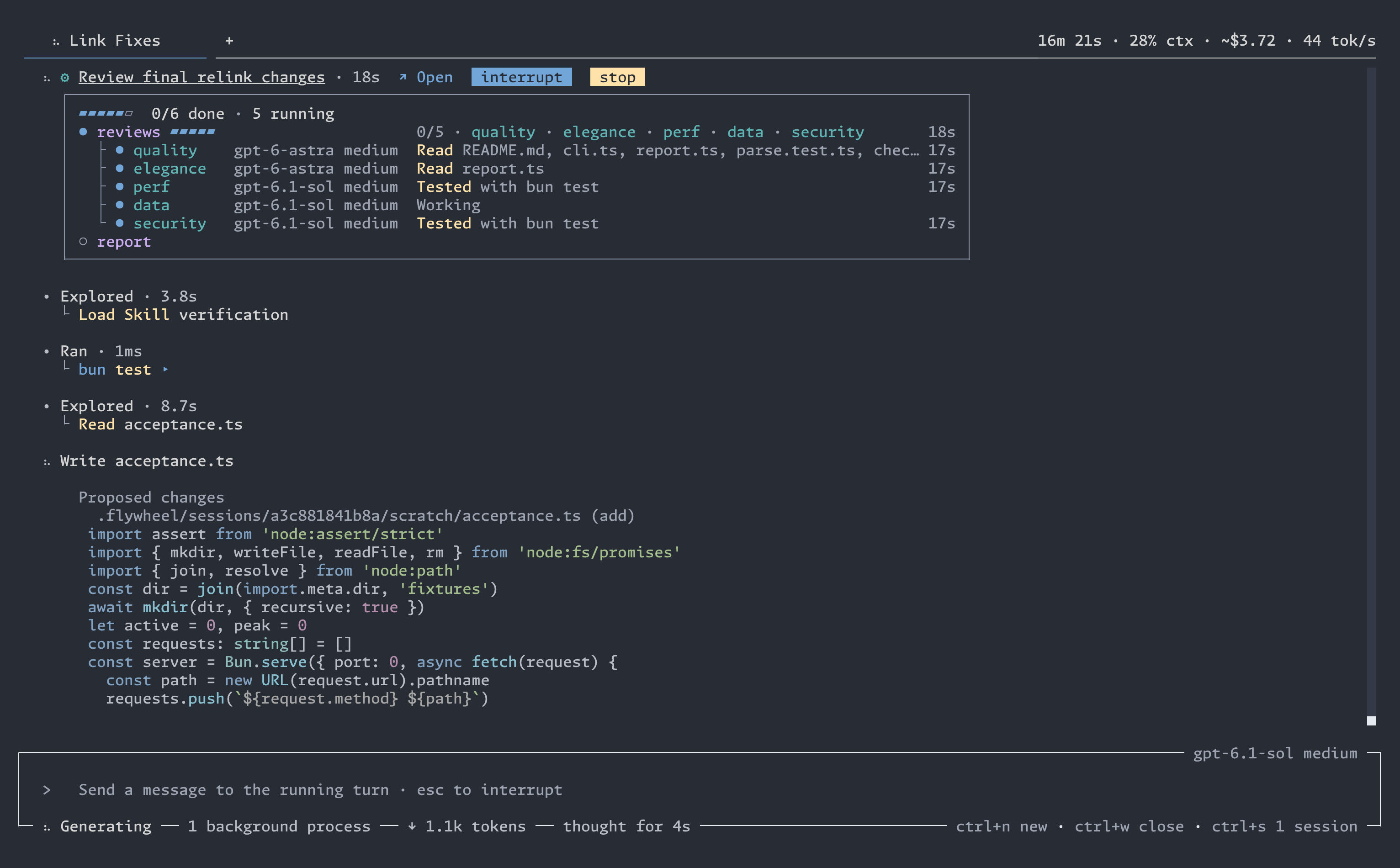
Flywheel runs whole jobs as durable workflows. A run survives a closed terminal, a crash, an update, or an empty quota. Bring every subscription you pay for, Claude included, and follow the same live session from your terminal, your browser, or your phone.
Install
macOS and Linux:
curl -fsSL https://github.com/wsauret/flywheel/releases/latest/download/install.sh | bash
Windows (PowerShell):
irm https://github.com/wsauret/flywheel/releases/latest/download/install.ps1 | iex
Then run flywheel in a project directory. On first launch, the provider picker opens so that you can sign in.
Status and requirements
Flywheel is early software. The version is 0.x, and interfaces, commands, and settings can still change from one release to the next.
- Platforms: macOS, Linux, and Windows. Platforms lists each build.
- A model provider: a subscription to Claude, ChatGPT, GitHub Copilot, SuperGrok, or OpenCode Go, or an API key for Anthropic, OpenAI, Google, DeepSeek, OpenRouter, or an OpenAI-compatible endpoint. Flywheel has no model service of its own.
- No runtime: the release archive holds everything that Flywheel needs, including the Claude engine. You do not install Bun, Node, or another runtime.
What's new
The Releases page lists the changes in each release. While the version is 0.x, any release can include a breaking change. The notes of that release mark each breaking change and tell you what to do.
Safety
Flywheel agents work without asking you to approve each step. They run shell commands and edit files with your user account's permissions.
- Guards catch ordinary mistakes, but they are not a sandbox. They do not confine the programs that an agent runs.
/changesshows the session's file edits, with undo for each file. A shell command can also change files outside that record.- For an untrusted repository, or work where a mistake would be costly, run Flywheel inside a boundary: a container, a virtual machine, a low-privilege account, or a disposable checkout.
Ask for the whole job. It keeps going.
Describe the work in chat. The agent writes a workflow and launches it: phases of agents that build, review, repair, and verify, with independent work running at the same time. The run lives in a background service, not in your terminal window.
- Close the terminal. The run continues.
- Update Flywheel mid-run. Running agents and shell commands move to the new build.
- Out of quota at 2 a.m.? The agent waits for the reset, then continues.
- After a crash, Resume restarts only the agents that were in flight. Finished work stays finished.
Every model you pay for. No lock-in.
Sign in with Claude, ChatGPT, GitHub Copilot, SuperGrok, or OpenCode Go. Add API keys for Anthropic, OpenAI, Google, DeepSeek, OpenRouter, or any OpenAI-compatible endpoint. Choose a model for each role: the chat, workflow agents, and background work. /model changes them.
- Subscriptions serve first. API keys serve only when no subscription can.
- Failover happens inside the turn. You never retry by hand.
- Each request records which provider and account served it.
Two subscriptions? Flywheel uses both.
Add several accounts of the same paid subscription. When one hits its usage cap or goes down, the next account takes the turn, and nothing on your screen changes. For Claude, the account whose weekly window resets soonest goes first, so quota that is about to expire gets used first.
- Paid overage stays off until you allow it, once per account.
- The Usage view shows each account's spend and history.
- API keys catch what no subscription can serve.
- Each account serves only within its own limits. How this follows provider terms.
Claude, through Anthropic's own SDK.
Flywheel signs in to your Claude subscription through the official Claude Agent SDK. Anthropic's engine holds the login: Flywheel never reads, stores, or sends your Claude token. Flywheel's tools, workflows, subagents, skills, and session recording all work on this route.
- Sign in with
flywheel auth login --claude-agent-sdk, or from/auth. - Several Claude accounts rotate like any other subscription.
- Your own Claude login and settings outside Flywheel stay untouched.
- How this route follows Anthropic's terms.
One session. Terminal, browser, or phone.
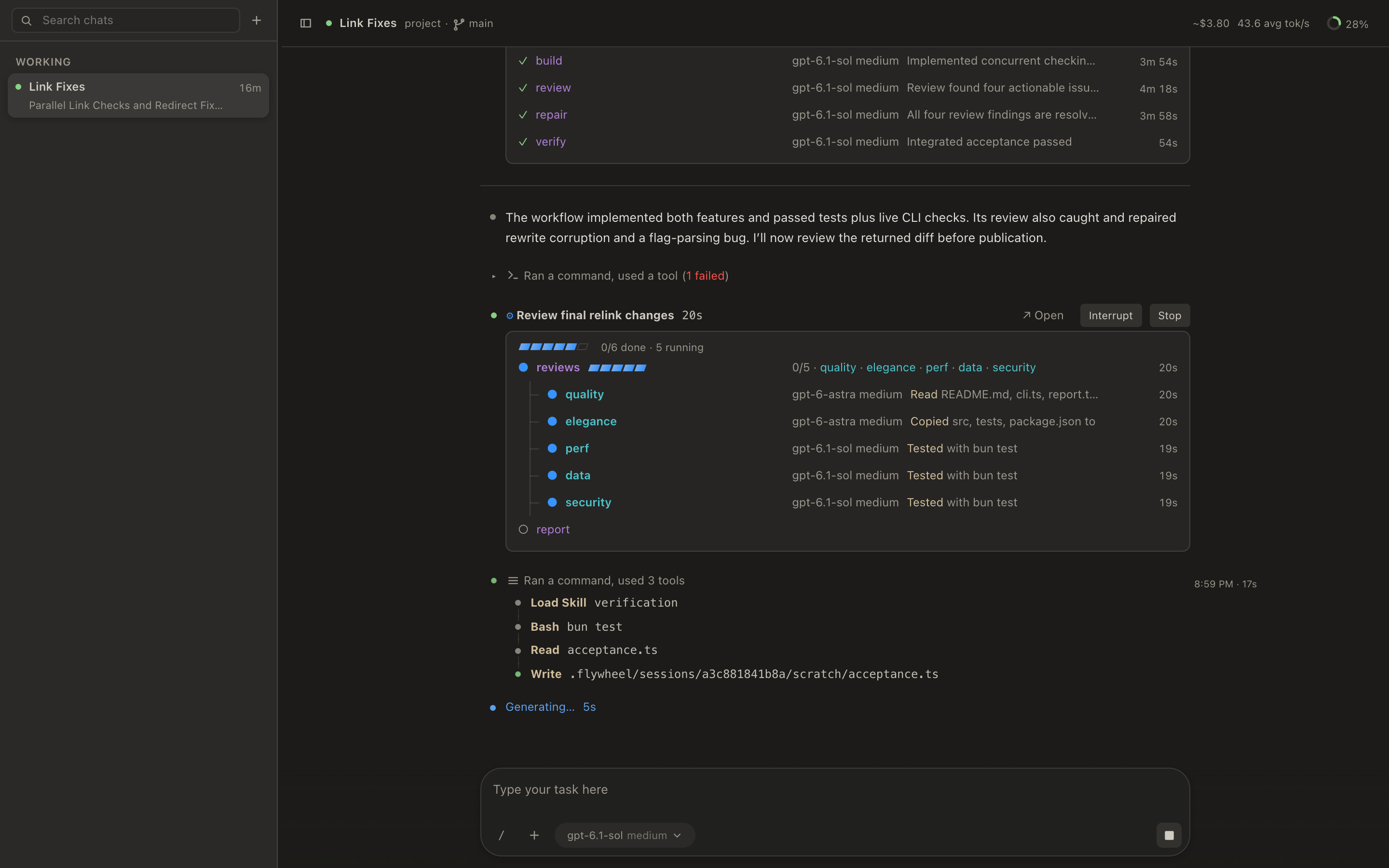
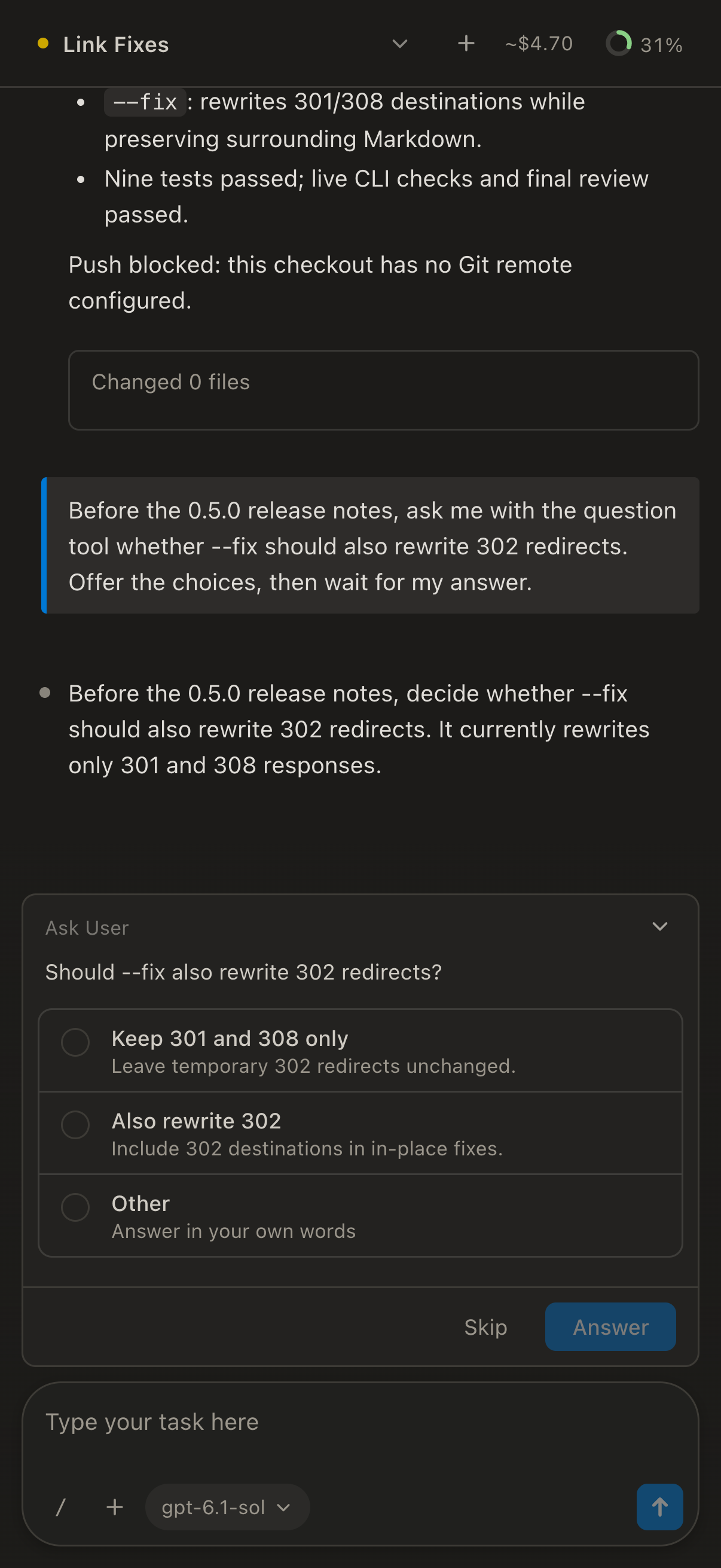
Every client attaches to the same live session. Start a job in the terminal, follow it in the browser, and answer the agent's question from your phone.
flywheel webopens the web client. Only your machine can reach it./remotepairs your phone with a QR code. No account, no password.- Every message is sealed end to end. The relay cannot read it.
- Your phone notifies you only when a chat asks you a question.
- The VS Code extension adds native diff review with undo for each file.
Your terminal, your colors.
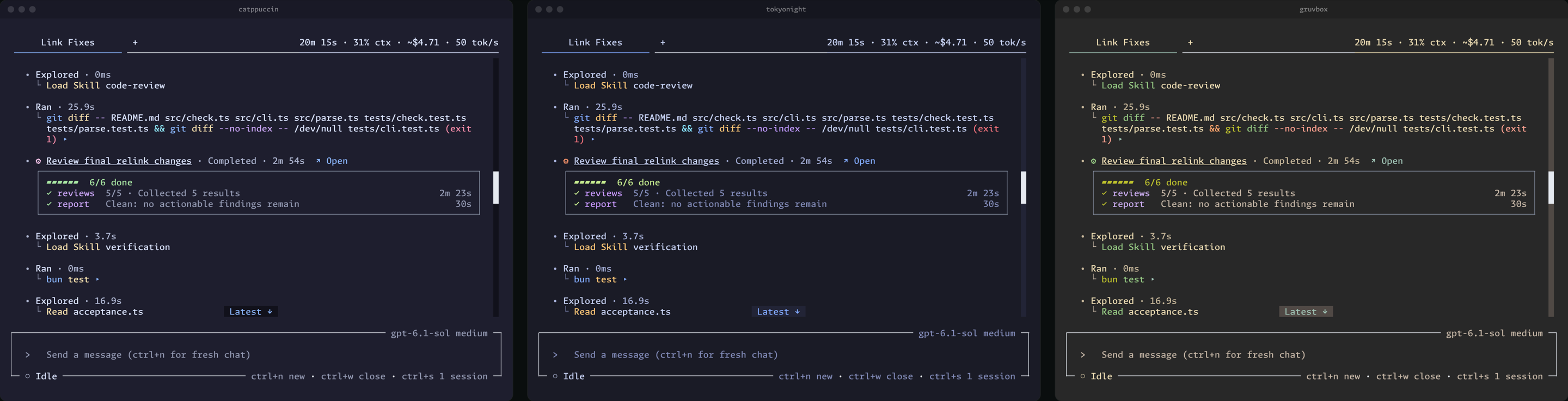
Flywheel ships about 40 themes, from Catppuccin to Gruvbox, and a new theme applies at once, with no restart. flywheel font install installs Monaspace, the font that Flywheel is designed around.
Smaller things that matter
- Everything is on the record. Sessions are stored as facts in a local SQLite database.
flywheel events searchanswers what happened. - Turn anything off. About 20 capabilities each have one switch. Off removes their tools, prompts, and commands.
- Review and undo.
/changesshows the session's diff, with undo for each file. - MCP. Add servers over stdio or HTTP with OAuth (
flywheel mcp add), or import an.mcp.jsonfile (flywheel mcp import). - Skills and memory. Learned skills are files you can read, and
flywheel skills whytraces each one to its sessions. - Tabs. Run several sessions in one terminal window.
ctrl+nopens a new tab, andctrl+sfinds any earlier session. - Headless.
flywheel --headlessruns a chat in scripts and CI, and that chat can launch workflows. - Side questions.
/btwasks a quick question about the chat without interrupting its work. The answer stays out of the transcript. - Background commands. Builds, test suites, and dev servers run while the agent keeps working, and each result reaches the agent when it ends.
flywheel events search --errors --latest
flywheel events search --session <sessionId> --around <position> -C 20
flywheel skills why <name>
Platforms
Flywheel ships compiled binaries for macOS (Apple silicon and Intel), Linux (x64 and ARM64, glibc and musl), and Windows (x64 and ARM64). The installer picks the archive for your machine and verifies it against the published SHASUMS256.txt. Flywheel then updates itself without interrupting a running session. On Alpine, run apk add libstdc++ curl before you install.
Documentation
The user documentation lists the reference pages for the command line, the slash commands, the keys, and the configuration.
Privacy
For model inference, Flywheel sends your prompts and code only to the model providers that you configure. Agent tools can send content to other destinations, such as an MCP server, a web search service, or a host that a shell command reaches. Project state stays in the project's .flywheel/ directory, and account settings stay in ~/.flywheel/. Release builds send an automatic crash report with the error, the version, the platform, and recent diagnostic records. A report holds no conversation or file content. Turn off the Bug reports setting to stop crash reports. What Flywheel sends over the network lists every request that Flywheel makes on its own, what it holds, and the controls that exist for it.
Getting help
Ask questions in the Q&A discussions. SUPPORT.md says where bugs, feature requests, and security reports go.
Contributing
Read CONTRIBUTING.md. The design lives in two living documents: architecture intent under docs/architecture-intent/ and product intent under docs/product-intent/. Start with agency to see why the system looks the way it does.
Credits for the open-source work that Flywheel adapts are in THIRD-PARTY-NOTICES.md. Flywheel is licensed under Apache 2.0.
Yorumlar (0)
Yorum birakmak icin giris yap.
Yorum birakSonuc bulunamadi