openclaw-desktop
Health Pass
- License — License: MIT
- Description — Repository has a description
- Active repo — Last push 0 days ago
- Community trust — 26 GitHub stars
Code Fail
- fs.rmSync — Destructive file system operation in electron/conversation-files-cleanup.ts
- os.homedir — User home directory access in electron/conversation-files-cleanup.ts
- process.env — Environment variable access in electron/managed-files-index.ts
- os.homedir — User home directory access in electron/node-manager.ts
- process.env — Environment variable access in electron/node-manager.ts
- network request — Outbound network request in electron/node-manager.ts
- os.homedir — User home directory access in electron/output-files-index.test.ts
- exec() — Shell command execution in electron/output-files-index.ts
- os.homedir — User home directory access in electron/output-files-index.ts
Permissions Pass
- Permissions — No dangerous permissions requested
No AI report is available for this listing yet.
OpenClaw Desktop is a desktop workspace for OpenClaw with out-of-the-box chat, file management, model/tool configuration, multi-agent workflows, and automation. OpenClaw Desktop 是 OpenClaw 的桌面工作台,提供开箱即用的聊天、文件管理、模型与工具配置、多 Agent 协作和自动化能力。
OpenClaw Desktop
English | 简体中文
OpenClaw Desktop is a cross-platform desktop workspace for OpenClaw.
It turns a workflow that often starts in terminals, config files, and manual setup into a desktop product that is easier to install, understand, configure, and use every day. Whether you are an individual user, a developer, or a team running long-lived AI agents, OpenClaw Desktop gives you a unified place to manage chat, model providers, skills, automation, and agent operations.
Overview
OpenClaw is powerful, but not everyone wants to begin with CLI commands, environment variables, and hand-edited configuration.
OpenClaw Desktop focuses on these common adoption barriers:
- Setup friction: download and run instead of building an environment from scratch
- Configuration complexity: manage providers, agents, channels, secrets, and tools visually
- Fragmented workflows: keep chat, skills, files, terminal, memory, and analytics in one workspace
- Maintenance overhead: make updates, connectivity, recovery, and diagnostics part of the default experience
- Low first-run success: help users reach a working result faster
Key Features
Out-of-the-box desktop experience
- One-click startup without requiring a manual Node.js installation
- Automatic updates
- Currently ships installers for macOS and Windows
- Better suited for always-available daily use, not just one-off experiments
Workspace built for real usage
- Modern chat interface and multi-page desktop workspace
- Unified access to chat, configuration, skills, files, terminal, and analytics
- Helps turn OpenClaw from "it runs" into "it is usable every day"
Visual OpenClaw configuration
- Manage AI providers, agents, channels, secrets, and tools through the UI
- Reduce direct editing of config files
- Make core setup more approachable for non-engineering users
Skills and extensibility
- Built-in Skills page
- Browse, install, import, and manage skills
- Import local skills
- Discover capabilities from skill directories and skill marketplaces
Automation and multi-agent workflows
- Schedule recurring tasks and automated runs
- Organize multi-agent workflows
- Support long-running and scenario-based agent operations
Desktop-native integration
- Automatic updates
- Tray and system integration
- Local runtime management
- More reliable OpenClaw desktop experience
Typical Use Cases
- Build a personal AI assistant workspace
- Manage multi-agent setups and runtime status
- Install and maintain skill stacks
- Run scheduled tasks and automated workflows
- Review files, logs, terminal output, and analytics
- Use OpenClaw as a desktop control center
Screenshots
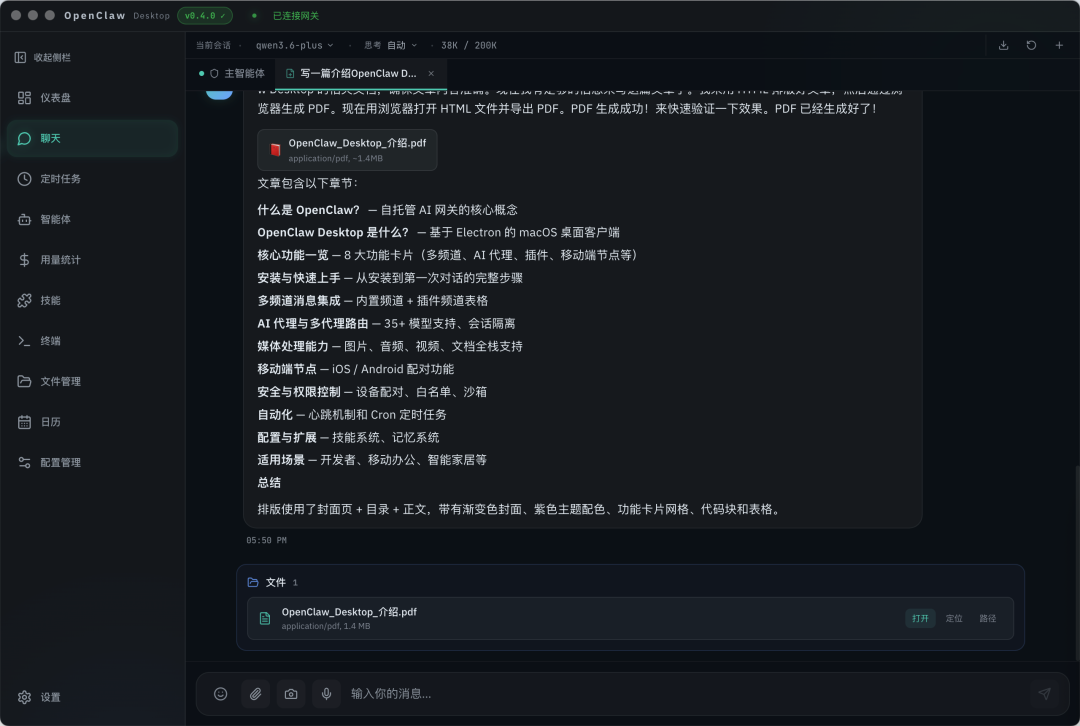
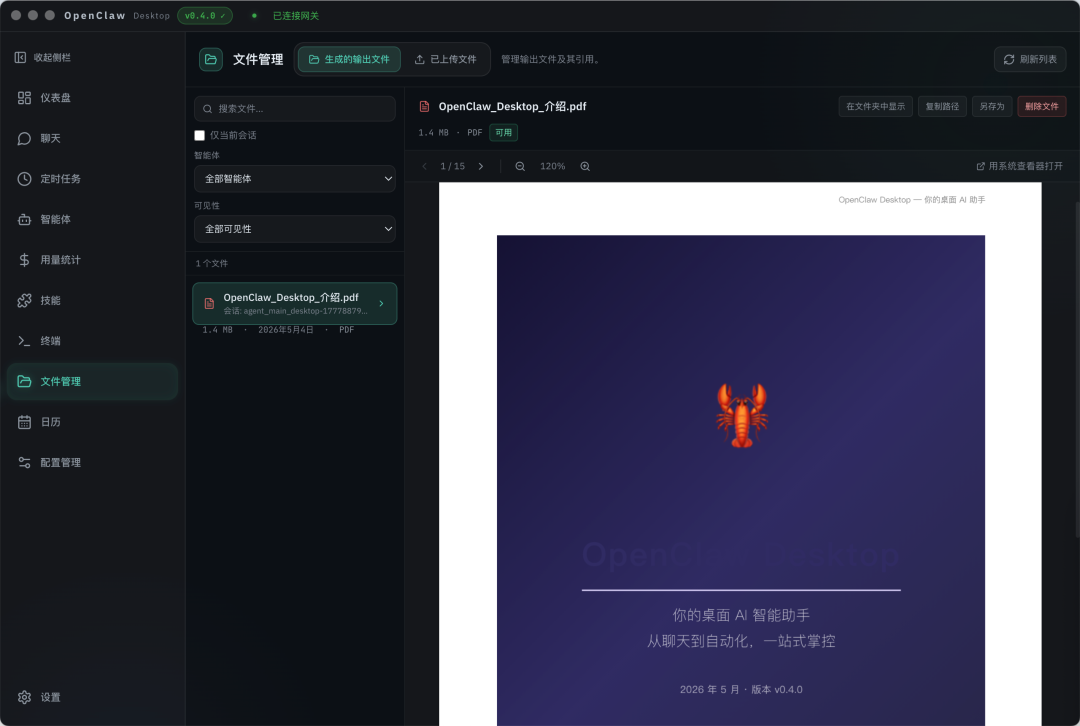
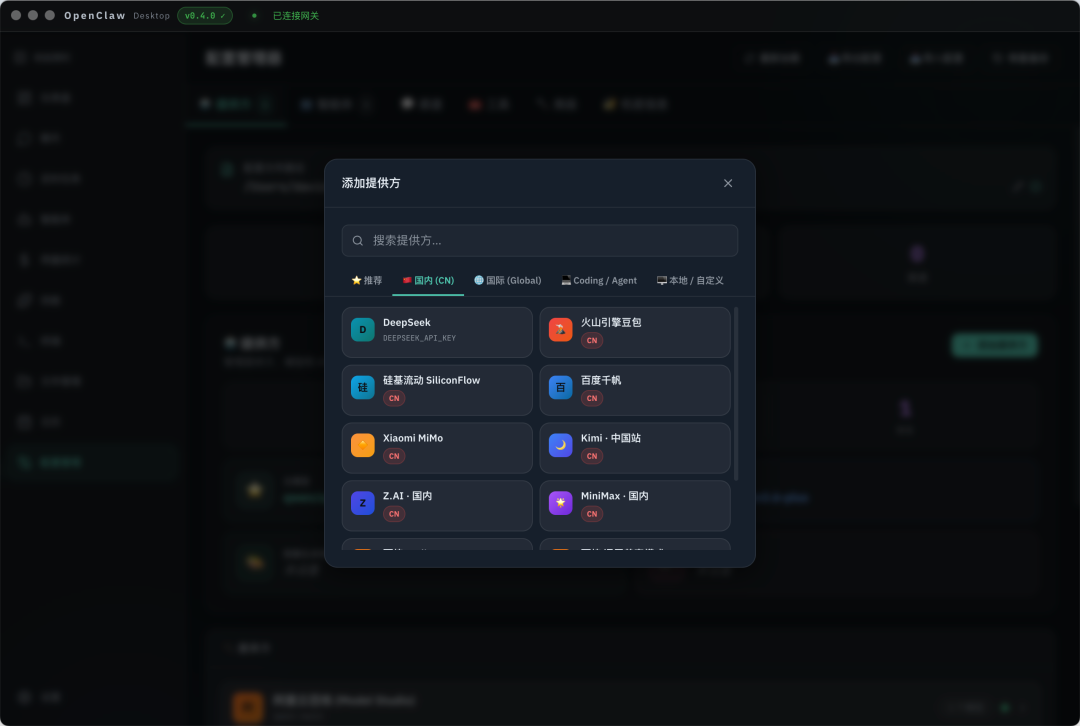
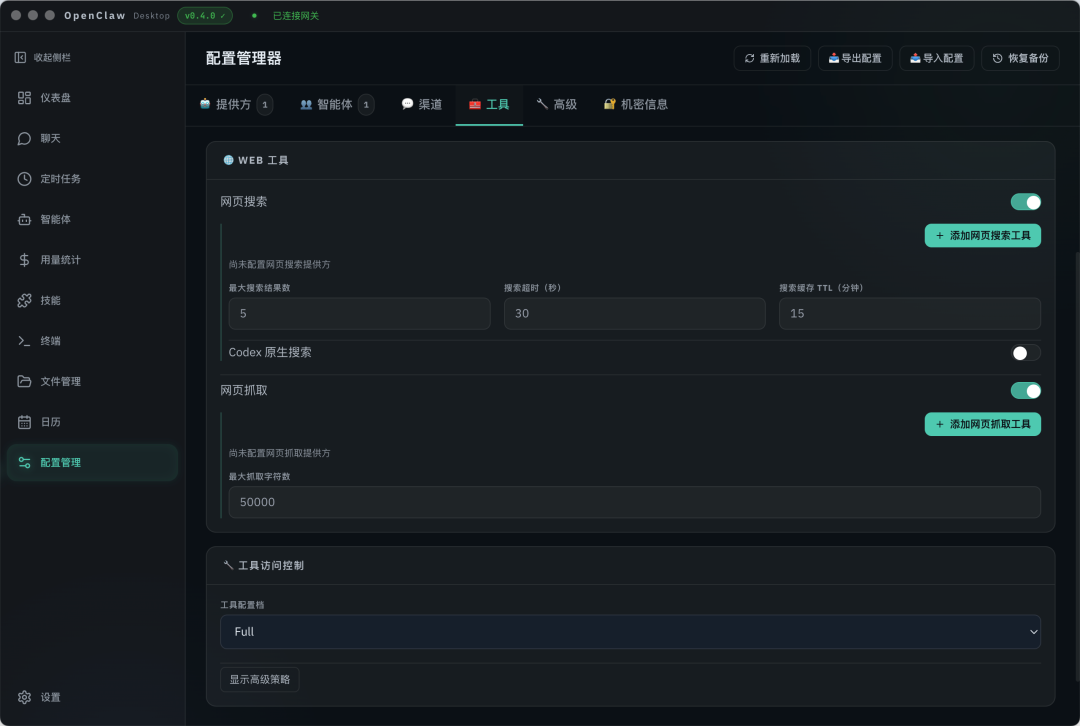
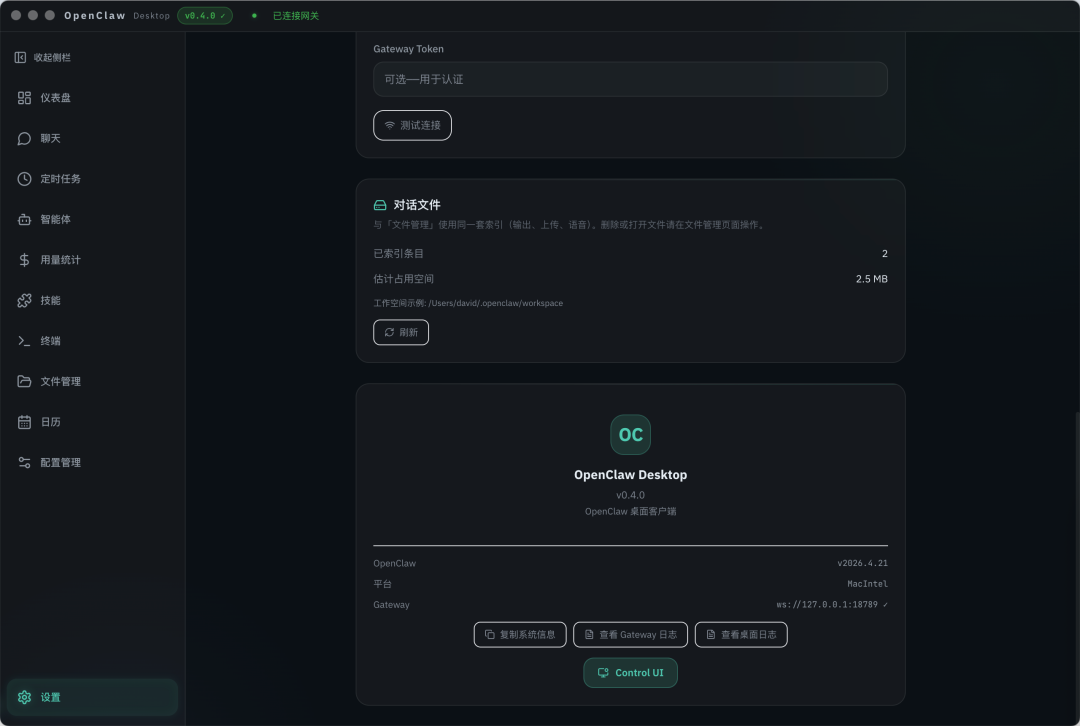
The following screenshots are taken from the v0.4.0 release article and show the actual product UI.
Chat and result rendering
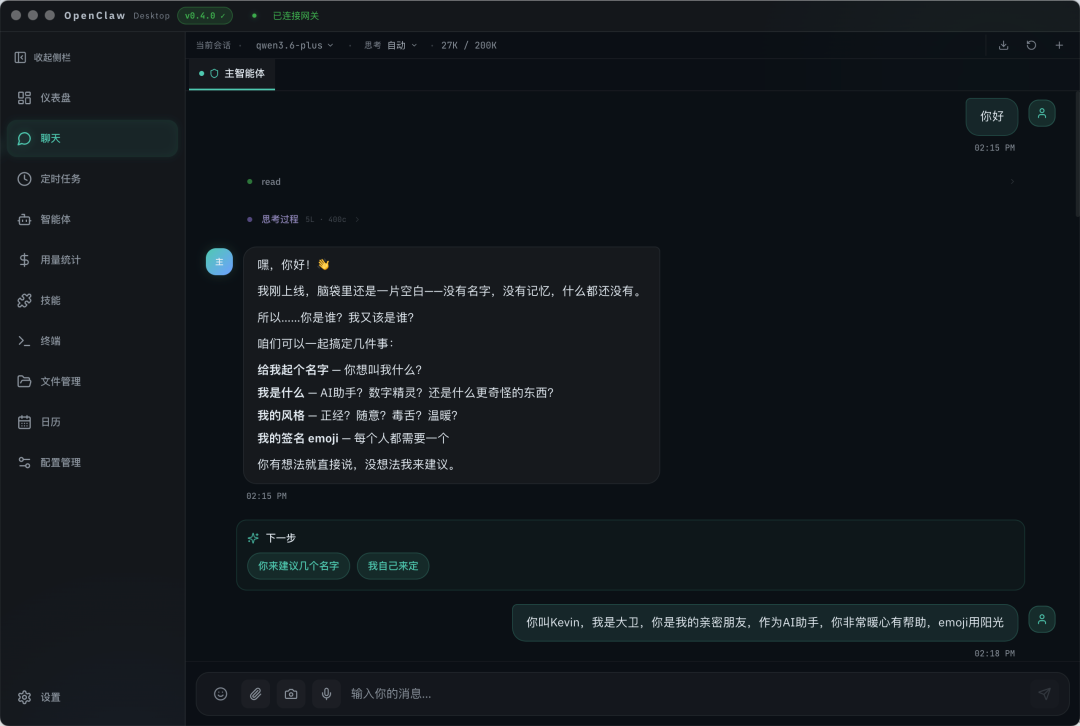
File result cards
File management and preview
Provider selection
Tool configuration
Settings and connection details
Installation
Download Releases
For most users, the recommended path is to download a prebuilt installer from GitHub Releases instead of starting from source.
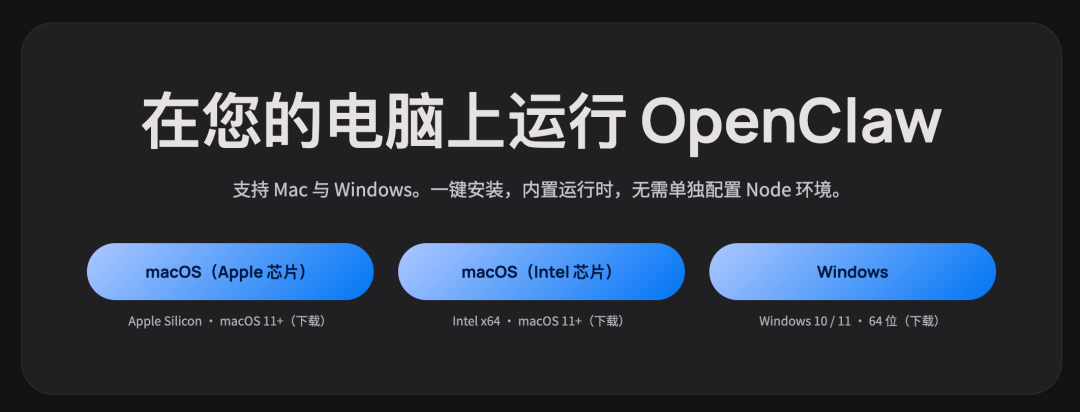
Currently published release packages:
| Platform | Recommended package |
|---|---|
| macOS Apple Silicon | OpenClaw.Desktop-<version>-arm64.dmg |
| macOS Intel | OpenClaw.Desktop-<version>.dmg |
| Windows x64 | OpenClaw.Desktop.Setup.<version>.exe |
Notes:
- Linux builds are not currently published
- macOS users should prefer
.dmg - Windows users should prefer
.exe .zipfiles are mainly useful for portable or manual extraction workflows
Start Using It
On first launch, the typical setup flow is:
- Connect to or initialize OpenClaw Gateway
- Configure an AI provider
- Choose a default model
- Install required skills
- Create your first agent or start chatting immediately
Quick Start
Development
npm install
npm run bundle:node        # macOS / Linux
npm run bundle:node:win    # Windows
npm run dev
Build
npm run build:mac
npm run build:win
npm run build:linux
Build artifacts are generated in the release/ directory by default.
Compared With A Traditional OpenClaw Workflow
| Scenario | Traditional workflow | OpenClaw Desktop |
|---|---|---|
| Setup and launch | Prepare environment and commands | Start directly from a desktop app |
| Provider configuration | Edit config manually | Visual management |
| Skill management | CLI or manual directory operations | Graphical browsing and management |
| Feature entry points | Split across CLI, files, and web | Unified in one desktop workspace |
| Day-to-day usage | Engineering-heavy | Better for regular personal and team use |
CI/CD
Buildworkflow: build validation and artifact upload without publishingReleaseworkflow: publish to GitHub Releases when av*tag is pushed
Release example:
git tag v1.0.0
git push origin v1.0.0
Documentation
- English docs:
docs/README.md - Chinese docs:
docs/README.zh-CN.md - Build and release configuration:
docs/build-release/config-build-release.md - Open-source readiness checklist:
docs/open-source-checklist.md - FAQ and troubleshooting:
docs/support/faq-and-troubleshooting.md - Contributing guide:
CONTRIBUTING.md| Chinese:CONTRIBUTING.zh-CN.md - Security policy:
SECURITY.md| Chinese:SECURITY.zh-CN.md
Acknowledgements
OpenClaw Desktop is inspired by and builds on the work of:
- OpenClaw: https://github.com/openclaw/openclaw
- AEGIS Desktop: https://github.com/rshodoskar-star/openclaw-desktop
License
This project is licensed under the MIT License. See LICENSE for details.
Reviews (0)
Sign in to leave a review.
Leave a reviewNo results found