subswap
Health Uyari
- License — License: MIT
- Description — Repository has a description
- Active repo — Last push 0 days ago
- Low visibility — Only 5 GitHub stars
Code Basarisiz
- rm -rf — Recursive force deletion command in .github/workflows/release.yml
Permissions Gecti
- Permissions — No dangerous permissions requested
Bu listing icin henuz AI raporu yok.
Switch work and personal Claude Code, ChatGPT, Codex, and Cursor accounts without logging out.


subswap
Switch work and personal Claude Code, ChatGPT, Codex, and Cursor accounts without logging out.
Keep several AI coding logins on one machine. See which account still has usage left, then switch in one command — no browser dance.


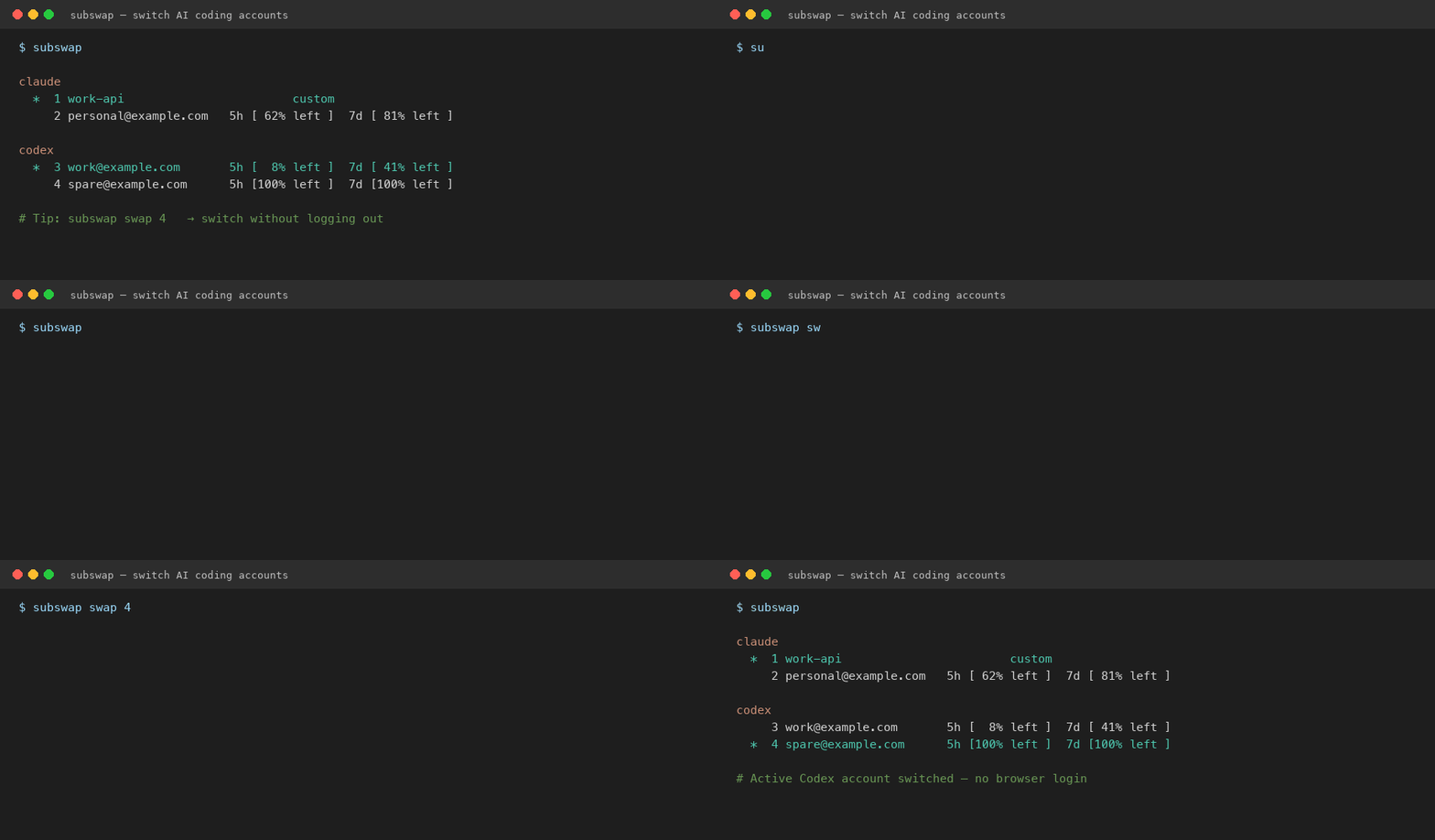
Sample demo with example accounts — not a recording of your machine.
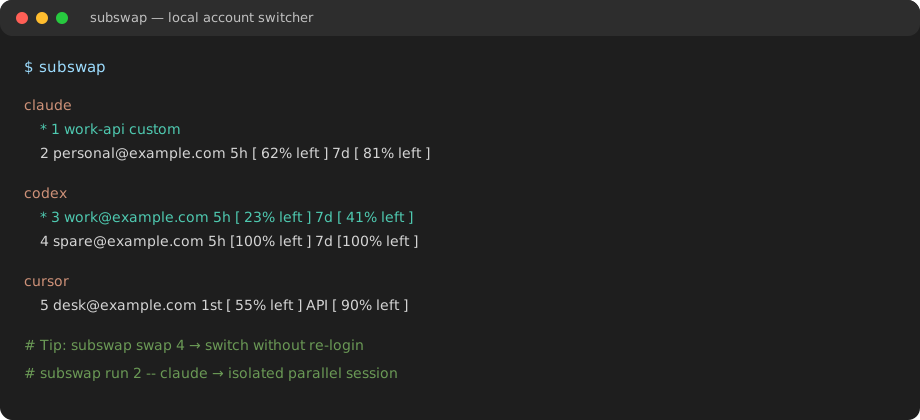
Install
On macOS or Linux with Homebrew:
brew install x0c/tap/subswap
subswap
Windows
irm https://raw.githubusercontent.com/x0c/subswap/main/install.ps1 | iex
The installer downloads the latest Windows release, verifies its SHA-256 checksum, and adds subswap.exe to your user PATH. You can also download the zip and checksum from the latest release.
GitHub Release (any OS)
Download from the latest release and verify the accompanying SHA-256 file before installing.
From source (Rust 1.80+, for development)
git clone https://github.com/x0c/subswap
cd subswap
cargo install --path crates/cli
subswap --help
Prefer Homebrew or a release asset for normal use.
What you can do
- Keep work, personal, and client accounts separate — switch Claude Code, ChatGPT, Codex, and Cursor without logging out and back in.
- See remaining headroom — Claude, Codex, Kimi, Cursor, OpenCode, and Command Code quota windows in one list.
- Switch offline when you must — manual
swapnever waits on a network or quota API; auto-swap is optional. - Run a second account in parallel when it is safe — Claude, Codex, Kimi, Command Code, and OpenCode V1 API keys can run in isolation without changing the global active login.
- Cursor on the desktop — import, switch, and quota; Cursor does not support isolated
run/shell/env.
First use
Sign in to a supported client first, then:
subswap autoswap off   # stay manual while you try it
subswap                # import local logins and list accounts
subswap swap 2         # use a number from your list
subswap login kimi
subswap login cursor
subswap login opencode
subswap login opencode-api-key
subswap login commandcode
subswap login claude
subswap login codex

subswap swap [email protected]
subswap swap claude/[email protected]

subswap run codex [email protected] -- --version
subswap shell claude/[email protected]
eval "$(subswap env codex/[email protected])"
| Client | Import and switch | Quota and auto-swap | Isolated run | Important boundary |
|---|---|---|---|---|
| Claude Code | Yes | Yes | Yes | Custom API endpoints are manual-only. |
| Codex CLI / ChatGPT | Yes | Yes | Yes | Quota lookup uses the official app-server channel. |
| Kimi Code | Yes | Yes | Yes | Sign in with the native client, then import. |
| Cursor desktop | Yes | Yes | No | Switching coordinates a desktop-app restart and its SQLite state. |
| OpenCode Console | Yes | Yes | No | Official sign-in; automatic switching stays within Console accounts. |
| OpenCode API Key | Yes | No, manual only | V1 only | Separate key list and quota; V2 selection uses the official client. |
| Command Code | Yes | Yes | Yes | Switches ~/.commandcode/auth.json; quota via /alpha/billing/credits. |
The CLI is tested in CI on macOS, Linux, and Windows. The background daemon is Unix-only: it auto-starts on Linux, requires explicit opt-in on macOS, and is unavailable on Windows.
Environment check (`subswap doctor`)
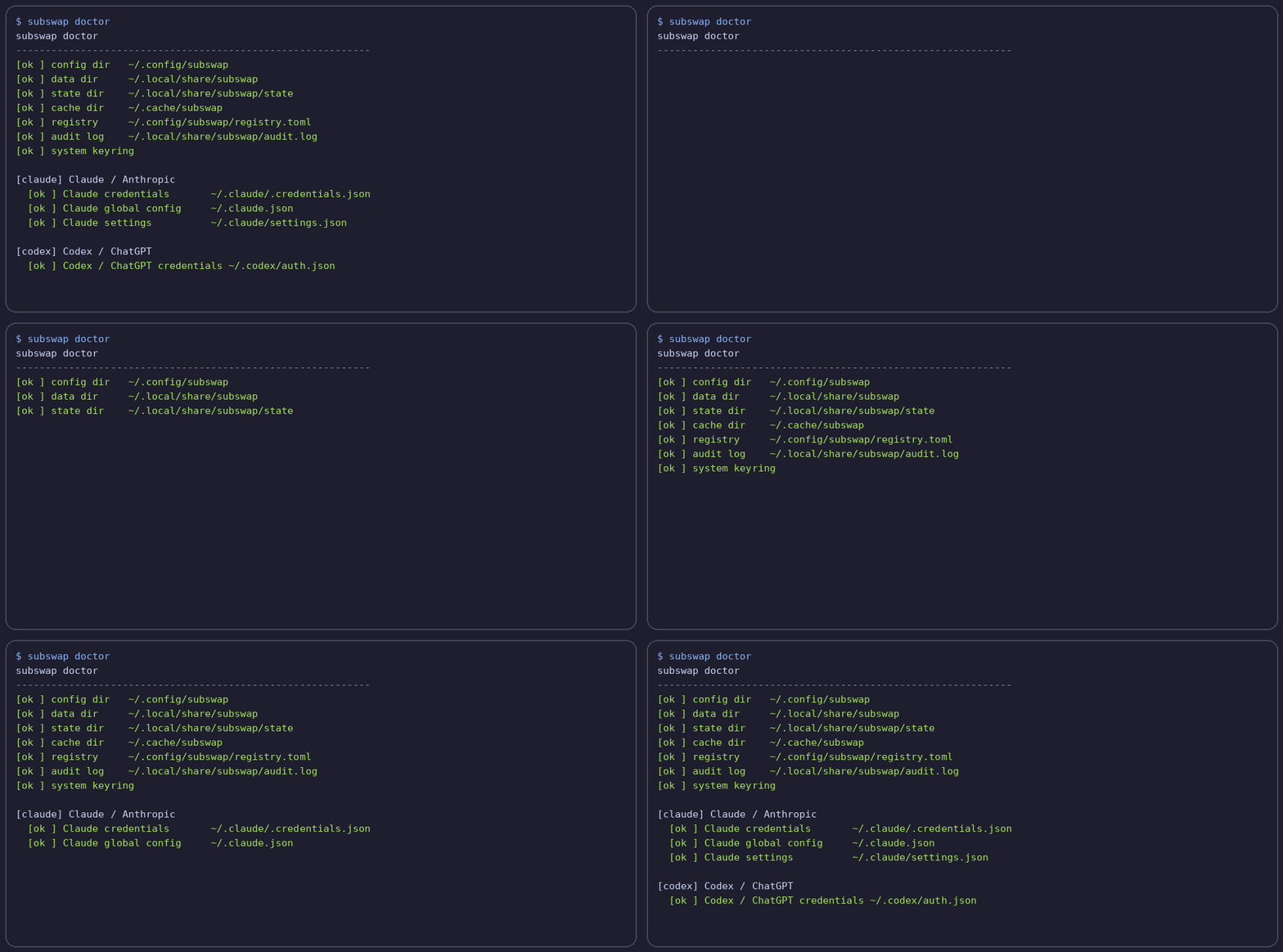
Before you start
- Use only accounts that you own or are authorized to use. subswap does not share credentials, bypass service limits, or make any upstream account policy compliant.
- Cursor cannot be used in an isolated run because its identity is desktop-app state; a Cursor swap coordinates closing and reopening the app.
- On Linux, the first
subswaprun starts a single background daemon for quota checks and optional auto-swap. On macOS, setSUBSWAP_AUTO_DAEMON=1to opt in. SetSUBSWAP_NO_DAEMON=1to disable it entirely. - Credential data stays in the application data directory. On macOS and Linux, private credential files are forced to
0600; Windows relies on the current user's application-data permissions.
Safety guarantees
- Manual switching stays available offline. Quota data is advisory: network trouble or an expired token does not stop
subswap swapfrom attempting the local switch. - Switches are transactional. subswap takes a private snapshot before changing native client state and rolls back if a target write fails.
- Automatic switching requires confirmed need and a usable target. Healthy accounts stay selected. Loading, failed, or stale quota data never triggers a swap; depleted targets are not selected merely for an earlier reset. Manual selections and manual-only accounts remain protected.
- Native clients keep their own safety boundary. Codex refreshes through its official app-server, Cursor coordinates its desktop lifecycle, and unsupported refresh states fail safely instead of racing a one-time token.
FAQ
Does a manual swap call quota APIs?
No. subswap swap is the network-independent escape hatch.
Where are credentials stored?
Private credential data is stored in the subswap application-data directory, separate from account metadata. On Unix, credential and snapshot files use 0600 permissions. Custom Claude API mode also needs its API key in Claude Code's settings; subswap restores the managed settings when you switch back to OAuth.
Can I turn off automatic switching?
Yes. Run subswap autoswap off, or disable the background daemon with SUBSWAP_NO_DAEMON=1.
Does Cursor work like the command-line clients?
Not completely. Cursor supports import, switching, and quota status, but not run, shell, or env isolation because its identity is coordinated with the desktop application's SQLite state.
Is this only for Claude or Codex?
No. Claude Code, Codex / ChatGPT, Kimi Code, Cursor, OpenCode Console and API keys, and Command Code are supported today.
Contributing and security
Read CONTRIBUTING.md for the supported contribution paths and local checks. Do not open a public issue with credentials, refresh tokens, login files, real email addresses, or billing screenshots. See SECURITY.md for private vulnerability reporting.
If subswap saves you from logging out all day, star the repo so you can find it again later.
License
MIT — see LICENSE.
Yorumlar (0)
Yorum birakmak icin giris yap.
Yorum birakSonuc bulunamadi