helm
Health Uyari
- License — License: MIT
- Description — Repository has a description
- Active repo — Last push 0 days ago
- Low visibility — Only 5 GitHub stars
Code Gecti
- Code scan — Scanned 12 files during light audit, no dangerous patterns found
Permissions Gecti
- Permissions — No dangerous permissions requested
This tool is an AI agent pipeline that automates Unity 6 game development. It uses a multi-agent system powered by Claude Code to transform a simple text description into a complete, production-ready Unity project with architecture, tests, and scenes.
Security Assessment
Overall Risk: Medium. While a light scan of 12 files found no dangerous patterns or hardcoded secrets, and the tool doesn't request dangerous permissions, its core function relies heavily on AI execution. Because it acts as an orchestration layer for multiple autonomous agents building entire software projects, it inherently executes shell commands, generates code, and modifies your local file system. Users should be cautious about granting CLI tools this level of automated system access without monitoring.
Quality Assessment
The project is very new and currently has extremely low community visibility with only 5 GitHub stars, meaning it has not been widely peer-reviewed. However, it is actively maintained (last updated today) and uses a standard MIT license. The README is highly detailed, indicating strong initial developer effort and clear documentation regarding the pipeline, hooks, and operational workflow.
Verdict
Use with caution — the tool appears safe from a malicious code standpoint but carries the standard risks associated with running highly autonomous AI agents on your local machine.
Automated Unity game development pipeline. Describe a game, get a production ready Unity Project. Powered by Claude Code

Helm
Automated Unity 6 game development pipeline powered by Claude Code.
Describe a game idea. Get a full Unity project — architecture, code, tests, and scenes.



Quick Start • Pipeline • Skills • Hooks • GUI • Contributing
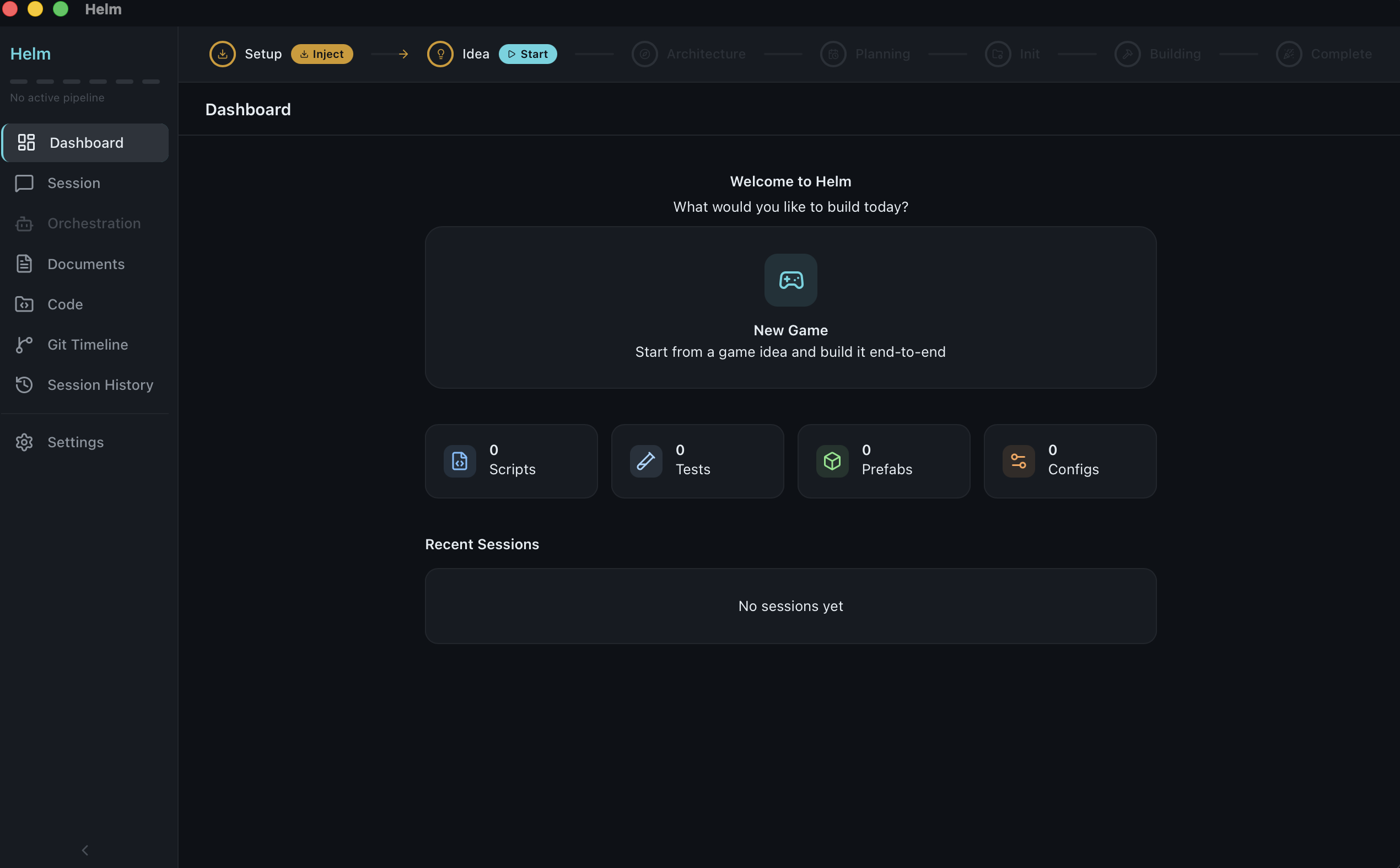
What Is This?
Helm is an AI agent system that turns a one-sentence game idea into a complete Unity 6 project. It coordinates 5 specialized agents through a 6-stage pipeline, enforcing production-grade architecture with 12 automated hooks and drawing on 40+ domain-specific skills.
No GUI required — the pipeline runs entirely in Claude Code CLI. The optional desktop app (Tauri + Svelte) provides a visual dashboard for monitoring agent orchestration.
"A match-3 puzzle game with cascading combos and power-ups"

        |
        v

/game-idea    ->  Game Design Document (GDD)
/architect    ->  Technical Design Document (TDD) with full architecture
/plan-workflow ->  Phased execution plan optimized for parallel agents
/init-project ->  Game-specific CLAUDE.md for the Unity project
/orchestrate  ->  5 agents build it: code, tests, review, scenes, commits
/build-game   ->  Runs the entire pipeline end-to-end
Why This Exists
Most AI coding tools generate code. Helm generates entire projects with enforced architecture:
Domain-specific enforcement — 11 hooks that BLOCK bad Unity patterns before they're written. Editing a
.prefabdirectly? Blocked. Missing[FormerlySerializedAs]? Warned. LINQ inUpdate()? Caught.40 contextual skills — Not generic code generation. Skills like
serialization-safety,object-pooling,character-controller, andmatch3inject Unity-specific knowledge exactly when agents need it.Multi-agent orchestration — Five specialized agents (Coder, Tester, Reviewer, Unity Setup, Committer) working in parallel with real-time mailbox communication, heartbeat monitoring, and context checkpoints.
Smart model routing — Complexity-aware model selection: Haiku for boilerplate, Sonnet for implementation, Opus for architecture review. XL-complexity tasks auto-promote to Opus.
Production architecture from day one — Model-View-System pattern, VContainer DI, MessagePipe messaging, UniTask async, zero-allocation hot paths. No singletons, no god objects, no coroutines.
Crash-resilient execution — Append-only event journal enables deterministic state recovery. No guessing —
/continuereplays every transition.Full pipeline, not just code — From a text prompt to GDD, TDD, phased workflow plan, implementation with tests, scene setup, and logical git commits.
Quick Start (CLI)
The pipeline works with just Claude Code CLI — no GUI needed.
Option 1: Copy to existing project
# Copy the pipeline config into your Unity project
git clone https://github.com/XeldarAlz/helm.git /tmp/helm
cp -r /tmp/helm/.claude/ /path/to/your/unity/project/.claude/

# Navigate to your Unity project and start Claude Code
cd /path/to/your/unity/project
claude

# Run the full pipeline
> /build-game
Option 2: Installer script
curl -fsSL https://raw.githubusercontent.com/XeldarAlz/helm/main/scripts/install-pipeline.sh | bash -s /path/to/your/unity/project
Option 3: Step by step
cd /path/to/your/unity/project
claude

# Stage 1: Describe your game idea interactively
> /game-idea

# Stage 2: Generate technical architecture
> /architect

# Stage 3: Create phased execution plan
> /plan-workflow

# Stage 4: Generate game-specific CLAUDE.md
> /init-project

# Stage 5: Let agents build it
> /orchestrate
Prerequisites: Claude Code CLI installed and authenticated. Unity 6 project initialized.
Pipeline
Commands
| Command | Stage | What It Does |
|---|---|---|
/game-idea |
1 | Interactive session to create a Game Design Document |
/architect |
2 | Generates Technical Design Document with full architecture |
/plan-workflow |
3 | Creates phased execution plan optimized for parallel agents |
/init-project |
4 | Generates game-specific CLAUDE.md at Unity project root |
/orchestrate |
5 | Multi-agent orchestrator that executes the plan |
/build-game |
* | Runs the entire pipeline end-to-end |
Additional Commands
| Command | Purpose |
|---|---|
/status |
Check current pipeline progress |
/continue |
Continue interrupted orchestration from last checkpoint |
/stop |
Gracefully pause orchestration, preserving state |
/dry-run |
Preview what the orchestrator would do without executing |
/review-code |
Manual code review on specific files |
/add-feature |
Add a feature to an existing game (updates GDD, TDD, WORKFLOW) |
/validate |
Validate a completed phase before proceeding |
/refine-gdd |
Iterate on an existing Game Design Document |
/refine-tdd |
Iterate on an existing Technical Design Document |
/catch-up |
Generate human-readable codebase comprehension guide |
/benchmark |
Run agent benchmarks to regression-test prompt/template changes |
/learn |
Extract reusable project-specific patterns into learned skills |
Agents
Five specialized agents collaborate during orchestration:
| Agent | Role | Key Responsibility |
|---|---|---|
| Coder | Implementation | Pure C# systems, models, and views following MVS pattern |
| Tester | Quality | NUnit tests for every logic system, AAA pattern |
| Reviewer | QA Gate | Architecture compliance, Unity compilation verification |
| Unity Setup | Scene Assembly | Scene/prefab/asset setup via Unity MCP tools |
| Committer | Version Control | Splits changes into logical commits by system |
Agent Communication & Resilience
Agents don't run in isolation — they report progress and survive failures:
| Mechanism | Location | Purpose |
|---|---|---|
| Mailbox | .claude/mailbox/{id}.jsonl |
Append-only progress updates, partial results, blockers |
| Heartbeat | .claude/heartbeat/{id}.json |
Overwritten timestamp — detects stalls (>10min warn, >20min replace) |
| Checkpoint | .claude/checkpoint/{id}.md |
Periodic state save — survives context compaction and restarts |
| Event Journal | docs/EVENTS.jsonl |
Append-only log of every state transition — /continue replays it |
When an agent crashes, the orchestrator checks its checkpoint and restarts with "Previous Progress" context — no work is lost.
Model Routing
The orchestrator selects model tiers based on agent type and task complexity (S/M/L/XL from WORKFLOW.md):
| Agent Type | S (simple) | M (moderate) | L (complex) | XL (critical) |
|---|---|---|---|---|
| Coder | haiku | sonnet | sonnet | opus |
| Tester | haiku | sonnet | sonnet | opus |
| Reviewer | opus | opus | opus | opus |
| Unity Setup | sonnet | sonnet | sonnet | opus |
| Committer | sonnet | sonnet | sonnet | sonnet |
This cuts cost on boilerplate (haiku is ~10x cheaper) and ensures quality on complex tasks (opus for XL).
Task Affinity
The orchestrator tracks which files each agent has worked on and prefers re-assigning related tasks to the same agent. An agent that built WalletSystem.cs gets priority for WalletSystemTests.cs. Scoring: exact file match = 1.0 points, same directory = 0.3 points. Session-scoped, soft hint only.
Generated Documents
All pipeline outputs are saved to docs/:
| Document | Content |
|---|---|
GDD.md |
Game Design Document — mechanics, progression, art direction |
TDD.md |
Technical Design Document — architecture, systems, data flow |
WORKFLOW.md |
Phased execution plan with tasks and dependencies |
PROGRESS.md |
Real-time orchestration progress tracking |
ACTIVITY_LOG.md |
Auto-generated file activity log (populated by hooks) |
EVENTS.jsonl |
Append-only event journal — source of truth for state recovery |
Skills
40+ domain-specific knowledge modules auto-loaded by agents based on file patterns:
Core (Always Active)
| Skill | What It Provides |
|---|---|
serialization-safety |
[FormerlySerializedAs] rules, Unity null checks, polymorphic serialization |
event-systems |
C# events, UnityEvent, SO channels, zero-alloc patterns |
scriptable-objects |
Data containers, event channels, variable references, runtime sets |
assembly-definitions |
Compilation speed, dependency direction, platform filters |
unity-mcp-patterns |
MCP tool selection, batch execution, scene templates |
object-pooling |
ObjectPool<T>, warm-up patterns, return lifecycle |
Systems (Loaded by Context)
| Skill | Trigger |
|---|---|
input-system |
Input actions, rebinding, multi-device |
urp-pipeline |
Render pipeline config, custom passes |
addressables |
Async asset loading, handle lifecycle |
cinemachine |
Virtual cameras, blending, impulse |
animation |
Animator controllers, blend trees, state behaviors |
audio |
AudioMixer, SFX pooling, spatial audio |
physics |
Non-allocating queries, layers, CCD |
navmesh |
Pathfinding, agents, obstacles |
ui-toolkit |
UXML, USS styling, data binding |
shader-graph |
Visual shaders, custom functions, sub-graphs |
Gameplay
| Skill | Patterns |
|---|---|
character-controller |
2D/3D controllers, coyote time, wall jump, slopes |
inventory-system |
Slot-based inventory, equipment, crafting, drag-and-drop |
dialogue-system |
SO-based dialogue trees, typewriter, conditions |
save-system |
Save slots, versioned migration, encryption |
state-machine |
Generic FSM, hierarchical states, transitions |
procedural-generation |
Noise terrain, BSP dungeons, WFC, Poisson sampling |
Genre
| Skill | Focus |
|---|---|
match3 |
Grid mechanics, cascades, special pieces |
platformer-2d |
Tight controls, level design, challenge progression |
topdown |
Camera, area transitions, NPC interaction |
rpg |
Combat, quests, skill trees, party systems |
endless-runner |
Procedural chunks, difficulty ramping |
idle-clicker |
Prestige, offline progress, big numbers |
hyper-casual |
Session pacing, tap mechanics |
puzzle |
Constraint solving, hint systems |
tower-defense |
Placement grids, wave spawning, tower upgrades |
roguelike |
Procedural dungeons, permadeath, meta-progression |
card-game |
Deck building, hand management, effect resolution |
racing |
Vehicle physics, drift mechanics, AI opponents |
Third-Party
dotween • unitask • vcontainer • textmeshpro • odin-inspector
Platform
mobile — Touch input, battery optimization, performance budgets
Learned (Project-Specific)
The /learn command extracts reusable patterns from completed implementations and saves them as project-scoped skills in .claude/skills/learned/. These grow over time — the more you build, the smarter the agents get on your specific project. Max 20 skills, confidence-tracked, user-curated.
Hooks
12 automated validation hooks enforce Unity best practices on every file write:
Blocking Hooks (PreToolUse)
These prevent bad patterns before they're written:
| Hook | What It Blocks |
|---|---|
block-scene-edit |
Direct text editing of .unity, .prefab, .asset files — use Unity MCP instead |
guard-editor-runtime |
UnityEditor namespace in runtime code without #if UNITY_EDITOR guard |
Validation Hooks (PostToolUse)
These warn about issues after writes:
| Hook | What It Catches |
|---|---|
check-pure-csharp |
using UnityEngine in Logic/Core/Systems directories |
check-naming-conventions |
Non-PascalCase types, non-standard field naming |
check-no-linq-hotpath |
System.Linq in files with Update/FixedUpdate/LateUpdate |
check-no-runtime-instantiate |
Instantiate(), new GameObject(), Destroy() outside pools |
check-test-exists |
Logic class without corresponding test file |
check-compile |
Unbalanced braces, missing namespace/type declarations |
warn-serialization |
[SerializeField] renamed without [FormerlySerializedAs] |
warn-filename |
C# filename not matching class name (breaks MonoBehaviour) |
update-progress |
(silent) Logs all file activity to docs/ACTIVITY_LOG.md |
checkpoint-nudge |
Reminds agents to save checkpoint after 8+ writes without one |
Benchmarks
Standardized test suite for regression-testing agent templates, skills, and model routing. Run /benchmark to score agents against known tasks.
| Category | Tests | What It Measures |
|---|---|---|
pure-logic |
Inventory system implementation | Core C# quality, interface compliance |
hot-path-perf |
Zero-allocation update loop | Performance constraint adherence |
test-writing |
Score system unit tests | Test coverage, structure, naming |
review-accuracy |
Deliberate bug detection | Reviewer catch rate on planted violations |
interface-design |
Type-safe event bus | Architecture quality, SOLID compliance |
Each benchmark includes: task definition, input files, required patterns, forbidden patterns, and a 1-5 qualitative rubric. Results accumulate in benchmarks/RESULTS.md for trend tracking across prompt changes.
Architecture Rules
The pipeline enforces these architectural constraints across all generated code:
| Rule | Enforcement |
|---|---|
| Pure C# logic | Game logic in plain C# classes, NOT MonoBehaviours. MonoBehaviours are thin wrappers. |
| Model-View-System | Models (data), Views (MonoBehaviour rendering), Systems (plain C# logic via VContainer) |
| VContainer DI | No singletons, no FindObjectOfType, no static access. Constructor injection only. |
| MessagePipe | Cross-system communication via readonly struct messages. No SO events, no static EventBus. |
| UniTask | All async via UniTask. No coroutines, no IEnumerator, no yield return. |
| Zero-alloc hot paths | No new, boxing, LINQ, or string ops in Update/FixedUpdate/LateUpdate. |
| Mandatory tests | Every logic system has NUnit tests. No exceptions. |
| Serialization safety | [FormerlySerializedAs] on any renamed field. Unity == null, never ?. on UnityEngine.Object. |
| No runtime instantiation | Prefabs + object pools. No new GameObject() or Instantiate() in gameplay code. |
| ScriptableObjects | All static/config data as ScriptableObject assets. |
See .claude/rules/ for full documentation with code examples.
Helm GUI
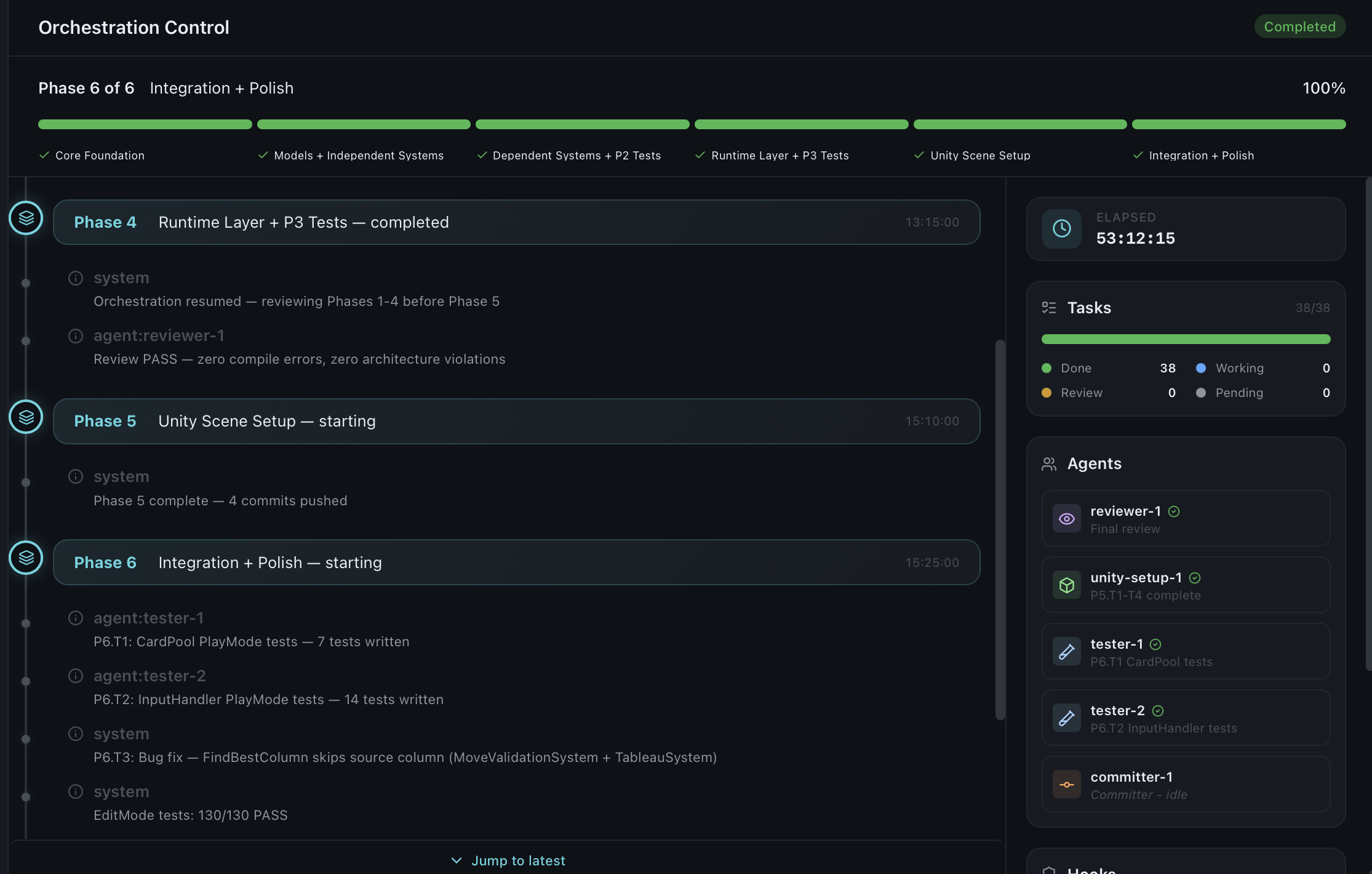
The optional desktop app provides a visual control center for the pipeline:
| Feature | Description |
|---|---|
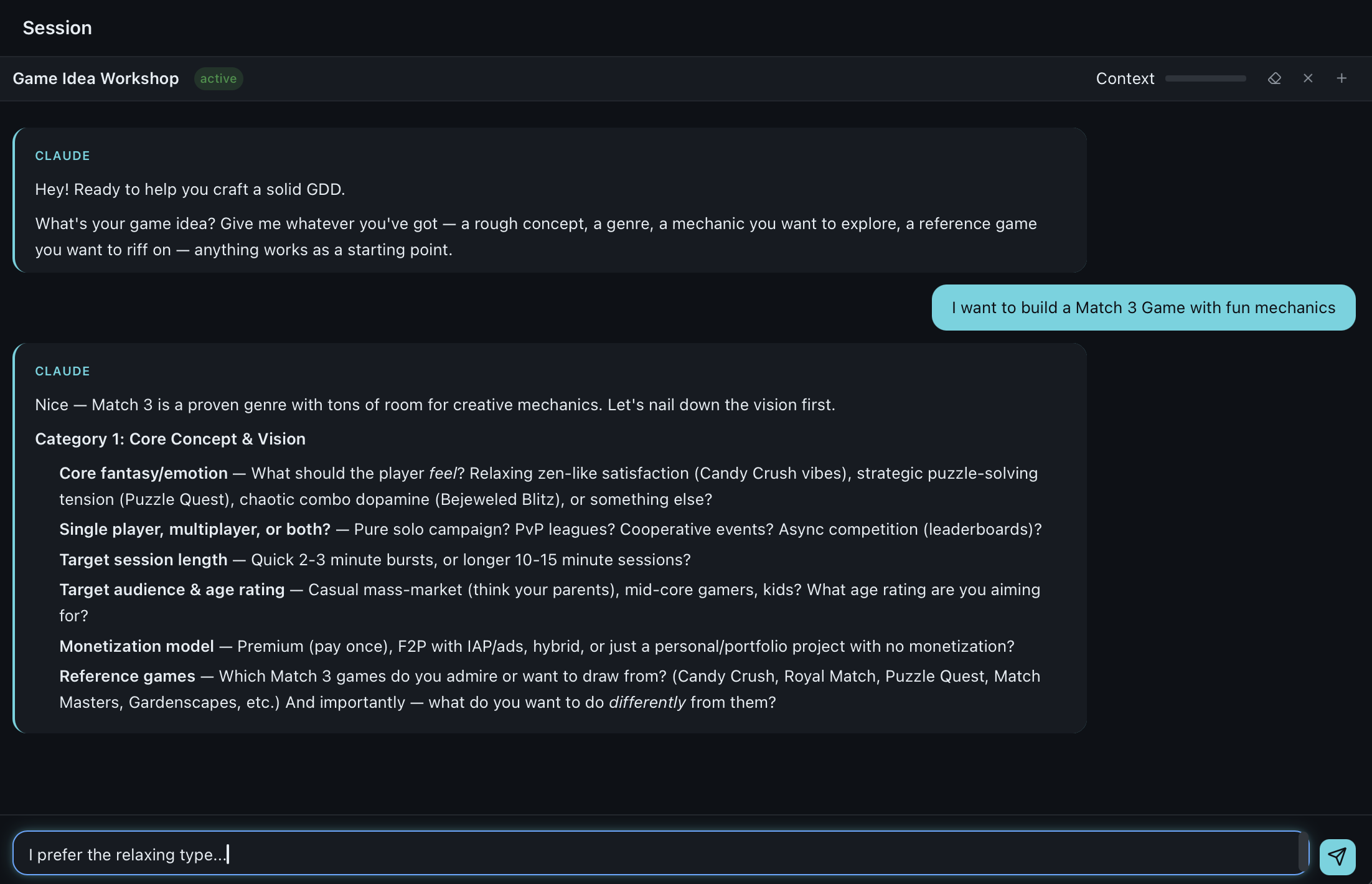
| Chat Sessions | Interactive Claude Code conversations with markdown rendering |
| Orchestration Dashboard | Monitor and control multi-agent execution in real time |
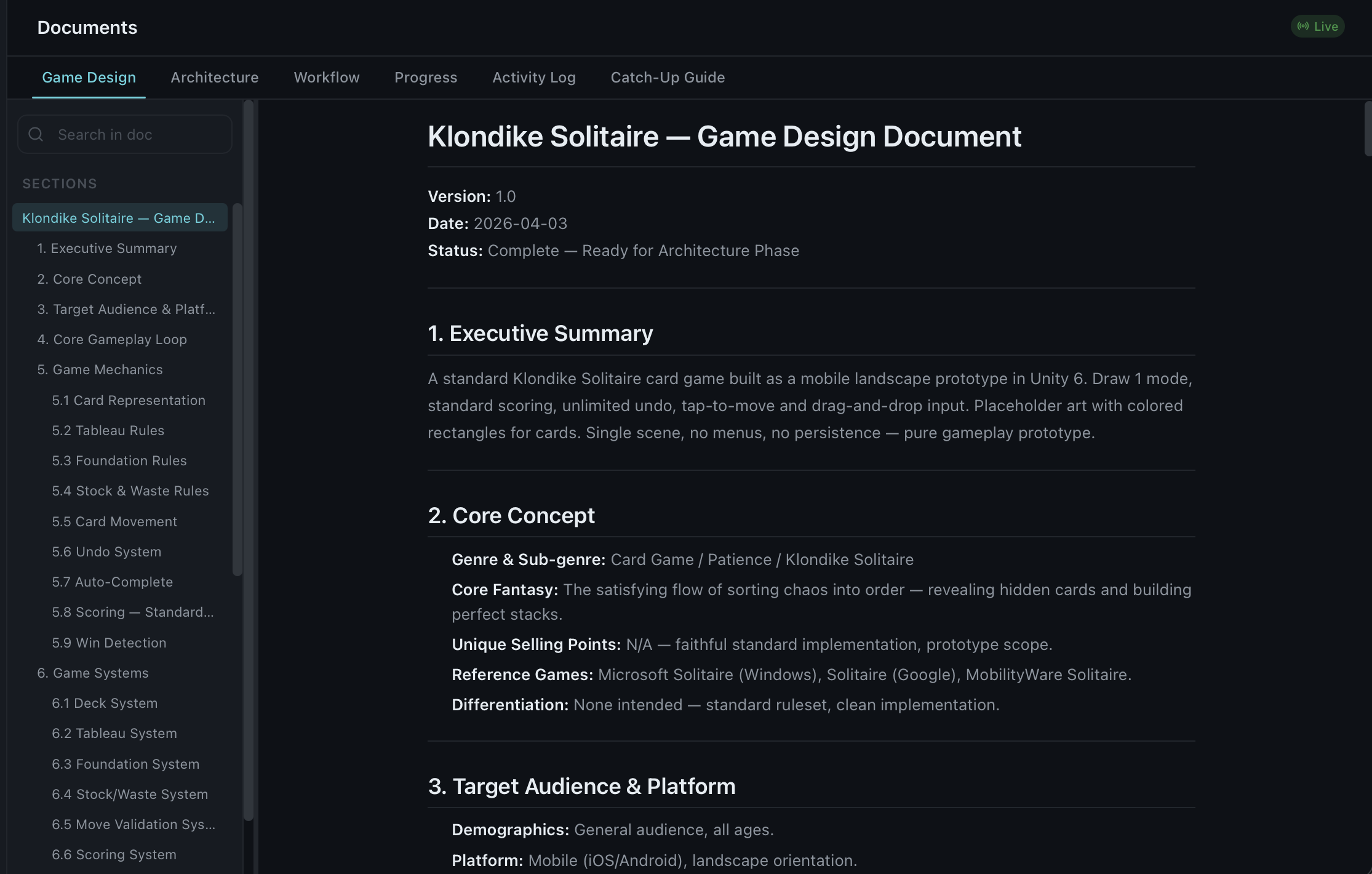
| Document Viewer | Browse generated GDDs, TDDs, and workflow plans |
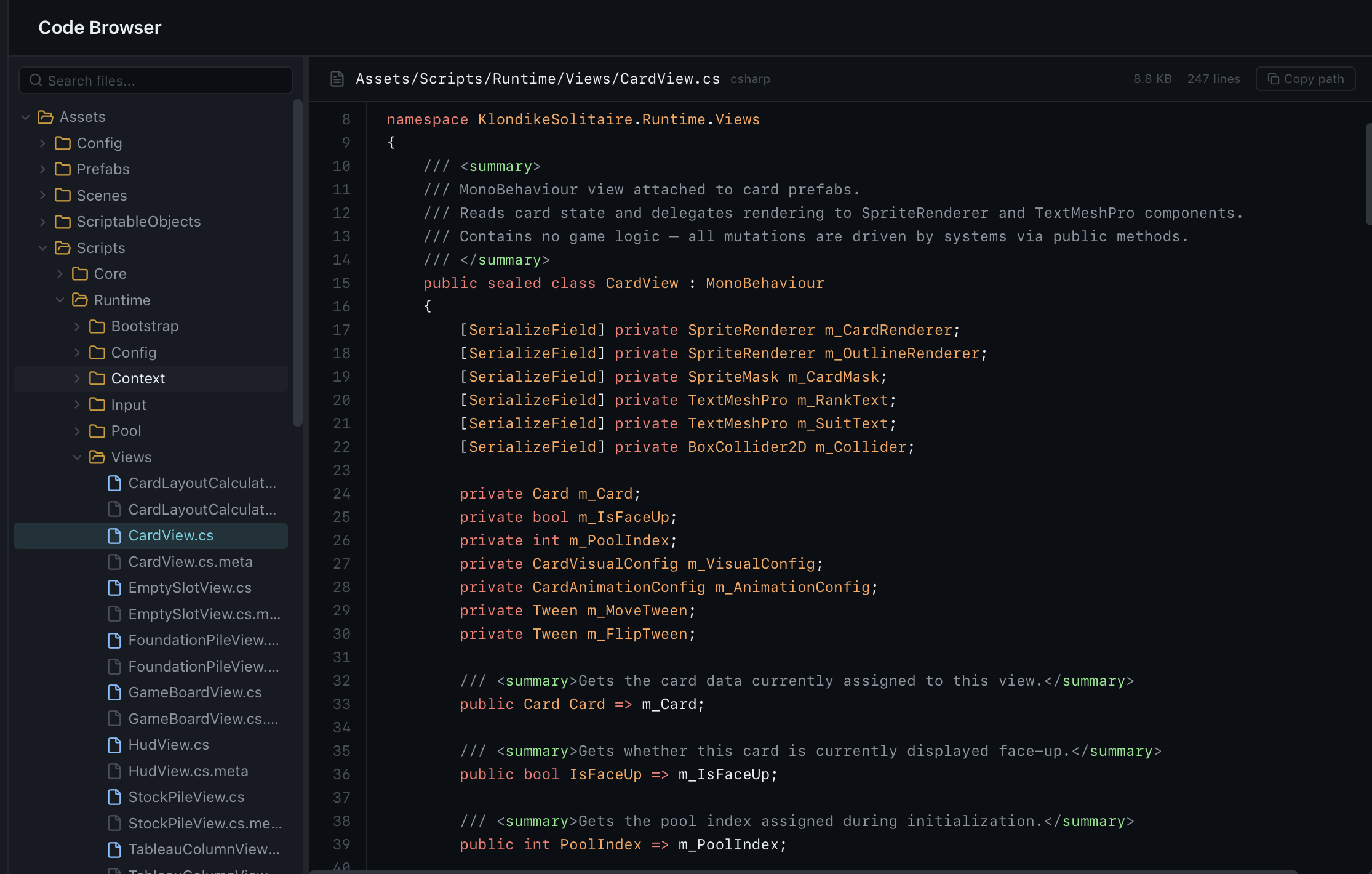
| Code Browser | Explore generated Unity project files |
| Git Timeline | Visual history of all pipeline commits |
| Session History | Resume previous conversations and pipelines |
Orchestration Dashboard
Chat Sessions
Document Viewer
Code Browser
Running the GUI
# Install dependencies
npm install

# Development mode
npm run dev

# Build for macOS
npm run build:macos
Tech Stack
| Layer | Technology |
|---|---|
| Desktop | Tauri 2 (Rust) |
| Frontend | Svelte 5 + TypeScript |
| Styling | Tailwind CSS 4 |
| Animations | Motion |
| AI Backend | Claude Code CLI |
| Target Engine | Unity 6 |
Examples
See examples/ for sample pipeline outputs showing what gets generated at each stage.
Contributing
Contributions are welcome — especially new skills and genre templates. Adding a skill takes about 30 minutes.
See CONTRIBUTING.md for guides on adding skills, genres, hooks, commands, and more.
License
Yorumlar (0)
Yorum birakmak icin giris yap.
Yorum birakSonuc bulunamadi