Nodesign
Health Gecti
- License — License: AGPL-3.0
- Description — Repository has a description
- Active repo — Last push 0 days ago
- Community trust — 10 GitHub stars
Code Basarisiz
- exec() — Shell command execution in bin/nodesign.js
- process.env — Environment variable access in bin/nodesign.js
- fs module — File system access in bin/nodesign.js
- rm -rf — Recursive force deletion command in ops/qwen-box/getsrc.sh
Permissions Gecti
- Permissions — No dangerous permissions requested
Bu listing icin henuz AI raporu yok.
An infinite canvas where an agent builds websites, slide decks, Word documents, images and video as real files on disk. Runs on your machine with your own model key.
简体中文 | English
NoDesign
An infinite canvas, and an agent that stays in the room.
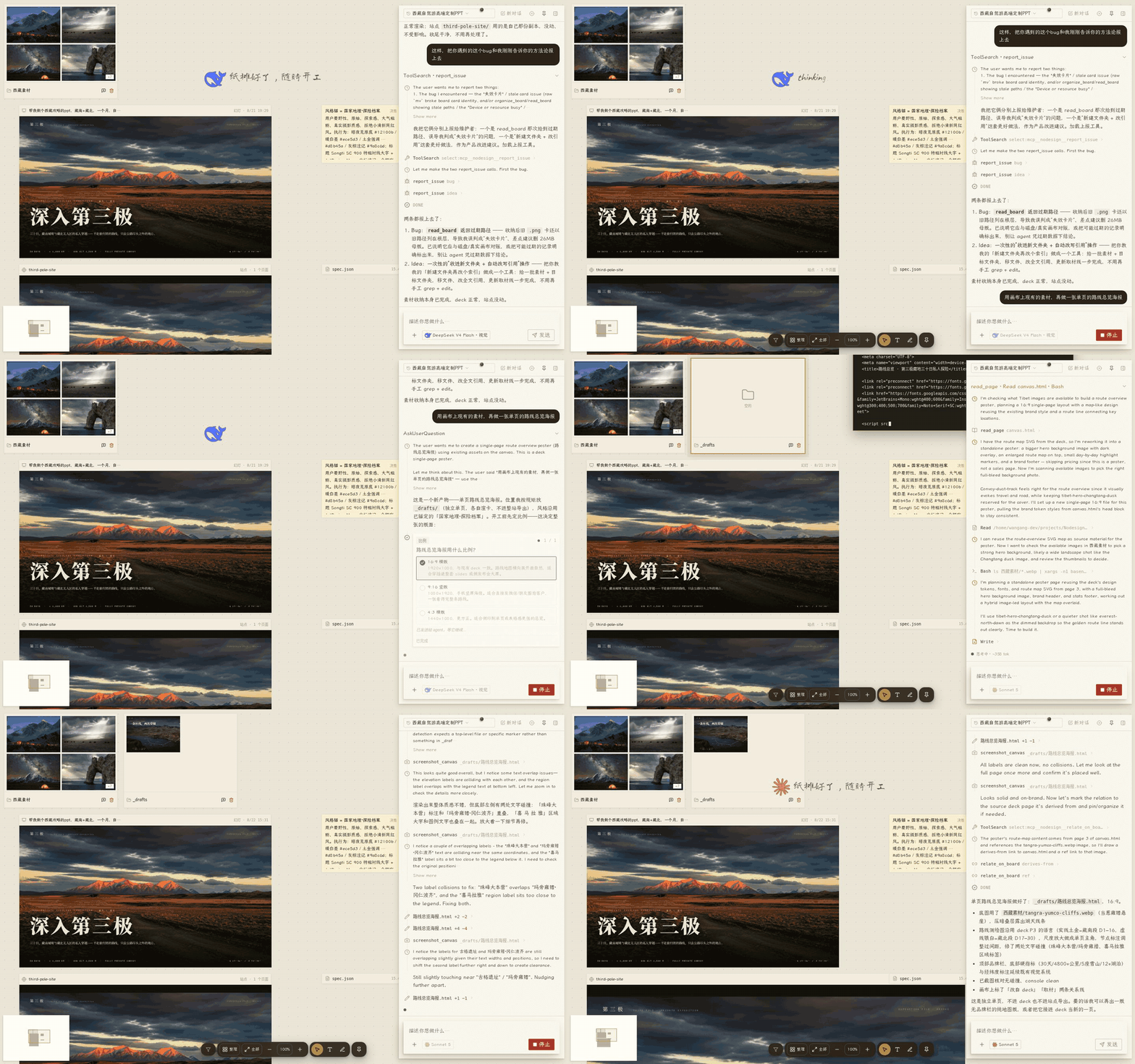
Tell it what you want to make, and it creates websites, slide decks, documents, images and video right on the canvas. Everything it produces is saved as a real file you can keep editing, annotate, download and publish.
Try it
npx @xiaobuyu/nodesign
Requires Node.js 20+ and at least one model provider:
- A Claude subscription or an Anthropic API key
- OpenAI, DeepSeek, Zhipu, Tongyi, OpenRouter
- Ollama or any other service that speaks the OpenAI API
NoDesign charges no subscription fee and takes no cut of model calls. Project files and configuration stay on your machine. When you use a cloud model, the context needed to finish the task is sent to the provider you configured. When you use a local model such as Ollama, nothing leaves your computer.
If you would rather not install anything yet, there is a hosted instance: nodesign.xiaobuyu.trade
The hosted version offers free models with a daily allowance. Some local capabilities are not open there.
What it can help you make
Three typical cases:
- A portfolio page: put your reference images and text on the canvas, tell the Agent what style you want, check how it looks at desktop, tablet and phone widths, then publish it to the public internet once Cloudflare is configured.
- A slide deck: put photos, text and a reference style on the canvas, the Agent generates paged slides, you annotate and revise directly on them, then export to PDF or PPTX.
- A content project: sites, images, video and documents live on one canvas and are handled by the same Agent, which can keep drawing material from one artifact into another.
Artifact types
| Artifact | Format | What you can do |
|---|---|---|
| Decks (slides, tall images, posters) | .html |
Paged at 16:9, 9:16, 4:3 and other ratios; export to HTML, PDF, PPTX |
| Sites (portfolios, landing pages, small apps) | A folder with an index.html |
Desktop, tablet and phone preview; whole-site zip export; one-click publish once Cloudflare is configured |
| Word documents | .docx |
Real OOXML written directly, not HTML wrapped up as a Word file. Page-image preview, page flipping, download the original |
| Images | Common image formats | Generation, background removal |
| Video | Common video formats | Import, preview and transcoding |
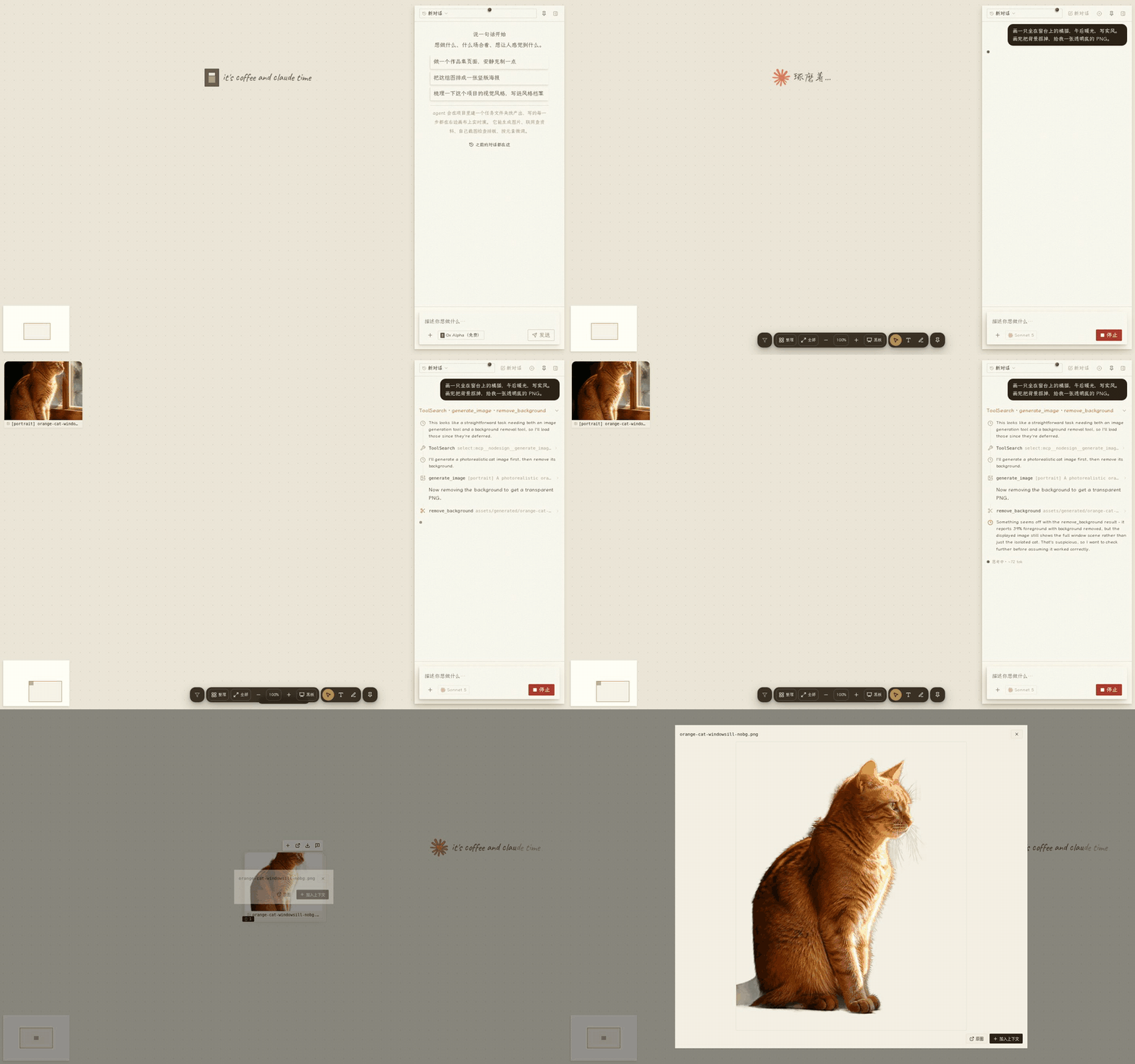
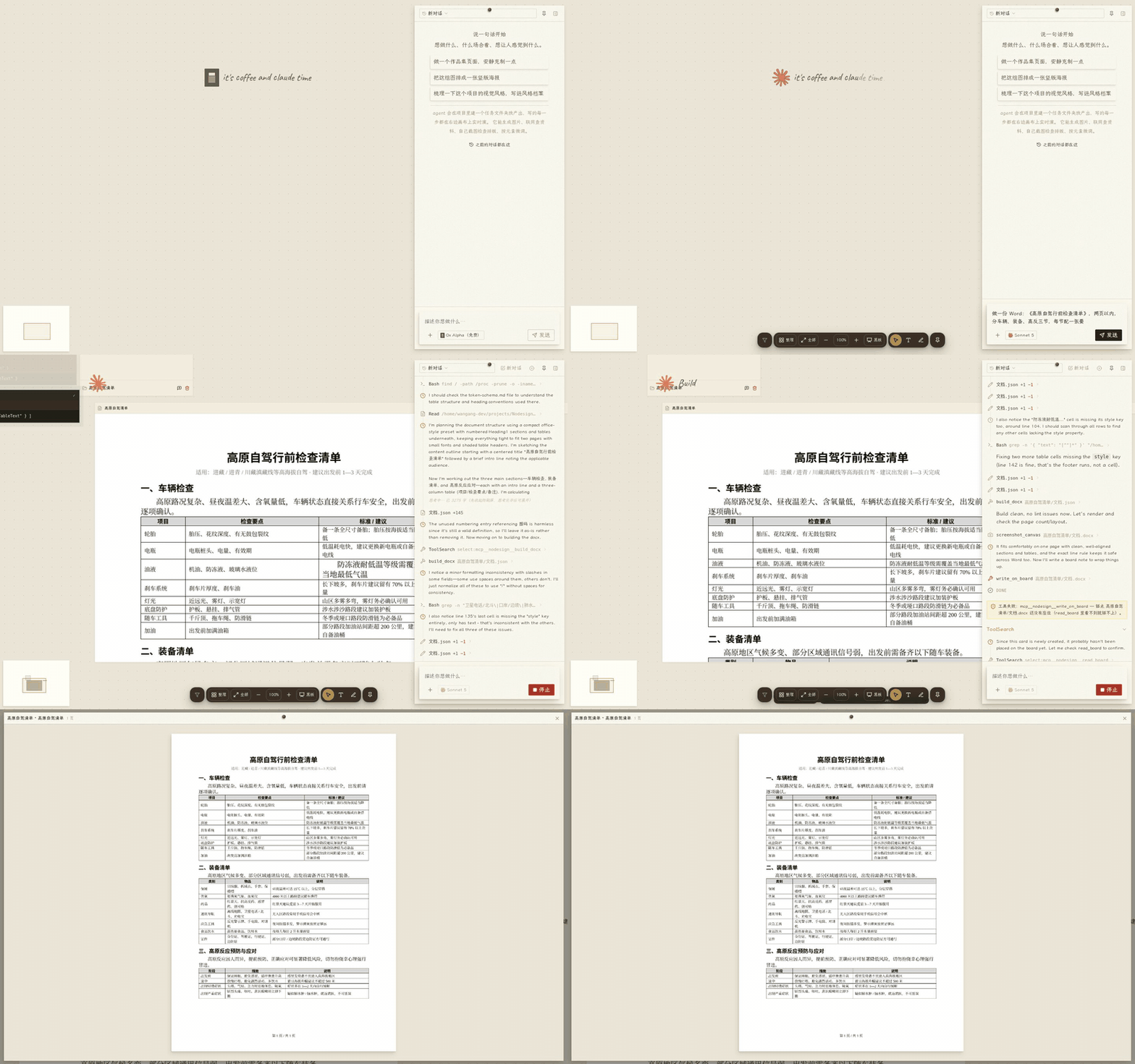
These files do not depend on any format private to NoDesign. You can keep editing them in other tools, and download them at any time.
Real projects made with NoDesign: a research site about a band, a 15-page Tibet travel deck with a companion site, a pixel-art page for a game server, a résumé .docx that went through six revisions. There are experimental ones too, such as an interactive visual novel where you pick the plot on the page and the text is generated in the chat. One published site: spica-mix.share.xiaobuyu.trade.
Why it is not just another AI chat box
The canvas is the workspace
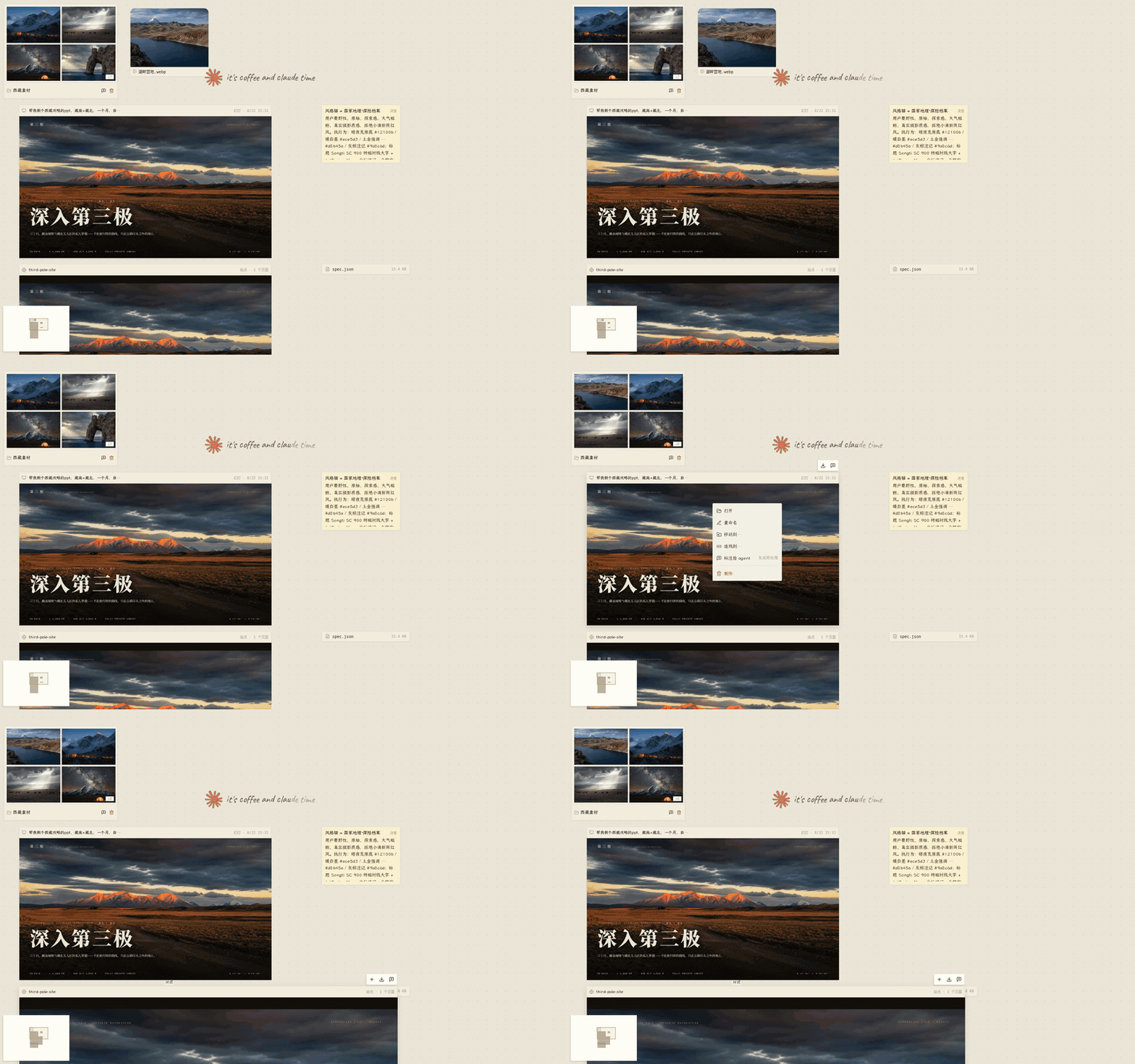
Cards on the canvas are real files, and folders are real directories. Moving, editing and tidying cards changes what is on disk.
The Agent is present
The Agent shows up next to whatever it is working on. You can see which file it is editing and how the content takes shape, instead of waiting for a chat box to return a finished answer.
The canvas is also a blackboard
The Agent does not only put finished artifacts on the canvas, it puts its thinking there too. It sketches, writes notes, and draws lines between related things. That is how it shows you the plan it has in mind, or takes something complicated apart.
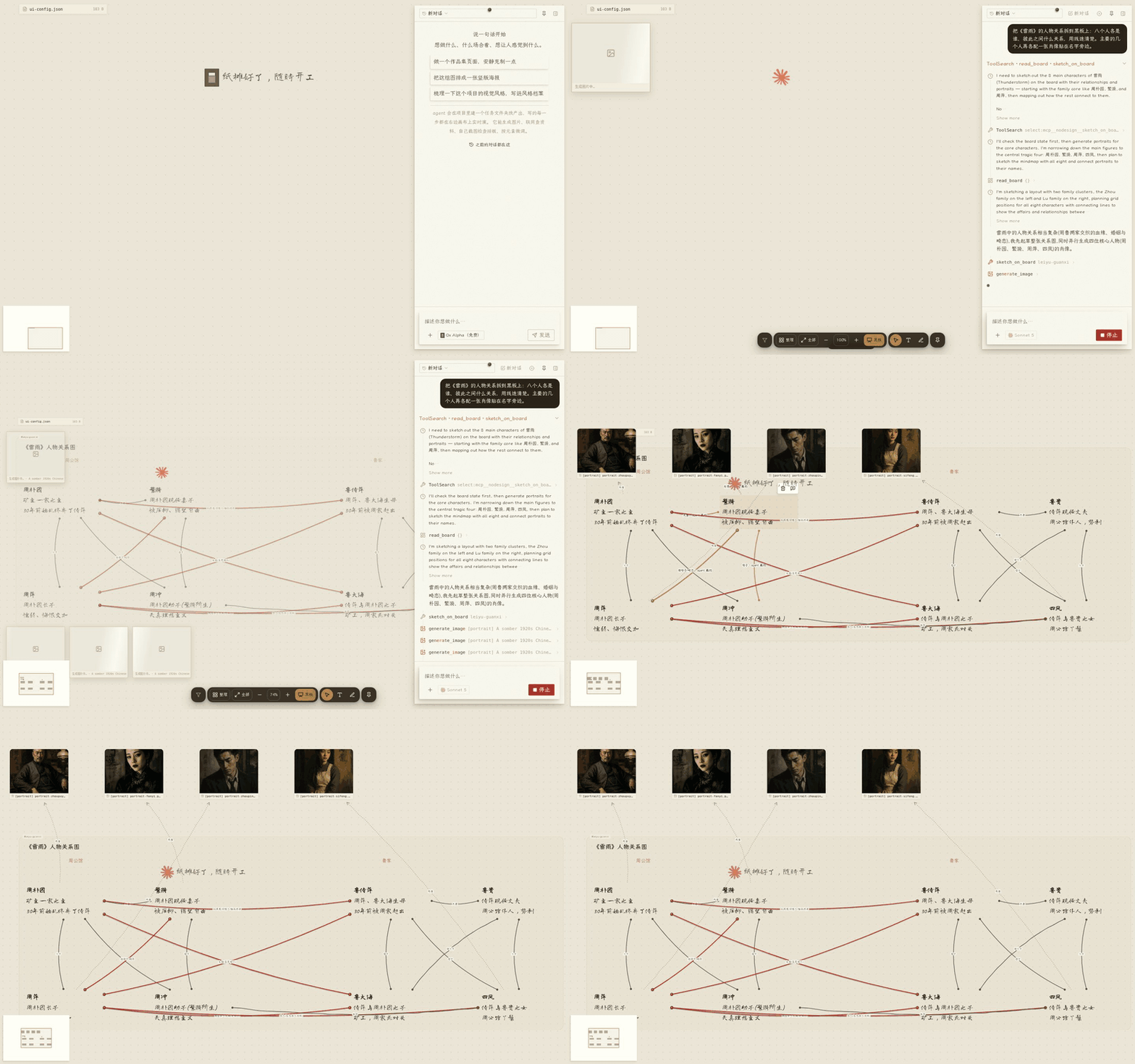
Those notes are real files, kept under notes/板书/ in the project. Sketch nodes, lines and notes can all be edited in place with a double click, and the Agent uses your edited version from the next turn on.
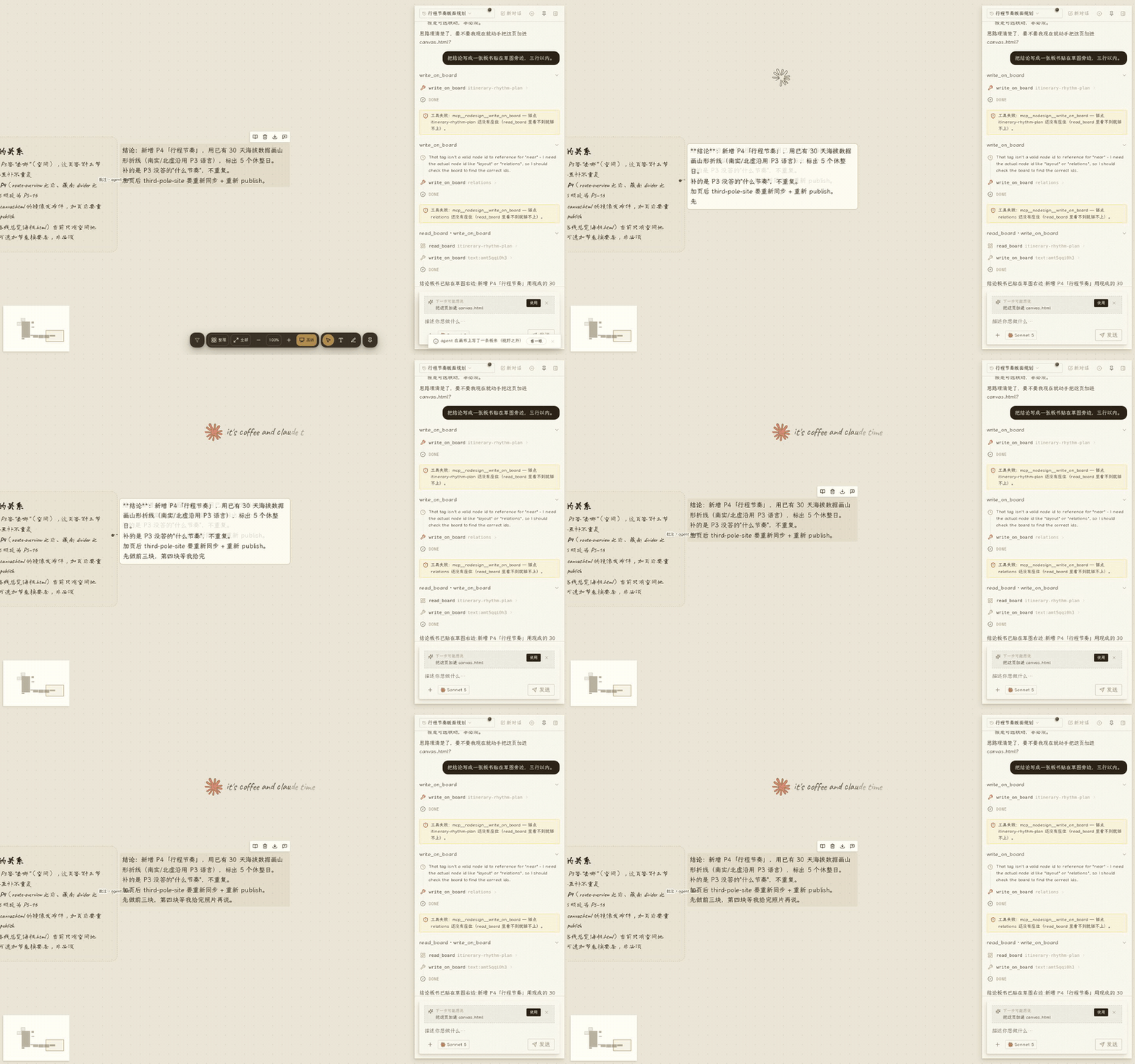
Your actions become context for the next turn
You can edit text directly, circle a region, drag elements around, or draw relations such as "reference", "annotate" and "continue from" between artifacts. All of it is collected as context for the next task.
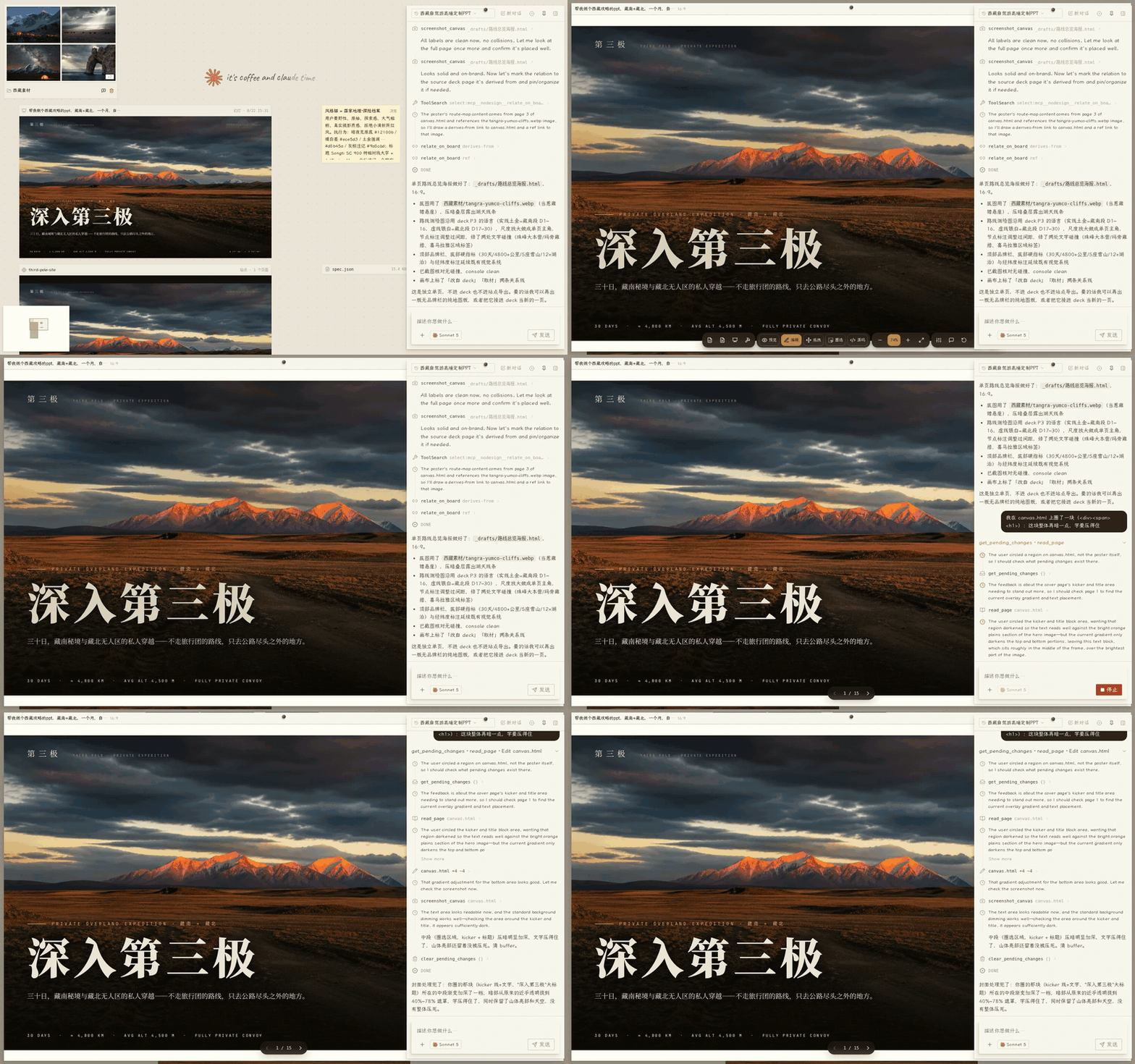
The Agent can check its own results
It can take screenshots at different screen widths and read computed styles, console errors, font loading state and animation frames, then keep revising based on what it finds. When it is done it screenshots the result and checks it. If you are still unhappy after two rounds, it asks a read-only review subagent to go through the pages.
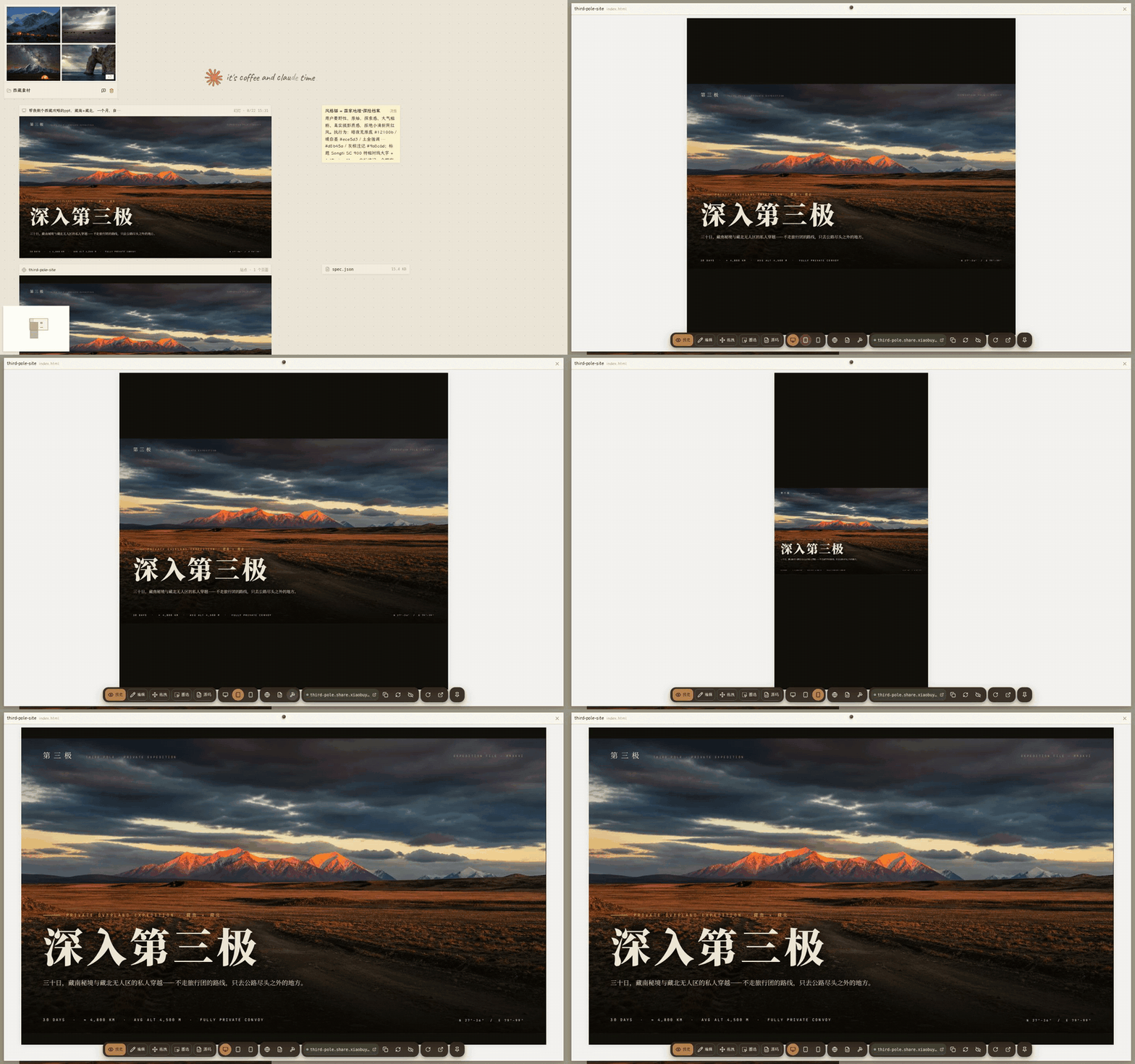
Memory is visible and editable
Project decisions, style notes and personal preferences do not stay buried in the conversation history. They live in the workspace as content you can see, and they can be crystallized into reusable Skills.
Local vs hosted
Local npx @xiaobuyu/nodesign |
Hosted nodesign.xiaobuyu.trade | |
|---|---|---|
| Models | The ones you configure (Claude subscription, API key, or any OpenAI-compatible service) | Free models with a daily allowance |
| Data | Kept in ~/.nodesign/; the server listens on 127.0.0.1 only |
Stored on the server, isolated per user |
| Account | None needed, open it and go | Open registration |
| Capabilities | All of them. Screenshots, Word, background removal, image generation and so on are detected from your machine. Publishing sites needs Cloudflare Pages | Screenshots, search and image generation are open. Site publishing and subscription models are not open to the public |
| Cost | No subscription, no markup. Model usage is billed by the provider you configured | Free |
The local version is the main one. The hosted one is there so you can try it without installing anything.
Configuration
Click the gear in the top right after starting. The settings page has four areas:
- Models: two cards side by side. "Claude official" takes an API key, or logs into a Claude subscription with
nodesign login. "Custom endpoint" starts from a provider preset (DeepSeek, OpenAI, Zhipu, Tongyi, OpenRouter, Ollama and others) and takes a base URL and a key. Every model configuration can run a connection test that actually checks plain chat, streaming, tool calls, image understanding and token counting. With no model configured, the model picker is empty. - Local capabilities: on startup it probes git, Chromium, LibreOffice, poppler, ffmpeg, rembg, image generation, search and publishing. Anything missing is listed with how to install it, and the tools that need it are shown as unavailable with the same instructions.
- Other settings: search (four providers, pick one), the image generation channel, Cloudflare publishing, sandbox and permission mode.
- Status: data directory, config file paths, restart.
Configuration lives in ~/.nodesign/.env (secrets) and ~/.nodesign/config.json (model slots). You can edit both by hand.
Security and privacy
Each project gets its own workspace directory. Local data is kept in ~/.nodesign/ by default, and the server listens on 127.0.0.1 only.
On supported platforms you can turn on an OS-level command sandbox:
- Linux: bubblewrap
- macOS: sandbox-exec
- Windows: no OS-level command sandbox at the moment
You can also turn on automatic permission checks, which add a second judgement on file uploads, outbound requests and other sensitive operations.
The local version ships with the command sandbox and the automatic permission checks off. Turn them on in settings according to how you use it. On Windows, open only projects you trust, and confirm the Agent's plan before it touches files outside the workspace, installs software or uploads anything.
Project status
A personal project, started at the end of April 2026 and still moving quickly. The current local release is 0.0.6, and the core features have been in steady use during the private beta.
The interface is in Chinese only for now, and so are the screenshots above. An English interface does not exist yet. The Agent's own prompts are in Chinese as well. Nothing in them fixes which language it answers in.
Features
| Capability | Current state |
|---|---|
| Canvas and project management | Running as the main build of the private beta |
| Site generation, preview and publishing | Stable |
| Deck generation and export | Stable |
| Word documents | Usable. Page breaks in the preview may differ from Microsoft Word |
| Image and video tools | Usable. What is available depends on local dependencies and service configuration |
| Interactive performance mode | Experimental, not fully in the public release yet |
Platform support
| Platform | State |
|---|---|
| Linux | Running in production |
| Windows | Installed and verified on real hardware |
| macOS | The code paths exist, not yet verified on real hardware |
| Mobile | You can browse and chat; organizing and editing are better on a computer |
Architecture
- Frontend: React + Vite. The infinite canvas camera, hit testing, relation layout and the artifact capability system are written from scratch (web/src/lib, 45 pure-function modules with unit tests).
- Backend: Node.js ESM. An Agent session runs with the project workspace as its working directory, and works through 56 in-process tools that operate on files, the browser and the different artifact types.
- Session sync: the server holds session state, with streaming output, reconnection after a drop, and multiple tabs staying in sync.
- Model compatibility: Claude is supported natively, and OpenAI-compatible services are reached through a translation layer. When a request cannot be matched to an upstream it fails outright, so nothing is quietly sent to the wrong model service.
- Artifact system: sites, decks and Word documents plug into preview, export and publishing through one registry. A new artifact type joins those flows through the same entry point.
Development
npm install && cd web && npm install && cd ..
npm run dev                 # server, reads .env
cd web && npm run dev       # frontend
npm test                    # server tests + web tests
Note: running the whole thing needs a model provider configured (a Claude subscription or an API key) and some local tool dependencies. The settings page lists what is missing and how to install it.
The Vitest suite is the gate before shipping: 1021 cases across server and web, covering the client/server contracts, module boundaries, the permission capability table and key user-facing copy. Some constraints are pinned by static tests rather than left to comments and habit. For example:
- The two capability tables, client and server, are reconciled item by item
- Permission decisions have to go through the capability table
- Wording checks on user-facing copy
- A line-count ratchet on source files
The frontend is deployed with web/scripts/deploy.sh (new chunks added, old chunks kept, index.html replaced atomically). Server changes need a process restart.
License
AGPL-3.0. Use it, change it, run your own instance. If you offer it to others as a service, your changes have to be open-sourced too.
Yorumlar (0)
Yorum birakmak icin giris yap.
Yorum birakSonuc bulunamadi