hermes-console
Health Gecti
- License — License: GPL-3.0
- Description — Repository has a description
- Active repo — Last push 0 days ago
- Community trust — 16 GitHub stars
Code Gecti
- Code scan — Scanned 12 files during light audit, no dangerous patterns found
Permissions Gecti
- Permissions — No dangerous permissions requested
Bu listing icin henuz AI raporu yok.
Android-first Flutter client for self-hosted Hermes Agent — chat, Bots, Voice and private remote control.
A private, Android-first console for the self-hosted Hermes Agent you control.






Español · Installation · Server setup · Privacy · Security
Hermes Console is an independent Flutter client for
Hermes Agent. It brings chat,
Bots, operations, approvals and Voice to Android without putting an XPeta Lab
account or analytics service between your phone and your server.
Hermes Console is a client, not an AI provider. You need a compatible Hermes
Agent instance and any model-provider access required by that instance.
What you can do
| Surface | Native Android experience |
|---|---|
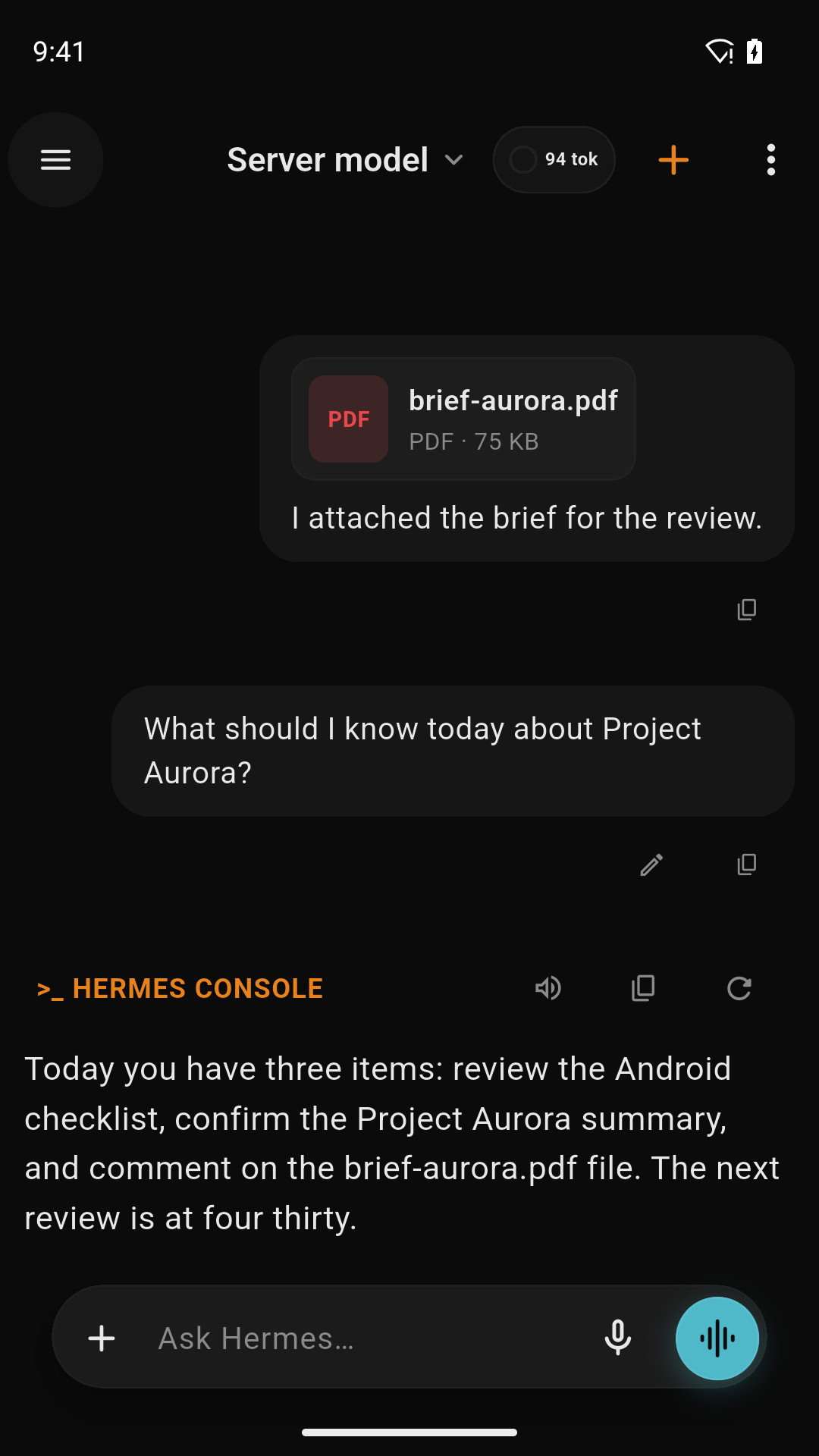
| Conversations | Streaming Markdown and code, attachments, generated images, session history and model selection. |
| Bots | Profiles, Blobatar identities, mentions, rooms, tasks and activity kept separate from normal conversations. |
| Operations | Runs and approvals, Cron, Kanban, skills, memory, models, artifacts and capability-aware admin tools. |
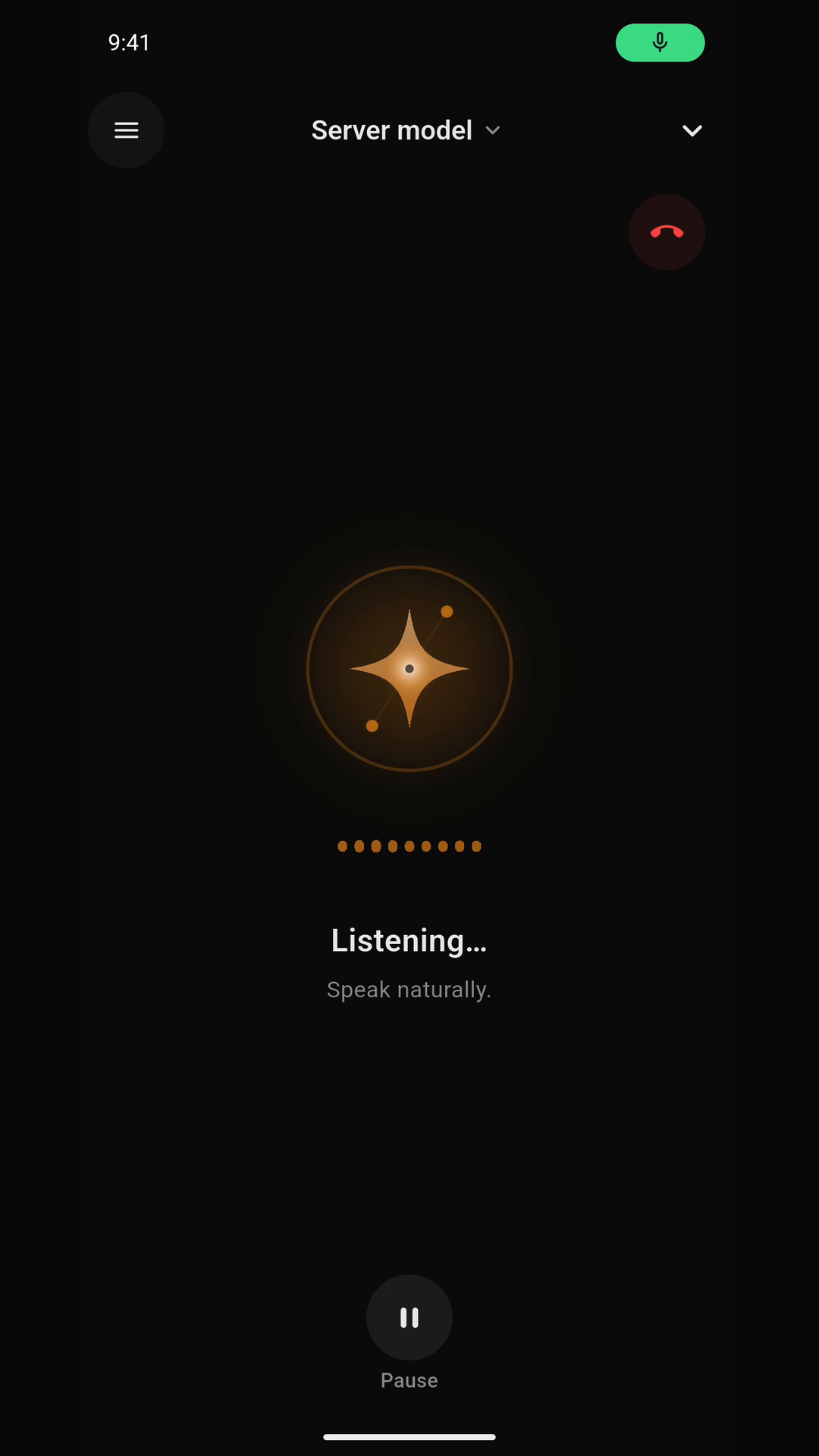
| Voice | Dictation plus a dedicated conversation mode with phone or Hermes-server speech routes and explicit fallbacks. |
| Android | App Lock, read-only instances, notifications, widgets, share sheet, QR pairing and connection diagnostics. |
| Privacy | No XPeta Lab telemetry, no advertising SDK and credentials protected with Android Keystore. |
The app follows Hermes Desktop and Hermes Agent as the protocol contract. A
feature is shown only when the connected server exposes the capability it
needs; older servers degrade without inventing endpoints.
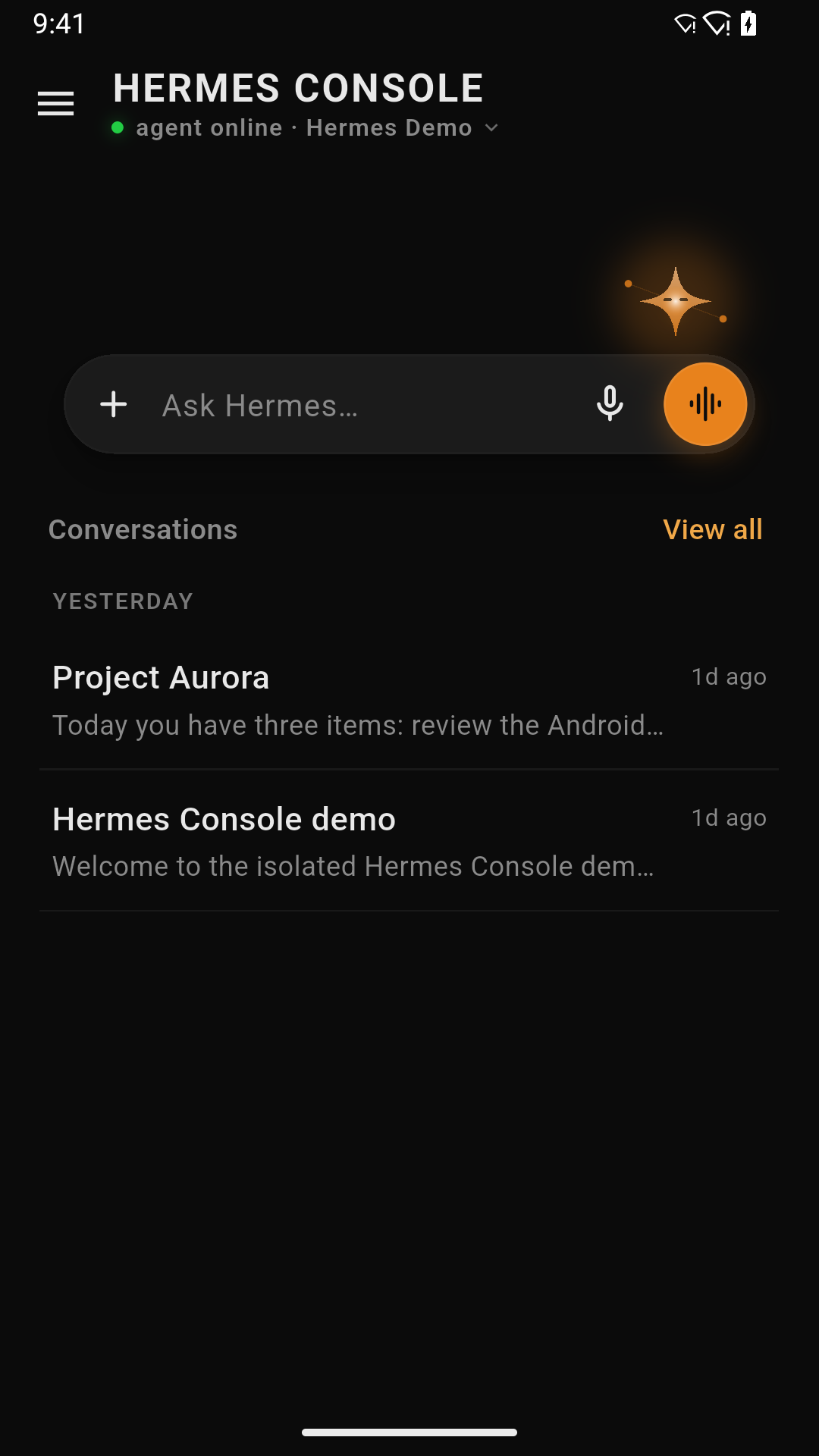
See it in action
| Home | Conversations | Voice | Tools |
 |
 |
 |
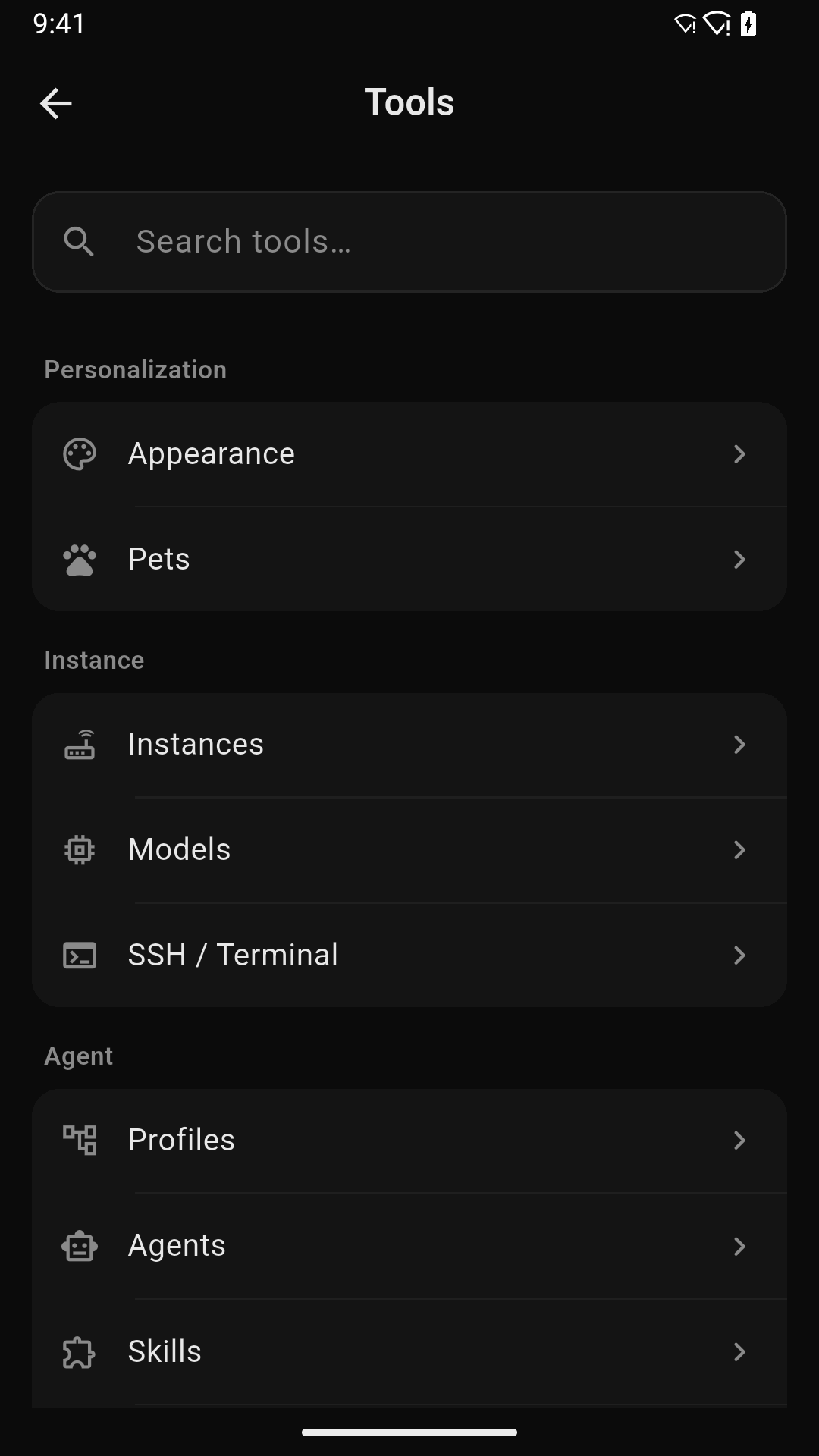 |
The gallery uses the approved public demo set with fictional data. Screens may
vary slightly by app version and by the capabilities exposed by your Hermes
server.
Install
Google Play
Install the production package from Google Play.
The package ID is dev.xpetalab.hermesconsole and Play builds use Play App
Signing.
Obtainium
After the first signed GitHub release is published, Obtainium can follow the
release feed directly:
- Install Obtainium.
- Use Add Hermes Console to Obtainium.
The button opens Obtainium's Add App screen with the official repository
already filled in. - Confirm that the detected source is GitHub Releases and review the APK
signature before installing.
If Android blocks the hand-off, open Add App in Obtainium and pastehttps://github.com/xP3ta/hermes-console manually.
The Obtainium path and Google Play path are alternative update channels for
the same production package; do not switch between signatures without first
checking the published migration notes.
Direct APK
Only install a production APK attached to an official
GitHub release. Verify its
version, SHA-256 digest and signing certificate. qa, debug and profile
artifacts are internal test builds and are never public releases.
Connect your Hermes server
- Install and configure
Hermes Agent on a server you
control. - Reach it from Android over HTTPS, LAN or a private network such as
Tailscale. Do not expose unauthenticated admin
services to the public internet. - Open Hermes Console and choose Connect server.
- Scan the pairing QR/link generated by your server, or enter the Gateway and
optional Dashboard details manually. - Run the built-in capability check before saving the instance.
Gateway credentials are not model-provider keys. Pairing links and QR codes
may contain access details; treat them as secrets and never attach them to a
public issue. See the complete configuration guide.
Voice, without hidden provider defaults
Hermes Console keeps dictation and Voice conversation separate:
- On this phone uses private on-device STT/TTS after an explicit model
download. It works without Google services once prepared. - Hermes server is opt-in per server identity and profile. Audio goes to
the self-hosted Dashboard endpoints and uses the speech providers configured
there.
No paid provider, personal model, language or server address is hard-coded as
a global default. An explicitly selected route fails visibly instead of
silently sending audio somewhere else.
Build from source
Required toolchain: Flutter 3.44.x, its bundled Dart SDK, Java 17 and Android
SDK 36.
flutter pub get
flutter analyze
flutter test
flutter build apk --debug --flavor full \
  --dart-define=HERMES_FLAVOR=full
The debug build is for development only. Release builds deliberately fail
without signing configuration stored outside the repository. Read
release and distribution before producing an
APK or AAB.
Project structure
lib/             Flutter UI, state and Hermes clients
android/         Android integration, flavors, widgets and permissions
assets/bridge/   Optional Mobile Bridge helper
docs/            Setup, architecture, privacy, security and release policy
test/            Unit and widget regression suites
Privacy and security
- No advertising, analytics or XPeta Lab-operated conversation proxy.
- Secrets are stored with Android Keystore through
flutter_secure_storage. - Remote destinations are the instances and optional providers the user
configures. - Cleartext access is limited to development/private-network cases documented
by the project; HTTPS or a private VPN is recommended.
Report vulnerabilities privately using SECURITY.md. Do not put
credentials, real conversations, server topology or pairing payloads in a
public issue.
Contributing
Focused contributions are welcome. Start with
CONTRIBUTING.md and the
Code of Conduct, preserve third-party notices, and run
the complete test and analysis gates before opening a pull request.
License and independence
Original Hermes Console source code is licensed under
GNU GPL version 3.0 only (GPL-3.0-only). Portions derived fromrusty4444/hermes-android retain their MIT notice. Dependencies, models,
fonts and artwork retain their own terms; see NOTICE and
THIRD_PARTY_NOTICES.md. Checksums and provenance for
project artwork are recorded in ASSET_PROVENANCE.md.
The final source, dependency and binary checks are tracked transparently in the
open-source release checklist.
Hermes Console is maintained by XPeta Lab as an
independent project. It is compatible with Hermes Agent but is not affiliated
with, sponsored by or endorsed by Nous Research.
Yorumlar (0)
Yorum birakmak icin giris yap.
Yorum birakSonuc bulunamadi