neatcontext-plugins
Health Uyari
- License — License: MIT
- Description — Repository has a description
- Active repo — Last push 0 days ago
- Low visibility — Only 5 GitHub stars
Code Uyari
- process.env — Environment variable access in codex-marketplace/plugins/neatcontext/hooks/session-start.mjs
Permissions Gecti
- Permissions — No dangerous permissions requested
Bu listing icin henuz AI raporu yok.
Turn long AI conversations into reusable domain knowledge across sessions
NeatContext plugins




Extract domain knowledge and save useful work from Claude Code, Kimi Code,
Codex, or pi conversations as structured, reusable context that you can use in
later sessions or share with others.
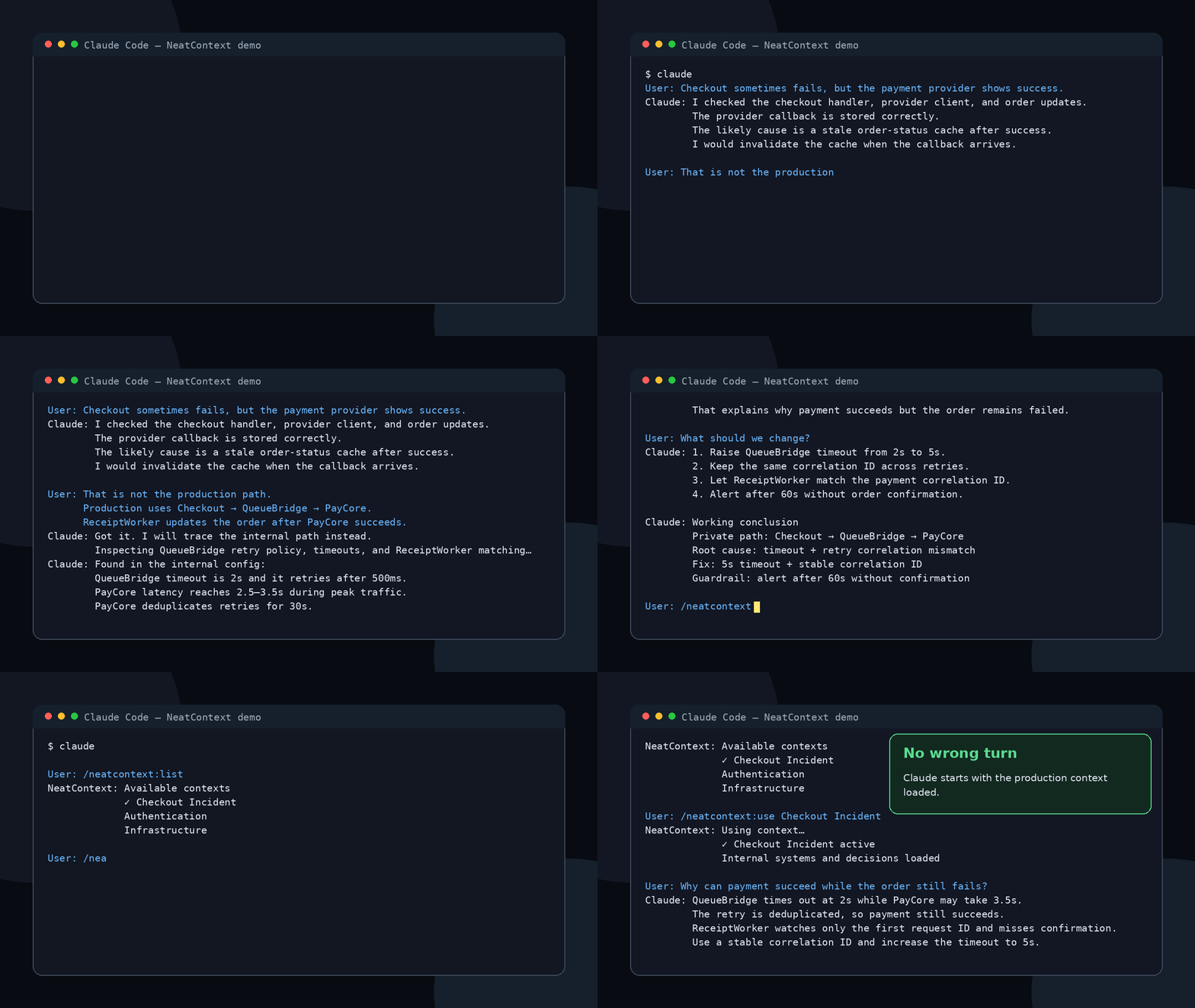
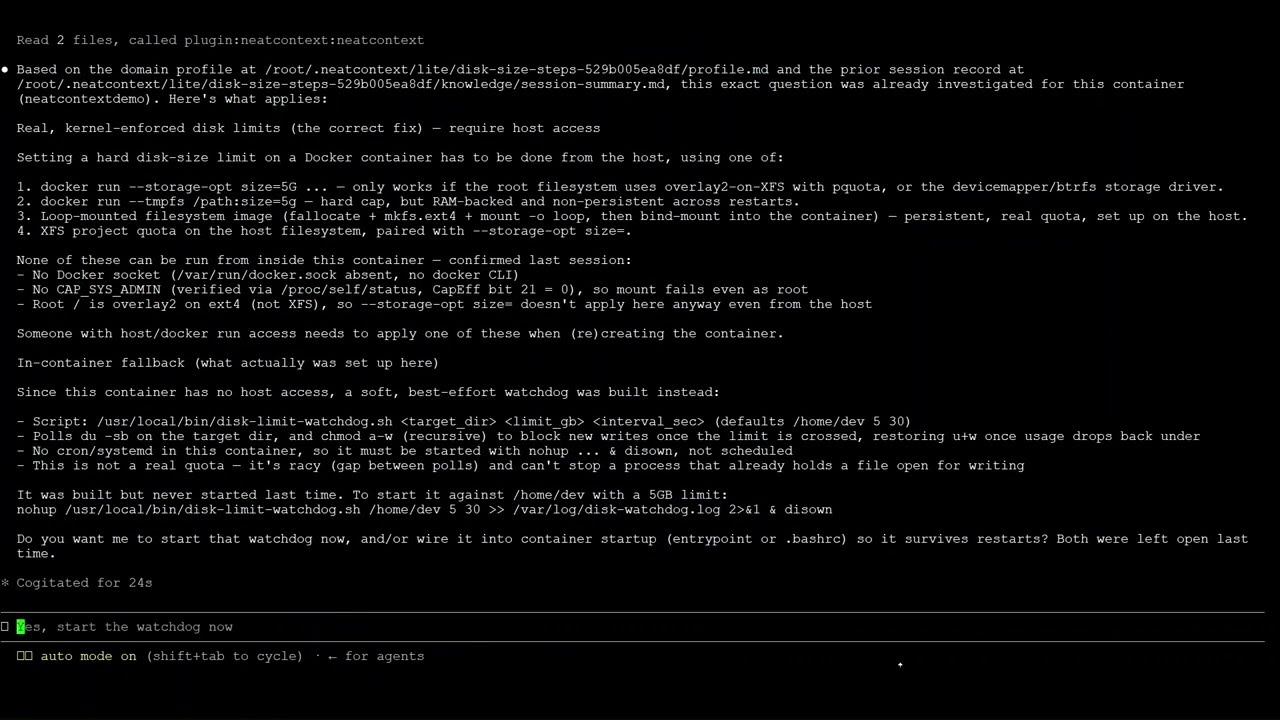
Why NeatContext?
Domain knowledge is what helps an LLM answer accurately for your team—your
systems, constraints, decisions, terminology, and ways of working.
You naturally build that knowledge while doing hard work with a coding agent.
Long conversations about debugging, planning, incidents, and implementation
already contain discoveries that will matter again. NeatContext extracts the
durable knowledge from those conversations and saves it as a structured context.
Connect that context in a new session or during later work, and the coding agent
can start with the knowledge it needs instead of asking you to explain everything
again. You can also share the context with teammates, so the whole team benefits
from what one person learned.
Install
Claude Code
claude plugin marketplace add https://github.com/XTSoftwareLabs/neatcontext-plugins.git
claude plugin install neatcontext@neatcontext --scope user
Kimi Code
See NeatContext for Kimi Code.
Codex
See the Codex marketplace README.
pi
See NeatContext for pi.
Quick start: reuse a complex investigation
The walkthrough below uses Claude Code.
Suppose you work through a difficult production issue with Claude:
You: Some orders take ten minutes to update, but overall queue lag looks normal.
     Help me investigate.

Claude: Let's correlate Order API traces, the order-events consumer metrics,
        and the order-projection worker logs. Start with per-partition lag
        instead of the aggregate metric.

You: Grafana shows that partition 17 is falling behind while the others are
     healthy. Tempo traces show the Order API publishes events without delay.

Claude: Check the Loki logs for the order-projection workers on partition 17.
        Look for deserialization time, payload size, and the producing service.

You: The worker logs show 12-second deserialization times for large events from
     catalog-sync. Its logs confirm that bulk updates for tenant-42 all use the
     same partition key. Splitting those updates cleared the lag.

Claude: The root cause was a hot partition: large catalog-sync events blocked
        later order events, while the aggregate lag metric hid the problem. For
        similar issues, check per-partition lag, traces from the producing
        service, worker deserialization logs, payload size, and partition keys
        before scaling consumers.
This is the useful work you may want to save. Run /neatcontext:save event-partition-investigation:
Claude:
Lite context folder: C:\Users\alex\.claude\neatcontext\event-partition-investigation
Profile path: C:\Users\alex\.claude\neatcontext\event-partition-investigation/profile.md
Knowledge folder: C:\Users\alex\.claude\neatcontext\event-partition-investigation/knowledge
Use command: /neatcontext:use event-partition-investigation
The saved context keeps the investigation approach, system knowledge, findings,
and verified resolution—not the raw conversation.
After more work on the same subject, run/neatcontext:save event-partition-investigation again. Because that exact name
already exists, Claude previews a merged update and asks before applying it.
When a similar issue appears later, connect the saved context in a new Claude
Code session by using /neatcontext:use. The NeatContext plugin can also route you to the right context inauto or ask mode.
You: /neatcontext:use event-partition-investigation

Claude: Connected to event-partition-investigation.

You: Shipment updates are delayed, but overall queue lag is low. Help me
     investigate.

Claude: I will start with the checks from the saved context: per-partition lag,
        event size, partition keys, and deserialization time.
Commands
/neatcontext:save [name]
Save the useful work in the current conversation using familiar Save / Save As
behavior:
- With no name, update the connected lite context after confirmation. If no
lite context is connected, create a new one with a name Claude derives. - With the exact name of an existing lite context, update it after
confirmation. It does not need to be connected, and saving does not switch
the current connection. - With a new name, create a new lite context.
Updates merge durable new work with the context's existing profile and
conversation knowledge. For a context created with /neatcontext:create, its
linked knowledge folder remains untouched; conversation-derived additions are
stored inside the lite-context bundle.
Use this after a conversation has produced decisions, plans, troubleshooting
results, implementation notes, or other work worth preserving and reusing later.
/neatcontext:use [name or number]
Connect a context to the current session.
Run the command without a name to see the available choices. Each Claude Code
window keeps its own connected context.
/neatcontext:disconnect
Disconnect the context from the current session. Other Claude Code windows keep
their own connections, and the context itself is not deleted.
/neatcontext:list
List all contexts you can connect.
/neatcontext:status
Show the context connected to the current session and the current routing mode.
It also reports problems such as missing lite-context files or knowledge
folders.
/neatcontext:create
Create a fresh lite context instead of saving the current conversation. Claude
asks what the context is for, which existing folder contains its knowledge, and
what to call it.
The knowledge folder stays where it is; the command does not copy, move, or
overwrite it. Later /neatcontext:save updates keep generated conversation
knowledge inside the lite-context bundle.
/neatcontext:import [folder]
Import a lite context bundle shared by someone else. Import creates your own
local copy and leaves the shared folder unchanged.
After importing, connect it with /neatcontext:use <name>.
/neatcontext:delete [name or number]
Delete a lite context after confirmation. Standard contexts must be deleted in
the NeatContext desktop app.
For a context created with /neatcontext:create, your original knowledge folder
is left untouched. Generated conversation knowledge stored inside any lite
context is deleted with that context.
/neatcontext:mode [auto|ask|manual]
Choose how the current session switches between contexts:
ask— ask before switching; this is the defaultauto— switch on a clear match and tell you; ask when the choice is unclearmanual— switch only when you run/neatcontext:use
Run /neatcontext:mode without an argument to show the current mode. Add--global to set the default for new sessions:
/neatcontext:mode auto --global
Context types
Lite context
A lite context contains:
- One domain profile — your team's rules, terminology, constraints, and
preferred ways of working. It guides how Claude behaves and answers. - One primary knowledge folder — TSGs, runbooks, decisions,
troubleshooting notes, session summaries, and other knowledge Claude can
use. When the primary folder is linked from/neatcontext:create, saved
conversation additions stay in the local context bundle. - No extensions.
Use /neatcontext:save to generate one from the current conversation,/neatcontext:create to use an existing knowledge folder, or/neatcontext:import to add one shared by a teammate.
How is this different from saving or resuming a conversation?
| Best for | What you get | |
|---|---|---|
| NeatContext | Reusing knowledge in fresh sessions or across a team | A lite context generated for you:
|
| Claude Code resume | Continuing the same conversation | The original session and its conversation history |
| Save or export a conversation | Keeping a record | The raw transcript, including the back-and-forth that led to the result |
NeatContext keeps what will help Claude work accurately next time, without carrying over the entire chat.
Standard context
A standard context contains:
- One domain profile — the team's rules that guide Claude's behavior.
- Multiple knowledge folders — indexed collections of team documentation
that Claude can search for relevant information. - Extensions — connections to internal and external systems that let Claude
use the tools available to the context.
Standard contexts are intended for enterprise-level use. Create and manage them
in NeatContext Desktop. You'll need the desktop
app installed and open while using a standard context.
Security and data handling
- See the Privacy Policy for the complete description of local
storage, network communication, retention, and deletion. - The host plugins run only the Node.js files bundled in this repository. Their
desktop integration connects to the NeatContext companion service on127.0.0.1; the plugins themselves make no outbound internet requests. - Lite contexts are stored locally under
~/.neatcontext/lite. Saving or
updating from a conversation first creates a gitignored.neatcontext-capture-*.jsonscratch file in the current project and removes
it after a successful save. - A connected context's profile and selected knowledge files are read into the
active coding session when its model uses them. They are then handled like
other content supplied to that coding host. Standard-context extension tools
may contact services configured separately in NeatContext. - Import only bundles you trust. Their profile and Markdown knowledge become
instructions and source material available to the active model. - Creating or updating a lite context never overwrites an external knowledge
folder referenced by/neatcontext:create. Deleting a lite context always
requires confirmation and removes its bundle-local generated knowledge.
License
MIT — see LICENSE.
Yorumlar (0)
Yorum birakmak icin giris yap.
Yorum birakSonuc bulunamadi