ScientificFigureLibrary
Health Pass
- License — License: MIT
- Description — Repository has a description
- Active repo — Last push 0 days ago
- Community trust — 30 GitHub stars
Code Pass
- Code scan — Scanned 12 files during light audit, no dangerous patterns found
Permissions Pass
- Permissions — No dangerous permissions requested
No AI report is available for this listing yet.
Local-first MCP App for your scientific figures. Import, review, and publish a global library on disk; reuse exact templates in Claude Science and Wisp Science.

Scientific Figure Library
简体中文 ·
Quickstart ·
Protocol ·
Releases ·
Wisp Science
Scientific Figure Library (SFL) is a local-first MCP server and MCP App for
your scientific figures. You import a figure and its code, review them,
publish an immutable Release to one global Library on your machine, then
reuse that exact template across projects in Claude Science, Wisp Science,
Codex, and other stdio MCP hosts.
The Library stays on disk you choose. Nothing is copied into every project
until you confirm a materialization. The server does not execute plotting
code and does not contain a second model: the host agent inspects files; SFL
hashes, versions, gates, and publishes them.
Optional extra catalogs can be enabled later. They are supplements. The source
of truth is always Local Published.
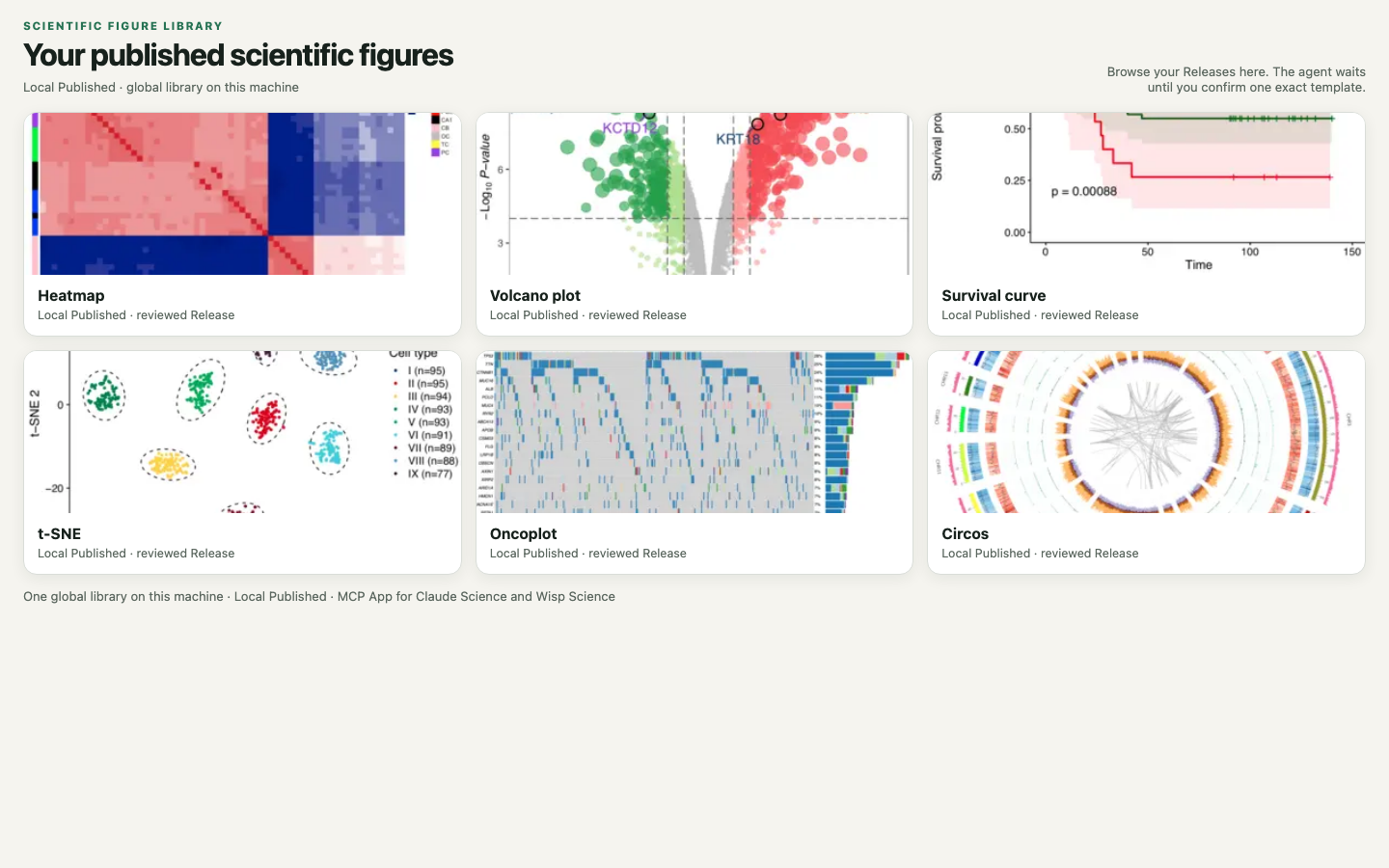
Search your local published library in the MCP App, confirm one exact template, then materialize it into a project.
Install with a coding agent
Give Claude Code, Codex, or another local coding agent with terminal access
this repository and the following request:
Install Scientific Figure Library from
https://github.com/xuzhougeng/ScientificFigureLibrary.

Follow docs/QUICKSTART.md. Prefer a GitHub Release ZIP when one is published.
Node.js 22+ is required. Register the stdio MCP server as figure-library
pointing at dist/index.js. For Wisp Science, use npm run package:wisp and
install the generated plugin. Bind one global Library directory on disk.
Do not execute user plotting code. First test: source_status, bind if needed,
open the workbench, search the local published library.
Tell me when I need to grant folder access or start a new host session.
Manual steps: docs/QUICKSTART.md.
What is included
- Local Published library — one user-selected directory, shared across
projects and hosts - Direct image + code intake, review gates, immutable Revisions and Releases
- MCP App gallery: browse, exact preview, user confirmation
- Search, describe, preview, then materialize an exact confirmed template
- Portable backup / restore / fork of the Library
- Optional extra search providers; they do not replace local review
First success
Call figure_library_source_status. If writes are disabled, help me bind one
absolute global Library directory (plan then apply after I confirm the path).
Open the workbench and search my Local Published templates. Wait for me to
confirm one card. Then plan materialization into an empty folder I specify.
Do not execute R or Python. Do not redraw the figure.
If the local library is empty, import a figure/code pair, review it, and
publish a Release before searching. Full contract: docs/PROTOCOL.md.
Develop from source
Requires Node.js 22+:
git clone https://github.com/xuzhougeng/ScientificFigureLibrary.git
cd ScientificFigureLibrary
npm ci
npm run check
node dist/index.js
{
  "mcpServers": {
    "figure-library": {
      "command": "node",
      "args": ["/absolute/path/to/ScientificFigureLibrary/dist/index.js"]
    }
  }
}
The Library locator is machine-local (locator.json under AppData / XDG).FIGURE_LIBRARY_DIR is an admin override only.
Tools (short list)
| Tool | Role |
|---|---|
figure_library_plan_bind_global / apply_bind_global |
Choose the local Library directory |
figure_library_open |
Open the MCP App |
figure_library_search |
Search Local Published (and any enabled extras) |
figure_library_plan_working_revision / apply_working_revision |
Import a figure+code unit |
figure_library_plan_publish_working_revision / apply_publish_working_revision |
Publish a Release |
figure_library_plan_materialize / apply_materialize |
Copy a confirmed template into a project |
The server never runs notebooks, installers, or plot scripts. See
SECURITY.md.
License
MIT for this project's code. User-imported figures keep the license recorded
at import. Optional bundled catalog assets, if used, keep their upstream
licenses. See THIRD_PARTY_NOTICES.md.
Reviews (0)
Sign in to leave a review.
Leave a reviewNo results found