AIQuotaBar
Health Gecti
- License — License: MIT
- Description — Repository has a description
- Active repo — Last push 0 days ago
- Community trust — 35 GitHub stars
Code Basarisiz
- rm -rf — Recursive force deletion command in AIQuotaBarWidget/build_widget.sh
Permissions Gecti
- Permissions — No dangerous permissions requested
Bu listing icin henuz AI raporu yok.
Claude, ChatGPT, Cursor & Copilot usage limits in your macOS menu bar: reset countdowns, pace warnings, zero setup

AIQuotaBar
Your Claude, ChatGPT, Cursor and Copilot limits — live in the macOS menu bar.
See what's left, when it resets, and get warned before you're cut off.


curl -fsSL https://raw.githubusercontent.com/yagcioglutoprak/AIQuotaBar/main/install.sh | bash
Free and open source · No Electron · No browser extension · Nothing leaves your Mac except requests to each service
What you get
- Every limit in one place — Claude's 5-hour session and weekly caps, ChatGPT Codex, Cursor and Copilot, each with a live reset countdown.
- A warning before you hit the wall — "Runs out in ~1h at this pace" when your current pace would beat the reset.
- Pace markers — a tick on every bar shows where an even pace would put you, so you know whether to slow down.
- A glanceable menu bar — numbers turn orange, then red, as you get close.
- Alerts you control — warning, critical, pace and "you're back" notifications, per service.
- History and sharing — 24-hour trends, daily peaks, a 90-day calendar and a one-click share image.
- Zero setup — it reuses the sessions already in your browser. No API keys, no copy-pasting.
Why
I kept getting cut off mid-session on Claude Pro with no warning. claude.ai doesn't show your usage until you hit the wall — and neither do ChatGPT, Cursor or Copilot. AIQuotaBar keeps all of them one glance away.
Supported services
| Service | What it tracks | How it connects |
|---|---|---|
| Claude | 5-hour session · weekly (all models, Sonnet, Opus) | Your claude.ai browser session |
| ChatGPT / Codex | 5-hour and weekly Codex limits | Your chatgpt.com session |
| Cursor | Auto and API usage of your plan | Your cursor.com session |
| GitHub Copilot | Premium requests this month | Your github.com session |
| Claude Code | Messages, sessions and tool calls | Local stats in ~/.claude |
| OpenAI · MiniMax · GLM | API spend or balance (optional) | An API key in Settings |
Sessions are found automatically in Chrome, Arc, Brave, Edge, Firefox and Safari.
A quick tour
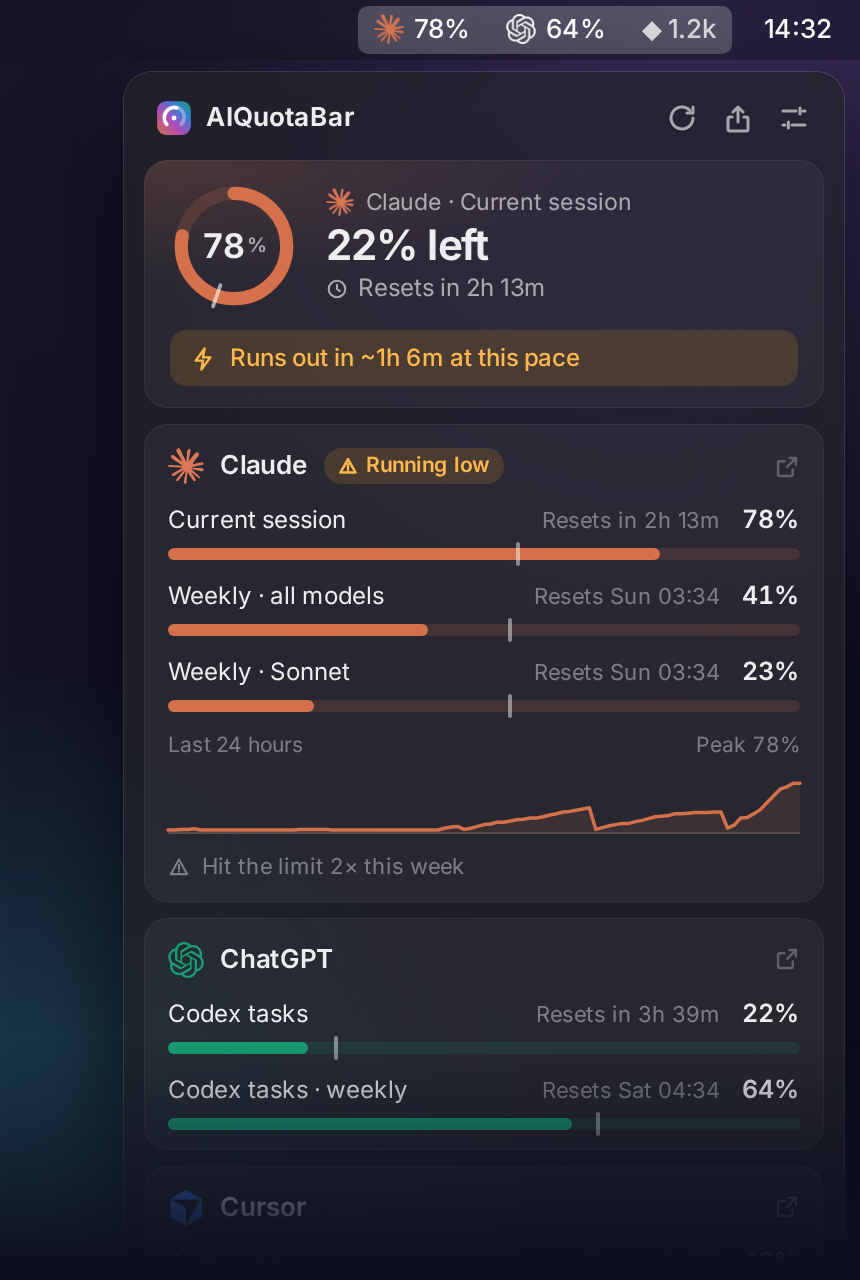
The menu bar shows a number for each service you pick (the first two by default). For Claude it's the 5-hour session — the limit that decides whether you can keep working right now.
| You see | It means |
|---|---|
78% |
You're fine |
83% in orange |
Past your warning threshold (80% by default) |
100% in red |
Rate-limited — the panel shows when you're back |
78% · |
Session is fine, but a weekly limit is maxed |
Click it for the panel. The top card always shows the limit closest to cutting you off; below it, every service with its limits, reset times and a 24-hour trend.
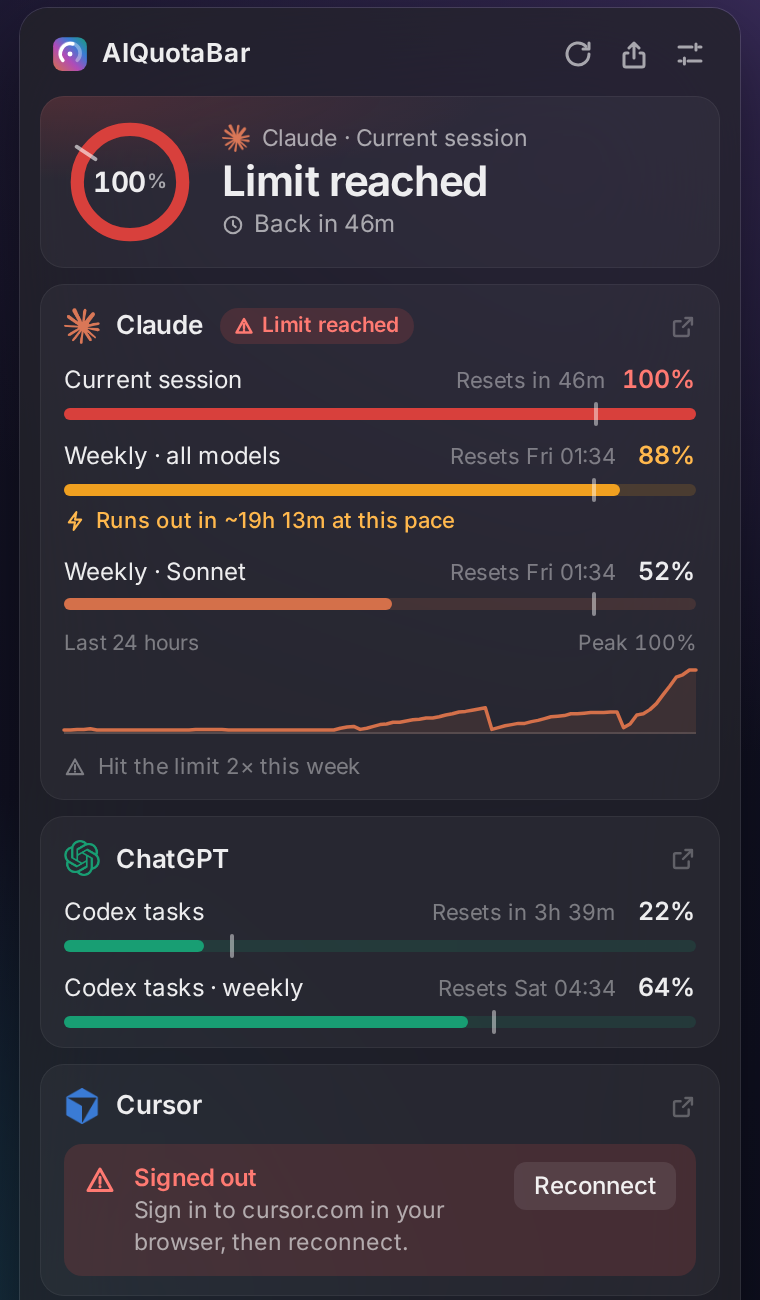 Warnings that tell you what to do — when you're back, what's running low, and a one-click fix when you're signed out. |
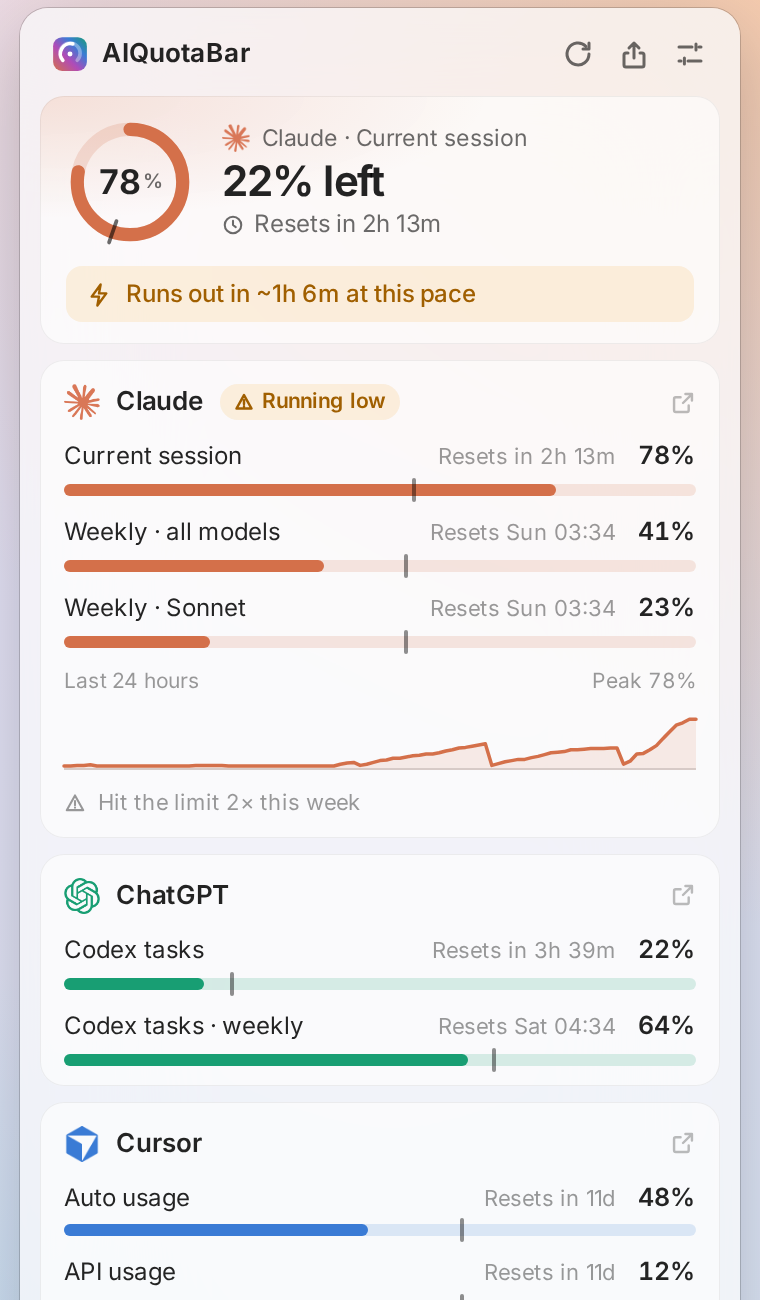 Light and dark — follows your Mac, with bars that turn orange and red as you get close. |
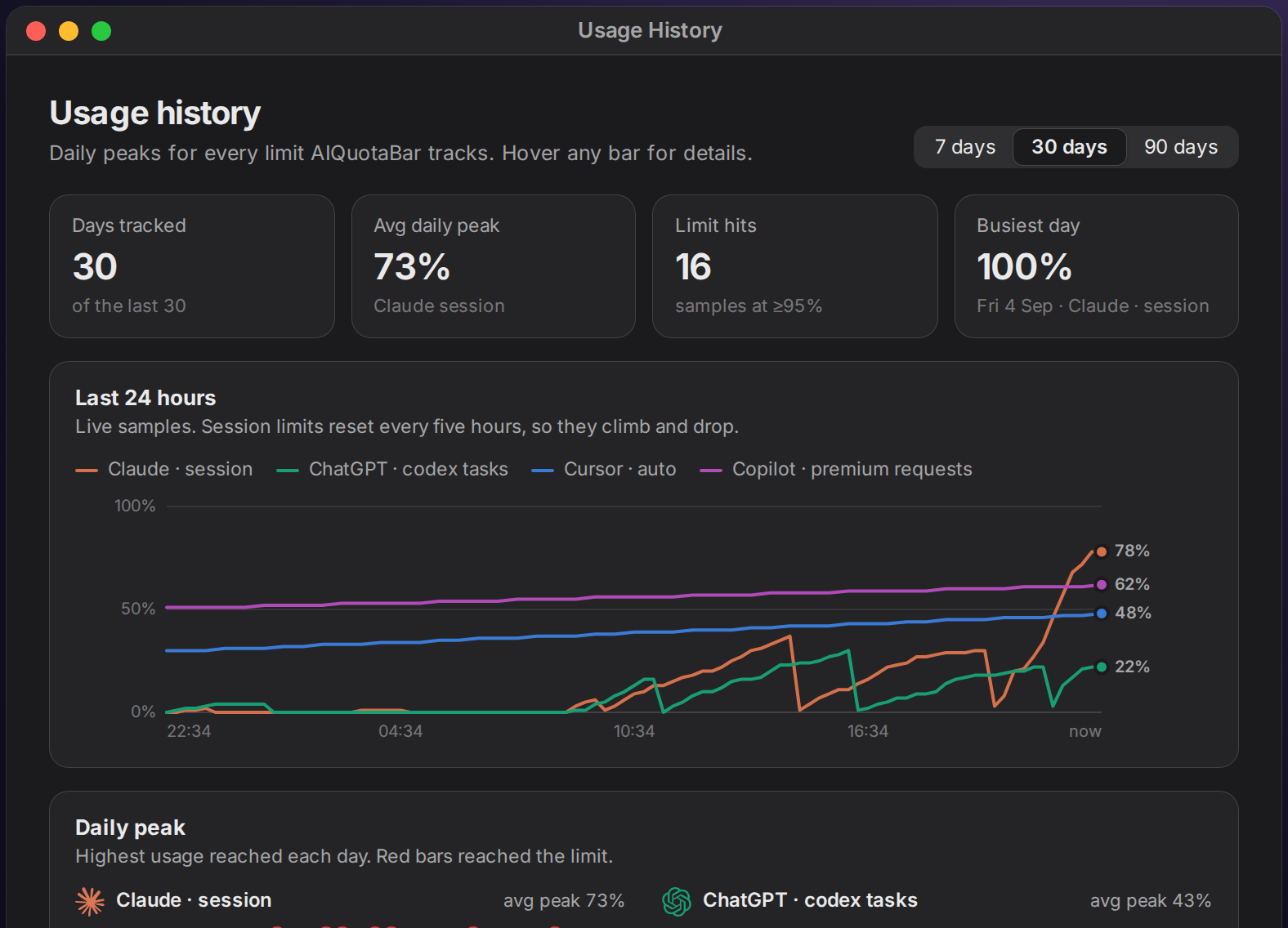 Usage history — 24-hour trends, daily peaks and a 90-day activity calendar. |
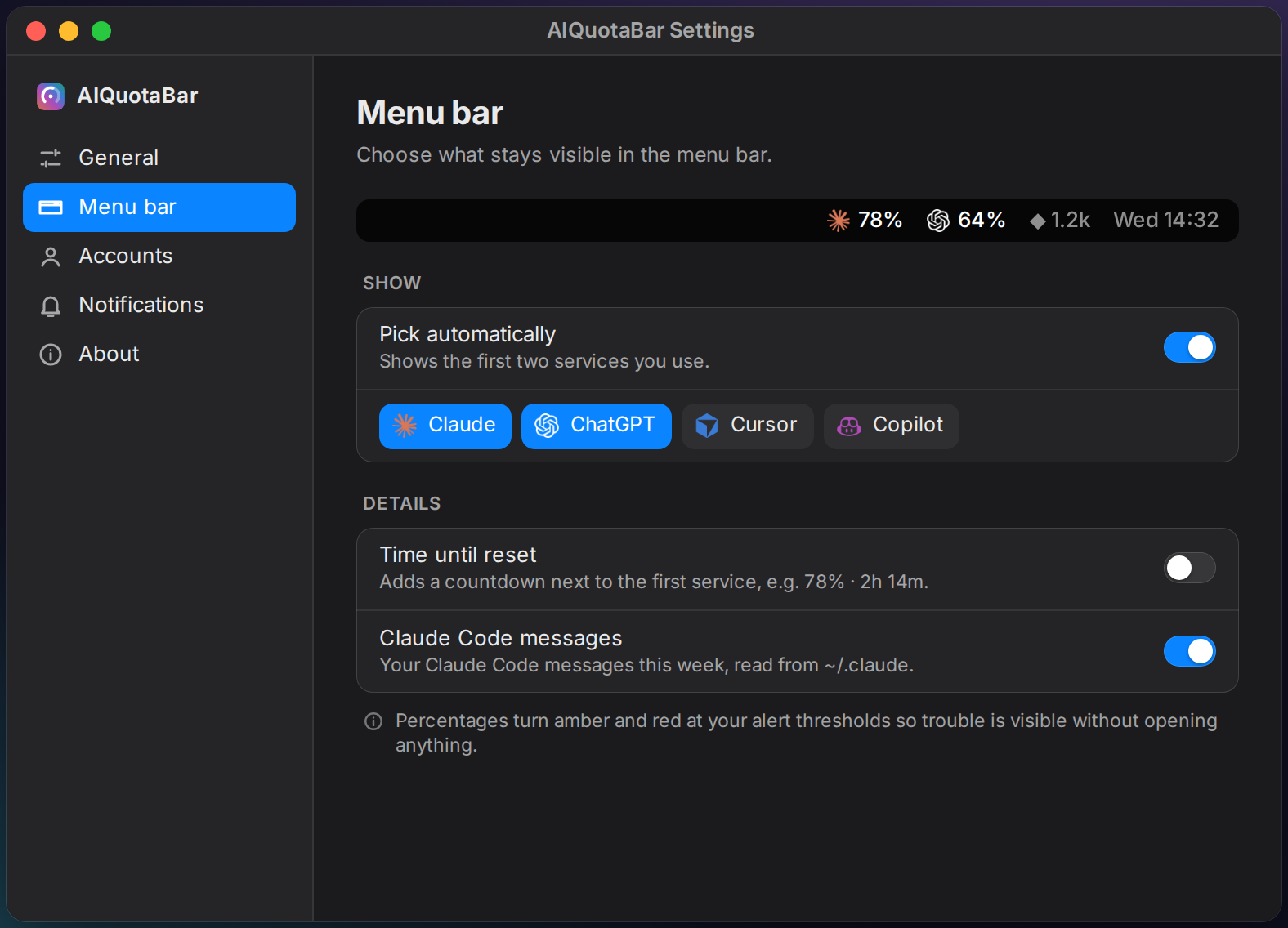 Settings — choose what the menu bar shows, set your alert thresholds and manage accounts. |
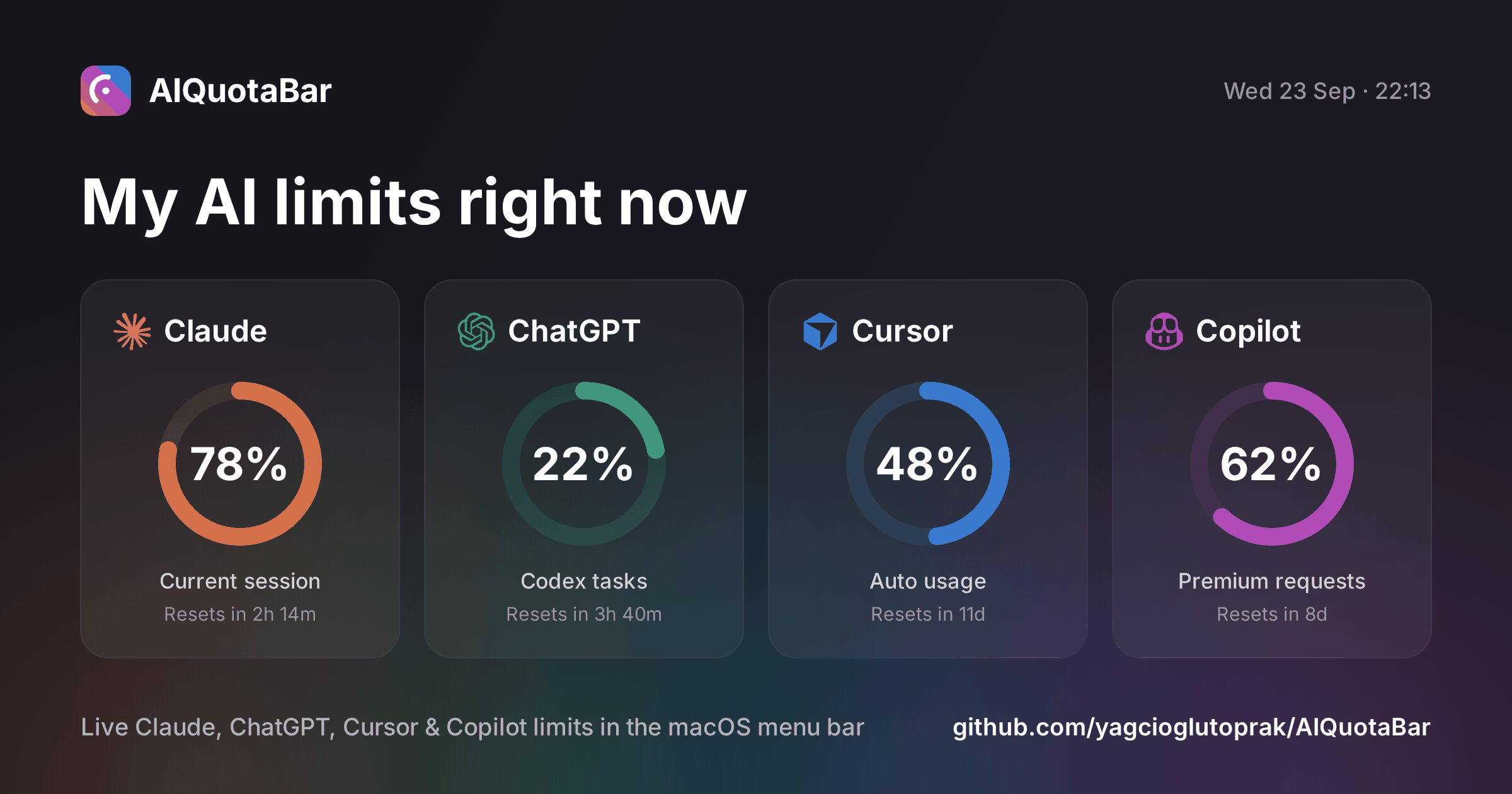
Share your limits — copy, save or post a clean image to X in one click:
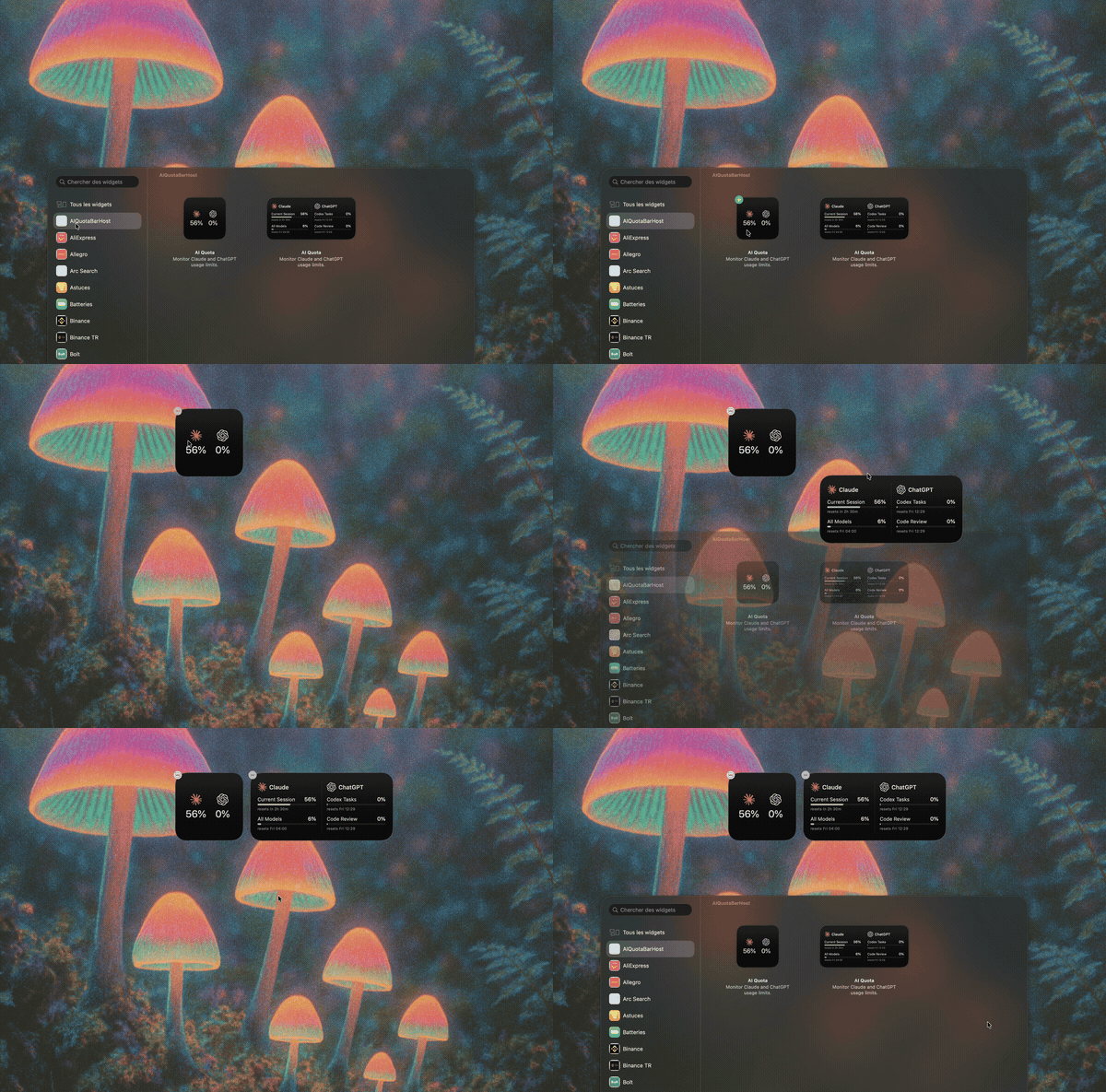
Desktop widget — a native WidgetKit widget for your desktop and Notification Center, set up by the installer. Right-click the desktop → Edit Widgets → search "AI Quota".
Install
Recommended. Installs to ~/.ai-quota-bar, starts at login and keeps itself up to date:
curl -fsSL https://raw.githubusercontent.com/yagcioglutoprak/AIQuotaBar/main/install.sh | bash
Look for the icon in your menu bar. On first launch, a welcome window shows which accounts it found.
Requirements: macOS 12+, Python 3.10+, and a paid plan on at least one supported service.
Other ways to installHomebrew
brew tap yagcioglutoprak/aiquotabar
brew install --HEAD aiquotabar
aiquotabar &                      # update later with: brew upgrade --fetch-HEAD aiquotabar
From source
git clone https://github.com/yagcioglutoprak/AIQuotaBar.git && cd AIQuotaBar
pip install -r requirements.txt
python3 claude_bar.py            # add --demo to try it with sample data, no accounts needed
launchctl bootout gui/$(id -u) ~/Library/LaunchAgents/com.claudebar.plist 2>/dev/null
pkill -f claude_bar.py
rm -rf ~/.ai-quota-bar ~/Library/LaunchAgents/com.claudebar.plist \
       ~/.claude_bar_config.json ~/.claude_bar_history.json \
       "$HOME/Library/Application Support/AIQuotaBar"
rm -rf /Applications/AIQuotaBarHost.app      # the desktop widget, if installed
Privacy
- Local only. Session cookies are read from your browser on your Mac and stored only in
~/.claude_bar_config.json. - Direct requests. It calls the same usage endpoints each provider's own settings page uses, straight from your Mac. There's no AIQuotaBar server, no analytics and no telemetry.
- One Keychain prompt. Chrome, Arc, Brave and Edge encrypt cookies with a key kept in the Keychain, so macOS asks once — choose Always Allow. Firefox needs no prompt.
- Lightweight. The panel is plain HTML drawn by macOS's built-in WebKit, not Electron.
FAQ
It doesn't find my accountSign in to the service in your browser, then open Settings → Accounts → Detect (or click Reconnect on the card). For Claude you can also paste a cookie manually on the same page.
What does the tick on each bar mean?It marks where you'd be if you spread the limit evenly across its window. If your bar is past the tick, you're using it faster than that — the panel tells you when that pace would run you out before the reset.
Nothing shows up in the menu barCheck the log with tail -50 ~/.claude_bar.log. On a crowded menu bar, macOS may hide icons behind the notch — try quitting another menu bar app.
Why not just check the settings page?
| AIQuotaBar | Provider settings pages | Browser extensions | |
|---|---|---|---|
| Always visible | ✅ Menu bar + widget | ❌ Open each site | ⚠️ Badge only |
| Warns before you run out | ✅ Thresholds + pace | ❌ | ⚠️ Varies |
| All services in one place | ✅ | ❌ | ❌ |
| Stays on your Mac | ✅ | ✅ | ⚠️ Depends |
Contributing
Next up: Linux and Windows tray apps, multiple Claude accounts, Gemini — see the releases for what's shipped. PRs are welcome — please open an issue first for big changes. python3 claude_bar.py --demo runs the app with sample data, and pip install -r requirements-dev.txt && python3 -m pytest runs the test suite (it works on Linux too). Architecture notes are in CLAUDE.md.
If AIQuotaBar saved you from a surprise rate limit, a ⭐ helps other developers find it.

MIT licensed — see LICENSE. Not affiliated with Anthropic, OpenAI, Anysphere (Cursor) or GitHub. AIQuotaBar uses undocumented APIs that may change without notice.
Yorumlar (0)
Yorum birakmak icin giris yap.
Yorum birakSonuc bulunamadi