Venastine-Research-Harness
Health Uyari
- License — License: Apache-2.0
- Description — Repository has a description
- Active repo — Last push 0 days ago
- Low visibility — Only 5 GitHub stars
Code Gecti
- Code scan — Scanned 12 files during light audit, no dangerous patterns found
Permissions Gecti
- Permissions — No dangerous permissions requested
Bu listing icin henuz AI raporu yok.
Security-first agentic harness for LLMs, built for long-horizon research in math, computer science and the domain sciences: tool-using chat plus a ten-pass pipeline that fact-checks and scores its own claims.
Venastine Research Harness
Venastine Research Harness is an open-source, security-first agentic harness for large language models: a tool-using chat assistant and a ten-pass deep-research pipeline that fact-checks, critiques and scores its own claims, in your terminal or in the browser.









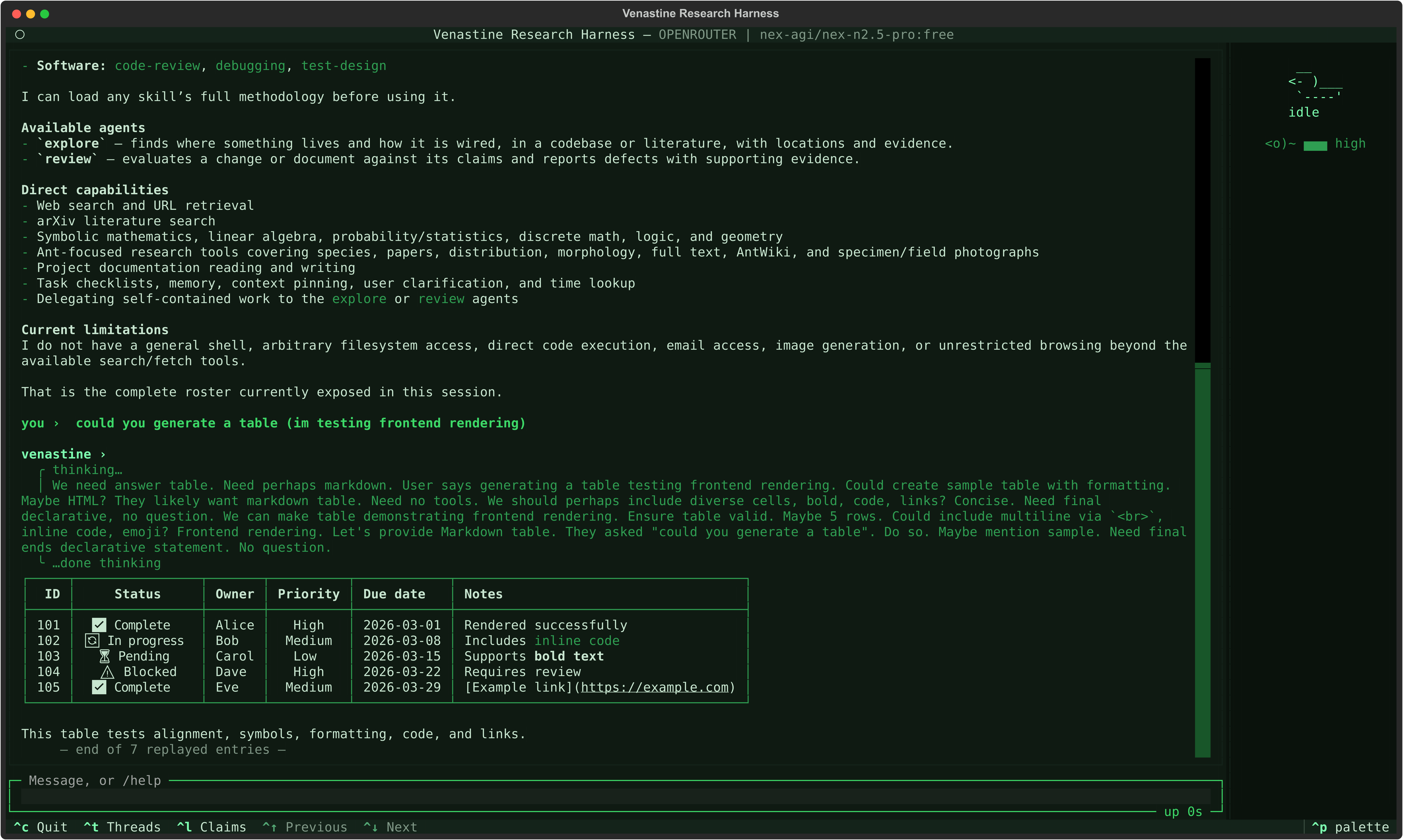
An agentic harness built from scratch — no LangChain, no agent framework — with two modes that share the same machinery:
- Chat — a normal tool-using assistant loop.
- Research — a ten-pass pipeline that writes an answer, then independently fact-checks and critiques its own claims, audits the assumptions hiding underneath them, scores every claim by a fixed formula rather than by asking the model how sure it is, and revises only what came back flagged.
Works with Anthropic, any OpenAI-compatible provider (OpenAI, DeepSeek, Groq, Mistral, local endpoints), and Google Gemini.
The design premise is that a model's own confidence is not evidence. Everything in the research pipeline exists to replace "the model said it was sure" with something you can audit: which claims were checked against sources, which critique survived, which assumptions were never stated, and which numbers produced the final tier.
Try it online
The same harness runs in your browser, nothing to install, on a Hugging Face Space and a ModelScope Studio. Each tab gets its own session, deleted when the tab closes.
- Connect a model with a sign-in.
/connect huggingfaceand/connect openrouterwork on both, and/connect modelscope(modelscope.ai) or/connect modelscope-cn(modelscope.cn) wherever the deployment can complete that site's sign-in. Requests use your own account's allowance, and the landing page links each provider's page for revoking access. - The shared demo takes no pasted key, and it does not offer the file and shell tools. A private duplicate of the Space in single-user mode takes both (set
VENASTINE_SINGLE_USER=1in Hugging Face's duplicate dialog), and so does an install. - It runs a commit of
mainthat passed every CI check, named in each page's footer: the Space is redeployed automatically once all of them pass, and the Studio by hand with the same checks. PRIVACY.md says what a hosted session changes.
Setup
Python 3.11 or newer, for every local install. mcp_client/client.py uses asyncio.timeout, which is 3.11+, and 27 sites use runtime X | Y annotations (3.10+). pyproject.toml declares the floor, so an install refuses an older interpreter rather than failing later from inside the MCP connect path.
Install directly from GitHub
Requires Python 3.11+, including its venv module. Node, npm, Git, and
administrator access are not needed. On Linux/macOS (Bash and curl):
curl -fsSL https://raw.githubusercontent.com/YahyaHammad/Venastine-Research-Harness/main/install.sh | bash
On Windows (PowerShell):
irm https://raw.githubusercontent.com/YahyaHammad/Venastine-Research-Harness/main/install.ps1 | iex
You can also download and inspect the scripts before running them. They
download the shared Python installer completely, then execute it. It resolvesmain to a full commit ID, downloads that source archive, and installs the
runtime dependencies in an isolated environment. It does not install Python.
When uv is on your PATH, it installs them — copying files rather than linking
them out of its cache — and pip does otherwise, or if uv fails. With no Python
3.11+ on your PATH, the scripts also ask uv for one it already has, and never
download one.
The source lives under ~/.local/share/venastine/app, with a venastine
command in ~/.local/bin (venastine.cmd on Windows). When that directory is
not on your PATH yet, the installer puts it there for the terminals you open
afterwards, the way npm's global commands already are. On Windows it appends
it to your user PATH, and to the PowerShell window that ran the installer. On
macOS and Linux it adds a marked block to your own shell's startup file —~/.zshrc, ~/.bashrc, fish's conf.d/venastine.fish, or ~/.profile for
other shells, plus the bash login file you already have on macOS. Running it
again adds nothing twice. To leave PATH alone, setVENASTINE_NO_MODIFY_PATH=1 or pass --no-modify-path. If anothervenastine — an npm install, say — comes first on your PATH, the installer
names it and prints this command's full path instead.
Then, from your project directory, run venastine --tui and use /connect.venastine --venastine-doctor shows the installed version, commit, interpreter,
and state paths. Credentials and conversation state follow the same rules
as the npm installation below.
Rerun the installer to update, after closing running Venastine sessions. It
builds a fresh environment before replacing the active source and carries
your config.yaml edits forward through the existing settings merger.
Previous source trees (previous-*) stay under the install directory for
recovery. Python environments stay in ~/.config/venastine/runtime/github-*,
inside the user tier the harness already protects from tool writes. Updates
therefore use more disk space. An unrelated existing directory or command is
never replaced.
Choose a branch, tag, or full commit ID with VENASTINE_REF; choose locations
with VENASTINE_INSTALL_DIR and VENASTINE_BIN_DIR, or a Python executable
with VENASTINE_PYTHON; VENASTINE_NO_MODIFY_PATH=1 leaves PATH alone, andVENASTINE_NO_UV=1 installs with pip even when uv is on your PATH. Set
these before running either command. The default
ref is main; older refs without bin/venastine.py cannot use this installer.
The installer itself is downloaded from main, even when selecting another
source ref. Bash also forwards options to the helper:
curl -fsSL https://raw.githubusercontent.com/YahyaHammad/Venastine-Research-Harness/main/install.sh | bash -s -- --ref main
From a checkout, python scripts/install.py --help lists the same options
without downloading or installing anything. To remove a GitHub installation,
remove its command, install directory, the github-* runtime directories it
created, and the PATH entry it added — from your user PATH on Windows, or the
block between the venastine GitHub installer markers in your shell's startup
file; other state in ~/.config/venastine and artifacts in your projects
remain separate.
From npm
npm install -g @yahyahammad/venastine
venastine
For the full TUI experience you can use:
venastine --tui
npm handles the setup for you. It delivers the harness as a folder of source — there is no bundled binary — and Python still runs it, so the only prerequisite you provide is an interpreter on PATH. Everything after that happens on first launch: the launcher finds a suitable Python, tells you which one and what it is about to install, and builds an isolated environment with the pinned dependencies once you agree — with uv when it is on your PATH, as the GitHub installers do. It asks every time it would install something, never installs during npm install itself, and refuses rather than proceeding when there is no terminal to ask in.
Two things differ from a clone, both to make a command you run from anywhere behave sensibly:
- Credentials fall back to
~/.config/venastine/providers.jsonwhen the directory you are in has noproviders.jsonof its own. A local one still wins, so per-project keys keep working. - Conversation state —
app.dband the log — lives in~/.config/venastine/, so threads and memories follow you between directories instead of each folder getting its own silo. Research reports still land in./outputbeside the work that produced them, and the file-ops workspace stays in the current directory because it is a permission boundary. An existing./app.dbalways wins, so running the command inside a clone uses that clone's data.
Updating keeps your settings. npm update replaces the package directory wholesale, config.yaml with it, so the launcher merges your own values back in before the harness starts and prints what it kept. Settings you never touched pick up the new version's defaults, and keys the new version adds arrive at theirs; a value the new version no longer accepts is dropped on its own and named, rather than costing you the rest. It works for values set with /config and for ones you edited in the file by hand, which is the only way to set a list like ensemble_models. The one case it cannot help with is an edit made after your last session and never launched before you updated -- npm has already replaced the file by the time anything of ours runs.
venastine --venastine-doctor prints every one of those resolved paths, plus the interpreter and environment it found.
With yarn, bun or pnpm
The same package installs from the npm registry with the other package
managers, and everything above about the launcher applies to each. The
launcher still needs Node.js 18 or newer, and the harness Python 3.11 or newer.
yarn global add @yahyahammad/venastine
bun add -g --backend=copyfile @yahyahammad/venastine
pnpm add -g --config.package-import-method=copy @yahyahammad/venastine
To update, run the same command with @latest after the package name.
- yarn means Yarn 1 (classic). Yarn 2 and later have no global install.
- bun and pnpm need the copy flag, on updates too. By default both
hardlink the package's files out of a shared cache or store, so the
harness's own source, which it protects from tool writes, would have a
second name in a folder it does not protect. The flag makes them copy,
as npm and yarn do. - pnpm does not carry
config.yamledits across an update. It puts
every install in a new directory, and the harness keys your savedconfig.yamlvalues by the install's directory, so after an update the
values you set with/configor by editing that file are back at the
shipped defaults. What lives in~/.config/venastine(settings.json,
keys, conversations and memories) is unaffected. If you rely onconfig.yamledits, install with npm, yarn or bun instead.
From a clone
pip install -r requirements.txt
This is the contributor path and what the rest of this document assumes.
markitdown is an optional extra (pip install -e ".[documents]") — its only consumer is behind read/write/edit, which are denied by default and cannot be enabled at runtime. The PDF export path is likewise optional: pip install -e ".[pdf]".
Two credential stores, deliberately separate
| What | Where | Managed by |
|---|---|---|
| LLM provider keys (Anthropic, OpenAI, Google, …) | providers.json |
credentials.py, template at providers.json.example |
| Tool API keys (GitHub token, NVD key, …) | .env |
env_secrets.py, template at .env.example |
cp providers.json.example providers.json   # then add your provider's API key
cp .env.example .env     # then fill in only the keys your tools actually need
Without the first file every model call fails — both shells say so at launch (#138). In the TUI, /connect writes it for you: /connect lists the providers it knows, /connect <name> asks for the key in a masked prompt and saves it (0600), and /connect custom <NAME> <url> adds any OpenAI-compatible endpoint. Three providers let you sign in instead of pasting a key, because their own documentation invites a third-party app to: /connect huggingface uses Hugging Face's device code flow (its OAuth guide — a code to confirm on huggingface.co, with the inference-api scope only) through the project's own app, named by hf_oauth_client_id in config.yaml, and /connect openrouter uses OpenRouter's PKCE flow, which shows a code to paste back and makes a key you can delete at openrouter.ai/keys. And /connect chatgpt signs in to a ChatGPT Plus or Pro plan through OpenAI's Sign in with ChatGPT, which offers it to open-source apps running on your own machine: the page comes back to a one-shot listener on 127.0.0.1, so it works in a local install and never on a hosted one. Once you are signed in, /model CHATGPT <model> chats on the plan: the header says "Using ChatGPT plan" with a Manage usage link, and a usage limit stops and points there rather than retrying. Everything else is a pasted key. Either way the next turn uses the new key without a restart. /disconnect <name> undoes it: it asks first, then blanks the key (the entry's other settings stay for a later /connect) and says where to revoke the key itself, or signs out of the ChatGPT plan, revoking it at OpenAI; --forget also drops the plan's registration so the next sign-in can be another account. The selected model stays remembered, but the header says "Signed out | use /connect or add API key", including after a restart, so you can reconnect or choose another provider through OAuth or an API key.
Both are gitignored. They are kept apart on purpose: provider keys are read by one module at model-call time, while tool keys are handed to code that talks to third parties. Mixing them would put every tool's secrets in reach of the credential path and vice versa. If it is ever unclear which file a new secret belongs in, it belongs in .env unless a model provider is going to authenticate with it.
Running it
Run it from the directory you want to work in, not from the harness's own. The directory you
launch from is the project — workspace trust, .venastine/, /init's destination and
project-scoped memories all follow it — so launching from the install tree would make the harness
its own project, and that is refused at startup (exit 2). Either of these is the answer:
cd ~/my-project && python /path/to/venastine/main.py   # the project is where you are
AGENT_WORKSPACE=~/my-project python main.py            # or name it, from anywhere
# or, in config.yaml, for a setup with no variable to set
workspace_dir: ~/my-project
workspace_is_project: true
Working on the harness itself is AGENT_WORKSPACE=./workspace, which is the shipped layout and is
exempt. workspace_dir alone is not a substitute for either route: it moves the workspace and
leaves the project where it was, which is what workspace_is_project beside it is for.
python main.py                                    # chat, new thread
python main.py --thread <uuid>                    # resume a thread
python main.py --mode research "some query"       # the ten-pass pipeline
python main.py --provider OPENAI --model gpt-5.1  # override provider/model
python main.py --tui                              # the full-screen interface
The line-based CLI is the default and is never going away. The TUI is a nicer shell over the same code, and most of it is reachable from the CLI too: the CLI's /help lists its slash commands, then each TUI command it does not have yet and where to find it instead.
Every launch flag is tabulated in the CLI flag reference below; every slash command under The TUI, and the CLI's just below.
A turn prints as it runs, one step at a time: the model's reasoning, what it said, and a line for each tool call as it starts. During a turn, Ctrl+C twice within two seconds stops it at the next safe point; the first press only says so, so a stray one costs nothing. At the prompt, Ctrl+C or Ctrl+D exits. The thread id is printed after the first response so you can resume later — and resuming replays the conversation, so you can see what you are picking up. Tool calls replay as one line each; their results do not, since a single research turn can carry hundreds of kilobytes of fetched pages.
A line that starts with / is a command, as in the TUI, and never reaches the model; an unknown one is an error rather than a chat turn. The CLI has twenty: /help, /quit, /threads, /resume, /new, /goal, /agent, /skill, /grill-me, /effort, /model, /compact, /summary, /ref, /memories, /forget, /claims, /call, /network and /classifier. They mean what the TUI's do: both shells read one catalog of commands, so a name, its arguments and its description cannot differ between them. /threads and /ref print a numbered list and ask for a number, or a thread id for one the list does not show. /call lists this conversation's tool calls, numbered, and /call 3 shows the third in full: the whole command and what it returned, or a background session's output, or the run a subagent made. It is the CLI's version of ctrl+clicking a tool line in the TUI. /model here lasts for the session, since the CLI starts from --model or settings.json.
How the research pipeline works
One query goes in. Ten passes run, each in its own fresh conversation — they hand each other distilled JSON, never raw history, so a later pass cannot be talked into agreeing with an earlier one by reading how it argued.
Pass 0   Plan            what needs establishing, and what entities matter
Pass 1   Generate        the first full answer
Pass 2   Extract         break that answer into individually checkable claims
  D0     Route           are there factual claims? (pure code)
Pass 3a  Ground          check each factual claim against real sources
  Score  Rate sources   what each cited source is worth (pure code + embeddings)
Pass 3b  Critique        attack each factual claim on its merits
Pass 3c  Completeness    what did the answer never address at all?
Pass 4   Assumptions     what is being taken for granted and never stated?
  Pass 5 Tier            score and tier every claim (pure code, no model)
  D1     Route           which claims are flagged? (pure code)
Pass 6a  Revise          rewrite only the flagged claims
Pass 6b  Re-validate     re-ground and re-critique them
  D2     Route           retries exhausted → fall back to UNVERIFIED (pure code)
Pass 6c  Annotate        attach tier labels to claim text (templated, no model)
  Merge  Assemble        final claim set (pure code)
Final    Synthesise      the report, written from the tiered claims
Six of those stages make no model call at all. Pass 5, Pass 6c, D0, D1, D2 and the merge are ordinary Python. That is the point: the step that decides how confident to be is a formula you can read, not a judgement call the model gets to make about its own work.
Confidence tiers
Every claim comes out with a tier, a score, and the breakdown that produced it.
| Tier | Meaning |
|---|---|
| HIGH | score ≥ 0.8 |
| MEDIUM | score ≥ 0.55 |
| LOW | score ≥ 0.3 |
| UNVERIFIED | below 0.3 — or any factual claim that could not be grounded, regardless of score |
| UNVERIFIED_COVERAGE | not a claim at all: something Pass 3c found the answer never addressed |
For a factual claim the score is 0.5 × grounding + 0.35 × (1 − critic severity) − 0.15 per assumption flag. Non-factual claims (opinion, projection, definition) are capped at 0.65 and can never reach HIGH, because there was nothing to ground them against.
A grounding is worth what its sources are worth. The grounding term is scaled by the best source the claim has, scored as authority × relevance — so a claim supported by a primary source that plainly says it scores exactly what any grounded claim used to, and one whose only support is a social-media post or a content farm lands LOW and goes back through the revise loop to find something better. A source that is authoritative but does not discuss the claim counts for as little as a perfect match on a junk site; multiplying is the only shape that says both.
Every number in the formula is tunable, from settings.json's confidence and source_scoring sections or by editing the defaults at the top of core/reasoning/confidence_scoring.py. A value outside its range falls back to the default for that one constant and says so once — a mistyped weight should not refuse to start a ten-pass run, and should not silently discard the nine weights beside it that were right.
A claim that stays flagged after two revise/re-validate rounds falls to UNVERIFIED rather than being quietly retried forever.
What a source is worth, and how close it actually is
Pass 3a used to hand back two numbers per cited source — how authoritative it is, and how well it
matches the claim — and one model invented both. Nothing checked either, nothing consumed either,
and no source text survived the pass, so nothing could have checked them. A real run on disk
scored a Pinterest pin similarity_score: 1.0 beside the Wikipedia article, on the same claim.
Authority is computed from the source, not asked for. A domain class sets it — restricted
registries (.gov, .mil, .int, .edu, and gov.uk/ac.uk-style second levels) at the top,
then standards bodies and peer-reviewed publishers, down through news, preprint servers and generic
hosts to blogs, forums, social media and content farms. Note that .org sits barely above .com:
anyone can buy one, and treating it as trustworthy is the most common version of this mistake. The
model may then adjust the computed number by at most ±0.15, and only with a stated reason — for
what a domain cannot see, like a manufacturer's own spec sheet on an ordinary .com, or an opinion
column on a masthead. An adjustment with no reason is discarded. Base, adjustment, reason and method
are all recorded, so the score can be recomputed from the artifact.
Similarity is a cosine, when you configure an embedder. /embedder <PROVIDER> <model> picks the
model; the selection is probed rather than looked up in a table, so a provider without an embeddings
endpoint or a chat slug passed by mistake fails at the prompt rather than three passes into a run.
Each source's captured text is split into windows about the length of a claim and the best-matching
one wins — embedding a 5000-character page whole averages twenty topics into one vector and makes
every long source look equally irrelevant, which is the dilution the windows exist to remove. Raw
cosine is not a 0–1 score (unrelated text sits near 0.1 on some models and above 0.7 on others), so
a per-model band maps the useful range onto 0–1 and the raw cosine is recorded beside it.
Without an embedder, every run says so in its first trace line and similarity stays the grounding
model's own estimate — under an anchored rubric, and marked similarity_method: "llm" on every
source, so no reader has to guess which numbers were measured. The model's estimate is recorded even
when a cosine replaces it, so the two are comparable on every run.
The model's quote is checked against the page. Pass 3a is asked for the verbatim span it relied
on, and that span is looked for in the text the run actually retrieved. quote_verified has three
answers: true, false — meaning the run fetched this page and the quoted words are not in it,
which is a fabricated citation — and null, meaning there was nothing to check against, which is
not the same thing.
Cited papers can be scored on their own standing. With scholar_lookup: true in config.yaml,
an arXiv or DOI URL is resolved against OpenAlex and scored on venue (peer-reviewed or preprint),
citation standing, and author h-index. Citation standing is a percentile within the paper's own
field-and-year cohort, measured by two counting queries rather than modelled — OpenAlex's own
field-normalised metrics are null on preprints, and arXiv is where most cited preprints come from.
A paper too young, or in a cohort too small, reports that and drops the term rather than scoring
low; a retraction floors the source outright. It is off by default: it is the one network call
this harness makes outside the tool layer, and an out-of-the-box run should make none you did not
ask for.
The knobs, under confidence and source_scoring in settings.json, each overriding a default in
code:
| Key | Default | Meaning |
|---|---|---|
confidence.source_quality_floor |
0.25 |
How little a grounding can be worth when its sources are weak — never zero, because a weak grounding still beats none |
confidence.authority_full_credit |
0.85 |
Authority at or above which a source is not what limits the claim |
confidence.grounding_weight_factor |
0.5 |
Weight of the grounding term |
confidence.critic_weight_factor |
0.35 |
Weight of the critic term |
confidence.assumption_flag_penalty |
0.15 |
Subtracted per assumption flag |
confidence.disagreement_penalty_factor |
— | Retired in batch 232: still accepted, warns, and does nothing. A claim the ensemble disagrees about is checked instead of marked down |
confidence.non_factual_score_cap |
0.65 |
Ceiling for claims that were never grounded |
confidence.grounding_weights |
1.0 / 0.5 / 0.0 |
Per grounded / partial / ungrounded |
confidence.tier_thresholds |
0.8 / 0.55 / 0.3 |
HIGH / MEDIUM / LOW; must stay ordered |
source_scoring.window_chars |
480 |
Window size a source is chunked into |
source_scoring.max_windows |
24 |
Windows scored per source |
source_scoring.claim_min_chars |
80 |
Below this, a claim's entities are prepended to the query |
source_scoring.similarity_floor / _ceiling |
per-model | Cosine band; unset means use the table for your embedder |
source_scoring.authority_adjustment_cap |
0.15 |
How far the model may move a computed authority |
source_scoring.domain_overrides |
{} |
{"host": score} — how you add your own field's trusted domains |
source_scoring.venue_weight / citation_weight / author_weight |
0.4 / 0.4 / 0.2 |
How a paper's score is composed |
source_scoring.min_cohort_size |
200 |
Below this the cohort widens before a percentile is trusted |
source_scoring.min_citation_age_days |
60 |
Below this, citation counts are noise and the term is dropped |
A value outside its range falls back to the default for that one key and warns once per run, rather
than refusing to start the run — unlike the compaction knobs above, where an incoherent value burns
model calls on every turn. An unknown key still raises, as everywhere else in settings.json.critic_model and embedder_model are rejected there by name: both name a provider this harness
sends research content to, and a project's settings.json outranks your own — use /critic and/embedder, or config.yaml.
A pass that answers the wrong shape is corrected, then it stops the run
Each pass is asked for a specific JSON structure, and each one is checked against that structure
before anything is applied. A payload that parses but is not what the pass promised goes back to the
model with the problem named — the same corrective turn a malformed one gets — and if it comes back
wrong again the run fails, saying which pass and which field:
Pass 3b: entry 0 has severity='0.0', which is string; expected number.
Pass 2: expected a JSON array, got object. Return the array itself, not an object wrapping it.
That matters more than it sounds. The failures worth preventing are not the loud ones: a model that
answered about claim ids nobody issued used to produce a finished run whose trace saidPass 3a: grounded 4 unique entities across 3 factual claim(s) while grounding nothing, and then
spent four more model calls concluding that nothing could be verified. Those counts are what the
pass was asked about; the trace now reports what was actually applied — grounded 2 of 3 — so a
pass that half-worked says so.
The run does not die over a single stray id: entries that resolve are applied, and only a payload
where nothing matched is treated as a failure. Every number in 04_confidence.json'sscore_breakdown is one that was actually used, so the fields reconstruct the score they came with.
Different models can check each other
Set critic_model in config.yaml, or pick one with /critic in the TUI, and passes 3a, 3b and 6c run on a different provider and model from the one that wrote the answer. A model checking its own output brings its own blind spots to the inspection.
Ensemble mode extends the same idea to the answer itself. List {provider_name, model} pairs under ensemble_models in config.yaml (a settings.json key is deliberately absent — choosing providers multiplies spend, so it stays in the harness's own file) and Pass 1 runs once per entry, each candidate on its own provider and model. Fewer than two distinct pairs is refused: N copies of one model agree most confidently on that model's systematic errors, which is exactly where agreement has to mean something. Claims extracted from all candidates are pooled. A factual claim no more than half the candidates asserted is contested: it keeps the score its evidence earns and goes through the revise-and-revalidate passes to be checked, with the count in its feedback. Since batch 232; it used to be marked down instead, which no revision could undo. A candidate that fails mid-run is named and skipped; if only one survives, the run degrades to the ordinary single-response path rather than scoring an "ensemble of one". Artifacts come out as 01_candidate_1.md, 01_candidate_2.md, … numbered to match each claim's asserted_by_candidates tags.
What you get out
Every run writes output/<run_id>/:
00_plan.md            04_assumptions.json   trace.md
01_raw_response.md    05_confidence.json    report.md
02_claims.json        06_revisions.json     report.pdf          (if weasyprint installed)
03_grounding.json     07_review.json        confidence_chart.svg
03_critic.json        granted_calls.json    sources/  code/
03_completeness.json  pass_threads.json
sources/ holds what each cited page actually served: index.json lists every URL the run retrieved text from — with the tool, the timestamp, a content hash and the length — and one <sha256>.txt per document holds the text itself, redacted. That is what makes a similarity score checkable after the fact rather than a number you have to take on trust; set persist_source_text: false in config.yaml to keep the index and drop the text.
In ensemble mode the Pass-1 slot is 01_candidate_1.md, 01_candidate_2.md, … — one file per surviving candidate, numbered to match the trace and each claim's asserted_by_candidates tags, since no single candidate is "the" response the claims came from.
Runs are also persisted to the database, so a run that crashes halfway still leaves a record populated through its last completed pass — and so does one you kill with Ctrl+C.
Source use and publishing: Fetched pages (web_search, fetch_url, arxiv_search, and MCP servers) are subject to their origin's terms, including robots.txt and Terms of Service — the harness does not bypass paywalls or ignore rate limits. report.md / report.pdf may quote third-party pages; do not republish them with large verbatim excerpts without rights — quote, paraphrase, and cite, and verify any claim that matters. See PRIVACY.md for what leaves your machine.
Watching it happen
A ten-pass run takes minutes. It reports as it goes, in both shells: pass boundaries, the tools each pass is calling, code-only stages, claim tiers as they land, retry rounds, and warnings.
python main.py --mode research "does the claim about X hold up?"
In the TUI, a sidebar tracks passes and a running tier tally; /claims or ctrl+l opens every claim with its tier, grounding status, assumption flags and score breakdown — during the run as well as after it.
Having it review itself
python main.py --mode research --review "some query"
A reviewer agent reads the finished run and proposes corrections. Each one is offered to you individually — accept, reject, refine, or reject everything. Nothing is applied without your say-so, and there is deliberately no "accept all" button, because an injected instruction only needs one reflexive yes. If nothing can ask you (a piped or scripted run), the review still runs and still records what it found, but applies nothing.
Security model
The harness assumes the model is working with untrusted text — web pages it fetched, files it read, output from third-party MCP servers — and that any of it may be trying to steer the next tool call.
Every tool says what a call to it may cost
Approval answers whether a tool may run. It says nothing about how long it may run for, and until
recently nothing else did either: a maths tool handed a large enough number simply never came back,
taking the turn — or an unattended ten-pass run — with it.
Each registered tool now declares one of three answers, and a tool registered without one fails at
startup rather than at its first call:
| compute | The six maths tools. Pure functions of their arguments with nothing to interrupt them from the inside, so they run in a separate process that can be stopped — 20 seconds by default, plus CPU and memory ceilings on Linux |
| io | Anything that reads a file, fetches a page or talks to an MCP server. Each already carries its own limit: a request timeout, a size check before opening, a sandbox |
| human | ask_user and spawn_subagent, which wait on a person or on a separately metered sub-run. A ten-minute pause here is the feature |
The distinction between the first two is not bureaucratic. A timeout wrapped around a blocking read
can only stop waiting — the work carries on — so declaring an operation bounded when it is not
would produce a harness that reports timeouts that never happened. Compute tools get a bound that
genuinely stops them; io tools have to already have one, and three that did not were fixed:
                             before    after
edit (on a 30 MB file)       60.0 MB   0.0 MB   rejected before opening, as `read` always did
read_project_doc             60.0 MB   0.1 MB   one page costs one page, not the whole document
fetch_url                  unbounded   capped   streamed, so a hostile body stops at the cap
When a compute tool does hit its limit, the model is told which tool and which limit, so it can ask
for something smaller instead of retrying the same call:
symbolic_math exceeded its 20s limit and was stopped. The inputs given are too
large for this operation -- try smaller values.
Access control: stricter always wins
Two separate questions, asked in this order, and they never blend into one score:
- May this tool be called at all? — a logical AND across the global config and every active layer (the current agent, each skill it activated). A tool disabled globally can never be re-enabled by anything else; that check runs first and unconditionally.
- Does this specific call need you to approve it? — a logical OR across the same layers plus the tool's own dynamic check.
Because approval ORs, an override can only ever add a prompt. There is no way to spell "this tool no longer needs approval" from an agent or skill definition — and since those can arrive with a repository you cloned, that asymmetry is the design rather than a gap.
What needs approval by default
| No approval | web_search, fetch_url, arxiv_search, get_time, the six maths tools (symbolic_math, linear_algebra, probability_stats, discrete_math, logic, geometry), load_skill, pin, unpin, ask_user, todo_write, read_project_doc, and the three that act on this conversation's own background sessions (shell_sessions, shell_output, shell_kill), and shell_input — typing into an interactive shell you already approved (a line naming a protected path still asks, and a Ctrl-C never does) |
| Depends on the call | read, view_image, write, edit — decided per path, and all four are denied by default anyway. view_image is also only offered where the image can reach the model: a provider marked accepts_images in providers.json, outside a research pass |
| Always | shell and the three that start a session (shell_background, shell_monitor, shell_interactive), spawn_subagent, remember, write_project_doc, and every MCP tool |
"Decided per path" is three rules. Inside the workspace (./workspace under the directory you launched from, unless AGENT_WORKSPACE or workspace_dir in config.yaml moves it), a call runs unasked. Outside it, a call asks every time, and that includes the rest of your project while the workspace is its workspace folder. A path through a .venastine/ directory is refused outright, wherever it lands and whichever name reaches it, symlink or hard link. So enabling the file tools and launching with AGENT_WORKSPACE set to your project is what lets the model change any file there without asking.
Every registered tool appears in that table, and a test asserts it (audit #125): ToolPermissions and ToolApprovals are plain dataclasses, so "did the table keep up with the registry" is a question the suite can answer instead of a reader. write_project_doc is the one the omission mattered for — it is what /init uses to write documents into a repository, and §24's I1 gives it a fixed allowlist of document names with no path parameter precisely because it is dangerous enough to constrain.
ask_user is ungated for a reason worth stating, since a table of default approvals is exactly where it belongs: an approval-gated tool is not advertised where nothing can ask, so gating the tool whose entire job is asking would make it invisible rather than deniable.
pin and remember sit either side of the line that matters: pinning a message is thread-scoped and undoable (unpin releases it), while remembering something outlives the conversation and silently shapes ones you have not started yet.
shell is classified, not just approved
shell ships disabled (tool_permissions.shell: false in config.yaml) and cannot be enabled at runtime, so none of this applies to a default install. If you do enable it, the gate is shell_approval_mode in the same file:
| mode | behaviour |
|---|---|
always |
every command is asked about, whatever it does |
tiered |
shipped. The classifier decides — see below. Only a read-only command runs unasked; anything that can run code asks, even inside the container |
classified |
tiered, plus a decision model you configure, asked about a single command that would run in the container and that tiered would ask about. It runs unasked only if the model's verdict passes all four of your thresholds. Compound commands, reads outside the workspace, the host fallback, WSL and SSH are never sent to it and ask as under tiered. Flagged on the startup banner and the TUI badge |
contained |
anything the container confines runs unasked unless it needs network, code included; reads outside the workspace and network commands still ask. Flagged on the startup banner and the TUI badge |
never |
nothing is ever asked about |
classified widens what runs without asking you, and that is the point of it. It is opt-in and ships unconfigured. The shell_classifier_* keys in config.yaml name the model: TypeSafe's Jev (https://api.typesafe.ai/v1), a decision model under Ollama 0.35 or later (http://localhost:11434/v1, for example nimble), or any OpenAI-compatible model asked for a strict JSON answer. The key comes from a providers.json entry you name, never from config.yaml. The model is shown the command and the project path, and never the agent's stated reason. It answers four questions: how contained the command's effects are, how risky it is, how much it changes your project, and whether it uses the network. Each answer has a threshold from 0 to 1. A command that fails one asks you, with the verdict in the prompt (shell_classifier_on_fail: ask, shipped), or is refused without asking (reject). No answer in time, an error, or a malformed answer always asks. The model's guarantee is that its answer has the right type, not that its judgement is right, and the command it judges is text the agent wrote. So start with ask and read its verdicts before trusting it. /classifier shows the settings and the verdicts held this session; /classifier test <command> asks the model without running anything, under any mode; /classifier clear asks it afresh.
There is deliberately no second switch: tool_approvals has no shell key, so nothing here can disagree with the mode. An agent's approval_overrides still reaches shell with the same one-way power -- an agent can demand approval for a command the mode would auto-approve, and can never wave one past a gate the mode set. An unknown mode string raises at startup rather than falling back to a default — one direction of that default asks about everything and the other about nothing, and a typo cannot pick.
Under tiered and contained, each command is classified once into what it can do, and the same answer is read by the approval check and by the sandbox that runs it:
| tier | what it is | where it runs | asked under tiered? |
under contained? |
|---|---|---|---|---|
INERT |
read-only command, every argument inside the workspace | container (host when no container runtime is available) | no | no |
HOST_READ |
read-only, but an argument reaches outside the workspace | host | yes | yes |
SANDBOXED |
anything else, no network — it may run code | container | yes | no, if a container runtime (Docker or Podman) is confirmed up |
SANDBOXED_NET |
any word is on the network allowlist (curl, pip, git, …) — first word only for an INERT command, which cannot chain |
container, with network | yes | yes |
UNKNOWN |
could not be characterised at all | — | yes | yes |
Under tiered the auto-approved set is narrower than the read tool's, which is already unprompted inside the workspace. There is no list of interpreters behind that: python -c is the obvious case, but pytest runs a conftest.py, make runs a Makefile, and "python", python3.13 and echo x | python are all the same call to a shell, so every command that is not INERT is treated as able to run code. Under contained a SANDBOXED command runs unasked and can do anything code can do inside the container — corrupt the workspace, as write and edit already can, or read a .venastine/ directory the workspace contains — bounded to 1 CPU, 2 GB, 200 processes, 120 seconds, no network and no host filesystem.
The argument rule does not parse, deliberately. Every token after the first is read as a path and required to stay inside the workspace; a flag like -la passes only because it is relative, not because anything recognised it as a flag. Refusing to interpret shell syntax is what makes the check trustworthy — a classifier that parses is a shell parser, and a parser that is wrong auto-approves something dangerous. The cost is occasional false positives: grep /etc/passwd notes.txt searches for a string that looks like a path, and costs one prompt.
Quoted arguments are never inert. The corollary of not parsing: the raw tokens have to be the real tokens. A quoted command is classified SANDBOXED and goes to a container, because the classifier splits on whitespace while the executor splits with shlex — and shlex strips quotes, so cat "/etc/passwd" read as one token inside the workspace and then ran as two tokens naming the host's file. Under contained with Docker this costs nothing: cat "my notes.txt" is still auto-approved, it simply runs in the container. Under tiered it asks, as every command that is not INERT does. Fixed in batch 37; 'single quotes' and --file="/etc/x" did it too.
Escaped arguments are never inert either. The same corollary, one character further, and it
took a second batch to find: shlex consumes \ exactly as it consumes quotes, socat \/etc\/passwd read as one relative token inside the workspace and then ran as /etc/passwd on
the host — measured on a POSIX host at the shipped default. With \ rejected the character class is
now closed under shlex, which consumes exactly whitespace, ', " and \: the classifier's
tokens and the executor's are provably the same list. On Windows this costs a backslash path such
as cat sub\dir\notes.txt, which moves to the container and fails there — use forward slashes.
These settings are read once, at startup. Since batch 40 shell_approval_mode, both fallback
flags and redact_tool_outputs are bound into a frozen posture (security/posture.py) rather than
consulted at each decision, so nothing running in-process can move them mid-session. If any of them
is set to something weaker than the shipped default, the harness says so at launch — on stderr, inapp.log, and as a badge in the TUI sidebar for as long as the session lasts.
An approved host read still reads the host. cat /etc/shadow is asked about; if you say yes, it runs on the host, because that is what you approved. Routing it into a container would answer a different question than the one you were asked.
never is the old unbounded behaviour, kept on purpose. In that mode cat ~/.aws/credentials runs on the host, unprompted, and its output goes into the model's context. It is reachable by writing the word never — which is the fix for #157: previously you reached it by switching off a field that read like "stop nagging me".
shell_approval_mode is rejected in .venastine/settings.json, by name and with a reason. A project's settings beat your own, and a cloned repository must not be able to set this. Set it in config.yaml.
If your workspace contains a .venastine/ directory, it is bind-mounted read-only inside the container, so a sandboxed command cannot rewrite the context and MCP definitions that feed later prompts. This covers writes on the container path only, under Docker or Podman — not reads, and not the subprocess fallback.
The workspace may not be the harness. The container mounts your workspace read-write, and a sandboxed command with no network is auto-approved inside it — so a workspace pointing at the harness's own directory would be unattended write access to the code about to run next. AGENT_WORKSPACE is refused at startup, and by the sandbox, when it is or sits inside the harness install tree or ~/.config/venastine/. Since batch 107 the implicit route is refused too: with the variable unset the project is the directory you launched from, so launching from the install tree made the harness its own project -- the same state, reached by saying nothing instead of by saying it. The two artifact directories workspace/ and output/ stay usable, which is the shipped layout; everything else in the install tree is refused, including a module added in a later release — it is an allowlist, so it fails closed. When one of those trees is nested inside your workspace instead — a workspace set to your home directory, say — there is nothing to refuse, so it is bind-mounted read-only, along with providers.json, the conversation database and the log directory. The guard names the harness that is running, so pointing a globally-installed venastine at a development clone of its own source still works.
From approval to execution, one answer throughout. The classification is computed once per call and the same profile is handed to both the approval check and the sandbox, so what was approved is what runs. The container comes from Docker, or from Podman when Docker cannot run one — probed once per process, Docker first. Podman is used only if it can enforce the memory, CPU and process limits below: a rootless Podman on cgroups v1, or without those controllers delegated to your user, accepts the flags and ignores them, so it is refused and the reason is logged and shown. An inert command runs in that container as a plain argument list with no shell, and on the host only when no runtime is available. Anything else shares the probe's answer between gate and runner: if a runtime was up when the call was approved but gone when it executes, and the only route left is the fallback, the call returns an error telling the model to retry rather than silently downgrading onto the host. With no container runtime available and allow_insecure_sandbox_fallback: true in config.yaml, non-inert commands fall back to a weakly-isolated host subprocess — prompted per run unless auto_approve_sandbox_fallback: true opts that prompt away. Inside the container the workspace is mounted at /workspace and output comes back truncated at 50,000 characters (max_read_chars); the container runs under a 120-second wall clock, 2048 MB of memory, a single CPU core and a 200-process cap, while the weak fallback enforces its own rlimits instead — 30 CPU-seconds and the same memory ceiling — on Unix only. rlimit does not exist on Windows, so there that route runs under the wall clock and nothing else, which is worth knowing before you turn it on: it is the route with no filesystem isolation, and on Windows it is also the route with no memory or CPU ceiling. A third backend exists and ships off: WSL. With allow_wsl_backend: true, shell, shell_background and shell_monitor take a backend field the agent sets per call, and backend: "wsl" runs the command in a WSL distribution (wsl_distro, or WSL's default) instead of the container. It is there for work that genuinely needs your machine or a Linux toolchain the image does not carry — and it gives up everything the container provides: your own files, the network always on, no memory or process limits, no read-only bind over .venastine/, and Windows interop that no argv or environment choice can switch off. So it is treated as uncontained for every tier: under tiered and contained only a read-only command whose arguments are all inside the workspace runs without a prompt, a command naming a protected path segment is refused outright rather than asked about, and the backend appears on the startup banner and the sidebar badge for as long as it is on. An interactive shell cannot run there yet. A fourth backend exists and also ships off: SSH. With allow_ssh_backend: true and a host configured (ssh_host, ssh_user, ssh_remote_workspace and a PINNED ssh_host_key), backend: "ssh" runs the command on that machine. It is the strictest of the four to use and the least protected to run on: nothing there is auto-approved, not even a read-only command, because the check that decides whether a command's arguments stay inside the workspace resolves them against this machine's filesystem and would be answering about the wrong one. Authentication is a key or a running ssh-agent and the harness never asks for or holds a passphrase; a host key that changes is refused rather than accepted; and two things are disclosed rather than fixed — ending a session does not kill the remote command (its in-guest timeout does), and write saves locally while the shell runs remotely. The harness can hold the credentials those backends need, encrypted at rest. /secrets in the TUI (or --secrets on the CLI) stores named values -- ssh.<host>.key_passphrase, ssh.<host>.login -- in ~/.config/venastine/secrets.json, sealed with AES-256-GCM under a master passphrase you type once a session. That is what lets an encrypted SSH key or a password-authenticated host work at all: before it, an encrypted key with no agent simply failed. A stacked publickey,password host works too. Nothing is taken from the command line -- every value is read at a masked prompt, because an argv is readable by every process on the machine and lands in your shell history. The file is useless without the passphrase, so a shell command the agent runs reads ciphertext; the plaintext lives in process memory only and is dropped on /secrets lock, on quit, and on anything unexpected. A stored value never reaches the model: it is stripped from tool output whatever your redaction setting says. A command can also be run as root, on those two backends and nowhere else. A call may set needs_root; the harness then prefixes sudo -k -S -p '' -- and supplies the password stored for that machine as wsl.<distro>.sudo or ssh.<host>.sudo, on the command's standard input and nowhere else -- never in an argv, an environment or a log, and the command behind sudo has its own stdin closed so it cannot read the password either. The container is refused because a command there already runs as root, and the host fallback because Windows elevation is a consent dialog rather than a password prompt. You are asked every single time, above both sandbox opt-ins and in every approval mode but never -- and the question is asked whether the call declares needs_root or merely writes sudo itself, so the declaration is not a thing to forget your way around. If no password is stored for that machine the call is refused outright and the refusal names the entry to create: the stored secret is what turns root on at all, and there is no separate switch for it. Two environment knobs affect the mechanics: AGENT_SHELL overrides the detected host shell (bash on Linux/macOS, PowerShell on Windows), and AGENT_SANDBOX_IMAGE swaps the default docker.io/library/python:3.13-slim image (fully qualified, so Podman resolves it without a short-name alias).
"Headless" means unable to ask, not "not a GUI"
When nothing can put a question in front of a human, approval-gated tools are hidden from the model entirely rather than offered and then denied. This is not cosmetic. A tool that is advertised and always refused gets chosen again and again, and the only trace is a denial string buried in a tool result — that exact bug shipped once here, in which fetch_url was registered, documented as working, and denied on every call for its whole life. Registering a tool without declaring its permissions now raises at import time instead.
The rule that falls out of this: inability to ask is never treated as permission to proceed.
Two consequences, both easier to get wrong than they look:
- A grant is an answer, so a granted tool stays visible. "Nothing can ask" is not "nothing has answered" — a pre-flight grant answered the question before the call existed. Getting this wrong is what made
--grant-toolsdo nothing on its own for three sections (see below). - A headless run cannot spawn a subagent at all, because spawning is itself approval-gated. That is also why a spawned subagent keeps its gated tools: the only runs that can spawn have a human reachable, and the child inherits that route. It is not a separate permission — it falls out of this rule.
When a gated call is refused because nothing could ask, the model is told which of the two reasons applies: the tool is unavailable however it is called, or it needs approval for these arguments and may not for others. "Requires approval and was not given" invites a retry that cannot succeed, and the model spends its remaining steps discovering that.
Content policy, on the way in and on the way out
Symmetric, and applied centrally to every tool in every mode rather than by tools that opted in:
- Arguments are refused, not rewritten. If a tool call carries something matching a credential pattern or a URL on the blocked-domain list, the call is refused. Silently rewriting an argument would run the tool with parameters neither you nor the model chose, and then report success.
- Results are redacted. Anything key-shaped in a tool's output becomes
[REDACTED]before it reaches the model, the transcript, the database or the log file. This recurses through nested structures — third-party MCP servers return arbitrary JSON, and that was once the one path nothing scanned — and it covers every key of a result, not a list of expected ones, because the two search tools returned theirs under a key the list did not name. The log was a fourth sink and an unlisted exception rather than an accepted one: a failing tool's traceback carries the request that produced it, which for an HTTP client is a URL with the key in its query string. - A fetched page is its text, and a PDF is read.
fetch_urlreturns a page's main content without the site's menus, banners and scripts, with links marked[L1],[L2]and their URLs listed beside each page of text; a PDF's text comes back page by page, parsed in a separate process that a timeout stops. A long document is read 5,000 characters at a time by offset, to its end. An image or archive is refused with a reason.fetch_max_html_mbandfetch_max_pdf_mbinconfig.yamlbound the downloads (2 MB and 32 MB). - URLs are checked before every request, including redirects.
fetch_urlfollows redirects by hand and re-checks each hop, so a public URL that redirects to a blocked domain or into your private network is refused before the request is issued. Addresses that are not publicly routable — loopback, private ranges, link-local, and the cloud metadata endpoint at169.254.169.254— are refused outright. The blocklist matches subdomains. Known limitation: the address check resolves and then hands the URL to the HTTP client, which resolves again, so a host whose DNS changes between the two is not covered. - The scan fails closed. Traversal is depth-bounded so a hostile structure cannot exhaust the stack, and hitting that bound redacts rather than passing the value through. A bound that emits unchecked data is just a documented bypass.
- Refusal reasons never quote the secret. Explaining that a credential leaked, by printing it, would leak it into model context, the transcript and the database.
- Tool arguments are redacted before they are truncated for display — truncating first can cut a key below the length its pattern needs to match, which turns a display feature into a disclosure.
Project directories are untrusted until you say otherwise
A repo you clone can carry project content the harness will load: .venastine/ — agents, skills, settings.json, mcp.json — and a root AGENTS.md, which is the project context document. On first run in a directory you are shown what it contains and asked once — the file list, settings.json and mcp.json verbatim, the opening of AGENTS.md, and every agent's and skill's description, because all of those go into the system prompt of every run in the project the moment you say yes. A repo with an AGENTS.md and no .venastine/ is asked about too; a repo with neither has nothing to trust and is silent. Until then that content is absent, not loaded-and-disabled. Trust is keyed to the resolved path and a content hash, so it does not silently carry over when the files change.
python main.py --trust-project # for CI and scripts
For MCP servers, agents and skills, precedence is harness > user > project — inverted from the usual "more specific wins", because here "more specific" means "arrived with someone else's repository".
Granting tools to an unattended run
A ten-pass research run has no human at the keyboard for minutes at a time. Two independent controls, both off by default:
python main.py --mode research --grant "query"                    # pick from a list, interactively
python main.py --mode research --grant-tools mcp__files__search "query"
python main.py --mode research --attended "query"                 # approve every gated call as it happens
The limits are the interesting part:
- A grant only covers tools with no per-call gate, which in practice means MCP tools — literally so: on a stock install with no MCP server connected, the picker is empty.
shelland the file tools decide case by case from the actual arguments, so granting the name would authorise a call you never saw; nobody ticking a checkbox labelled "shell" is agreeing to every command for the rest of the run. Those fall back to being asked. Everything else is either ungated already or excluded below. - A grant is per tool, and shows you what each one says it does. MCP exposes no read-only/write metadata, so nothing can tell you that one granted tool searches a library and another posts to a channel; showing its own description is the whole of informed consent here.
- Every tool declares how far approving its name goes, and both places that can pre-grant — an unattended run, and the sign-off when the model spawns a subagent — read the same declaration. They used to keep separate lists, which is how the sign-off ended up offering the two tools below.
spawn_subagentandremembercan never be pre-granted, anywhere. Approving a spawn is the sign-off for the child's entire tool set, so pre-granting it would compound one yes into unbounded delegated authority. A memory outlives the run. An attended run can still approve either one live — a per-call human decision, which is what the gate is for.write_project_doccan be signed off for one turn, but never pre-granted to an unattended run. It resolves a document name to a path and overwrites it with no diff and no second question, and one of the files it can write is the project context injected into later sessions. A human answering about one named agent for one turn is consent; one tick covering ten unattended passes that are reading fetched web pages is not.- A grant makes the tool visible to the model, not just permitted. These are two different things and the difference was a real bug: gated tools are normally withheld from a run that has no way to ask about them, and until recently the grant was not consulted when deciding that — so
--grant-toolson its own authorised a tool and then sent the model the same list as an unflagged run, while printing that it had authorised something. It only worked alongside--attended, which is not the mode any of this is for. A stale grant still cannot widen anything: what may be pre-granted is re-checked against the tool's own declaration at the point the list is built. - Running out of grant budget degrades to asking, not to failing. One budget is shared across all ten passes, and it does not retract a tool mid-run — the ceiling changes when you get asked, never what the model can see.
- Grants are never persistable, and the setting is rejected by name so nobody "fixes" the omission. A persisted mode can only ever add prompts; a persisted grant list could only ever remove them — and
settings.jsonis the one config file where a project's values beat yours.
MCP servers: allowed by default, trusted by default never
MCP tools can be called without you naming them, but every call is approved individually unless you add "autoApprove": true to that server. They are third-party code the model can reach, and config files grow entries that installers appended.
Everything else
Long conversations condense themselves
Older turns are summarised automatically as a thread grows. The archive is never edited — the full history is always recoverable, and summaries are never written to disk as messages.
Two summarisation strategies exist:
chain(the default) — each compaction summarises the previous summary plus whatever followed it. The input never grows past summary-plus-tail, so cost stays constant per compaction forever. The trade: loss compounds over a very long-lived thread, since a summary is being made of a summary.rederive— each compaction summarises the original messages, so exactly one summarisation step ever sits between what you said and what the model sees. Fidelity-optimal; the cost is that the whole covered span is re-sent every time.
Whichever you configure (compaction.strategy in settings.json), a span too large for one call falls back to chain with a warning, and one too large even for chain has its oldest material truncated — stated in both the instruction and the stored summary, never silently.
pin keeps recent turns out of any summary (capped at half the compaction trigger per call — a pin is a permanent floor, so refusing beats trimming); unpin releases it again when pinned detail goes stale. /compact in the TUI triggers a compaction by hand. When compaction runs depends on what the thread is: a chat thread folds at a share of the model's context window (85% by default, so 850k on a 1M model and 170k on a 200k one); research passes and subagents compact only at a hard backstop just under that window, wherever they are resumed — spending a model call on a judgement nobody is watching is not worth it mid-run. The chat trigger used to be a flat 40k regardless of model, which meant a 1M-window thread was condensed at 4% of its window.
The knobs, all under compaction in settings.json, each overriding a default in config.yaml:
| Key | Default | Meaning |
|---|---|---|
trigger_tokens |
40000 |
Measured context size that fires automatic compaction |
warning_margin_tokens |
8000 |
How far before the trigger you are warned — room to pin something or wrap up first |
keep_recent_tokens |
4000 |
Most-recent tokens that always stay verbatim |
keep_recent_turns |
3 |
Turn floor beside the token floor — whichever protects more wins, plus the current turn, which never folds |
strength |
3 |
Target compression ratio, 1–5: keep ~40% at 1 down to ~5% at 5 |
max_retries |
2 |
Corrective re-asks when a summary misses its target ratio |
strategy |
"chain" |
Or "rederive", as above |
/trigger and /window override those numbers, and they have different lifetimes on purpose. /trigger is for this session only: never written to disk, and /model clears it, so switching away and back gives you the derived value. /window is REMEMBERED — a context window is a fact about a deployment rather than a preference about a session, and one you must retype after every model switch is one nobody sets. It is kept per (provider, model), for every pair you have answered for, and it outranks both what the provider reports and the built-in table. /window off restores the derived value. Both are bound to the (provider, model) they were set for, so an agent pinning its own model or a critic-routed pass uses that model's own value rather than a number tuned for a different one. /compact --strength N overrides strength for that one invocation and persists nothing; an unknown flag there is an error rather than an ignored typo, because compacting at the default while you believe you asked otherwise looks exactly like a compaction that obeyed you. The relationships between these values are validated rather than trusted — the warning margin must sit strictly below the trigger, and the keep-recent floor strictly below it too — so an incoherent set is refused at startup instead of firing compaction at nonsense times.
A replayed thread always shows what you originally said, never the summary — the archive is what is replayed, so a compacted conversation reads back the way you had it.
Durable memory
remember saves a fact that outlives its thread, scoped to this project or to everything — with your approval each time, which is also why it is unreachable from any unattended research pass.
python main.py --memories        # list what's visible from here
python main.py --forget <id>     # delete one, by id
Removal is by id, never by substring: a substring matching two memories would have to pick one, and picking silently deletes something you did not name. Injection is capped at 50 most-recent, and the model is told when it is seeing a truncated set.
Agents and skills
Markdown files with YAML frontmatter, discovered from three tiers (built-in, yours at ~/.config/venastine/, the project's at .venastine/). Agents set a system prompt and a tool policy; skills pin a body of instructions into the session. /agent, /skill, /goal, /grill-me.
A skill declaring additional_tools is stating a need, not granting anything — activation proceeds and tells you what is missing.
An agent declares spawnable — whether the spawn_subagent tool can actually feed it. A task string in a fresh thread is all a spawn can pass, and an agent that needs a transcript, a thread or a finished research run cannot be given one; spawning it anyway produces a confident answer about nothing. Your own agents are not spawnable unless they say so.
Eleven ship. Five are not spawnable, each because a real caller supplies something a task string cannot carry — compactor (a stretch of transcript), initializer (a document manifest), pipeline-reviewer (a finished research run), grill-me and plan (the live conversation). Six are:
| agent | for | reach it with |
|---|---|---|
plan |
designing an approach before the work starts — reads what exists, names the decisions, says what would make the plan wrong | /agent plan |
explore |
finding where something lives and how it is wired, in a codebase or in the literature, and reporting locations and evidence | spawn_subagent, or /agent explore |
review |
reading a finished change or document against what it claims to do, and reporting defects with the evidence for each | spawn_subagent, or /agent review |
build |
implementing a specified change from pointers — reads what exists, makes the smallest diff, reports what changed plus how it was verified | spawn_subagent, or /agent build |
test |
verifying a change against its claim — reproduces, runs the checks, reports pass/fail with the exact command and what was not covered | spawn_subagent, or /agent test |
writer |
turning notes, claims or sources into clear structured prose for a named audience — reports, READMEs, changelogs, decision records | spawn_subagent, or /agent writer |
general |
scoping a task's intent, splitting it into self-contained sub-tasks, delegating to specialized subagents in parallel, synthesizing their answers | spawn_subagent, or /agent general |
build, test, writer, explore and review are leaves: they take a task string as their entire input and cannot spawn further. general is the one spawnable branch — the spawning discipline lives there and nowhere else, so users who want a less constricted experience change one file or add their own. plan keeps its own spawning ability for interactive /agent use but is not itself spawnable.
An agent can also name which agents it may spawn, with spawn_targets. plan is the shipped case: it may spawn explore, review, writer and test, and asking it for build or general is refused with a reason rather than quietly obeyed. That is the point of planning as its own turn — you read the plan and change your mind before anything is written. Say nothing and an agent may spawn anything spawnable, which is the default every definition had before the field existed; a list only ever narrows, and narrows again for anything it spawns in turn.
explore, review, build, test and writer are read-only or write-only by omission: none of them lists spawn_subagent, remember or write_project_doc, so no configuration makes one reachable. build is the exception that proves the shape — it declares write/edit because implementing means writing, while the other four simply absent them. They all list tools (read, shell) which are denied by default and cannot be enabled at runtime — so on a stock install explore works from read_project_doc and the three network tools, and all become code agents only where you have enabled file access in config.yaml. Approving a spawn of a leaf grants nothing standing: shell carries a per-call gate, so it is excluded from every grant path by name and each non-inert command still asks.
Fourteen skills ship, under security/, crypto/, math/, research/ and software/ — methodologies for reviewing code, debugging, designing tests, designing experiments, statistical inference, reproducibility, evaluating sources, technical writing, numerical methods, formal specification, literature review, proof writing, cryptography verification and cybersecurity research.
Writing your own
Drop .md files into ~/.config/venastine/agents/ or .../skills/ for yours, or into the project's .venastine/agents/ once trusted. Skills may also sit in category folders — the folder is grouping metadata; the name stays global. Same-name collisions resolve harness > user > project, and a harness name can never be shadowed at all.
Agent frontmatter fields:
| Field | Type | Default | Meaning |
|---|---|---|---|
name |
string | required | Catalog identity, global across tiers |
description |
string | "" |
One line into every system prompt — collapsed to a single line and capped at 300 characters (see below) |
model, provider |
string | inherit session | Pin this agent's own model/provider; /model tells you when one is active |
allowed_tools |
list | everything allowed | A whitelist that only ever narrows — nothing can widen it |
approval_overrides |
mapping | {} |
Can only ever add prompts, never remove one |
use_project_context |
bool | false |
Inject the project's root AGENTS.md into the system prompt |
use_memory |
bool | true |
Inject durable memories (plain chat counts as opted in) |
max_steps |
int ≥ 1 | caller's ceiling | Replaces the caller's ceiling rather than narrowing it — a value above max_iterations raises it, making this the one frontmatter field that can widen anything; an invalid value is repaired to the default with a warning naming what it read |
spawnable |
bool | false for your files |
Whether spawn_subagent may feed this agent |
spawn_targets |
list | any spawnable agent | Which agents this one may spawn. It only ever narrows, and narrows again for anything it spawns in turn, as described above |
Skill frontmatter fields: name (required), description, and additional_tools — a list of tool names stating what the skill's methodology depends on. It grants nothing: activation proceeds and tells you what is missing under the current agent.
A key that neither list names is ignored, not refused, in either kind of file. A field spelled the way another harness spells it, such as tools: for allowed_tools, therefore does nothing at all; a test holds both lists to the keys the loader reads, so neither can fall behind it.
A description is text, and the prompt treats it as one line
An agent's or a skill's name and description go straight into the system prompt, so they are collapsed to a single line and capped at 300 characters when the file is read. Without that, a description written as a multi-line YAML block escapes its bullet and renders as a section of the prompt in its own right — indistinguishable from one this harness wrote. The cap is generous next to real ones: the longest description shipped here is 171 characters.
MCP servers
Configured in mcp.json, at ~/.config/venastine/mcp.json or .venastine/mcp.json. The user-level one is created empty on startup if it is absent, and the launch says where it is — two plausible homes and no way to tell from inside a session meant an edit could land in a file the harness never reads. /init --config creates an empty project one to fill in. Claude Code compatible, and unrecognised keys are ignored so a config shared with another client works as-is:
{"mcpServers": {"files": {"command": "npx", "args": ["-y", "@example/server"]}}}
Tools are namespaced mcp__<server>__<tool>. A server that fails to connect is named and skipped, never fatal.
Per-server entry fields:
| Field | Transports | Meaning |
|---|---|---|
command, args |
stdio | Spawn this local process |
env, cwd |
stdio | Extra environment variables; working directory |
url |
http, sse | Remote endpoint |
type |
http, sse | "sse" selects Server-Sent Events; a bare url without type is always streamable HTTP |
headers |
http, sse | Extra HTTP headers — Authorization is where a hosted server's credential usually rides |
autoApprove (or auto_approve) |
both | Skip per-call approval for this server's tools. Must be a real JSON boolean — the string "false" warns and stays gated |
disabled |
both | Load nothing from this entry |
The first connection to a user-level server asks once, showing the resolved command line or URL, whether it auto-approves, and the names of its env vars and headers — never their values. The acknowledgement is keyed to the entry's contents, so editing a server later re-asks; project-level servers ride the workspace trust prompt instead. Set VENASTINE_MCP_ACK_FULL=1 to append the raw JSON entry to that prompt, for audits.
The TUI
Type @ in a chat message to complete a file or folder from the project directory. Match by
filename or relative path, use arrows to choose and Tab or Enter to insert. Names with spaces
are quoted, such as @"docs/my notes.md". A mention tells the agent what to inspect; it does
not attach file contents. Normal file-access permissions still apply.
The path list loads in the background at startup. Files created by the agent's write tool
refresh it automatically; files you create yourself appear after restart. Ignored paths are
hidden by default; /mentions ignored on includes them for this session, and /mentions
shows the source and any limits. Git is optional: without a usable repository/binary, a
fallback skips common build/cache directories. The panel labels that fallback. Up to 50,000
paths are cached and 200 matches offered; narrow the query when a limit is shown.
| Command | What it does |
|---|---|
/help |
List every registered command with its usage |
/theme [name] |
Restyle panels, transcript roles and code blocks — not just borders. Bare shows the current theme and all fourteen names. Remembered for the next launch, unless tui.theme in settings.json has changed since |
/effort [level|auto] |
Switch reasoning effort, offering only levels this model accepts (Anthropic's are queried live). Session-only (tui.effort persists) |
/thinking [on|off] |
Show or hide reasoning inline for this session. Session-only (tui.show_thinking persists) |
/model [[PROVIDER] name] |
Switch provider and/or model, and it is remembered for the next launch. Refuses mid-turn, warns on a missing key, revalidates effort against the new model, and notes if an active agent pins its own |
/critic [[PROVIDER] name|off] |
Route the grounding and critic passes (3a, 3b, 6b) to a different model than the generator, so it is not checking its own output for errors. Remembered across launches; not cleared by /model, since being a different model is the point. Bare reports what is in force and where it came from |
/embedder [[PROVIDER] name|off] |
Choose the embedding model that scores how close each source is to the claim it was cited for. The selection is probed — one embedding call checks the provider, the slug and the key, and reports the dimension — and only what worked is remembered. Without one, similarity stays the grounding model's own estimate and every run says so |
/submodel [[PROVIDER] name|off] |
Run spawned subagents on a different model than the session's, so a cheap child need not run on its parent's expensive model. An agent whose own file names a model or a provider keeps its pin, and the compactor, the pipeline reviewer and /init's initializer keep the session model; the command names what it does not reach. Remembered across launches, never in settings.json, and named in the header while set. Also in the CLI |
/research [--attended] [--review|--no-review] [--grant[=a,b]] <query> |
Run the pipeline live from the TUI. Leading flags compose in any order before the query; bare --grant opens the picker, --grant=a,b names them (--grant-tools= works as an alias); without flags, research.* settings apply |
/compact [--strength 1-5] |
Fold older turns now instead of waiting for the trigger. Recent turns keep exactly the protection an automatic compaction gives them |
/trigger [tokens|off] |
Override when this chat compacts, for this session only. An absolute prompt size (80k), not a margin below the window. A value below the warning margin or the keep-recent floor is refused naming it; a value below the thread's current size is accepted and says a fold is coming |
/window [tokens|off] |
Set this model's context window and remember it, per (provider, model) and across launches. It outranks both the provider's own answer and the built-in table, and it moves everything derived from the window: the chat compaction trigger, the research-pass backstop and the summarizer's input budget. Above what the provider reports it warns rather than refusing, because raising it is the point — a gateway or a self-hosted endpoint can report its own default rather than your deployment's |
/network |
What each network meter has used against its ceiling over the rolling window, which part is an estimate, and when room returns. Every ceiling is off until you set one in config.yaml; see Budgets and stop conditions |
/classifier [test <command>|clear] |
The shell's decision model under shell_approval_mode: classified: its settings, which providers.json entry its key comes from, its thresholds and the verdicts held this session. test asks it about a command without running anything, under any mode; clear drops the held verdicts so it is asked again |
/config [key] [value] |
Browse and set the harness's own settings without leaving the session. Typing /config lists all 133 of them in the same panel the slash commands use, with the values each one takes and the value in the file; completing a key then offers that key's values. A value you have already changed reads pending restart until you relaunch, and bare /config lists every one of them, old to new — so several settings can be changed in a row and applied together. Bare /config <key> explains one, including what outranks it — an environment variable, a settings.json key — and containers are listed but edited in the file. A write goes through the whole document's validation first, keeps every comment in config.yaml, and offers to relaunch, because values are read once at startup. The nine AUTHORITY keys ask first, naming what the key permits |
/claims [run id] |
Open the claims view — tier, grounding status, assumption flags, score breakdown per claim — during a run or afterwards (ctrl+l) |
/copy [last|report|claims|conversation|all] [--file <path>] |
Copy out of the session. Defaults to the last response; conversation is the exchange alone — your turns, the answers, the reasoning, the tool calls and the diffs; all is everything on screen (the harness's own lines included) plus report plus claims. Clipboard delivery cannot be confirmed, so --file <path> is the route that provably worked |
/threads |
Conversations-only picker — research runs' internal threads excluded — most recently active first, capped at 200 with a notice (ctrl+t) |
/resume <thread-id> |
Open any thread by id, however old |
/new |
Start a fresh thread; created lazily on your next message, so /new twice leaves nothing behind |
/kill [session-id] |
Stop a background session. Bare, it opens the picker ctrl+b opens; with an id it stops that one. Deliberately usable while sessions are running and holding the other commands — it is the way out of that, so it is the one command that never refuses for being busy. A plain message is not held: it gets a turn of its own while they run |
/agent [name|default] |
Make an agent active for subsequent turns; default clears. Active skills are re-checked against the new agent's tool policy |
/goal [text|clear] |
Persistent objective for this thread — injected into every turn in either shell, mirrored in a banner |
/grill-me |
One turn under the grill-me agent inside the current thread, reading the live history rather than a digest of it |
/skill [name|off <name>|clear] |
Activate a skill — its full body pins into every subsequent turn until deactivated — report tools it needs but can't have, or deactivate one/all |
/memories |
List durable memories visible from here, with ids for /forget |
/forget [id] |
Alone, pick the memories to delete from a list, then confirm; with an id, delete that one at once — never by substring. The CLI needs the id |
/summary |
Distil this conversation and show it. Describes; does not fold — that is /compact |
/ref [--list|--clear] |
Pick another conversation and attach its summary to this one as standing context; --list and --clear manage attachments |
/init [--software|--research] [--config] |
Scaffold the project documentation set; --config adds .venastine/settings.json and mcp.json with default values, and on its own is the whole command |
/mentions [ignored on|off] |
Show file mention status or include ignored paths for this session |
/quit |
Leave the harness, on one invocation — a typed command is already deliberate. /exit and /bye are the same command under other names; type toward either and the suggestion list says so |
Keys: ctrl+c twice quits — the first press arms it and the footer changes to say so, and it goes back to Quit after a couple of seconds; a ctrl+c over selected text copies instead and arms nothing, so nothing you copy can end the session. ctrl+q quits on a single press, from anywhere, including under a dialog · ctrl+t thread picker · ctrl+l claims view · ctrl+j (or shift+enter) newline in the prompt · shift+tab in the prompt switches to the next agent in config.yaml's agent_cycle (default → plan → build as shipped) · up/down and enter/tab to pick a slash command, escape to dismiss the list · ctrl+click a URL in an answer — or in a tool line — to open it, or the name on a spawn_subagent line to read what that agent did, or the name on a shell_background, shell_monitor or shell_interactive line to read that session -- its command, why it was started, what it printed, and what became of it. A session the harness no longer holds (it aged out, or you restarted) opens the same way and shows what the agent was given, saying so; a live one refreshes as it writes. The sidebar lists the running sessions, then the five that finished most recently, each marked with how it ended (☑ exit 0, ☒ with its exit code, killed, timed out or failed), and clicking a row opens it; ctrl+g lists the runs going on right now and opens one from the keyboard · ctrl+b stops a background session, and always asks which one rather than killing on a single press. While background sessions are running the prompt and most commands are refused — ctrl+b, /kill, answering a dialog and quitting stay usable, because they are the ways out.
Answers are rendered rather than printed as their source: tables become grids, headings and **bold** take weight, *emphasis* and ~~strike~~ take their own marks, code fences are highlighted, and a list item that runs past the edge wraps under its own text instead of back to the margin. A line indented four spaces or more is left exactly as written, so a code sample keeps its operators and its # comments. What is deliberately not rendered: block quotes, horizontal rules, heading levels (a # and a ###### look the same), and anything at all inside a reasoning block. /copy always hands back the markdown the model wrote — the rendering is what the screen does, never what is stored.
A link can never hide where it goes. [the docs](https://example.com) draws every character it was written with, and the only clickable thing on the row is the URL itself — so a model cannot present one destination and open another. Ctrl+click opens it, in http/https only, and only when the URL is plain ASCII: a lookalike address built from non-Latin characters still renders and still copies, but will not open on a click. Nor will an address that carries a username before its host — https://[email protected]/x goes to else.example, so the part you read as the destination has to be the destination — and nor will one the harness rewrote to hide a secret in it. The same is true of the ▸ fetch_url https://… line: where that line shortens a long address, the click still opens the whole one, and the part shown always reaches the end of the site name, so what you can read is where you will land.
The prompt box wraps and grows to four lines as you type, then drops back to one when you send, so a long question can be read back before it goes. A line that runs past the edge wraps on its own — ctrl+j is for a break you actually want. shift+enter does the same where your terminal can send it, which in practice means kitty, ghostty, WezTerm, or any terminal configured to emit a newline for that chord; elsewhere it arrives as a plain Enter and sends the message, so ctrl+j is the one to reach for.
Type / and the commands appear above the prompt — name, description and flags, narrowing as you type and coming back if you delete. Arrow up and down to move the highlight — the list scrolls, so every matching command is reachable, not just the ones on screen; enter or tab fills the command in without sending it, so you can still add arguments, and a second enter runs it. escape puts the list away. The list is the same one /help prints, so nothing can go stale, and the panel's title says how many of the matches fit on screen.
Three behaviours worth knowing: an unknown slash command is an error, never a chat turn — a mistyped command cannot silently burn a request. /effort and /thinking persist nothing, so make those stick through settings.json or launch flags; /theme, /model, /critic and /embedder are the exceptions — they are remembered for the next launch, in files of their own beside settings.json rather than by rewriting it. And the commands that spend money or swap models mid-session (/compact, /summary, /research, /init, /model, /critic, /embedder, /grill-me) refuse while a turn is still running rather than acting underneath it.
When a subagent is spawned, you are asked which of its approval-gated tools it may use without asking again — per tool, all unticked by default. Running it with none selected is fine, and refusing the spawn entirely is a separate answer from granting it nothing. Before this, approving a spawn authorised the child's whole set.
/init reads the project and writes its documentation set. A root AGENTS.md is the hub — the short, factual description this harness injects into every agent that opts into project context, and the filename other agent harnesses look for too — and it links out to the documents that hold the detail: ARCHITECTURE, ROADMAP, DEVLOG, TECHNICAL_DEBT, DOCUMENTATION_STANDARDS, TEST_WRITING and BREAKING_CHANGES for a codebase, or RESEARCH_QUESTIONS, METHODOLOGY, SOURCES, FINDINGS, LIMITATIONS, EXPERIMENT_LOG and OPEN_QUESTIONS for written work. It asks which kind you have — proposing an answer when there is something to go on, and asking outright when the folder is empty.
Only AGENTS.md is written for you in full; the rest arrive as skeletons with real headings and a note in each saying what belongs in it and what does not. That is deliberate: a DEVLOG invented for a project with no history is fiction in a file that then gets committed and read as fact. Documents you already have are never touched, and regeneration revises your AGENTS.md rather than replacing it — you see a diff and approve it before anything is written. Everything /init writes is an ordinary committed file at the project root, so a repository shared without its .venastine/ configuration is still a repository whose documentation makes sense. From the CLI it is --init, with --software-project / --research-project to skip the question.
/init --config is the other half, and it is independent of the two above: it writes .venastine/settings.json and .venastine/mcp.json, and creates .venastine/agents/ and .venastine/skills/. On its own it makes no model call and costs nothing — no document set, no question about which kind of project this is; combined (/init --software --config) it does both under one confirmation. An existing settings.json or mcp.json is never touched, per file, so a project with one and not the other gets the other. From the CLI it is --init --project-config.
The settings file it writes is every key with a shipped default, at that default — because the file cannot explain itself. An unknown key raises at startup, so there is no comment syntax, no $schema line and no way to leave a key in the file but switched off; the scaffold is the schema. Six keys are deliberately left out, because something reads them by presence rather than by value, so writing their own default would decide rather than restate: default_provider and default_model (adding either discards a model you picked with /model in that project), effort (makes every launch probe the provider's effort table), compaction.trigger_tokens (disables the window-derived trigger, invisibly), ensemble_mode and research.subagent_review (both defer to config.yaml only while absent). Set any of those by hand and they work normally. Everything the scaffold does write changes nothing until you edit it — and because a project's settings.json beats yours by presence, the command tells you which of your own keys the new file has taken over before it asks to write it.
/summary distils this conversation and shows it — it does not shorten what the model sees; that is /compact. /ref picks another conversation, summarises it, and attaches that summary to this one as standing context: you choose what crosses between threads, so nothing read or argued in one conversation can steer another without your say-so. /ref --list and /ref --clear are the way back out, and the summaries are labelled so the model knows they are not part of this conversation. From the CLI the same two are launch flags: --summary <thread> and a repeatable --ref <thread>.
/threads lists your conversations — not the ~15 internal threads each research run creates, nor the one every automatic compaction makes — ordered by last activity, so the conversation you were just in stays on top. Each row leads with its first message so you can tell them apart. The list shows the 200 most recently active and says so when it truncates; /resume <thread-id> opens any thread by id, however old, and /new starts fresh, redrawing the window rather than leaving the previous conversation on screen beneath it. A run's own pass threads are recorded with the run (output/<run_id>/pass_threads.json) and can still be opened by id with --thread, if you want to see how a particular pass argued.
/model switches provider and model, and the pair comes back at the next launch: it is saved in ~/.config/venastine/ui_preferences.json, beside settings.json and never into it. Editing default_provider / default_model there still wins — the store records what the file said when you chose, so changing it (or adding it, or removing it) re-asserts the file — and --provider / --model pin one launch without disturbing what is remembered.
/copy exists because Textual 1.0 cannot select text at all. Clipboard delivery uses an escape sequence that some multiplexers drop silently and cannot be confirmed, so --file <path> is the route that provably worked. Shift+drag usually bypasses the mouse capture and lets your terminal select natively.
/copy conversation and /copy all are two targets on purpose. all is everything the session put on screen — /help's output, the launch banner, Resumed thread <uuid>., the replay marker — plus the research report and the claims, which is what you want when reconstructing what happened. conversation is the exchange with none of that.
The CLI reads stdin exactly once
Chat mode, the approval prompts, the trust prompt, --init and the MCP acknowledgement all read
through one object. That sounds like an implementation detail and is not: before it, an approval
prompt started a background reader that never stopped, so from the first gated tool call onwards
chat's own input() lost every line to it and blocked forever — silently, and looking exactly like
the model thinking. Recovery was Ctrl+C and --thread <id>.
Two disciplines, because the two kinds of prompt want opposite things:
| drains stale input | deadline | |
|---|---|---|
| the gated prompts — approvals, sign-offs, questions, review | yes | from the channel |
| the chat prompt and the startup prompts | no | none |
The drain is a safety rule: a line typed after a question timed out was answering that question,
and letting it fall through would approve the next call on the strength of it. The chat prompt must
not drain, for the mirror-image reason — a line typed while the model was still streaming is an
answer to the prompt about to appear, and the terminal has been buffering it for you.
A deadline belongs to a run, not to a question. An approval asked during an attended research run
expires after attended_approval_timeout_s (600s) and denies that call, because there is a run
waiting on the answer and it has to keep moving. --init's prompts have no run behind them, so they
wait as long as you need — and they do not print a (600s) they would not honour.
--help and a mistyped flag now do nothing at all. They used to create a 77 KB six-table SQLite
database and a log directory in whichever directory you ran them from, before argparse had seen a
single flag.
--review and --no-review in chat mode are refused rather than ignored, matching--grant/--grant-tools/--attended. Inside the TUI, use /research --review <query>.
CLI flag reference
Everything python main.py accepts. Wherever a value can come from more than one place, precedence is explicit flag > settings.json > built-in default.
| Argument | Effect |
|---|---|
query (positional) |
Research mode: the question the pipeline runs on — required there. Chat mode: sent as the first message, then the interactive loop continues |
| Flag | Effect |
|---|---|
--thread UUID |
Resume a stored conversation; what you said replays so you can see what you are picking up |
--mode chat|research |
Which loop to run. Chat is the default |
--tui |
Launch the full-screen interface instead of the line-based CLI |
--provider NAME |
Any entry from providers.json — ANTHROPIC, OPENAI, or an OpenAI-compatible endpoint you added |
--model NAME |
Model id as the provider knows it |
--effort LEVEL |
Reasoning effort for chat and research — typically low, medium, high; xhigh/max on models that offer them; auto sends no effort parameter at all. See Reasoning effort below |
--grant |
Research only. Pick approval-gated tools to pre-authorise, interactively — needs a terminal; a piped run prints the candidates instead. Empty unless an MCP server offers grantable tools |
--grant-tools NAMES |
Research only. Same as --grant, but takes an explicit comma-separated list of tool names and works without a terminal |
--attended |
Research only. Ask about every gated call as it happens; 600s with no answer denies that call and the run continues. Composes with grants — granted tools aren't asked about, everything else is |
--review / --no-review |
Research only. Post-pipeline review on/off for this run; --no-review is the escape from a persisted setting |
--memories |
List durable memories visible from this directory — id, scope, content — and exit |
--forget ID |
Delete one memory by id — never by substring — and exit |
--summary [THREAD] |
Print one thread's distilled summary and exit; falls back to --thread. A summary still current costs no model call — staleness is detected, not assumed |
--ref THREAD |
Attach another thread's summary to this session at launch. Repeatable up to three; past the cap the extra reference is refused and named, not silently dropped |
--trust-project |
Grant workspace trust non-interactively for scripts/CI, printing what it trusts as it does so |
--init |
Generate this project's documentation set and exit. On a pipe there is no consent route, so it reports what it would write and writes nothing |
--software-project / --research-project |
With --init: choose the document set without asking. At most one of the two |
--project-config |
With --init: create .venastine/settings.json and mcp.json with default values, plus agents/ and skills/. Without a document-set flag it is the whole command and makes no model call. Refused without --init, rather than ignored |
Combinations the parser refuses (rather than ignoring):
--mode researchwithout a positional query.--tuiwith--mode research— use/researchinside the TUI.--tuiwith a positional query — start the TUI and type.- Any of
--grant,--grant-tools,--attended,--review,--no-reviewoutside research mode, including under--tui. - Both kind flags with
--init.
Scripting notes. Startup prompts degrade instead of hanging when stdin is not a terminal: project content is skipped with a notice unless --trust-project, newly seen user-level MCP servers are skipped and named, the grant picker prints its candidates instead of asking, the review records findings but applies nothing, and chat-mode approvals do not exist — gated tools stay hidden entirely. Exit codes: 0 success; 1 operational failure (a failed pipeline, a bad memory id, nothing to summarise); 2 argparse misuse. --help and a mistyped flag touch nothing at all — no database, no log directory.
Reasoning effort
Effort asks a reasoning model how long to think before answering. It rides every chat turn, every research pass, every JSON-retry correction, the reviewer and its re-synthesis — a retry is the same pass continuing, so it inherits the level rather than dropping it.
Where a level comes from, in order: --effort > top-level effort in settings.json > default_effort in config.yaml (shipped "high"). Inside the TUI, tui.effort persists separately and wins there. auto is the off switch at either layer — with the default now high, --effort auto restores send-nothing behaviour.
A level is validated against the model that will receive it, not the one it was chosen for:
| Provider | Levels | Where the set comes from |
|---|---|---|
| Anthropic | low, medium, high, xhigh, max — whichever the model reports supported |
Queried live from the Models API, so newly released Anthropic models need no entry anywhere |
| OpenAI-compatible | default_effort_levels assumed for unknown models (shipped: low through ultra) |
Static table (model_effort_levels in config.yaml). Known non-reasoning models — gpt-4o family, gpt-3.5 — ship with empty lists, meaning "takes no effort parameter": a requested level is dropped cleanly instead of 400ing every call. An unlisted model gets the assumption plus a WARNING naming it. If it then refuses the level with a 400 that mentions reasoning or thinking — a local model that cannot reason does — the same request is sent once more without it; if that succeeds, the model gets no effort for the rest of the session, and a WARNING says which model_effort_levels entry makes that permanent |
Levels map to integer thinking budgets, low→2,048 through max→dynamic |
Mapped at the boundary and sent as thinking_budget. On since batch 172, when the google-genai pin moved to 2.29.0; an unlisted Gemini model gets the default level set plus a WARNING, like any other unlisted model |
Seeing the thinking is separate from doing it. Effort is what makes the model reason; whether the API hands those thoughts back to the client is a different question, and the answer varies by provider. Reasoning streams into the transcript on Anthropic and on OpenAI-compatible providers that send it — DeepSeek, Qwen, Z.AI, OpenRouter. It is absent on OpenAI, whose Chat Completions endpoint returns no reasoning text at all, and on Google, whose request deliberately does not ask for thought summaries: those would be billed as extra output for something the model produces either way. On those two the turn still thinks; you just do not see it. tui.show_thinking and /thinking control the display, never the reasoning.
A verification that fails — a network blip during the query — passes your level through unverified with a warning rather than silently downgrading a deliberate choice. /effort in the TUI offers only levels the mounted model accepts, and /model revalidates after a switch, since effort is per-model. An agent pinning its own provider/model wins over the session's choice for chat turns, and says so.
Budgets and stop conditions
There is no default spend ceiling. (That absence is also why compaction stopped being a flat number: the trigger was sized against a spend cap that no longer exists.) The cumulative input+output counter is a billing meter — the prompt is re-sent and re-billed on every step of a tool-using turn, so it grows quadratically in steps: correct as billing, meaningless as a size limit. A hard cap exists only if settings.json sets max_token_budget (billed tokens per run — one user turn, one research pass, one /init). Limits at the provider remain the stronger instrument: they see the same bill and cannot be forgotten by a code path.
Three things can end a turn or pass early:
| Stop reason | When |
|---|---|
complete |
The model answered without calling another tool |
max_steps_reached |
Step ceiling hit — 50 by default; an agent's own max_steps replaces that number, in either direction |
token_budget_exceeded |
Only when max_token_budget is configured: cumulative billed spend crossed it |
The CLI names the figures behind an early stop — billed this turn, and the thread's measured context size — rather than a bare reason, because "budget exceeded" invites exactly the misreading that there is a size problem.
Other ceilings worth knowing: the six maths tools run in killable subprocesses under a 20-second wall clock (tool_compute_timeout_s) and are told which tool and which limit stopped them; pre-granted tool calls cap at 150 per research run (max_granted_tool_calls), degrading to asking when exhausted; subagent nesting stops at depth 2 (subagent_max_depth) and at most three subagents of one turn run at once (subagent_max_parallel), with anything beyond that running in waves; attended prompts expire after 600 seconds (attended_approval_timeout_s), denying that one call while the run continues.
Subagents spawned in one model response run concurrently, up to subagent_max_parallel. Their answers come back to the model in the order it asked for them however they finish, one approval question reaches you at a time, and the sidebar draws them as a tree rather than a chain. The database runs in SQLite's WAL mode to keep their writes from contending, which means app.db is accompanied by app.db-wal and app.db-shm while the harness is open — both are gitignored, and excluded from git archive, because a WAL file holds recently written messages.
Network limits are off by default. For a metered connection, config.yaml can cap what the harness pulls and pushes over a rolling window, 24 hours unless you change it, with a separate ceiling in decimal megabytes for each of three kinds of traffic: the network tools, the model provider's API, and MCP servers reached over HTTP. A local Ollama or a local MCP server need not count against an allowance, so each is switched on by its own ceiling. A call that would pass its ceiling is refused with a reason that says when room returns; one already running is never cut off, so a meter can end up over by one response. Counts are kept in ~/.config/venastine/network.db, shared by every harness process, written at most once a minute, and pruned as they leave the window. Shell commands, stdio MCP servers, sign-in traffic and TLS overhead are not counted, and web_search's figure is an estimate (its client cannot be counted). /network shows the meters, and the sidebar shows them while any is on.
Logging
Two sinks from startup: stderr, and a rotating file — logs/app.log in the working directory, 1 MB per file, three backups kept. AGENT_LOG_LEVEL sets verbosity (a name like INFO or a number like 20; anything else prints a warning naming the value and runs at INFO, as an unwritable AGENT_LOG_FILE does) and AGENT_LOG_FILE moves the file, creating the parent directory if needed. The terminal shows WARNING and above, as the TUI's transcript does, and the file keeps INFO too; setting AGENT_LOG_LEVEL puts that level on the terminal as well. A tool failure the shell already prints as the call's result is logged at INFO, so it is said once. The file formatter redacts secret-shaped strings on the way out — the same patterns tool outputs get — because a failing tool's traceback routinely carries the request that produced it, and for an HTTP client that is a URL with the key in it.
In the TUI stderr is detached before the screen is taken (anything written there would paint over the rendered UI and vanish on the next repaint); the rotating file keeps everything, and WARNING-and-above is routed into the transcript so warnings stay visible where you are looking.
Configuration reference
| File | Holds | Notes |
|---|---|---|
providers.json |
LLM provider keys | gitignored; path movable with AGENT_PROVIDERS_FILE |
.env |
tool API keys | gitignored |
settings.json |
defaults and modes | unknown keys raise; user copy at ~/.config/venastine/settings.json, project copy at .venastine/settings.json (loaded only when trusted). /init --config writes a project copy with every defaulted key in it |
mcp.json |
MCP servers | unknown keys ignored; same two locations. /init --config writes an empty project copy |
trusted_projects.json |
workspace-trust store | user-level (~/.config/venastine/); written by the trust prompt or --trust-project, keyed to resolved path + content hash |
AGENTS.md |
project context for the model | project root; covered by workspace trust |
Precedence for provider and model is CLI flag > settings.json > config.yaml. Two different merge orders, deliberately:
- Inside
settings.json, project beats user — this is the one file where "more specific wins" holds, which is exactly why the five authority-bearing keys below are rejected there by name. Nested objects merge key-by-key across tiers. - MCP servers, agents and skills run harness > user > project, inverted from the usual rule, because there "more specific" means "arrived with a repository you cloned".
Every settings.json key
An unknown key raises at startup, naming the file and the key — a typo must never read as a setting. /init --config writes a project settings.json containing every key below that has a shipped default, at that default, so you can edit rather than transcribe.
| Key | Type | Default | Meaning |
|---|---|---|---|
default_provider |
string | "ANTHROPIC" |
Used unless --provider overrides |
default_model |
string | claude-sonnet-5 |
Used unless --model overrides |
effort |
string | "high" |
Reasoning effort for chat and research; "auto" clears even this. See Reasoning effort |
max_token_budget |
int | null | null — uncapped | Per-run billed-spend ceiling. See Budgets and stop conditions |
ensemble_mode |
bool | false |
Master switch for ensemble Pass 1; the roster lives in config.yaml |
ensemble_n |
int | — | Accepted with a warning; vestigial — the count now derives from the roster |
compaction |
object | — | Seven keys tabulated in the compaction section above |
tui.theme |
string | — | One of the fourteen theme names; validated at use and falls back rather than blocking startup. Outranked by a theme you picked with /theme — until you change this value, which re-asserts it |
tui.animations |
bool | true |
Master switch for the raven and transitions |
tui.effort |
string | — | Persisted TUI effort level; beats top-level effort inside the TUI |
tui.todo_position |
string | — | top, bottom or side; validated at load |
tui.show_thinking |
bool | true |
Render a turn's reasoning inline in the transcript. Off collapses it to an animated thinking… line. Absent on providers that return no reasoning — see below |
research.approval_mode |
string | "none" |
"attended" makes research runs ask about every gated call, as if launched with --attended |
research.subagent_review |
bool | false |
Review on by default, as if launched with --review; escaped per run with --no-review |
Five keys are rejected by name — well-formed shapes that will never load, because a project tier that could set them would decide what runs without being asked:
| Rejected key | Why |
|---|---|
shell_approval_mode |
Decides whether shell commands are asked about at all; set shell_approval_mode in config.yaml instead |
ensemble_models |
A roster chooses which providers N research passes call, so a cloned repository could point them at endpoints you never configured and multiply the run's cost by the length of its list; set ensemble_models in config.yaml instead |
critic_model |
Names a provider every claim is sent to; use /critic, which writes a user-tier store, or set critic_model in config.yaml |
embedder_model |
Names a provider sent claim text and the text of every page a run fetched; use /embedder, or set embedder_model in config.yaml |
research.granted_tools |
A persisted grant list could only ever remove prompts — standing authorisation carried by any repo you clone. Grants are per-run flags precisely so they cannot be |
config.yaml-only settings
Deliberately not settings.json keys: editing these means editing the harness's own file, which has exactly one location and no override variable, so nothing a cloned repository carries can reach them. CONFIG_ARCHITECTURE.md carries the argument for each.
| Key | Default | Controls |
|---|---|---|
critic_model |
null |
Routes passes 3a/3b/6c to a different {provider_name, model} |
ensemble_models (with ensemble_mode) |
null (off) |
Pass-1 roster; fewer than two distinct pairs is refused |
default_effort |
high |
Effort when neither flag nor settings speaks |
model_effort_levels |
see file | Per-model level lists for non-Anthropic providers; an entry mapped to an empty list means "takes no effort parameter" and drops the level cleanly |
google_thinking_budgets |
low→2,048 … max→dynamic | Google level→thinking-token map |
models_rejecting_sampling_params |
current Anthropic models, and the two Gemini models that ignore them | The Anthropic models 400 on temperature/top_p/top_k and the Gemini ones ignore them; such parameters are dropped with a WARNING rather than sent. OpenAI's reasoning models are handled by effort, not by this list |
model_context_windows / default_context_window |
256k fallback | The fallback for the window, not the only source: Anthropic and Google report it on their model endpoints, and the OpenAI-compatible providers that carry it (Groq, Mistral, Together, OpenRouter) are read through one alias sniff. This table answers for the ones that report nothing (OpenAI, DeepSeek, Perplexity). Feeds the research-pass compaction backstop and the summarizer's one-call input budget; an unknown model warns once and assumes the default. Keys are stored normalized — no date suffix, no vendor/ prefix |
shell_approval_mode |
tiered |
The shell gate: always / tiered / classified / contained / never; a bad value raises at import. Rejected in settings.json by name, see above |
shell_classifier_* |
unconfigured; thresholds 0.75 / 0.25 / 0.5 / 0.5 | The decision model classified asks: style, URL, model, the providers.json entry its key comes from, how long to wait, what a failure does, and its four thresholds. All ten are authority keys |
network_allowed_commands |
pip, curl, git, npm, … | Binaries granted network access inside the sandbox. Matched against every word of a command that needs a sandbox, so cd x && pip install . is recognised and asked about — and against the first word only of an inert one, which cannot chain, so grep pip notes.txt still runs unprompted. This list is a lexical test, so since ROADMAP_v3 §50 the agent can also declare requires_network: true on shell, shell_background, shell_monitor and shell_interactive for anything the word list cannot see — an inline script that opens a socket, say. The declaration only ever ADDS network access, and the command is then asked about wherever your approval mode would allow a prompt |
inert_commands |
ls, cat, grep, wc, … | Read-only commands eligible to run unprompted under tiered — as a plain argument list in the container, or on the host only when no container runtime is available |
| Sandbox bounds | image docker.io/library/python:3.13-slim; 120 s, 2048 MB, 1 CPU core, 200 pids — under Docker, or Podman when Docker cannot run the sandbox. The container's CPU control is a RATE (--cpus 1), so sandbox_cpu_seconds (30 CPU-s) is a budget the weak fallback enforces instead, and on Unix only |
sandbox_docker_image, sandbox_timeout_seconds, sandbox_memory_mb, sandbox_cpu_seconds, sandbox_max_pids |
| Background sessions | 3600 s cap; 4 live; 10 consecutive wakes; first 10,000 + last 190,000 characters of output kept, in memory only | shell_session_timeout_cap_s, shell_session_max_live, shell_session_max_consecutive_wakes, shell_session_output_head_chars, shell_session_output_tail_chars |
allow_insecure_sandbox_fallback / auto_approve_sandbox_fallback |
false / false |
Enable, then de-prompt, the weak host-subprocess fallback |
allow_wsl_backend / wsl_distro |
false / '' |
Let the agent ask for a command to run in WSL, and which distribution. WSL is not a sandbox — see below |
allow_ssh_backend / ssh_* |
false / '' |
Let the agent ask for a command to run on one configured remote host. Nothing runs there unasked; the host key is pinned and auth is key-or-agent only — see below |
redact_tool_outputs |
true |
Master switch for output redaction. Never affects input refusals, the depth-cap bound, or the log formatter's own guard |
tool_compute_timeout_s |
20 | Wall clock per maths-tool subprocess |
max_granted_tool_calls |
150 | Pre-granted calls per research run before it must ask again |
attended_approval_timeout_s |
600 | Attended prompt deadline; expiry denies that call while the run continues |
subagent_review |
false |
Shipped default for the post-pipeline review |
max_review_findings / max_review_refinements |
25 / 3 | Consent-fatigue caps on the review stage |
max_pipeline_retries / max_json_retries |
2 / 2 | Revise/re-validate rounds per claim; corrective attempts per malformed pass payload, or per empty Pass 1 or Final synthesis |
max_iterations |
50 | Step ceiling for a turn or pass absent an agent's own max_steps |
subagent_max_depth |
2 | spawn_subagent nesting limit |
subagent_max_parallel |
3 | How many subagents of one model response run at once; 1 makes them sequential again |
pin_max_trigger_fraction |
0.5 | Largest share of the trigger one pin may protect |
compaction_trigger_fraction |
0.90 | Share of the context window a thread may fill before it folds. Applied to the HEADROOM, which is clamped by the two keys below — so it is exact at 160k and up, and a floor beneath that |
compaction_min_headroom_tokens / compaction_max_headroom_fraction |
16,000 / 0.25 | Floor and cap on the room left between the trigger and the window. Nothing recovers from a prompt that overflows the window, and one capped read is 12,500 tokens, so a 64k model keeps 16,000 rather than the 6,553 a bare share leaves |
max_injected_memories / max_injected_refs / max_todo_items |
50 / 3 / 50 | Prompt-injection caps; refs and todos refuse past the cap rather than trimming silently |
summary_target_chars |
2000 | Size cap on whole-thread summaries injected via /ref |
max_catalog_text_chars |
300 | Cap on an agent/skill name + description entering system prompts |
init_read_chars / init_max_steps |
20,000 / 12 | /init per-read volume; step-ceiling fallback (the initializer agent's own frontmatter sets 12, which wins) |
init_max_hub_chars / init_diff_shown_lines |
1,000,000 / 2,000 | Largest existing AGENTS.md /init revises (above it, it stops before any model call); most diff lines it prints before asking |
teardown_budget_s |
10 | Shared wall clock for MCP shutdown; stragglers are named in a WARNING |
Environment variables
| Variable | Default | Controls |
|---|---|---|
AGENT_MODEL |
claude-sonnet-5 |
Built-in default model (model_name in config.yaml) — still loses to settings.json and --model |
AGENT_PROVIDERS_FILE |
providers.json |
Credential-file location |
APP_DB_PATH |
app.db |
SQLite database path |
AGENT_OUTPUT_DIR |
./output |
Research artifacts root |
AGENT_WORKSPACE |
./workspace |
File-tools and sandbox workspace root. When you set it, it is also the project: workspace trust, .venastine/, /init's destination, output/ and project-scoped memories all follow it rather than the directory you launched from. Unset, the project is the launch directory — and launching from the harness's own install tree is refused (exit 2), because that would make the harness its own project. The workspace_dir key in config.yaml sets the workspace but not the project on its own -- the rule is the presence of this variable, never its value -- so the file's way of saying it is the workspace_is_project key beside it |
AGENT_SHELL |
auto-detect | Host shell binary for the shell tool |
AGENT_SANDBOX_IMAGE |
docker.io/library/python:3.13-slim |
Sandbox container image, under Docker or Podman |
AGENT_LOG_LEVEL |
INFO |
Log verbosity — name or numeric level |
AGENT_LOG_FILE |
logs/app.log |
Rotating log location |
VENASTINE_REDACT_OFF |
unset | Truthy value disables tool-output pattern redaction for one run. The environment can only ever weaken redaction, never restore it past the constant — and input refusals, the depth-cap bound and the log formatter's guard stay on regardless |
VENASTINE_MCP_ACK_FULL |
unset | =1 appends the raw mcp.json entry to a server's acknowledgement prompt |
providers.json entries
| Field | Meaning |
|---|---|
API_URL |
Endpoint base URL; empty for ANTHROPIC and GOOGLE, which use their SDKs' defaults. For an OpenAI-compatible server it is the address the harness adds /chat/completions and /models to, so it usually ends in /v1: a local Ollama is http://localhost:11434/v1. Without the /v1 the server answers 404 page not found, and the harness's error says it is the address, not the model |
API_KEY |
The credential, stored directly. A local OpenAI-compatible server that needs none can leave it empty: the harness sends a placeholder, because the openai SDK will not build a client with an empty key |
is_v1_compatible |
true routes the provider through the OpenAI-compatible translation |
supports_stream_usage |
Promises streamed responses carry token usage. If a stream then ends with none, the harness raises rather than accounting zero tokens — a silent zero would disable the budget stop condition while looking healthy. Endpoints that don't return streaming usage ship with false |
echoes_reasoning |
Opt in to sending this provider's own reasoning back on the next request (§44). Off everywhere by default: there is no standard for it the way there is for receiving reasoning — DeepSeek documents that reasoning_content must not be supplied on input and returns a 400, while OpenRouter accepts it for some models and ignores it for others. Anthropic needs no flag; its thinking blocks are signed and are echoed to the model that produced them automatically |
accepts_images |
Opt in to delivering images that view_image attaches (ROADMAP_v3 §81). It must be JSON true; a quoted "true" does not count. It needs setting per endpoint because whether a request with an image succeeds depends on the endpoint and often the model, and sending one to a model without vision fails the request. The example sets it for ANTHROPIC and GOOGLE, the two providers where every chat model accepts images. For an OpenAI-compatible endpoint serving a vision model, add it yourself; the image then travels in a harness message after the tool results, because that API's tool messages carry text only. On GOOGLE the image travels the same way, after the function responses, and a GIF becomes a note there rather than an image. A provider without the flag gets a note saying the image was not sent, and view_image is not offered to it at all |
mcp.json entries are tabulated under MCP servers.
Status
Built: ROADMAP.md §1–§12 (§10's ensemble mode rebuilt by its revisit — diversity now comes from a roster of different models) and ROADMAP_v2.md §13 (streaming loop), §14 (config loader + workspace trust), §15 (permissions), §16 (TUI), §17 (MCP), §18 (agents), §19 (skills), §20 (post-pipeline review), §21a (compaction + pin), §21b (durable memory), §22 (live pipeline progress), §25 (authorised tool use in the pipeline), §26 (research legibility: per-pass tool calls, code-stage announcements, the claims view, role colour, /copy), §27 (thread legibility: transcript replay on resume, a conversations-only thread picker), §21c (session summaries and cross-thread referencing — §21 is now complete), §24 (/init), §23 (interactive tools: the response channel, per-tool subagent sign-off, ask_user, and the todo list), §28 (the shell capability classifier).
Remaining: nothing in ROADMAP.md or ROADMAP_v2.md, and §10's revisit is now closed. ROADMAP_v3.md §49–§59, §61–§93, §95, §96 and §97 are built. The section still to build is §60 (Unified Harness Protocol compliance), specified and awaiting detailed design. §56 lets a decision model approve a single contained shell command under the opt-in classified mode; §54 completes project file/folder mentions without loading contents; §58 supplies a short harness identity that follows the current model; §83's final live checks are confirmed, and the ChatGPT header distinguishes a selected provider from an active sign-in. TECHNICAL_DEBT.md items 14, 17, 18, 21, 102, 116, 117, 118 and 119 are open, and so is the secrets half of item 97. The two checks recorded against §10 are answered from the providers' documentation in ROADMAP_v3.md §87: the default temperature on OpenAI and Google is 1.0, and OpenAI's reasoning models refuse one whenever reasoning effort is not none, which the guard now follows.
And both audits are closed. Both roadmaps being built is not the same as the code
being clean, and saying only the first would be the "built and runs are different claims"
mistake this project keeps recording against itself, so the audits get their own line.
Audit Pass 1 (tracker #15) is 154 issues, all closed: 130 findings (8 S1, plus 4
filed as S0 before the issue forms; 30 S2, 79 S3 and 9 S4), 22 unit reviews, one
enhancement and the tracker. The review marathon (docs/REVIEW_MARATHON.md) filed the
findings it deferred as 59 more issues, #203–#261 under tracker #262: 17 S3 and
42 S4, all closed. The last finding of either closed on 2026-11-04. Both were worked in
numbered fix batches, each recorded in DEVLOG.md and tests/BREAKING_CHANGES.md with what
was measured and what would break the fix.
#157 — shell's unbounded auto-approval — is closed by batch 8 and ROADMAP_v2 §28; the
classifier is described under Security model above. If you have a fork or a local config,
note that shell approval is governed solely by shell_approval_mode -- tool_approvals
deliberately has no shell key, so an old file carrying one is refused at startup
naming the key — see tests/BREAKING_CHANGES.md §24.
Run the test suite with pytest — 9770 tests, fully offline, no API keys needed. Since batch 243 the suite holds itself to that: a test that asks DNS for a name, or writes into your home folder, fails by name, and every test process runs with HOME pointing at a throwaway folder of its own. The suite's own packages are requirements-test.txt, separate from requirements.txt since batch 136: they used to be in the shipped dependency list, so installing the harness also installed a test runner. It runs in parallel by default (pytest-xdist, 70% of your cores): 1:26 on a 16-core machine, against 9:06 single-process. pytest -n0 forces the old serial run, which is what you want under a debugger or when something is parsing the output. Eight further tests are marked integration and excluded by default: three spawn a real stdio MCP server, one runs an external program through the host fallback shell, one builds the hosted bundle's Docker image, and three run the installers' uv path against a real uv (pytest -m integration).
Documentation
This file is the user-facing one. The wiki arranges it by task: installation, getting started, what each tool may do and when it asks, the shell and its sandbox, writing agents and skills, MCP servers, and an FAQ. It lives outside the repository, so no test checks it: each page names the release it was checked against, and where a page and this file disagree, this file is the reference.
For working on the code:
- AGENTS.md — the agent-context file, and the place to start.
CLAUDE.mdandQWEN.mdare pointers to it so a tool looking for a particular filename finds one without the guidance being duplicated. - ARCHITECTURE.md — file-by-file contracts, what belongs where, and the known gotchas. Read before changing anything non-trivial, especially around persistence (
database.py/storage.py/core/memory.pyare three distinct and easily confused responsibilities). - ROADMAP.md, ROADMAP_v2.md and ROADMAP_v3.md — implementation specs plus the locked Design Decisions Record that most of the reasoning above traces back to. Section numbers run on across the three: v3 opens at §49.
- DEVLOG.md — what was followed, what was deviated from, and why.
Contributing and policies
- CONTRIBUTING.md — inbound license (Apache-2.0 + DCO), the setup and test loop, the issue and PR format, and a table of which document to update for what.
- SECURITY.md — how to report a vulnerability privately, what is in and out of scope, and the coordinated-disclosure timeline. Do not open a public issue for one.
- PRIVACY.md — what is stored locally, what leaves your machine, and how to delete it. No telemetry.
- CODE_OF_CONDUCT.md — Contributor Covenant 2.1, and the private channel for reporting a violation.
- THIRD_PARTY_NOTICES.md — the dependency license assessment: every declared direct dependency, its license, and its Apache-2.0 compatibility.
Citing
If you use Venastine Research Harness in your research, please cite it with the metadata in
CITATION.cff. GitHub turns that file into the Cite this repository link in
the repository's sidebar, which gives the citation in APA and BibTeX to copy.
License
Apache-2.0 — see LICENSE and NOTICE. Copyright 2026 Yahya Hammad.
No third-party source code is bundled here; dependencies are resolved from PyPI at install time
under their own licenses. THIRD_PARTY_NOTICES.md records the
assessment of each one, and of the third-party text the repository reproduces.
Yorumlar (0)
Yorum birakmak icin giris yap.
Yorum birakSonuc bulunamadi