dotvibe
Health Uyari
- License — License: MIT
- Description — Repository has a description
- Active repo — Last push 0 days ago
- Low visibility — Only 5 GitHub stars
Code Basarisiz
- rm -rf — Recursive force deletion command in scripts/homebrew-formula-smoke.sh
- rm -rf — Recursive force deletion command in scripts/homebrew-preflight.sh
Permissions Gecti
- Permissions — No dangerous permissions requested
Bu listing icin henuz AI raporu yok.
Backup and migrate Claude Code, Codex CLI, and OpenCode memory safely




dotvibe
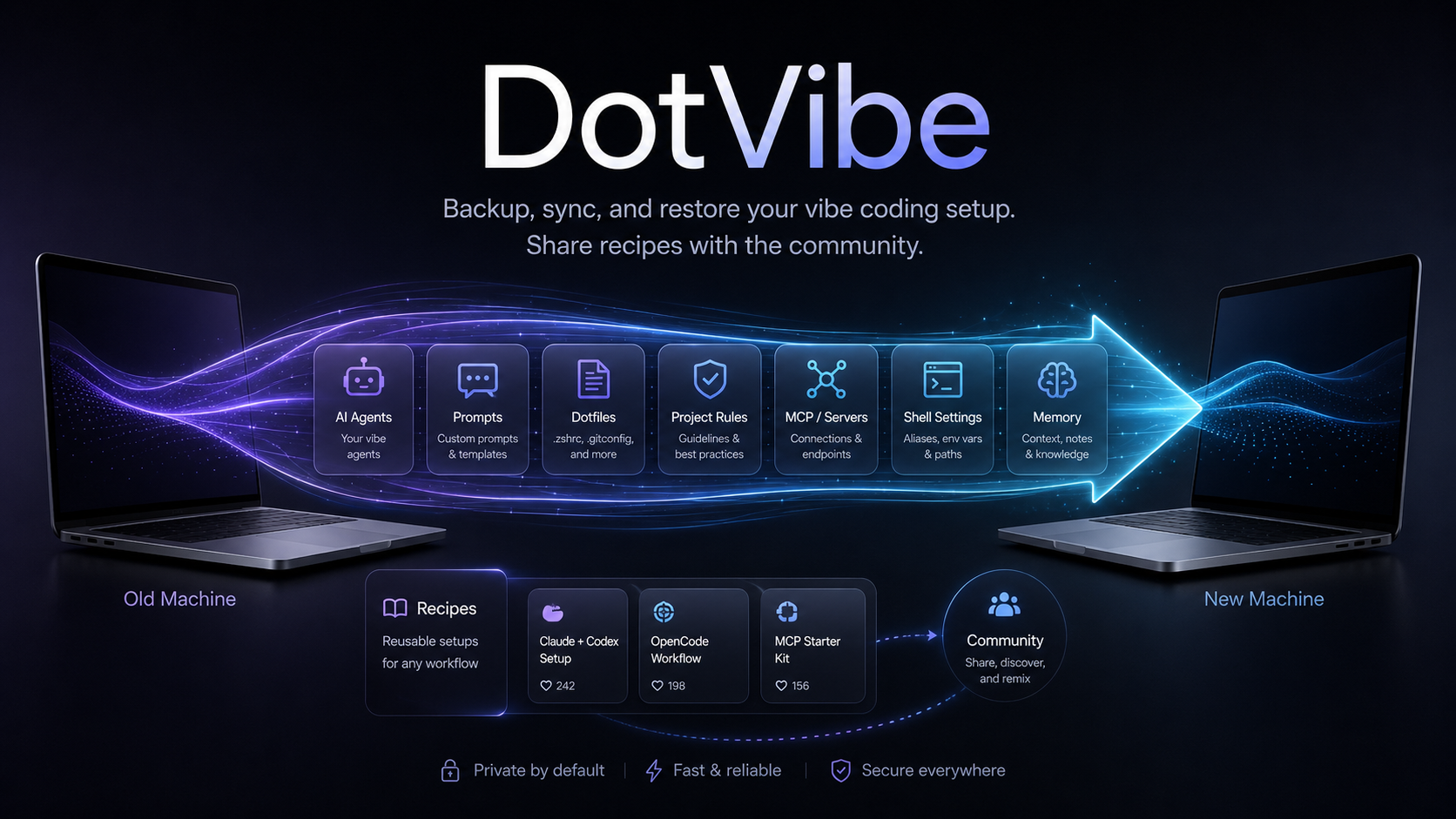
Back up and migrate Claude Code, Codex CLI, and OpenCode memory safely.
Move project memory, custom agents, skills, rules, and settings across machines without copying auth tokens or private transcripts by default.
Why dotvibe?
AI coding tools now have real working memory: project rules, Claude Code project memory, Codex agents, custom skills, global prompts, and safe settings. Dotfile managers only see paths; they do not understand which files are private, which files are shareable, or how to review changes before restoring them.
Use dotvibe when you want to:
- move Claude Code / Codex CLI / OpenCode context to a new machine or rebuilt dev environment;
- inspect what will be restored before anything touches your real agent directories;
- compare two backups to see how your AI coding memory changed;
- share agents, skills, and global rules as a
.viberecipe without leaking private project memory; - let an agent guide export/import with dry-runs, staging, and project-memory merge review.
How is this different from macOS Migration Assistant?
macOS Migration Assistant is great when you want to copy an entire Mac to another Mac. dotvibe is narrower and more agent-native: it focuses on AI coding context, lets you inspect what will move, selectively import tools or projects, handle changed usernames/project paths, stage and merge project memory, and export shareable .vibe recipes without private transcripts or project data.
If you already used full-device migration and everything works, you may not need dotvibe for that machine. dotvibe is most useful for fresh setups, partial migrations, team recipes, remote/dev environments, backups, diffs, and controlled restore flows.
DotVibe vs dotfile managers
| Feature | DotVibe | Mackup / chezmoi |
|---|---|---|
| Knows Claude Code project memory | Yes | No / manual |
| Knows Codex agents | Yes | Manual paths |
| Knows OpenCode config layout | Yes | Manual paths |
| Selective restore by tool/project | Yes | Limited/manual |
| Auth excluded by default | Yes | Depends on config |
| Backup diff by agent/category | Yes | Generic file diff |
| Fresh machine bootstrap | Yes | Partial/manual |
| Feature | Description |
|---|---|
status |
Detect all vibe coding tools on your machine |
export |
Backup config + memory + skills into a single .tar.gz |
list |
Inspect what's inside a backup |
diff |
Compare two backups by manifest path, checksum, tool, or category |
setup |
Bootstrap supported agent CLIs on a new machine/environment, then optionally restore |
import |
Restore selectively — by tool, by project, or everything |
recipe export |
Create a shareable .vibe recipe with skills, agents, global rules, and safe settings |
recipe apply |
Apply a .vibe recipe without needing a full backup |
Supported tools: Claude Code · Codex CLI · OpenCode
Try It In 60 Seconds
brew install yangyifan18/tap/dotvibe
dotvibe status
dotvibe export -o dotvibe-backup.tar.gz
dotvibe list dotvibe-backup.tar.gz
By default, dotvibe skips auth files, API keys, telemetry, caches, symlinks, and session history. Use dotvibe import --dry-run or dotvibe import --stage before writing to a real profile.
Install
# Go install
go install github.com/yangyifan18/dotvibe@latest

# Homebrew
brew install yangyifan18/tap/dotvibe

# Build from source
git clone https://github.com/yangyifan18/dotvibe.git
cd dotvibe && go build -o dotvibe .
Quick Start
For Humans
# 1. See what you've got
dotvibe status

# 2. Back it up (auth and symlinks excluded by default)
dotvibe export

# 3. Send the .tar.gz to your new machine/environment (AirDrop, scp, whatever)

# 4. On the new machine
dotvibe import dotvibe-2026-05-20.tar.gz
For Agents
# Agent-friendly: non-interactive, filtered restore
dotvibe import backup.tar.gz --yes --only claude-code

# Restore a specific project's memory
dotvibe import backup.tar.gz --dry-run --project "~/Code/MyProject"
dotvibe import backup.tar.gz --yes --project "~/Code/MyProject"

# Exclude patterns during export
dotvibe export --exclude "*/Research/*" --exclude "transcripts/*.jsonl"

# Overwrite an existing backup intentionally
dotvibe export -o backup.tar.gz --force

# Create a full backup
dotvibe export -o dotvibe-full.tar.gz

# Create an incremental backup against a previous archive
dotvibe export --base dotvibe-full.tar.gz -o dotvibe-delta.tar.gz

# Restore an incremental backup chain
dotvibe import dotvibe-delta.tar.gz --base dotvibe-full.tar.gz --yes

# Compare two backups
dotvibe diff old.tar.gz new.tar.gz

# Show Claude Code memory changes between two backups
dotvibe diff --only claude-code --category memory old.tar.gz new.tar.gz

# Produce JSON for automation
dotvibe diff --json old.tar.gz new.tar.gz

# Include session history (excluded by default)
dotvibe export --with-history
Agent-Assisted Migration
DotVibe is designed to be driven by an agent. Instead of memorizing every command, install the Codex skill from agent/codex/dotvibe-migration/ and ask:
CODEX_HOME="${CODEX_HOME:-$HOME/.codex}"
mkdir -p "$CODEX_HOME/skills/dotvibe-migration"
cp -R agent/codex/dotvibe-migration/. "$CODEX_HOME/skills/dotvibe-migration/"
Restart Codex or reload skills, then ask:
Use dotvibe to export my memories.
The agent uses dotvibe agent doctor --json, dotvibe agent inventory --json, export/import plans, dry-runs, and staging workspaces to guide you through choices. For project memory conflicts, the agent stages archive and local files first so you can review or merge before anything is written to real tool directories.
For project memory, agent-assisted import understands changed usernames and home paths across machines. A backup from /Users/young/Softwares/dotvibe can be planned for /Users/youtopia/Softwares/dotvibe by replacing the old home prefix with the new home. If the project is missing on the new machine, the agent can show a sanitized git clone command from backup metadata and ask before running it. If a project already exists, the agent asks before loading old memory and stages conflicts for review.
Vibe Recipes
Recipes are for sharing a setup with teammates or the community. They strip personal data and keep only shareable items such as Claude Code skills, Codex agents, global rules, and safe settings.
# Export a recipe
dotvibe recipe export --name "YYF Vibe Stack" --author "yangyifan" -o yyf.vibe

# Inspect and lint before sharing or applying
dotvibe recipe inspect yyf.vibe
dotvibe recipe lint yyf.vibe --strict

# Compare two recipes
dotvibe recipe diff old.vibe new.vibe
dotvibe recipe diff old.vibe new.vibe --content

# Apply safely with lint + conflict handling
dotvibe recipe apply yyf.vibe --dry-run
dotvibe recipe apply yyf.vibe

# Non-interactive modes
dotvibe recipe apply yyf.vibe --yes              # skip conflicts
dotvibe recipe apply yyf.vibe --force --yes      # overwrite conflicts
dotvibe recipe apply yyf.vibe --allow-risk       # continue despite lint errors

# Roll back a recipe apply transaction
dotvibe rollback list
dotvibe rollback 20260521-143012-a1b2c3
dotvibe rollback 20260521-143012-a1b2c3 --path ~/.codex/agents/reviewer.md
dotvibe rollback prune --keep 20 --dry-run
Recipes do not include Claude project memory, transcripts, Codex sessions, auth files, telemetry, or cache data. recipe apply runs lint first and stores rollback records for writes and overwrites. The top-level dotvibe apply command remains as a deprecated compatibility alias.
What Gets Backed Up
| Category | Included | Examples |
|---|---|---|
| Config | Yes | settings.json, config.toml, AGENTS.md |
| Memory | Yes | MEMORY.md, project rules, per-project memory |
| Skills | Yes | Custom skills, plugins, agent definitions |
| Auth | No | auth.json, API keys, tokens |
| History | Opt-in | Sessions, transcripts (--with-history) |
| Cache | No | Telemetry, cache, temp files |
| Symlinks | No | Skipped to avoid unsafe cross-machine links |
Setup Safety
dotvibe setup is dry-run by default. It prints detected tools and install commands. Use --install to run safe package-manager commands after confirmation. Commands marked as manual-review are shown but not run automatically.
# Preview detected tools, install commands, and optional restore plan
dotvibe setup backup.tar.gz

# Run safe install commands non-interactively, then restore
dotvibe setup backup.tar.gz --install --yes
Restore Safety
import writes into the target machine's agent config directories. Preview first when possible; the preview lists each file, target path, and whether it will write, skip, or overwrite:
dotvibe import backup.tar.gz --dry-run
dotvibe import backup.tar.gz --dry-run --project "~/Code/MyProject"
For end-to-end tests, use a temporary HOME instead of your real profile:
HOME=/tmp/dotvibe-restore ./dotvibe import backup.tar.gz --yes
Project filtering currently applies to Claude Code project memory. Codex CLI and OpenCode are restored at tool level. New backups include per-file SHA-256 checksums; list, diff, and import reject corrupted archives when checksums are present.
Documentation
- Obsidian Docs — Project memory, risks, decisions
- Homebrew Preflight — Maintainer validation for Homebrew formula changes
- v1.1 Release Notes
- Release builds —
VERSION=1.1 ./scripts/build-release.sh
Star History
License
Yorumlar (0)
Yorum birakmak icin giris yap.
Yorum birakSonuc bulunamadi