resume-builder-skill
Health Uyari
- License — License: MIT
- Description — Repository has a description
- Active repo — Last push 0 days ago
- Low visibility — Only 6 GitHub stars
Code Uyari
- Code scan incomplete — No supported source files were scanned during light audit
Permissions Gecti
- Permissions — No dangerous permissions requested
Bu listing icin henuz AI raporu yok.
Claude/Copilot skill for generating and beautifying resumes — 7 print-ready HTML templates, structured data pipeline, three entry flows (beautify / LinkedIn import / chat interview).
Resume Skill — Resume Builder & Beautifier
🌐 English · 中文
A Claude / Copilot skill that turns "I need a good-looking resume" into a stable, repeatable workflow. Every input flows into one standardized data schema, then renders through a swappable template — switching templates is just a skin change, content is never lost.
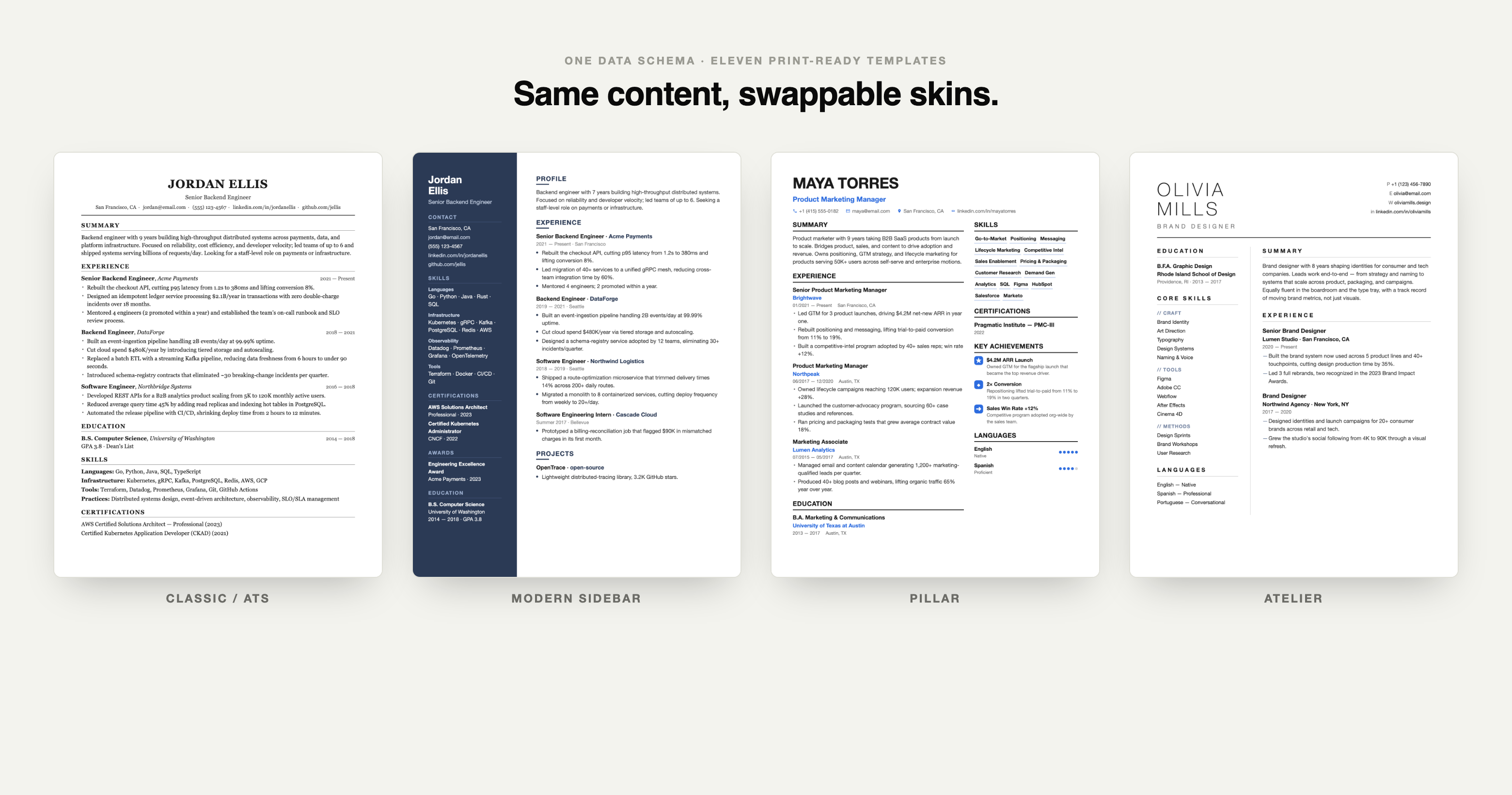
Three entry points
| What the user says | Flow | Script |
|---|---|---|
| "Beautify my resume" / uploads a PDF/docx/txt | A. Beautify an existing resume | prompts/beautify.md |
| "Here's my LinkedIn" / pastes a linkedin.com link | B. LinkedIn import | prompts/linkedin-import.md |
| "Build me one from scratch" / "let's chat" | C. Conversational build | prompts/interview.md |
All three funnel into schema/resume-data.md, then render through a template.
Eleven templates
| Preview | Template | Best for |
|---|---|---|
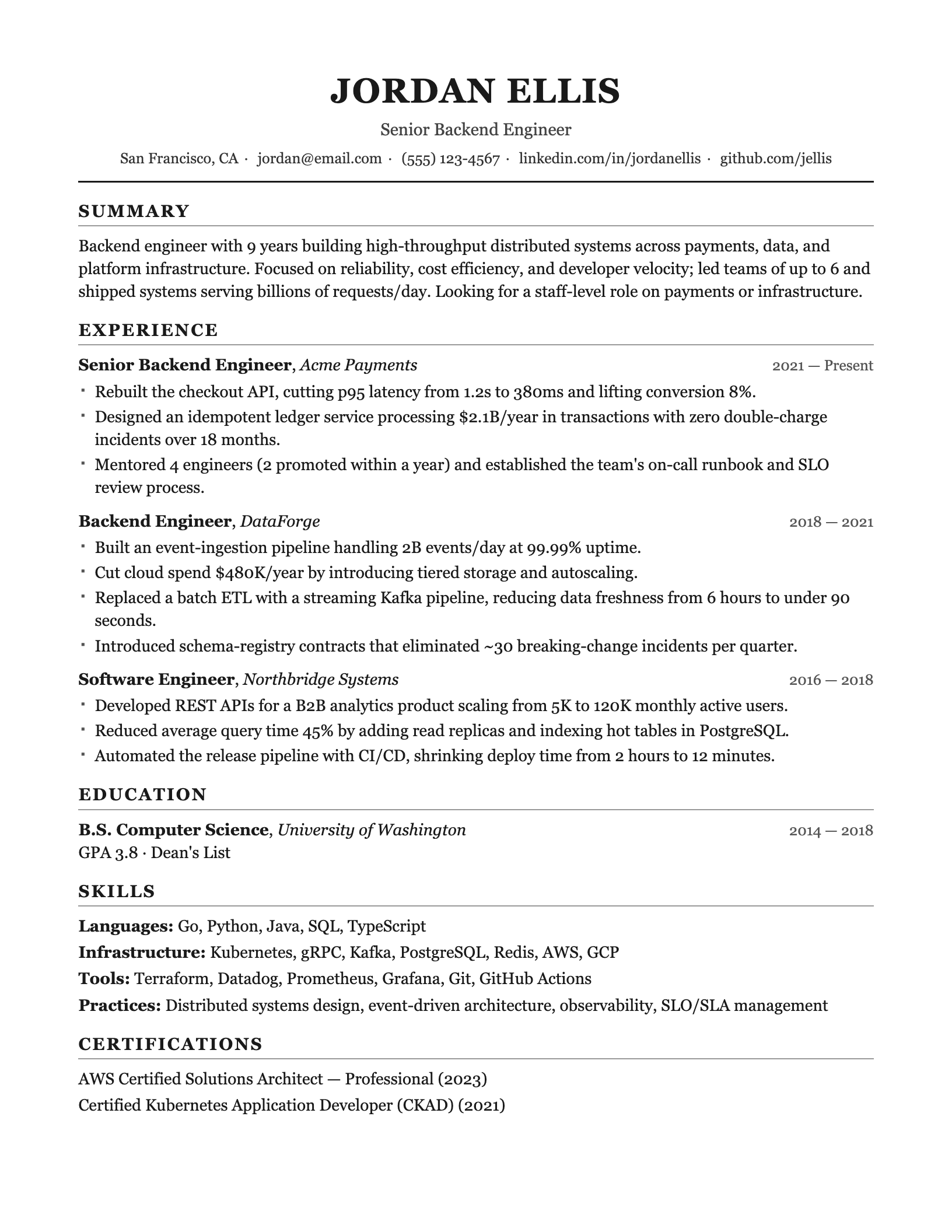 |
Classic / ATSclassic-ats.html |
Single-column, machine-parseable, safest for mass applications |
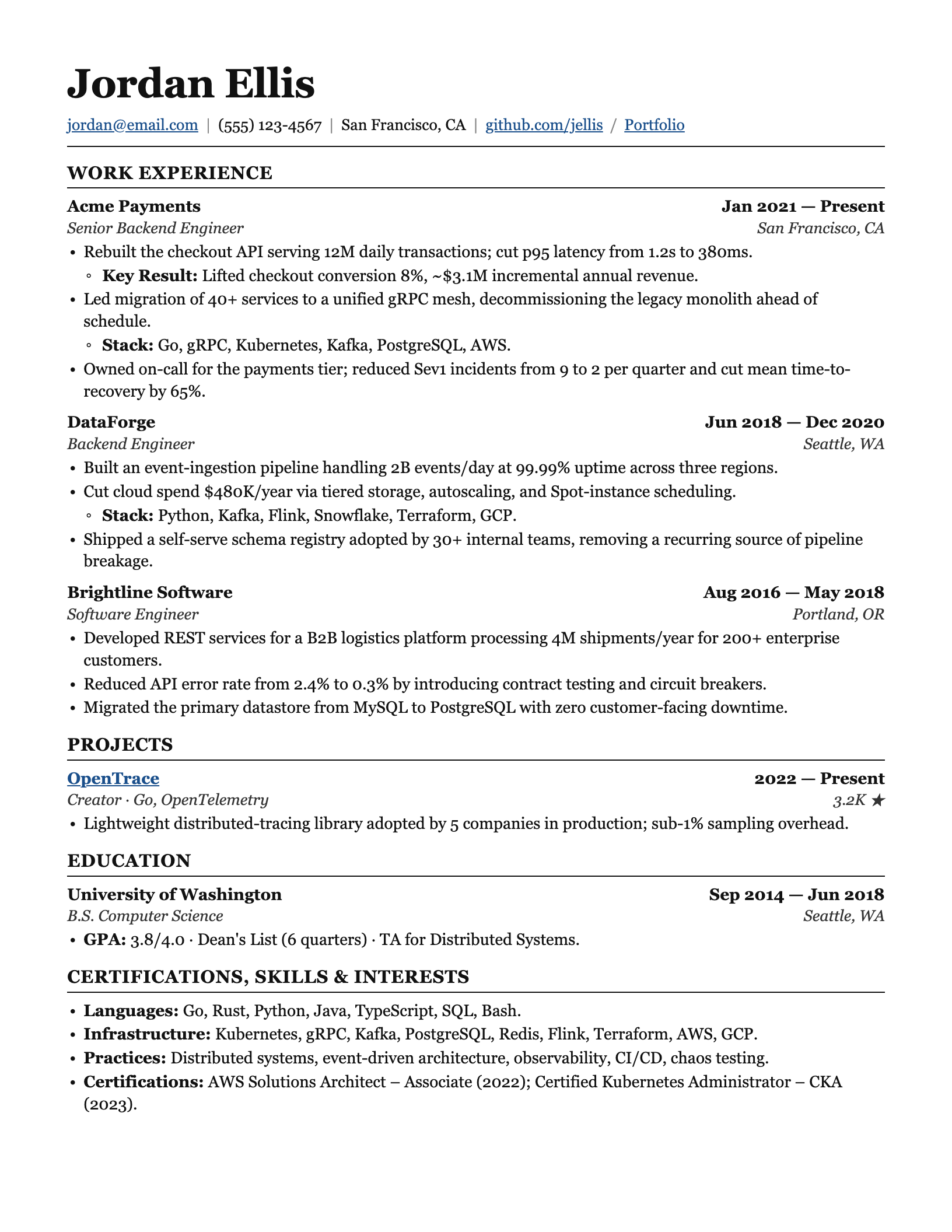 |
Ledgerledger.html |
LaTeX-style serif, justified, nested bullets — SWE / data / eng |
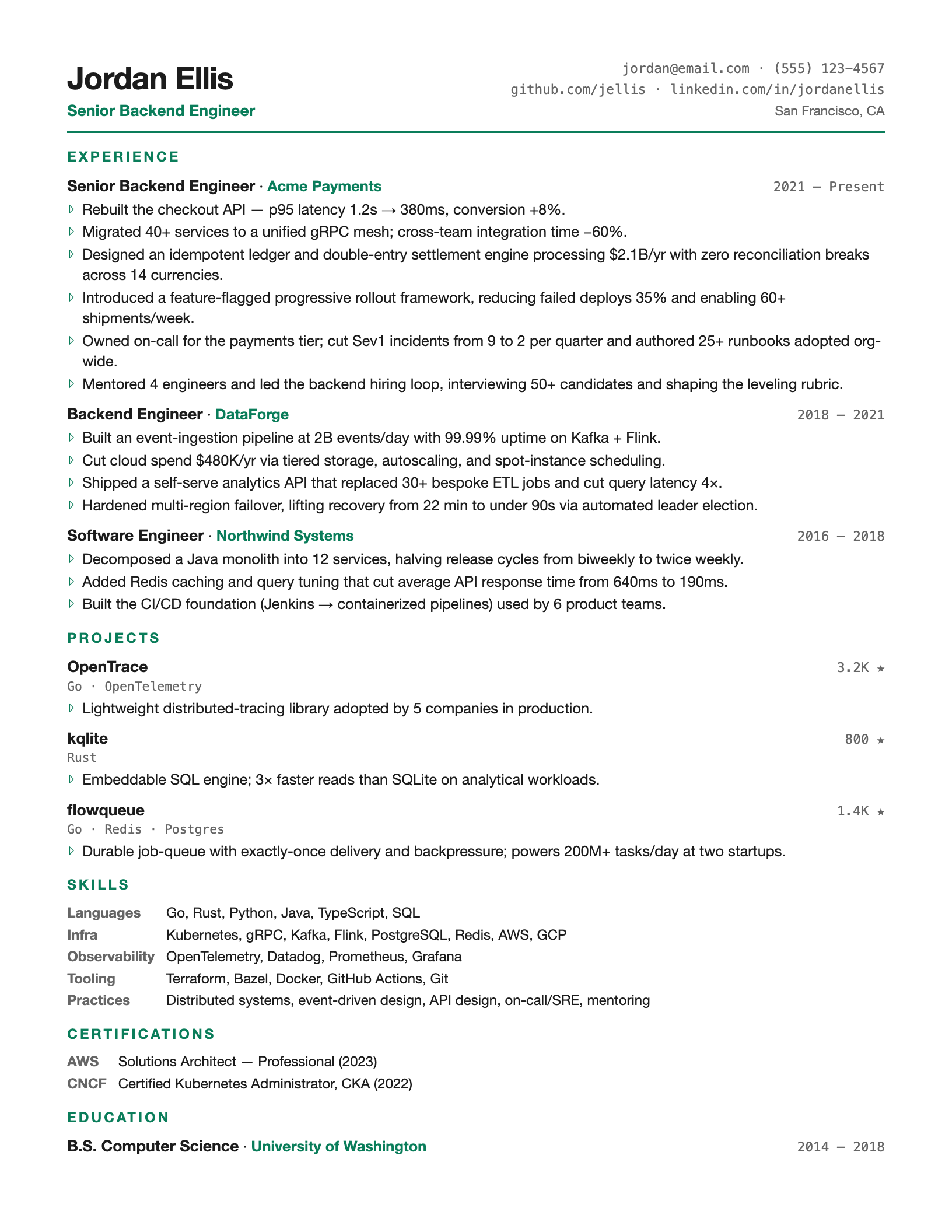 |
Tech Compacttech-compact.html |
High density + mono accents, fits many projects on one page |
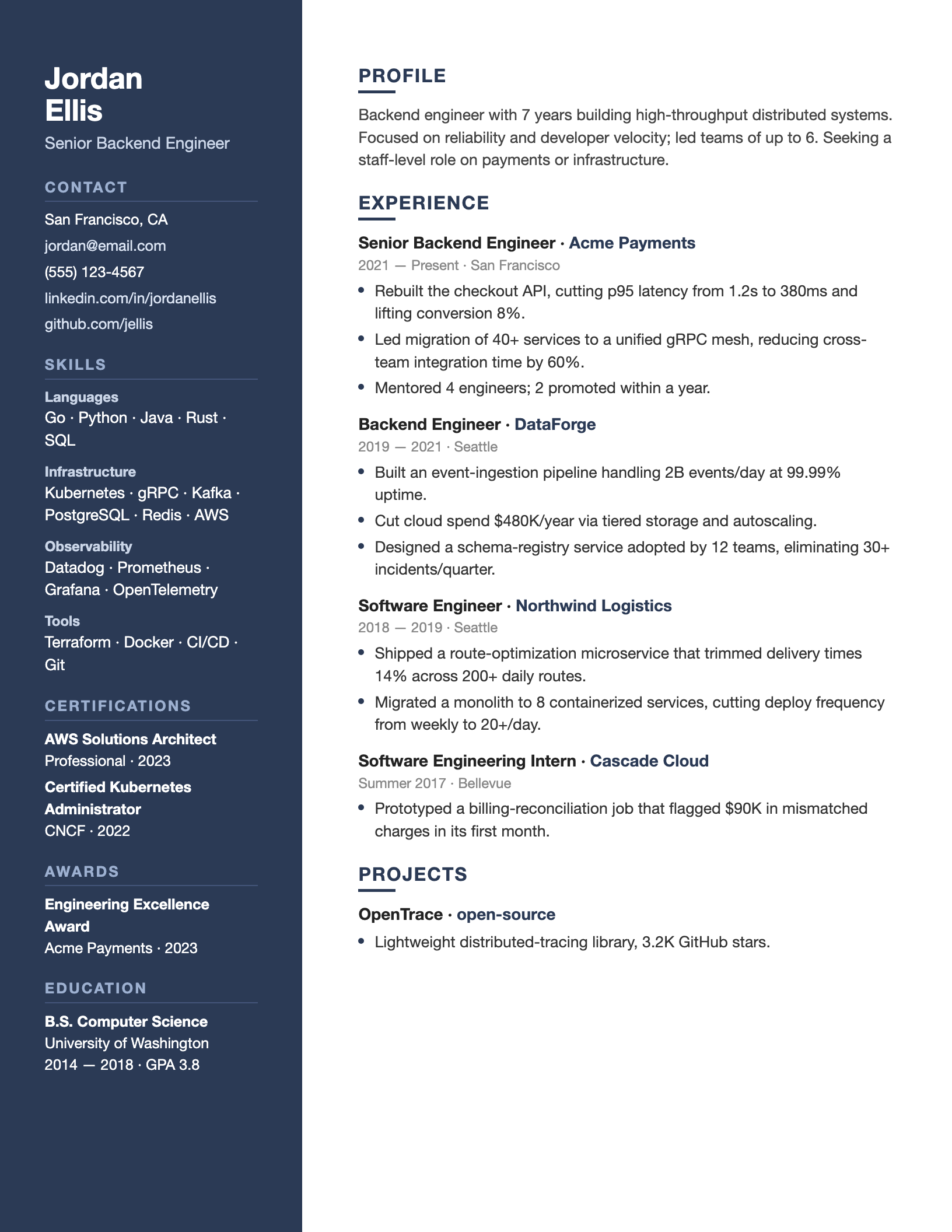 |
Modern Sidebarmodern-sidebar.html |
Two-column with dark sidebar, modern feel |
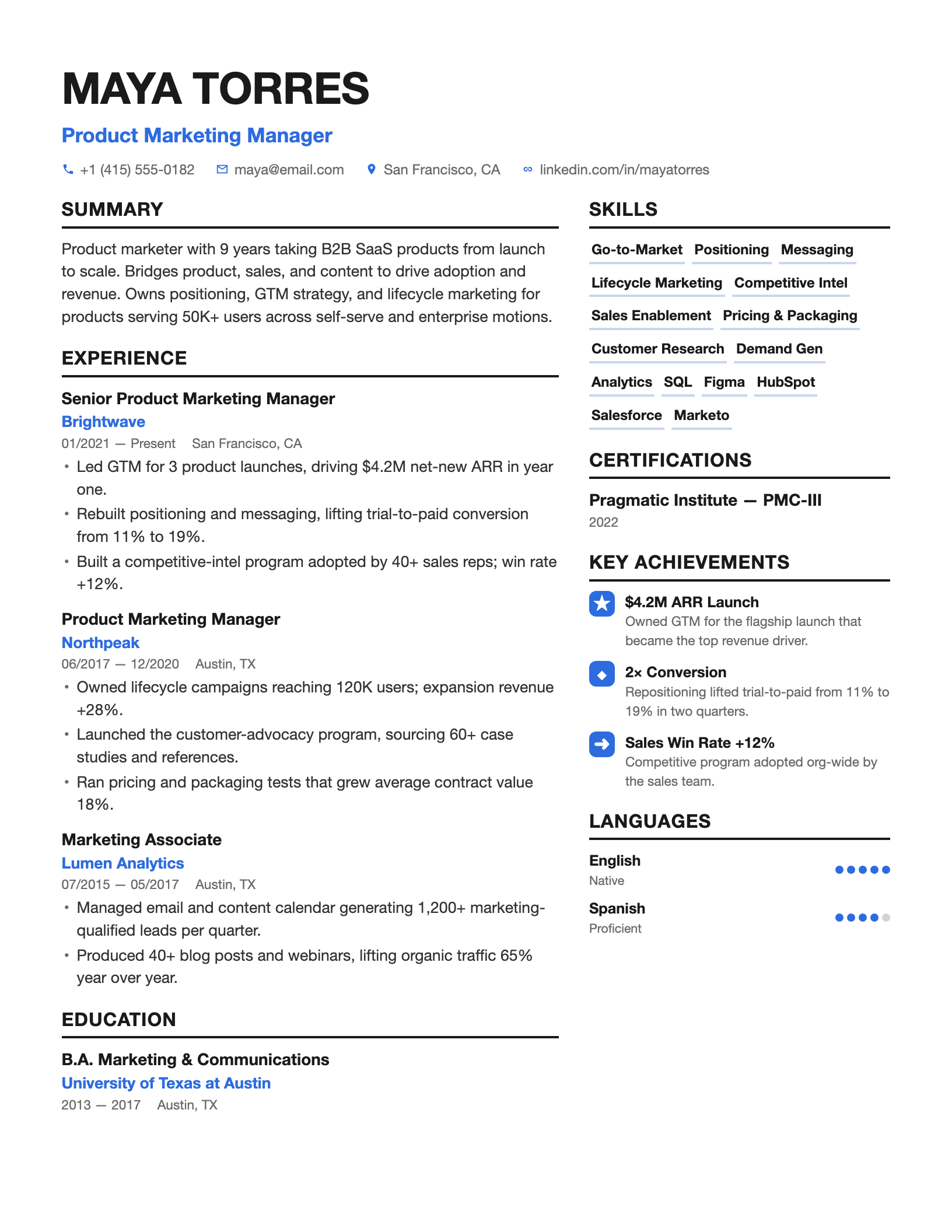 |
Pillarpillar.html |
Enhancv-style, blue accents + skill chips + icon achievements — PM / marketing |
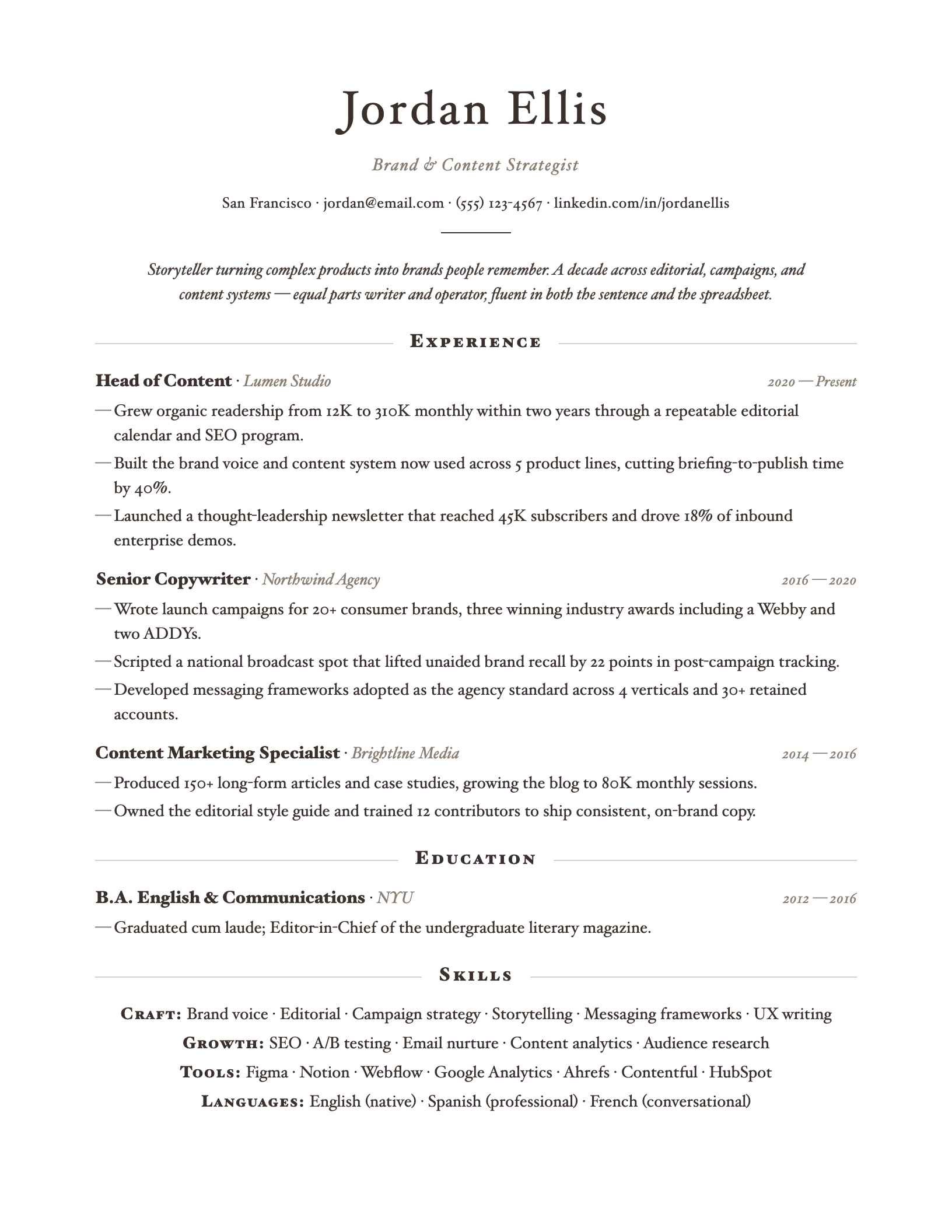 |
Elegant Serifelegant-serif.html |
Centered editorial serif — design / consulting / marketing |
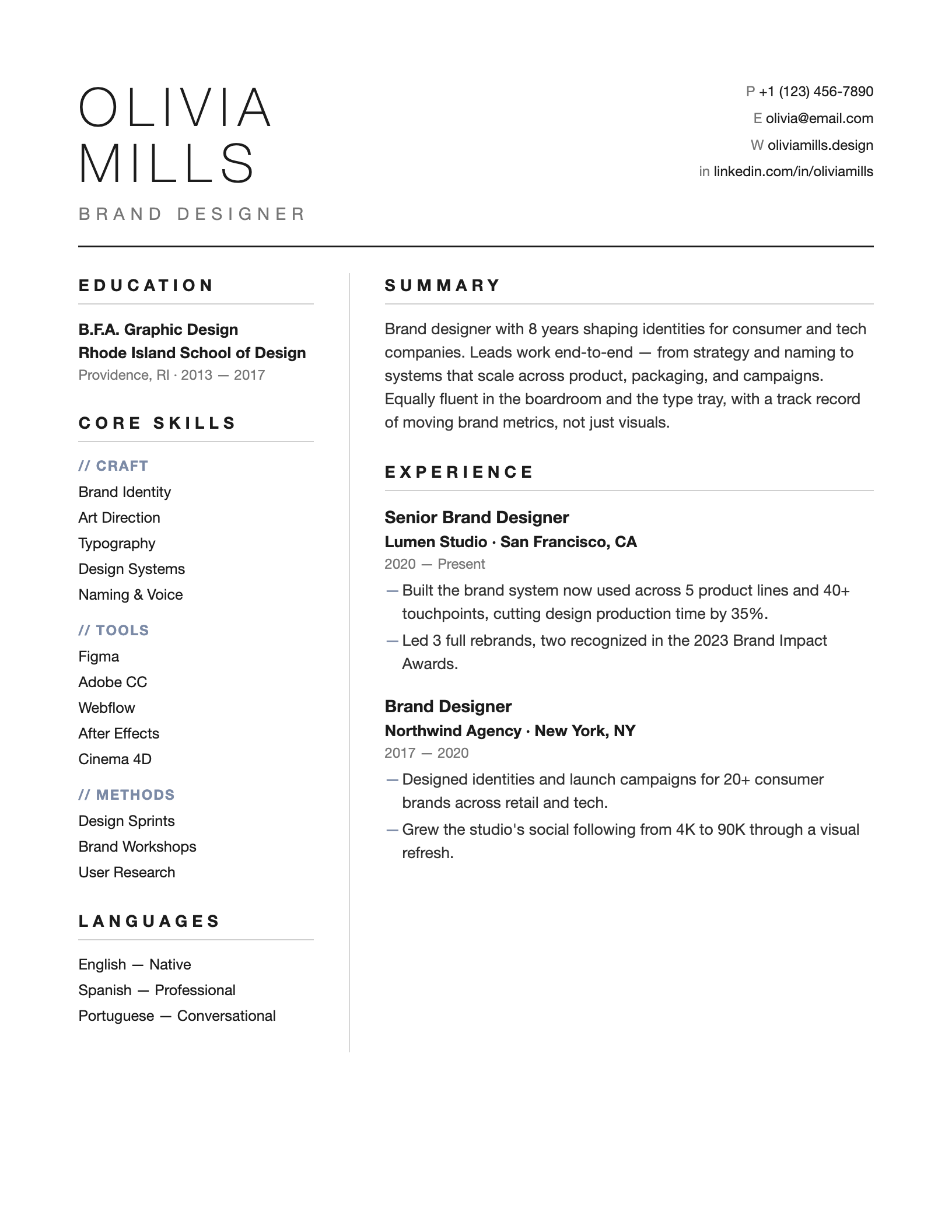 |
Atelieratelier.html |
Whitespace-heavy minimal — design / creative roles |
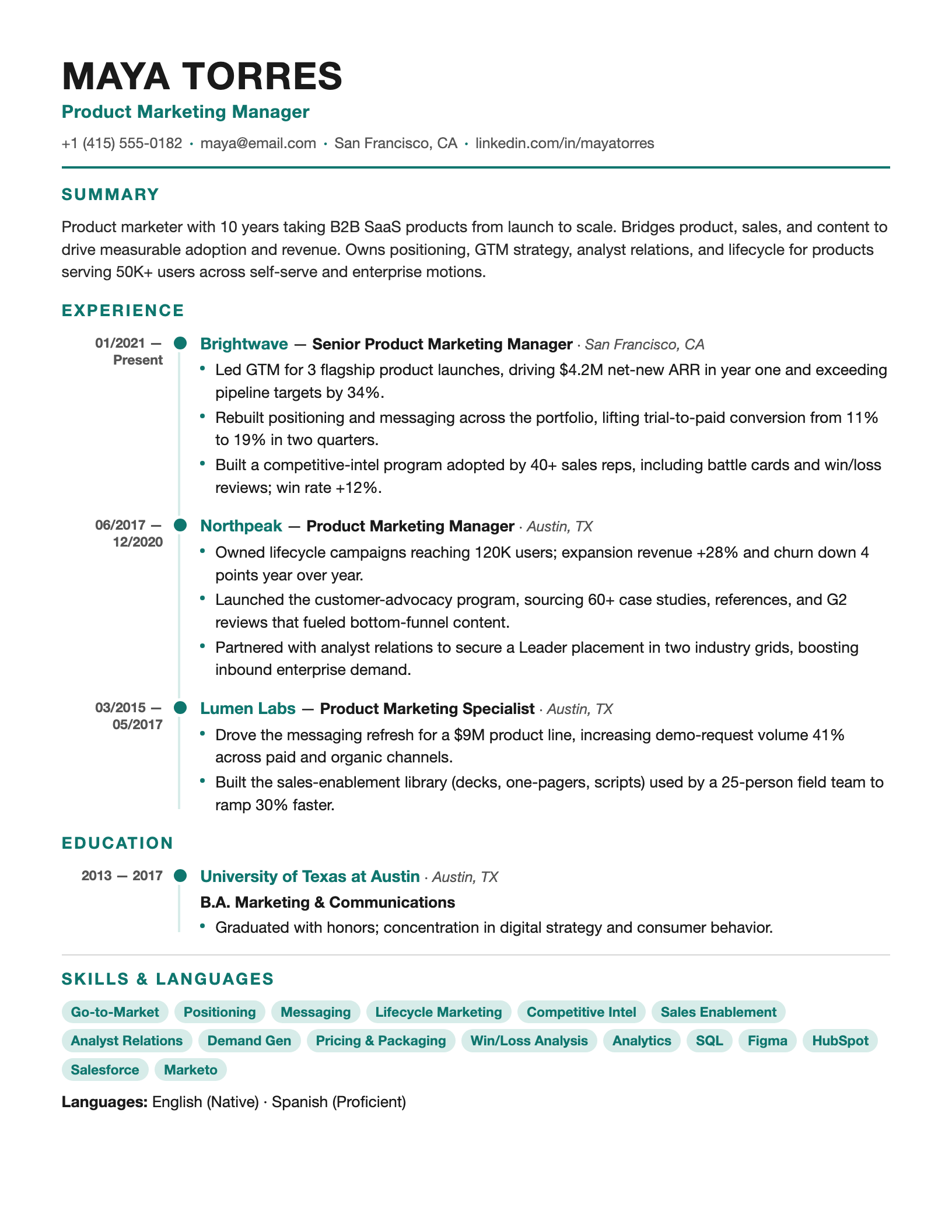 |
Timelinetimeline.html |
Vertical timeline spine — shows career progression at a glance |
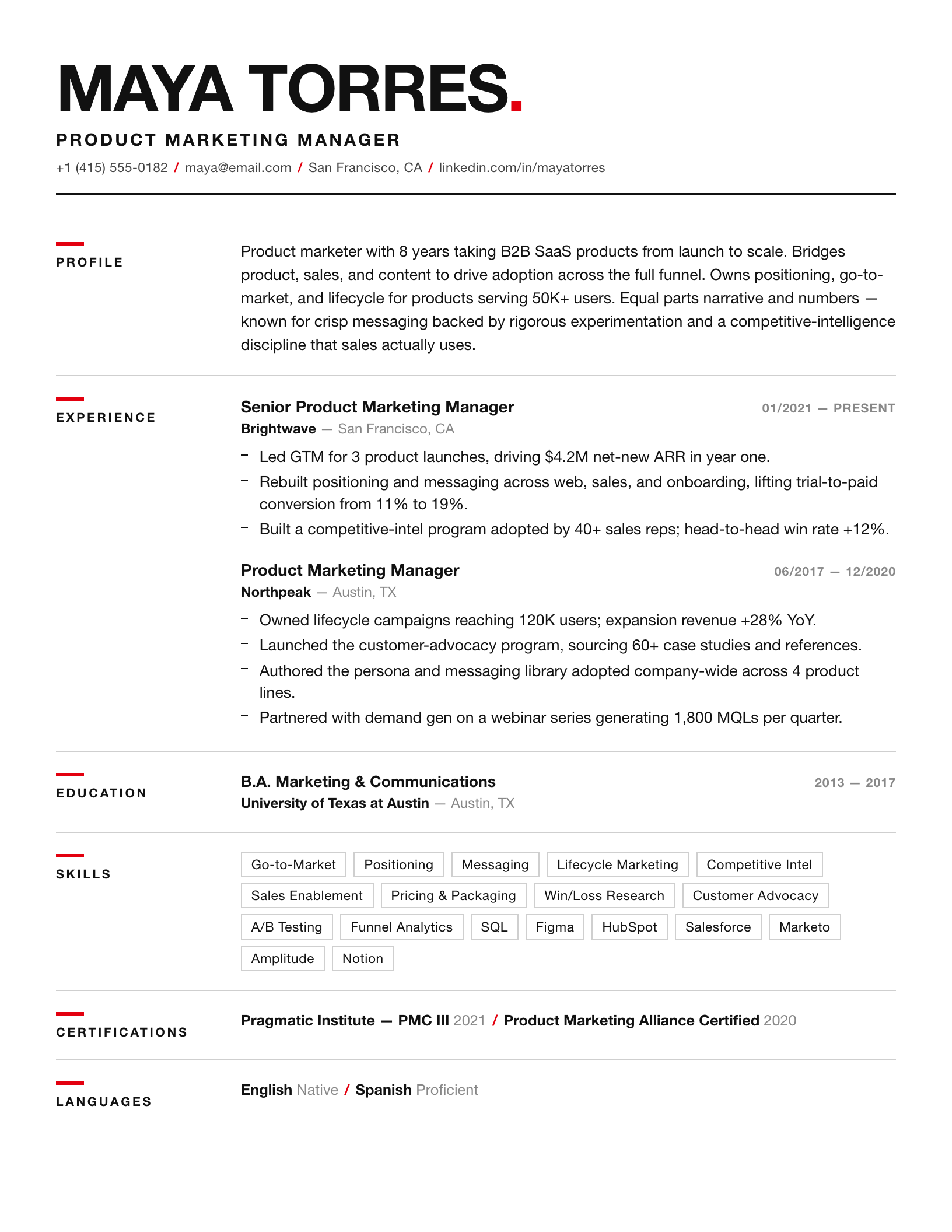 |
Swissswiss.html |
Swiss grid, bold Helvetica + red accent — design / brand / creative |
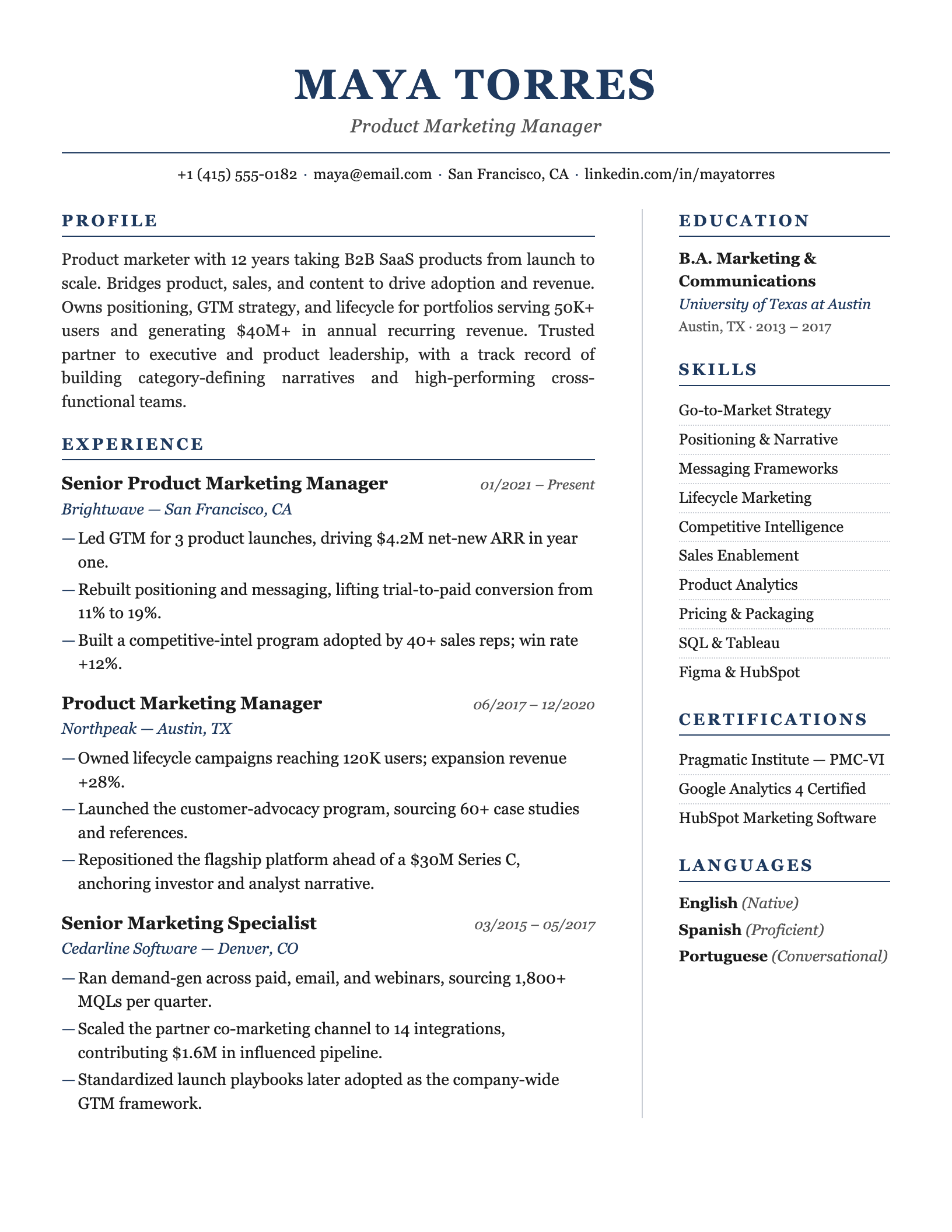 |
Executiveexecutive.html |
Navy serif, understated gravitas — finance / consulting / senior leaders |
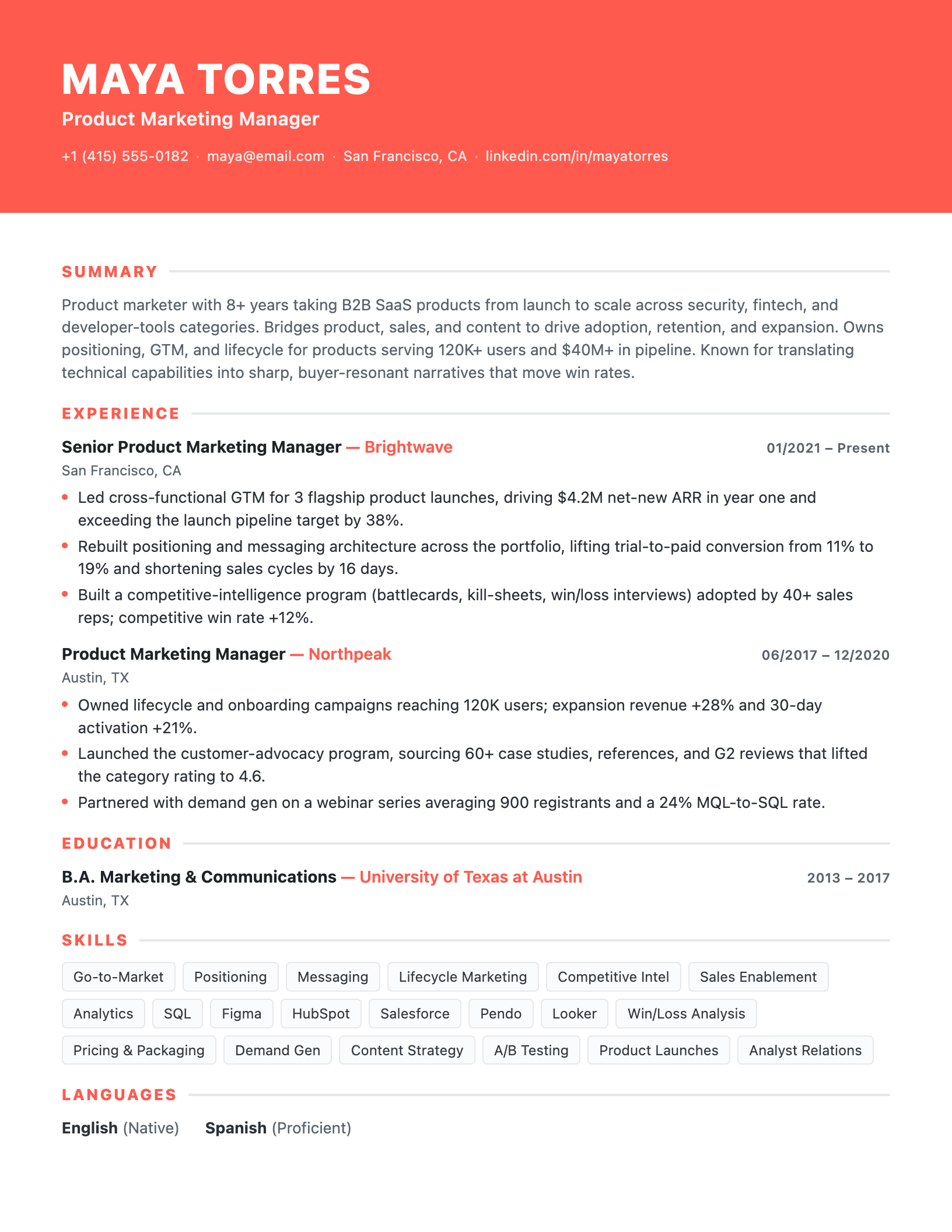 |
Color-blockcolorblock.html |
Bold full-width coral header band — tech / marketing / energetic |
Picking one: mass-applying / passing the bots → Classic-ATS or Ledger; a human reads it / referral / portfolio-facing → the others stand out more.
Three first principles
- Never fabricate. Every experience, responsibility and number comes from what the user actually provided. Guide, probe, sharpen weak bullets — but never invent a company, title, result, or metric. Verify every number; mark unknowns
[to confirm]. - One question at a time. Building a resume by conversation is an interview, not a questionnaire.
- Structure first, render second. Whatever the entry point, organize content into the
schema/resume-data.mdfields and confirm it before rendering HTML.
Editable variant — click any text to edit
Every render produces two files:
| File | Use |
|---|---|
<name>-resume-<template>.html |
Locked print-ready output — Cmd+P → PDF |
<name>-resume-<template>-editable.html |
Click any text in the browser to edit; Cmd+P when done |
The editable variant layers three things on top of any template (see prompts/editable-version.md) without touching its visual design:
contenteditable="true"on the content container- Hover / focus affordance (dashed yellow → solid blue outline)
- A floating toolbar (top-right) with Save as PDF and Lock buttons
@media printhides the toolbar and edit highlights so the exported PDF stays clean
⚠️ Browser edits live only in the current tab — refresh and they're gone. Always Cmd+P to lock changes into a PDF.
Usage
Drop the whole resume-skill/ folder into your skills directory (e.g. ~/.claude/skills/resume-skill/) and just say "beautify this resume" (attach a PDF), "I have no resume, let's build one", or "here's my LinkedIn, make me one." Claude reads SKILL.md and runs the matching flow.
Output: two self-contained single-file HTMLs — <name>-resume-<template>.html (locked) and <name>-resume-<template>-editable.html (click-to-edit). Open either in a browser → Cmd+P → Save as PDF (margins None/Default, enable background graphics).
Layout
resume-skill/
├── SKILL.md                       # Flow entry point (read first)
├── schema/resume-data.md          # Standardized fields — the hub format for every entry point
├── prompts/
│   ├── beautify.md                # Entry A: beautify an existing resume
│   ├── linkedin-import.md         # Entry B: LinkedIn import + fallback
│   ├── interview.md               # Entry C: conversational collection
│   └── editable-version.md        # Injection snippet that upgrades any render into a click-to-edit page
├── guides/writing-tips.md         # Bullet craft, quantification, ATS keywords, common mistakes
└── templates/                     # 11 print-optimized HTML templates
Related skills
- job-description-skill — JD Decoder & Offer Strategy OS
- Behavior-question-skill — Behavioral interview / Career Story OS
License
MIT
Yorumlar (0)
Yorum birakmak icin giris yap.
Yorum birakSonuc bulunamadi