supercli
Health Pass
- License — License: MIT
- Description — Repository has a description
- Active repo — Last push 0 days ago
- Community trust — 80 GitHub stars
Code Pass
- Code scan — Scanned 12 files during light audit, no dangerous patterns found
Permissions Pass
- Permissions — No dangerous permissions requested
No AI report is available for this listing yet.
The open source SWE agent
Supercode
AI-Powered SWE Agent
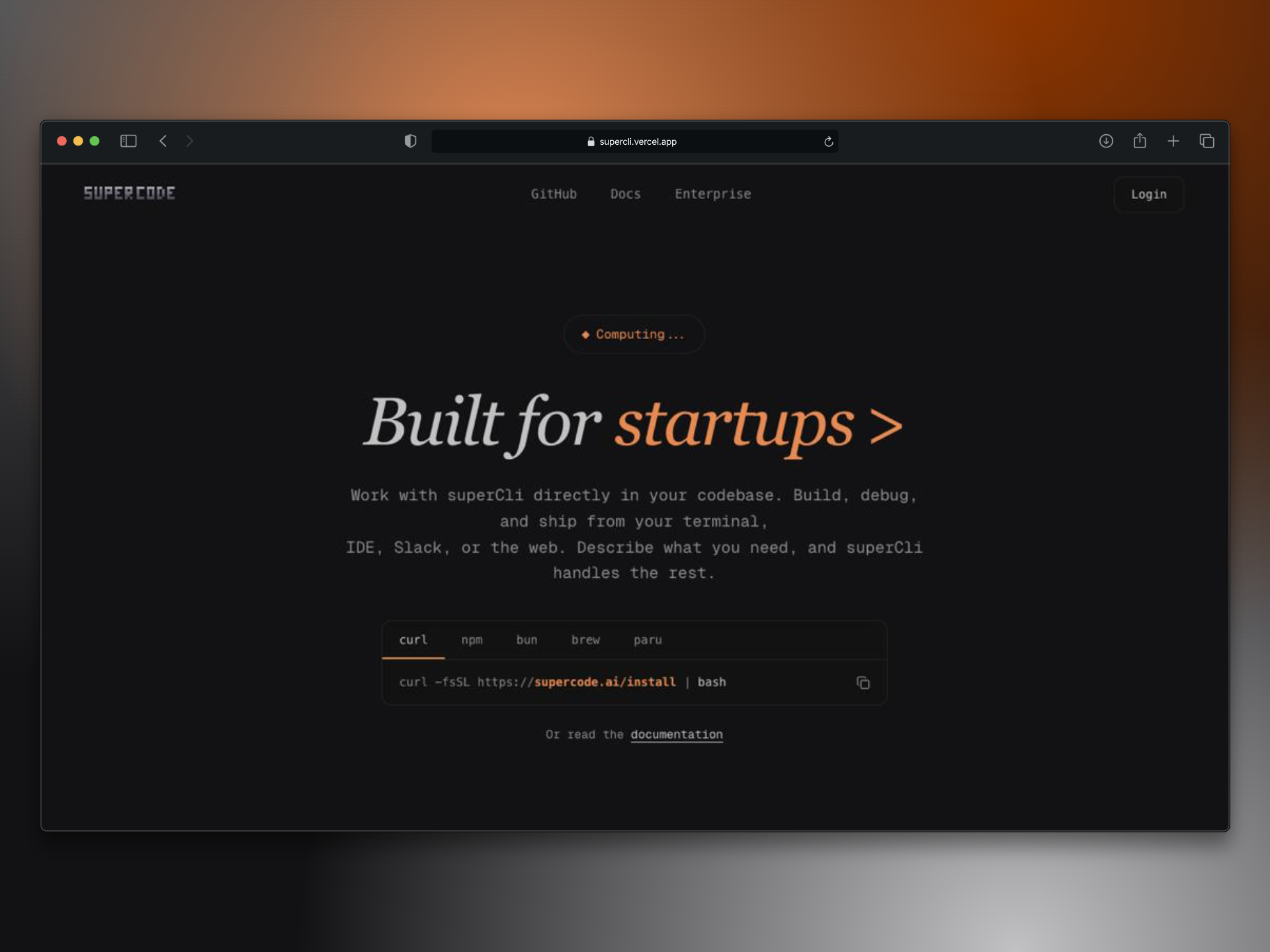
A monorepo containing the Supercode dashboard, documentation, terminal web client, CLI coding agent, and shared packages.








Star History
Quick Start
# Prerequisites: Git, Bun 1.2+, Docker Desktop (for local DB)
git clone https://github.com/yashdev9274/supercli.git
cd supercli
bun install                        # install dependencies
cp apps/web/.env.example apps/web/.env.local  # configure env
docker compose up -d               # start PostgreSQL
bun run db:migrate                 # create database tables
bun run dev:web                    # start the dashboard
Dashboard → http://localhost:3000
No database? Set one up later — bun install skips Prisma client generation gracefully when DATABASE_URL isn't set.
Overview
Supercode is a full-stack AI-powered development platform built as a Bun + Turborepo monorepo. It includes a web dashboard, an MDX documentation site, an AI coding agent CLI, a terminal-style web client, and a parallel project for fine-tuning open-source LLMs.
- Dashboard (
apps/web) — Next.js dashboard for managing repositories, viewing analytics, and GitHub OAuth - Documentation (
apps/docs) — MDX-based documentation site - Terminal Web Client (
apps/supercode-cli/client) — Browser UI that mirrors the CLI experience - Supercode CLI (
apps/supercode-cli/server) — AI-powered coding agent published to npm assupercode - API Server (
apps/api) — Scaffolding for a shared backend - Open Model (
supercode-openmodel/) — Fine-tuning open-source LLMs (Qwen3, GLM-4) for coding tasks
Architecture
This is a monorepo managed with Turborepo and Bun workspaces. Workspaces are defined in package.json as apps/*, apps/supercode-cli/*, and packages/*.
Applications
| App | Description | Port |
|---|---|---|
apps/web |
Next.js 16 dashboard (supercli.com) | 3000 |
apps/docs |
Next.js MDX documentation site | 3001 |
apps/supercode-cli/client |
Terminal web client UI (Next.js) | 3002 |
apps/supercode-cli/server |
AI coding agent — also published as the supercode npm CLI |
— |
apps/api |
Shared API server (scaffolded) | TBD |
Packages
| Package | Description |
|---|---|
@super/db |
Prisma client + schema for the dashboard database |
@super/auth |
Better-Auth configuration (server + client) |
@super/ui |
Shared UI components |
@super/sdk |
Internal SDK |
@super/config |
Shared configuration (ESLint, TS, etc.) |
@super/dashboard |
Dashboard-specific component library |
@super/db-terminal |
Prisma client + schema for the terminal CLI's separate database |
@super/claude-sdk |
Claude / Anthropic AI SDK wrapper |
@super/embeddings-sdk |
Embeddings provider SDK (Gemini, etc.) |
@super/skills |
Reusable AI agent skills shared across apps |
Terminal Stack 🖥️
The apps/supercode-cli workspace contains two sub-apps that together form the Supercode terminal product:
apps/supercode-cli/
├── client/   # Next.js 16 web client — terminal.supercli.com
└── server/   # Bun-powered AI coding agent, exposed as the `supercode` CLI
- Client is a Next.js app that mirrors the terminal experience in the browser, intended to be deployed to
terminal.supercli.com. - Server is a real installable CLI (
supercodeon npm) built with Bun and the AI SDK. It supports multiple model providers (OpenRouter, Anthropic, Google) and ships with a tool system (file read/write, command execution, search, etc.).
Run the CLI locally with:
bun run supercode              # dev (from root)
bun run dev:terminal           # run the web client
bun run dev:terminal-server    # run the CLI dev loop
Supercode Open Model 🧠
We're building a coding-focused LLM by fine-tuning open-source models for the Supercode CLI. This project runs in parallel with the main platform.
Goal
Fine-tune open models to create an AI assistant specialized in:
- Code generation and completion
- Debugging and error fixing
- Code explanation and documentation
- Multi-language programming support
Training Strategy
We're using a dual-track approach to train two models simultaneously:
| Track | Infrastructure | Model | Method | Estimated Cost |
|---|---|---|---|---|
| Track 1 | Tinker (Managed) | Qwen3-8B | LoRA | $150 free credits |
| Track 2 | Modal + Axolotl | GLM-4-9B | LoRA/QLoRA | ~$15-20 |
Project Structure
supercode-openmodel/
├── training/
│   ├── data/                    # Dataset preparation scripts
│   ├── tinker_qwen3/            # Tinker + Qwen3 training code
│   └── evaluation/              # Model evaluation scripts
├── models/                      # Model checkpoints
├── config/                      # Training configurations
└── pyrightconfig.json
Training Datasets
We use high-quality coding datasets:
| Dataset | Size | Purpose |
|---|---|---|
| CodeAlpaca | 20K | Instruction tuning |
| OpenCodeReasoning | 100K+ | Reasoning + coding |
| CodeFeedback | 156K | Instruction-response |
Quick Start
Set up Tinker (Track 1)
pip install tinker
export TINKER_API_KEY="your-key"
cd supercode-openmodel/training/tinker_qwen3
python train.py
Set up Modal (Track 2)
pip install modal
modal token new
# Configure HuggingFace token in Modal secrets
modal run --detach src.train --config=config/glm4.yml
Current Status
🚧 In Progress — Actively training and evaluating models. The best-performing model will be deployed to the Supercode CLI.
Tech Stack
Framework & Runtime
- Next.js 16 — React framework with App Router
- React 19 — UI library
- TypeScript 5 — Type safety
- Bun 1.2+ — JavaScript runtime & package manager
Monorepo
- Turborepo 2 — Build system for monorepos
Database & ORM
- PostgreSQL — Primary database
- Prisma 7 — Database ORM (separate schemas for
dbanddb-terminal) - Pinecone — Vector database
Authentication
- Better Auth — Authentication system
- GitHub OAuth — Social login
Background Jobs
- Inngest — Event-driven background jobs in
apps/web
UI & Styling
- Tailwind CSS v4 — Utility-first CSS
- Radix UI + Base UI — Component primitives
- Framer Motion — Animations
- Lucide Icons — Icon library
- shadcn/ui — Component scaffolding for
supercode-cli/client
State & Data
- TanStack Query — Server state management
- React Hook Form — Form handling
- Zod — Schema validation
AI & ML
- AI SDK v6 — Unified AI provider interface
- OpenRouter — Multi-model routing
- Anthropic Claude — Default model
- Google Gemini — Embeddings
- Vercel Minimax AI Provider — Additional model provider
CLI
- Commander — CLI argument parsing
- Clack + Boxen + Chalk — Terminal UI primitives
- Marked + marked-terminal — Markdown rendering in terminal
Getting Started
Prerequisites
- Bun 1.2+ (Install) — pinned to 1.2.21
- Git
- Docker Desktop (recommended for local PostgreSQL) — Download
- PostgreSQL (alternatively, use Neon or Supabase)
Installation
Clone the repository
git clone https://github.com/yashdev9274/supercli.git
cd supercli
Install dependencies
bun installPrisma client generation runs automatically if
DATABASE_URLis configured, or skips gracefully if not.Set up environment variables
cp apps/web/.env.example apps/web/.env.localEdit
apps/web/.env.localwith your configuration. At minimum, the dashboard requires:DATABASE_URL="postgresql://postgres:postgres@localhost:5432/postgres" BETTER_AUTH_SECRET="your-secret-key" # openssl rand -hex 32 BETTER_AUTH_URL="http://localhost:3000" GITHUB_CLIENT_ID="your-github-oauth-id" GITHUB_CLIENT_SECRET="your-github-oauth-secret"Start PostgreSQL (skip if using a remote provider)
docker compose up -dRun database migrations
bun run db:migrate # dashboard databaseStart the dashboard
bun run dev:webOpen http://localhost:3000.
Start other apps (in separate terminals)
bun run dev:docs             # Documentation site
bun run dev:terminal         # Terminal web client
bun run dev:terminal-server  # CLI agent dev loop
CLI Quick Start
The supercode CLI doesn't require a database for most operations:
# Run the CLI in dev mode
bun run supercode

# Or build and run the production build
bun run build && bun run supercode:prod
See apps/supercode-cli/ for the CLI's own setup and environment variables.
GitHub OAuth Setup
- Go to GitHub Developer Settings
- Create a new OAuth App
- Set Authorization callback URL:
http://localhost:3000/api/auth/callback/github(for local development). In production, use your deployed domain, e.g.,https://your-app.com/api/auth/callback/github. - Copy Client ID and Client Secret to your
.envfile
Project Structure
supercli/
├── apps/
│   ├── web/                          # Dashboard → supercli.com
│   │   ├── app/                      # Next.js App Router pages
│   │   ├── components/               # React components
│   │   ├── hooks/                    # Custom React hooks
│   │   ├── lib/                      # Utility libraries
│   │   ├── modules/                  # Feature modules
│   │   ├── inngest/                  # Background job functions
│   │   └── public/                   # Static assets (og-image, etc.)
│   │
│   ├── docs/                         # MDX documentation site
│   │   ├── app/                      # App router pages
│   │   ├── components/
│   │   ├── content/                  # MDX documentation files
│   │   └── lib/
│   │
│   ├── supercode-cli/
│   │   ├── client/                   # Next.js terminal web UI → terminal.supercli.com
│   │   │   ├── app/
│   │   │   ├── components/
│   │   │   └── lib/
│   │   └── server/                   # Bun CLI agent (published as `supercode` on npm)
│   │       ├── src/
│   │       │   ├── cli/              # CLI commands + chat loop
│   │       │   ├── service/          # AI provider service layer
│   │       │   ├── tools/            # Tool implementations
│   │       │   ├── lib/              # Shared libraries
│   │       │   ├── config/           # Config + env handling
│   │       │   └── types/
│   │       └── prisma/               # Terminal DB schema (uses @super/db-terminal)
│   │
│   ├── api/                          # Shared API server (scaffolded)
│
├── packages/
│   ├── db/                           # Prisma client for dashboard DB
│   │   └── prisma/schema.prisma
│   │
│   ├── db-terminal/                  # Prisma client for terminal DB (separate schema)
│   │   └── prisma/schema.prisma
│   │
│   ├── auth/                         # Better-Auth config
│   │   └── src/
│   │       ├── server.ts
│   │       └── client.ts
│   │
│   ├── claude-sdk/                   # Claude / Anthropic provider wrapper
│   ├── embeddings-sdk/               # Embeddings provider wrapper
│   ├── skills/                       # Shared AI agent skills
│   ├── ui/                           # Shared UI components
│   ├── sdk/                          # Internal SDK
│   ├── config/                       # Shared ESLint/TS config
│   └── dashboard/                    # Dashboard-specific components
│
├── supercode-openmodel/              # LLM fine-tuning project
│   ├── training/
│   │   ├── data/
│   │   ├── tinker_qwen3/
│   │   └── evaluation/
│   ├── models/                       # Checkpoints
│   └── config/
│
├── scripts/                          # Repo-level scripts
├── turbo.json                        # Turborepo config
├── package.json                      # Root package (workspaces, scripts)
├── bun.lock                          # Bun lockfile
├── .env.example                      # Environment template
├── CONTRIBUTING.md                   # Contribution guide
└── README.md                         # This file
Available Scripts
Run from the repo root unless otherwise noted.
Development
| Script | What it does |
|---|---|
bun run dev |
Start all dev servers (Turborepo) |
bun run dev:web |
Dashboard only (port 3000) |
bun run dev:docs |
Docs only (port 3001) |
bun run dev:terminal |
Terminal web client only |
bun run dev:terminal-server |
CLI agent dev loop |
bun run dev:api |
API server only |
bun run dev:video |
Remotion studio |
bun run supercode |
Run the published CLI in dev mode |
bun run supercode:prod |
Run the built CLI from dist/ |
Build
| Script | What it does |
|---|---|
bun run build |
Build all apps and packages |
Database
| Script | What it does |
|---|---|
bun run db:generate |
Generate Prisma client (dashboard) |
bun run db:migrate |
Deploy migrations (dashboard) |
bun run db:terminal:generate |
Generate Prisma client (terminal) |
bun run db:terminal:migrate |
Deploy migrations (terminal) |
Create new migrations from the package directory:
cd packages/db
bunx prisma migrate dev --name migration_name
cd -
The terminal CLI has its own database and Prisma schema under packages/db-terminal/:
cd packages/db-terminal
bunx prisma migrate dev --name migration_name
cd -
Quality
| Script | What it does |
|---|---|
bun run test |
Run all tests across the monorepo |
bun run lint |
Run ESLint across all packages |
bun run typecheck |
Run TypeScript checks |
Environment Variables
The canonical template lives at apps/web/.env.example — copy it to apps/web/.env.local and fill in.
Variables are annotated with dependency tiers:
- 🔴 Required — app won't start without it
- 🟡 Required for feature — needed for auth, AI, etc.
- ⚪ Optional — skip if you don't need the feature
Contributing
We welcome contributions! Please see the Contributing Guide, Code of Conduct, and Security Policy for details.
License
This project is licensed under the MIT License — see LICENSE for details.
Reviews (0)
Sign in to leave a review.
Leave a reviewNo results found