mongorescue
Health Uyari
- License — License: MIT
- Description — Repository has a description
- Active repo — Last push 0 days ago
- Low visibility — Only 5 GitHub stars
Code Gecti
- Code scan — Scanned 12 files during light audit, no dangerous patterns found
Permissions Gecti
- Permissions — No dangerous permissions requested
Bu listing icin henuz AI raporu yok.
Self-hosted MongoDB backup and disaster recovery: streaming mongodump to disk or S3, safe-clone restores, encryption, alerts, web dashboard and MCP server. Single Go binary.

MongoDB backups and restores that stream, verify and encrypt.
A single Go binary with a built-in dashboard.


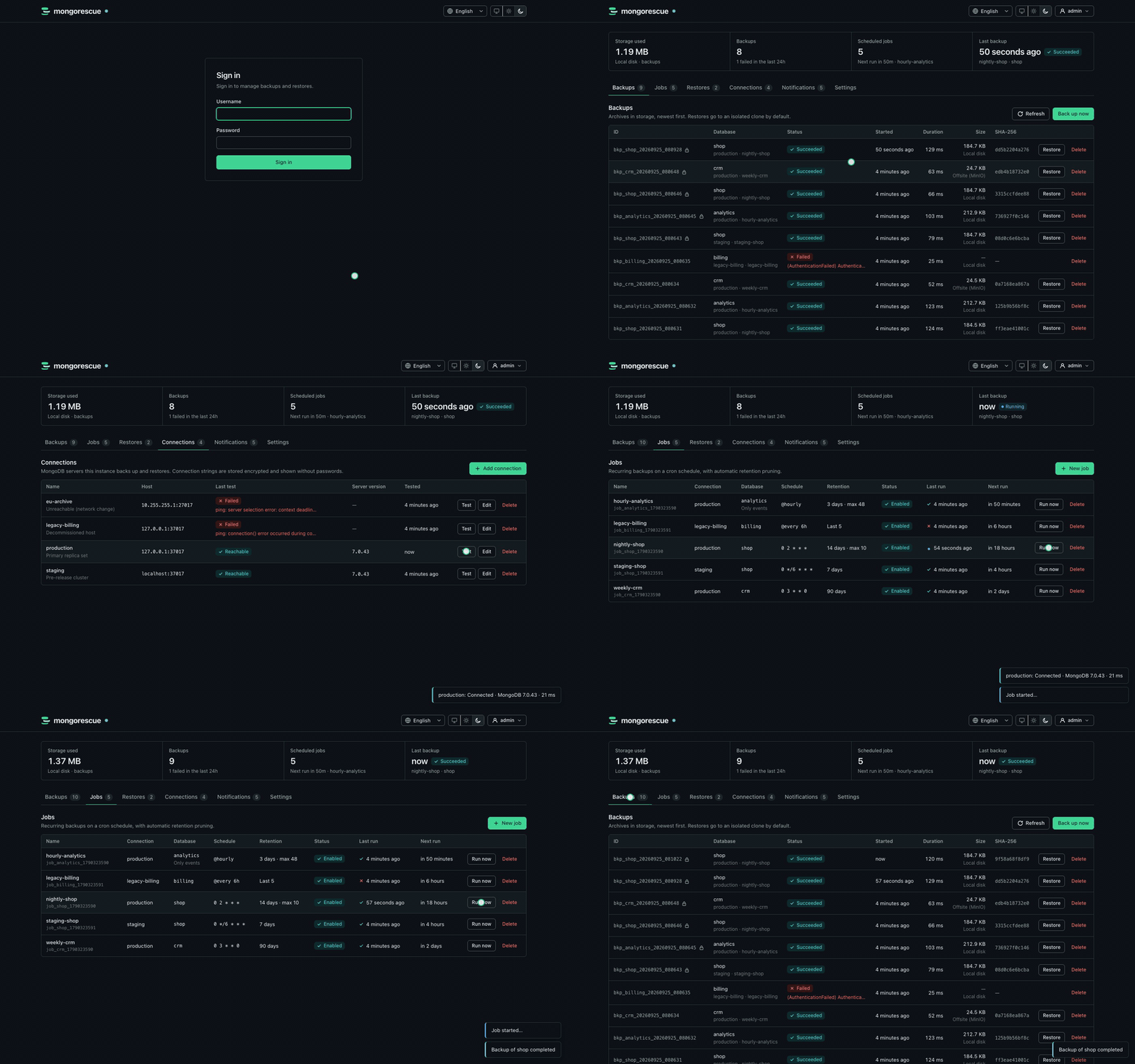
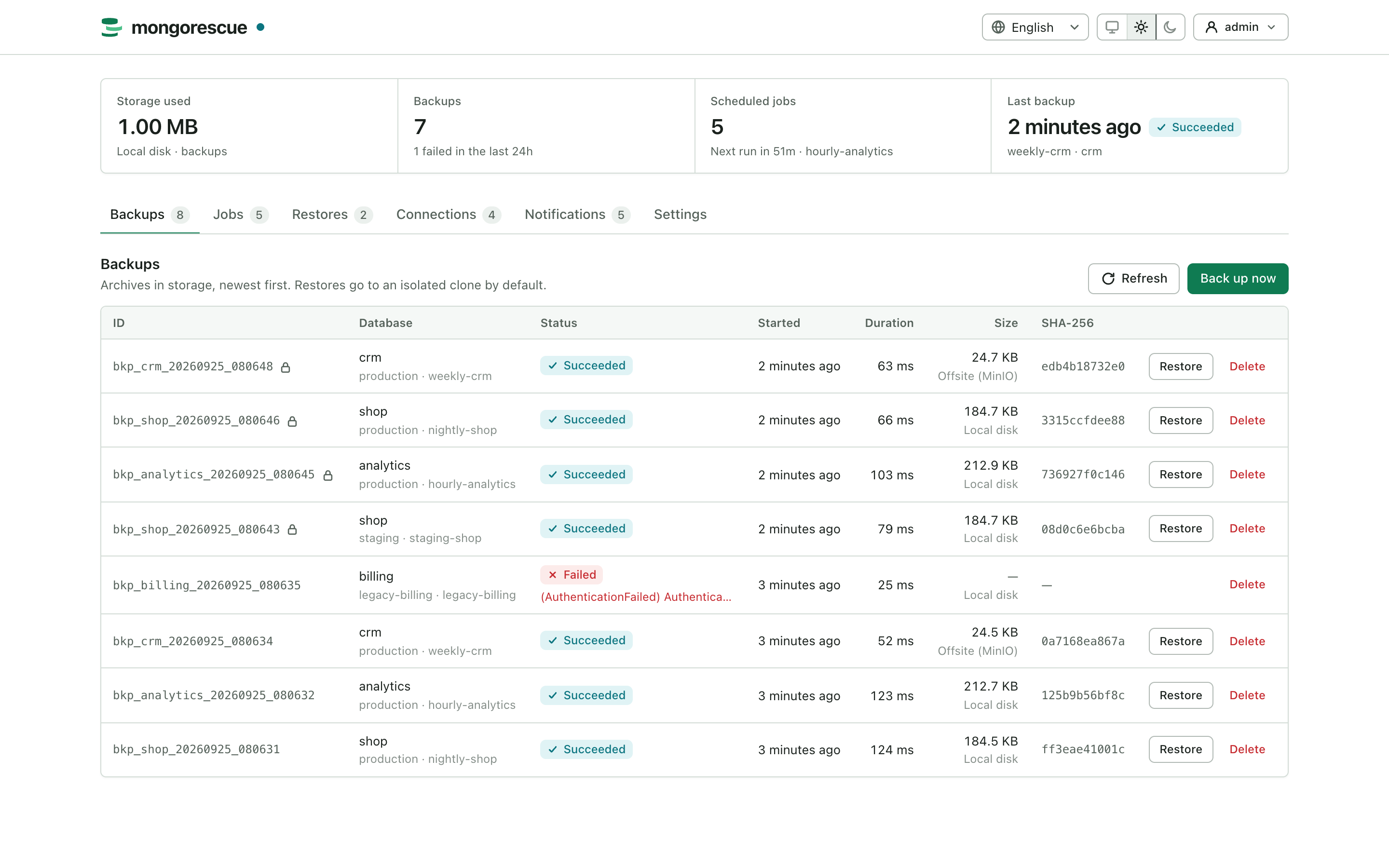 More screenshots
 |
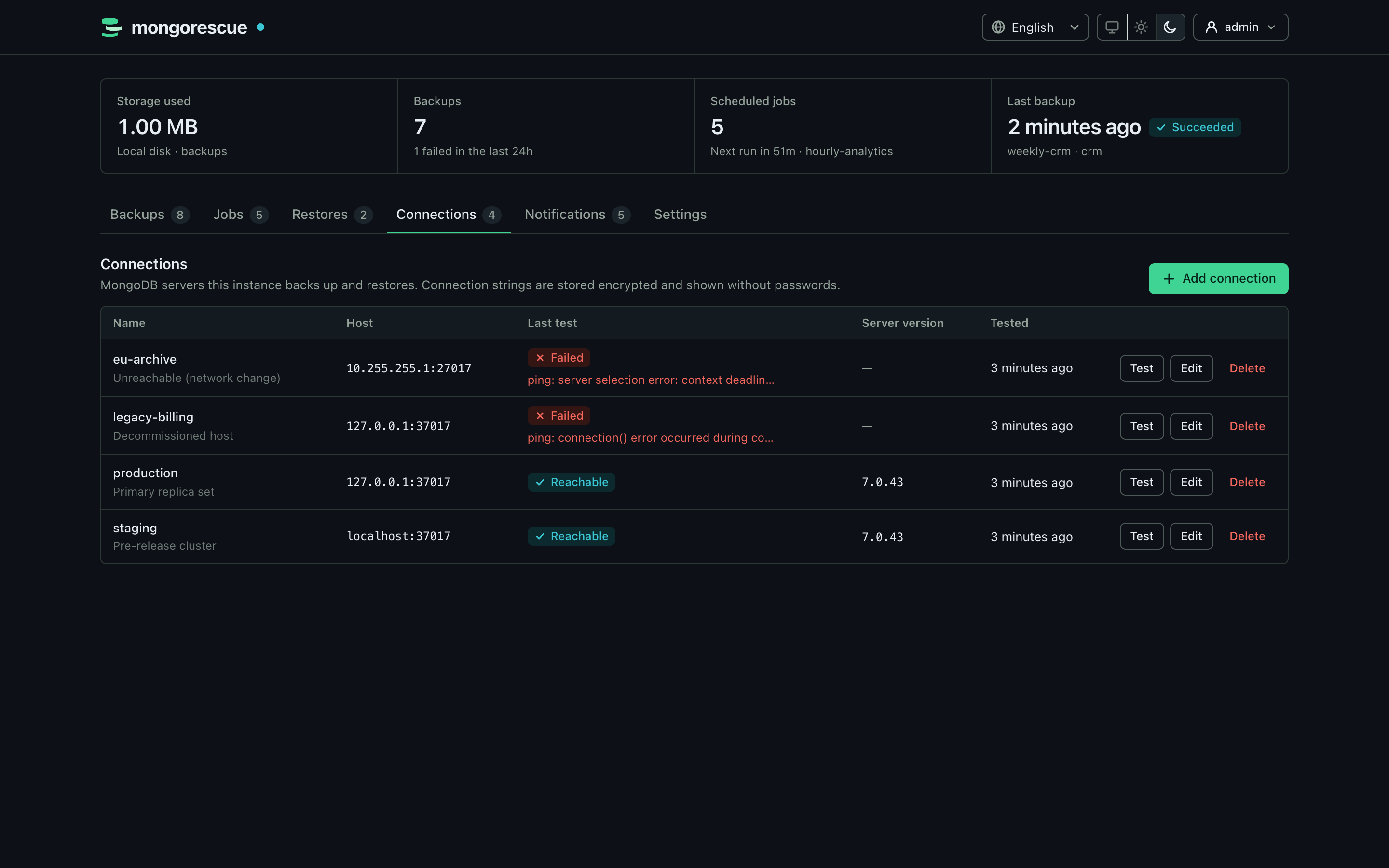 |
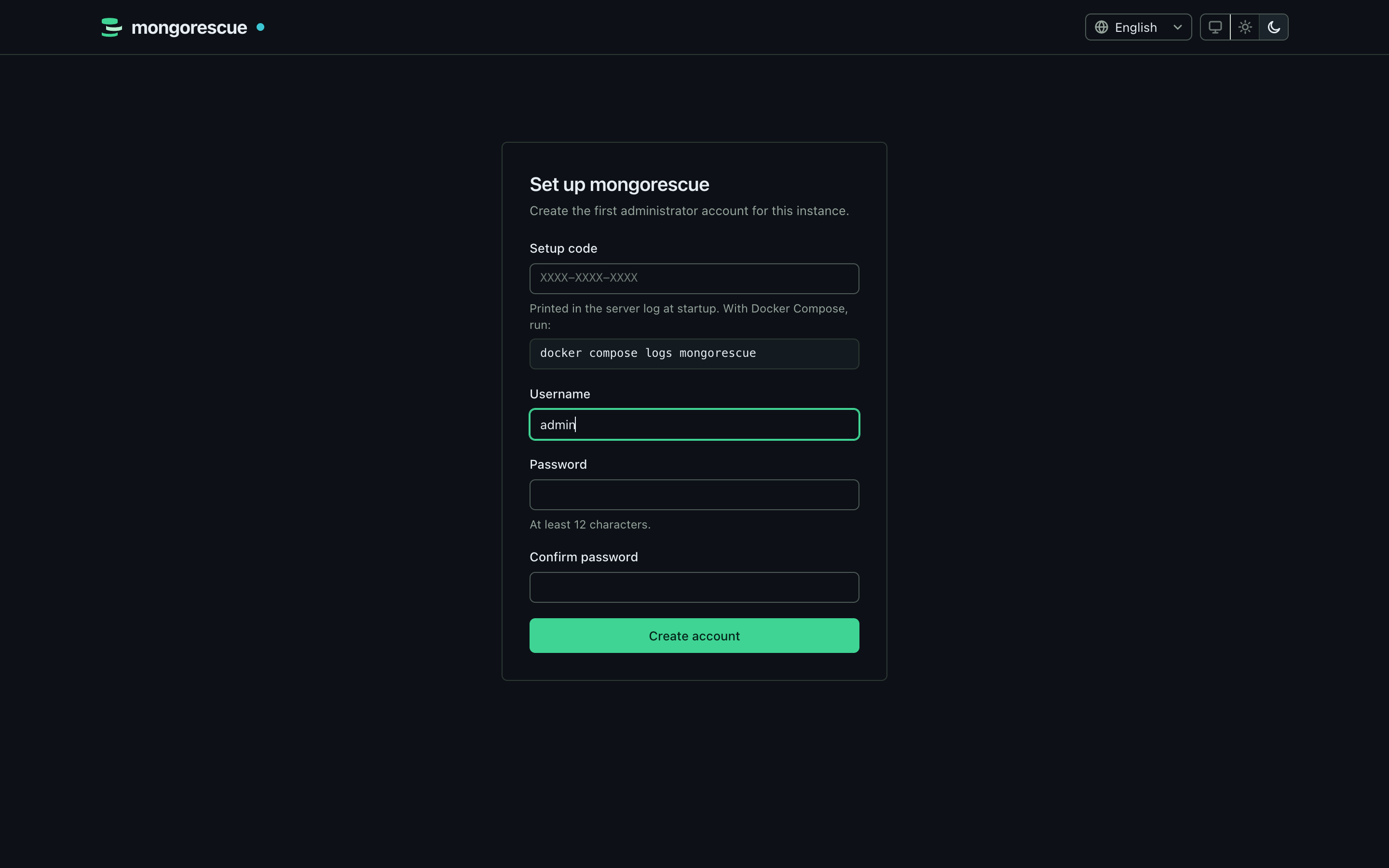
| First-run setup | MongoDB connections |
 |
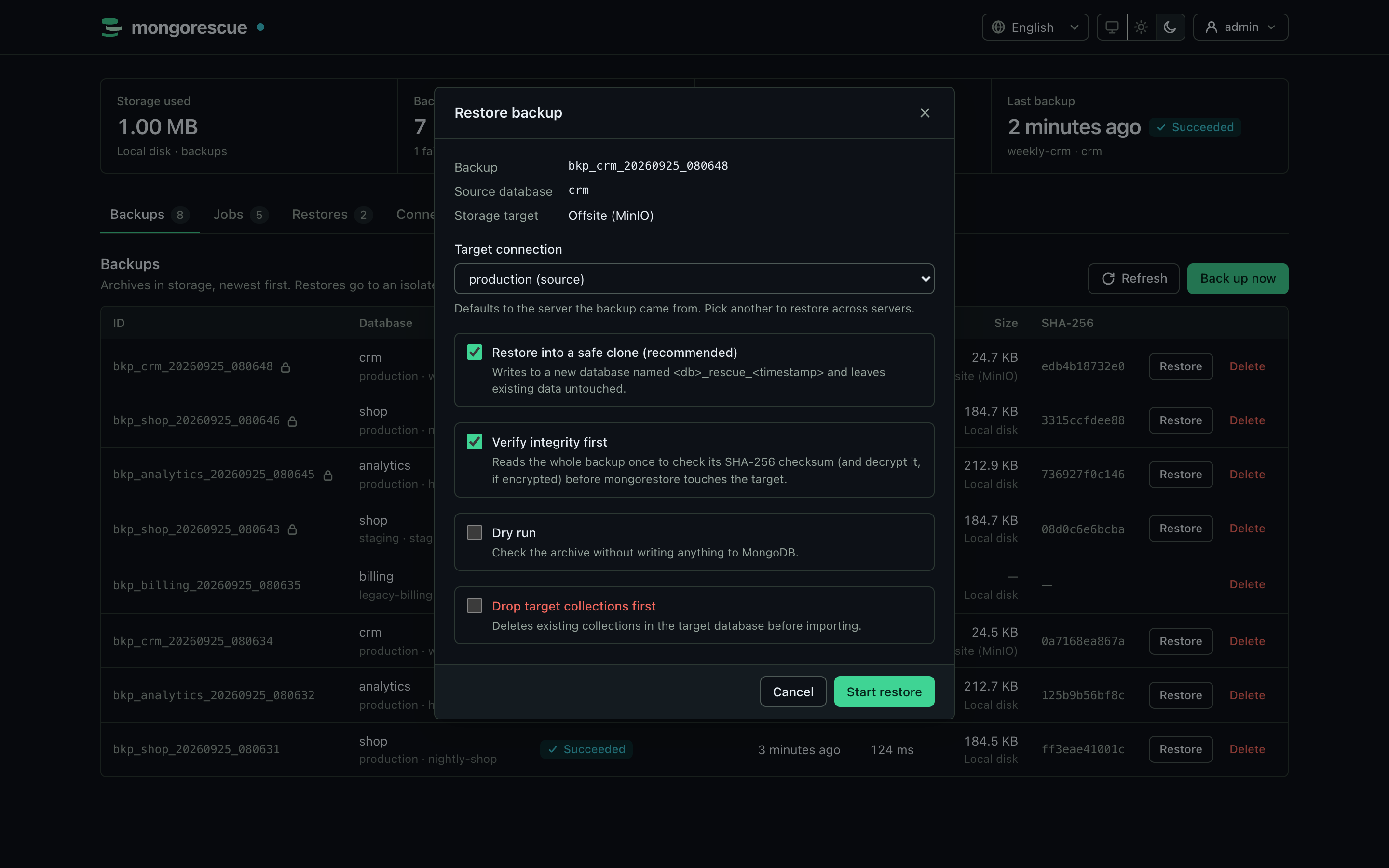 |
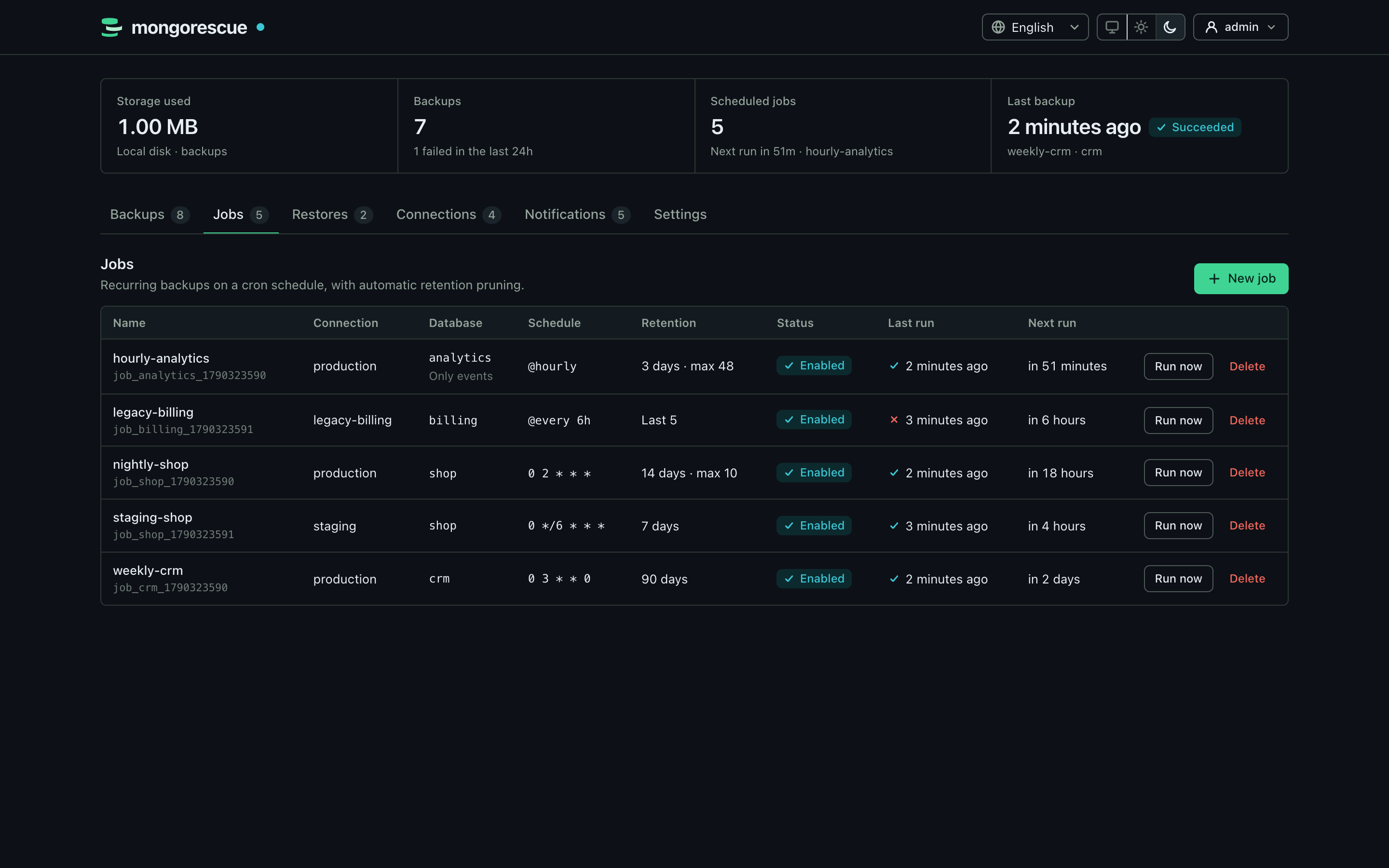
| Scheduled jobs | Restore into a safe clone |
 |
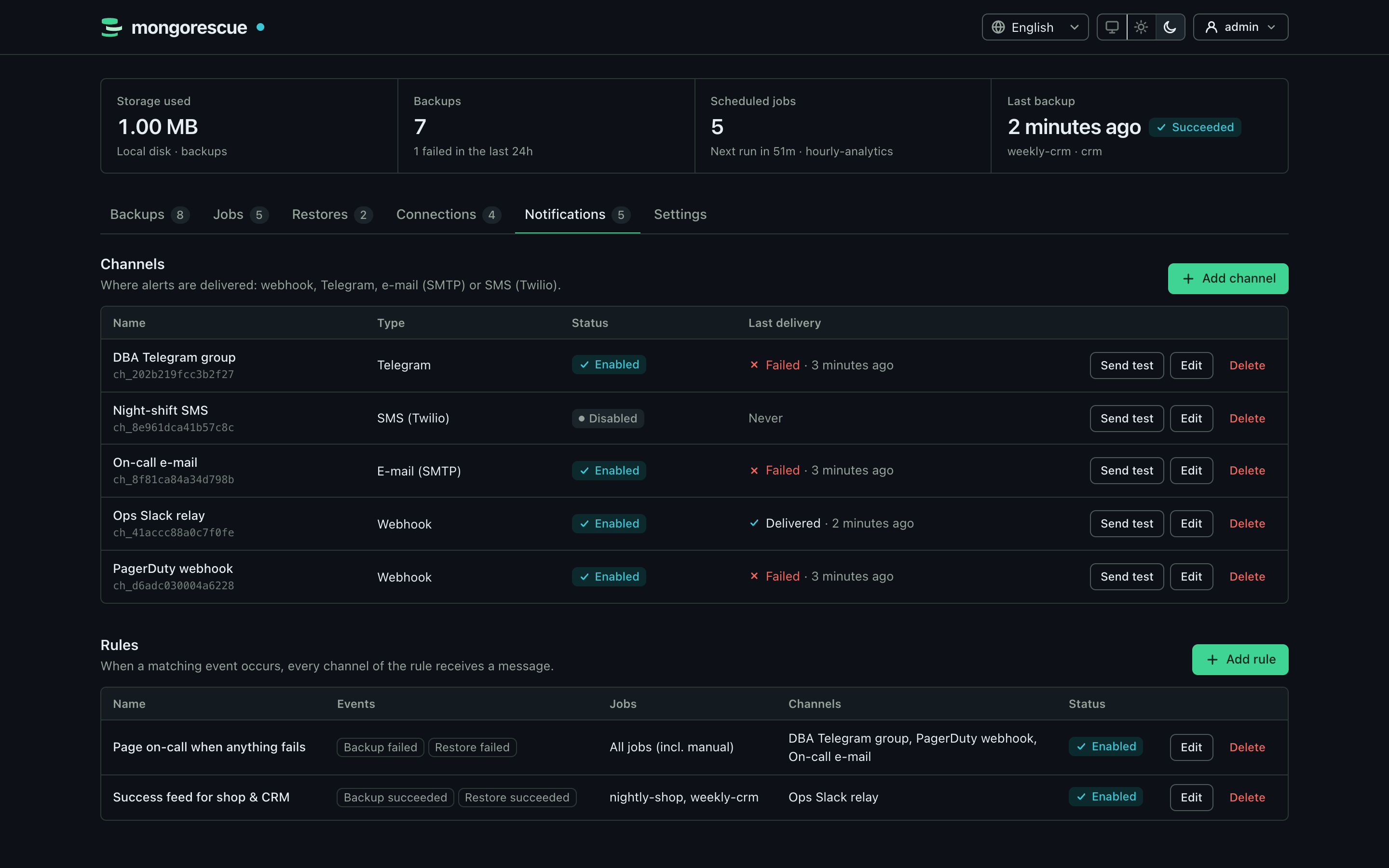 |
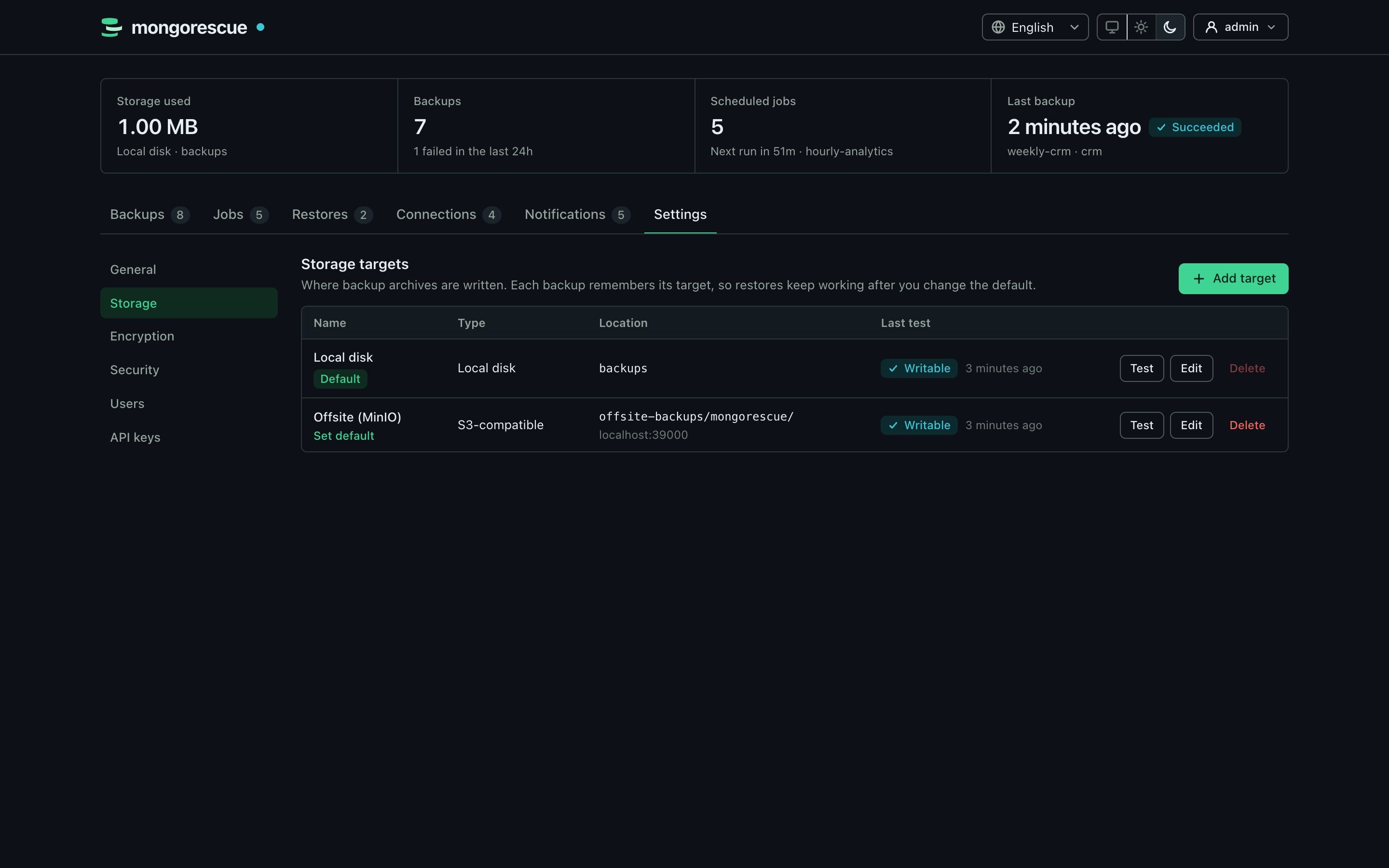
| Storage targets | Notifications |
 |
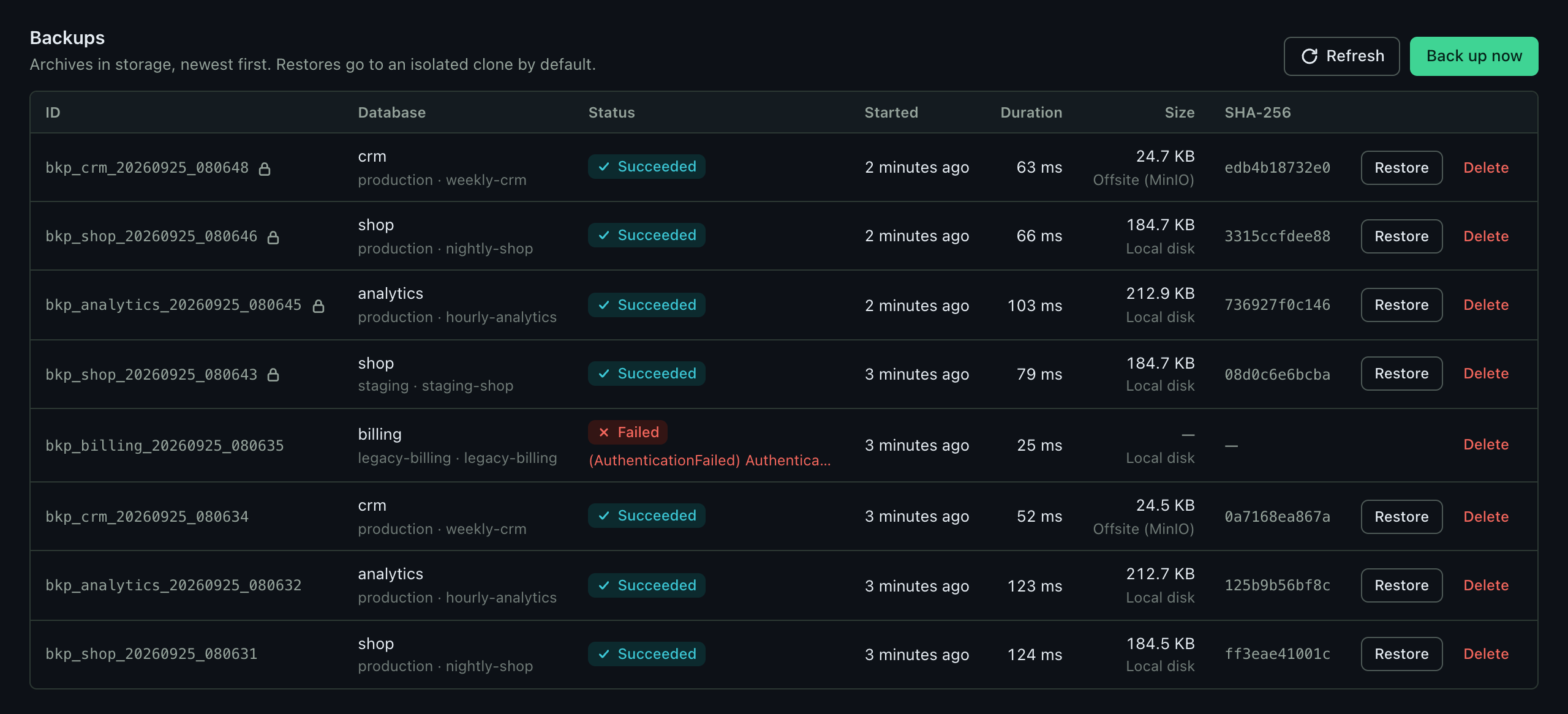 |
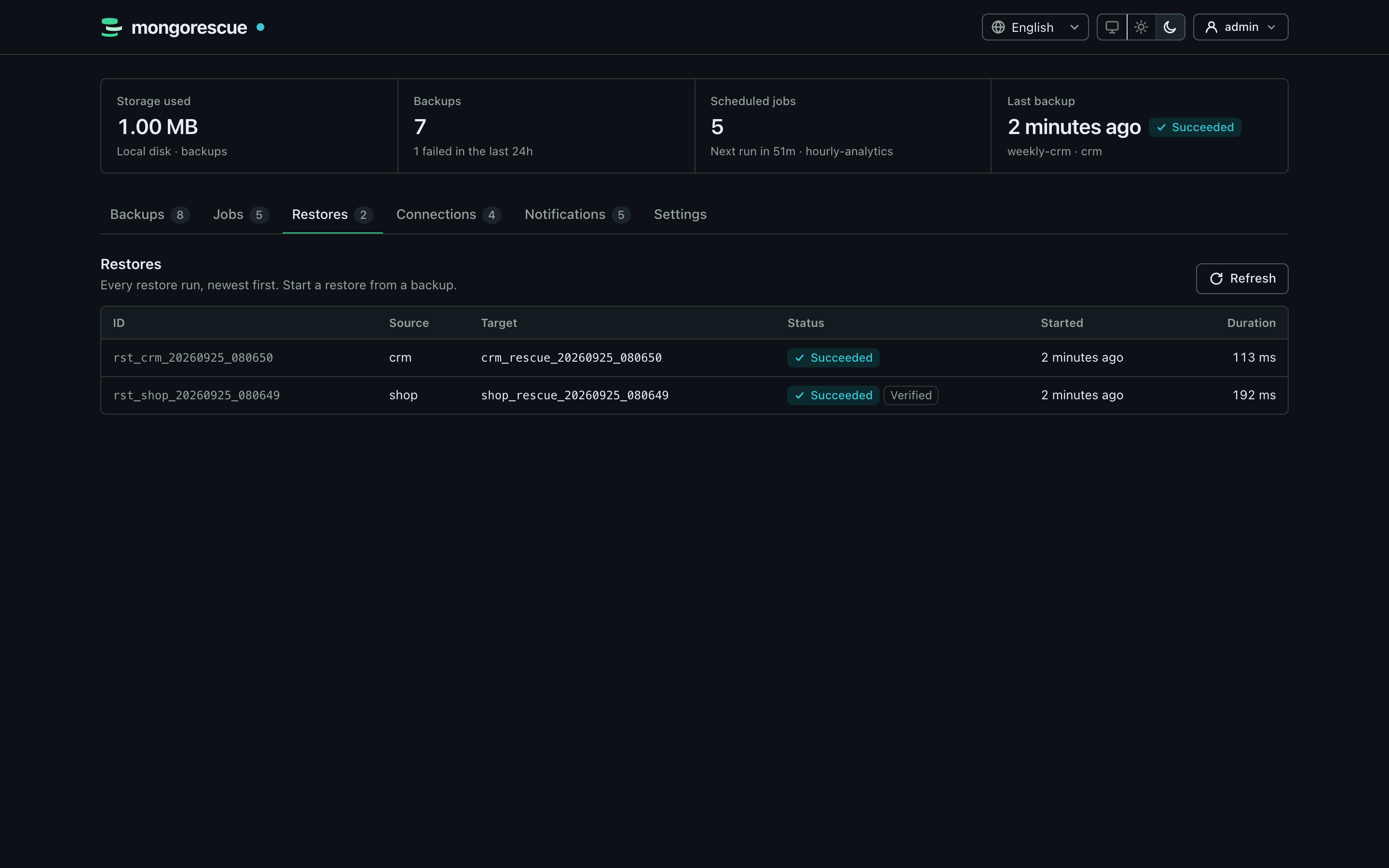
| Restore history | Backups |
MongoRescue runs mongodump on a schedule, streams the archive to local disk or any S3-compatible bucket, and brings it back with mongorestore when you need it. The dump is piped straight through, so memory use stays flat no matter how large the database is.
Restores go into a separate copy of the database (<db>_rescue_<timestamp>) unless you explicitly ask to overwrite the original. Nothing touches production by accident.
Features
- Manage many MongoDB servers from one instance: connections are tested, their databases and collections listed, and backups can be restored into another server
- Scheduled and on-demand backups with retention by age or count
- Several storage targets, managed in the dashboard: local disk and S3-compatible buckets (AWS S3, MinIO, Cloudflare R2, Backblaze B2, DigitalOcean Spaces, Wasabi); every backup remembers its target
- Safe-clone restores by default; in-place restores require explicit confirmation and are checksum-verified first
- Optional age encryption, so the bucket only ever stores ciphertext
- Notifications on success or failure via webhook, Telegram, email or SMS, with simple routing rules
- Prometheus metrics, including the time of the last successful backup per job
- User accounts with sessions and CSRF protection, scoped API keys (read, operator, admin) for automation, and a first-run setup with a one-time code
- An MCP server for AI assistants (Streamable HTTP and stdio) with read-only and safe-clone tools, per-key rate limits and an audit log
- Connection strings and notification secrets are encrypted at rest, never logged and never returned by the API
- One static binary for Linux, macOS and Windows, plus a multi-arch container image
Quick start
docker run -d --name mongorescue -p 8080:8080 \
  -v mongorescue-data:/data -v mongorescue-backups:/backups \
  ghcr.io/yigitcittan/mongorescue:latest
Or, with Docker Compose, run docker compose up -d in a clone of this repository (or next to a downloaded docker-compose.yml).
- Open http://localhost:8080.
- Enter the one-time setup code printed in the logs (
docker logs mongorescueordocker compose logs mongorescue) and create the admin account. - Add a MongoDB connection, test it, and create your first backup job.
The image includes the MongoDB Database Tools. It is the only distribution that serves the dashboard over HTTP.
Desktop app. On a workstation, download the desktop app from Releases (Windows installer, macOS .app, Linux binary), put mongodump and mongorestore (100.3.0 or newer) on your PATH and start it. It shows the same dashboard in a native window, without opening a network port, fills in the setup code on first start and updates itself from GitHub Releases. See docs/desktop.md.
Server binary. For headless use (REST API, MCP, metrics), download mongorescue from Releases, put the tools on your PATH and run ./mongorescue. It serves no dashboard unless you pass -dashboard (or set MONGORESCUE_DASHBOARD=true); the setup code is printed in its log.
MongoRescue serves plain HTTP. Before you expose the port to a network, put a TLS-terminating reverse proxy in front of it; see docs/production.md. No MongoDB to try it with? examples/with-mongodb.yml adds a demo instance to the Compose setup.
Using the API
Everything the dashboard does is available over HTTP. In the dashboard, open Settings → API keys, create a key and copy it (it is shown only once). Then use it as a bearer token, for example to back up a database on one of your connections:
KEY='mr_...'   # the key you just created

curl -X POST http://localhost:8080/api/v1/backups \
  -H "Authorization: Bearer $KEY" \
  -d '{"connection_id": "conn_1a2b3c4d5e6f7a8b", "database": "shop"}'
Restore it into a safe clone on the same server, or pass "target_connection_id" to restore it into another one (that needs an admin key or a session):
curl -X POST http://localhost:8080/api/v1/restore \
  -H "Authorization: Bearer $KEY" \
  -d '{"backup_id": "bkp_shop_20260924_030000_3f9a1c2e"}'
To restore over the original database, send "safe_clone": false together with "confirm_in_place": true (with an admin key). The full endpoint list is in docs/api.md.
Every key has a scope: read (the default) can only look, operator can also start backups, run jobs and restore into safe clones, and admin can do everything. The examples above need an operator key.
Use it from AI assistants
MongoRescue speaks the Model Context Protocol, so Claude, GitHub Copilot in VS Code, Cursor or your own agents can check your backups, diagnose failures, start backups and rehearse restores for you. Create an API key (a read key to look, an operator key to act) and add the server to your assistant, for example in Claude Code:
claude mcp add --transport http mongorescue http://127.0.0.1:8080/mcp \
  --header "Authorization: Bearer $MONGORESCUE_MCP_API_KEY"
or, for clients that start a local command (Claude Desktop), mongorescue mcp bridges stdio to a running instance, with the key in MONGORESCUE_MCP_API_KEY. Assistants can never delete anything or restore in place: restores through MCP always go into a new <db>_rescue_<timestamp> database, and every call is audited and rate limited. Configurations for Claude Desktop, Claude Code, VS Code and Cursor, the tool list and the security model are in docs/mcp.md.
Configuration
Everything is configured in the dashboard. Storage targets (local directories and S3-compatible buckets), backup encryption, security options and limits live under Settings, next to users and API keys; MongoDB connections, jobs and notifications have their own tabs. All of it is stored in the data volume (/data), together with the key that encrypts stored credentials; back that volume up. Changes apply immediately, without a restart. Backups go to the Local disk target (the /backups volume) until you add another one.
Only a few bootstrap options are read at startup:
| Flag | Environment variable | Default |
|---|---|---|
-data-dir |
MONGORESCUE_DATA_DIR |
./data (/data in the image) |
-host / -port |
MONGORESCUE_SERVER_HOST / MONGORESCUE_SERVER_PORT |
0.0.0.0 / 8080 |
-dashboard |
MONGORESCUE_DASHBOARD |
false (true in the image) |
-log-level |
info |
|
MONGORESCUE_SECRET_KEY (optional) |
generated <data_dir>/secret.key |
There is no configuration file. Environment variables of earlier builds are imported into the database once and then ignored; see docs/configuration.md for every setting and the upgrade notes.
Documentation
- Configuration reference
- Desktop app
- REST API
- AI assistants (MCP)
- Encryption and verified restores
- Notifications
- Metrics and alerting
- Running in production
- Architecture
Development
You need Go 1.26 or newer.
make build        # build ./bin/mongorescue
make test-race    # unit tests
make test-integration-docker   # integration tests against MongoDB, MinIO and LocalStack in Docker
make desktop      # desktop app for this OS (needs the Wails CLI and CGO, see docs/desktop.md)
See CONTRIBUTING.md for the full testing setup and how to send a pull request.
Known limitations
- It runs as a single instance. Jobs, history, users and settings live in an embedded SQLite database (
mongorescue.db); the data directory is locked, so a second instance on the same directory refuses to start. - Every user is an administrator, including settings, storage targets and the test endpoints that connect to hosts named in the request; only API keys can be limited (read, operator). Roles for users and single sign-on are not implemented yet.
- Losing
secret.key(orMONGORESCUE_SECRET_KEY) makes the stored connection strings, notification secrets, storage credentials and encryption keys unrecoverable: keep a copy, stored apart from database backups. - The dashboard has no automated browser tests yet; the API behind it is covered by Go tests.
- Windows binaries are unit-tested in CI, but the integration tests (real MongoDB, S3 emulators) run on Linux only.
- The standalone binary needs the MongoDB Database Tools (
mongodump,mongorestore) installed on the host. The Docker image already includes them.
Roadmap
Planned for upcoming releases:
- Backup scope per server (all databases), per database or per collection, each schedulable separately
- Roles for users (viewer, operator, admin, as API keys already have) and single sign-on (OIDC)
- Storage targets (local disk, S3-compatible buckets) and backup encryption managed in the dashboard
- Scheduled restore drills and point-in-time recovery from the oplog
backup/restore/listCLI commands- A shared metadata store for running several instances
Ideas and help are welcome in issues.
Code signing policy
Windows releases are signed with free code signing provided by SignPath.io, certificate by SignPath Foundation.
- Committers and reviewers: members of this repository
- Approvers: owners
Only artifacts built by the release workflow from a tagged commit of this repository are signed.
Privacy
MongoRescue does not collect telemetry or send data about you or your databases anywhere except to the MongoDB servers, storage targets and notification channels you configure. The desktop app checks GitHub Releases for updates. See docs/privacy.md.
License
MIT. Security issues: please report them privately, as described in SECURITY.md.
Yorumlar (0)
Yorum birakmak icin giris yap.
Yorum birakSonuc bulunamadi