ai-browser-bridge
Health Uyari
- License — License: MIT
- Description — Repository has a description
- Active repo — Last push 0 days ago
- Low visibility — Only 6 GitHub stars
Code Gecti
- Code scan — Scanned 12 files during light audit, no dangerous patterns found
Permissions Gecti
- Permissions — No dangerous permissions requested
Bu listing icin henuz AI raporu yok.
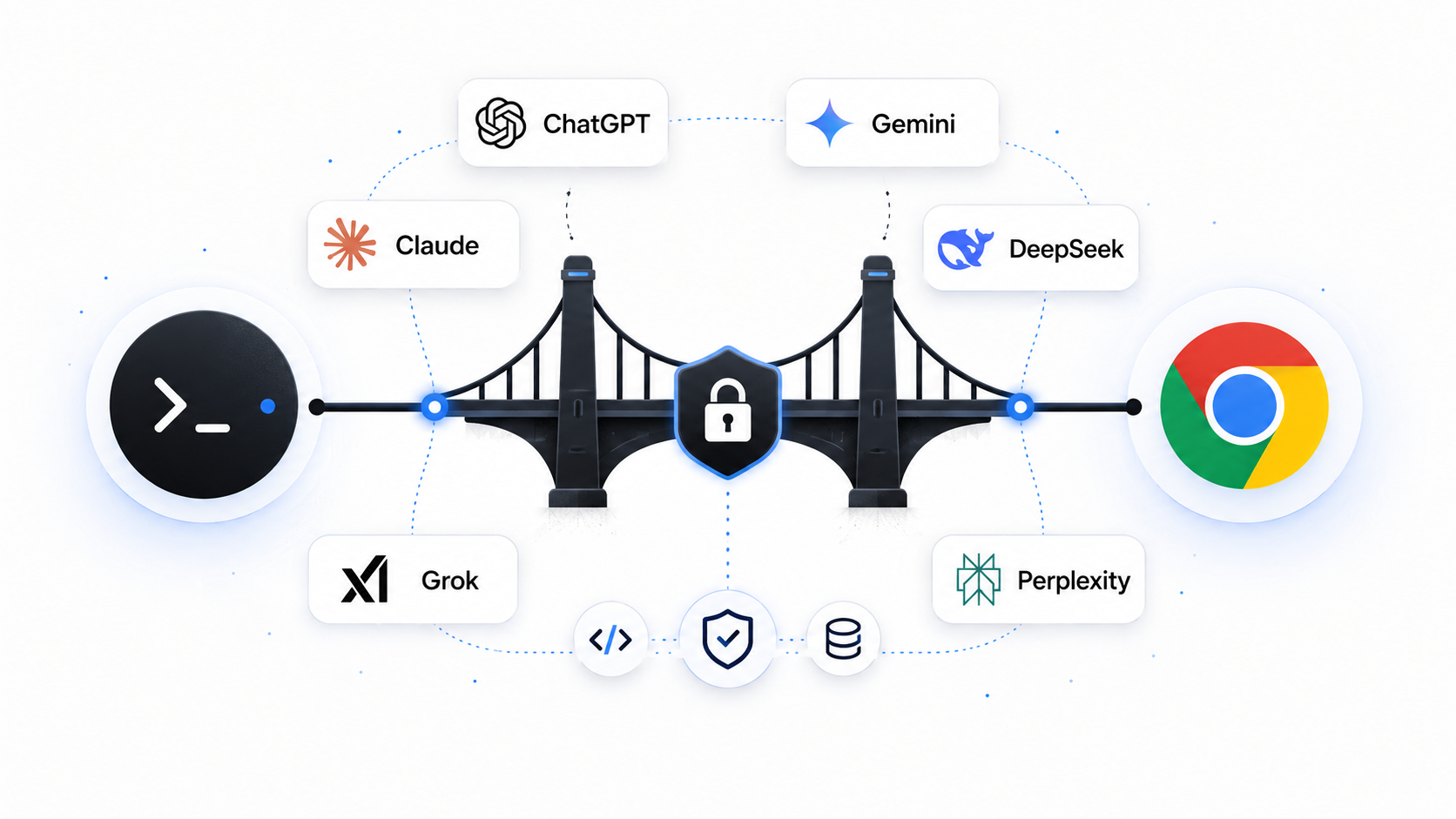
macOS CLI that drives ChatGPT, Gemini, Claude, and other web chats in Chrome, with sandboxed repo tools over MCP.
ai-browser-bridge
Drive a real ChatGPT or Gemini browser conversation from your terminal, and give ChatGPT a narrow, sandboxed set of local repo tools over MCP — without ever handing it a shell.
English · עברית · Español · 中文





Why this exists
ChatGPT is at its best in the browser — real account state, the model picker, message editing, regeneration, and conversation history all intact. Coding is at its best in the terminal, where files, tests, diffs, and patches are inspected and changed directly.
ai-browser-bridge connects those two surfaces. A terminal prompt drives your existing ChatGPT or Gemini browser session, and ChatGPT can reach into the current repo through a small set of validated MCP tools — grep, read, apply_patch, run_tests, git_diff — instead of raw shell access. You stay in one terminal workflow; the provider keeps its real UI.
Features
- Terminal-driven ChatGPT — send prompts and stream replies without leaving the shell; the real browser conversation stays the source of truth.
- Nine providers, one command —
chatgpt,gemini,claude,deepseek,grok,perplexity,duck(Duck.ai),arena(Arena — Direct/Battle/Agent/Side-by-Side + model picker), plusflow(Google's Veo video studio — a generation surface, not a chat). Pick one with--provider, or fan out across several (--provider claude,deepseek,duck) and get every reply keyed by provider in one call. - Built for agents — a stable non-interactive
bridge ask … --jsoncontract (never hangs in a pipe) plus an outbound MCPasktool, so any agent can drive a web chat. - Sandboxed local tools over MCP — every file operation is validated against the selected repo root; no arbitrary shell, allowlisted test commands only.
- Browser actions as commands —
/resume,/new,/model,/rewind,/stop,/context,/diff,/compact, and more. - Repo-root sessions, transcripts, and downloads — TUI and tool-enabled runs persist under the Git working-tree root's
<repo>/.bridge/, even when launched from a nested directory; plainbridge askstays stateless and only reuses the shared Chrome profile. - Safety controls — permission modes (
read-only/ask/auto) and automatic file checkpoints around every patch. - Project conventions — custom commands plus
AGENTS.md/CLAUDE.mdare fed to ChatGPT for/taskruns. - A real composer — prompt history, reverse search, queued prompts, and
@filemention autocomplete.
Architecture
 terminal (you)
      │
      │  Ink / React CLI
      ▼
 orchestrator ──────────────┬───────────────────────────────┐
      │  browser automation │                   MCP server   │
      ▼  (Playwright + CDP) │                  (MCP SDK)      ▼
 ChatGPT browser UI         │                        local repo tools
      ▲                     │                     (grep/read/patch/test/diff)
      │                     ▼                                 │
      └───── Cloudflare Tunnel (cloudflared) ◄────────────────┘
              public https://…trycloudflare.com/mcp
Four layers, each with one job:
| Layer | Tech | Responsibility |
|---|---|---|
| CLI | Ink / React | Terminal UI: message pane, status line, @file mentions, /commands. |
| Browser | Playwright + Chrome DevTools Protocol | Attaches to Chrome on the debug port and reuses one shared bridge Chrome profile. Lifecycle/status/cache code lives in src/features/browser/; provider selectors live under src/features/providers/<name>/. |
| MCP server | MCP SDK + Effect Schema | Exposes the local repo tools to ChatGPT, Claude, and Grok as schema-validated, sandboxed handlers. |
| Tunnel | Cloudflare Tunnel (cloudflared) |
Gives the local MCP server a temporary public HTTPS URL that provider connectors can reach — no deployment required. |
Why a tunnel at all? Provider MCP connectors call tools over HTTPS, but the tool server runs on your machine. Rather than deploy anything, the bridge spins up an ephemeral Cloudflare Tunnel (*.trycloudflare.com) in front of the local port and syncs that Streamable HTTP …/mcp URL into the provider app on startup. (ngrok would solve the same reachability problem; Cloudflare's cloudflared is used because its quick tunnels need no account or auth token. Grok's UI may show an /sse example — the bridge registers /mcp because cloudflared quick tunnels do not support SSE.)
Quick start
Prerequisites
- macOS — Chrome is launched with the macOS
opencommand, and clipboard/process helpers usepbcopy/lsof. - Node.js ≥ 22 and pnpm (the repo pins
[email protected]). - Google Chrome or Chrome for Testing — the bridge drives one shared bridge profile through a debug port. Sign in once in that bridge-launched window; every repo reuses it.
cloudflared(optional; ChatGPT, Claude, Grok) — only needed for those providers to call local MCP tools. Without it the TUI still runs. Install withbrew install cloudflared.
Install & build
git clone https://github.com/YosefHayim/ai-browser-bridge.git
cd ai-browser-bridge
pnpm install
pnpm build
Start Chrome, then run (ChatGPT — default)
node dist/bridge.js chrome start
node dist/bridge.js --repo /path/to/your/project
Start Chrome, then run (Gemini web)
node dist/bridge.js chrome start --provider gemini
node dist/bridge.js --provider gemini --repo /path/to/your/project
Prefer a global bridge command? Run pnpm link --global after building, then use bridge, bridge chrome start, bridge ask "…", etc.
Browser profile policy
Chrome 136+ no longer accepts remote debugging switches against the real default Chrome data directory. ai-browser-bridge therefore does not drive ~/Library/Application Support/Google/Chrome. It always launches the browser on the debug port with one global bridge profile:
~/.ai-browser-bridge/chrome-profile
That profile is the browser-login SSOT for the bridge. Sign in once in the bridge-launched Chrome window, then bridge chrome start, bridge ask, and the TUI reuse that login from any repo or shell root.
For release and automation work, Chrome's team recommends Chrome for Testing. Install it separately, then point the bridge at that app while keeping the same shared profile:
AI_BROWSER_BRIDGE_CHROME_APP="Google Chrome for Testing" bridge chrome start
The app override changes only which Chrome build is launched. The profile remains ~/.ai-browser-bridge/chrome-profile; do not add per-repo Chrome profiles. See Chrome's remote-debugging profile change for the upstream reason.
One-shot, non-interactive
node dist/bridge.js ask "summarize @src/core/engine.ts" --repo /path/to/project
node dist/bridge.js ask "hello" --provider gemini --repo /path/to/project
Usage
/help             list commands              /sessions         list local sessions
/resume <query>   resume by number/title/id  /transcript       print the session transcript
/new              start a new conversation   /export           export transcript (md/json/jsonl)
/model [name]     show or switch the model    /permissions      show or switch MCP permission mode
/rewind [text]    edit last prompt + regen   /checkpoints      list file checkpoints
/stop             stop the active response   /restore <id>     restore files from a checkpoint
/context          model-aware context est.   /status           repo/model/context/session status
/diff             ask ChatGPT to read diff   /mcp              connector + exposed tools
/task <request>   project-agent task (MCP)   /connector        (re)run MCP connector setup
/conversations    list/search/open browser conversations
File mentions — reference repo files inline; they are resolved inside the repo and expanded before ChatGPT sees them:
refactor the CLI input flow in @src/features/terminal/tui/App.tsx
compare @src/features/store/fileMentions.ts with @src/features/store/fileMentions.test.ts
Paths that escape the repo root are skipped; files over 100 KB are summarized rather than inlined.
Conversation search — bridge chat search "query" --json opens ChatGPT's Search UI,
selects Chats, and returns matching Conversations across titles and message content. It scrolls
the result overlay up to --limit; add --open to navigate the browser to the best match.
Rate-safe Project organization — prepare one ordered plan with Conversations for any number
of Projects (Conversation ids are preferred because they can be verified exactly):
[
  { "conversation": "11111111-1111-4111-8111-111111111111", "project": "Yoga App" },
  { "conversation": "22222222-2222-4222-8222-222222222222", "project": "Invoices & Purchases" }
]
Then validate it and start the autonomous queue:
bridge chat organize --plan @organization-plan.json --dry-run
bridge chat organize --plan @organization-plan.json \
  --interval 60 --cooldown 600 --max-attempts 4

# No plan argument is needed after the queue exists
bridge chat organize status
bridge chat organize pause
bridge chat organize resume
The queue verifies every move from ChatGPT's loaded Project label, with the destination Project page
as a fallback. Adaptive pacing starts from --interval 60 with jitter. After three successful moves
it reduces the base interval by 20%, down to --min-interval 15; a ChatGPT “Too many requests”
response increases the base interval by 50%, up to --max-interval 180, and waits for the--cooldown 600. The learned pace is persisted across pause/resume. Pass --no-adaptive for the
old fixed/random interval behavior.
bridge chat organize pause writes a persisted pause request; an active queue finishes only its
current UI operation, notices the request within one second of a delay, and releases its lock.bridge chat organize resume selects the latest queue, clears the pause marker, and reconstructs the
original plan from persisted state. Use --queue <fingerprintOrPath> when more than one queue exists.
Rate limits and closed browser sessions do not consume move attempts. When pending work reaches
zero, the queue automatically runs the orphan scanner to the stable end of ChatGPT history (eight
unchanged bottom passes; it errors rather than returning a partial inventory). The final audit
reports remaining intentional/unplanned orphans and any planned Conversation that is still loose;
still-loose planned Conversations are automatically retried up to --max-attempts.
Progress is persisted under .bridge/chat-organization-queues/, so an agent does not need to keep
watching. Use --restart only to intentionally replay the full plan, and --no-verify only when the
completion audit is intentionally unnecessary. --json keeps summaries on stdout and progress on
stderr.
Agents & fan-out
bridge ask is a stable, non-interactive surface for scripts and agents — it prints to stdout, never prompts in a pipe, and --json emits a machine-readable payload.
# one provider
bridge ask --provider claude --json "summarize the tradeoffs of optimistic locking"

# fan out across several free chats; one call, replies keyed by provider
bridge ask --provider claude,deepseek,grok --json "same question, three models"
# → { "claude": { "ok": true, "reply": "…", "elapsedMs": 8123 },
#     "deepseek": { "ok": true, "reply": "…", "elapsedMs": 6210 },
#     "grok": { "ok": false, "error": "…", "elapsedMs": 300000 } }
Fan-out is partial-failure tolerant: the run exits non-zero only when every provider fails, or — with --strict — when any fails. Run bridge chrome start --provider <name> and sign in if needed; the bridge reuses the shared bridge Chrome profile across repos.
The same fan-out core is exposed through outbound MCP tools — launch a stdio MCP server with bridge serve and any MCP-capable agent can call ask({ prompt, providers }) or search_conversations({ query, providers, limit }) as native tools instead of shelling out. Register it with Claude Code:
claude mcp add ai-browser-bridge -- bridge serve
…or add it to any MCP client config directly (the standard stdio-server shape):
{
  "mcpServers": {
    "ai-browser-bridge": { "command": "bridge", "args": ["serve"] }
  }
}
The ask tool takes { prompt, providers?, timeoutSeconds? } and returns each provider's reply keyed by id (the same partial-failure-tolerant fan-out as bridge ask). The search_conversations tool takes { query, providers?, limit? } and returns matching conversation URLs keyed by provider. Run bridge chrome start --provider <name> first, so the gateway has a signed-in Chrome session to drive. This is the opposite direction to the inbound MCP server, which exposes your repo tools to the web model.
Provider adapters other than ChatGPT/Gemini ship with best-effort selectors marked
LIVE-VERIFY— confirm them against the live signed-in site before relying on them in production.
Where state lives
Persistent bridge state is written under the canonical Git working-tree root's <repo>/.bridge/. The bridge resolves both --repo and the launch directory to that root, so nested launches cannot create competing state or download folders. An explicit non-Git directory remains its own root.
<repo>/.bridge/
├── config.json       # per-repo settings (includes `provider`: chatgpt | gemini)
├── sessions/<id>/    # metadata.json + append-only events.jsonl transcript
├── logs/<date>.jsonl # prompts, replies, and MCP tool-call summaries
├── checkpoints/      # before/after snapshots around each apply_patch
├── exports/          # /export output
├── downloads/<conv>/ # attachment downloads (default when no --out given)
└── screenshots/      # /screenshot and /ui-qa captures
Plain bridge ask and bridge chrome start do not create repo-local state; they only reuse the shared Chrome profile. The bridge creates <repo>/.bridge/ for persistent TUI sessions, tool-enabled asks (bridge ask --tools), checkpoints, exports, screenshots, or default attachment downloads.
The bridge does not create or manage .bridge/.gitignore; ignore policy belongs to the target repository. Chrome cookies for bridge-driven sessions stay in the shared bridge profile under ~/.ai-browser-bridge/chrome-profile, not under .bridge/.
User-authored config meant to apply across all repos lives in your home directory: custom commands in
~/.ai-browser-bridge/commands/*.mdand user-level hooks in~/.ai-browser-bridge/hooks.json.
Migrating from chatgpt-local-bridge
The package was renamed to ai-browser-bridge. Global user config moved from ~/.chatgpt-local-bridge/ to ~/.ai-browser-bridge/ — copy your commands/ folder and hooks.json if you had them. Persistent repo-local state stays at <repo>/.bridge/ (unchanged). Re-run /connector or bridge ask --tools once so ChatGPT picks up the renamed MCP connector app.
Permissions & checkpoints
/permissions read-only   # grep_code, read_file, git_diff
/permissions auto        # also the narrow write/test tools
/permissions ask         # blocks write/test/process tools (interactive confirm pending)
apply_patch snapshots every touched path before and after the change. Recover with /checkpoints, /restore <id>, or /rewind --files <id>.
Testing
pnpm test          # vitest run
pnpm typecheck     # tsc --noEmit
pnpm verify:push   # Biome + style mirror + typecheck + test + build + boundary/compatibility checks
Coverage focuses on the safety-sensitive paths — sandbox validation, canonical repo-root resolution, session/checkpoint stores, permissions, and context counting.
Gemini web support
The bridge can drive gemini.google.com from the terminal with the same Playwright/CDP pattern as ChatGPT:
bridge chrome start --provider gemini
bridge --provider gemini --repo /path/to/project
bridge ask "explain this repo" --provider gemini --repo /path/to/project
What works on Gemini web
- Terminal-driven prompts and captured replies
@filemention expansion (read-only repo context inlined into prompts)- Model detection/switching when the Gemini UI exposes a picker
- Reuses the same shared bridge profile/debug port model as every provider
What does not work on Gemini web (today)
- MCP connector — gemini.google.com has no custom connector UI like ChatGPT, Claude, or Grok. The bridge skips the MCP server and Cloudflare tunnel when
--provider gemini. /task,/connector,/mcp— these require live MCP tools; use ChatGPT, Claude, or Grok for those workflows.- Attachment download —
bridge downloadis ChatGPT-only for now.
For full MCP on Gemini, use the official Gemini API Remote MCP or Gemini CLI instead of the browser UI.
Selector maintenance: when Google changes the Gemini web UI, fix selectors only in src/features/providers/gemini/geminiPage.ts.
Arena.ai support
The bridge drives Arena (LMSYS) with a dedicated adapter for the mode menu and model picker:
| Mode | --model token |
URL |
|---|---|---|
| Direct (default) | direct |
/code/direct — one model |
| Battle Mode | battle |
/code — Option A/B (dual reply when both finish) |
| Agent Mode | agent |
/agent — agent shell (best-effort) |
| Side by Side | side / sbs |
/text/side-by-side — pick two models |
bridge chrome start --provider arena
bridge ask --provider arena "build a todo app"                          # Direct + Max
bridge ask --provider arena --model glm-5.1 "reply with pong"           # pick a model
bridge ask --provider arena --model battle "compare two approaches"     # dual Option A/B
bridge ask --provider arena --model direct/gemini-3-flash "hello"       # mode + model
Model search matches the in-UI picker (Search models + Text/Code/Image/Search tabs). Battle turns on Code Arena can take minutes (full site builds) — raise --timeout if needed. No MCP connector on Arena.
Google Flow support
The bridge can also drive Google Labs Flow — Google's Veo-powered AI video studio — with the same Playwright/CDP pattern. Flow is different in kind from the chat providers: it is a generation surface, so a "reply" is a rendered clip and attachments are ingredients (reference images).
bridge chrome start --provider flow    # sign in to Google; account needs Flow access (AI Pro/Ultra)
bridge ask --provider flow "a cat surfing a neon wave, cinematic, 8s"
bridge ask --provider flow "same scene, dawn light" --attach ref1.png ref2.png   # up to 3 ingredients
Beyond generating, the bridge drives Flow's full asset lifecycle through bridge flow subcommands (each attaches to your current Flow project tab; add --json for machine-readable output):
bridge flow clips                        # list clips in the current project (id + fetchable URL)
bridge flow download                     # download every clip's mp4 to <repo>/.bridge/downloads/flow
bridge flow reuse   --id <clipId>        # add a clip back to the prompt as input ("Add to prompt")
bridge flow extend  --id <clipId>        # add a clip to a scene (Flow's "Add to scene")
bridge flow rename  --id <clipId> --name "hero shot"
bridge flow delete  --id <clipId> --yes  # move a clip to Flow Trash (recoverable)
bridge flow ingredients                  # list reference images attached to the prompt
bridge flow ingredient-remove --id <mediaId>   # detach one ingredient
bridge flow ingredient-clear             # detach every ingredient
bridge flow projects                     # list projects
bridge flow project-rename --name "Launch teaser"
bridge flow project-delete --yes         # permanently delete the current project
Destructive verbs (delete, project-delete) require --yes; clip delete moves to Flow's recoverable Trash.
Agents without shell access get the same lifecycle as flow_* MCP tools over bridge serve — flow_list_clips, flow_download_clips, flow_reuse_clip, flow_extend_clip, flow_rename_clip, flow_delete_clip, flow_list_ingredients, flow_remove_ingredient, flow_clear_ingredients, flow_list_projects, flow_rename_project, flow_delete_project. Destructive tools (flow_delete_clip, flow_delete_project) require confirm: true.
What works on Flow
- Terminal-driven shot prompts that trigger Veo generation
- Ingredients — attach up to three reference images to a prompt, and list / remove / clear already-attached ones
- A captured clip reference (video
src/ download href) returned as the reply, so an agent gets a pointer to the result - Asset CRUD — list / download / rename / delete clips, extend or reuse a clip, manage prompt ingredients, and list / rename / delete projects — as
bridge flow …CLI commands andflow_*MCP tools overbridge serve - Reuses the same shared bridge profile / debug-port model as every provider
What does not work on Flow (today)
- MCP connector,
/task,/connector,/mcp— Flow has no connector UI, so the MCP server and Cloudflare tunnel are skipped (same as Gemini). - Stop / mid-render controls — cancelling a Veo render in flight is not wired yet.
Flow requires a Google AI Pro/Ultra plan. Because Veo renders take minutes, --provider flow waits far longer for a response than the chat providers do.
Selector maintenance: Flow's selectors were LIVE-VERIFIED against a signed-in project editor. If Google changes the UI, recapture with node scripts/dev/captureProviderSelectors.mjs, then update src/config.ts; generation lives in src/features/providers/flow/flowPage.ts and asset CRUD in src/features/providers/flow/flowAssets.ts.
Claude Design support
The bridge drives Claude Design — Claude's project workspace for slides, prototypes, and documents — from your signed-in bridge Chrome. Reads and project/file changes use the app's own requests from inside the tab (one call each, ADR 0021); turns, templates, and model/effort go through the real UI, one tab per project.
bridge chrome start --provider design            # sign in at claude.ai
bridge design catalog                            # templates, models + effort levels, design systems
bridge design projects --query launch            # list / search projects (--design-systems for design systems)
bridge design model --model "Sonnet 4.6" --effort Low   # pick model (incl. More models) + effort; --project for a project
bridge design create --template Slides --prompt "our Q3 launch" --model "Haiku 4.5" --effort Low
bridge design send --project <id> --message "make the title bolder" --model "Sonnet 4.6" --attach brief.md
bridge design read --project <id>                # Conversations + latest messages (what you wrote, what Claude replied)
bridge design new-conversation --project <id>
bridge design rename-conversation --project <id> --conversation <cid> --title "Logo pass"
bridge design files --project <id>
bridge design put --project <id> --file hero.png --dir assets   # add, or replace the same path
bridge design rm --project <id> --path assets/old.png --yes
bridge design download --project <id>            # project files to <repo>/.bridge/downloads/design/<id>
bridge design export --project <id>              # the project .zip
bridge design share --project <id> --access workspace --permission comment
bridge design rename --project <id> --name "Launch deck"
bridge design duplicate --project <id>
bridge design favorite --project <id>              # --off removes the star
bridge design use-design-systems --project <id> --design-system <dsid>   # --none clears them
bridge design delete --project <id> --yes
bridge design state                              # where Claude Design is, busy tabs, available actions
Add --json to any verb for machine-readable output. send and create wait for Claude's reply (--timeout, default 600 s); --no-wait returns while the turn runs and --auto-decide answers clarifying questions with "Decide for me". A model or effort choice also becomes your Claude Design default, exactly as when you pick it in the UI.
Agents get the same surface as design_* MCP tools over bridge serve: design_state, design_list_projects, design_catalog, design_choose_model, design_list_files, design_read_conversation, design_open_project, design_create_project, design_send, design_new_conversation, design_rename_conversation, design_update_project, design_duplicate_project, design_delete_project, design_put_files, design_remove_files, design_download, design_share. Destructive tools (design_delete_project, design_remove_files) require confirm: true; local paths must stay inside the target repo.
Left to you in the UI: Publish as artifact, Send to Claude Code, PNG/video/PDF/PowerPoint export, partner app exports, comments, and version restore — design state lists them. Design is not a Fan-out provider: a Fan-out tab closes when its task ends, which would cancel the turn.
Limitations
- macOS-only today (
open,pbcopy, andlsofhelpers). - ChatGPT and Gemini browser selectors can break when the web UI changes; fixes are localized to the browser layer.
- Context usage is an estimate — the browser does not expose exact server-side token counts.
- The Cloudflare Tunnel requires
cloudflaredinstalled. - Local-first by design; not a hosted multi-user service.
- Hook command execution is parsed and reported but not yet executed (an allowlisted confirmation flow is pending).
License
MIT © YosefHayim
Yorumlar (0)
Yorum birakmak icin giris yap.
Yorum birakSonuc bulunamadi