Nexus
Health Pass
- License — License: AGPL-3.0
- Description — Repository has a description
- Active repo — Last push 0 days ago
- Community trust — 419 GitHub stars
Code Fail
- execSync — Synchronous shell command execution in apps/bridge/src/browser-portal.ts
- spawnSync — Synchronous process spawning in apps/bridge/src/browser-portal.ts
- fs.rmSync — Destructive file system operation in apps/bridge/src/browser-portal.ts
- process.env — Environment variable access in apps/bridge/src/browser-portal.ts
- network request — Outbound network request in apps/bridge/src/browser-portal.ts
- network request — Outbound network request in apps/bridge/src/generic-mcp/generic-mcp-client.ts
Permissions Pass
- Permissions — No dangerous permissions requested
No AI report is available for this listing yet.
Connect web AI assistants to local files, terminals, Git, and desktop tools through MCP, with user-controlled permissions.
Nexus
Dedicated Local AI Control Plane for ChatGPT, DeepSeek & Modern Web AI Assistants
Powered by the LocalBridge 332 Canonical MCP Tool Architecture & Durable Action Ledger
English | 简体中文





1. Overview
Nexus is an enterprise-grade Local AI Control Plane designed specifically for ChatGPT, DeepSeek, and modern AI coding assistants. It securely bridges remote LLMs to your local workstation through a high-performance Secure MCP Tunnel (Streamable HTTP / SSE with OAuth 2.0 & Bearer tokens).
Nexus allows AI agents to inspect, edit, build, debug, and orchestrate complex local engineering workflows within strictly enforced sandbox boundaries—without exposing your full filesystem or transmitting proprietary code to untrusted cloud intermediaries.
 ChatGPT / DeepSeek / Web AI Assistants
               │
               │ Secure MCP Tunnel (Streamable HTTP / SSE, Bearer lb_xxx, OAuth 2.0)
               ▼
┌────────────────────────────────────────────────────────────────────────┐
│                   Nexus Desktop Control Center (Tauri 2)               │
│                                                                        │
│  Fastify MCP & REST API Server (Port 18080)   SQLite Persistence (WAL) │
└──────────────────────────────────┬─────────────────────────────────────┘
                                   │ Bidirectional JSON-RPC 2.0 (WebSocket)
                                   ▼
┌────────────────────────────────────────────────────────────────────────┐
│                   Nexus Local Runner Daemon                            │
│                                                                        │
│  ├── 332 Canonical MCP Tools Across 24 Capabilities                    │
│  ├── Action Ledger WAL (Crash Recovery & Idempotent Replay)            │
│  ├── Native Windows Computer Use (WinRT OCR, UI Automation)            │
│  ├── Sandboxed Workspaces & Managed Git Worktrees                      │
│  ├── Persistent Development Runtimes & Windows Job Objects             │
│  ├── Language Server Protocol (LSP - TypeScript / Python)              │
│  ├── Headless & Interactive Browser Automation Engine                  │
│  └── Local Intelligence Store (Memory, Rules, Knowledge, Prompts)      │
└────────────────────────────────────────────────────────────────────────┘
2. Desktop Control Center Showcase
The Nexus Desktop Control Center provides developers with real-time observability, granular security governance, and seamless tool management across all connected AI agents.
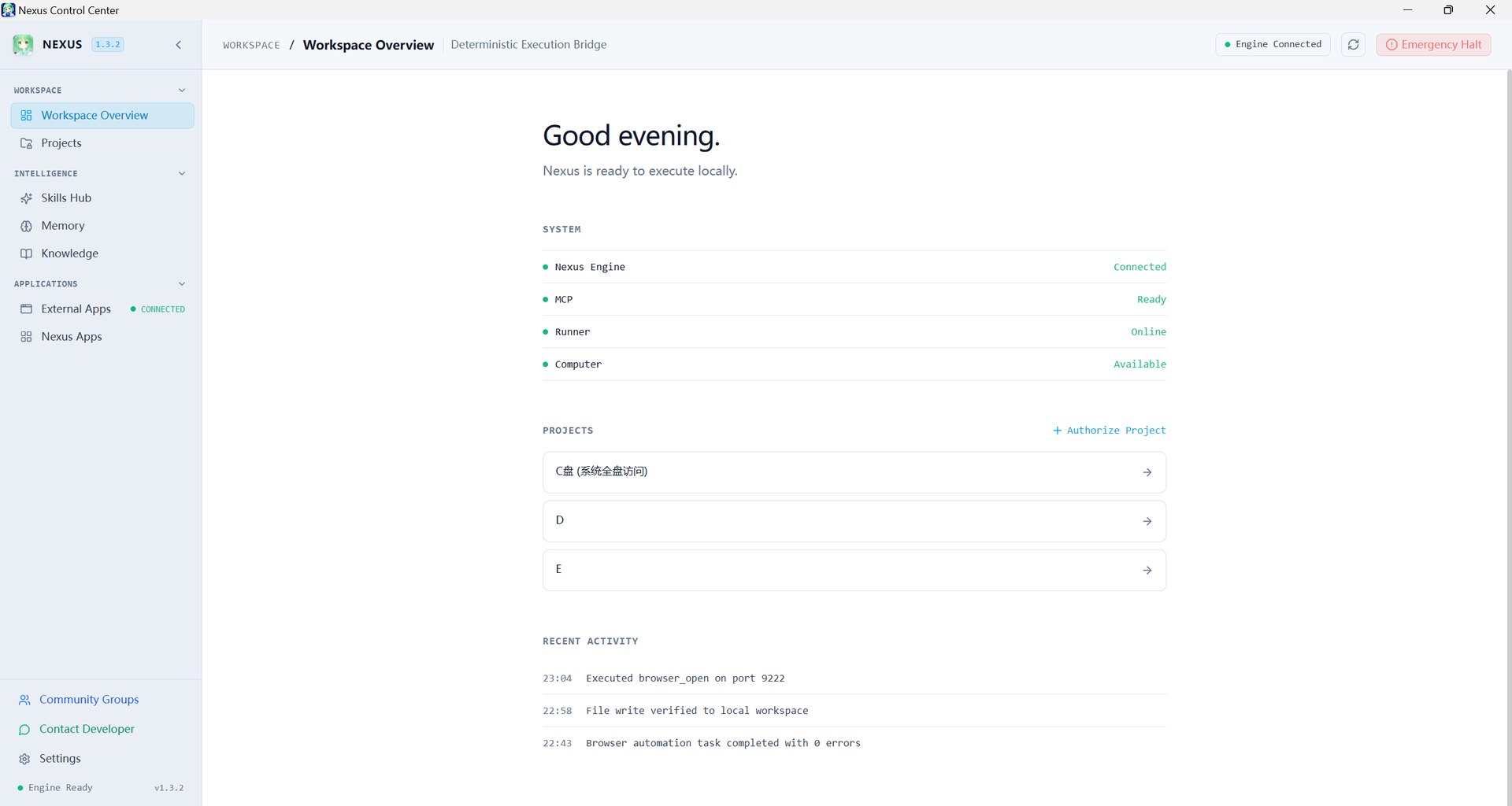
Nexus Desktop Control Center: Real-time system telemetry, active workspaces, registered tools, and CPU/memory metrics.
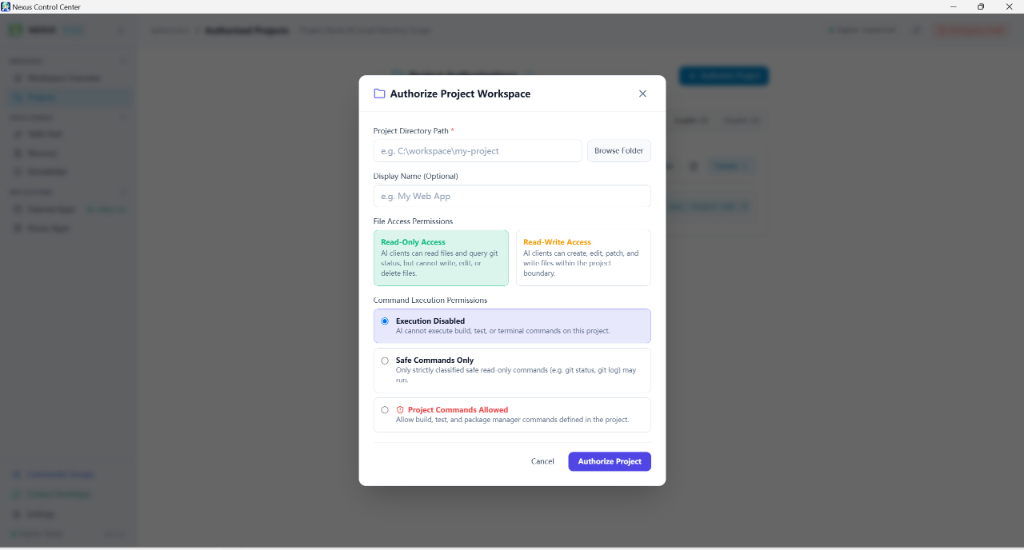
Multi-Tier Security & Project Sandboxing |
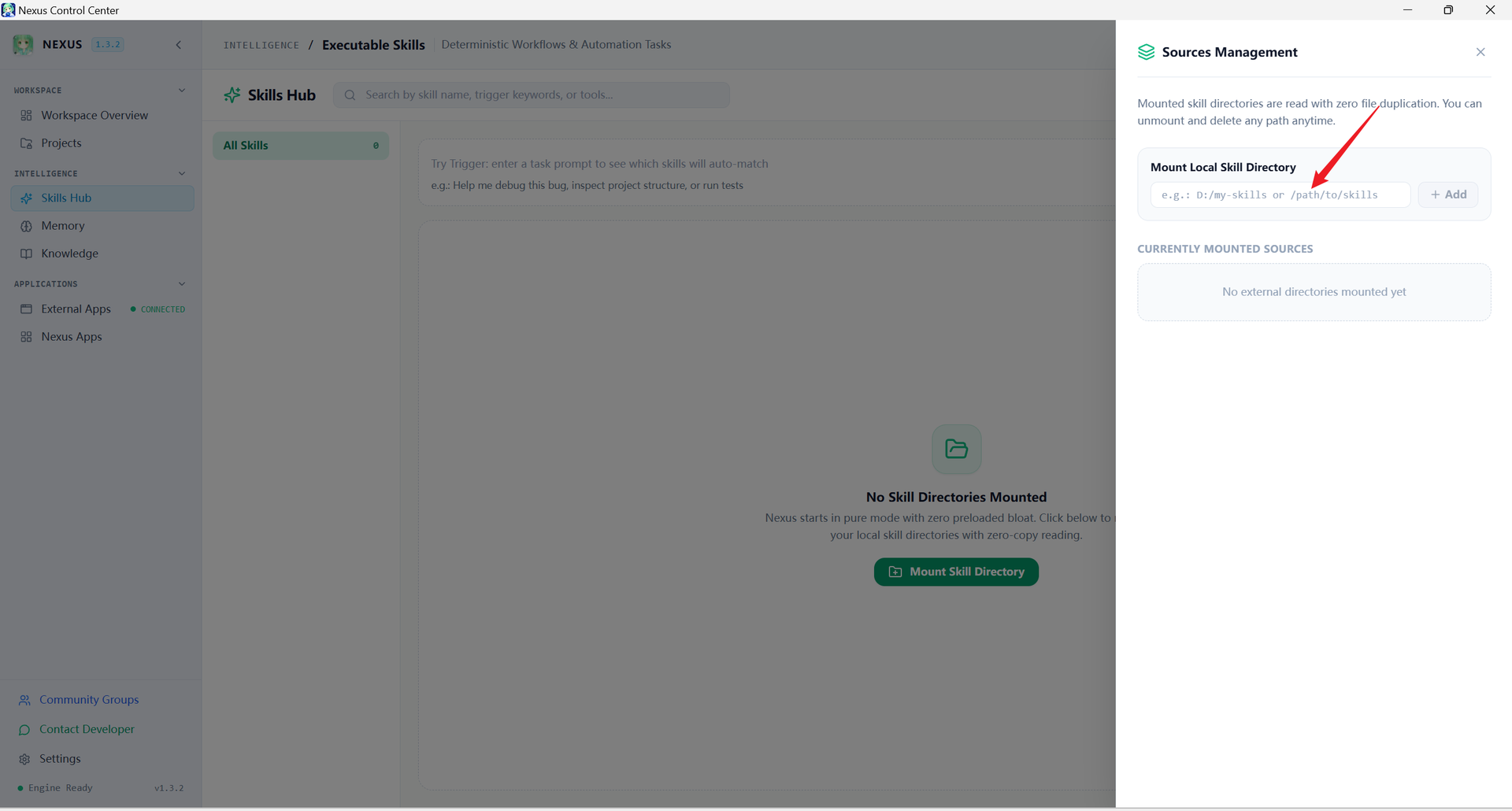
Skills Hub & Hot-Reload Engine |
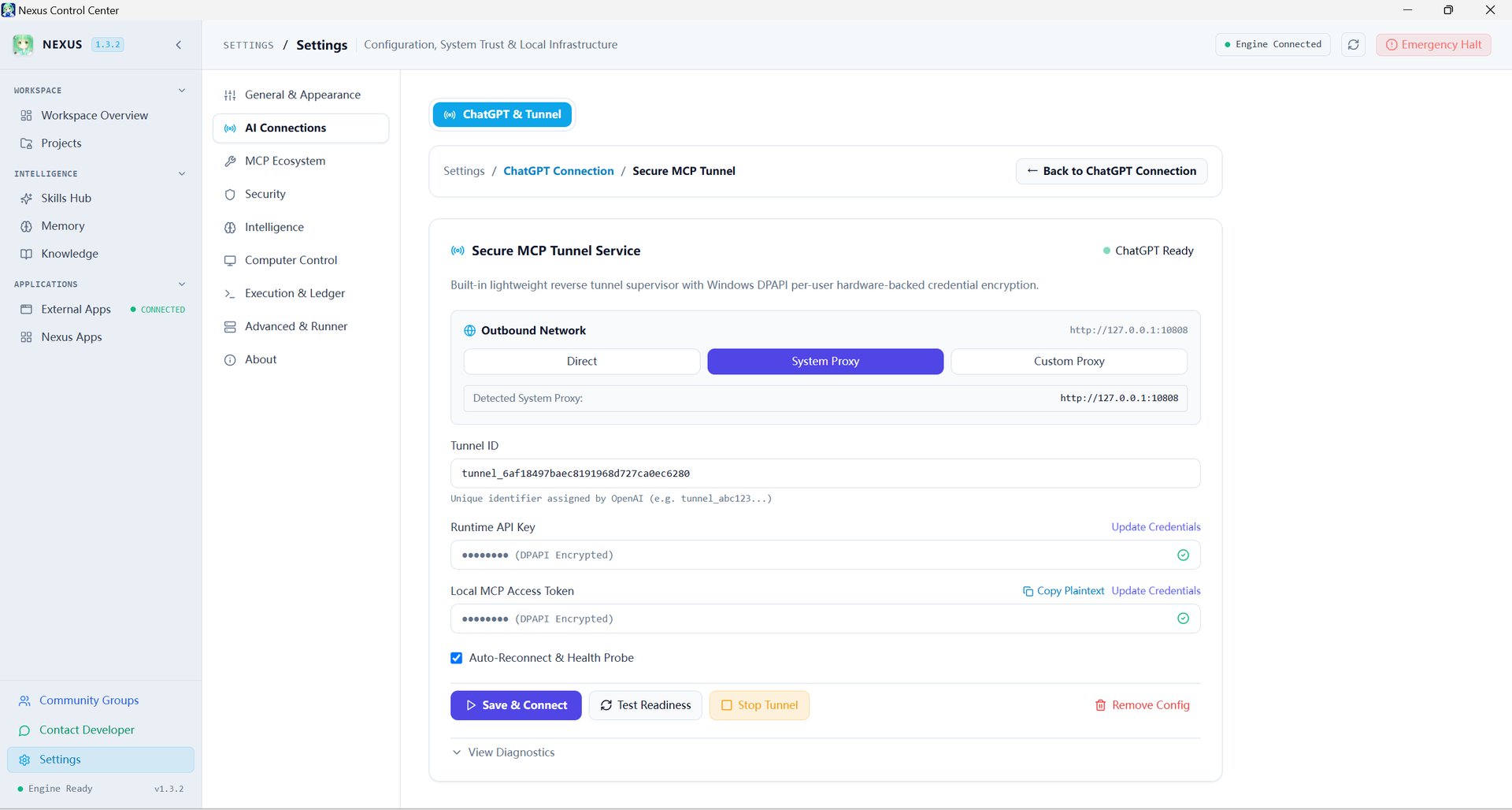
Secure MCP Tunnel & OAuth 2.0 |
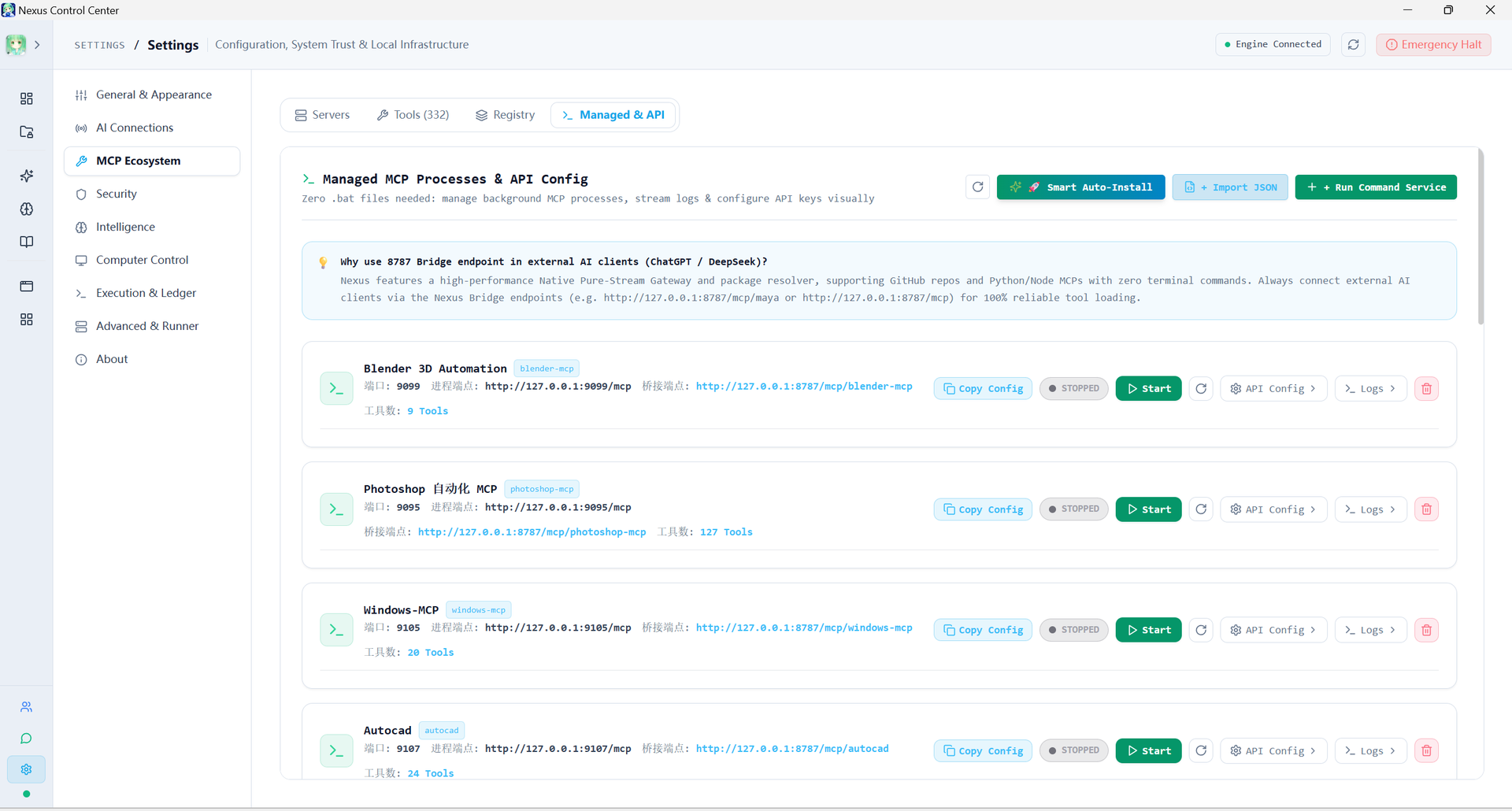
Managed MCP Process Ecosystem |
3. Generative & Procedural 3D Automation (Blender)
Nexus seamlessly bridges generative AI models directly into Blender 4.x / 5.x, enabling end-to-end procedural 3D modeling, geometry node orchestration, PBR procedural shader synthesis, and photorealistic asset generation directly from high-level conversational prompts.
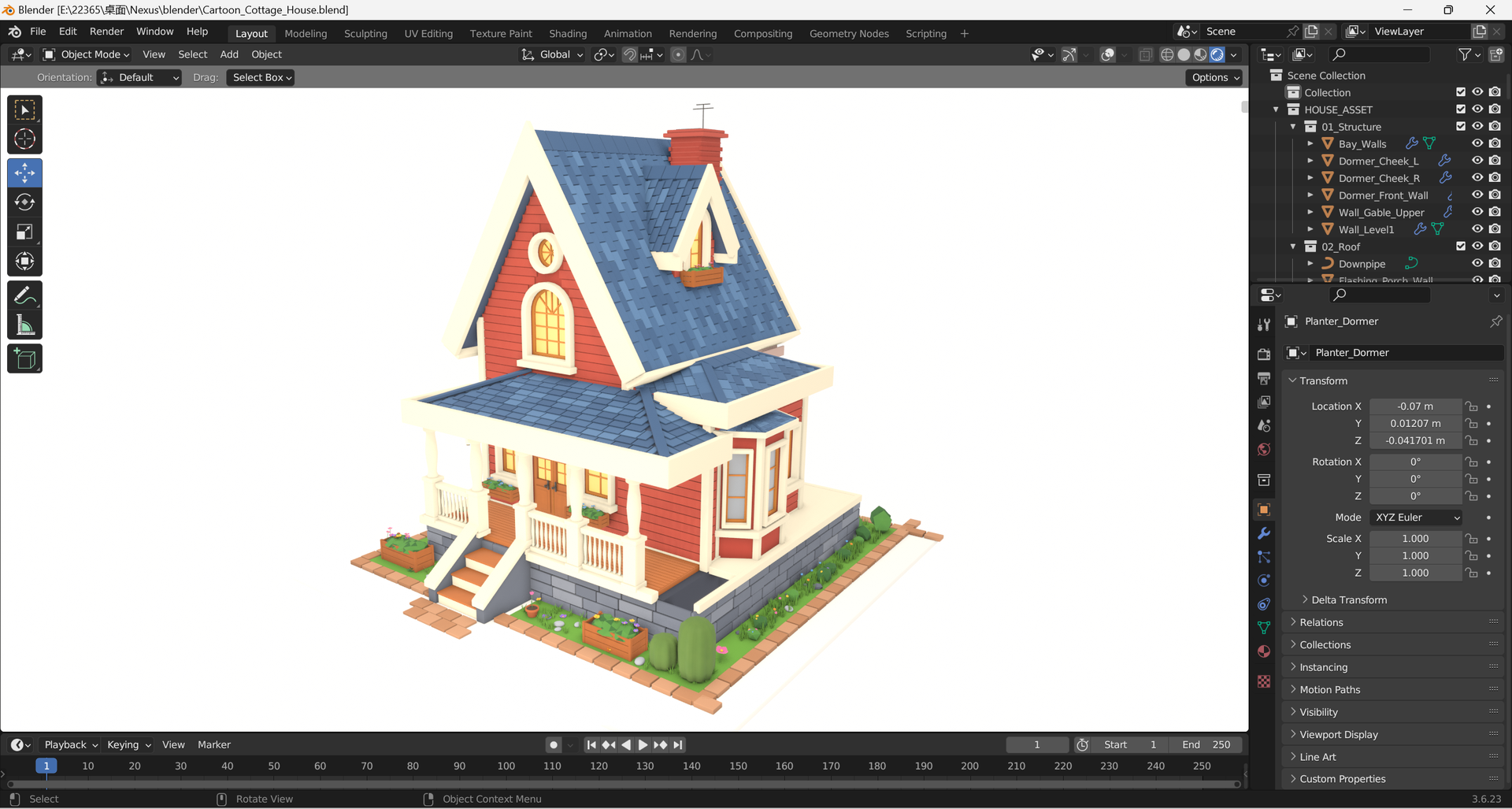
Autonomous 3D Scene Generation: Stylized Cartoon Cottage featuring procedural masonry, wooden framing, roof shingles, and atmospheric lighting.
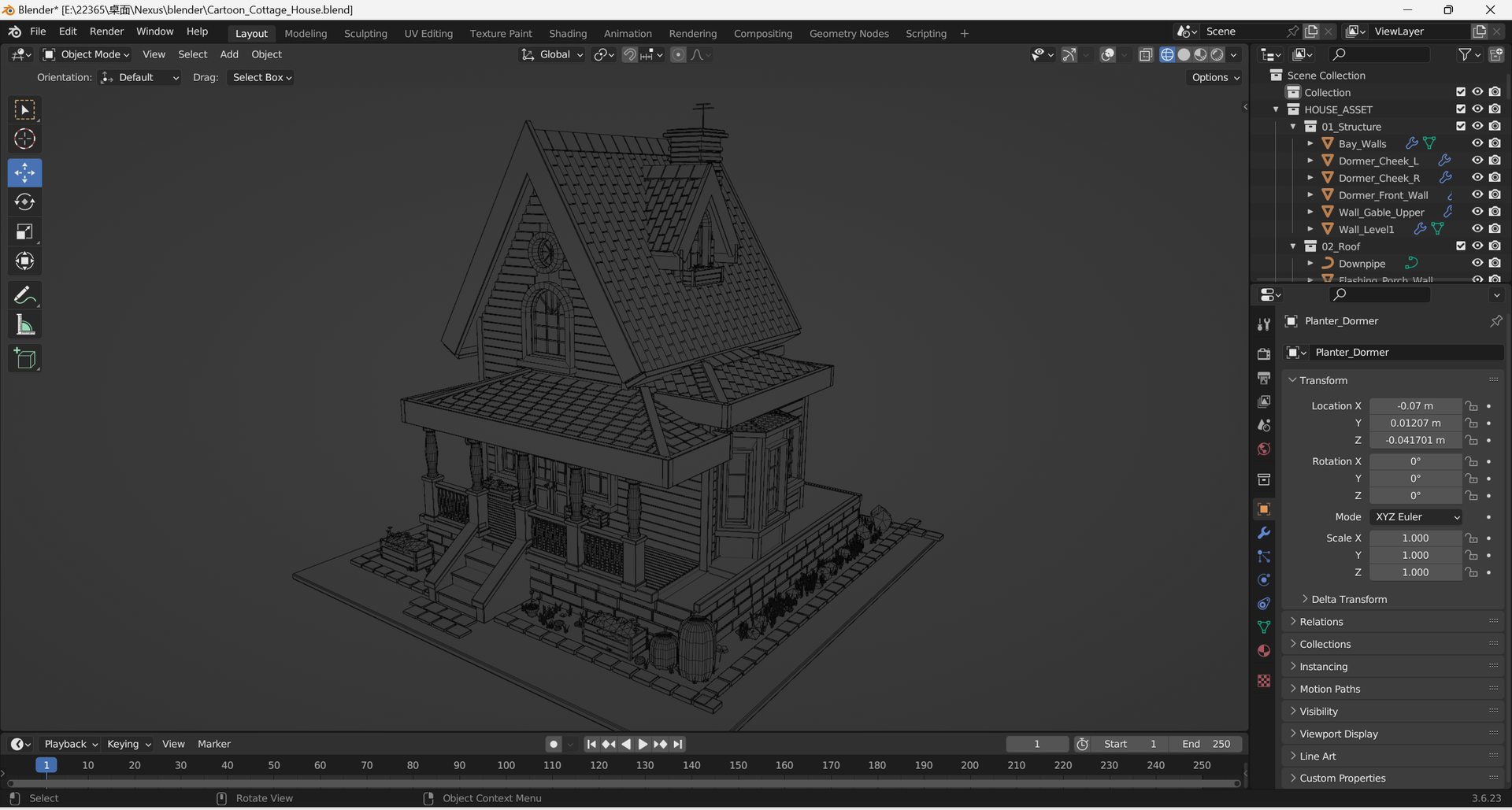
Production-Grade Clean Quad Topology |
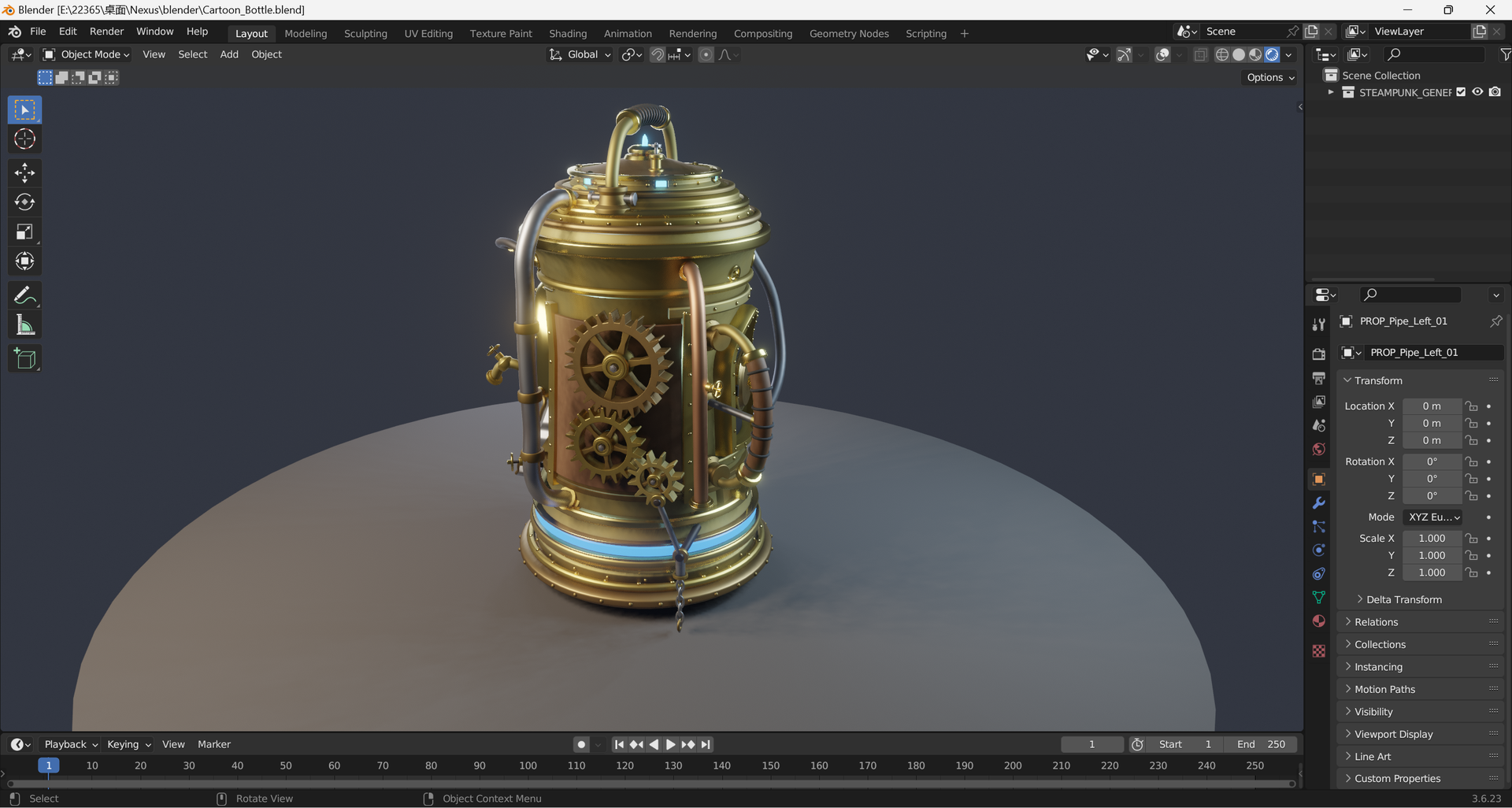
Procedural Hard-Surface & PBR Shading |
4. Unity GameDev In-Editor AI Copilot
Transform your game development pipeline with the Nexus Unity Copilot. Operating directly inside the Unity Editor via bidirectional JSON-RPC MCP bridges, AI agents can construct scenes, author custom HLSL/Shader Graph shaders, configure physics, and validate gameplay logic in real time.
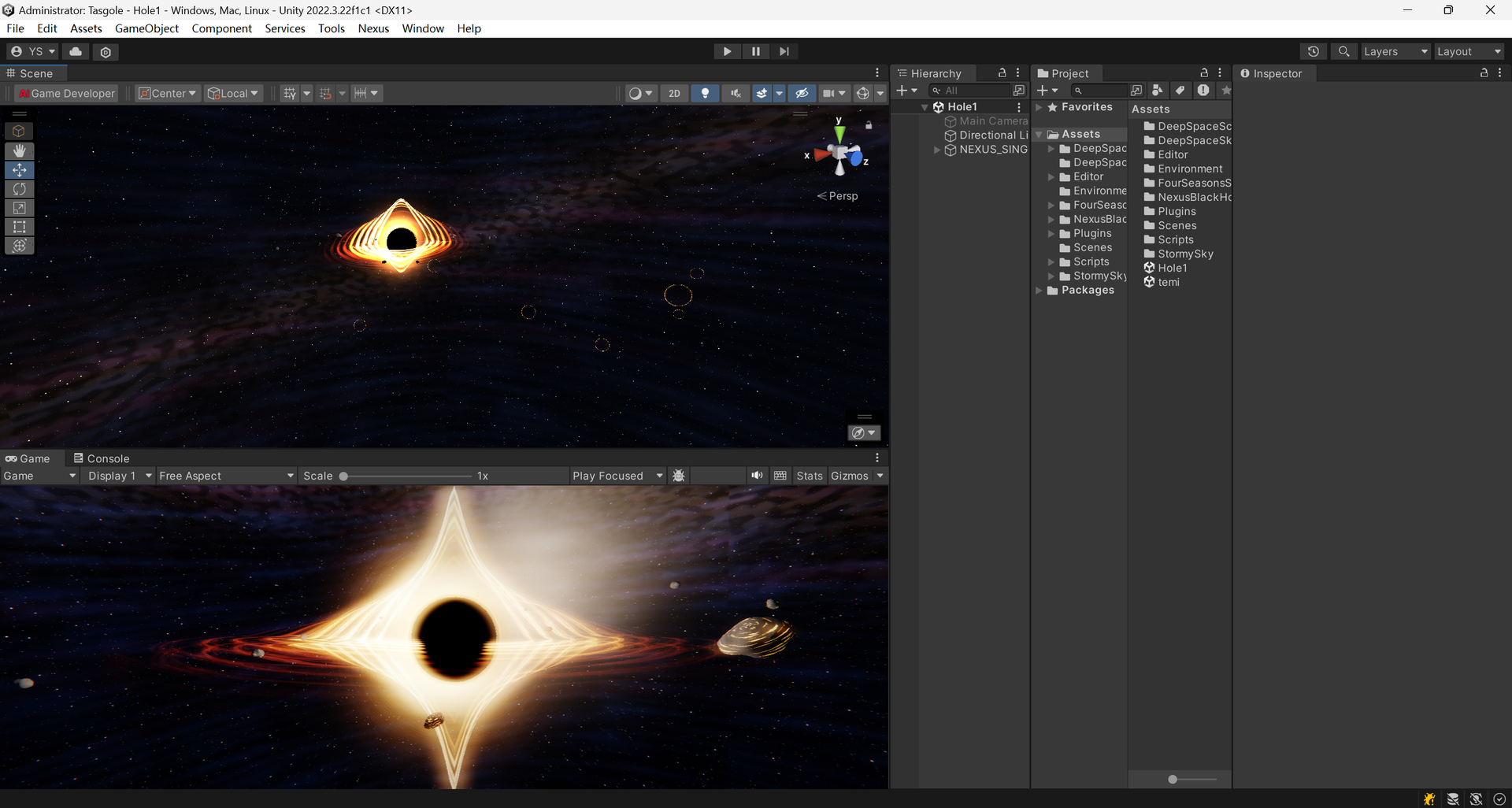
Nexus In-Editor Copilot: Real-time generation of the gravitational lensing accretion disk and deep space photon ring.
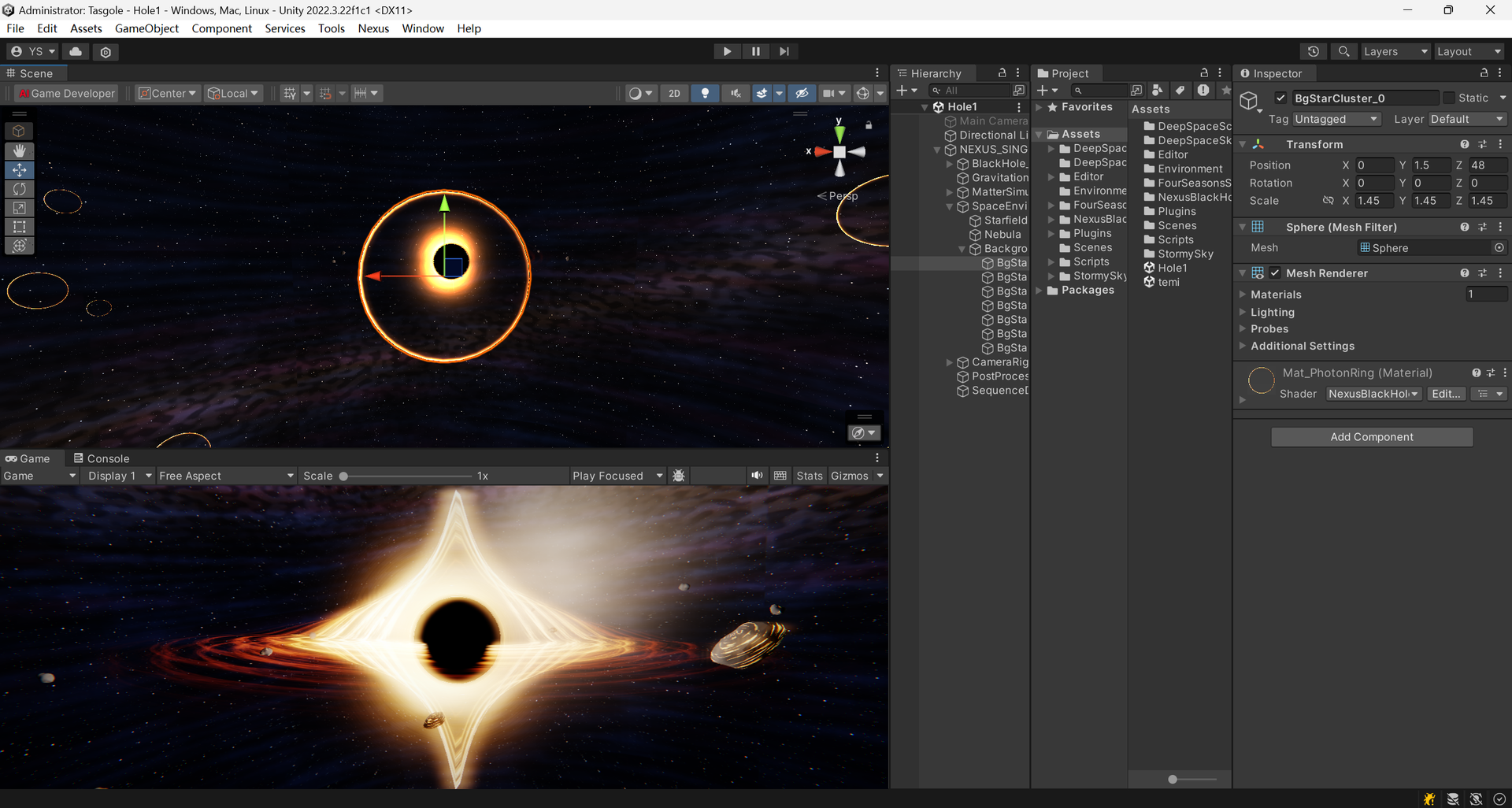
AI Game Developer Tab & Custom Shaders |
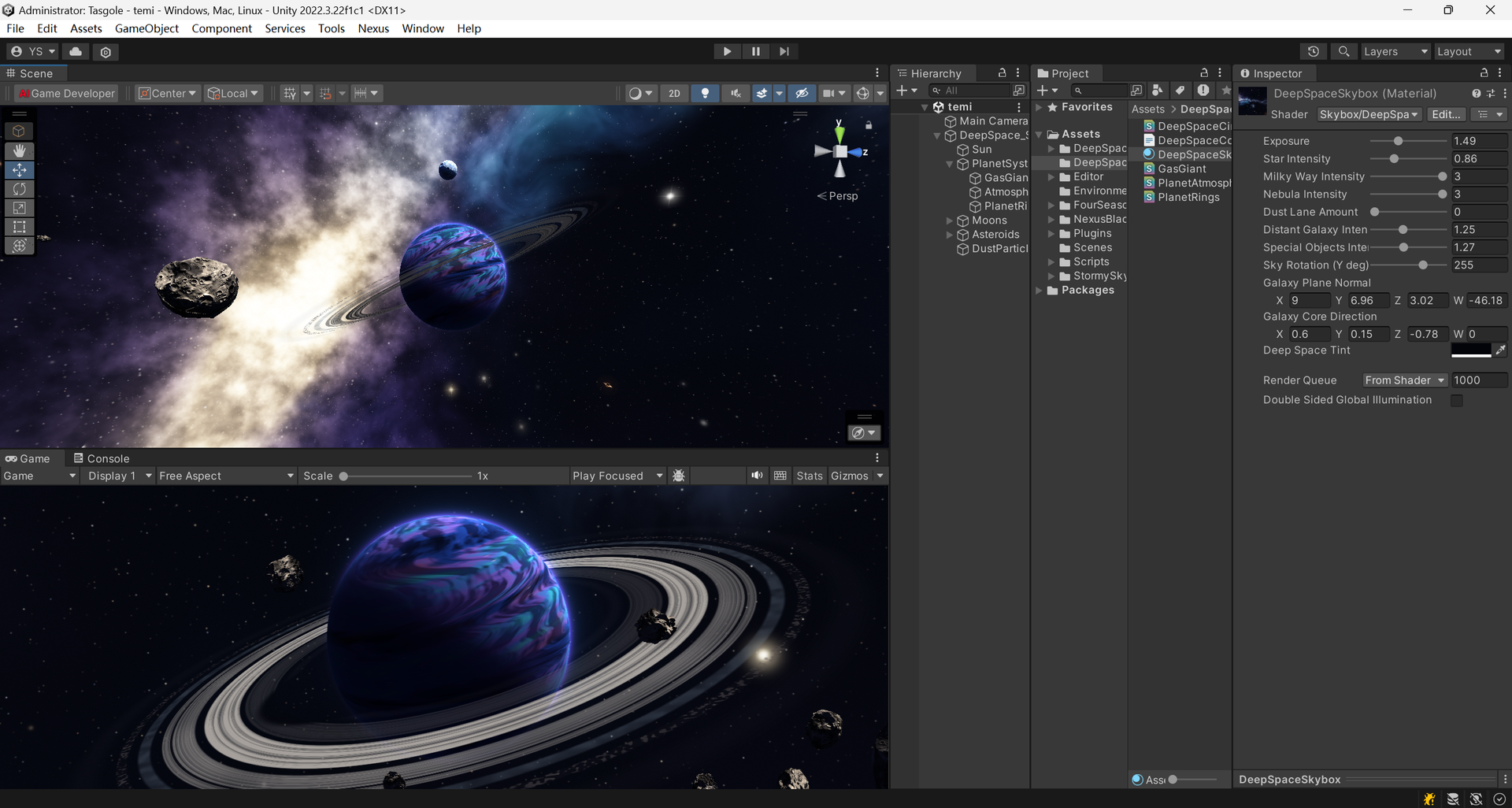
Scene Hierarchy & Real-Time Simulation |
5. Core Capabilities & Architectural Highlights
1. 332 Canonical MCP Tools
- Single Source of Truth: All 332 tools are formally defined in
@localbridge/protocol, with strict input schemas, risk ratings, and automated evidence tracking. - Zero Hallucination Guarantee: Covers 24 capability dimensions: Filesystem, Advanced FS, Git Operations, Command Execution, Persistent Background Jobs, LSP Code Intelligence, Managed Worktrees, Browser Automation, Windows Computer Use, Vision Analysis, Document Engineering, Local Intelligence (Memory/Rules/Knowledge), Agent Orchestration, and System Discovery.
2. ACID-Compliant Action Ledger WAL
- Write-Ahead Logging: Every critical tool execution is recorded in a write-ahead log (
.wal) prior to side-effect application. - Crash Recovery & State Replay: Automatically recovers pending operations and restores consistent workspace states after host reboot or runner crashes.
- Idempotency Guard: Eliminates duplicate execution and resource waste during intermittent network reconnections.
3. Native Windows Computer Use & Vision
- Semantic UI Locating: Combines WinRT Native OCR and UI Accessibility trees to locate screen elements without relying on fragile pixel coordinates.
- Multi-Monitor Control: Window switching, foregrounding, mouse tracking, drag-and-drop, and keystroke dispatching with non-bypassable human takeover controls.
- Visual Validation: Screenshot capture, image comparison, and difference inspection for automated UI testing.
4. Durable Execution & Process Isolation
- Windows Job Objects: Enforces hard process hierarchy isolation, CPU quotas, and memory caps on spawned commands.
- Terminal Daemon (node-pty): Stateful pseudo-terminal sessions with ANSI log streaming and exit code tracking.
- Command Risk Engine: AST-based command classification (
SAFE,CAUTION,DANGEROUS) that blocks destructive system calls (rm -rf /,format,reg delete) by default.
5. Local Intelligence Store
- Vectorless & Vector Hybrid: SQLite-backed fast exact-match and semantic retrieval for persistent project memory, team rules, knowledge documentation, and custom prompt templates.
- Context Compactor: Automatic token reduction and conversational compaction for extended multi-turn agent tasks.
- Extensible Skills Engine: Declarative deterministic workflows with dynamic candidate proposal, automated validation, and live hot-reloading.
6. Multi-Tier Path Sandbox & Enterprise Security
- Physical Canonical Containment: Enforces containment inside authorized project roots via
fs.realpathSync.nativeto eliminate directory traversal (../) and prefix-confusion attacks. - Symlink & Junction Escape Shield: Blocks malicious symlinks and Windows NTFS directory junctions pointing outside project boundaries.
- Dual Token Cryptographic Isolation: MCP client tokens (
lb_...) and Runner daemon tokens (lbr_...) are generated with 256-bit entropy and stored exclusively as SHA-256 hashes. Timing side-channel attacks are mitigated viacrypto.timingSafeEqual. - Sensitive File Shield: Automatically masks
.env*,*.pem,*.key,id_rsa,.git, and cloud credentials.
6. Monorepo Project Layout
Nexus/
├── apps/
│   ├── desktop/          # Tauri 2 + React + Vite Desktop Control Center
│   ├── runner/           # Local execution daemon (332 tools, Action Ledger, Computer Use)
│   ├── server/           # Fastify MCP Server with SQLite WAL persistence & REST API
│   └── bridge/           # Standalone Nexus MCP Bridge (OAuth 2.0 / ChatGPT / DeepSeek)
├── packages/
│   ├── protocol/         # Pure protocol types, 332 Canonical tool definitions, RPC schemas
│   ├── security/         # Sandboxing, path verification, and command risk engine
│   └── shared/           # Structured logger (Pino), config loader, crypto utilities
├── tests/                # Comprehensive test suites (190+ suites, 1200+ tests)
├── docs/                 # Architectural specifications, security models, and guides
├── artifacts/            # Production truth evidence, capability matrices, and audit ledgers
└── scripts/              # Build automation, bundling tools, and release scripts
7. Quick Start
Option A: Desktop Installer (Recommended)
- Open the v1.3.2 release page and download the installer package for your operating system:
- Windows (x64 Installer):
Nexus_1.3.2_x64-setup.exe - macOS (Universal DMG):
Nexus_1.3.2_universal.dmg - macOS (Apple Silicon DMG):
Nexus_1.3.2_aarch64.dmg - Linux (Debian/Ubuntu
.deb):Nexus_1.3.2_amd64.deb - Linux (Universal
.AppImage):Nexus_1.3.2_amd64.AppImage - Browser Userscript (Tampermonkey):
nexus-web-agent.user.js
- Windows (x64 Installer):
- Run the installer. Nexus launches in your system tray with bundled Node.js runtime, language servers, and background runner daemon ready out of the box.
Option B: Build & Run from Source
Prerequisites: Node.js >= 24, pnpm >= 10, Rust stable.
# 1. Clone the repository
git clone https://github.com/ysunyang4/Nexus.git
cd Nexus

# 2. Install workspace dependencies
pnpm install

# 3. Build core packages and applications
pnpm run build

# 4. Launch Desktop Control Center
pnpm --filter @localbridge/desktop dev
8. Connecting AI Clients
Step 1: Authorize a Local Project
- Open Nexus Desktop Control Center.
- Under Workspace -> Projects, click Authorize Project and select your directory (e.g.,
D:\projects\my-app). - Set Access Mode (
read-onlyorread-write) and Execution Mode (disabled,safe-only, orproject-code)—both can be dynamically switched at any time without restarting.
Step 2: Generate an MCP Client Token
- Go to Settings -> Tokens.
- Click Generate Token, choose
MCP Client Token(lb_...), and copy the displayed token.
Step 3: Configure Your AI Client
ChatGPT / Custom GPT Actions:
Add the Streamable HTTP endpoint:
http://127.0.0.1:18080/mcp
Header: Authorization: Bearer lb_your_token_here
Standard MCP Client Configuration (mcp_config.json / Client Settings):
{
  "mcpServers": {
    "nexus": {
      "url": "http://127.0.0.1:18080/mcp",
      "headers": {
        "Authorization": "Bearer lb_your_token_here",
        "MCP-Protocol-Version": "2024-11-05"
      }
    }
  }
}
Cursor / Windsurf / Any MCP Client:
- Transport:
Streamable HTTPorSSE - URL:
http://127.0.0.1:18080/mcp - Headers:
{"Authorization": "Bearer lb_your_token_here"}
9. Official Communities & Developer Contact
Join our community for developer discussions, feature requests, live bug reports, and updates:

Official Communities |

Direct Developer Contact |
10. Sponsor & Support
If Nexus has helped your workflow, research, or daily development, consider buying the author a coffee ☕!
Your generous support helps sustain active open-source maintenance, feature evolution, and bug fixes.
 WeChat Pay (微信支付) |
 Alipay (支付宝) |
11. Development & Quality Verification
# Typecheck across all 7 workspace packages (0 errors)
pnpm run typecheck

# Build all packages, bundles, and Tauri resources
pnpm run build

# Run the test suite
pnpm run test

# Run Rust desktop check
cargo check --manifest-path apps/desktop/src-tauri/Cargo.toml
12. License, Anti-Rebranding & Security Disclaimer
- Software license (GNU AGPL-3.0): Nexus v1.3.2 is distributed under the GNU Affero General Public License v3.0 (AGPL-3.0-only), which permits personal and commercial use, modification and redistribution subject to its terms.
- When source obligations apply: Distributing covered works (including modified binaries), and allowing users to interact over a network with a modified version, can trigger the license's corresponding-source and notice requirements. Private modifications not conveyed or offered as a modified network service are not automatically required to be publicly published. Refer to the actual AGPL-3.0 license, especially Sections 4–6 and 13, for the precise scope.
- Attribution and accurate origin: Preserve copyright, license and other legal notices as the AGPL requires, indicate relevant changes, and do not falsely represent modified builds as official releases. The AGPL's termination and reinstatement provisions are governed by Section 8; this README does not add an automatic-termination rule.
- Branding: The software license does not automatically grant trademark rights or permission to imply official endorsement. See Brand Guidelines. These guidelines do not override AGPL-granted software freedoms.
- Third-party notices: See THIRD_PARTY_NOTICES.md for dependencies and a separate architecture-reference acknowledgement.
- Security & Unrestricted Mode Disclaimer (SECURITY.md):
- By default, Nexus enforces strict path sandboxing (
read-only) and AST command risk filtering (safe-only). - If you explicitly enable
read-write,project-code, Computer Use UI automation, or Unrestricted / Full-Control Mode, you assume full responsibility for all commands executed and files modified by connected AI models. Always back up critical work or use Git version control.
- By default, Nexus enforces strict path sandboxing (
Reviews (0)
Sign in to leave a review.
Leave a reviewNo results found