OpenPipal
Health Gecti
- License — License: Apache-2.0
- Description — Repository has a description
- Active repo — Last push 0 days ago
- Community trust — 16 GitHub stars
Code Uyari
- process.env — Environment variable access in openpipal-acp/scripts/e2e-stage5.mjs
- network request — Outbound network request in openpipal-acp/scripts/e2e-stage5.mjs
Permissions Gecti
- Permissions — No dangerous permissions requested
Bu listing icin henuz AI raporu yok.
Open-source visual Agent client built on the Pi agent framework. No terminal required — connect a model and start.
OpenPipal
Open-source visual Agent client built on the Pi agent framework. No terminal required — connect a model and start.



English · 简体中文
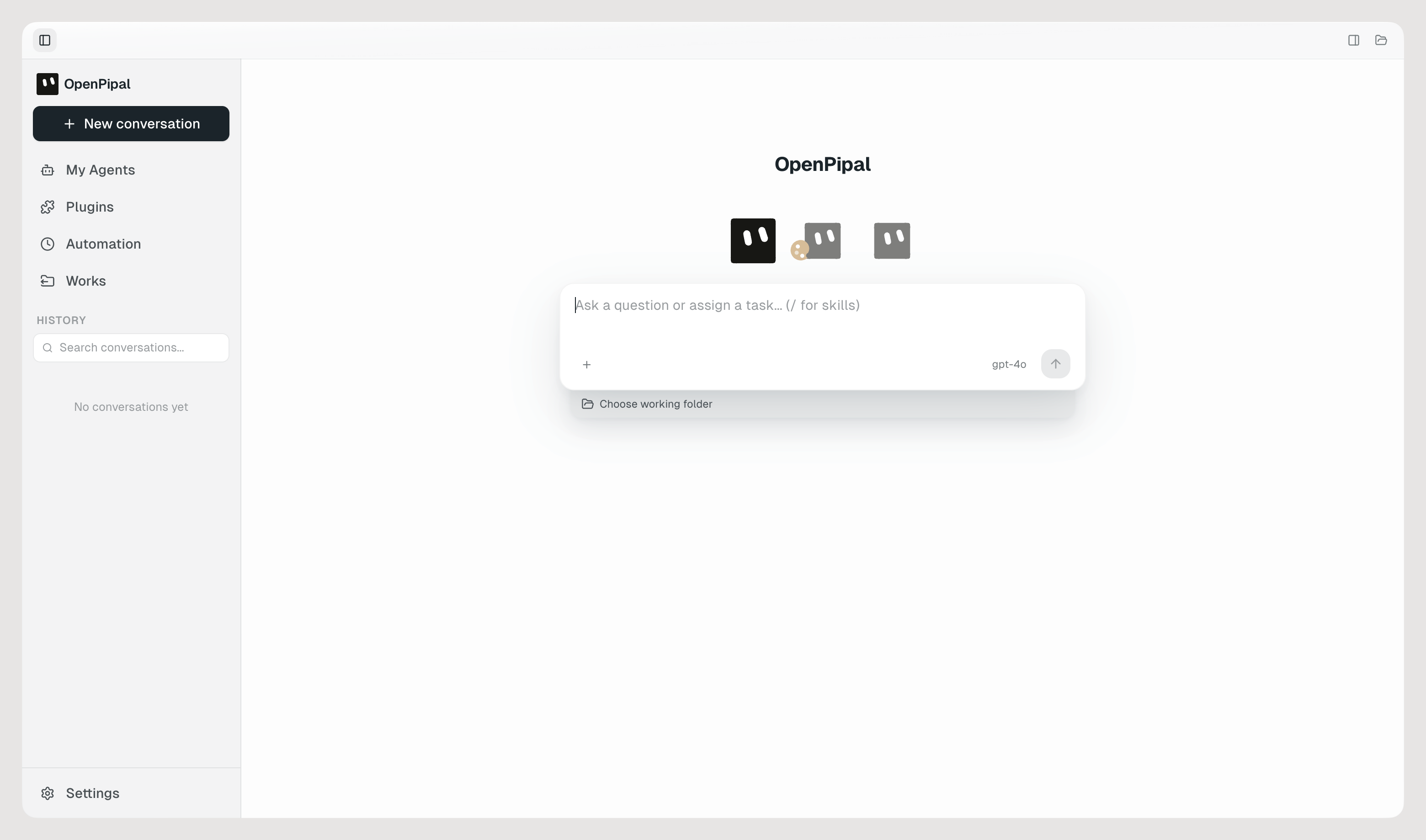
For every job, a dedicated Agent. Tell OpenPipal once how a piece of work should be done and
it becomes an Agent with its own instructions, memory, skills and tasks — ready the next time
you need it, or running on a schedule while you're not there.
Under the hood, OpenPipal is a minimal Agent client built on the open-source
Pi agent framework. Pi runs the agent loop; OpenPipal
gives it a visual home — saved Agents, plugins, automation, memory and a browser side panel —
and everything it plugs into is an open standard: Agent Client Protocol, MCP, Agent Skills and
Agent Plugins.
It ships no model of its own. Every request goes straight from your machine to an
OpenAI-compatible endpoint that you configure — your key, your provider, your bill.
Nothing is proxied through an OpenPipal server, because there isn't one.
What's in this release
This repository carries three built-in agents: the default OpenPipal Agent, the Design Assistant and the Coding Assistant.
Install
macOS only for now. Windows support is planned; until then, forking and adapting the code
yourself is welcome.
Desktop
Grab the
.dmgfor your Mac from Releases
(separate builds for Apple Silicon and Intel), then dragOpenPipal.appintoApplications.First launch: macOS will refuse to open it. These builds carry an ad-hoc signature
rather than an Apple Developer ID, so Gatekeeper blocks them — and since macOS 15,
right-clicking → Open no longer gets past it. Dismiss the dialog, open System Settings
→ Privacy & Security, scroll down to Security, and click Open Anyway on the
OpenPipal line. From a terminal it is one command instead:xattr -dr com.apple.quarantine /Applications/OpenPipal.appPermissions come up only when a feature needs them. macOS asks the first time, or you
can add OpenPipal yourself under System Settings → Privacy & Security:- Accessibility — only if you turn on app following (Settings → Apps), so the panel
can dock beside the frontmost window - Screen Recording — look at a window when you ask it to
- Automation — focus and paste into the application you picked
- Microphone — only if you use voice input
macOS ties these grants to an application's code signature, and an ad-hoc signature
changes with every build. So after installing a new version you may find the old entry
stale and have to remove it and grant again. A notarized build removes that chore.- Accessibility — only if you turn on app following (Settings → Apps), so the panel
Open Settings → Models, click Add provider and fill in the Base URL and API key, then
Add model under it with the model name. Test connection tells you on the spot whether
the two work together.
The first launch opens a short tour — three screens, skippable, and replayable any time from
Settings → About. It shows what OpenPipal can do but configures nothing, so the model still
has to be added as in step 4.
Browser extension (optional)
- Download
openpipal-extension-*.zipfrom the same release and unzip it anywhere. - Open
chrome://extensionsin Chrome, Edge or Brave and turn on Developer mode. - Choose Load unpacked and select the unzipped folder.
The extension shares one AI instance with the desktop app and talks to it overlocalhost:3031, so the desktop app has to be running.
Model providers
Anything that speaks the OpenAI-compatible protocol works. Presets included:
| Provider | Base URL | Example model |
|---|---|---|
| OpenAI | https://api.openai.com/v1 |
gpt-4o |
| DeepSeek | https://api.deepseek.com |
deepseek-chat, deepseek-reasoner |
| OpenRouter | https://openrouter.ai/api/v1 |
anthropic/claude-sonnet-4 |
| SiliconFlow | https://api.siliconflow.cn/v1 |
Qwen/Qwen2.5-72B-Instruct |
| Ollama (local) | http://localhost:11434/v1 |
whatever you've pulled |
What it does
- Dedicated Agents — save any conversation as an Agent with Save as Agent, or build
one on the My Agents page: its own instructions, look, memory and tasks. One job, one
Agent. - Plugins, Skills, MCP and CLI tools — extend an Agent with standard plugins
(plugin.json+ Skills + MCP servers); the bundled Skills cover documents, PDFs, slides and
spreadsheets, plus a skill creator and a tool installer (type/in the composer to use
one); any Model Context Protocol server connects, with Context7 and DeepWiki as presets; and
the command-line tools already on your machine, such asgh,nodeandnpm, are available
as tools. - Automation — run a task once, or keep it running on a cron-style schedule or a webhook,
each run in a fresh conversation or accumulating in one. - Subagents — an Agent can split a job across Subagents, and each Subagent's conversation
can be expanded to see exactly what it did. - Works — everything Agents produce, collected in one place; the Visualizer renders cards,
charts, whiteboards and Mermaid diagrams live as the model writes them. - Long-term memory — per-agent, opt-in, stored as plain Markdown you can read and edit.
- Design it once, reuse it everywhere — any editor that speaks the open
Agent Client Protocol can point at OpenPipal as its agent
server (the adapter ships inside the app; the launch command is under Settings →
Connections), and any other program gets a local HTTP interface. - Browser side panel — the same assistant, inside Chrome, Edge or Brave.
- Design Assistant — turns a brief into finished posters, slides and other visual
deliverables, then keeps editing them with you. - Coding Assistant — the built-in agent that works inside your repository (below).
- App following, if you want it — off by default. Turn it on under Settings → Apps and
OpenPipal docks itself beside whatever app you switch to; you can leave individual apps out.
Keep the model at the center; add complexity only when needed — a controlled context, and only
the tools the work actually needs.
Coding Assistant
Switch to Coding Assistant in the agent picker and it asks one question first: which
repository are we working in? From there it behaves like a careful new hire rather than a
know-it-all:
- Reads the project's own rules before touching code.
AGENTS.md(the open standard that
Codex, Cursor, Amp and Jules read too),AGENTS.override.mdorCLAUDE.mdin the working
directory goes straight into its context. A repository with none gets anAGENTS.mddrafted
from commands it has actually run — shown to you before anything is written. - Precise edits, then the project's own tests and build — never a whole-file rewrite.
- You decide how much it may do, per conversation. Read only looks and never changes
(reads code, searches, browses — no writing files, no running commands). Ask when needed
is the default and asks once before changing a file or running a command. Allow all stops
asking for edits and commands; deleting, resetting and force-pushing still ask once. - Commands run inside a macOS sandbox (Seatbelt, via
@anthropic-ai/sandbox-runtime)
confined to the working directory, with credential files unreadable. Before it uses your git
credentials against a remote it asks once per project; inside the sandbox remotes are reached
over HTTPS. - An error screenshot and a reference folder can be attached up front — the stack trace
from your terminal, or a second repository it may read but not modify.
Your data stays on your machine
~/.openpipal/
├── config.json     # model presets and app settings
├── memory/         # long-term memory, one folder per agent
├── outputs/        # files the model produced
├── sessions-v4/    # chat history, append-only JSONL
├── conversations/  # attachments, plus history from older versions
└── skills/         # your own skills
API keys live in config.json on your disk and are never uploaded. Deleting ~/.openpipal/
removes everything.
Build from source
Requires macOS, Node.js 22.19+ and npm.
npm ci
npx electron-vite build
npx electron .                   # run the built app
Checks:
npx tsc --noEmit -p tsconfig.node.json   # main process
npx tsc --noEmit -p tsconfig.web.json    # renderer
npx vitest run                           # unit tests
npx playwright test                      # end-to-end
npm run dev gives you the usual hot-reload loop. Packaging isnpx electron-builder --config electron-builder.yml; note that builds produced this way are
unsigned and unnotarized.
Layout
| Path | What lives there |
|---|---|
src/main/ |
Electron main process — agent runtime, tools, IPC, window docking |
src/renderer/ |
React UI, shared by the desktop app and the browser panel |
src/preload/ |
The IPC bridge between them |
src/shared/ |
Contracts and the i18n catalogue used by both sides |
openpipal-extension/ |
Chrome extension |
resources/skills/ |
Bundled skills |
docs/ |
Architecture and security notes |
The renderer talks to the main process over preload IPC on the desktop, and over an
HTTP/SSE shim on :3031 when it runs inside the browser extension — one renderer, two
transports.
FAQ
macOS says it can't verify the developer. Since macOS 15, right-click → Open no longer
helps. Use System Settings → Privacy & Security → Open Anyway, or the xattr command from
the install steps. Once per install.
Can I change the interface language? Yes — Settings → Appearance → Language switches
between English and Simplified Chinese, or follows the system (the default). It takes effect
immediately.
Does it follow my apps around? Only if you ask it to. App following is off by default and
lives under Settings → Apps.
Is it free? The app is. Model usage is billed by your provider directly to you; OpenPipal
never sees the money or the key.
Can I run a local model? Yes — point the Base URL at http://localhost:11434/v1 for
Ollama and use whatever model you've pulled.
Windows or Linux? macOS only for now. Windows support is on the roadmap; the code is
Apache-2.0, so forking and adapting it yourself is welcome too.
The extension does nothing. Make sure the desktop app is running; the extension needs it
on localhost:3031.
Contributing
Bug reports and ideas are welcome in Issues.
See CONTRIBUTING.md before opening a pull request, and
SECURITY.md for how to report a vulnerability privately.
We're also on the LINUX DO community — come say hello there.
License
Apache-2.0. Third-party components and their licenses are listed in
THIRD_PARTY_NOTICES.md; bundled skills carry their own notice inresources/SKILLS-NOTICE.md.
Yorumlar (0)
Yorum birakmak icin giris yap.
Yorum birakSonuc bulunamadi