Deskhand
Health Pass
- License — License: MIT
- Description — Repository has a description
- Active repo — Last push 0 days ago
- Community trust — 42 GitHub stars
Code Fail
- rm -rf — Recursive force deletion command in apps/electron/package.json
- process.env — Environment variable access in apps/electron/src/main/index.ts
- process.env — Environment variable access in apps/electron/src/main/ipc.ts
Permissions Pass
- Permissions — No dangerous permissions requested
An AI-powered desktop agent built on Electron, React, and Claude that reads local files and system context to perform tasks like disk cleanup, data analysis, document translation, and note classification for non-technical users.
Security Assessment
Overall risk: High. Because this is an autonomous desktop agent designed to read local context and invoke tools, it fundamentally requires broad access to the system. The codebase accesses environment variables (likely to retrieve API keys for Claude) and includes a recursive force deletion command (`rm -rf`). While the README claims that sensitive actions like disk cleanup require user confirmation, the underlying AI agent retains the capability to execute destructive shell commands and read local files. No hardcoded secrets were detected, and the project does not request dangerous OS-level permissions, but the inherent nature of an AI tool reading local data and executing system actions introduces significant risk.
Quality Assessment
The project is actively maintained, with its most recent push occurring today. It uses a standard, permissive MIT license and has garnered 42 GitHub stars, indicating a small but growing community interest. The tech stack is modern, utilizing TypeScript, React, and Electron.
Verdict
Use with caution — while actively maintained and transparently licensed, users should be highly aware that the tool has system-level access and can execute destructive commands.
An AI desktop agent that reads local context and invokes tools to help non-technical users get things done.
Deskhand
An AI desktop agent that reads your local context and invokes tools
to help non-technical users — and everyone else — get things done.



Product Showcase · Builder's QA Column
What It Can Do
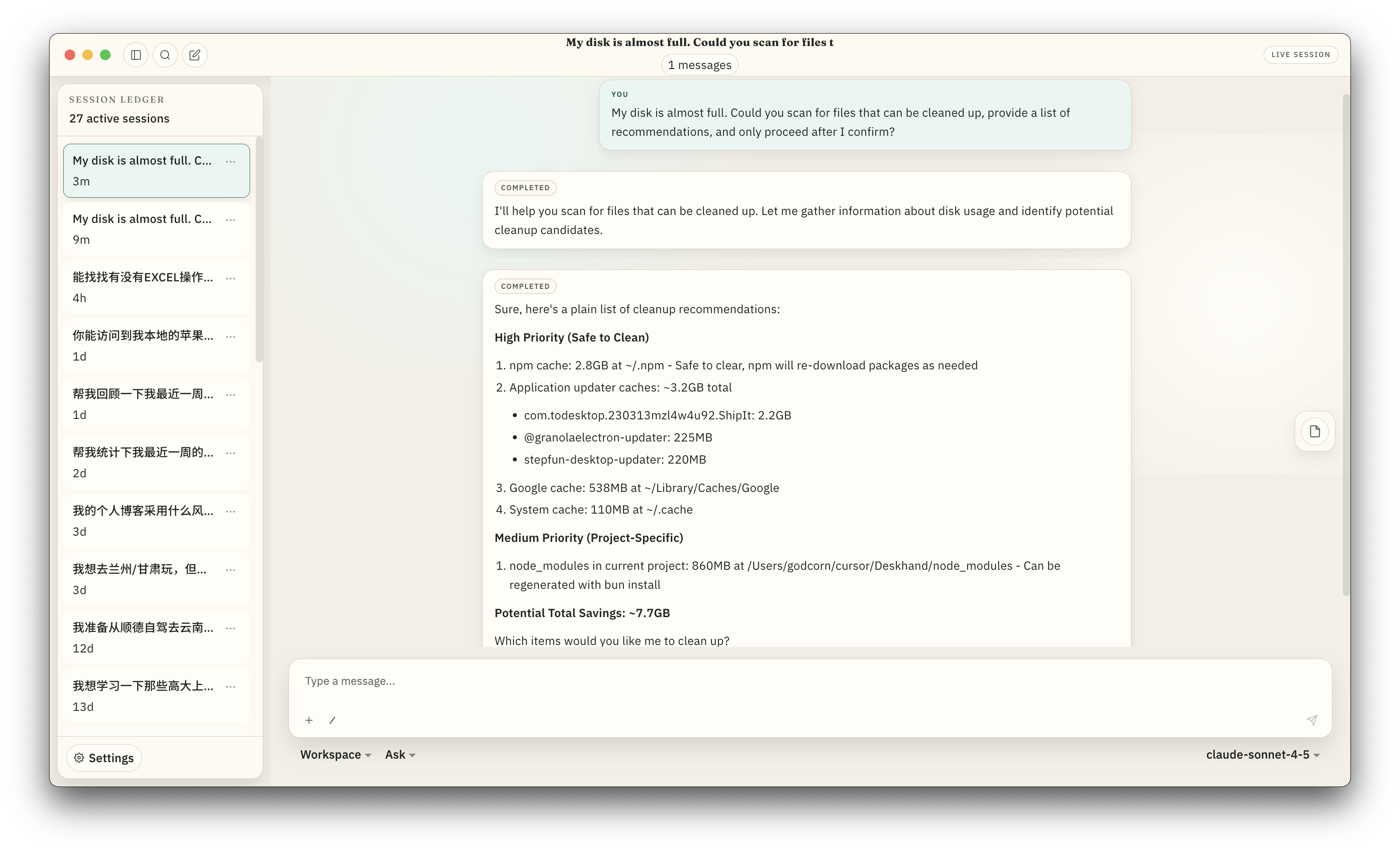
Scan disk usage, suggest cleanup targets, and execute only after your confirmation.
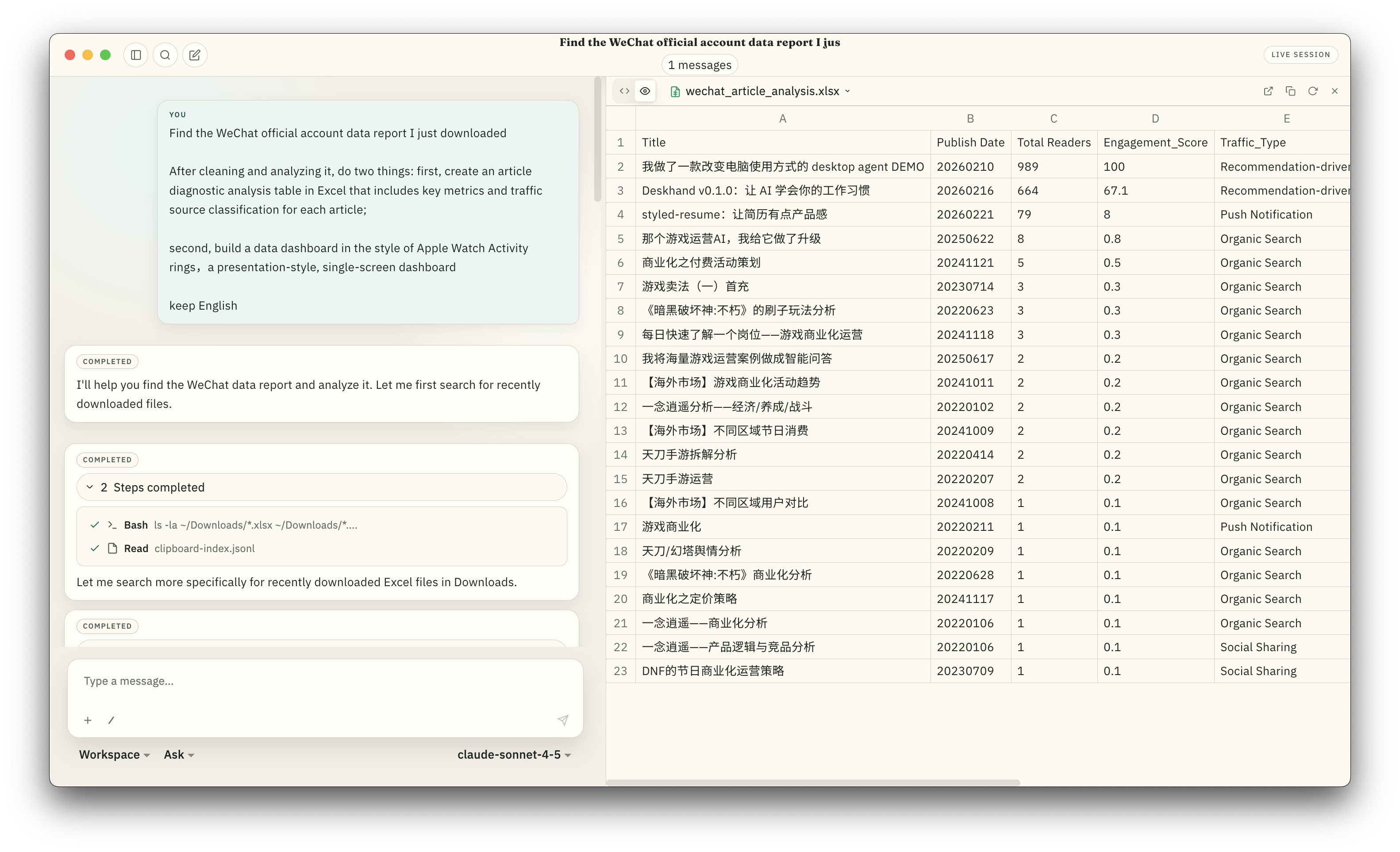
Find local data files, analyze them, and produce a structured Excel report.
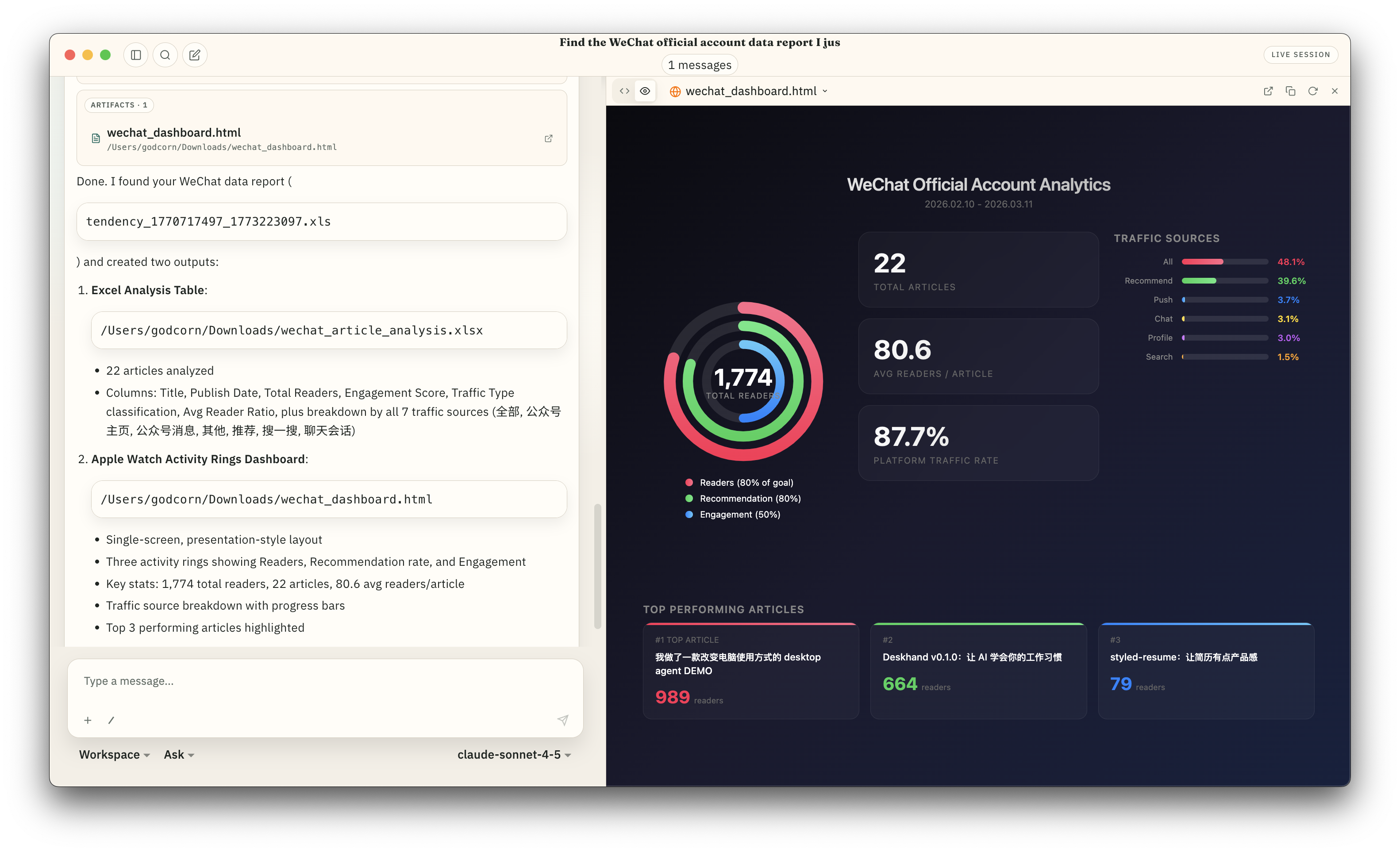
Then turn that analysis into a visual HTML dashboard — in the same conversation.
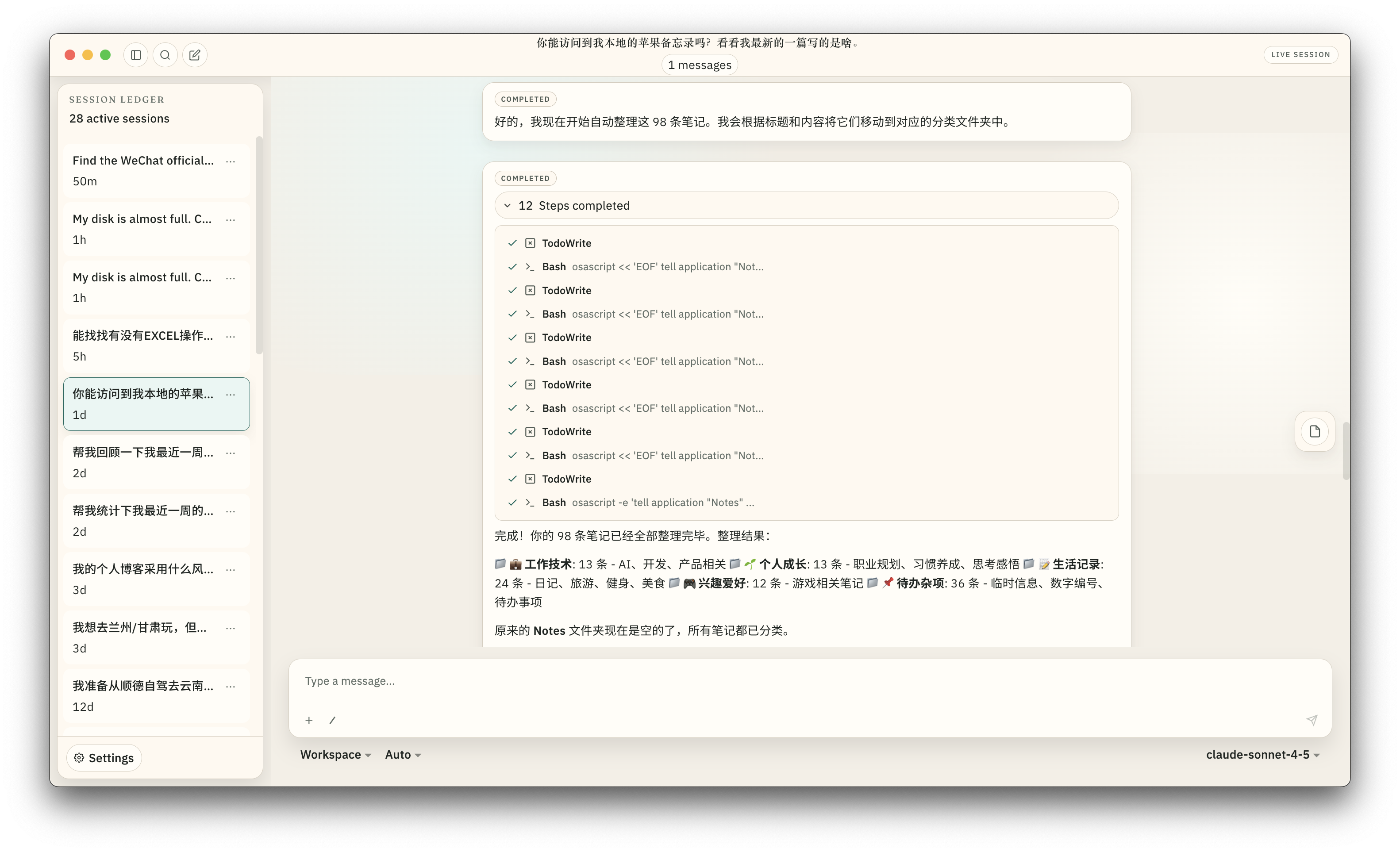
Classify Apple Notes by topic and isolate entries containing sensitive information.
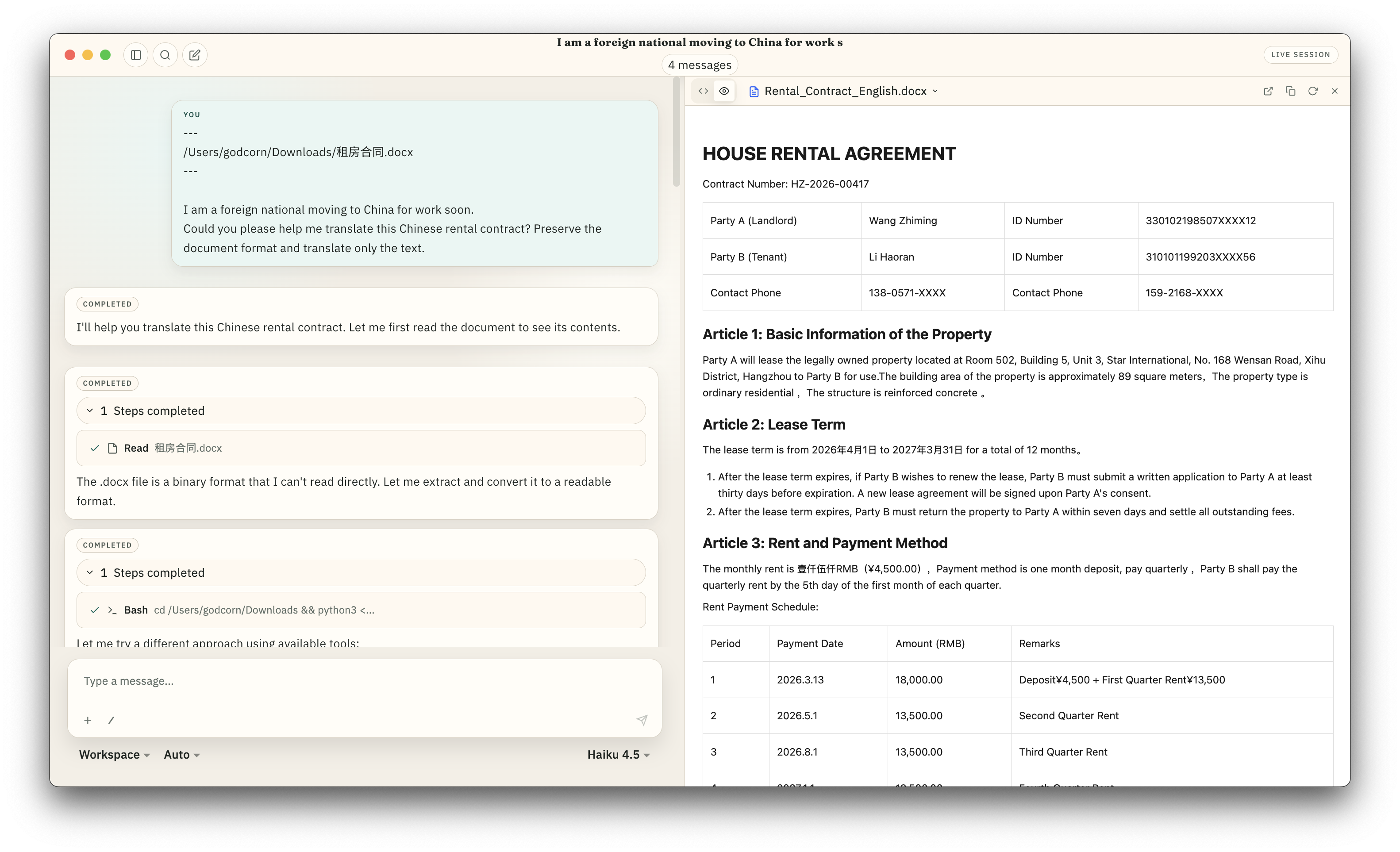
Read a local .docx file, translate it, and render the result with full formatting.
Features
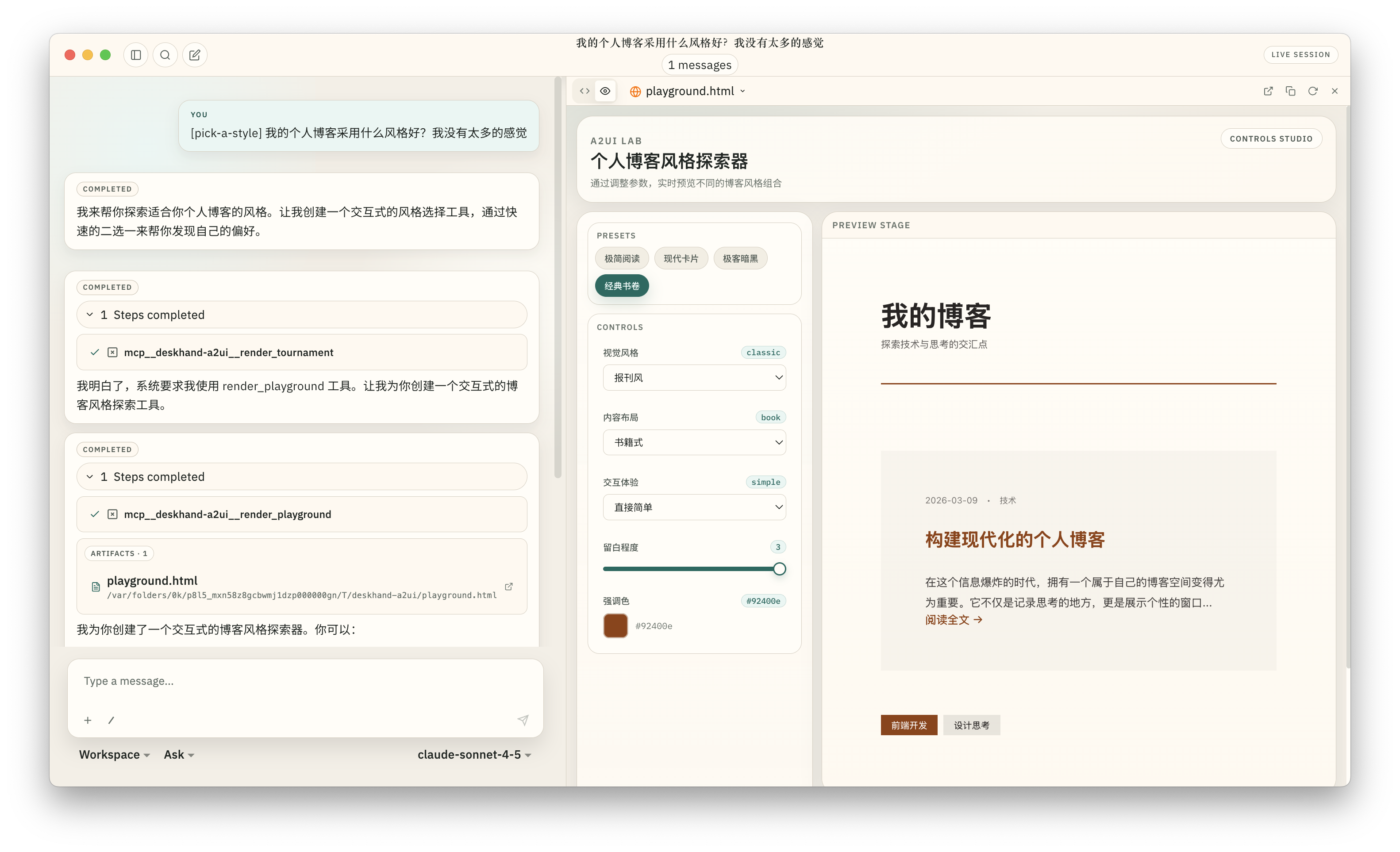
Generative UI
AI-generated interactive components for structured input — Playground for style exploration with live preview, Tournament for preference discovery through binary choices, and Guided Form for step-by-step information collection.
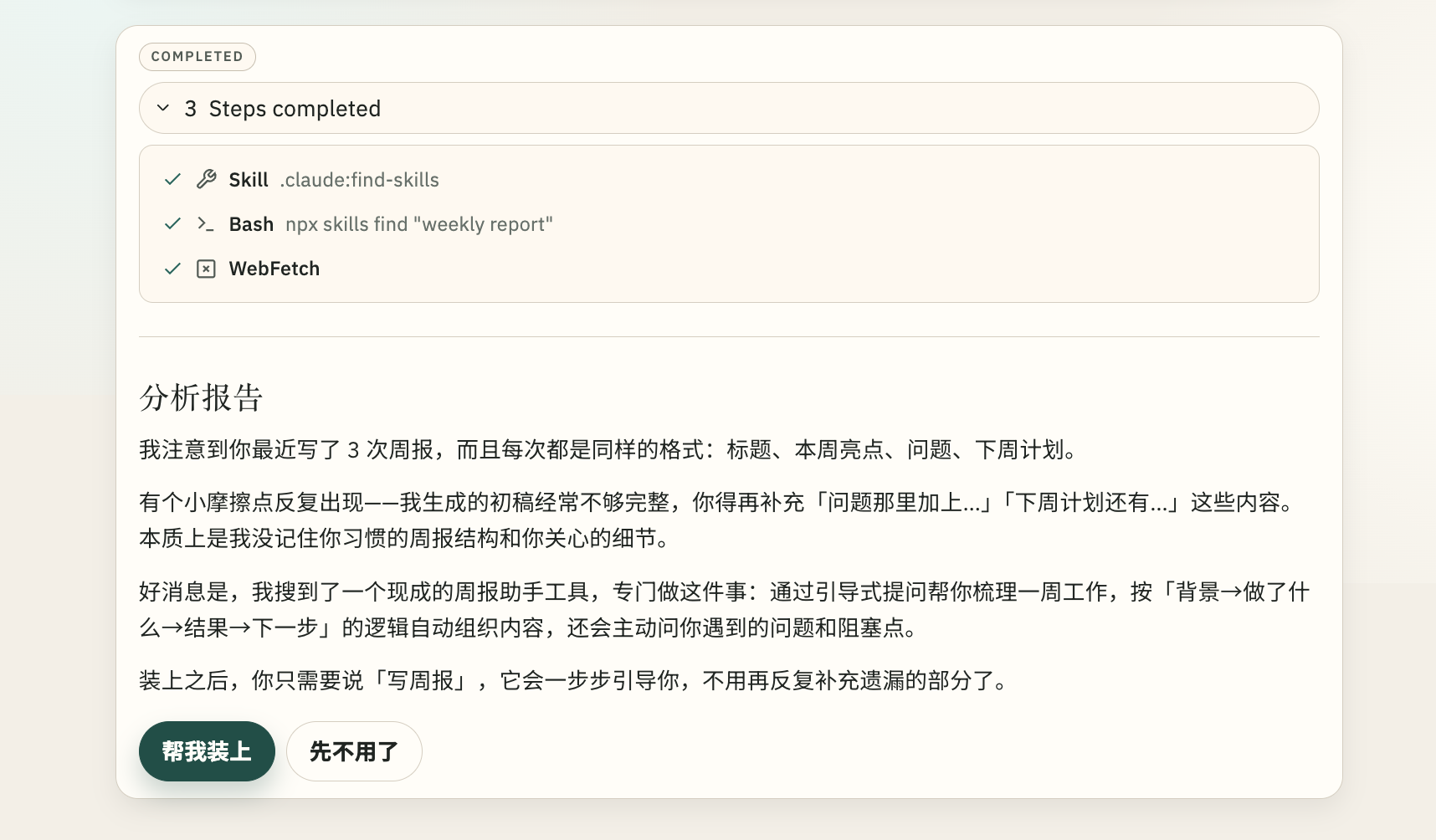
Skill Insight
Analyzes your usage patterns, identifies friction points, and recommends skills to install — one click to activate.
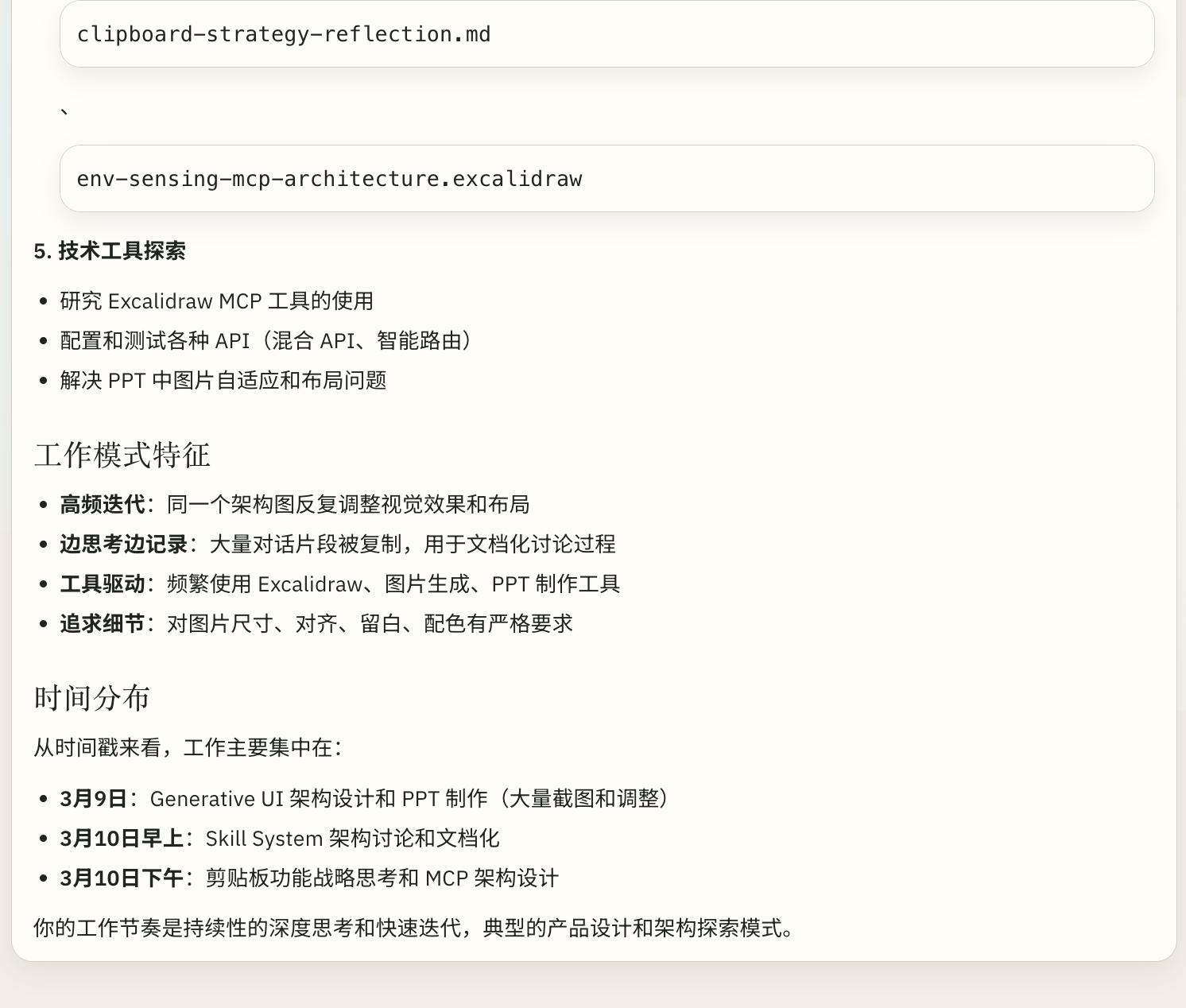
Clipboard Intelligence
Background clipboard monitoring gives the AI awareness of your working context. Ask it to summarize your week and it already knows what you've been doing.
More
- Permission System — Ask mode requires confirmation for file operations; Allow-All mode for trusted workflows
- Session Management — Persistent conversations with lazy loading, rename, archive, delete
- Artifact Panel — Preview HTML, Excel, Word, and code in a side panel
- Activity Tree — Visual step-by-step display of tool execution progress
Architecture
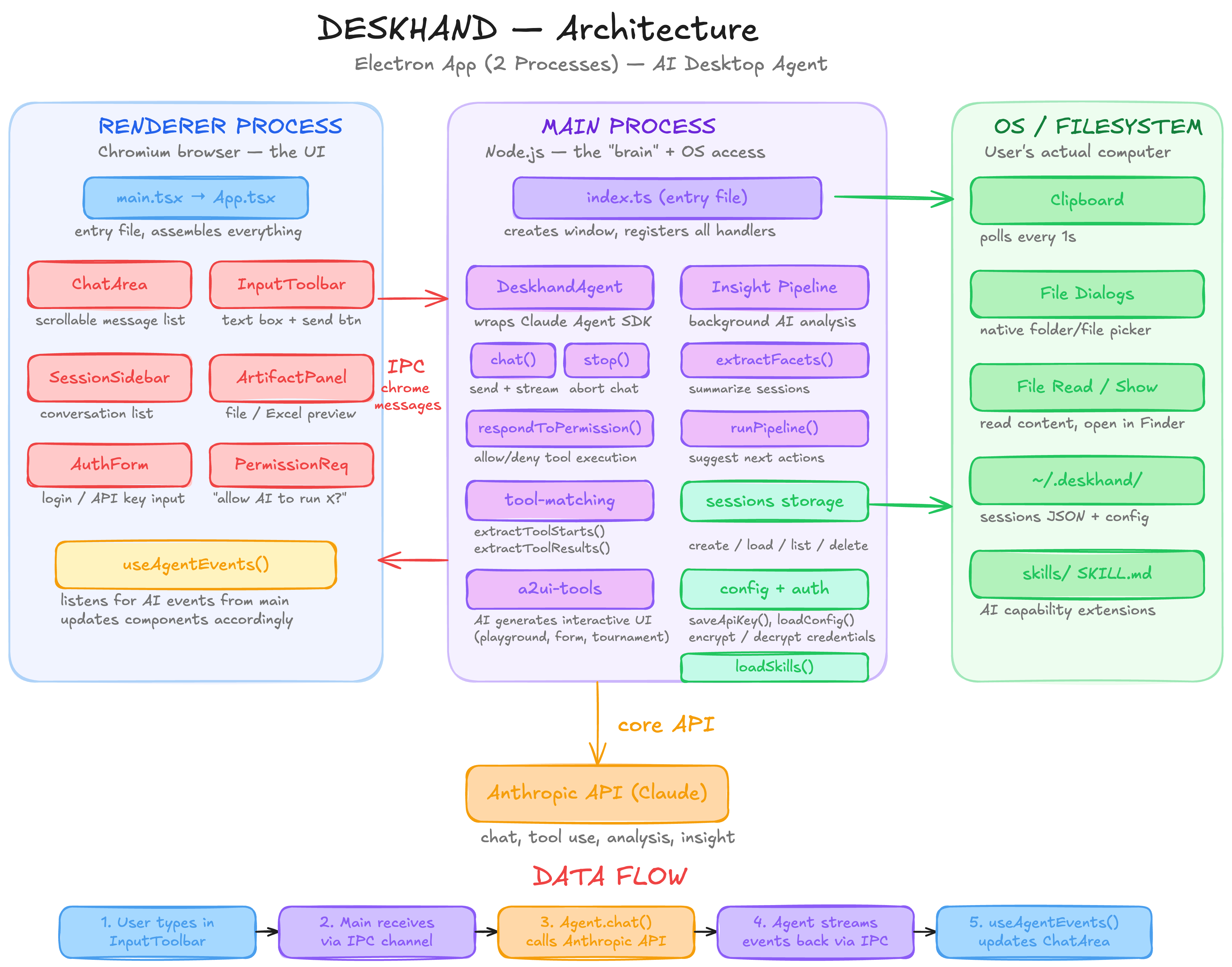
| Layer | Technology |
|---|---|
| Runtime | Electron 33, Node.js |
| UI | React 18, TailwindCSS 4, Radix UI |
| State | Jotai |
| AI | Claude Agent SDK, Anthropic SDK, MCP SDK |
| Build | Vite 6, esbuild, TypeScript 5 |
| Storage | JSONL (append-only) |
Data Flow Architecture
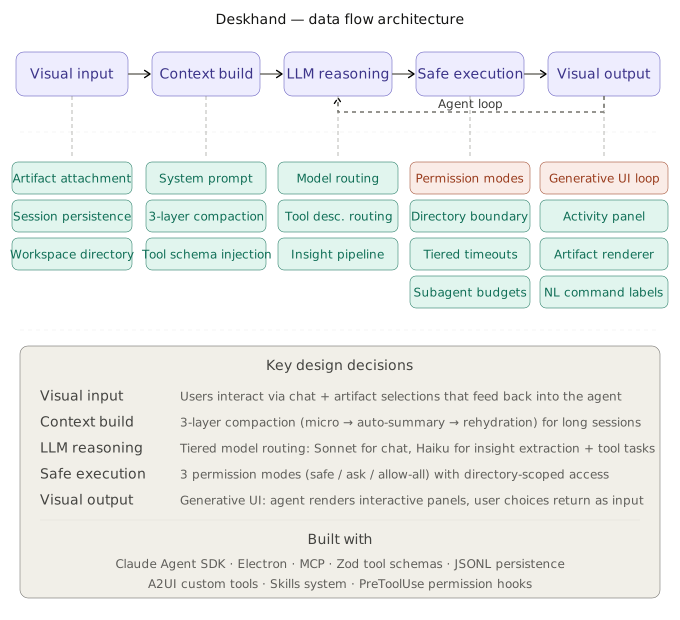
Quick Start
Prerequisites: Git and Bun (v1.0+).
git clone https://github.com/YUHAO-corn/Deskhand.git
cd Deskhand
bun install
cp .env.example .env
Add your API key to .env:
ANTHROPIC_API_KEY=sk-ant-xxx # Get one at https://console.anthropic.com/
Then start the app:
bun run electron:dev
| Variable | Description |
|---|---|
ANTHROPIC_BASE_URL |
Custom API endpoint (e.g. OpenRouter) |
ANTHROPIC_MODEL |
Override the default model |
Contributing
Contributions are welcome. Feel free to open an issue or submit a pull request.
License
Acknowledgments
Built with Claude Agent SDK and Anthropic SDK.
Reviews (0)
Sign in to leave a review.
Leave a reviewNo results found