Manimate
Health Warn
- License — License: MIT
- Description — Repository has a description
- Active repo — Last push 0 days ago
- Low visibility — Only 6 GitHub stars
Code Pass
- Code scan — Scanned 12 files during light audit, no dangerous patterns found
Permissions Pass
- Permissions — No dangerous permissions requested
No AI report is available for this listing yet.
Easiest way to go text -> 3b1b style animation with audio
Manimate
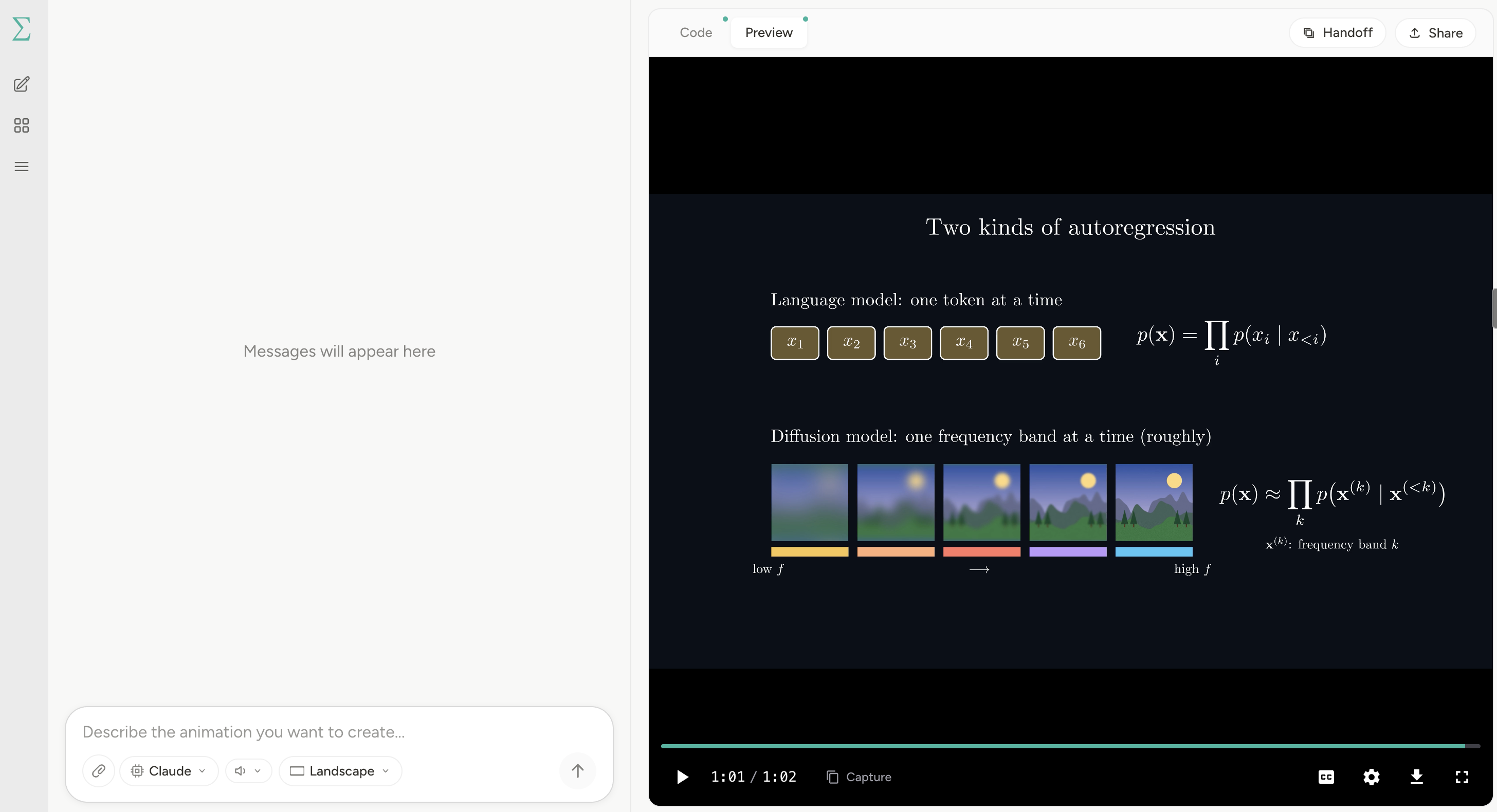
Create Manim videos with Claude Code or Codex in a local browser app.
Describe your animation, watch the result, and refine it in chat. Render locally or with Manim Cloud.
Install
On macOS or Linux:
curl -fsSL https://manimate.ai/install.sh | bash
manimate
The installer uses Node.js 22+ if available, or downloads a private Node runtime. You do not need to install npm first or run npm start.
Already have Node.js 22+ and npm? Install with:
npm install -g manimate
manimate
Create and refine
- Describe a video in chat and choose the aspect ratio and optional voice.
- The agent writes
script.py, renders the scenes, and producesvideo.mp4. - Watch the preview and send timestamped feedback to refine it.
- Click Download to save the current MP4.
Refine with Capture
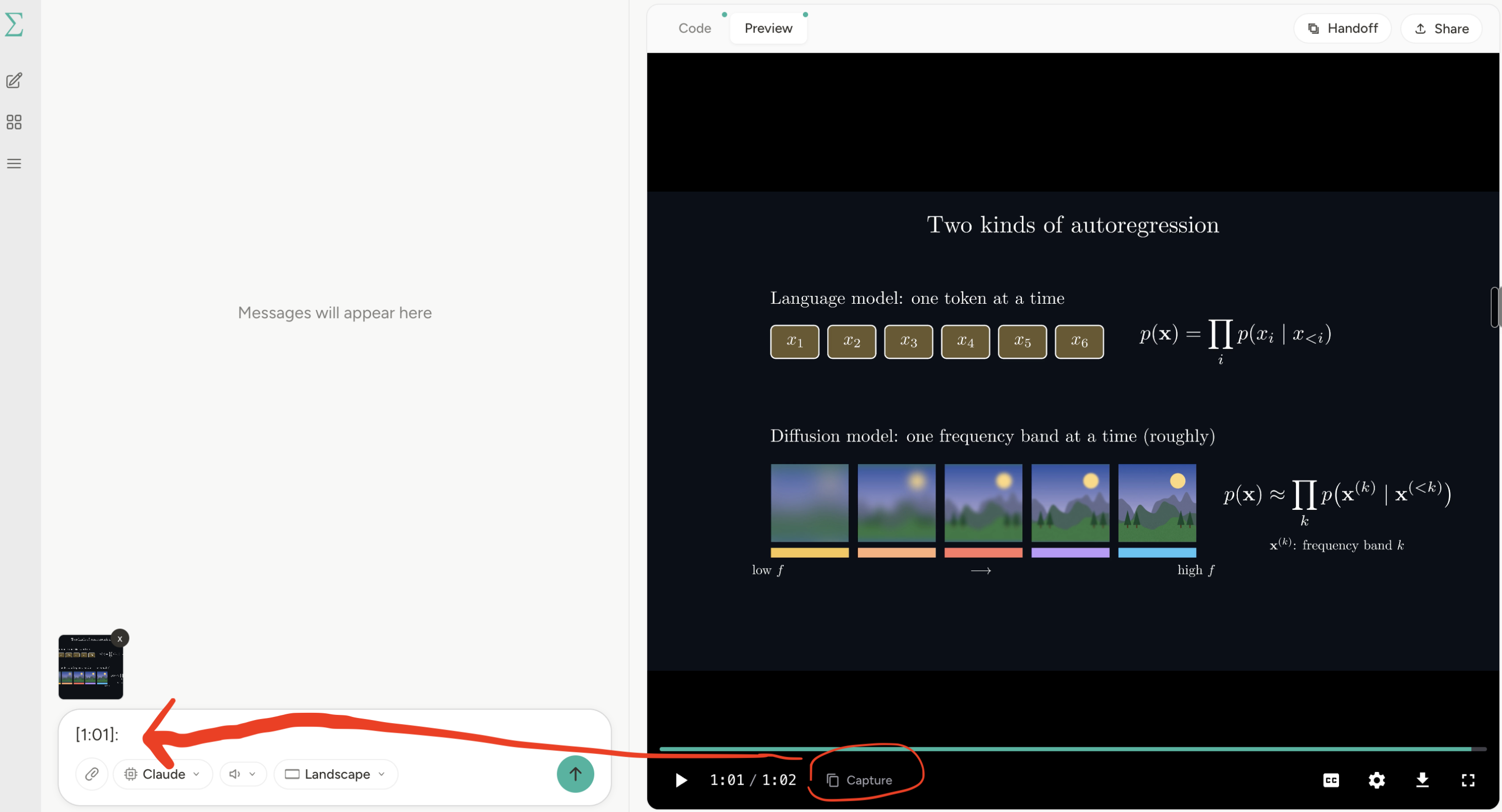
Pause the video at a moment you want to change. Click Capture to add the frame and timestamp to the chat input, along with the scene name when available.
Add your feedback. For example, “Make these labels larger” or “Explain this step more slowly” and send it. The agent uses the captured frame and your notes to update the animation. Watch the revised video and repeat as needed.
Share uploads a completed video session and creates a Manim Cloud link. Handoff starts a fresh conversation with the current code, video, and chapter timings.
From the terminal
manimate "Animate the Laplace transform"
Use -s <session-id> to continue a session, -v <voice-id> for narration, and --show-events for progress. Voice is off by default. Generation returns JSON with the session ID, review URL, video URL, and completion status.
Your files
Sessions live in ~/.manimate/sessions/<session-id>/, with generated files inside project/. Set MANIMATE_LOCAL_ROOT to use another location.
Cloud mode automatically backs up completed sessions while the app is open. Local mode keeps them on your machine.
Speech providers
Cloud rendering uses hosted Kokoro speech by default, with the same Manim Cloud
sign-in and no separate API key. Speech synthesis and audio assembly run in the
cloud. Local rendering keeps local Kokoro; set TTS_TRANSPORT=local to explicitly
keep synthesis local. Cloud failures are reported instead of silently running
the model on your machine.
The narration helper keeps the same outputs for each provider:
python tts-generate.py --plan narration.txt --voice af_heart --transport cloud
python tts-generate.py --plan narration.txt --provider elevenlabs --voice <voice-id>
ElevenLabs requires ELEVENLABS_API_KEY; its model is configurable throughELEVENLABS_MODEL_ID (default eleven_flash_v2_5). Set TTS_BASE_URL andTTS_API_KEY to use your own deployment of the narration API. Native provider
APIs have different payloads, so their adapters translate requests while keepingvoiceover.mp3 and timestamps.json consistent for the animation pipeline.
Cloud narration is cached locally as a complete audio/timing pair. --bust 0
clears that narration's cloud cache. The free hosted service has request and
character allowances. See speech benchmarks for
reproducible cold/warm evaluations and saved measurements.
Develop
git clone https://github.com/Yusuke710/Manimate.git
cd Manimate
npm install
npm run dev
Reviews (0)
Sign in to leave a review.
Leave a reviewNo results found