briefing
Health Warn
- License — License: MIT
- Description — Repository has a description
- Active repo — Last push 0 days ago
- Low visibility — Only 6 GitHub stars
Code Pass
- Code scan — Scanned 12 files during light audit, no dangerous patterns found
Permissions Pass
- Permissions — No dangerous permissions requested
No AI report is available for this listing yet.
Automatically track and summarize the newly published videos from the creators you follow into concise reports. | 自动跟踪关注的创作者新发布的视频,总结成简报
📡 Briefing
Automatically track the creators you follow, summarize their newly published videos, and deliver concise reports.
Quick Start · 中文文档 · Supported Platforms


1. Overview
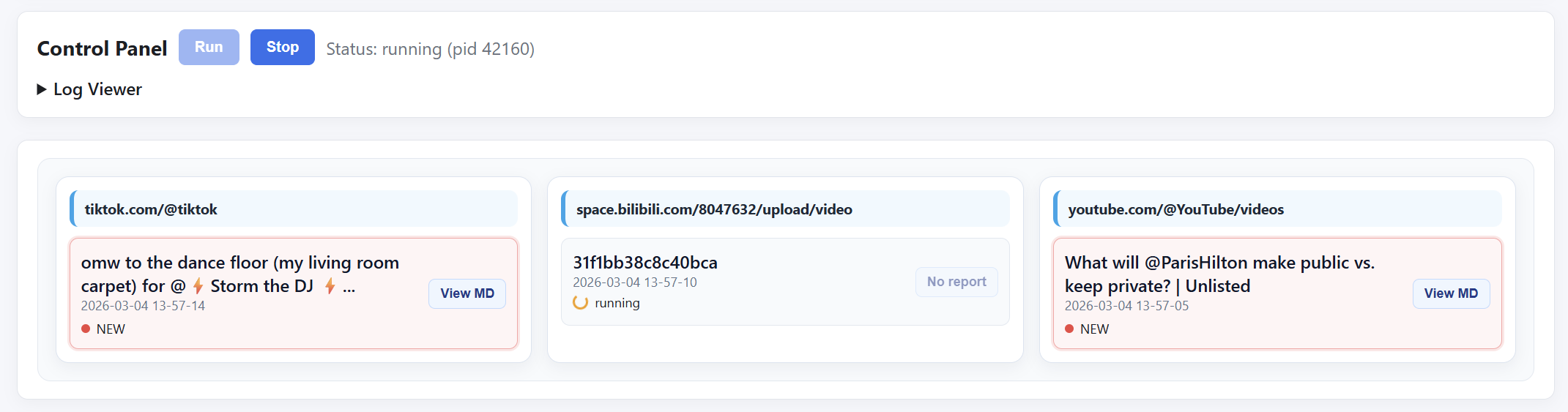
This is a backend service for automatically tracking the creators you follow and summarizing their newly published videos (including older content).
The system periodically checks whether specified creators have released new videos, automatically performs download → transcription → content refinement, and delivers structured, concise summary reports to the configured destination.
This enables you to quickly grasp the core viewpoints and high-frequency insights from a large volume of creator content in a very short amount of time.
1.1 Supported Platforms
| Platform | Support | Notes |
|---|---|---|
| 📺 YouTube | Supported | Automatic |
| 📺 Bilibili | Supported | Automatic |
| 🎵 TikTok | Supported | Automatic |
| 📡 Live Stream Recordings | Supported via external tool DouyinLiveRecorder | See below for details |
| 📕 Xiaohongshu | In development | |
| In development | ||
| 💬 Douyin | In development | |
| In development |
1.2 External Downloader Compatibility
This project is compatible with external downloaders.
Put audio files in the briefing/data/audio directory, or set the downloader’s output directory to briefing/data/audio.
The system will automatically detect and process them.
2. Feature Preview
2.1 Run Panel
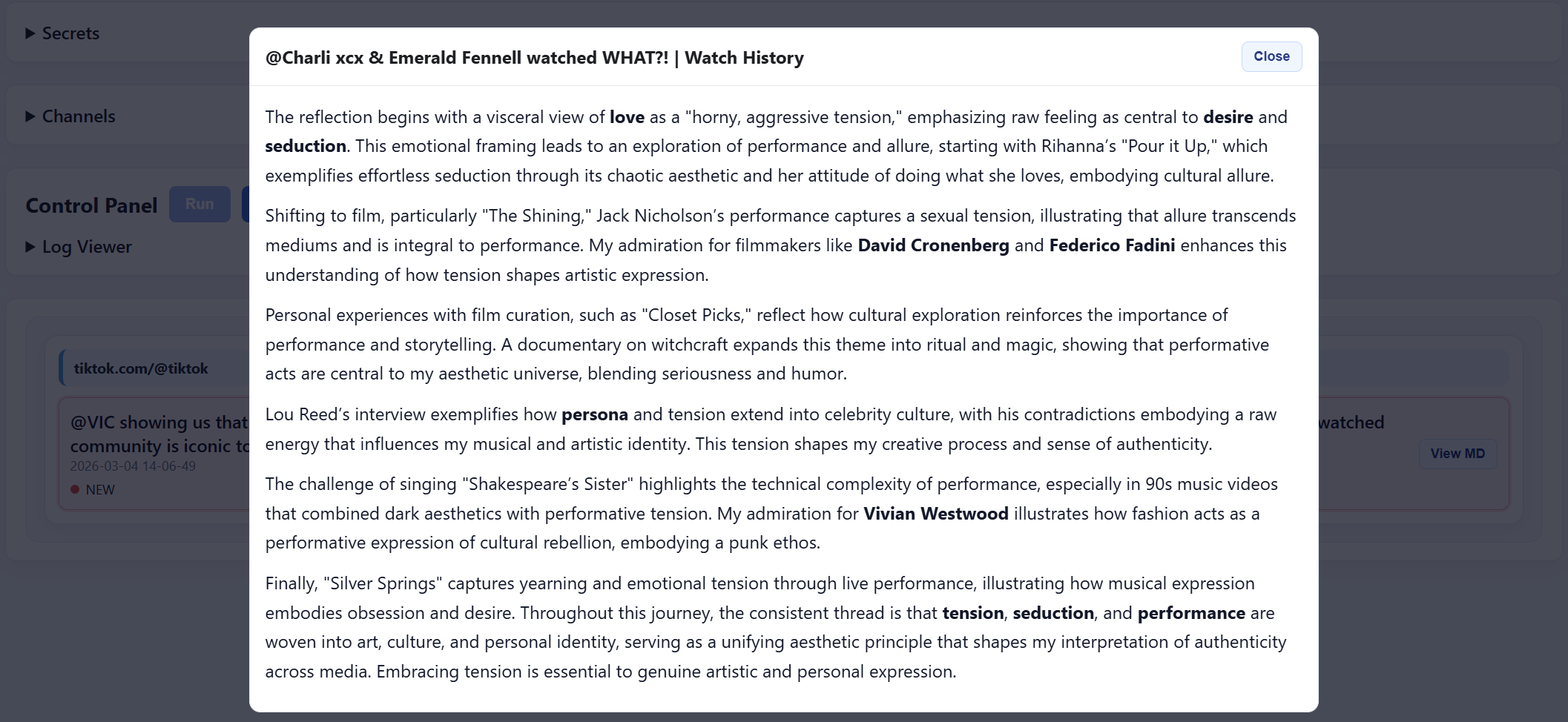
2.2 GUI Reading Interface
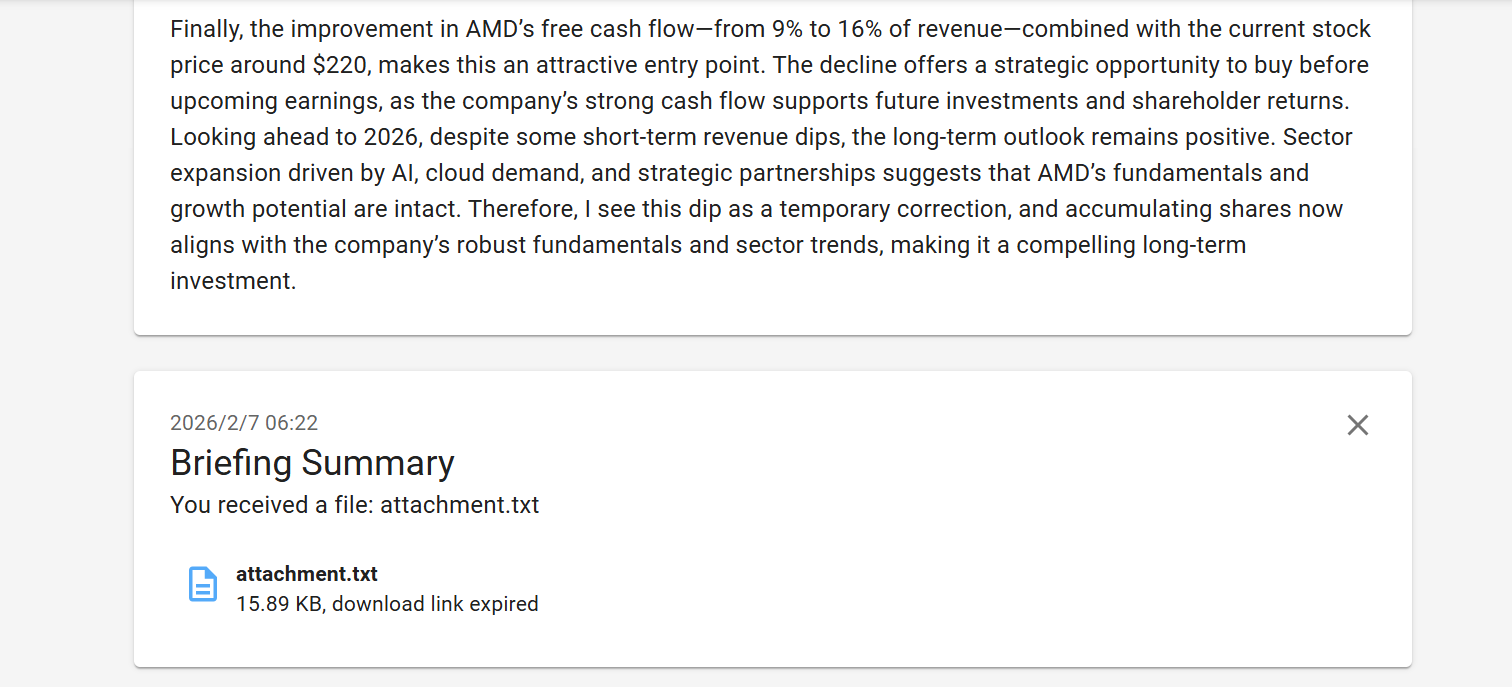
2.3 Send Summary to Terminal
3. Quick Start (No Configuration Required)
3.1 Download
Go to Releases and download the latest briefing-vX.X.X-windows.zip.
Windows 7 / 8 may require installing Edge WebView2 Runtime
3.2 Extract and Run
Extract to any directory and run: briefing.exe
3.3 API Configuration (Required)
This project relies on external APIs for:
- Content summarization
- Translation
- Text compression
Official OpenAI documentation:
Beginner-friendly tutorial (third-party, OpenAI-compatible API):
These resources provide step-by-step guidance on how to obtain an API key and configure it correctly.
3.4 ntfy Notifications (Optional)
This project uses ntfy as the message delivery channel.
You only need to choose a unique string as your topic, for example: https://ntfy.sh/example123
Summary reports can be read by opening this URL in a browser.
3.5 Source URL Format
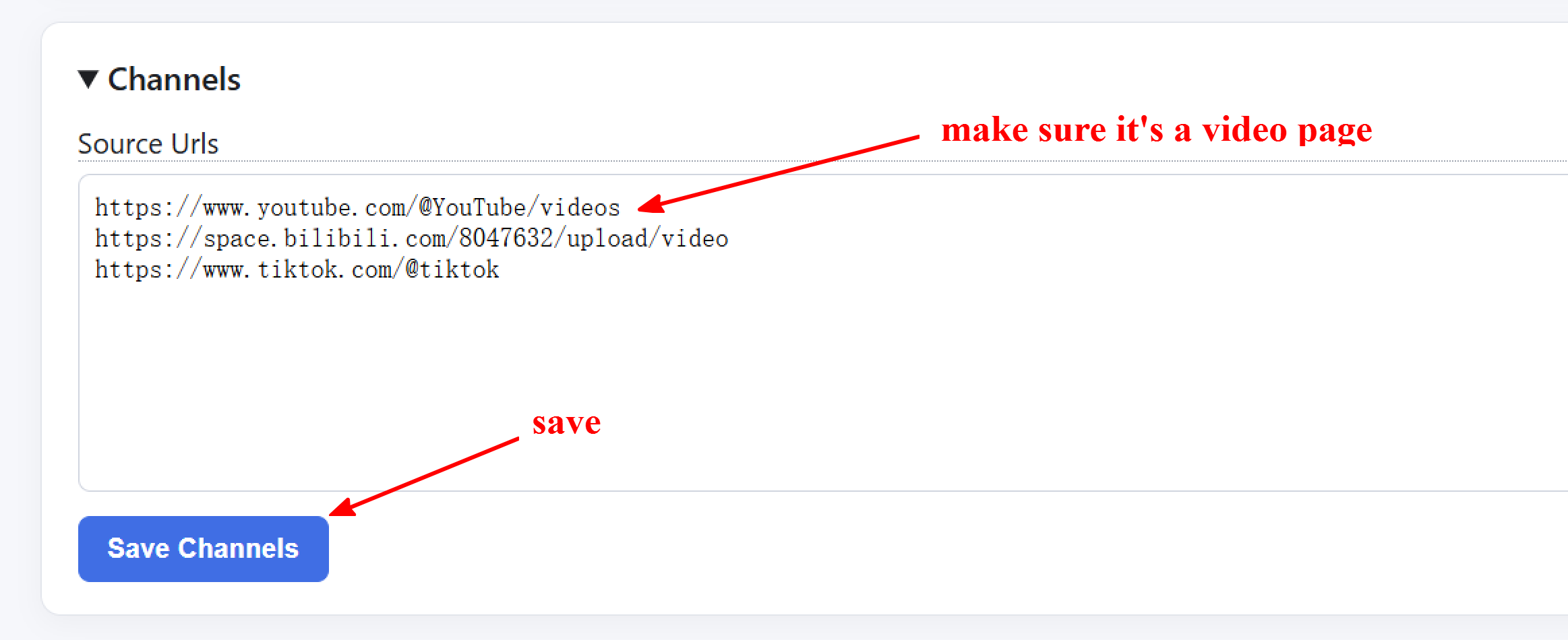
- YouTube: https://www.youtube.com/@example/videos
- BiliBili: https://space.bilibili.com/example/upload/video
- TikTok: https://www.tiktok.com/@example
3.6 Firefox Cookie Support (Recommend)
If Firefox is installed on this machine and you have previously logged into video sites, the downloader will automatically read cookies from the default Firefox profile to handle videos accessible only after login. No additional configuration is required—simply ensure Firefox has downloaded and used content before starting the service.
4. Run From Source (Developers)
Environment requirement: Python 3.10 (Python 3.8 and 3.9 are not supported.)
git clone https://github.com/YutaiGu/briefing.git
cd briefing
conda create -n briefing python=3.10
conda activate briefing
pip install -r requirements.txt
python launcher.py
5. Feedback & Contributions
The project is under active development.
Feedback is welcome — feel free to open an Issue for usage feedback, bug reports, or feature requests.
This project is not affiliated with or endorsed by any third-party downloaders or platforms. Users are responsible for complying with the terms of service of the respective platforms.
Reviews (0)
Sign in to leave a review.
Leave a reviewNo results found