pi-aside
Health Uyari
- License — License: MIT
- Description — Repository has a description
- Active repo — Last push 0 days ago
- Low visibility — Only 5 GitHub stars
Code Basarisiz
- exec() — Shell command execution in build.mjs
- process.env — Environment variable access in scripts/icons.mjs
- process.env — Environment variable access in scripts/screenshots.mjs
- network request — Outbound network request in scripts/screenshots.mjs
Permissions Gecti
- Permissions — No dangerous permissions requested
Bu listing icin henuz AI raporu yok.
A side-panel AI agent for Chrome: ask about any page, or hand it a task. Uses your ChatGPT plan or your own key.
pi-aside
English | 简体中文
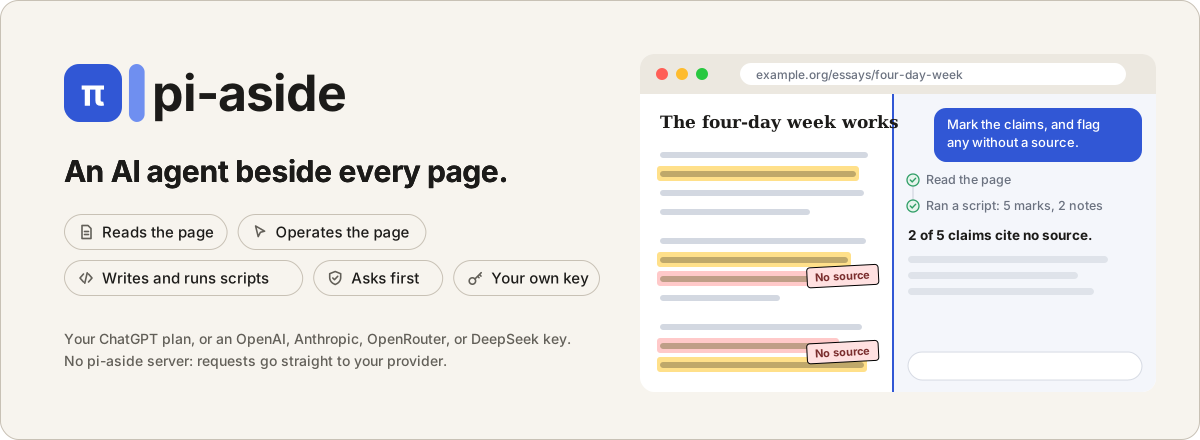
An AI agent in Chrome's side panel. Ask about the page you are on, or hand pi a task: it reads the page, clicks and
types, moves through a site and its tab group, writes and runs its own scripts when clicking is not enough, and shows
you every step. It is a general agent: everything it does comes from the same few tools (read the page, observe it, act
on it, run a script, take a screenshot).
Use your ChatGPT plan, or your own OpenAI, Anthropic, OpenRouter, or DeepSeek API key. There is no pi-aside server:
requests go straight from your browser to your provider.
pi-aside is an experimental project built on pi-durable.
Why pi-aside
- It reads the page with you. Summarize, explain, translate, proofread, or draft a reply, from selected text or
the whole page. pi can also read a chart from a screenshot, or an image or text file you drop in. - It does tasks, not just answers. pi clicks, types, picks options, and moves across pages and the tabs in your
tab group, checking each step until the task is done. - It can program the page. When clicking is slow or impossible, pi writes a short script: it rewrites the page in
place, collects every row of a long table, or fetches data with your login. By default, you see the code first. - Tasks keep going. pi-aside runs on
pi-durable, the pi project's durable agent
runtime. Every step is saved as it happens, so a task goes on while you switch tabs or chats, and picks up again if
Chrome stops pi's background worker. - Your model, no middleman. Your ChatGPT plan or one of four API providers, a different model per message if you
like, and each chat's cost shown as it grows. Open source (MIT), no analytics.
Install
pi-aside needs Chrome 140 or later.
From the Chrome Web Store: Add to Chrome.
From a release: download pi-aside-<version>.zip from
Releases and unzip it into a new folder. Open chrome://extensions,
turn on Developer mode, click Load unpacked, and choose that folder. To update, unzip the new version into the same
folder and press the reload icon on pi-aside's card. Keep the folder where it is: Chrome treats a folder in another
place as another extension, without your settings, keys, and chats. The same goes between a store install and an
unzipped one.
From source (Node.js 22.19+):
git clone https://github.com/yzhg1983/pi-aside
cd pi-aside
npm ci --ignore-scripts   # dependencies, without install scripts
npm run build             # writes dist/
Load the dist/ folder as above. To update, pull, build again, and press the reload icon on pi-aside's card;
settings, keys, and chats are kept.
Quick start
- Click pi-aside's toolbar button, or press
Ctrl+Shift+U(Cmd+Shift+Uon a Mac). - Pick a provider, paste an API key, and Save; allow access when Chrome asks. For a ChatGPT plan, choose OpenAI, then
Continue with ChatGPT. - Optional: Settings > Answers > Answer language sets the language pi answers in and translates into. By default,
it follows Chrome's language. - Type a question or a task in the message box, and send it. For other ways, see How to start.
- Let pi run scripts: when the card Allow pi to run scripts (optional) asks, open pi-aside's Chrome details page, turn on
Allow User Scripts (scroll down), and come back. Skipped it? Settings > Tools links to the same page.
How to start
Open pi on the page you want help with. On a Mac, use Cmd instead of Ctrl
(change shortcuts).
| To | Do this |
|---|---|
| Ask about the page, or give pi a task | Click pi-aside's toolbar button or press Ctrl+Shift+U, then type. |
| Ask about selected text | Right-click it and choose Ask pi, or press Ctrl+Shift+Y. pi answers with your starred prompt: Explain, unless you change it. |
| Ask your own question about selected text | Right-click it and choose Add to message, or press Ctrl+Shift+K, then type your question. |
| Use a prompt | Right-click the page or selected text and choose one, such as Summarize, or type / in the message box. |
Examples
None of these is a built-in feature. Each is one question, and pi chose the tools itself: reading the page, clicking
and typing, running a script, taking a screenshot. They are a few things we tried, not a list of what pi can do: ask
for your own.
The screenshots and animations below are real runs of GPT-6.1 Sol through a ChatGPT plan, on live sites.
Results and timing vary by model and run.
Summarize a page
"Summarize this page in 5 short bullet points." Beside Paul Graham's essay
How to Do Great Work, pi reads the page and answers in seconds. Ask a
follow-up in the same chat.
Draw on a whiteboard
"Draw a cute cartoon pig, big and colorful: a round pink body, floppy ears, a snout with two nostrils, rosy cheeks, a
curly tail, and a happy smile. Then add a small sign next to it that says 'Hello from pi'." On
Excalidraw, pi draws it with one script, as shapes you can edit, and fits it in view.
Sped up. The finished drawing as a still image.
More to try
- "Build a Pomodoro timer here: start, pause, and reset, a progress ring, and a calm color theme. Then run it." On
JSFiddle, pi writes the HTML, CSS, and JavaScript, runs the result, and tests its buttons. - "In a new Python notebook, load the Titanic passengers from
https://raw.githubusercontent.com/mwaskom/seaborn-data/master/titanic.csv, plot the survival rate by class and sex,
and give me the 3 main findings in a few words each." On JupyterLite, which
runs Python in the page, pi writes and runs the cells, then reads the chart. - "Which areas do the 100 newest open issues fall in? Chart them on this page, and highlight the 5
most-discussed." On VS Code's issues, pi reads the 100 newest issues,
sorts them into areas, and adds the chart to the page. - "Compare the three laptops in this tab group: price, weight, battery, and ports." pi reads each tab and makes a
table. - "Fill in this form from the details below, and stop before you submit." pi types into each field and leaves the
last click to you.
Save repeatable tasks as prompts: page translation and YouTube summaries.
You stay in control
Settings > Tools turns each tool (read, observe, act, run script, screenshot) Off or On; acting and running scripts
can also Ask. Out of the box, acting on a page and running scripts ask first.
Enforced by pi-aside, whatever the model says:
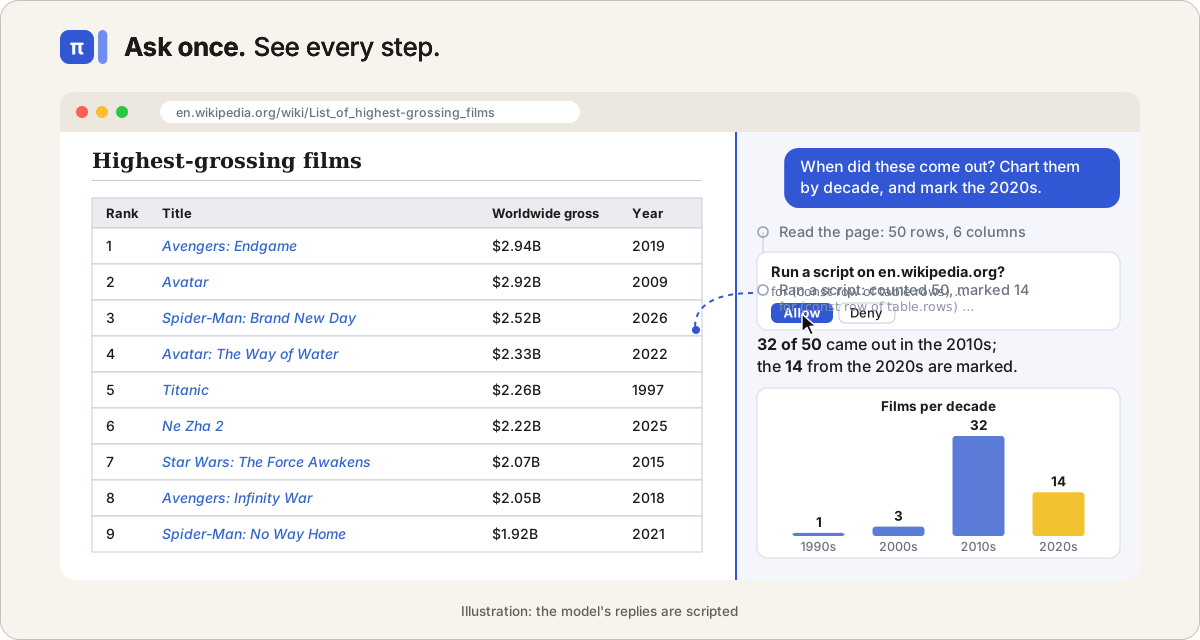
- In Ask, pi needs your OK once per site in each answer before it acts, and shows every script in full before it runs.
- If Chrome stops pi in the middle of a click or a script, pi does not repeat it: the model is told it may have
happened and to check the page first. Steps that are harmless to repeat, such as reading the page, simply run
again (details). - pi reads a tab only after you open it there, or on a site you allowed.
- It goes only to pages of the current site, unless you allow another.
- It never types into password, payment card, or one-time code fields, and leaves typed form values out of what it
reads. - Every step shows in the chat. Stop, or Esc, ends the task. A message you send while pi works joins the task after
its current step, so you can correct it on the way; Alt+Enter sends it after the answer instead (Settings > Sending
swaps the two).
Asked of the model, not enforced: confirm before submitting, sending, deleting, buying, or downloading; never enter
payment details; ignore commands written on web pages.
What remains: pi acts as you, with your login. A page can hide text written to mislead it, and models make
mistakes. Keep Ask for email, banking, admin pages, and anywhere a wrong click matters.
Privacy
- No pi-aside server and no analytics. Requests go straight to the provider you choose.
- Update in Settings > Models downloads the public model list from pi.dev; it sends no key, chat, or page.
- Chats, settings, and keys stay in your Chrome profile. Keys are stored unencrypted there.
- Chats are kept until you delete them all (Settings > Advanced > Data). Details: PRIVACY.md.
Learn more
- User guide: settings, images and text files, chats and History, prompts and slash commands, models
and thinking, editing a question, diagrams, web search, shortcuts, languages, and limits.
pi-aside is unofficial: the pi project, which makes pi-durable, does not make or endorse it.
License
MIT. Bundled packages keep their own licences, listed in dist/THIRD_PARTY_NOTICES.txt by each build.
Yorumlar (0)
Yorum birakmak icin giris yap.
Yorum birakSonuc bulunamadi