claudemon
Health Warn
- License — License: MIT
- Description — Repository has a description
- Active repo — Last push 0 days ago
- Low visibility — Only 6 GitHub stars
Code Fail
- spawnSync — Synchronous process spawning in scripts/statusline.mjs
- process.env — Environment variable access in scripts/statusline.mjs
Permissions Pass
- Permissions — No dangerous permissions requested
No AI report is available for this listing yet.
Wild Pokemon appear while you work in Claude Code.
claudemon

Wild Pokemon appear while you work in Claude Code. Your prompts are steps through
the grass: the longer the prompt, the further you walk, and the more chances
something jumps out. So is the waiting — every twenty seconds Claude spends
working is another step, because that is the half of the session you actually
have free.
One at a time, and only for half a minute: a Pokemon that appears while you are busy
wanders off if you leave it there, so a long session never leaves a queue of battles
waiting for you.
The original 151. Fully local — no account, no backend, no network once installed.
 |
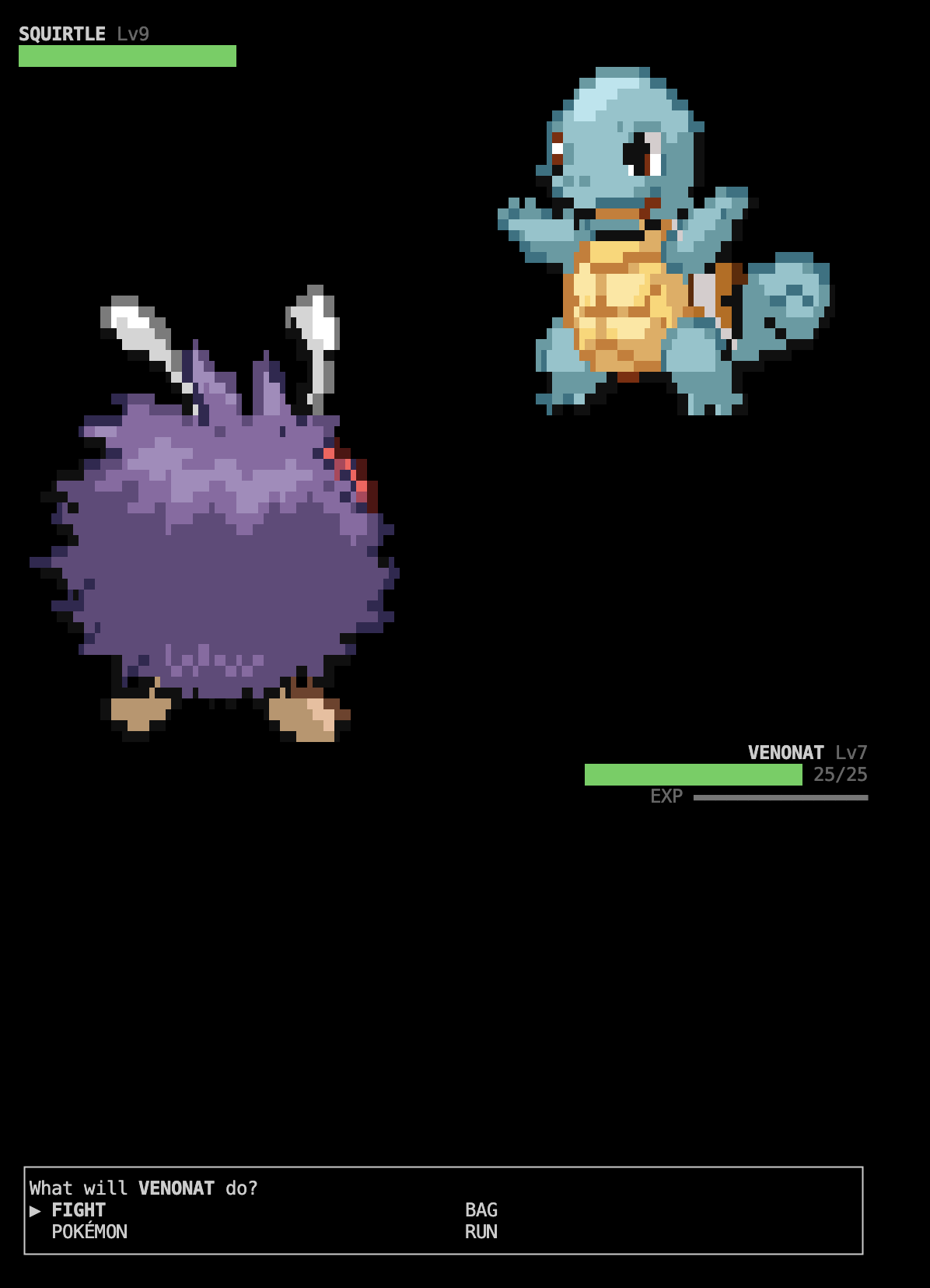 |
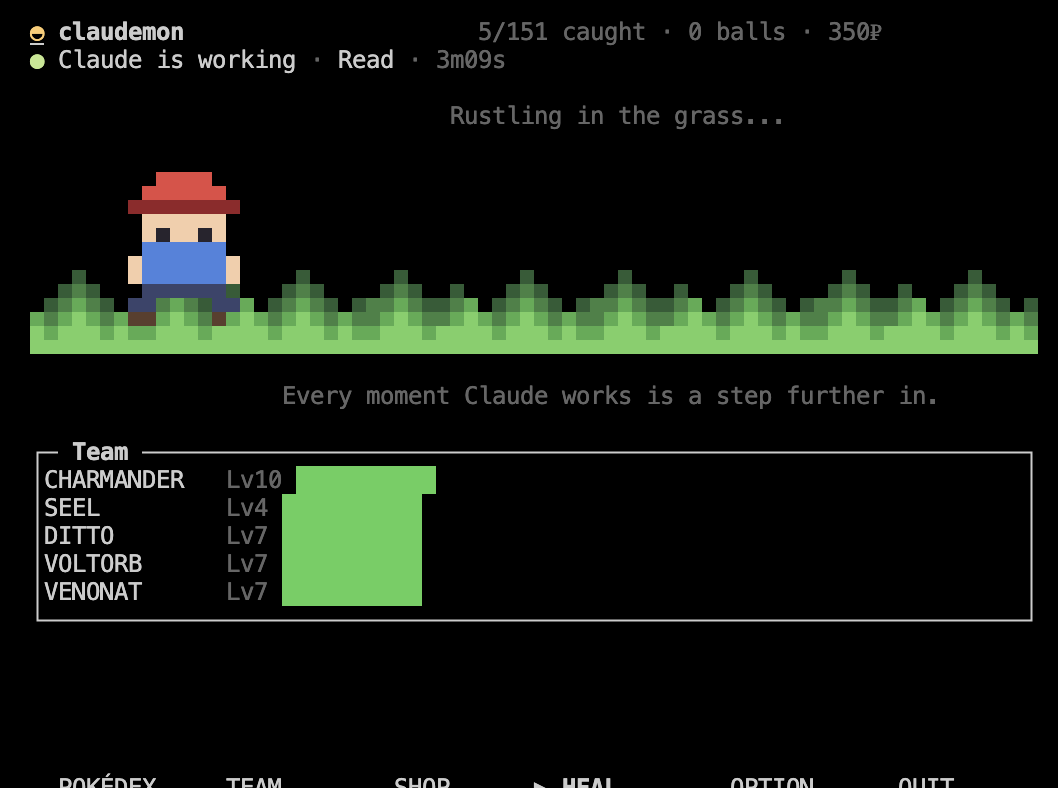
| Waiting, which is most of it. The walk only moves while Claude does, so you can tell from across the desk without reading anything. | And when something does jump out. |
It lives in a terminal tab of its own, next to the one you work in. The status line
in Claude tells you something is waiting; the game tab is where you go and fight it.
┌─ Terminal 1: claude ────────────────────────┐
│ > refactor this component                   │
│ ███████░░░░░░░ 63% left | Opus 5            │
│ ✦ A wild PIDGEY appeared!  ·  claudemon tab │
└─────────────────────────────────────────────┘
Install
Typed inside Claude Code. Nothing to clone.
/plugin marketplace add zamarrowski/claudemon
/plugin install claudemon@claudemon
That puts the plugin in place — the hooks that make Pokemon appear come from it.
Now restart Claude Code. Claude Code only picks up a plugin's commands and hooks
at startup, so until you restart, the next line does not exist yet — if you type it
straight after installing, nothing happens. Once you are back:
/claudemon-setup
This does the rest: the claudemon command, the status line, and the sprites. It
prints a line per step and says so if one of them did not work.
Then two one-offs, which it reminds you of:
- Restart Claude Code once more, so the new status line loads.
- In a second terminal tab, run
claudemon.
It asks for a name and a starter the first time, and after that it sits there
waiting. Send a longish prompt in the Claude tab and watch the status line.
What you need first
| How to check | |
|---|---|
| Claude Code | You are already in it |
| Node.js 18 or newer | node --version. The game and the hooks run on it, and Claude Code ships as its own binary so it does not bring one. Nothing else to install — no dependencies, no build step |
| A terminal with truecolor | iTerm2, Ghostty, WezTerm, Kitty, Alacritty, VS Code's terminal and macOS Terminal are all fine |
The 151 Pokemon ship with the plugin, so the only thing the install downloads is the
sprites — 1.2 MB, a few seconds. After that the game never touches the network.
Uninstall
/plugin uninstall claudemon@claudemon
That stops the hooks. To also remove the command and put your status line back, run
the installer's undo — from the plugin copy, before you uninstall it:
node "$CLAUDE_PLUGIN_ROOT/tools/install.mjs" --uninstall
Your save is left alone either way — delete ~/.claudemon/ as well to be rid of it.
From a clone instead
For hacking on it, a clone works the same way and takes precedence over the
installed copy:
git clone https://github.com/zamarrowski/claudemon
cd claudemon
node tools/install.mjs
That does everything the steps above do, including installing the plugin from the
clone — so it needs no slash commands and only one restart, at the end. Keep the
directory where it is: the launcher prefers it while it exists.
Controls
Arrow keys move, enter confirms, esc goes back, q quits. Any key advances a
battle message. That is the whole scheme — it is the same everywhere.
| Screen | What it does |
|---|---|
| Home | Whatever is in the grass and how long is left to face it, your team, and the menu |
| Battle | FIGHT / BAG / POKÉMON / RUN, with move types, power and PP |
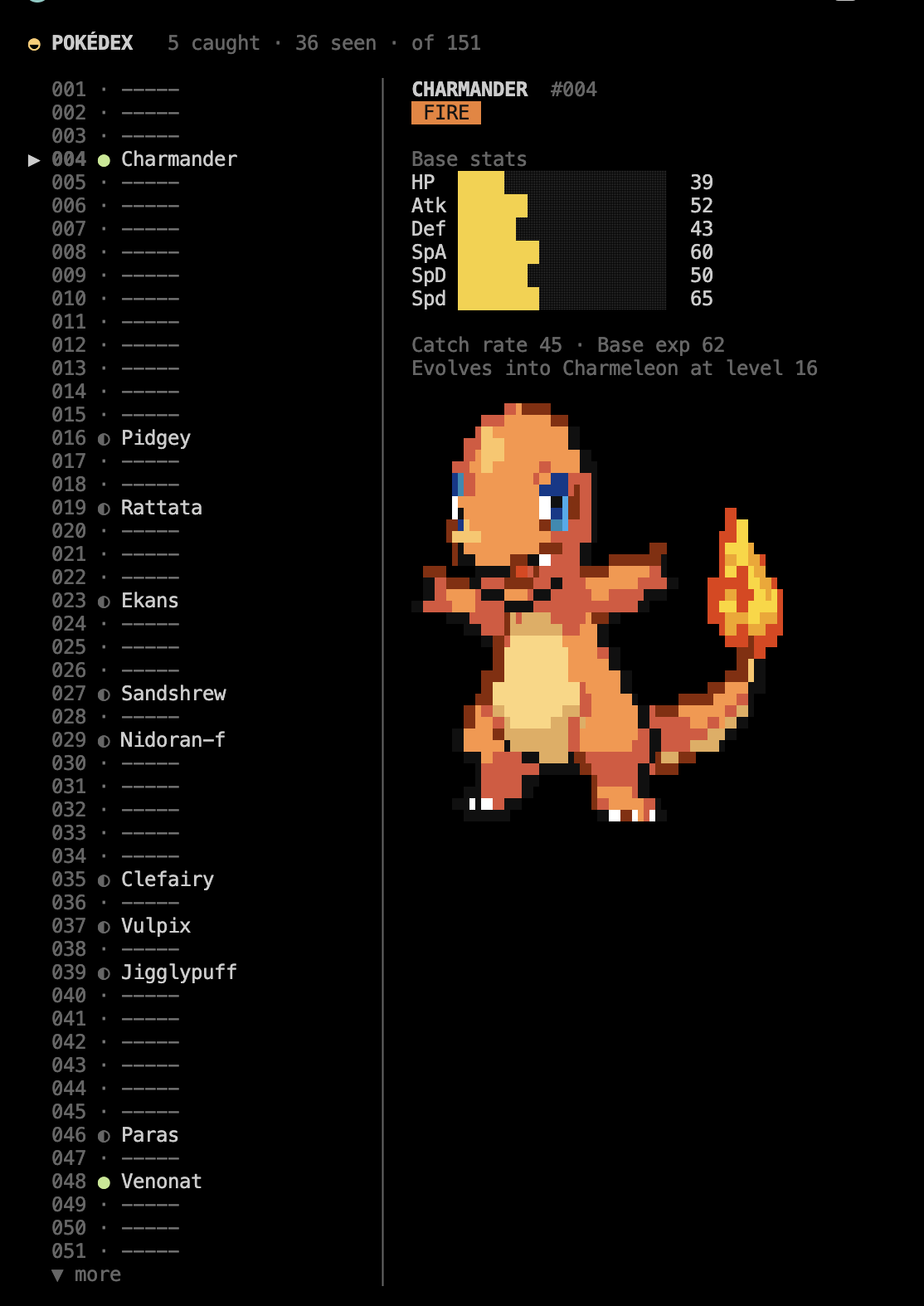
| Pokédex | All 151, with base stats and evolution requirements for the ones you caught |
| Team | Details, moves, experience, and enter to change your lead |
| Shop | Balls, potions, revives and evolution stones. 5 buys five |
| Option | How big sprites are drawn, and the bell. ← → changes a setting, and the Pokémon underneath redraws as you do |
 |
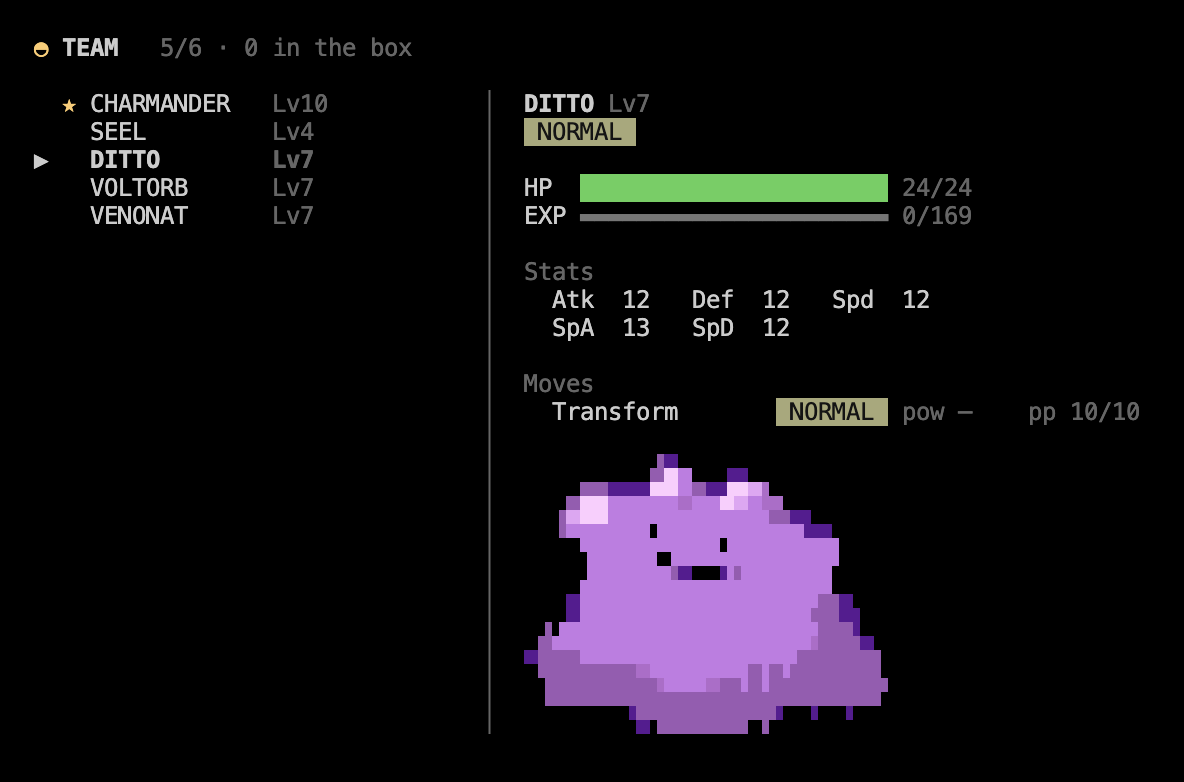 |
| Pokédex — seen and caught are tracked apart, and the stats fill in for the ones you caught. | Team — enter changes which one leads. |
What is in it
- The original 151, with real base stats, types, catch rates and Red/Blue movesets.
- Battles with critical hits, the type chart, status conditions, PP, one-hit KOs,
fleeing and switching Pokémon mid-fight. - Catching, where weakening and status genuinely help.
- Levelling, learning moves, and evolution by level or by stone.
- A Pokédex tracking seen and caught separately, a team screen and a shop.
- A line telling you whether Claude is working, which tool it is on and for how
long — and a bell when it finishes or gets stuck on a permission prompt, so the
game tab is somewhere you can actually sit and wait. - A patch of grass with someone walking through it, who only walks while Claude is
working. Something you can catch out of the corner of your eye.
Credits
Data and sprites come from PokeAPI. The stats and movesets indata/ are built from it by tools/fetch-data.mjs. The sprites are not in here:
they are somebody else's artwork, so they are downloaded at install time rather than
redistributed. Pokemon is a trademark of Nintendo, Creatures Inc. and GAME FREAK
Inc.; this is a personal, non-commercial toy.
Reviews (0)
Sign in to leave a review.
Leave a reviewNo results found