dsh-hud
Health Uyari
- License — License: MIT
- Description — Repository has a description
- Active repo — Last push 0 days ago
- Low visibility — Only 7 GitHub stars
Code Uyari
- process.env — Environment variable access in tsdown.config.ts
Permissions Gecti
- Permissions — No dangerous permissions requested
Bu listing icin henuz AI raporu yok.
Codex/Claude Code-style live session telemetry for DeepSeek Harness — model, context, tokens, timing, jobs, and subagents at a glance.
◉ dsh-hud
DeepSeek Harness · Agent Runtime HUD
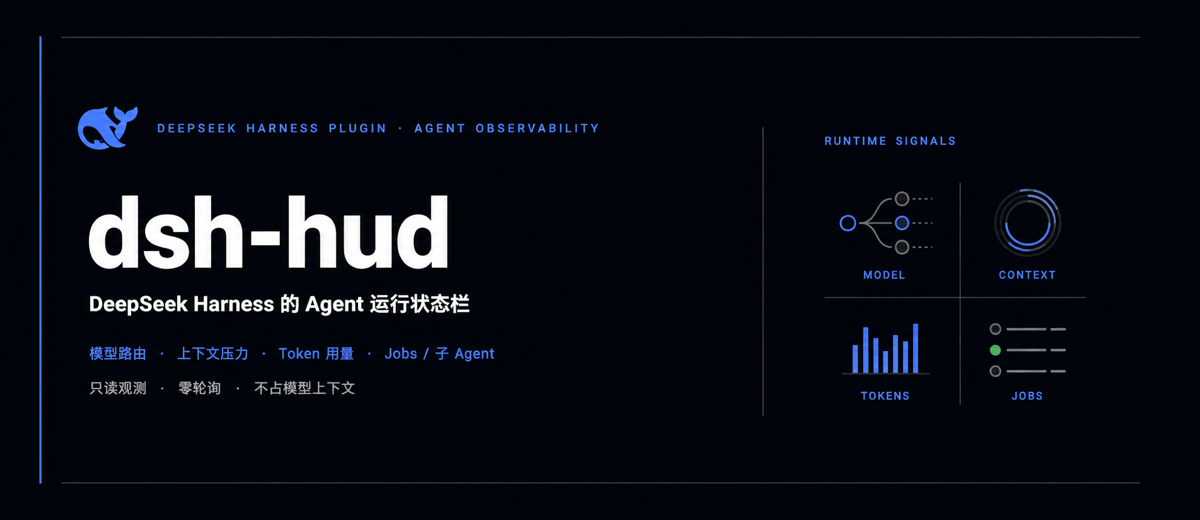
把 Codex / Claude Code 里「Agent 还在做什么、还剩多少上下文」这类运行态可见性,带到 DeepSeek Harness。
模型路由 · 上下文压力 · Token 用量 · 模型/工具耗时 · 后台任务与子 Agent,一直留在会话顶栏。





🎬 更多 AI 工具实战玩法:作者抖音 @泽轩604
🔭 这是什么
dsh-hud 是一个面向 DeepSeek Harness Web UI 的只读 Agent 运行态观测插件。
它解决的不是「怎么让 Agent 更聪明」,而是长任务里那个更朴素、也更折磨人的问题:它还在跑吗?用了哪个模型?上下文快满了吗?时间花在模型还是工具上?后台到底还有几个任务?
紧凑状态条常驻会话标题栏,显示运行状态、模型、上下文压力和累计步数;点击后展开 Token、耗时、Jobs、子 Agent、Provider、Workspace 与 Session ID。数据直接来自 Harness 已有的 snapshot / projection,无需轮询、不额外调用模型,也不占用提示词上下文。
目标很简单:不用离开当前会话,就知道 Agent 做到哪了、消耗了什么、还能跑多久。
🎯 它对标什么
最接近的一组参照,是 Claude Code 的 /statusline、/context 与 /usage,再加上 /tasks / /agents 对后台工作的可见性;Codex 侧借鉴的是长任务与多 Agent 协同时「不用离开当前任务就能掌握运行状态」的产品思路。
| 你想知道什么 | Codex / Claude Code 中的参照 | dsh-hud 当前实现 |
|---|---|---|
| Agent 还在运行吗? | 长任务状态、Claude Code /tasks |
运行 / 空闲状态点,活动 Jobs 数量 |
| 当前走哪个模型? | 活动模型显示、Claude Code status line | 最近一次 Assistant 请求的 Model + Provider |
| 上下文还剩多少? | Claude Code /context、context progress bar |
Projected context pressure、已用 Token / 窗口大小 |
| 这轮消耗了什么? | Claude Code /usage / /cost |
含缓存读写的输入 Token、输出 Token;模型耗时与工具耗时 |
| 任务推进到哪里? | Steps、后台任务、subagents / multi-agent | Turns / Steps、Jobs、子 Agent 数量 |
| 我现在在哪个会话? | status line 的 cwd / session metadata | Workspace 名称与 Session ID |
dsh-hud不是 1:1 复刻,也不是控制台:它不会切换模型、停止任务或估算美元费用。它专注做一件事——以 Harness 原生 UI 的方式,把当前会话已经存在的运行数据持续露出来。
✨ 功能
| 能力 | |
|---|---|
| 🟢 | 运行状态:Agent 运行时显示动态状态点,空闲时自动归静 |
| 🤖 | 模型路由:展示最近一次 Assistant 调用使用的模型与 Provider |
| 🧠 | 上下文压力:显示占用百分比、已用 Token 与上下文窗口,并用进度条直观呈现 |
| 🔢 | Token 统计:汇总未缓存输入、缓存读写与输出 Token |
| 🧭 | 会话进度:实时显示 Turns、Steps、模型耗时和工具耗时 |
| 🧵 | 并行任务:展示正在运行的 Jobs 与当前子 Agent 数量 |
| 📍 | 会话定位:快速查看 Workspace 与 Session ID |
| 🎨 | 原生观感:复用 Harness 主题变量,支持明暗主题、窄屏与减少动态效果偏好 |
| ♿ | 键盘可用:支持焦点状态、Esc 关闭详情面板与完整 ARIA 描述 |
| 🪶 | 轻量无轮询:直接消费 Harness snapshot 与 projection,不额外请求 Host |
🚀 安装
环境要求
- DeepSeek Harness
0.1.0-rc.6 - Node.js
22.19+或24+ - pnpm
11.x
一行安装(推荐)
npx --yes @deepseek-ai/[email protected] plugin --profile web add github:zexuanw958-svg/dsh-hud
从源码安装
git clone https://github.com/zexuanw958-svg/dsh-hud.git
cd dsh-hud
pnpm install
pnpm build

# 安装到 DeepSeek Harness 的 Web profile
npx --yes @deepseek-ai/[email protected] plugin --profile web add "$(pwd)"
然后重启 Web UI:
npx --yes @deepseek-ai/[email protected] web
打开任意会话后,HUD 会出现在会话标题栏。点击它即可展开详情。
插件通过本地
link:安装。移动或删除仓库目录会让链接失效;需要卸载时运行npx --yes @deepseek-ai/[email protected] plugin --profile web remove dsh-hud。
🏗️ 工作原理
flowchart LR
  A["Harness session snapshot"] --> D["dsh-hud"]
  B["contextPressure / tokenUsage"] --> D
  C["sessionStats / jobs / subagents"] --> D
  D --> E["Compact header status"]
  D --> F["Expandable detail panel"]
插件使用官方 conversation.session.header.actions slot 注入一个自包含的 React 组件:
- Host 侧只负责注册插件,不拦截或改写 Agent 流程;
- Client 侧订阅 Harness 已有的 session snapshot 与 projections;
- 数据变化由 Harness 推送触发渲染,没有定时轮询;
- HUD 数据只用于 UI,不会被塞进提示词或占用模型上下文。
📁 项目结构
dsh-hud/
├── src/
│   ├── index.ts             # Host 插件入口
│   └── client/
│       ├── index.tsx        # Header slot 与 HUD 组件
│       ├── format.ts        # Token、耗时与模型路由格式化
│       └── styles.ts        # Harness 主题适配样式
├── tests/                   # 单元测试与构建产物契约测试
├── cordis.patch.yml         # DSH bundle patch
├── tsdown.config.ts         # Host / Client 双入口构建
└── package.json
🧪 开发与测试
pnpm install
pnpm check
pnpm check 会依次执行严格类型检查、Host/Client 构建和 Vitest 测试。
🧩 兼容性
| dsh-hud | DeepSeek Harness | 状态 |
|---|---|---|
0.1.x |
0.1.0-rc.6 |
✅ 已验证 |
DeepSeek Harness 目前仍处于 RC 阶段,官方 slot 或 projection API 变化时,本插件也可能需要跟随升级。
❓ 常见问题
为什么打开首页看不到 HUD?
HUD 属于会话标题栏。先打开或创建一个会话,它才会出现。
会拖慢 Agent 或额外消耗 Token 吗?
不会。插件只消费 Harness 已经维护的前端状态,没有额外模型调用,也不会把统计信息写入模型上下文。
为什么上下文或模型一开始显示为空?
新会话尚未发生模型调用时,还没有可统计的数据。发送第一条消息后会自动更新。
支持桌面端或其他 profile 吗?
当前版本针对 Web profile 构建和验证;其他平台尚未承诺兼容性。
🗺️ Roadmap
- 可配置的 HUD segments 与显示顺序
- Git branch / dirty state / CI 状态数据源
- 上下文压力阈值与视觉告警
- 主题包与第三方 segment provider 协议
📄 许可证
MIT —— 可自由使用、修改和分发。欢迎 Issue 与 PR。
🌐 English
dsh-hud is a read-only Agent runtime observability plugin for the DeepSeek Harness Web UI.
Think of it as a native DeepSeek Harness counterpart to Claude Code's status line, context and usage views, and background-task visibility—with the same at-a-glance goal as long-running, multi-agent Codex workflows. It answers the operational questions that matter during a long run: is the Agent still active, which model route is in use, how much context is left, where time and tokens went, and whether jobs or subagents are still running.
It adds a native-looking status strip to the official session header slot. The compact view shows the active model, Agent state, context pressure, and step count; click it for token usage, model/tool timing, jobs, subagents, provider, workspace, and session details. It consumes existing Harness snapshots and projections—no polling, extra model calls, or prompt-context overhead.
Highlights
- Native
conversation.session.header.actionsintegration - Live context pressure and token accounting
- Turns, steps, model time, and tool time
- Active jobs and subagent count
- Harness theme tokens, responsive layout, and accessible keyboard behavior
- No polling, no extra Host requests, and zero model-context overhead
Install
npx --yes @deepseek-ai/[email protected] plugin --profile web add github:zexuanw958-svg/dsh-hud
npx --yes @deepseek-ai/[email protected] web
Or install from a local checkout for development:
git clone https://github.com/zexuanw958-svg/dsh-hud.git
cd dsh-hud
pnpm install
pnpm build
npx --yes @deepseek-ai/[email protected] plugin --profile web add "$(pwd)"
npx --yes @deepseek-ai/[email protected] web
Open a session and look for the HUD in its header. Run pnpm check to type-check, build, and test the project.
License
MIT. Issues and pull requests are welcome.
Yorumlar (0)
Yorum birakmak icin giris yap.
Yorum birakSonuc bulunamadi