another
Health Pass
- License — License: MIT
- Description — Repository has a description
- Active repo — Last push 0 days ago
- Community trust — 833 GitHub stars
Code Fail
- rm -rf — Recursive force deletion command in install.sh
- exec() — Shell command execution in scripts/build-cli.ts
- spawnSync — Synchronous process spawning in scripts/build-cli.ts
- process.env — Environment variable access in scripts/build-cli.ts
Permissions Pass
- Permissions — No dangerous permissions requested
No AI report is available for this listing yet.
Mirror and control Android phones from your Mac. AI agents drive them over MCP, scripts through the another CLI. Faster than scrcpy. Built with Tauri and Rust.

Another




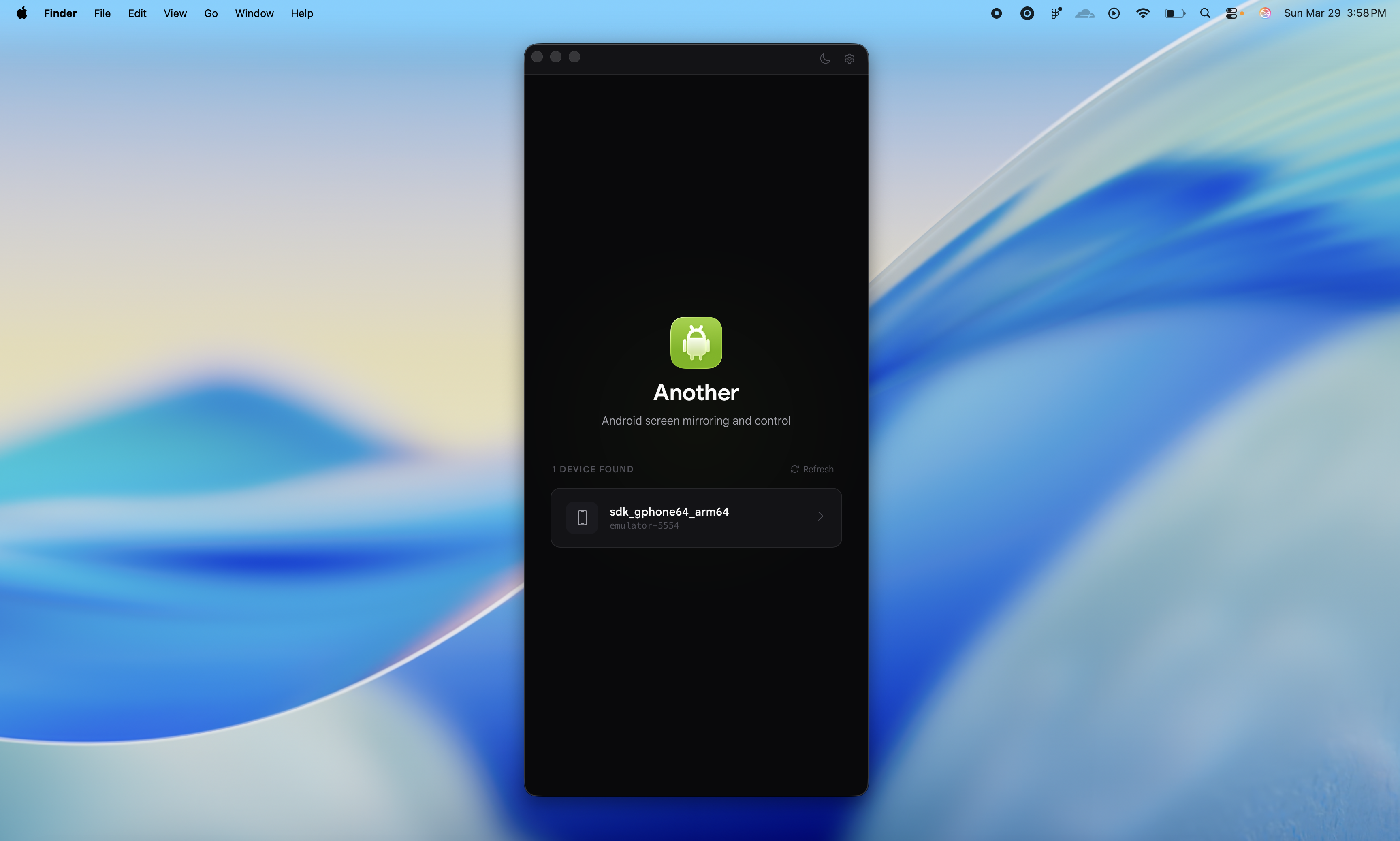
Mirror and control your Android phones from your Mac. AI agents can drive them through a built-in MCP server, and scripts through the another command. Free and open source, built with Tauri and Rust.
Download
Or install the app and the another command from the Terminal (macOS and Linux):
curl -fsSL https://raw.githubusercontent.com/Zfinix/another/main/install.sh | sh
| Platform | Download |
|---|---|
| macOS (Apple Silicon) | .dmg |
| macOS (Intel) | .dmg |
| Linux | .AppImage / .deb / .rpm |
| Windows | .msi / .exe |
The Mac app is signed and notarized.
Features
Mirroring
- Native VideoToolbox decoding on macOS, 60 fps with about 19 ms of lag
- Several phones at once, each in its own window, with audio following the window you're looking at
- Phones over USB, Wi-Fi, Android Studio emulators and your Tailscale tailnet, all in one sidebar
- Pair over Wi-Fi with a QR code, a six digit code or an address
- See a phone's lock screen, battery, storage, memory and display before you mirror
- Starts on Best for this phone: 1920 at the phone's full refresh rate, with adaptive quality on Wi-Fi
- Phone audio on your Mac (Android 11+), screenshots and screen recordings
- Drop an APK on the mirror to install it, or any other file to send it to the phone's Downloads
Around the phone
- Phone notifications as native macOS notifications, with the app's own icon and Copy code for one-time codes
- Macros that read as plain steps: record, replay, rename, import and export
- A command bar (
⌘K) and keyboard shortcuts for every action - A stats overlay with frame rate, lag, decode time, bitrate and dropped frames, plus a touch to screen latency probe
- Profiles you can save, share as a file or open from an
another://link - Keep the phone awake while it's plugged in, and keep the mirror on top of other windows
For agents and scripts
- An MCP server with 24 tools, and the exact setup for 27 agents on the AI and CLI page
- The
anothercommand for scripts and automation
Speed
Measured with the phone's clock in every frame, so these are real capture to screen times.
| Measure | Before | 1.0 |
|---|---|---|
| Frames per second, scroll test | 4 fps | 55 to 60 fps |
| Lag behind the phone | 4,000 ms | 19 ms average |
| Video at 2400×1080 | 27 fps | 60 fps |
| Rust to screen | 10.5 ms | 4.6 ms |
| App CPU at the same frame rate | 13.5% | 2.7% |
| Wi-Fi, capture to screen | 228 ms | 43 to 52 ms |
| Against scrcpy 5.0.1, median | 2.8 ms behind | 5.5 to 7.3 ms ahead |
Before is Another as it was when the 1.0 work started. The scroll test, video, Rust to screen and CPU rows are from a Pixel emulator. Wi-Fi and the scrcpy race ran on a Pixel 4 XL with release builds.
Command line
The another command talks to the running app. Install it from the AI and CLI page or with the install script above.
another status                       # phones being mirrored and their stream state
another devices                      # phones Another can see
another connect <serial>             # mirror a phone in its own window
another disconnect [serial]          # stop one phone, or all of them
another set max_size=1920 max_fps=60 # change stream settings live
another keys                         # settings that `set` accepts
another stats --seconds 10           # average the live stats
another measure                      # time touch to screen latency
another bench a.json b.json          # apply profiles in turn and compare
another profile export -o mine.json  # save the current setup
another profile link mine.json       # print an another:// link for it
MCP server
The MCP server starts with the app at http://localhost:7070/mcp (Streamable HTTP, localhost only). Turn it on or off and change the port on the AI and CLI page, which also shows the setup for your agent.
Claude Code:
claude mcp add --transport http another http://localhost:7070/mcp
Most other clients (Cursor, Claude Desktop and others):
{
  "mcpServers": {
    "another": {
      "type": "http",
      "url": "http://localhost:7070/mcp"
    }
  }
}
Stdio mode, for clients that only run local commands:
{
  "mcpServers": {
    "another": {
      "command": "another-mcp",
      "args": ["--scrcpy-server", "/path/to/scrcpy-server-v2.7"]
    }
  }
}
Agent skill
Install the Another skill to teach your agent how to use the tools:
npx skills add Zfinix/another@another-android
Tools
| Tool | What it does |
|---|---|
another_list_devices |
List connected Android devices |
another_connect_device |
Connect to a device for control |
another_disconnect_device |
Disconnect from the current device |
another_take_screenshot |
Capture the screen as a PNG |
another_get_ui_tree |
Read the accessibility tree of the current screen, with normalized coordinates |
another_find_on_screen |
Find elements by text, content description, resource ID or class, ready to tap |
another_send_touch |
Touch down, move or up at screen coordinates |
another_swipe |
Swipe between two points |
another_send_scroll |
Scroll at screen coordinates |
another_send_text |
Type text |
another_press_button |
Press home, back, recents, power or volume |
another_rotate_device |
Rotate the screen |
another_launch_app |
Launch an app by package name |
another_open_url |
Open a URL, in Chrome by default (use_system_handler for the system chooser) |
another_shell |
Run an adb shell command |
another_wifi_enable |
Turn on Wi-Fi debugging for a USB phone and connect wirelessly |
another_wifi_connect |
Connect to a phone by IP address |
another_wifi_disconnect |
Disconnect a Wi-Fi phone |
another_get_device_ip |
Get a USB phone's Wi-Fi IP address |
another_macro_record |
Start recording a macro |
another_macro_stop |
Stop recording and save the macro |
another_macro_play |
Play a macro, optionally on repeat |
another_macro_list |
List macros |
another_macro_delete |
Delete a macro |
Keyboard shortcuts
Main window
| Shortcut | Action |
|---|---|
⌘K |
Command bar |
⌘↩ |
Mirror the selected phone |
⌘I |
Show or hide stream stats |
⌘, |
Settings |
⌘T |
Change the theme |
⇧⌘T |
Keep on top of other windows |
⇧⌘U |
Check for updates |
⇧⌘M |
Record a macro |
⇧⌘L |
Open macros |
⇧⌘I |
Import macros |
⇧⌘E |
Export all macros |
Mirror window
| Shortcut | Action |
|---|---|
⌘H |
Home |
⌘B |
Back |
⌘R |
Rotate the screen |
⌘P |
Power |
⌘+ / ⌘- |
Volume up / down |
⌘M |
Mute or unmute the phone |
⇧⌘S |
Take a screenshot |
⇧⌘R |
Start or stop recording |
⇧⌘M |
Record or stop a macro |
⌘I |
Show or hide stream stats |
⌘D |
Disconnect |
On Windows and Linux, use
Ctrlinstead of⌘.
How it works
Another runs its own capture server on the phone, a small Kotlin server started with app_process. It drops stale frames instead of queueing them and changes bitrate, size and frame rate without reconnecting. The bundled scrcpy-server 2.7 is still available as a fallback in Developer settings.
On macOS, frames are decoded with VideoToolbox onto a native layer behind the window. Elsewhere they reach the web view as raw bytes over a local WebSocket. Over Wi-Fi and Tailscale the stream skips the adb tunnel and uses its own socket.
Platform support
| Platform | Status |
|---|---|
| macOS | Supported |
| Linux | Experimental, no native video |
| Windows | Experimental, no native video |
Prerequisites
- An Android phone with USB debugging on (or Wireless debugging)
- To build from source: Rust, Node.js and Bun
Development
bun install
bun tauri dev
The phone server is prebuilt in src-tauri/resources/another-server. To rebuild it you need Android Studio's Kotlin compiler and the Android SDK:
bash server/build.sh
Ubuntu and Debian (including WSL)
sudo apt update
sudo apt install libwebkit2gtk-4.1-dev pkg-config libasound2-dev
Build
bun tauri build
Tech stack
- App: React 19, TypeScript, Vite, Base UI, Tauri 2
- Core: Rust, Tokio, rodio, VideoToolbox on macOS
- Phone: the Another server (Kotlin) or scrcpy-server 2.7, over adb or a direct socket
- Agents: an MCP server built on rmcp, and the
anotherCLI
Reviews (0)
Sign in to leave a review.
Leave a reviewNo results found