linkyee
Health Gecti
- License — License: MIT
- Description — Repository has a description
- Active repo — Last push 0 days ago
- Community trust — 146 GitHub stars
Code Gecti
- Code scan — Scanned 12 files during light audit, no dangerous patterns found
Permissions Gecti
- Permissions — No dangerous permissions requested
Bu listing icin henuz AI raporu yok.
A fully customized, open-source LinkTree alternative deployed directly on GitHub Pages.
linkyee — Your Own Link Page
A fully customized, 100% free, open-source LinkTree alternative — deployed straight to GitHub Pages.
Inspired by Jekyllrb and LinkTree.


In one sentence: click Use this template, edit one YAML file, push — your link page is live on GitHub Pages with a free
*.github.iodomain (or your own). No SaaS, no monthly fee, no vendor lock-in. AI-assisted theming and plugin development included.
Table of contents
- Why linkyee?
- Get Started – Deploy on GitHub Pages
- Configuration
- Themes 🎨
- Plugins 🔌
- Local testing
- Custom Domain
- Showcase ✨
- Donate
Why linkyee?
- 100% free. Hosted on GitHub Pages. No subscriptions, no ads, no upsells.
- 100% yours. Your config, themes, plugins, and content live in your own GitHub repo. Take it offline whenever you want.
- 7 ready-made themes — switch by editing a single line in
config.yml. - AI Style Designer. Describe the look you want in plain English; the bundled
linkyee-style-designerClaude skill writes the full theme for you (HTML + CSS + JS). - 6 built-in plugins for live data — GitHub stars, last commit, profile stats, RSS/Atom feeds, date countdowns, latest YouTube video.
- AI Plugin Builder. Want data from somewhere else? Describe the source; the bundled
linkyee-plugin-builderskill writes the Ruby plugin and wires it in. - SEO + accessibility built-in. WCAG AA contrast, dark mode, responsive down to 320 px, OG/Twitter meta, keyboard-friendly focus states.
- Local preview with auto-rebuild.
./preview.shrebuilds on save; refresh the browser, no plugins needed.
Buy me a beer ❤️❤️❤️
If this project has helped you, feel free to sponsor me a cup of coffee, thank you.
Feel free to open an issue or submit a fix/contribution via pull request. :)
Get Started – Deploy on GitHub Pages
About Github Pages
GitHub Pages is a free hosting service provided by GitHub, designed for creating and publishing websites directly from a GitHub repository. It allows developers, designers, and anyone with a GitHub account to host personal, project, or organizational websites without needing external hosting services. GitHub Pages works seamlessly with GitHub repositories, automatically generating a static website whenever new content is pushed.
Step 1. Click the “Use this template” button at the top-right corner of the linkyee Template Repo -> “Create a new repository”:
Step 2. Check “Include all branches,” enter your desired GitHub Pages repo name, and click “Create repository” once finished:
The GitHub Pages repo name will affect the access URL. If you enter
your-username.github.ioas the Repo Name, that will be the direct URL to your GitHub Pages site.
If you already have ayour-username.github.iorepo, the GitHub Pages URL will beyour-username.github.io/Repo-Name.
Wait for the fork to complete. You might encounter deployment errors during the initial setup due to forked repo permission issues. Let’s proceed with the steps to adjust this.
Step 4. Go to Settings -> Actions -> General, ensure the following options are selected:
- Actions permissions:
Allow all actions and reusable workflows - Workflow permissions:
Read and write permissions
After selecting, click the Save button to save your changes.
Step 5. Go to Settings -> Pages and ensure the selected branch for GitHub Pages is set to “gh-pages”:
The message `Your site is live at: XXXX` above is your public GitHub Pages access URL.
Step 6. Go to Settings -> Actions and wait for the first deployment to complete:
Step 7. Access the GitHub Pages URL to ensure the fork was successful:
Congratulations! Deployment successful. You can now modify the configuration files with your own data. 🎉🎉🎉
Please note that after each files modification, you need to wait for GitHub Actions to complete the Automatic build and pages build and deployment tasks.
Refresh the page for the changes to take effect. 🚀
Configuration
Everything that ends up on your page is driven by a single file: config.yml. It's a Liquid-rendered YAML file with five top-level sections:
theme: default                     # ← directory under ./themes/
lang: "en"

plugins:                           # ← optional dynamic data fetched at build time
  - GithubRepoStarsCountPlugin: [ZhgChgLi/linkyee]

title: "Your Name"                 # ← profile header
avatar: "./images/profile.jpeg"
name: "@yourhandle"
tagline: "One line about you."

links:                             # ← buttons in the link list
  - link:
      icon: "fa-brands fa-github"
      text: "GitHub ({{ vars.GithubRepoStarsCountPlugin['ZhgChgLi/linkyee'] }} ⭐)"
      url: "https://github.com/yourname"
      target: "_blank"

socials: [ ... ]                   # ← icon-only social row
footer: "Free-form HTML."
copyright: "© 2026 You."
The shipped config.yml is a fully working example that exercises every built-in plugin — read it as the canonical reference. Edit fields in place, push, wait for GitHub Actions to rebuild, refresh.
Automatic redeployment
The site rebuilds automatically once a day so plugin output (star counts, latest posts, etc.) stays fresh. The cron lives in build.yml:
schedule:
    - cron: '0 0 * * *'   # daily at 00:00 UTC
Delete the schedule: block if you don't want scheduled redeploys.
Themes 🎨
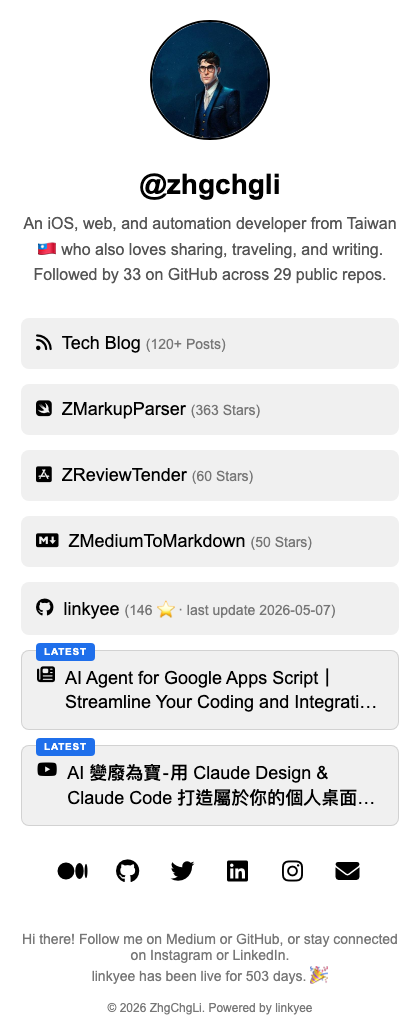
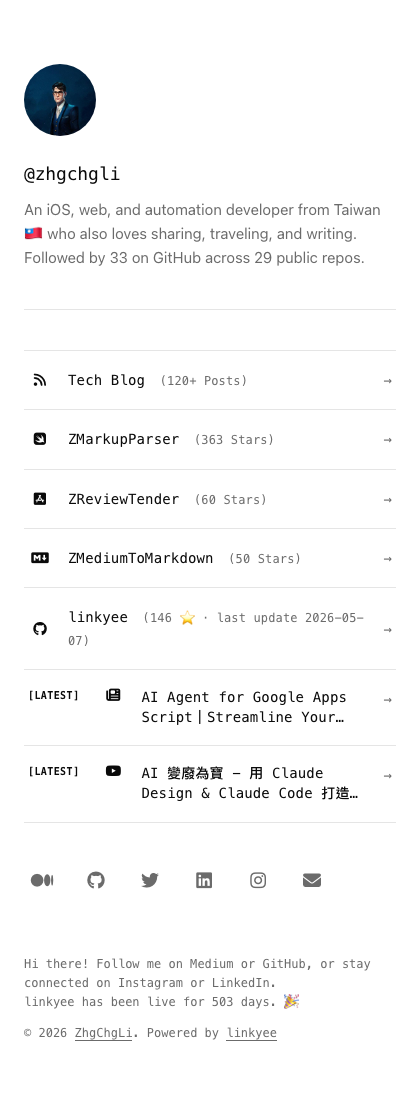
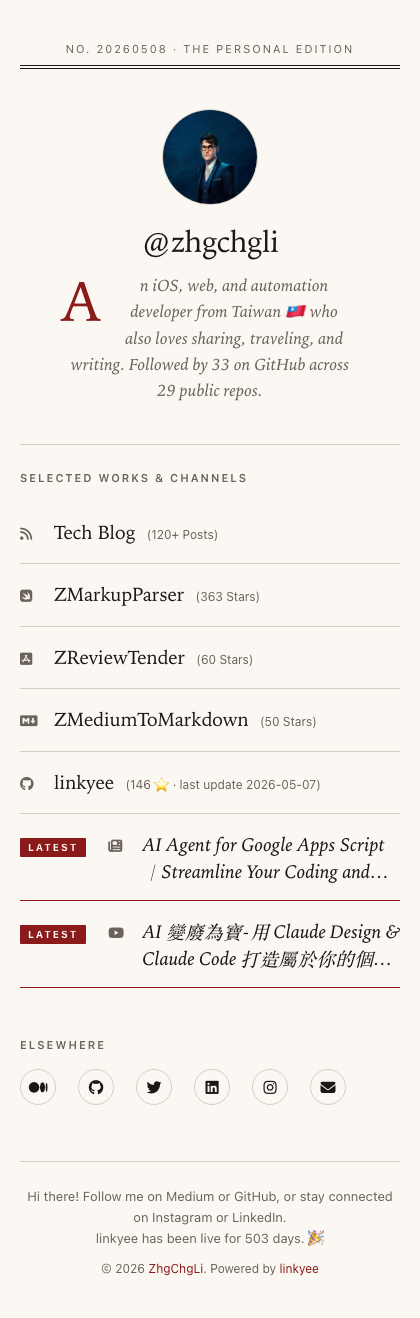
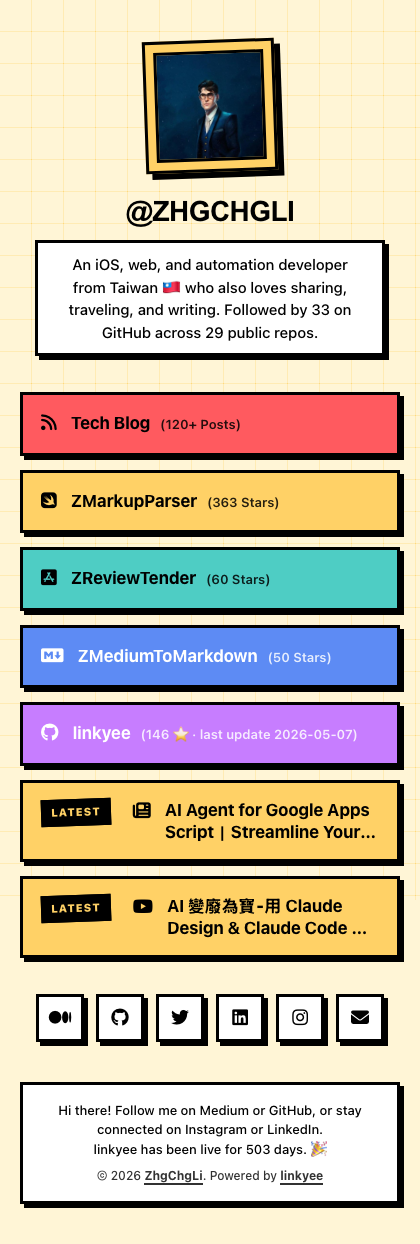
linkyee ships 7 built-in themes designed to be drop-in usable. Switch by editing one line in config.yml:
theme: minimal-mono # any directory under ./themes/
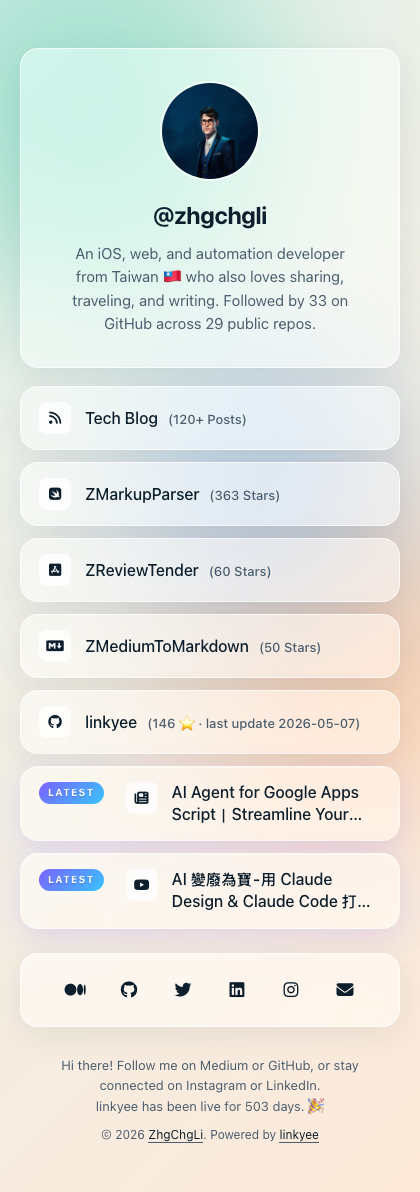
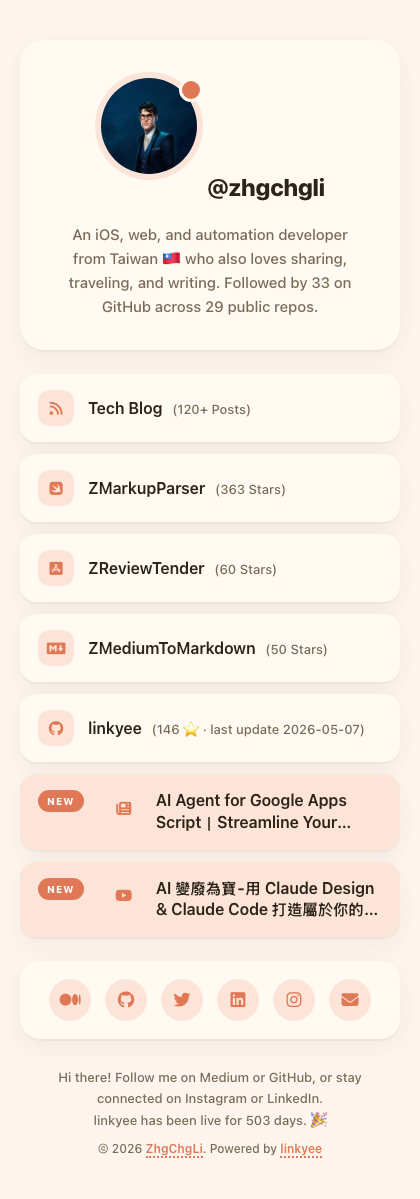
| Slug | Light | Dark | Aesthetic / good for |
|---|---|---|---|
default |
 |
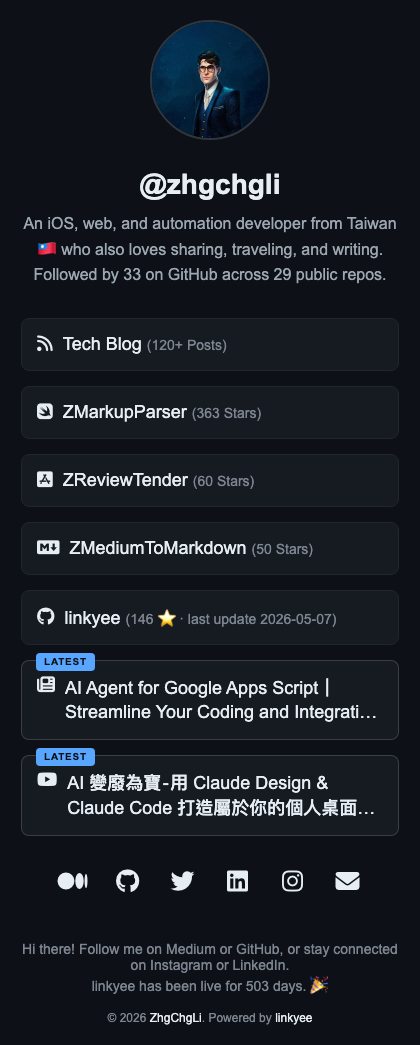 |
Clean cards · safe default for anyone |
minimal-mono |
 |
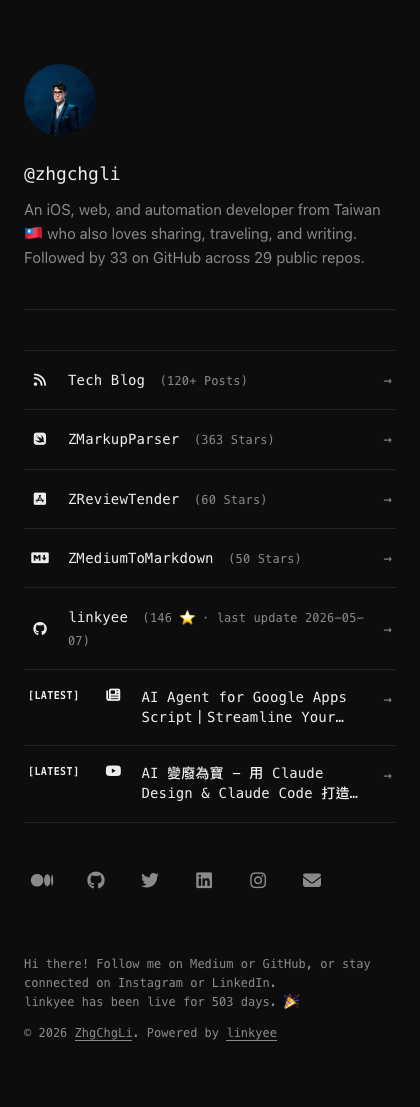 |
Swiss minimal · monospace · engineers, writers |
editorial-serif |
 |
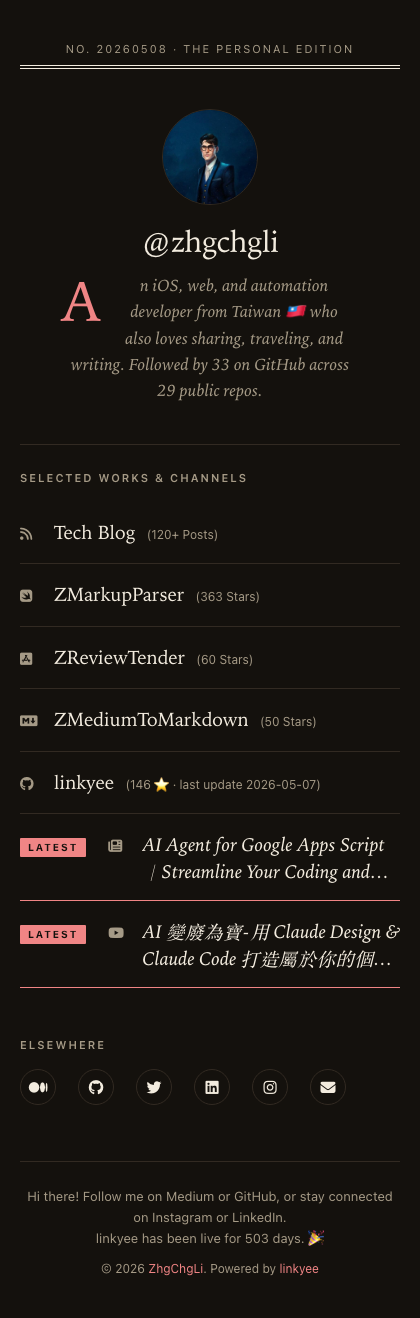 |
Magazine serif · drop cap · bloggers, journalists |
neo-brutalism |
 |
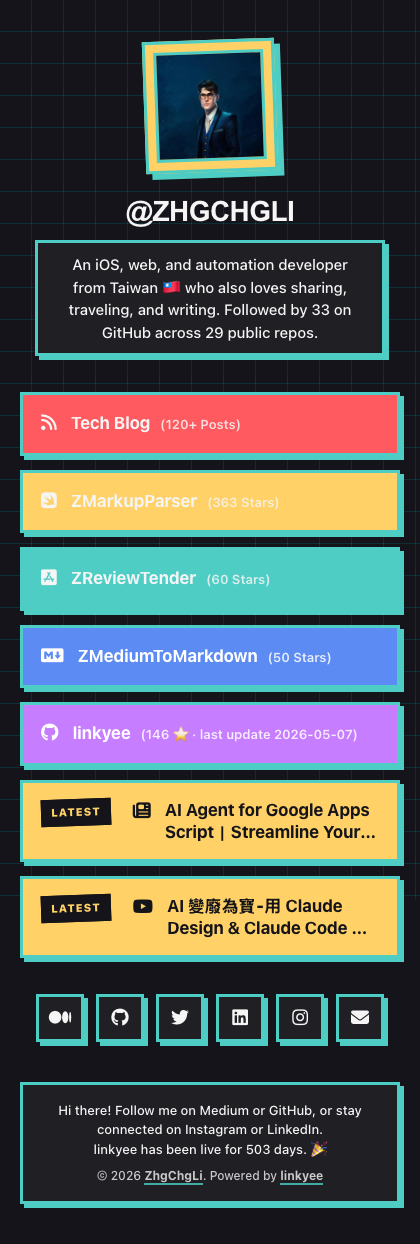 |
Thick borders · primary colors · indie devs, artists |
glassmorphism |
 |
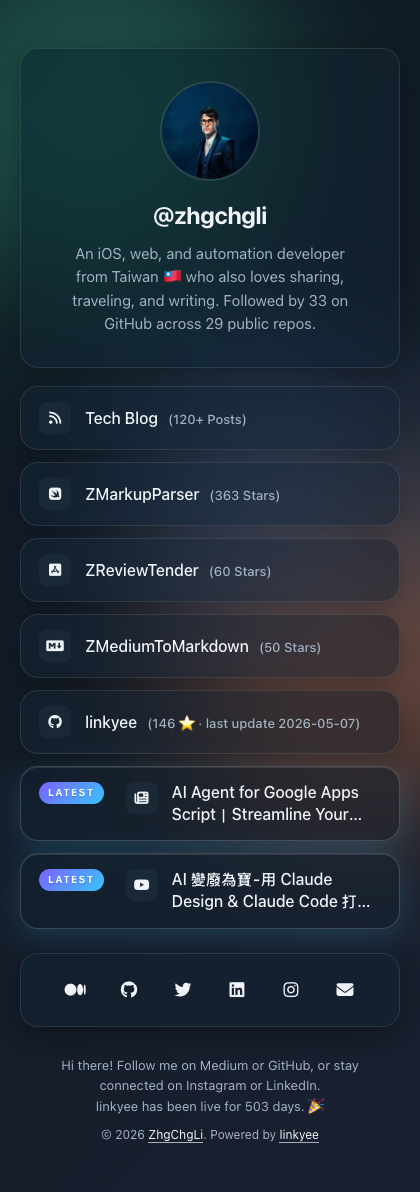 |
Frosted glass cards · designers, agencies |
paper-card |
 |
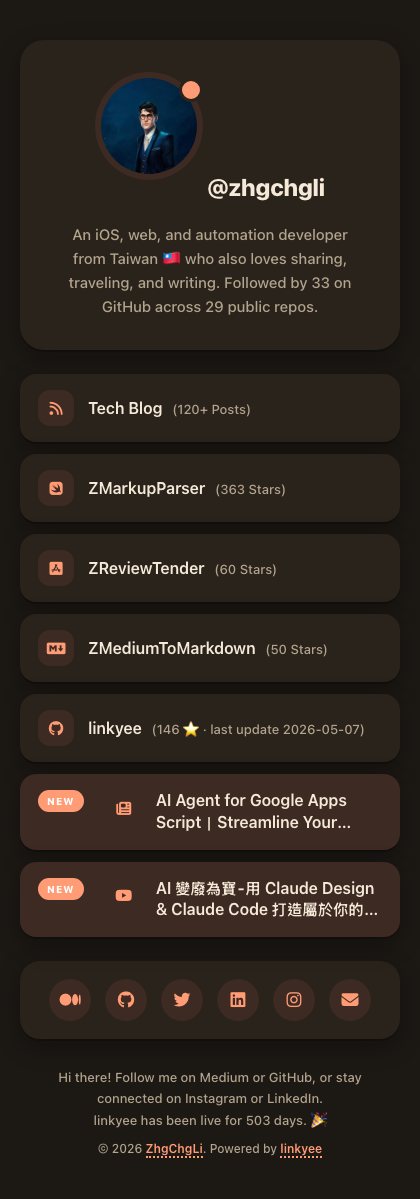 |
Pastel cards · rounded · creators, illustrators |
terminal-retro |
— (dark-first) | 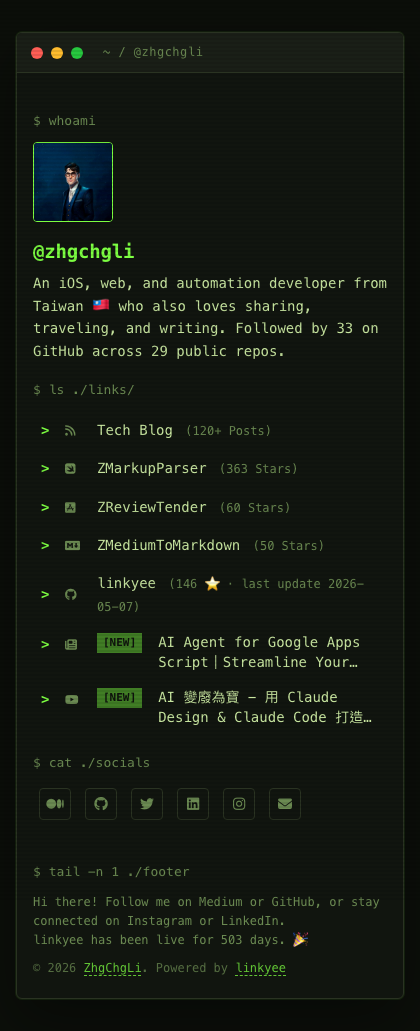 |
Green-on-black CRT · scanlines · hackers, infosec |
Every built-in theme meets the same baseline: WCAG AA contrast, dark mode that auto-switches with your system appearance (no manual toggle), responsive down to 320 px, keyboard-accessible focus states, and prefers-reduced-motion support.
To try them locally before committing, see Local testing. To regenerate the preview screenshots above after any visual change, run ./scripts/screenshot-themes.sh (requires npx playwright).
Modifying a theme by hand
Each theme lives at ./themes/<theme-name>/ with three files:
index.html— Liquid template (consumesconfig.yml)styles.css— the lookscripts.js— can be empty, but the file must exist
The default theme self-hosts Font Awesome under themes/default/fontawesome/. The other built-ins load Font Awesome from a CDN to keep theme directories small.
🤖 AI Style Designer — generate a theme by description
Don't see a vibe you like? Describe it in plain English and the bundled linkyee-style-designer Claude skill writes a full theme for you.
How to use it:
Install Claude Code and open this repo with it.
Ask in natural language. Examples:
"Design a linkyee theme inspired by 1960s Penguin paperback covers."
"Make my links look like a Japanese ryokan website — quiet, elegant, lots of negative space."
"I want a vaporwave aesthetic but keep it accessible."
The skill reads your
config.yml, asks clarifying questions if the brief is vague, generatesthemes/<your-theme>/, switchestheme:inconfig.yml, and runs the build.Run
./preview.sh <new-theme>to see the result locally.
The skill enforces the same quality bar as the built-in themes: no AI slop (no unwarranted purple-pink gradients, no emoji-as-icons, no centered-everything-no-hierarchy), real typographic hierarchy, accessibility minimums, and strict RWD — mobile-first, ≥44 px tap targets, no horizontal scroll at 320 px.
Deeper design tooling. If you want a richer designer experience (multi-direction exploration, expert review, animation export), install the upstream huashu-design skill alongside it. The linkyee skill defers to huashu-design when both are present.
Plugins 🔌
Plugins are tiny Ruby classes that fetch data at build time and inject it into your page. Use them to render live values inside any link, the tagline, or the footer — anything that's a Liquid string.
Built-in plugins
| Plugin | What it emits | Reference shape |
|---|---|---|
GithubRepoStarsCountPlugin |
Star count for one or more repos | {{ vars.GithubRepoStarsCountPlugin['owner/repo'] }} |
GithubLastCommitPlugin |
Latest commit sha / date / message |
{{ vars.GithubLastCommitPlugin['owner/repo'].date }} |
GithubProfilePlugin |
followers / following / repos |
{{ vars.GithubProfilePlugin['user'].followers }} |
RSSFeedPlugin |
Latest items (Medium / blog / podcast / YouTube feeds) | {{ vars.RSSFeedPlugin['url'][0].title }} |
CountdownPlugin |
Days until / since a target date | {{ vars.CountdownPlugin.label.days }} |
YouTubeChannelLatestVideoPlugin |
Latest video — title, URL, thumbnail | {{ vars.YouTubeChannelLatestVideoPlugin['@handle'].title }} |
Enable in config.yml:
plugins:
  - GithubRepoStarsCountPlugin:
      - ZhgChgLi/linkyee
  - RSSFeedPlugin:
      - https://yourblog.example/feed.xml
…then reference the result anywhere a Liquid string is rendered:
links:
  - link:
      icon: "fa-brands fa-github"
      text: "linkyee ({{ vars.GithubRepoStarsCountPlugin['ZhgChgLi/linkyee'] }} ⭐)"
      url: "https://github.com/ZhgChgLi/linkyee"
If a plugin fails at build time (network error, API change, expired token, …) the build still succeeds — the value renders empty and the failure is logged in GitHub Actions output. Your site never breaks because of a flaky external API.
🤖 AI Plugin Builder — generate a plugin by description
Want data linkyee doesn't ship out of the box? Open the repo with Claude Code and describe what you want. The bundled linkyee-plugin-builder skill knows the plugin contract.
Examples:
"Add a plugin that shows my 3 latest posts from medium.com/@myhandle as new links."
"Fetch the current weather in Taipei from wttr.in and show the temp in the footer."
"Add a plugin that pulls my Steam total playtime via the Steam Web API."
The skill will:
- Confirm the data source and shape with you.
- Generate
plugins/<YourPlugin>.rb(using the base-class HTTP/JSON/cache helpers — no rawNet::HTTP). - Wire it into
config.ymlunderplugins:and reference the output where you asked it to appear. - Run
bundle exec ruby ./scaffold.rband verify the value rendered in_output/index.html.
Developer wiki
For the full plugin contract — base-class helpers, common patterns (HTTP, JSON, scrape, cache), Liquid rendering rules, and debugging tips — read plugins/README.md. It's the canonical reference the AI skill loads when it generates a plugin.
Local testing
Build and serve the site on http://localhost:8080:
./preview.sh                    # build with the theme currently set in config.yml
./preview.sh minimal-mono       # temporarily switch to <theme-name>, build, serve;
                                # restores config.yml on Ctrl-C
PORT=4000 ./preview.sh          # use a different port
When you pass a theme argument, preview.sh makes a backup of your config.yml, switches to the requested theme for the session, and restores the original on Ctrl-C — your committed config is never modified.
Auto-rebuild on save
While the preview is running, preview.sh watches:
themes/plugins/config.ymlscaffold.rb
Any change triggers an instant rebuild — just refresh the browser. Install fswatch (brew install fswatch on macOS) for sub-second reaction; otherwise it falls back to a 1-second polling loop that works without any extra dependencies.
If a build fails (e.g. a broken Liquid reference), the watcher prints the error and keeps running — fix the issue, save again, the next save rebuilds.
Requirements
- Ruby (
bundle installonce to fetchliquidandnokogiri) - Python 3 (or Ruby) for the static file server
preview.shspawns
Custom Domain ❤️❤️❤️
You can set a custom GitHub Pages domain, such as my own: https://link.zhgchg.li.
Follow my tutorial for domain binding. If you'd like, you can purchase a domain through my Namecheap referral link — I'll earn a small commission, which helps me keep contributing to open-source projects.
Showcase ✨
Real websites built with linkyee — fast, clean, and open-source.
Built your own site with linkyee?
⭐ Add it here by opening a PR and inspire others!
| Preview | Website | Description |
|---|---|---|
| link.zhgchg.li | ZhgChgLi (Harry Li)'s Personal blog link page | |
| - | Your Site | Your site could be featured here 🚀 |
Donate
About
Other works
Swift Libraries
- ZMarkupParser is a pure-Swift library that helps you to convert HTML strings to NSAttributedString with customized style and tags.
- ZPlayerCacher is a lightweight implementation of the AVAssetResourceLoaderDelegate protocol that enables AVPlayerItem to support caching streaming files.
Integration Tools
- XCFolder is a powerful command-line tool that converts Xcode virtual groups into actual directories, reorganizing your project structure to align with Xcode groups and enabling seamless integration with modern Xcode project generation tools like Tuist and XcodeGen.
- ZReviewTender is a tool for fetching app reviews from the App Store and Google Play Console and integrating them into your workflow.
- ZMediumToMarkdown is a powerful tool that allows you to effortlessly download and convert your Medium posts to Markdown format.
Yorumlar (0)
Yorum birakmak icin giris yap.
Yorum birakSonuc bulunamadi