baton
Health Gecti
- License — License: MIT
- Description — Repository has a description
- Active repo — Last push 0 days ago
- Community trust — 14 GitHub stars
Code Basarisiz
- process.env — Environment variable access in .github/actions/rust-build-cache/action.yml
- fs module — File system access in .github/actions/rust-build-cache/action.yml
- spawnSync — Synchronous process spawning in .github/scripts/rust-cache-command.cjs
- process.env — Environment variable access in .github/scripts/rust-cache-command.cjs
- os.homedir — User home directory access in bridge/attachments.mjs
- network request — Outbound network request in bridge/bridge.mjs
Permissions Gecti
- Permissions — No dangerous permissions requested
Bu listing icin henuz AI raporu yok.
Pass the baton to your phone: view and drive Claude Code, Codex, Pi, Hermes, OpenCode, Kiro and DeepSeek sessions from any device, end-to-end encrypted.
 Baton
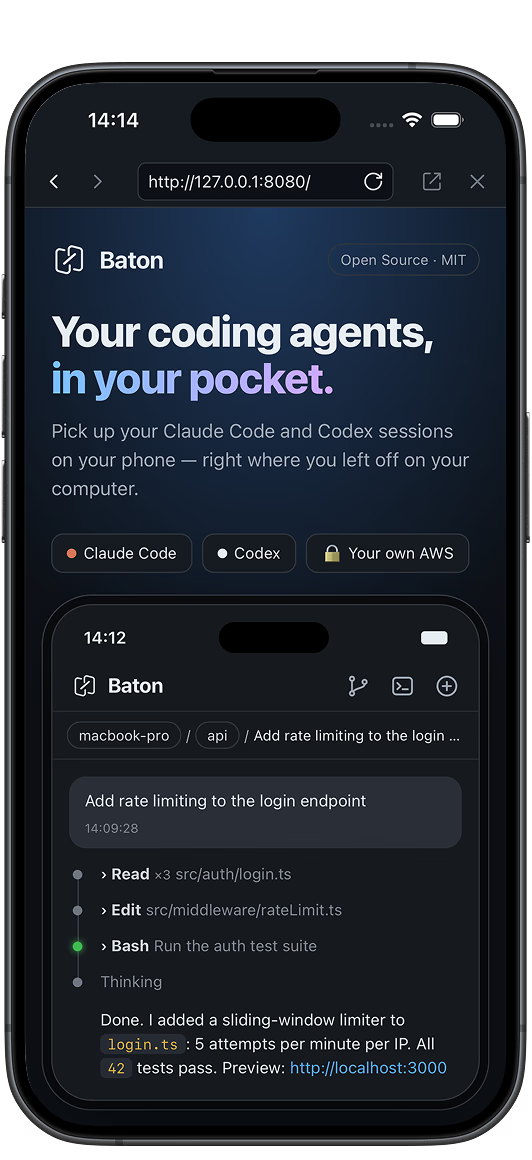
Pick up your Claude Code and Codex tasks on your phone, right where you left off on your computer.
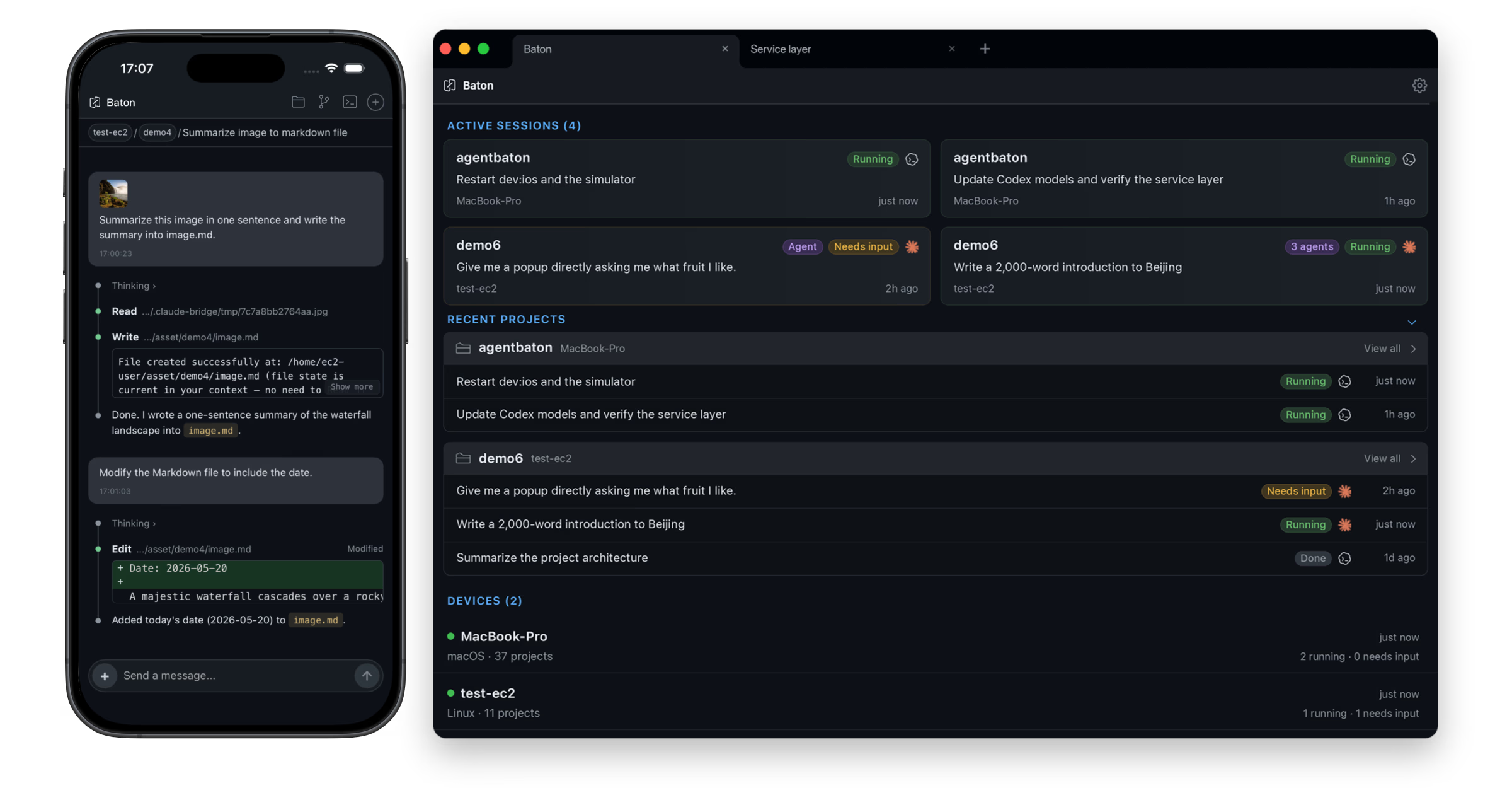
Baton provides non-intrusive, real-time streaming and rendering for Claude Code and Codex sessions across your devices. Your session data stays in your own AWS account.
Developer tools


Rich rendering
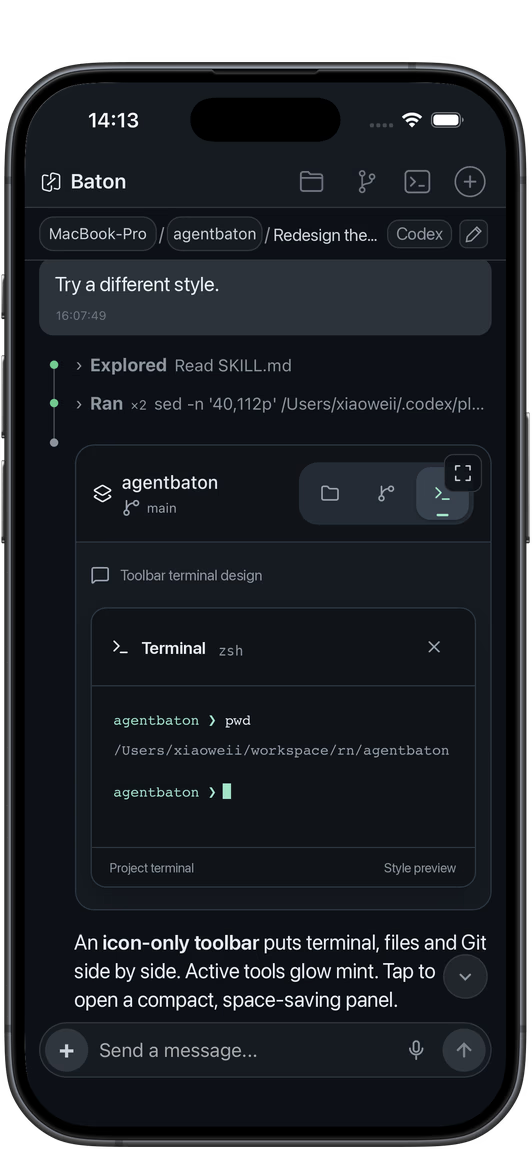
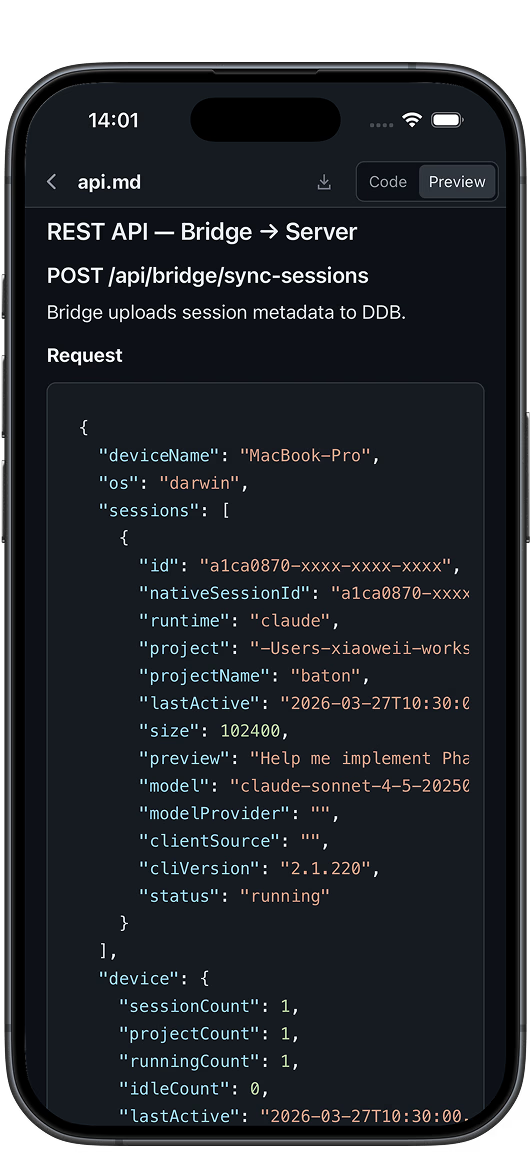

Quick Start
1. Deploy Server
Requires AWS CLI with permissions to create CloudFormation stacks.
curl -fsSL https://raw.githubusercontent.com/zhu-xiaowei/baton/main/server/install.sh | bash
Takes ~6-8 minutes. Prints a Start URL and QR code on success. Supports --region, --stack, --profile options (pass after bash -s --).
2. Install Bridge
Requires Node.js 20.9+.
- Open the Start URL in your browser (this is also the web viewer)
- Copy the one-line Install bridge command from the Setup page
- Run it on the machine where Claude Code or Codex is running
On native Windows, run the install command in PowerShell using Run as administrator.
3. Download App
| iOS | Android | HarmonyOS | macOS | Windows | Linux |
|---|---|---|---|---|---|
 |
 |
 |
 |
 |
 |
| TestFlight | Baton.apk | Build & install | Baton.dmg | Baton.exe | Baton.deb |
After downloading the app, scan the QR code or input the Start URL to get started.
Features
Core
- Claude Code and Codex — both runtimes in one Device → Project → Session catalog
- Real-time streaming — responses, thinking, and tool calls appear as they are generated
- Follow existing sessions — keep using Claude Code and Codex on your computer as usual; a lightweight local Bridge mirrors live progress and running / needs input / done status
- Interact with existing sessions — send follow-ups, even mid-turn, interrupt running turns, and continue work from any connected device
- Create projects and sessions — create a new project, start Claude Code, Codex, or Claude background-agent sessions remotely, and keep monitoring them after detaching
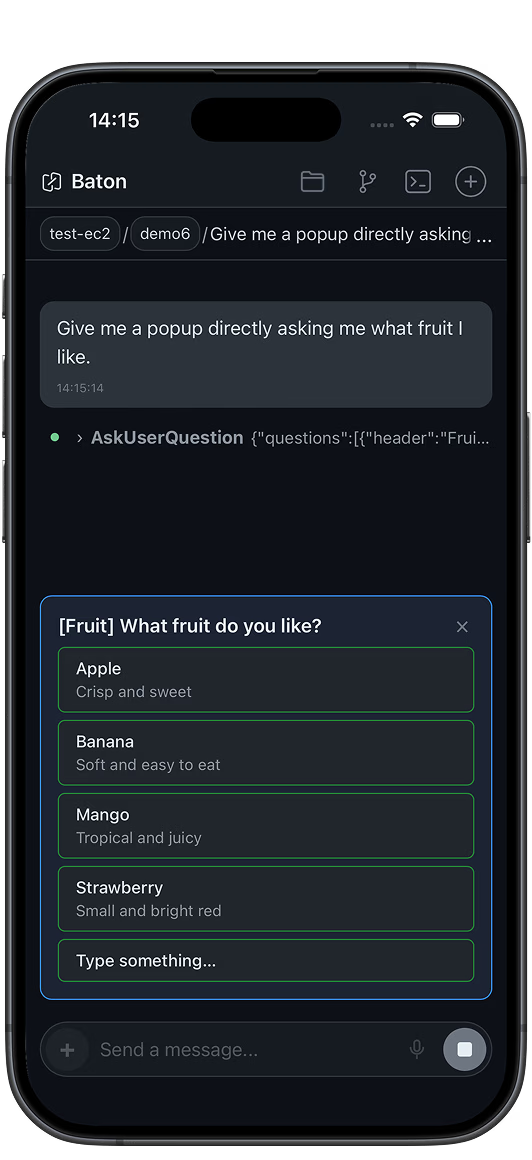
- Permissions and questions — approve or deny tool calls, answer questions, and review plans, including Codex command, file, and MCP approvals
- Slash commands and Skills —
/autocomplete for each runtime's built-in and custom commands, Codex Skills, and saved prompts - Codex Goals — set, pause, resume, or clear thread goals with
/goal, and follow autonomous continuation turns in real time - Subagents — nested Claude Code and Codex subagents grouped under their main session, with live status and a hierarchical thread list
- Mobile notifications — receive iOS and Android alerts when a session finishes or needs input; tap an alert to open the session
- Your own infrastructure — one-command deploy to your AWS account; session data never leaves it
Developer tools
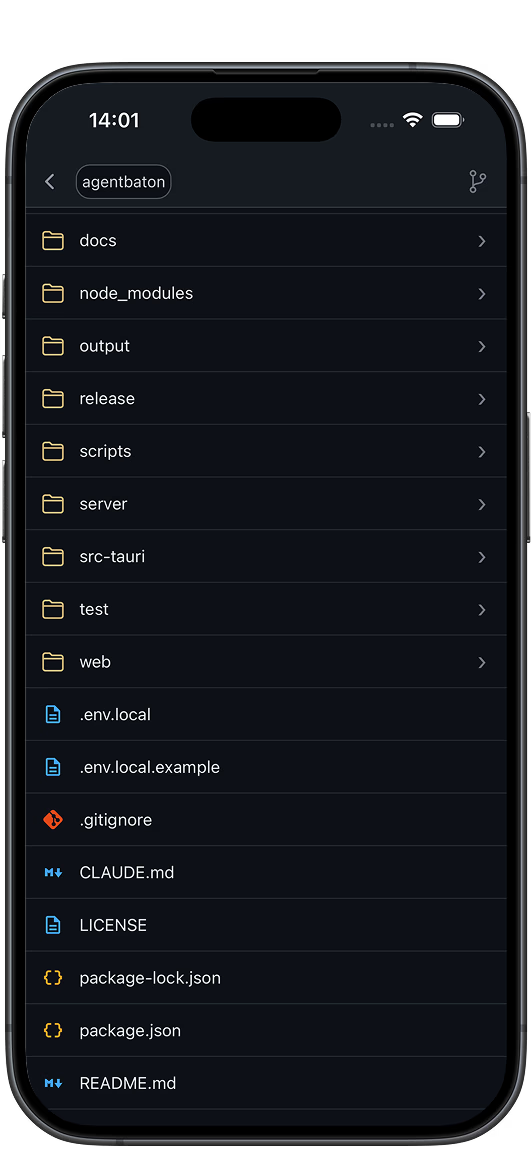
- Project files — browse source with line highlighting, and download or share files natively
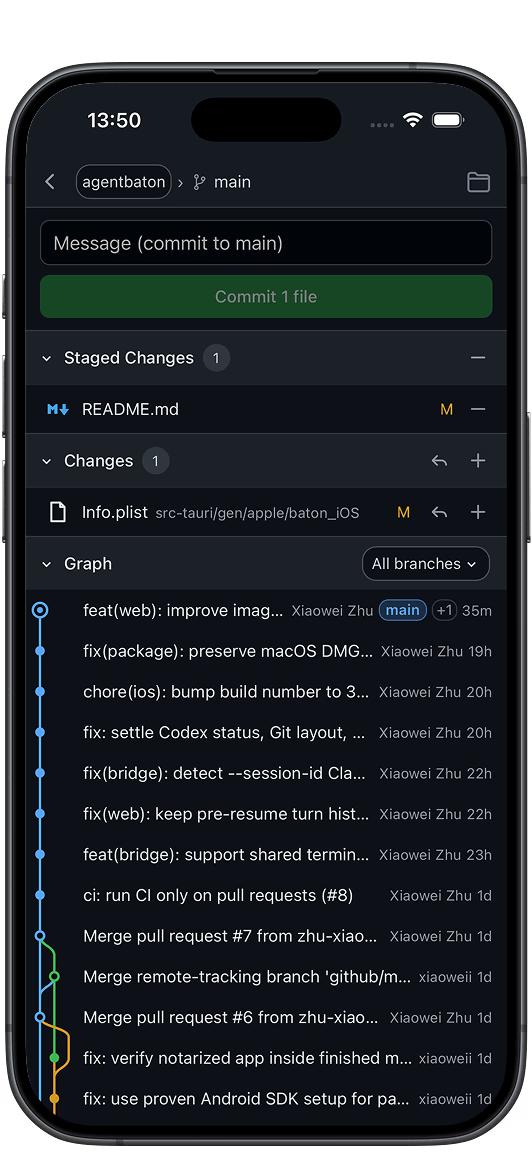
- Git — review changes, stage / unstage / discard files, commit, push or publish a branch, and browse a branch graph with historical diffs
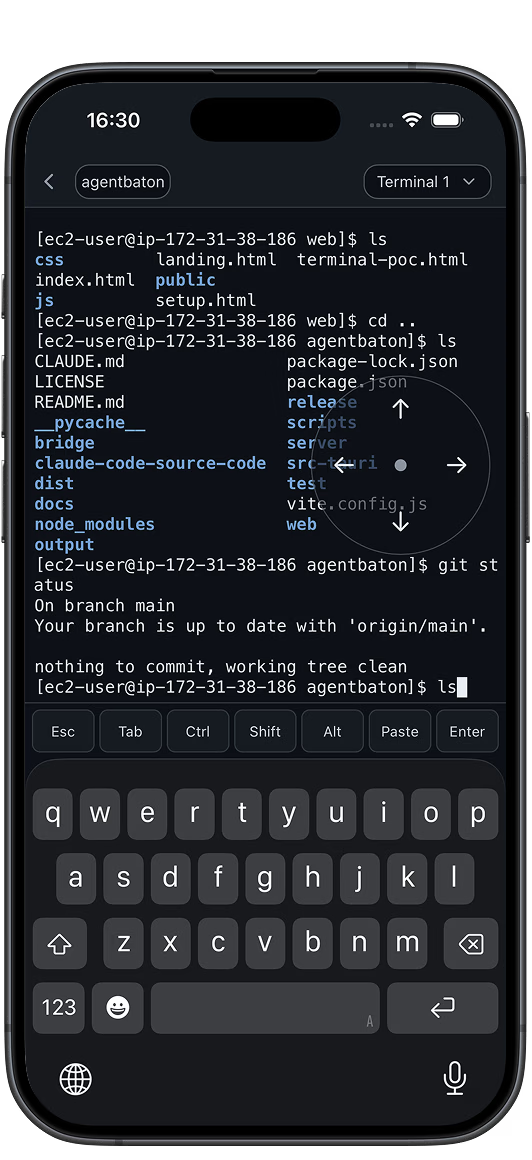
- Terminals — up to five shells per project, shared live across devices and restored when you return, with a mobile keybar, a long-press arrow joystick that auto-repeats faster the farther you drag, and smooth momentum scrolling (macOS / Linux Bridge)
- Localhost previews — open the Bridge machine's
http://localhost:3000(or any local port) inside the native App by tapping a session link or entering the port, with no SSH, port forwarding, or public exposure
Fast, stable, lightweight
- Native-like App — the native splash hands off seamlessly to matching skeleton screens at every stage with no white flash, and edge-swipe back reveals the previous page underneath
- Light and dark themes — choose System, Light, or Dark in Settings; the interface, code, diagrams, and native app appearance update together
- Adjustable page size — change font size on mobile or use desktop zoom shortcuts; your choice persists across pages and app restarts
- Instant loading — lists, history, and project data open from local page caches, then refresh in the background
- Stable delivery — ordered streaming, automatic reconnect, and queued sends keep sessions intact on flaky mobile networks and after backgrounding the App
- Lightweight Apps — small Tauri-based native packages, plus an ArkWeb shell for HarmonyOS NEXT
- Zero-maintenance Bridge — runs always-on across macOS, Linux, and Windows, connects multiple computers to one account, and updates itself
Rich rendering
- Execution timeline — collapsible tool calls and results, with full output loaded on demand
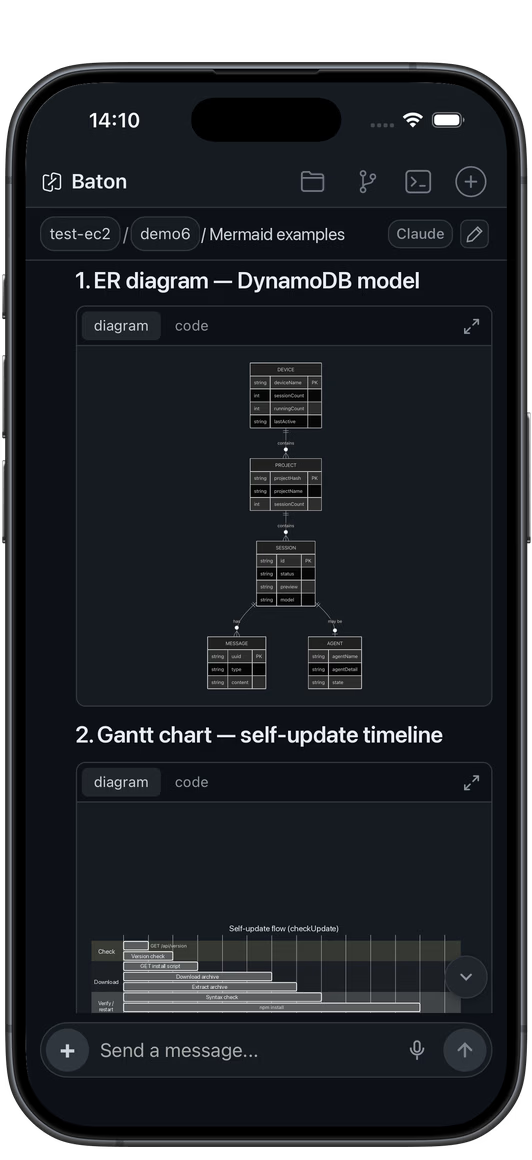
- Diffs, Mermaid, and LaTeX — rendered inline while streaming; copy source and download as images
- Inline HTML in conversations — interactive previews, expandable to full screen without losing their state
- File previews — Markdown, HTML, PDF, Office, image, and video files from projects or messages; HTML pages load their relative CSS, scripts, and images, so they render fully without a local server; images in messages display inline and open full screen with pinch-to-zoom
More
- File, image, and voice input — attach files, drag and drop files or images on desktop, send compressed images, and dictate messages on iOS
- Session drafts — keep text and uploaded attachments when switching sessions or reopening the App on the same device
- Session management — rename sessions through their native runtime, and long-press to multi-select and delete sessions or projects, optionally removing their local files
- Device management — remove devices from Baton and stop their online Bridges while keeping local session files
- API key rotation — rotate the API key with
--rotate-keywhile preserving existing data - macOS tabs — work on multiple sessions in independent tabs
- Claude usage insights — status, settings, rate limits, token history, and model usage charts
Architecture
┌────────────────┐               ┌────────────────┐               ┌──────────────────┐
│     Bridge     │ ◀────WS─────▶ │     Server     │ ◀────WS─────▶ │     App/Web      │
│ (local hosts)  │               │  (AWS APIs)    │               │  (phone/desktop) │
└────────────────┘               └───────┬────────┘               └──────────────────┘
                                         │
                                         ▼
                                 ┌────────────────┐
                                 │ DynamoDB + S3  │
                                 │ (data + media) │
                                 └────────────────┘
Bridge discovers Claude Code and Codex sessions, normalizes their events, preserves main/subagent relationships, and handles local agent control, project files, Git commands, and terminal processes. Server authenticates and routes control messages, stores session and root-thread data in DynamoDB, and serves synced media through S3. App/Web loads cached history, subscribes to session and root-agent updates, aggregates nested threads under the main session, and routes user actions back to the correct local runtime.
Why Baton?
Named after both a relay baton and a conductor's baton, Baton lets you pick up work on another device and direct your agents remotely.
Uninstall
See the uninstall guide.
License
MIT
Yorumlar (0)
Yorum birakmak icin giris yap.
Yorum birakSonuc bulunamadi