ai-limit
Health Uyari
- License — License: NOASSERTION
- Description — Repository has a description
- Active repo — Last push 0 days ago
- Low visibility — Only 5 GitHub stars
Code Basarisiz
- rm -rf — Recursive force deletion command in install.sh
- rm -rf — Recursive force deletion command in menubar/make-dmg.sh
Permissions Gecti
- Permissions — No dangerous permissions requested
Bu listing icin henuz AI raporu yok.
CLI tool to monitor real-time Claude Code and Codex usage limits, quota, and token consumption
ai-limit
English | 中文说明
A lightweight tool to monitor real-time Claude Code and Codex usage limits, quota consumption, and token statistics — so you can adjust your AI usage before hitting rate limits. Available as a macOS menu bar app or a CLI.
If you find it useful, a Star would be appreciated: GitHub · Gitee
macOS Menu Bar App
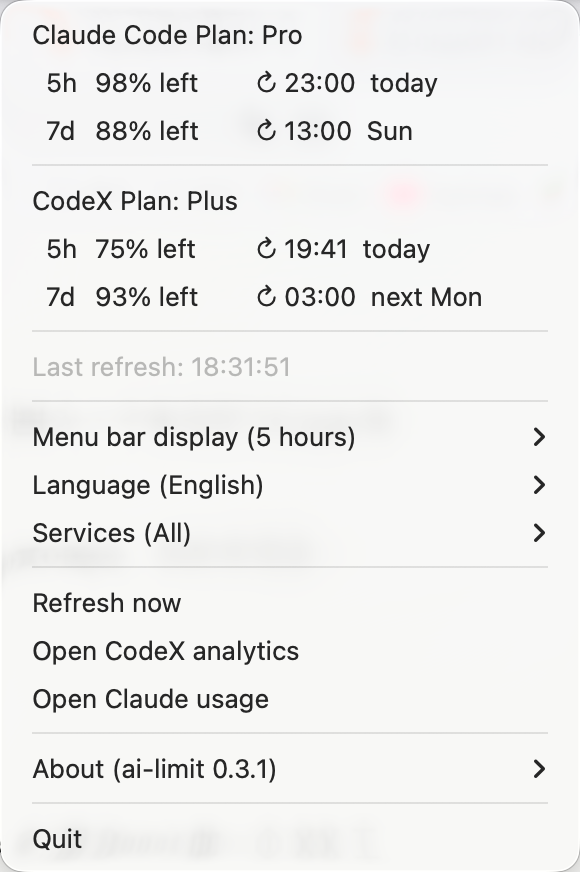
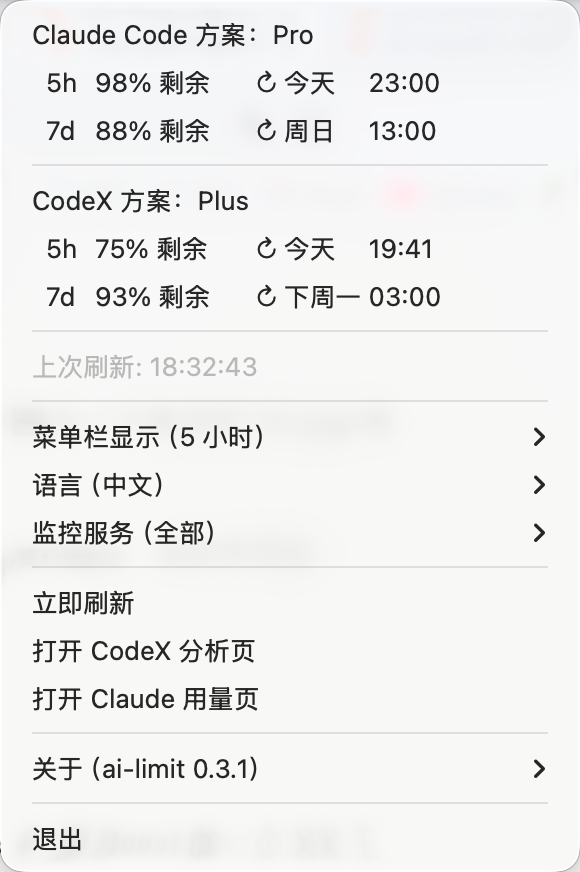
Lives in the menu bar, shows live quota at a glance — no terminal needed. Because it displays text data directly in the menu bar, it takes up more space than a typical icon-only app; a menu bar manager like Bartender is recommended.



 |
 |
One-line install
curl -fsSL https://raw.githubusercontent.com/zhuchenxi113/ai-limit/main/install.sh | bash
First launch: right-click the app → Open → Open Anyway (bypasses Gatekeeper; the app is not notarized)
Features
- Chinese / English UI toggle
- 5-hour / 7-day quota window toggle
- Claude and Codex shown simultaneously, each independently configurable
- Manual refresh
- Click to expand details (plan, usage, reset time)
Build from source
cd menubar
/opt/homebrew/bin/python3.13 setup.py py2app
bash make-dmg.sh
Homebrew Python is required. Anaconda Python causes dylib path conflicts that prevent the packaged app from launching.
CLI
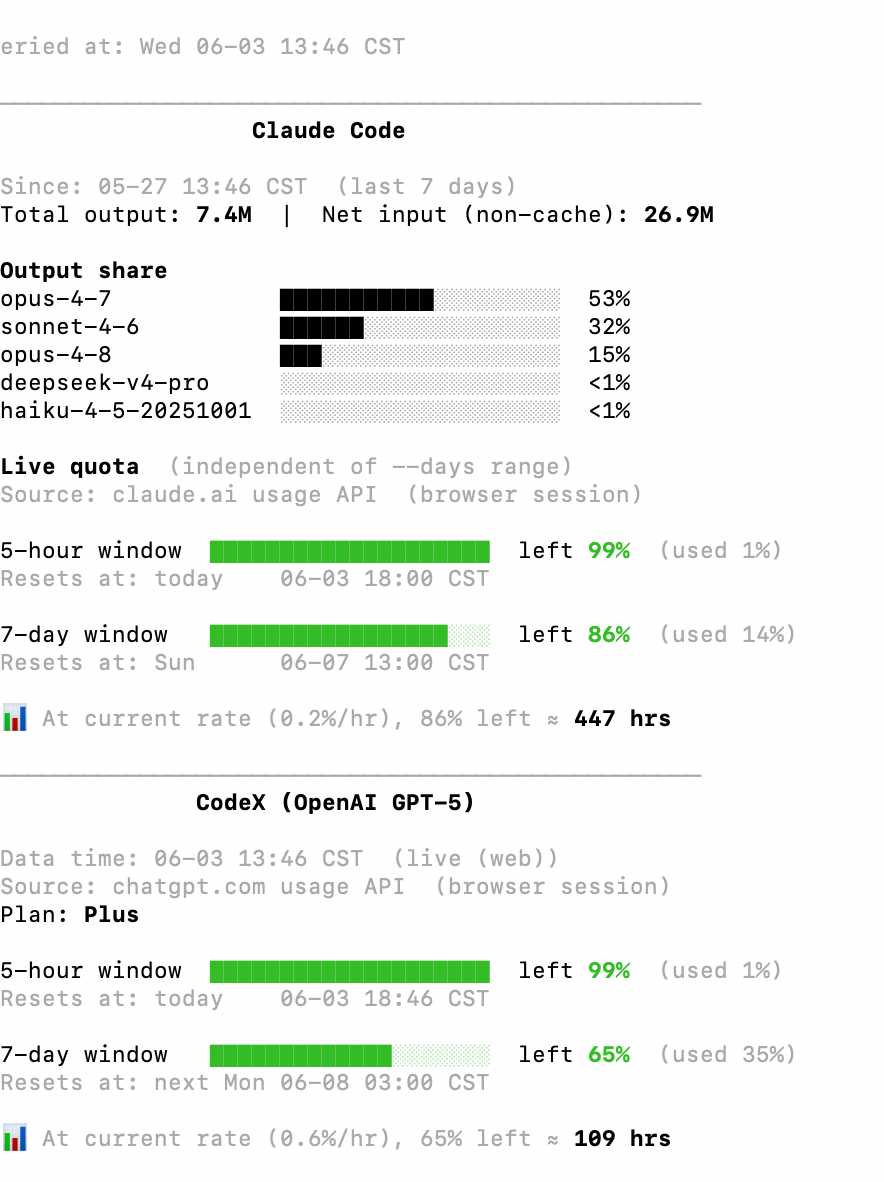
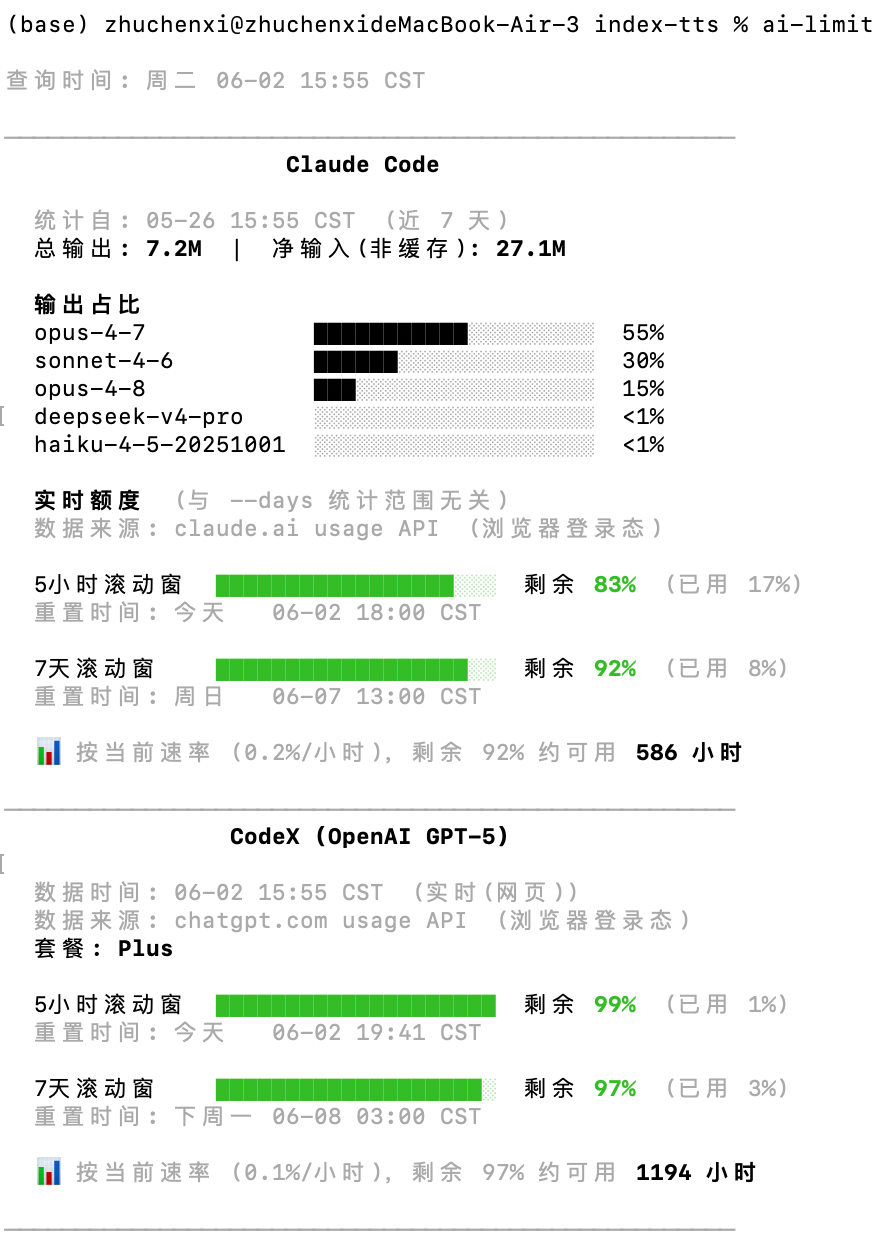
Output language is detected automatically from your system locale.
Preview
Requirements
- macOS
- Python 3.8+
- Chrome or Firefox signed in to claude.ai (for Claude quota)
- Chrome or Firefox signed in to chatgpt.com (recommended path for Codex quota)
- Optional: Codex CLI installed and signed in (fallback when browser cookies are unavailable)
Usage Prerequisites
ai-limit only reads your existing local Claude / ChatGPT browser session and local usage records. It does not provide subscriptions and does not bypass any quota limits.
- If Claude Code is available and signed in, Claude Code quota is shown.
- If ChatGPT / Codex is available and signed in, Codex quota is shown.
- Services that are unavailable or not signed in show a ⚠️ warning. You can hide each service from the menu bar app under
Services. - If both services are unavailable, the menu bar shows
ai-limit ⚠️or the corresponding error state.
Installation
1. Clone the repo
git clone https://github.com/zhuchenxi113/ai-limit.git ~/Developer/ai-limit
2. Install dependencies
pip install -r requirements.txt
3. Add an alias
Add to ~/.zshrc:
alias ai-limit="python3 ~/Developer/ai-limit/usage.py"
Then reload:
source ~/.zshrc
Usage
ai-limit              # Last 7 days (default)
ai-limit --days 1     # Today only
ai-limit --all        # Full history
ai-limit --detail     # Show per-model token breakdown
Output language is auto-detected from the system locale (Chinese on zh systems, English elsewhere). Override with AI_LIMIT_LANG:
AI_LIMIT_LANG=en ai-limit   # force English
AI_LIMIT_LANG=zh ai-limit   # force Chinese
Data Sources
Claude Code
| Data | Source |
|---|---|
| Token usage details | ~/.claude/projects/**/*.jsonl |
| Live quota | Browser cookie → claude.ai/api/organizations/{orgId}/usage |
Quota reading requires an active browser session on claude.ai. Falls back gracefully with an error message and a direct link if the cookie is missing or expired.
Codex
Data sources are tried in priority order:
| Priority | Data | Source | Triggers 5h window? |
|---|---|---|---|
| 1 | Live quota | Browser cookie → chatgpt.com/backend-api/codex/usage |
❌ No |
| 2 | Live quota | codex app-server WebSocket → account/rateLimits/read |
⚠️ Yes |
| 3 | Local fallback | ~/.codex/sessions/**/*.jsonl |
❌ No |
The browser path (1) reuses the same analytics endpoint that powers the chatgpt.com dashboard. It returns merged Cloud + CLI usage, is read-only, and does not trigger a new window. This is the recommended default.
⚠️ Side-effect warning (Codex protocol limitation): When path 1 fails (not signed in to chatgpt.com / cookies expired / network issue), ai-limit falls back to
codex app-server. That path sends aninitializecall, which OpenAI counts as a session start — if the current 5-hour window has already expired, this triggers a new 5-hour rolling window. This is an inherent consequence of how the Codex CLI exposes its data; no workaround exists at the tool level.
Notes
- macOS only: browser cookie reading relies on the system Keychain to decrypt Chrome cookies
- Unofficial API: Claude quota is fetched from an internal claude.ai endpoint, not an official API — it may break with future updates
<synthetic>model entries are error placeholders written by Claude Code on API failures; they are excluded from all statistics- Per-model output share is only available for Claude Code; Codex does not expose per-model breakdown
Maintenance
This is a personal tool maintained on a best-effort basis. Issues and PRs are welcome but not guaranteed to be addressed promptly. No long-term support is promised.
Other projects by the author
- CalcPro — Calculator: Available on the App Store. If the link doesn't open on your device, search for "WaitSugar CalcPro" in the App Store.
- 观点会审 (Decide): A web-based decision-making tool.
License
Project code: Apache License 2.0
Third-party dependency: browser-cookie3 is licensed under LGPL.
Yorumlar (0)
Yorum birakmak icin giris yap.
Yorum birakSonuc bulunamadi