farming
Health Uyari
- License — License: MIT
- Description — Repository has a description
- Active repo — Last push 0 days ago
- Low visibility — Only 5 GitHub stars
Code Basarisiz
- rm -rf — Recursive force deletion command in .github/workflows/release.yml
- process.env — Environment variable access in .github/workflows/release.yml
- fs module — File system access in .github/workflows/release.yml
- child_process — Shell command execution capability in backend/acp-runtime.js
- process.env — Environment variable access in backend/acp-runtime.js
- fs module — File system access in backend/acp-runtime.js
- child_process — Shell command execution capability in backend/acp/client-services.js
- fs module — File system access in backend/acp/client-services.js
- fs module — File system access in backend/acp/patch-decisions.js
- child_process — Shell command execution capability in backend/agent-env.js
- spawnSync — Synchronous process spawning in backend/agent-env.js
- os.homedir — User home directory access in backend/agent-env.js
- process.env — Environment variable access in backend/agent-env.js
- fs module — File system access in backend/agent-env.js
Permissions Gecti
- Permissions — No dangerous permissions requested
Bu listing icin henuz AI raporu yok.
Open-source remote web workbench for supervising AI coding agents: structured chat, real terminals, project files, review, history, and an optional retro CRT.

Farming
Farming is an open-source remote web workbench for running and supervising AI coding agents on a development machine.





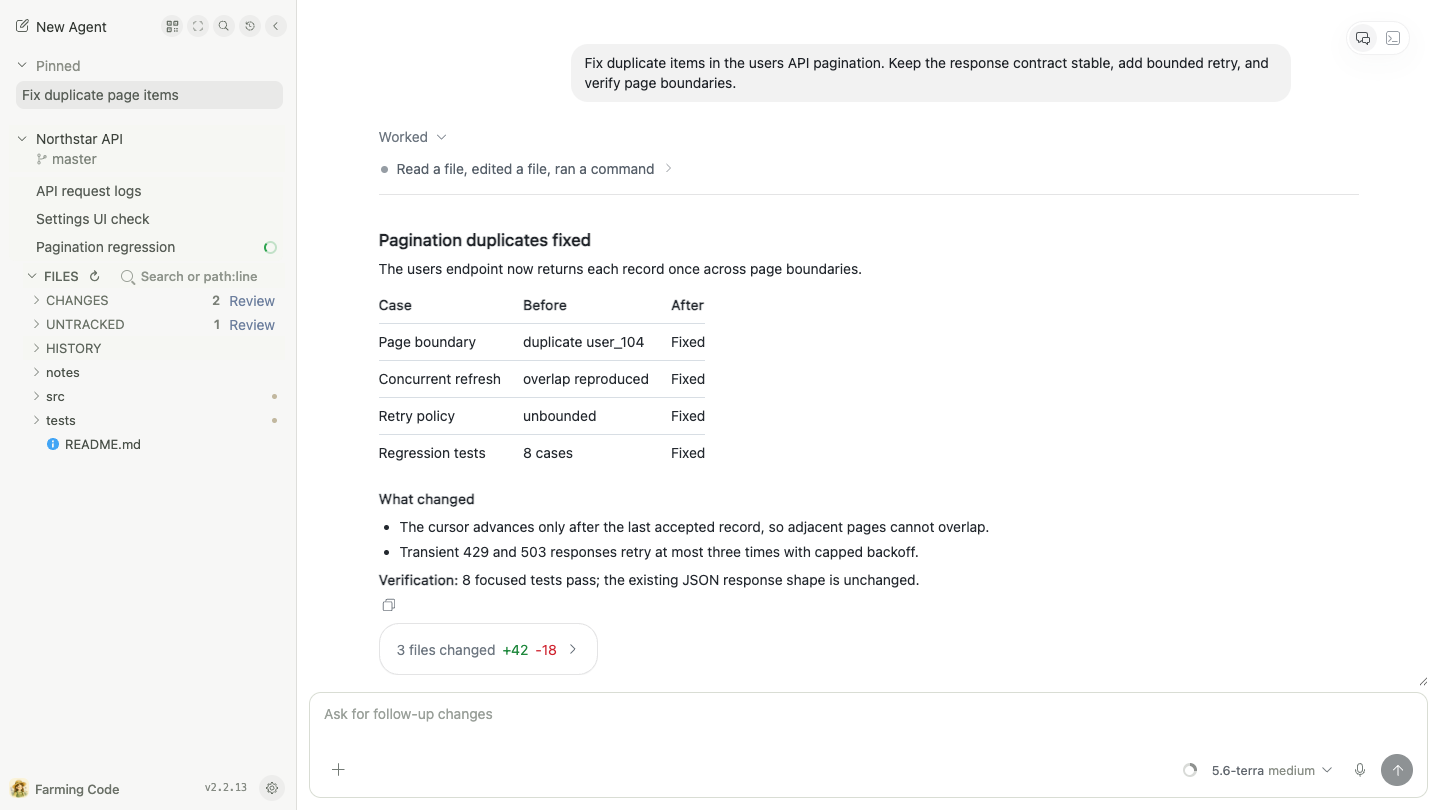
Farming runs on the same development machine as your repositories and coding CLIs. Agent processes, terminals, and project files stay on that machine; a desktop or phone browser connects to those real sessions.
Quick Start
With Node.js 22 or newer and at least one supported coding CLI installed and signed in:
npm install --global farming-code@latest && farming daemon
Open one of the authenticated URLs printed by the command, choose New Agent, then select a CLI, workspace, and Chat or Terminal. Closing the browser does not stop the Agent. In the same browser, revisit that address; on the development machine, this command prints the local address again:
farming url
For a new remote browser, use the authenticated Network URL printed when farming daemon starts. A VPN, SSH tunnel, or HTTPS reverse proxy can provide a stable reachable address, but the first visit still needs the Farming startup token.
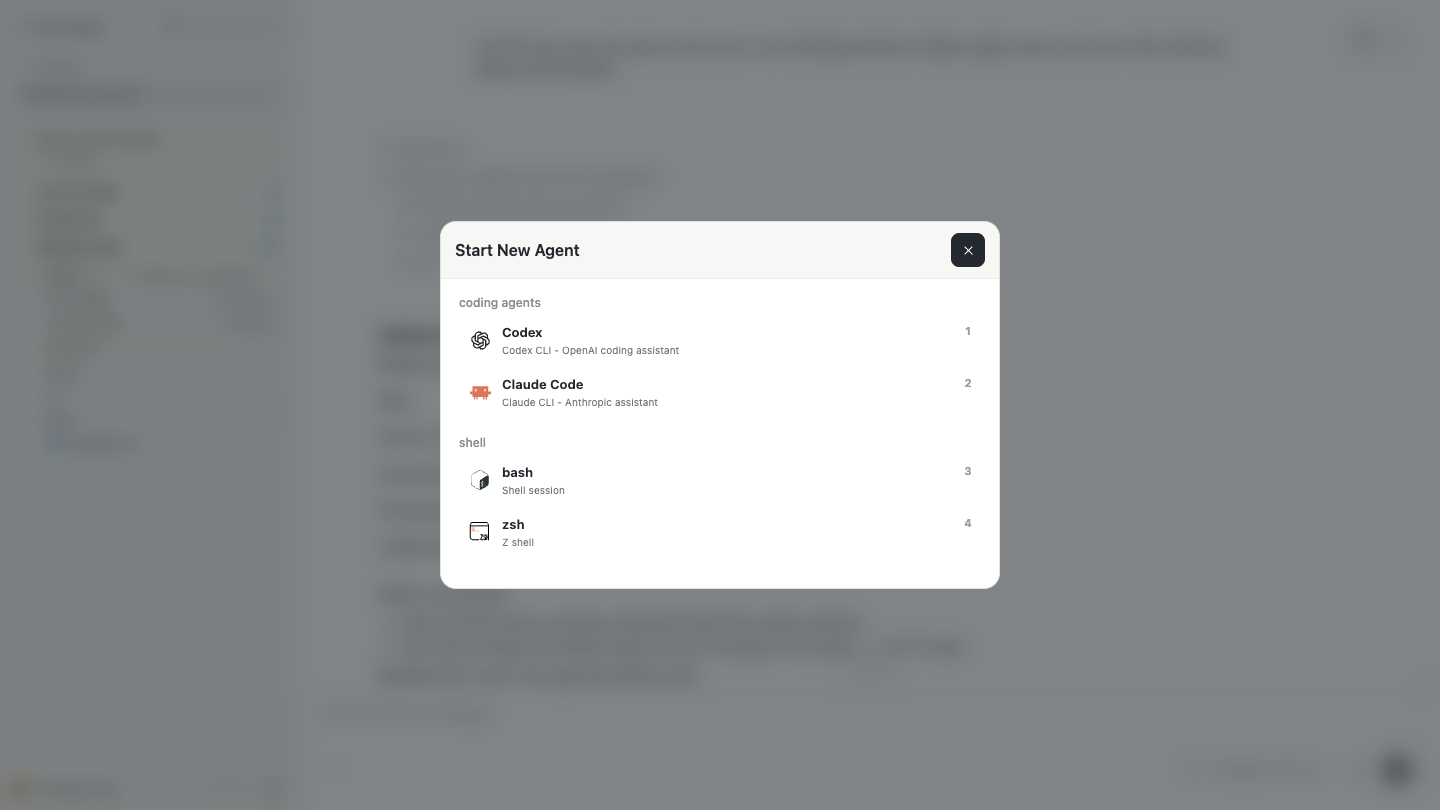
Farming Code
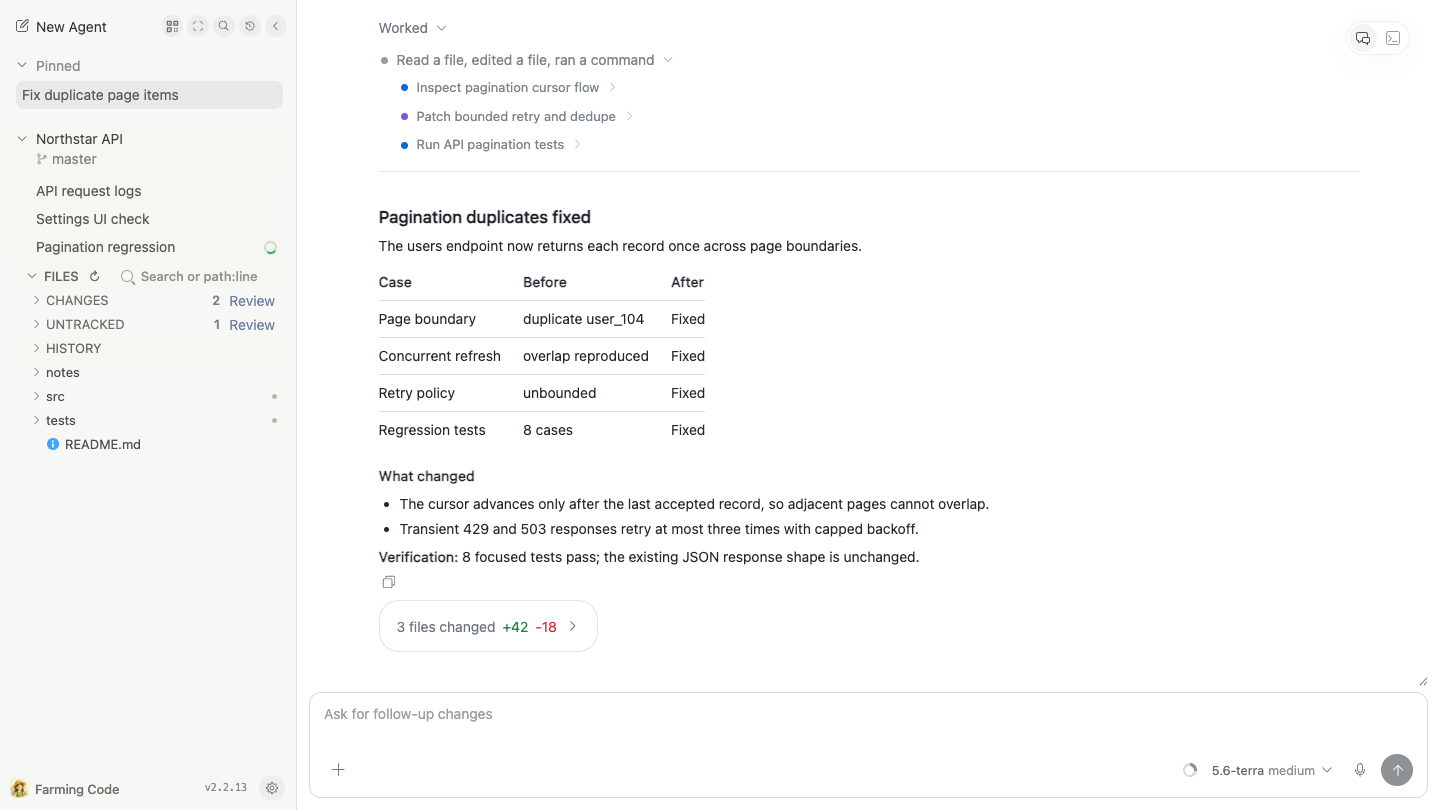
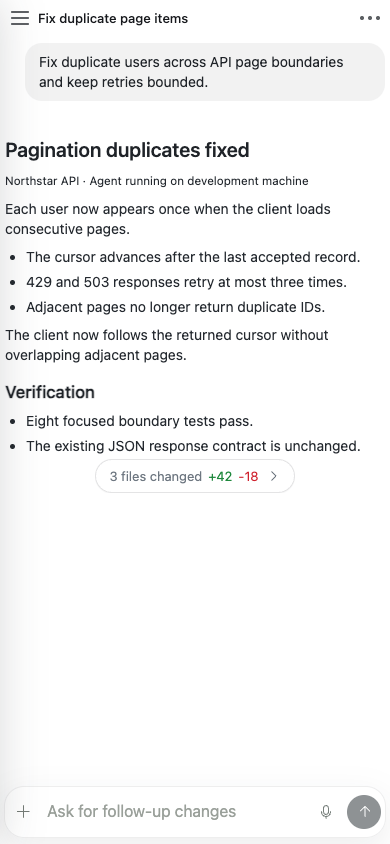
Farming Code is the default desktop and mobile interface. It groups work by project and keeps live Agents, resumable history, files, and review in the same browser workspace.
Agents, Chat, and Terminal
Start or resume Codex, Claude Code, OpenCode, Qoder, and other detected coding CLIs. Supported Agents offer structured Chat for reading results and inspecting tool activity, plus a real Terminal for working directly with the CLI. Search and History cover both current work and resumable sessions.
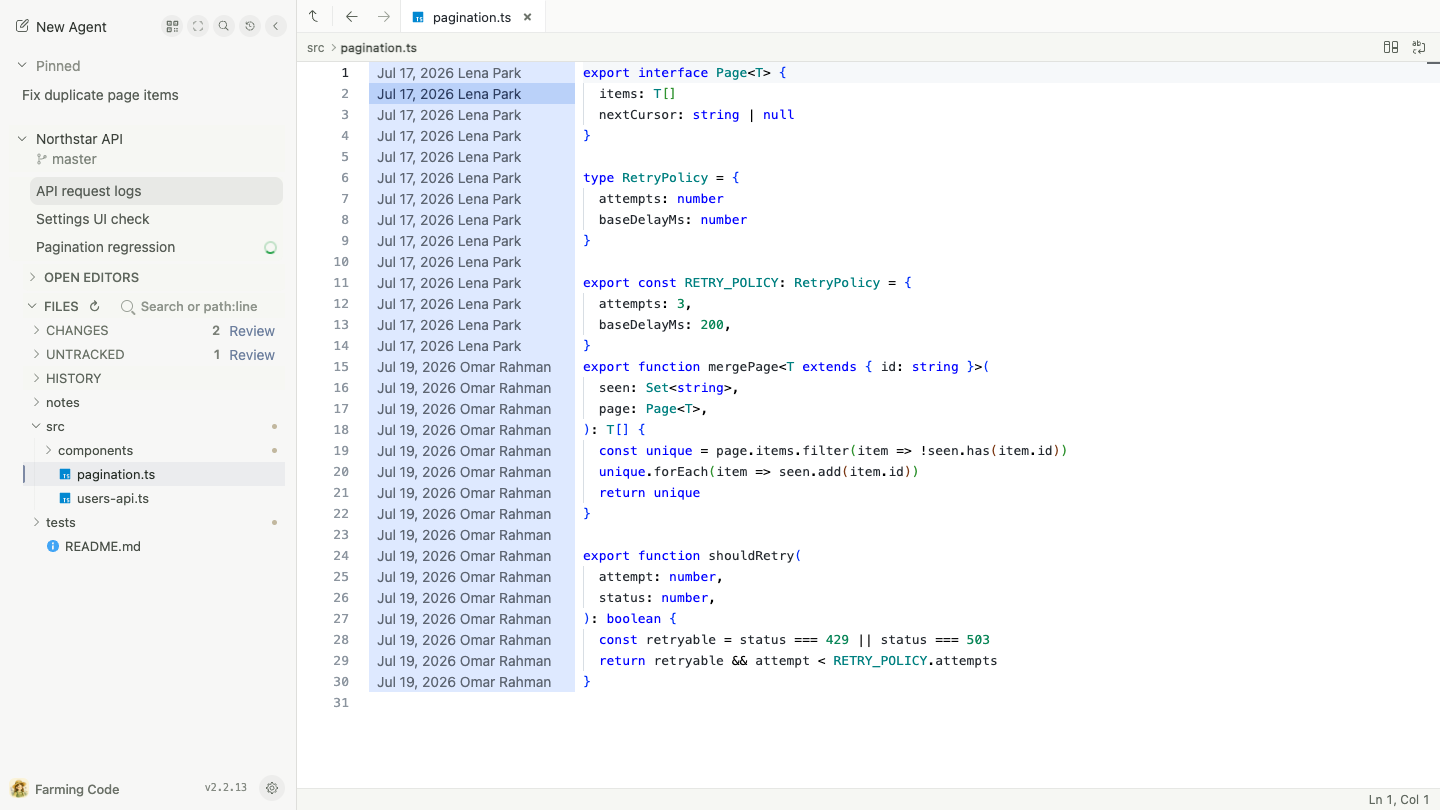
Files and Review
Browse, search, and lightly edit Project Files without leaving the current task. Inspect Git Changes, History, Diff, and Blame, then open a commit or working-copy change in Review.
Supported Agents
Farming discovers installed CLIs on the host. Codex, Claude Code, OpenCode, and Qoder support both structured Chat and a native Terminal; other detected coding agents use the Terminal path.
| Agent | Structured Chat | Terminal | History / resume |
|---|---|---|---|
| Codex | Yes | Yes | Yes |
| Claude Code | Yes | Yes | Yes |
| OpenCode | Yes | Yes | Yes |
| Qoder | Yes | Yes | Yes |
| Qwen Code | — | Yes | CLI-dependent |
| Aider | — | Yes | CLI-dependent |
| GitHub Copilot CLI | — | Yes | CLI-dependent |
| Amazon Q | — | Yes | CLI-dependent |
| bash / zsh | — | Yes | No |
Farming hosts CLIs that already work on the same machine. It does not replace provider installation, login, or account configuration.
Remote Use
Run Farming on the development machine and open its authenticated URL from any desktop or phone that can reach that machine:
Desktop or phone browser
          │ HTTP / WebSocket
          ▼
Development machine
  Farming server
  ├── coding Agent processes
  ├── real terminals
  └── repositories and project files
The browser can disconnect and reconnect without stopping an Agent. A normal Farming server restart can also reconnect supported live terminal sessions. The desktop layout keeps projects, conversations, files, and review together; the mobile layout focuses one conversation, terminal, or file at a time.
Farming CRT
Farming CRT is an optional keyboard-first, retro control-room interface for scanning many Agents, opening their Chat or Terminal sessions, searching history, and viewing usage telemetry.
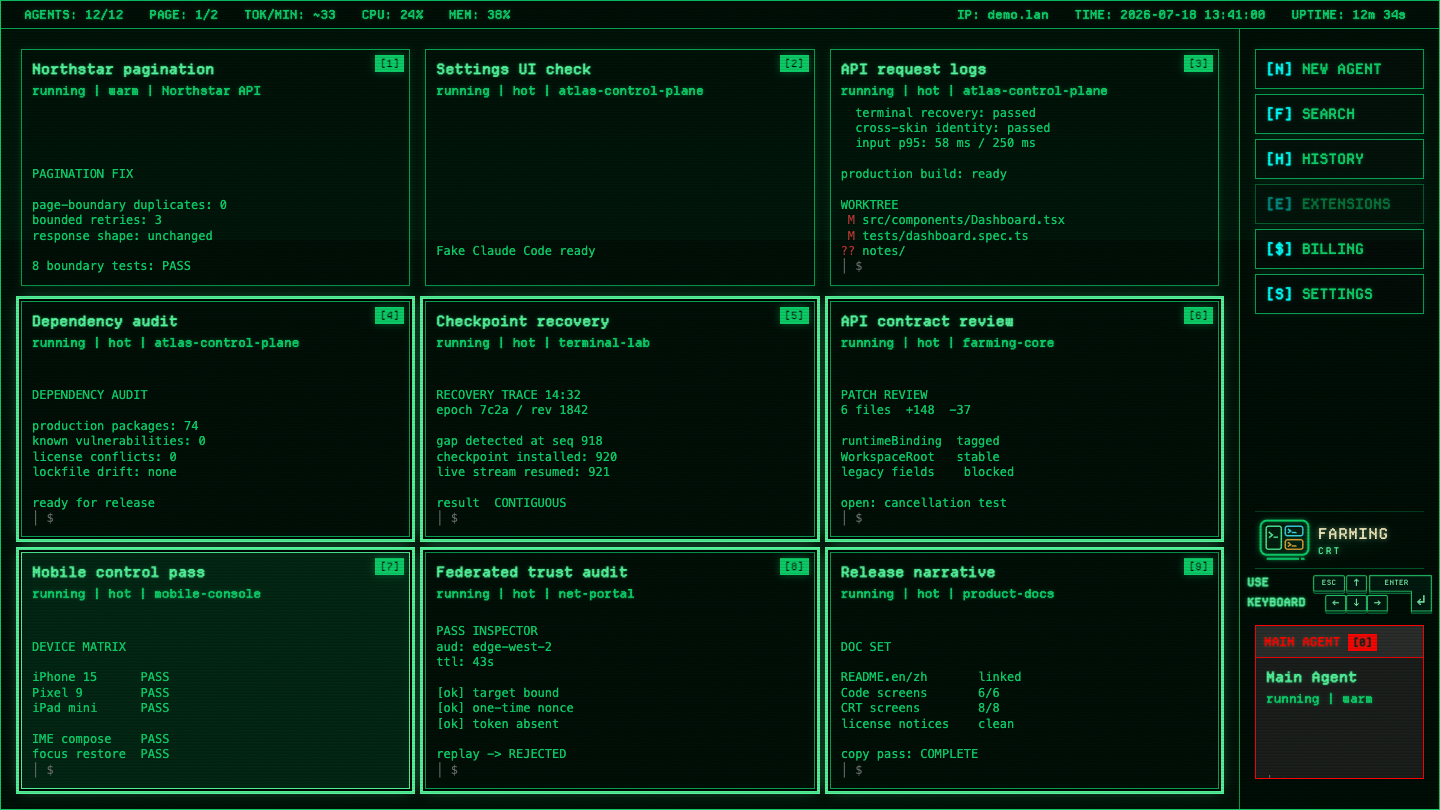
Code and CRT use the same backend Agents and sessions. Switching interfaces does not create a second Agent. Farming Code remains the default interface and the supported phone interface. See the Farming CRT guide for controls and workflows.
Farming Net
Farming Net is a separate, token-protected directory for Farming deployments. It provides one portal for opening registered instances without storing their target tokens or proxying their traffic. See the Farming Net guide for enrollment and security boundaries.
Installation And Updates
The installed farming CLI defaults to port 6694, base path /farming, config directory ~/.farming, and token authentication. Useful daemon commands are:
farming status
farming url
farming logs
farming stop
The startup token is stored in ~/.farming/.session-token and reused across restarts and upgrades. Settings → Updates can upgrade npm installations in place. npm updates first use the machine's configured registry and retry the registry shown in Settings only when that registry lacks the selected version. Before installing, Farming verifies that npm will update the same package root that launched the server. GitHub Releases also provide standalone CLI and directory bundles; see GitHub Releases for current artifacts.
To run from source with the same port and base path:
npm install
PORT=6694 FARMING_BASE_PATH=/farming npm start
For trusted local development only, npm run start:no-auth disables token authentication.
Security
Farming controls real terminals and files on the development machine. Run it on a trusted host and network. Do not expose it directly to the public internet without a VPN, SSH tunnel, HTTPS reverse proxy, or equivalent access control.
Token authentication protects HTTP and WebSocket traffic. FARMING_DISABLE_AUTH=1 is only for trusted local development. Workspace file APIs validate paths against the selected project root. See SECURITY.md for reporting and deployment guidance.
Documentation
- Farming 2 product overview and capability map
- Farming Code guide
- Farming CRT guide
- Farming Net deployment portal
- Mobile guide
- ACP runtime
- Review foundation
- Release history
- Contributor instructions
Development Checks
npm test
npm run typecheck
npm run lint
FARMING_BASE_PATH=/farming npm run build
npm run test:e2e:playwright
Product screenshots are generated from an anonymous demo workspace with real browser flows:
npm run docs:product:screenshots
To refresh only selected files, pass a comma-separated list:
FARMING_SCREENSHOT_FILES=01-code-workspace.png npm run docs:product:screenshots
License
Farming is released under the MIT License. Third-party notices are listed in THIRD_PARTY_NOTICES.md.
Yorumlar (0)
Yorum birakmak icin giris yap.
Yorum birakSonuc bulunamadi