Skills-Atlas
Health Uyari
- License — License: MIT
- Description — Repository has a description
- Active repo — Last push 0 days ago
- Low visibility — Only 6 GitHub stars
Code Gecti
- Code scan — Scanned 12 files during light audit, no dangerous patterns found
Permissions Gecti
- Permissions — No dangerous permissions requested
Bu listing icin henuz AI raporu yok.
A searchable catalog & auto-curator of AI agent skills for Claude Code and Codex
English | 中文
🗺️ Skills Atlas
The right ready-made skill for any task in Claude Code — found, installed, and surfaced as you work.
1000+ skills, gathered from across the ecosystem and organized by what they do.





🧩 Claude Code plugin | ⌨️ CLI | 🌐 Visit online | 📦 Data download | 🤝 Contribute a new skill | 💬 Discussions
Why
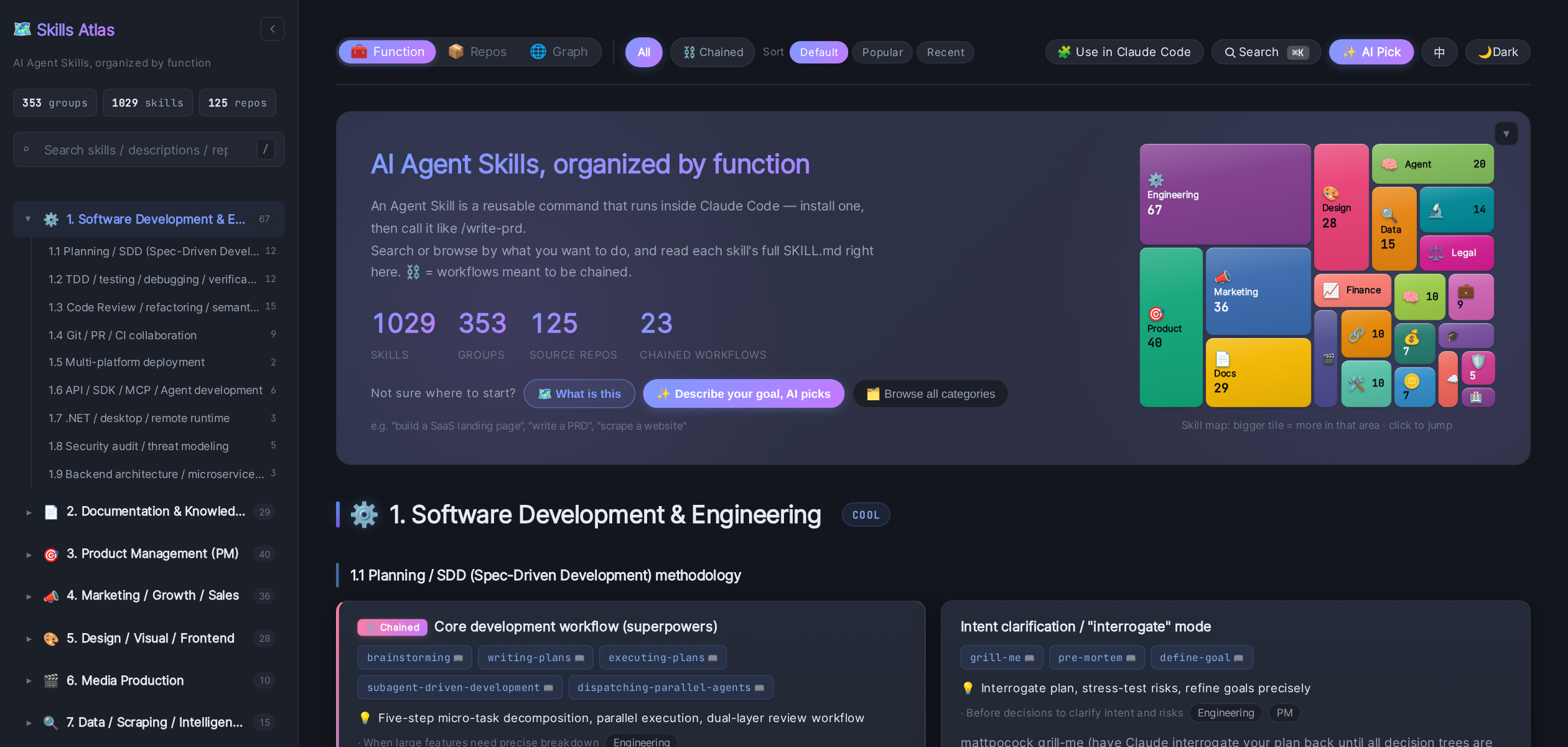
Agent skills exploded in 2025 — but they're scattered across ~125 GitHub repos, and awesome-lists
only give you names, never which ones actually work together. Skills Atlas gathers them and
organizes everything by function, so you find a skill by the job at hand: the SEO skills from
different repos side by side, the dev-workflow skills marked must-chain (⛓ — grab the whole set with --chain), the document suite
at a glance. 353 functional groups across 21 categories — software, PM, marketing and design,
plus the pro verticals (legal, healthcare, finance, DevOps, security, ML/LLM, …) — searchable
online or from your shell.
Quick start
Use it as a Claude Code plugin — discover, install, and grow skills inside the conversation,
with the autopilot on by default.
1. In your terminal — install the engine (Node 18+):
npm i -g skills-atlas-cli
2. In Claude Code — add the plugin:
/plugin marketplace add Zita-Go/Skills-Atlas
/plugin install skills-atlas@skills-atlas
Restart Claude Code, then just describe what you're doing — the autopilot takes it from there. Run/skills-atlas:setup to see what you've got, or skip to How to use.
🤖 The autopilot: the right skill finds you
You shouldn't have to remember a skill exists to use it. With the plugin the autopilot is on by
default: whenever your task lines up with a skill you don't have, Claude surfaces it — explains
what it does and why it fits — and lets you switch it on, see what it covers, or skip.
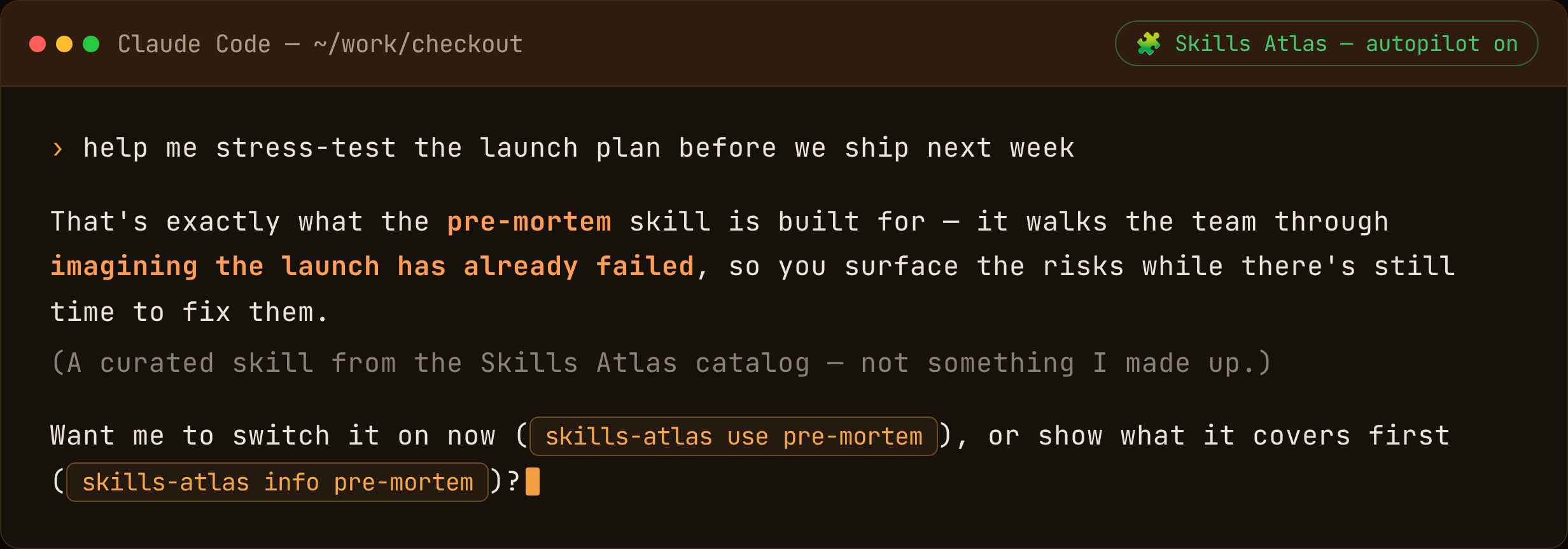
The per-prompt match runs locally and never auto-installs; a hiccup never blocks your
prompt. Toggle or tune it with /skills-atlas:skill-autopilot [on|off] — or, CLI-only (no plugin), skills-atlas hook on. Two more proactive helpers,
same idea:
- 🔭
/skills-atlas:skill-gaps— spots recurring work no installed skill covers, and recommends one. - 🧹
/skills-atlas:skill-prune— offers to clear out skills you've stopped using.
How to use
Already set up? Here's the reference.
[!NOTE]
Where a skill lands: installed for this project it goes to./.claude/skills/(committable — it travels with the repo); a global one goes to~/.claude/skills/(follows you everywhere). The plugin, autopilot andkitdefault to the project; the CLI'sinstall/usedefault to global. Override either with--project/--global.
In Claude Code — the plugin
Just describe what you need, or reach for a command:
| Command | What it does |
|---|---|
/skills-atlas:skill-search <query> |
Find a skill in the catalog |
/skills-atlas:skill-install <skill> |
Install + activate it in this project |
/skills-atlas:skill-kit |
Detect the project type and set up a curated kit |
/skills-atlas:skill-craft |
Turn a workflow you keep repeating into a new skill |
/skills-atlas:skill-gaps |
Recommend skills for the work you keep doing |
/skills-atlas:skill-prune |
Flag installed skills you no longer use |
/skills-atlas:skill-autopilot [on|off] |
Toggle / tune the autopilot |
From the terminal — the CLI
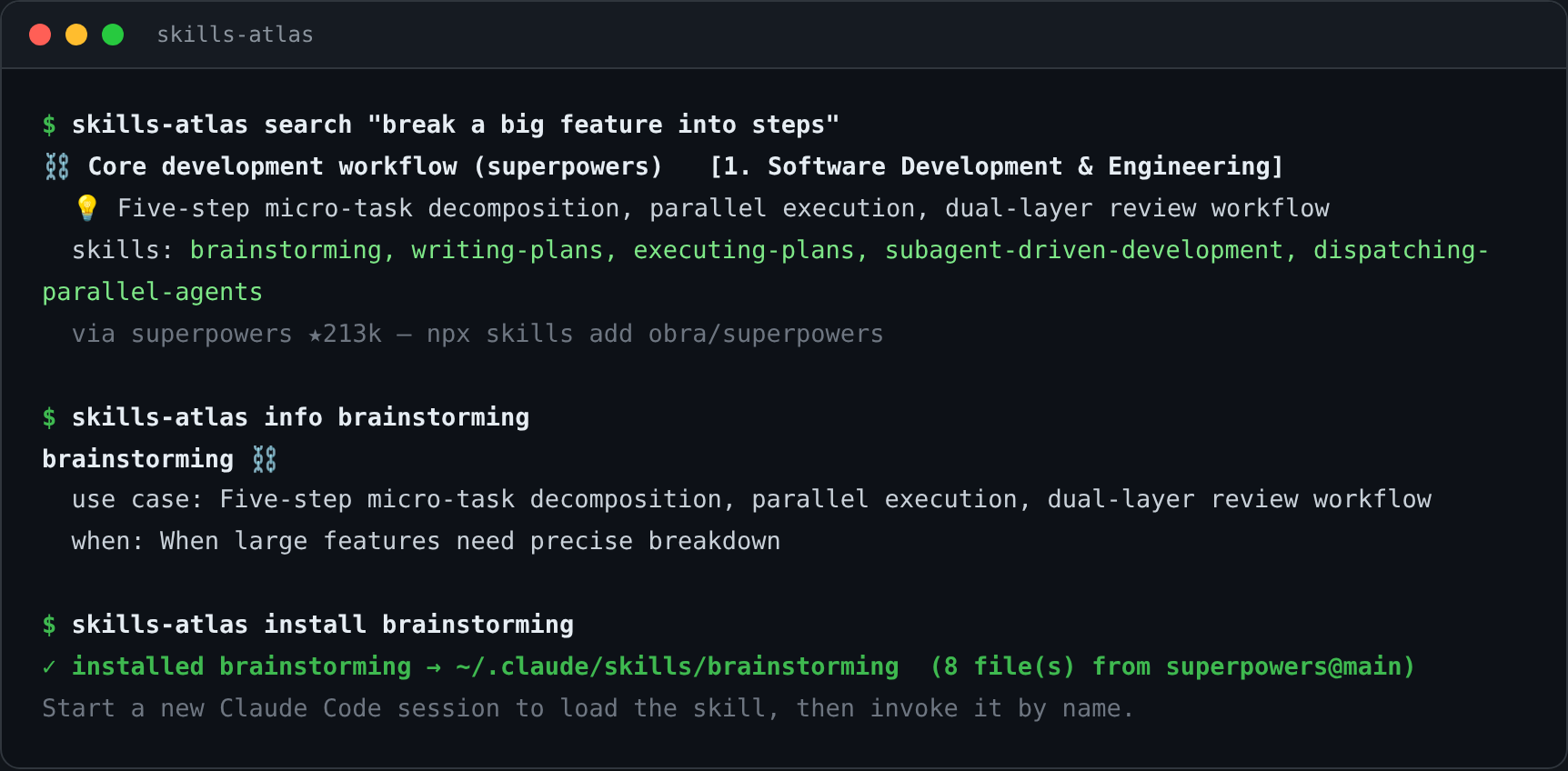
The same engine, for the shell. Install once (npm i -g skills-atlas-cli), then:
skills-atlas search seo               # find a skill (ranked by relevance + stars)
skills-atlas info brainstorming       # what it does + when to use it
skills-atlas install brainstorming    # drop its folder into ~/.claude/skills/ (global by default)
skills-atlas use brainstorming        # install + apply now, no restart
skills-atlas kit                      # detect this project, install a tailored set
[!TIP]
No global install? Prefix any command withnpx skills-atlas-cli ….
Beyond that, the CLI is a full package manager (installed, outdated, upgrade, remove, doctor),
reproduces a project's skill set from a committable skills-atlas.kit.json (sync), merges your org's
private catalog (registry add — a private skill wins a name clash), and runs as an MCP server for any client.
→ full CLI docs
Contributing
New skills, fixes, better descriptions, translations — all welcome. See CONTRIBUTING.md.
Related projects / inspiration
This project's skill data is sourced from the excellent repositories below (top contributors only; full list in data/repositories.yaml):
- obra/superpowers — Claude Code software-development methodology
- phuryn/pm-skills — 65 PM skills
- openai/skills — OpenAI Codex 41 skills
- anthropics/skills — Anthropic 17 skills
- coreyhaines31/marketingskills — 41 marketing skills
- deanpeters/Product-Manager-Skills — 47 PM skills
- muratcankoylan/Agent-Skills-for-Context-Engineering — 15 Context Engineering skills
Telemetry
Skills Atlas collects anonymous, opt-out usage to improve the tool — which commands run, which
skills install, whether autopilot suggestions are accepted, and errors. No prompts, no file paths,
no skill contents, no identity, no IP. It's on by default; turn it off any time withskills-atlas telemetry off (or set DO_NOT_TRACK=1). See skills-atlas telemetry status.
License
MIT — use, modify, and commercialize freely, with attribution.
The skill metadata / descriptions here are curated by us; each skill's actual
SKILL.mdlives in its origin repo (seedata/repositories.yaml), under its own license.
Maintainers
Maintained collectively by the community. This project grew out of an internal documentation-organization effort; all skill authors are welcome to PR improvements to their own repository's description.
Yorumlar (0)
Yorum birakmak icin giris yap.
Yorum birakSonuc bulunamadi