open-maestri
Health Warn
- License — License: GPL-3.0
- Description — Repository has a description
- Active repo — Last push 0 days ago
- Low visibility — Only 6 GitHub stars
Code Fail
- rm -rf — Recursive force deletion command in scripts/build-maestri.sh
- rm -rf — Recursive force deletion command in scripts/create-dmg.sh
- rm -rf — Recursive force deletion command in scripts/dev.sh
Permissions Pass
- Permissions — No dangerous permissions requested
No AI report is available for this listing yet.
Open-source alternative to Maestri. Native macOS multi-agent orchestration canvas — connect, coordinate & deploy Claude Code, Codex, OpenCode, Gemini CLI agents visually.

open-maestri
Open-source multi-agent orchestration canvas for macOS
Manage AI agents like a team, not a terminal.
中文 | English


Download · Quick Start · How It Works · CLI Reference · Roadmap · Contributing
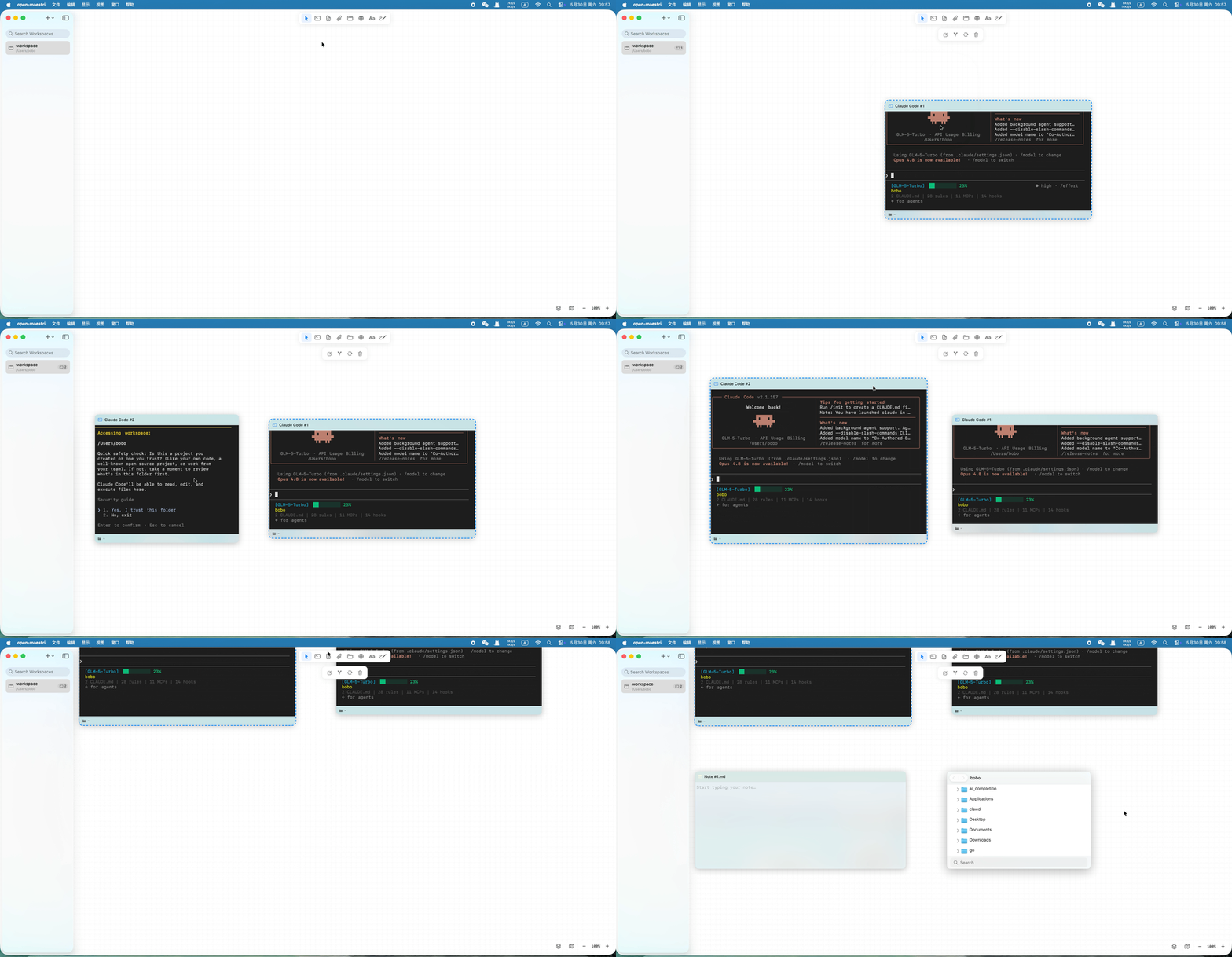
What is open-maestri?
open-maestri is a canvas-based orchestration layer for the Agentic AI era. It is not an AI agent itself — it is the workspace that surrounds and coordinates them.
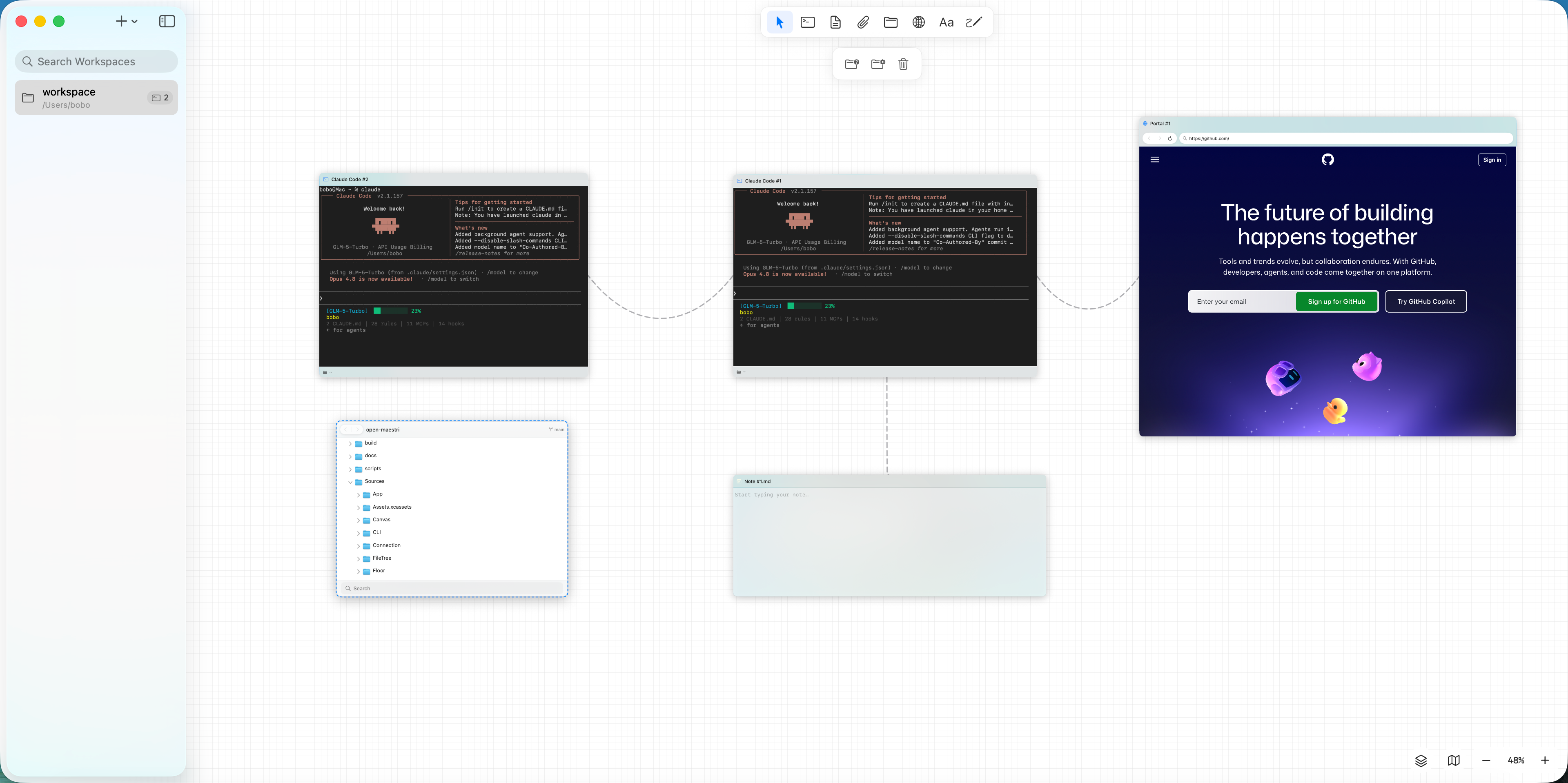
Place terminals, AI agents, Markdown notes, file browsers, and embedded browsers together on an infinite spatial canvas. Connect them with physics-based rope animations. Let agents communicate directly through the omaestri CLI without you acting as a human router.
When running multiple AI coding agents simultaneously, developers are forced to manually shuttle context between terminal windows. open-maestri eliminates that friction.
Why open-maestri?
| open-maestri | Maestri | |
|---|---|---|
| License | GPL v3 (free forever, open) | Proprietary (SetApp) |
| macOS requirement | 14.0+ (Sonoma) | macOS 26.2+ |
| Source available | Yes | No |
| Data format | Fully compatible | Maestri native |
| CLI compatible | Yes (omaestri = maestri) |
Yes |
| Skill ecosystem | Open, extensible | Closed |
Quick Start
Option 1: Download
Grab the latest .dmg from GitHub Releases.
macOS Gatekeeper notice — Because this build is not notarized by Apple, macOS may show a security warning on first launch. To bypass it, use either method:
Method A — Right-click the app → Open → Open (one-time only)
Method B — Run in Terminal after installation:
xattr -dr com.apple.quarantine /Applications/open-maestri.app
Option 2: Build from Source
git clone https://github.com/zlh-428/open-maestri.git
cd open-maestri
open Package.swift   # Opens in Xcode — hit Run
Option 3: Build with Swift Package Manager
swift build -c release
On first launch, open-maestri creates an empty workspace. Start adding Terminal, Note, File Tree, or Portal nodes to the canvas.
Requirements: macOS 14.0+ (Sonoma), Xcode 16+, Swift 5.9+
How It Works
Canvas (NSView infinite viewport)
  ├─ Terminal Node (SwiftTerm PTY) ← omaestri CLI auto-injected
  ├─ Note Node (Markdown)
  ├─ File Tree Node
  ├─ Portal Node (WKWebView)
  └─ Connection (physics-based rope)
        ↕ IPC (HTTP POST /cli)
InterAgentServer (127.0.0.1 only, no external access)
        ↕ omaestri CLI
Agents talk to each other directly — you stay in the flow
All communication stays on localhost. omaestri CLI is injected automatically when a terminal connects.
Three targets in one Swift package:
| Target | Role |
|---|---|
| open-maestri | Main app — SwiftUI + AppKit UI, canvas engine (NSView), persistence, IPC server |
| omaestri | Lightweight CLI invoked by agents inside terminal nodes, forwards commands via HTTP |
| OpenMaestriTests | Unit and integration tests |
Data flow:
AppState (@Observable, global)
  └─ [WorkspaceManager] (per-workspace, @Observable)
       └─ WorkspaceDocument (serialization root)
            ├─ [CanvasNode]       ← node list (frames in [[x,y],[w,h]] format for Maestri compat)
            ├─ [TerminalConnection]
            ├─ CanvasState        ← origin + zoom (runtime only, not persisted)
            └─ [NoteConnection / PortalConnection]
Key Features
Infinite Canvas- Drag and drop Terminal, Note, File Tree, Portal, and Text nodes onto an infinite canvas
- Pan and zoom with trackpad gestures or mouse scroll
- Physics-based rope animations for connections (catenary curve, 21 control points)
- Minimap for quick navigation
- Full VT100/xterm-256color interactive PTY via SwiftTerm
- Built-in agent presets: Claude Code, Codex CLI, Gemini CLI, OpenCode, Shell
- Agent status indicator (running / idle)
- Scrollback history persisted across restarts
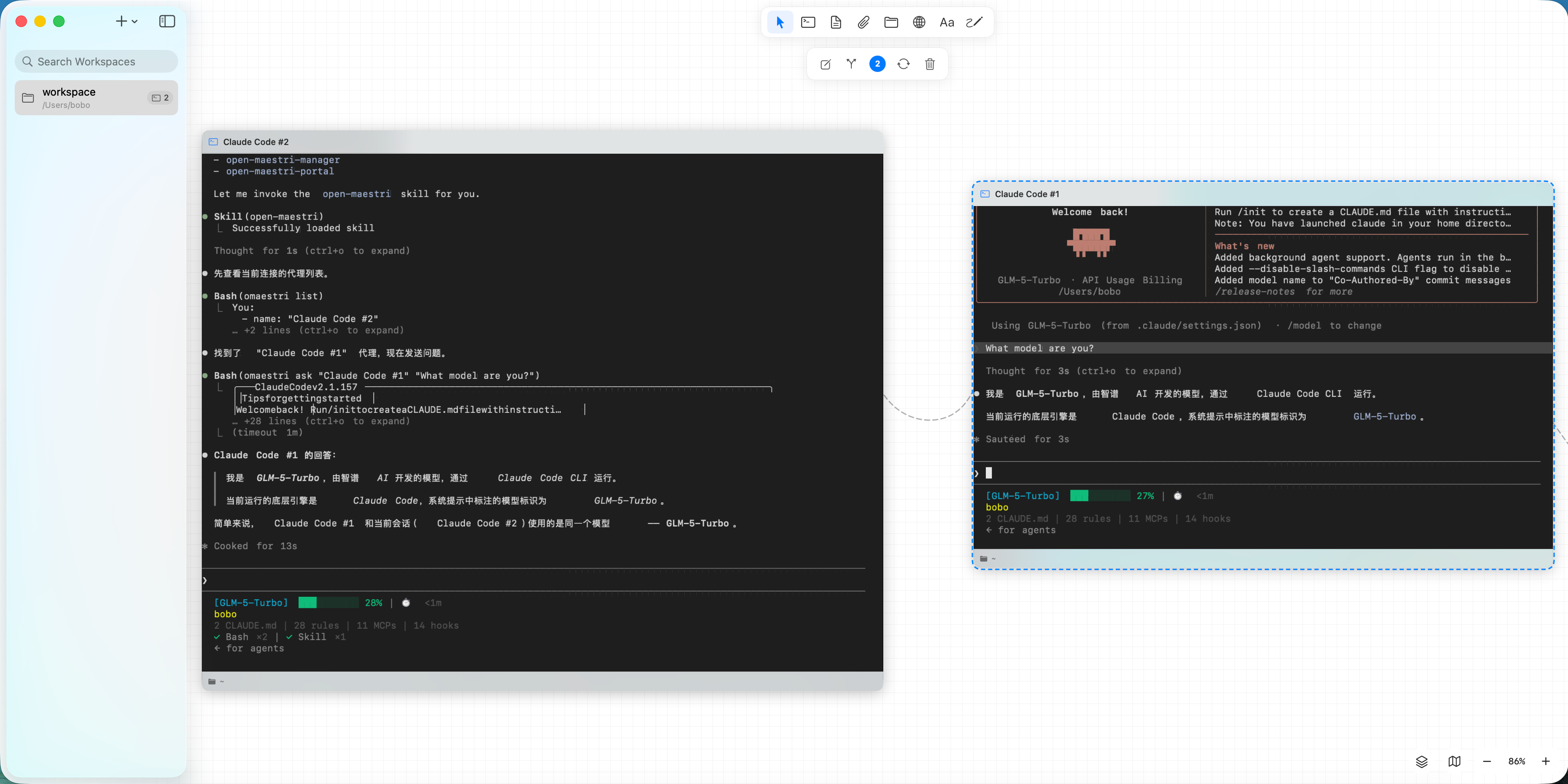
 Inter-Agent Communication
Agents communicate via the omaestri CLI, automatically injected when terminals are connected:
omaestri list                          # List connected agents, notes, portals
omaestri ask "Reviewer" "Review my PR" # Send message and wait for response
omaestri check "Builder"               # Read target agent's current output
omaestri note read "Spec"              # Read a connected Note
omaestri note write "Spec" "content"   # Write to a Note
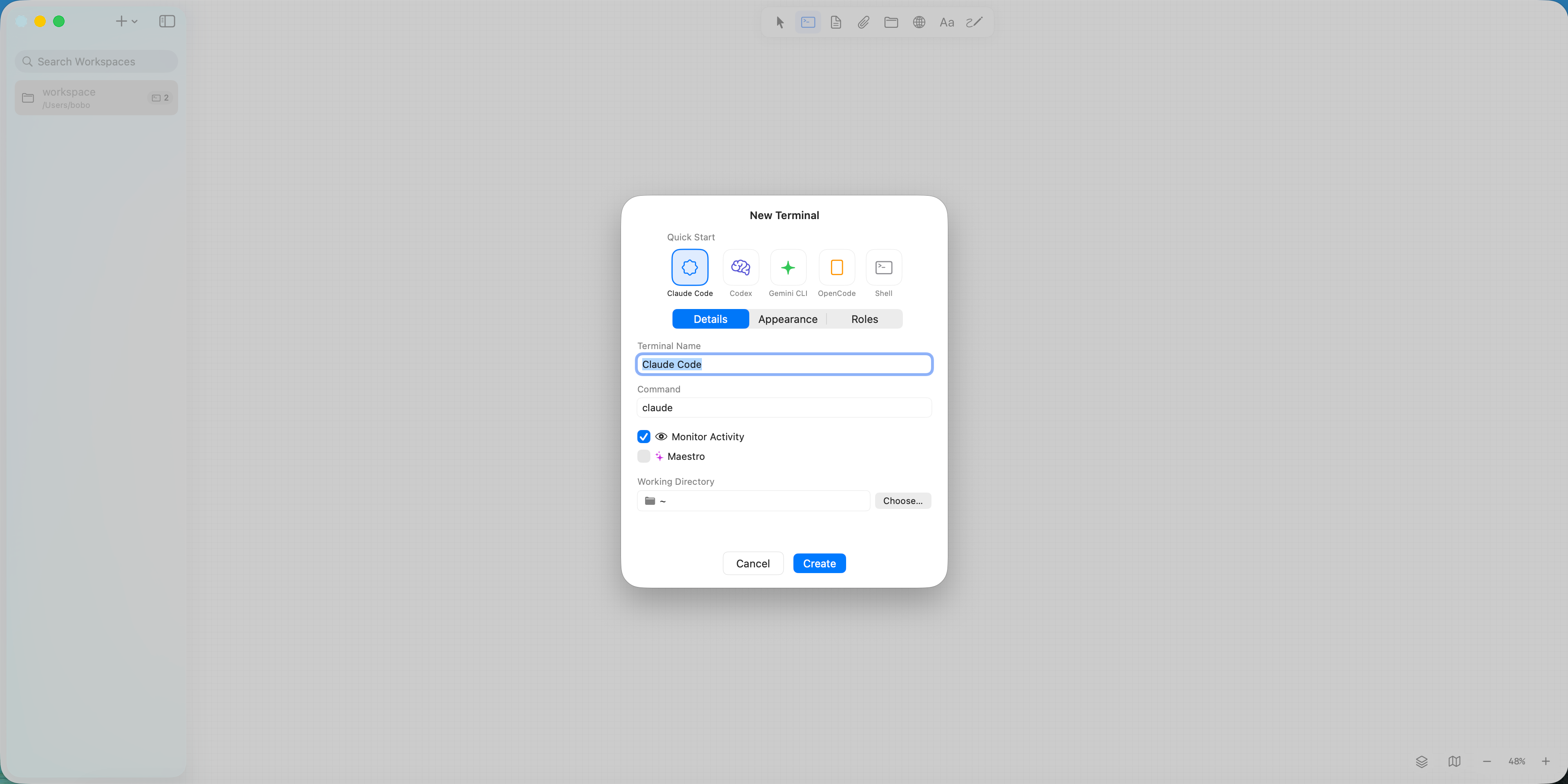
 Maestro Mode
One agent acts as the team lead — recruiting, connecting, and dismissing agents programmatically:
omaestri recruit "Builder" --preset claude-code --role coder
omaestri connect "Builder" "Spec"
omaestri dismiss "Builder"
- Raw (Markdown edit) and Formatted (live preview) dual-view
- Paste images directly into notes
- Note chains: connect notes to notes, agents traverse the entire chain
- Import
.md/.txtfiles by dragging from Finder
- WKWebView in a canvas node
- Agent-controlled browser automation via
omaestri portalcommands:
omaestri portal navigate "Browser" "http://localhost:3000"
omaestri portal snapshot "Browser"   # accessibility tree
omaestri portal click "Browser" @e3
omaestri portal fill "Browser" @e1 "admin"
- Full canvas layout (positions, sizes, connections) restored on restart
- Auto-save every 30 seconds (background thread, no UI blocking)
- Crash recovery via
cleanShutdownflag - Compatible with Maestri v0.25.4
workspace.jsonformat
Screenshots
 |
|
|
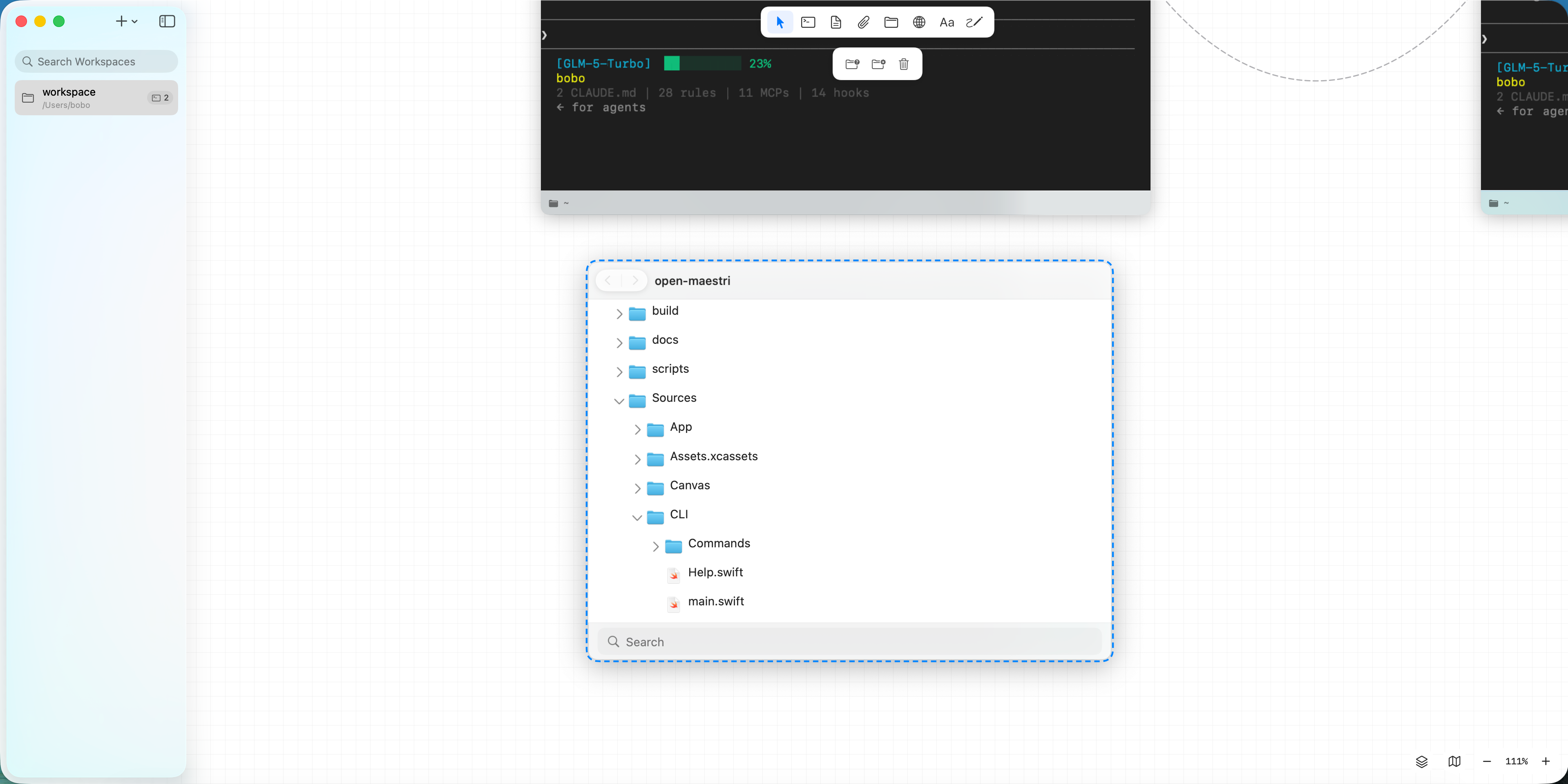 |
omaestri CLI
The omaestri script is automatically injected into connected terminals. It communicates with the app via a local HTTP server (127.0.0.1 only).
| Command | Description |
|---|---|
omaestri list |
List connected agents, notes, portals |
omaestri ask "Name" "prompt" |
Send message, wait for response |
omaestri check "Name" |
Read target agent's terminal output |
omaestri note create "Name" |
Create a new note |
omaestri note read "Name" [--offset N] [--limit N] |
Read note content |
omaestri note write "Name" "content" |
Write to note |
omaestri recruit "Name" [--preset P] [--role R] |
Spawn new agent (Maestro only) |
omaestri dismiss "Name" |
Close and remove agent (Maestro only) |
omaestri connect "From" "To" |
Connect two nodes (Maestro only) |
omaestri portal navigate "Name" "url" |
Navigate portal to URL |
omaestri portal snapshot "Name" |
Get accessibility tree |
omaestri portal click "Name" @ref |
Click element |
omaestri portal fill "Name" @ref "value" |
Fill input field |
Compatibility
open-maestri maintains full compatibility with Maestri v0.25.4:
- workspace.json (
schemaVersion: 2): read and write compatible - omaestri CLI: identical command interface to
maestriCLI - Agent Skills: existing Maestri Skill scripts work without modification
Contributing
Contributions are welcome. Please read the contributing guidelines before submitting a PR.
swift test
Areas actively seeking contributors:
- Portal browser automation commands
- File Tree git operations
- Floors (git worktree integration)
- Routines (scheduled task scheduler)
- Remote SSH support
- Linux / Windows ports (long term)
Report a Bug via Your Code Agent
Copy this prompt into your agent (Claude Code, Codex, etc.) to auto-generate a well-structured issue:
Click to expandI'm having an issue with open-maestri (https://github.com/zlh-428/open-maestri).
Please help me file a GitHub issue. Do the following:
1. Collect my environment info:
- Run `sw_vers` to get macOS version
- Run `swift --version` to get Swift version
- Run `open-maestri --version` to get app version (if available)
- Check if open-maestri is running: `ps aux | grep -i "open-maestri\|OpenMaestriApp" | grep -v grep`
2. Ask me to describe:
- What I expected to happen
- What actually happened
- Steps to reproduce
3. Create the issue on GitHub using `gh issue create` with this format:
- Title: concise summary
- Body with sections: **Environment**, **Description**, **Steps to Reproduce**, **Expected vs Actual Behavior**
- Add label "bug" if applicable
Repository: zlh-428/open-maestri
Star History
Acknowledgments
- SwiftTerm — terminal emulation
- Sparkle — auto-update framework
- Maestri — the original product that inspired this project
Agent Parts
This section is written for agents.
The open-source macOS multi-agent orchestration canvas.
open-maestri gives you an infinite spatial canvas where AI coding agents, terminals, notes, file browsers, and embedded browsers coexist as connectable nodes. Agents communicate directly via the omaestri CLI — no human routing required.
Why This Product Exists
Running multiple AI coding agents simultaneously means juggling terminal windows, manually copying context, and context-switching between tools. open-maestri provides a unified visual workspace that eliminates this friction:
- Canvas-based — Spatial layout, not a tab bar. See everything at a glance.
- Inter-agent IPC — Agents send messages to each other through
omaestri ask/checkcommands. One agent can read another's terminal output in real time. - Maestro mode — A designated lead agent can programmatically recruit, connect, and dismiss other agents.
- Maestri-compatible — Reads and writes Maestri v0.25.4
workspace.jsonfiles. ExistingmaestriCLI commands work asomaestri.
Who It Is For
Developers running multiple AI coding agents (Claude Code, Codex CLI, Gemini CLI, OpenCode, etc.) on macOS who want a spatial workspace to orchestrate them visually.
Node Types
- Terminal — Full PTY terminal via SwiftTerm. Supports agent presets (Claude Code, Codex CLI, Gemini CLI, OpenCode, Shell).
omaestriCLI is auto-injected on connect. - Note — Markdown editor with raw/formatted dual-view. Supports images and note chains (note-to-note connections that agents can traverse).
- File Tree — File browser for local directories.
- Portal — Embedded WKWebView browser. Agents can automate it via
omaestri portal navigate/snapshot/click/fill.
Inter-Agent Communication
omaestri list                          # List all connected nodes
omaestri ask "Name" "prompt"           # Send prompt, wait for response
omaestri check "Name"                  # Read target agent's terminal output
omaestri note read "Name"              # Read a note
omaestri note write "Name" "content"   # Write to a note
Maestro Mode
One agent acts as orchestrator:
omaestri recruit "Builder" --preset claude-code --role coder
omaestri connect "Builder" "Spec"
omaestri dismiss "Builder"
Architecture
Three Swift package targets:
| Target | Role |
|---|---|
| open-maestri | SwiftUI + AppKit app — infinite canvas (NSView), persistence, IPC HTTP server |
| omaestri | CLI binary invoked inside terminal nodes, forwards commands via HTTP POST /cli |
| OpenMaestriTests | Unit and integration tests |
Data flow: AppState → WorkspaceManager → WorkspaceDocument → [CanvasNode] + [Connection]. Canvas uses NSView with 5-layer subview rendering. Persistence uses atomic file writes (FileManager.replaceItem).
Quick Start (Agent)
Build and run locally:
open Package.swift
Build release binary:
swift build -c release
Run tests:
swift test
Repository Map
- Start with CLAUDE.md for the full development guide (architecture, concurrency model, canvas performance constraints, serialization format, CLI protocol).
- Read docs/reference/maestri-reference-index.md for the Maestri product UI/interaction reference.
- Read docs/roadmap.md for the feature roadmap.
Requirements
- macOS 14.0+
- Swift 5.9+
- Xcode 16+ (for the app target)
License
Reviews (0)
Sign in to leave a review.
Leave a reviewNo results found