aegisdb
Health Warn
- License — License: MIT
- Description — Repository has a description
- Active repo — Last push 0 days ago
- Low visibility — Only 5 GitHub stars
Code Pass
- Code scan — Scanned 12 files during light audit, no dangerous patterns found
Permissions Pass
- Permissions — No dangerous permissions requested
No AI report is available for this listing yet.
A fast, single-binary C database that gives AI agents durable, searchable long-term memory — with a Claude Code integration.
AegisDB
Self-hosted memory for your AI agents. One small C binary — multi-tenant,
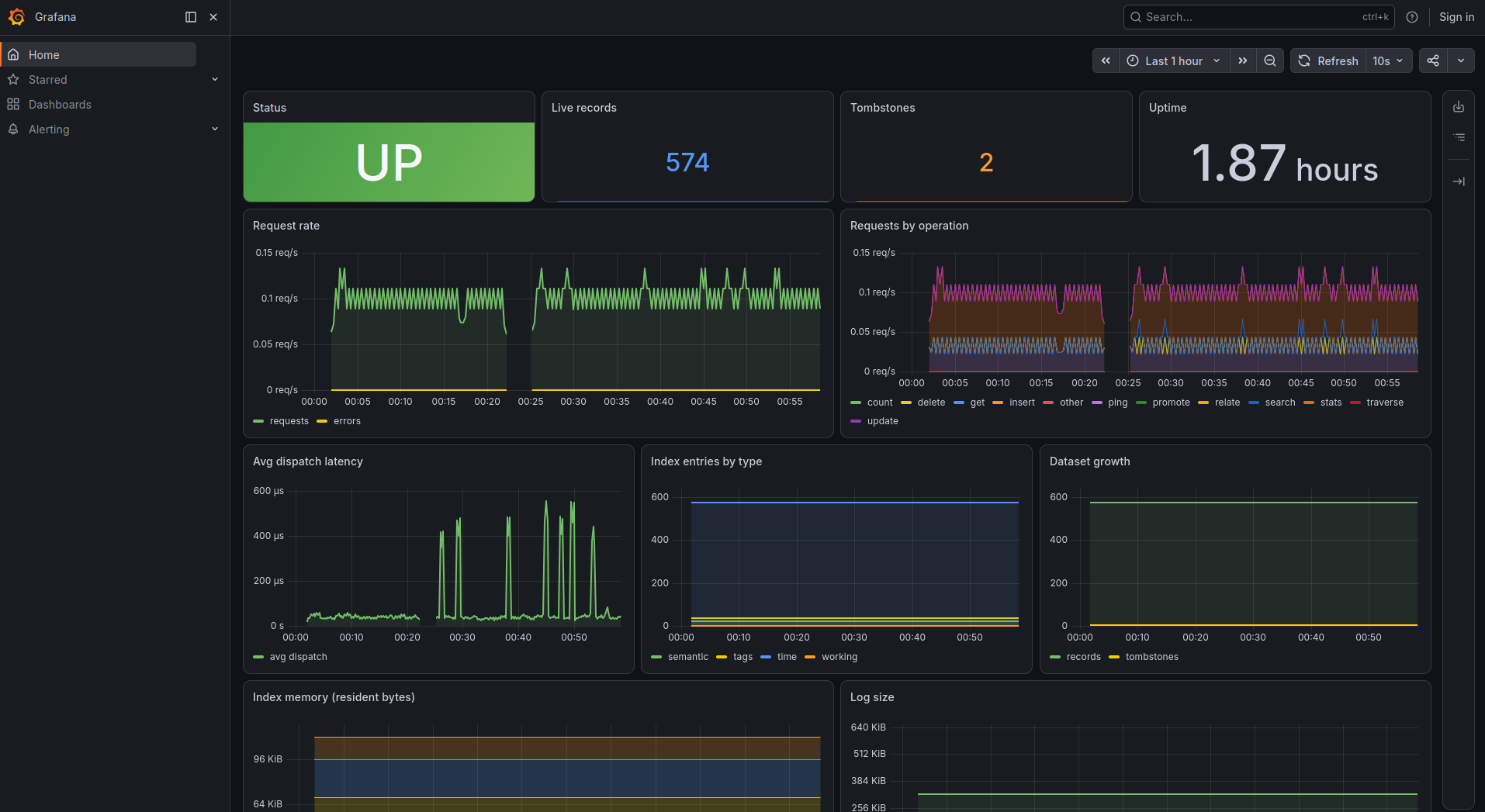
encrypted, with backups, read replicas, and a one-command Prometheus + Grafana
stack. Your agents' memory stays on your box; nothing ships to a SaaS.




AI agents forget everything between sessions. AegisDB gives them durable,
searchable long-term memory — episodic history, semantic facts with vector
search, and volatile working memory — behind a dead-simple JSON-over-TCP
protocol, with a first-class Claude Code
integration. It's a single dependency-free binary you run yourself: your data,
your box, no third party in the loop.
Quickstart
Run the server — no clone, no toolchain (prebuilt multi-arch image on GHCR):
docker run -d --name aegisdb -p 9470:9470 -v aegis-data:/data \
  ghcr.io/d4n-larsson/aegisdb:latest
Talk to it — the same binary is also the client:
docker exec aegisdb aegisdb client ping
docker exec aegisdb aegisdb client put --type semantic --tags user "prefers dark mode"
docker exec aegisdb aegisdb client search --tags user --top-k 5
Want the whole observability stack (server + Prometheus + a pre-built Grafana
dashboard) in one command? Clone this repo and:
docker compose --profile monitoring up # dashboard on http://127.0.0.1:3000
Giving Claude Code a persistent memory is a one-liner (with a server
running): uvx --from aegisdb-mcp aegisdb-init — see
Use as Claude Code memory.
Why AegisDB
- Self-hosted & private. Your agents' memory never leaves your infrastructure
— no SaaS, no per-token billing, no data-sharing. Encrypt it at rest with one
flag. - One binary, no dependencies. Written in C; the only vendored code is cJSON
and the crypto. No JVM, no Python runtime, no external database to babysit. - Built for teams. Multi-tenant auth (per-namespace, scoped tokens), per-tenant
quotas + rate limits, online backups, read replicas, and turnkey
Prometheus/Grafana observability. - Claude Code native. Ships an MCP server + hooks so Claude remembers across
sessions — installable with a single command. - Production-minded. Corruption-resilient append-only log, crash recovery,
a documented security review, and CI that runs ASan/UBSan/TSan plus continuous
fuzzing.
Features
- Durable episodic memory — append-only log with magic + CRC32 framing, corruption-resilient recovery, and legacy-log migration
- Semantic facts — updateable records (latest version wins)
- Working memory — volatile per-session ring buffer with TTL and promotion
- Retrieval — lookup by ID, time-range search, tag search (
all/any),
semantic (embedding) search ranked by cosine similarity weighted by
importance × confidence;countandconsolidate(dedup) over the same filters - Semantic scale — exact cosine while small; past
--ann-thresholdan HNSW
graph for sublinear approximate top-K, built off the write path and sharded so
the build parallelizes (--ann-shard-target), optionally int8-quantized - Relationships — directed edges between records, graph traversal, and
agent-namespace isolation - Multi-tenant auth — optional bearer tokens (constant-time check;
pingexempt), each bound to a namespace + scope (ro/rw/admin) so one server safely isolates many tenants - Per-tenant limits — optional storage quotas (records/bytes) and a request rate limit per namespace, so one team member's runaway agent can't fill the disk or monopolize the shared server
- Encryption at rest — optional XChaCha20-Poly1305 (vendored, no crypto dependency) over the log + checkpoints; opt-in via
--encryption-key-file, with an offline migrator and encrypted backups/replicas - Observability —
statsop plus a drop-in Prometheus exporter + Grafana dashboard (docker compose --profile monitoring up) - Operations — online
snapshot/restore backups and read replicas - Concurrency — sharded
poll()event-loop threads (--io-threads); selectablefsyncdurability (sync/batch/interval)
Requirements
- Linux (primary target) with GCC 11+ or Clang 14+
- One of: CMake 3.20+ or GNU Make
- Python 3.8+ (optional, for the example client below)
Build
With CMake (canonical)
cmake -B build -DCMAKE_BUILD_TYPE=Release
cmake --build build
ctest --test-dir build --output-on-failure   # runs the unit test suite
With Make (no CMake required)
make             # builds build/aegisdb
make test        # builds and runs the C unit tests
make integration # wire-protocol contract tests (launches the server)
make check       # unit + integration
make clean
The server binary is produced at build/aegisdb.
With Docker
Prebuilt multi-arch images (linux/amd64, linux/arm64) are published to GitHub
Container Registry on every push to main and every release tag — no clone or
toolchain needed:
docker run -p 9470:9470 -v aegis-data:/data ghcr.io/d4n-larsson/aegisdb:latest
# or pin a release: ghcr.io/d4n-larsson/aegisdb:0.1.0
To build it yourself instead, a multi-stage Dockerfile (Debian-slim) compiles
the server and ships a minimal runtime image. Data persists in a named volume at/data.
# Build and run with Docker Compose
docker compose up --build        # serves on localhost:9470

# Or build and run the image directly
docker build -t aegisdb .
docker run -p 127.0.0.1:9470:9470 -v aegis-data:/data aegisdb
Compose is configured by an optional .env file — copy the template and edit:
cp .env.example .env             # then tweak port, durability, tenant limits, …
docker compose up --build
Every setting has a default, so .env is optional. It exposes the common flags
as named vars (AEGIS_PORT, AEGIS_EMBEDDING_DIM, AEGIS_DURABILITY,AEGIS_TENANT_MAX_RECORDS, …) plus AEGIS_EXTRA_ARGS for anything else
(--auth-token-file, --io-threads, ANN tuning, …). See.env.example for the full list.
To skip building, point
docker-compose.ymlat the published image: replacebuild: .withimage: ghcr.io/d4n-larsson/aegisdb:latest.
The image ships a HEALTHCHECK that uses the binary's built-in --health-check
probe (no extra tooling in the image), so docker ps and Composedepends_on: condition: service_healthy reflect real server liveness.
The container runs as an unprivileged user. The server listens on 0.0.0.0:9470
inside the container, but Compose publishes that port on the host's loopback
(127.0.0.1) only by default — because the wire protocol is unauthenticated and
plaintext out of the box, it must not be reachable off-box until you secure it.
To expose it deliberately, set AEGIS_BIND=0.0.0.0 (or a specific host IP) in.env, and first enable authentication: mount a token file into /data and add--auth-token-file /data/tokens.txt (to AEGIS_EXTRA_ARGS under Compose; see
Authentication). Even with auth, tokens travel in plaintext,
so terminate TLS at a trusted proxy for any non-loopback exposure. Override other
flags by appending them to the run command, e.g. docker run aegisdb --embedding-dim 1024, or (with Compose) via .env.
Run
./build/aegisdb --data-dir ./data --port 9470
Expected startup output:
2026-06-28 12:00:00.000 INFO  [aegisdb] AegisDB 0.1.0 starting (log level: info)
2026-06-28 12:00:00.000 WARN  [aegisdb] no auth tokens configured; ...
2026-06-28 12:00:00.000 INFO  [aegisdb] recovery complete: N records loaded
2026-06-28 12:00:00.000 INFO  [aegisdb] listening on 0.0.0.0:9470
2026-06-28 12:00:00.000 INFO  [aegisdb] data directory: ./data
Logs go to stderr as <timestamp> <LEVEL> [aegisdb] <message>. Control the
verbosity with --log-level error|warn|info|debug (default info) or theAEGISDB_LOG_LEVEL environment variable — the flag takes precedence. Atdebug, the server logs every accepted connection and dispatched operation.
The WARN line appears only when the server is started without--auth-token/--auth-token-file (see Authentication).
Talk to it
The same binary is also a client — no nc, no hand-written JSON:
aegisdb client ping
aegisdb client put --type semantic --tags user "prefers dark mode"
aegisdb client get 1
aegisdb client search --tags user --top-k 5
aegisdb client stats
Host, port, and token default to $AEGIS_HOST / $AEGIS_PORT / $AEGIS_TOKEN
(127.0.0.1 / 9470 / none) or --host/--port/--token. The exit code is0 on an ok response, so it scripts cleanly. Inside Docker:docker exec aegisdb aegisdb client stats.
To create a tenant token, gen-token prints a ready token-file line (hashed)
and the one-time plaintext token:
$ aegisdb gen-token --namespace acme --scope rw
sha256$… acme rw          # paste into your --auth-token-file
token: 9f3c…              # give to the client (AEGIS_TOKEN); not recoverable
Configuration flags
| Flag | Default | Description |
|---|---|---|
--data-dir <path> |
./data |
Persistence directory |
--port <n> |
9470 |
TCP listen port |
--phase <1-4> |
4 |
Highest enabled feature phase (gates operations) |
--io-threads <n> |
2× CPUs (8–64) | poll() event-loop threads for dispatch parallelism (does not cap concurrent connections). Alias: --workers |
--max-payload <bytes> |
1048576 |
Max data size (1 MiB) |
--embedding-dim <n> |
384 |
Expected embedding vector length |
--ann-threshold <n> |
10000 |
Live vectors before semantic search switches from exact scan to the HNSW graph |
--ann-ef-search <n> |
HNSW default | HNSW query beam width (recall/latency knob) |
--ann-shard-target <n> |
25000 |
Target vectors per HNSW shard; the graph splits into ~`count/n` shards (capped by CPUs) so the build parallelizes |
--ann-quantize |
off | Store HNSW vectors as int8 (~4× less memory, small recall cost) |
--durability <mode> |
interval |
sync (fsync per write), batch (per --fsync-batch records), or interval (per --fsync-interval-ms) |
--fsync-batch <n> |
1000 |
Records between fsync calls in batch mode |
--fsync-interval-ms <n> |
1000 |
Flush cadence in interval mode (floored at the ~1s maintenance tick) |
--checkpoint-sec <n> |
60 |
Index checkpoint cadence so recovery replays only the tail; 0 disables |
--compact-sec <n> |
300 |
Log-compaction check cadence; compacts only when enough of the log is dead; 0 disables |
--tenant-max-records <n> |
0 |
Per-namespace live-record cap (0 = unlimited); enforced only when auth is enabled |
--tenant-max-bytes <n> |
0 |
Per-namespace live-byte cap (0 = unlimited) |
--tenant-rate-qps <n> |
0 |
Per-namespace request rate limit in req/s, burst = 1s (0 = unlimited) |
--max-index-bytes <n> |
0 |
Soft cap on in-RAM index size; inserts return MEMORY_LIMIT past it so a growing dataset backpressures instead of getting OOM-killed (accepts K/M/G; 0 = unlimited). Watch stats.memory. |
--replication-port <n> |
— | Serve the read-replica log stream on this port (primary; requires --replication-token) |
--replication-token <t> |
— | Token to subscribe to / follow the replication stream |
--replicate-from <h:p> |
— | Follow this primary's replication port as a read-only replica (implies --read-only) |
--read-only |
off | Refuse client writes (READ_ONLY) |
--working-capacity <n> |
256 |
Working-memory ring buffer size |
--restore <dir> |
— | One-shot: install the snapshot at <dir> into an empty --data-dir, then exit |
--log-level <level> |
info |
error, warn, info, or debug (also $AEGISDB_LOG_LEVEL) |
--auth-token <token> |
— | Accept this global admin token (repeatable) |
--auth-token-file <path> |
— | Accept tokens, one per line: <token> [namespace] [ro|rw|admin]; a token may be sha256$<hex> (hashed at rest) |
--hash-token <token> |
Print the token's sha256$<hex> form and exit (paste into the token file) |
|
--encryption-key-file <path> |
— | Encrypt the log + checkpoints at rest with the 32-byte key (64 hex chars) in <path> (Encryption at rest) |
--encrypt-migrate |
Rewrite --data-dir's plaintext log encrypted (needs --encryption-key-file) and exit |
|
--health-check |
Probe a local server on --port, print nothing, exit 0 if healthy / 1 otherwise |
|
--help |
Show usage |
Authentication & multi-tenancy
Setting up a shared server for a team? Follow the step-by-step
team server tutorial instead of assembling the
flags below by hand.
With no --auth-token/--auth-token-file, the server runs without
authentication and every request is served with unrestricted access. When
tokens are configured, each request must carry a matching "token" field
(except ping, which is always exempt) or the server returns UNAUTHORIZED.
Tokens are compared in constant time.
Each token in the token file is bound to a namespace and a scope:
admin-key                 # global admin: any namespace, all operations
acme-key      acme   rw   # tenant "acme", read+write
acme-view     acme   ro   # tenant "acme", read-only
beta-key      beta   rw   # tenant "beta"
A namespaced token can only write into its own namespace (agent_id is pinned
automatically) and only read its own records — another tenant's records read
back as NOT_FOUND. Read-only tokens are refused writes with FORBIDDEN, andstats is admin-only. This lets one server back many isolated tenants/agents.
Tokens can also be managed at runtime (no restart) by an admin token via thetoken_list / token_add / token_revoke operations — a revoked token stops
authenticating immediately, and changes persist back to --auth-token-file
(rewritten hashed). Tokens are referenced by a fingerprint id, so they can be
listed and revoked without exposing the secret. Seedocs/wire-protocol.md.
Tokens can be stored hashed so a leaked token file reveals nothing usable.
Run aegisdb --hash-token <tok> to get its sha256$<hex> form and put that in
the token file; clients still send the plaintext token, which the server hashes
and compares in constant time. Use high-entropy tokens (openssl rand -hex 32).
Tokens are sent in plaintext, so run the server behind an encrypted channel — a
TLS-terminating reverse proxy (nginx/Caddy), stunnel, or a private network.
TLS is intentionally kept out of the binary to preserve the single,
dependency-free build.
Encryption at rest
The log and index checkpoints can be encrypted on disk with
XChaCha20-Poly1305 (vendored — no crypto dependency added), so a stolen disk,
volume snapshot, or backup tarball reveals nothing without the key. Mint a key
and start with it:
aegisdb gen-key > key.hex           # 32-byte key, 64 hex chars; store it 0600
aegisdb --data-dir ./data --encryption-key-file key.hex
- Opt-in and per-directory. A data dir created without a key stays
plaintext. On a new dir the key encrypts from the first write; to convert an
existing plaintext dir, run the offline one-shotaegisdb --encrypt-migrate --data-dir ./data --encryption-key-file key.hex. - Fail-closed. The server refuses to start if the key does not match the dir
(wrong key, or a key given for a plaintext dir / no key for an encrypted one). - Backups stay encrypted;
--restorerequires the same key (the snapshot
manifest records a non-secret key fingerprint and is checked before restoring). - Replicas must be configured with the same
--encryption-key-file; the
subscribe handshake rejects a key mismatch. Each node encrypts its own log with
the key. - Scope. This protects data at rest. It is not a transport control (the
wire, including replication, is still plaintext — front it with a proxy as
above) and does not protect a running process's memory. Keep the key safe and
separate from the data dir; without it the data is unrecoverable.
Wire Protocol
Newline-delimited JSON (NDJSON) over TCP — one JSON object per line per
request/response. See docs/wire-protocol.md
for the full contract.
# Health check
echo '{"operation":"ping"}' | nc -q1 localhost 9470

# Insert an episodic memory
echo '{"operation":"insert","type":"episodic","tags":["user","preference"],"data":"User likes coffee"}' | nc -q1 localhost 9470

# Retrieve by ID
echo '{"operation":"get","id":1}' | nc -q1 localhost 9470

# Time-range search
echo '{"operation":"search","start_time":0,"end_time":9999999999999,"top_k":10}' | nc -q1 localhost 9470

# Tag search
echo '{"operation":"search","tags":["user"],"match":"all","top_k":10}' | nc -q1 localhost 9470
Supported operations: ping, insert (episodic/semantic/working, single or
batch), get, update (semantic), delete (by id or query), search
(time/tags/embedding), count, consolidate, promote, relate, traverse,stats, snapshot, and token administration (token_list/token_add/token_revoke).
Python client example
import socket, json

def request(payload: dict) -> dict:
    with socket.create_connection(("localhost", 9470)) as s:
        s.sendall((json.dumps(payload) + "\n").encode())
        return json.loads(s.recv(65536).decode())

print(request({"operation": "ping"}))
print(request({"operation": "insert", "type": "episodic",
               "tags": ["demo"], "data": "Hello from quickstart"}))
Project Layout
src/
├── main.c              # Entry point, CLI args, client subcommands
├── server/             # TCP NDJSON server, sharded poll() event loops
├── protocol/           # JSON request parsing / response building
├── query/              # Operation router / query engine
├── storage/            # Append-only log, hash/time/tag/semantic indexes,
│                       #   compaction, recovery
├── memory/             # MemoryRecord encode/decode, working buffer
└── util/               # CRC32, SHA-256, config, health check, client, logging
include/aegisdb/        # Public headers
tests/                  # unit/, integration/, contract/
third_party/            # Vendored cJSON and Unity
data/                   # Runtime data (gitignored)
Crash Recovery
AegisDB persists episodic and semantic records to an append-onlymemory.log with per-frame header and payload CRC32 checksums. On startup it
loads the index checkpoint (memory.index) and replays only the log tail written
since — falling back to a full scan if the checkpoint is missing or corrupt —
then rebuilds the in-memory indexes. A torn tail from a mid-write crash is
trimmed; interior corruption is skipped frame by frame so the surrounding records
still load. To verify:
- Insert several records.
kill -9 <pid>the server.- Restart it — startup logs
recovery complete: N records loaded. geteach ID; all records return intact.
Backups & disaster recovery
Recovery + a durable volume + restart: unless-stopped already survive a
process crash. To survive losing the host or disk, take backups off the box.
AegisDB is single-node by design (no built-in replication), and because the log
is append-only a backup is just a consistent snapshot of its durable prefix. The
admin snapshot op writes one online (no downtime); --restore installs it into
an empty data dir. scripts/aegis-backup.sh automates
the loop — snapshot → tarball → ship off-box via a transport you supply (S3,rclone, rsync, …) → local retention:
# host cron (daily), shipping to S3:
AEGIS_BACKUP_UPLOAD_CMD='aws s3 cp {} s3://my-bucket/aegis/' \
  scripts/aegis-backup.sh
Or run it on a schedule as the opt-in compose sidecar:
docker compose --profile backup up -d # loops the script (default: daily)
Restore a shipped tarball into a fresh server:
tar -xzf aegis-20260709T....tar.gz -C /tmp/snap
aegisdb --restore /tmp/snap/aegis-20260709T... --data-dir ./restored --embedding-dim 384
aegisdb --data-dir ./restored --embedding-dim 384    # start; recovery rebuilds indexes
See .env.example for the backup knobs (AEGIS_BACKUP_UPLOAD_CMD,AEGIS_BACKUP_INTERVAL, AEGIS_BACKUP_RETAIN). The transport is pluggable so no
cloud SDK is baked into the image — the same "bring your own edge" stance as TLS.
Do not scale the server with
deploy: replicas: Nagainst the shared
volume: AegisDB is single-writer (one append-only log, one id allocator), so
multiple writers would corrupt the data. Backups and read replicas (below) are
the supported resilience path.
Read replicas
For read availability and read scaling, a read-only replica follows a primary
by streaming its append-only log and replaying it — always the same frames in the
same order, so the replica's log is byte-identical and offsets line up. Replicas
are asynchronous (eventually consistent, bounded by lag) and read-only; promotion
after a primary failure is a manual, operator-fenced step. Full design and the
promotion runbook: docs/read-replica-design.md.
# primary: serve the replication stream (needs a token)
aegisdb --data-dir ./p --port 9470 \
        --replication-port 9480 --replication-token "$TOKEN"

# replica: follow the primary, serve read-only on its own port
aegisdb --data-dir ./r --port 9471 \
        --replicate-from 127.0.0.1:9480 --replication-token "$TOKEN"
Send writes to the primary and spread reads across either; a write to a replica
returns READ_ONLY. stats reports the replication posture (role,lag_bytes, connected replicas). Compaction on the primary rewrites offsets, so
a replica automatically re-bootstraps when it detects the change. Every node
must use the same --embedding-dim. The stream is authenticated by the token but
not encrypted — keep it on a trusted network / behind a TLS proxy, like the
client protocol.
Use as Claude Code memory
AegisDB can act as the persistent long-term memory of Claude Code
via the integration in integrations/claude-code/:
an MCP server exposing memory tools plus hooks for automatic recall and capture.
It is published to PyPI as aegisdb-mcp,
so uvx aegisdb-mcp runs it with no clone. Fastest setup: with a server
running, uvx --from aegisdb-mcp aegisdb-init scaffolds .mcp.json and the hooks
for you (or install the /aegis-setup skill and let Claude do it). Seeintegrations/claude-code/README.md for
that and the manual step-by-step.
Documentation
- Team server tutorial (guided golden path — auth, tenants, encryption, backups):
docs/tutorial-team-server.md - Wire protocol:
docs/wire-protocol.md - Quickstart (solo / local):
docs/quickstart.md - Architecture:
docs/architecture.md - Read-replica design & promotion runbook:
docs/read-replica-design.md
Reviews (0)
Sign in to leave a review.
Leave a reviewNo results found