sandboxed.sh
Health Uyari
- No license — Repository has no license file
- Description — Repository has a description
- Active repo — Last push 0 days ago
- Community trust — 345 GitHub stars
Code Uyari
- network request — Outbound network request in .opencode/tool/library-agents.ts
- network request — Outbound network request in .opencode/tool/library-commands.ts
- network request — Outbound network request in .opencode/tool/library-git.ts
- network request — Outbound network request in .opencode/tool/library-skills.ts
- process.env — Environment variable access in dashboard/next.config.ts
- process.env — Environment variable access in dashboard/playwright.config.ts
Permissions Gecti
- Permissions — No dangerous permissions requested
Bu listing icin henuz AI raporu yok.
Self-hosted orchestrator for AI autonomous agents. Run Claude Code & Open Code in isolated linux workspaces. Manage your skills, configs and encrypted secrets with a git repo.
sandboxed.sh
Self-hosted cloud orchestrator for AI coding agents
Isolated Linux workspaces with Claude Code, OpenCode & Amp runtimes
Formerly known as Open Agent
Website · Discord · Vision · Features · Ecosystem · Screenshots · Getting Started
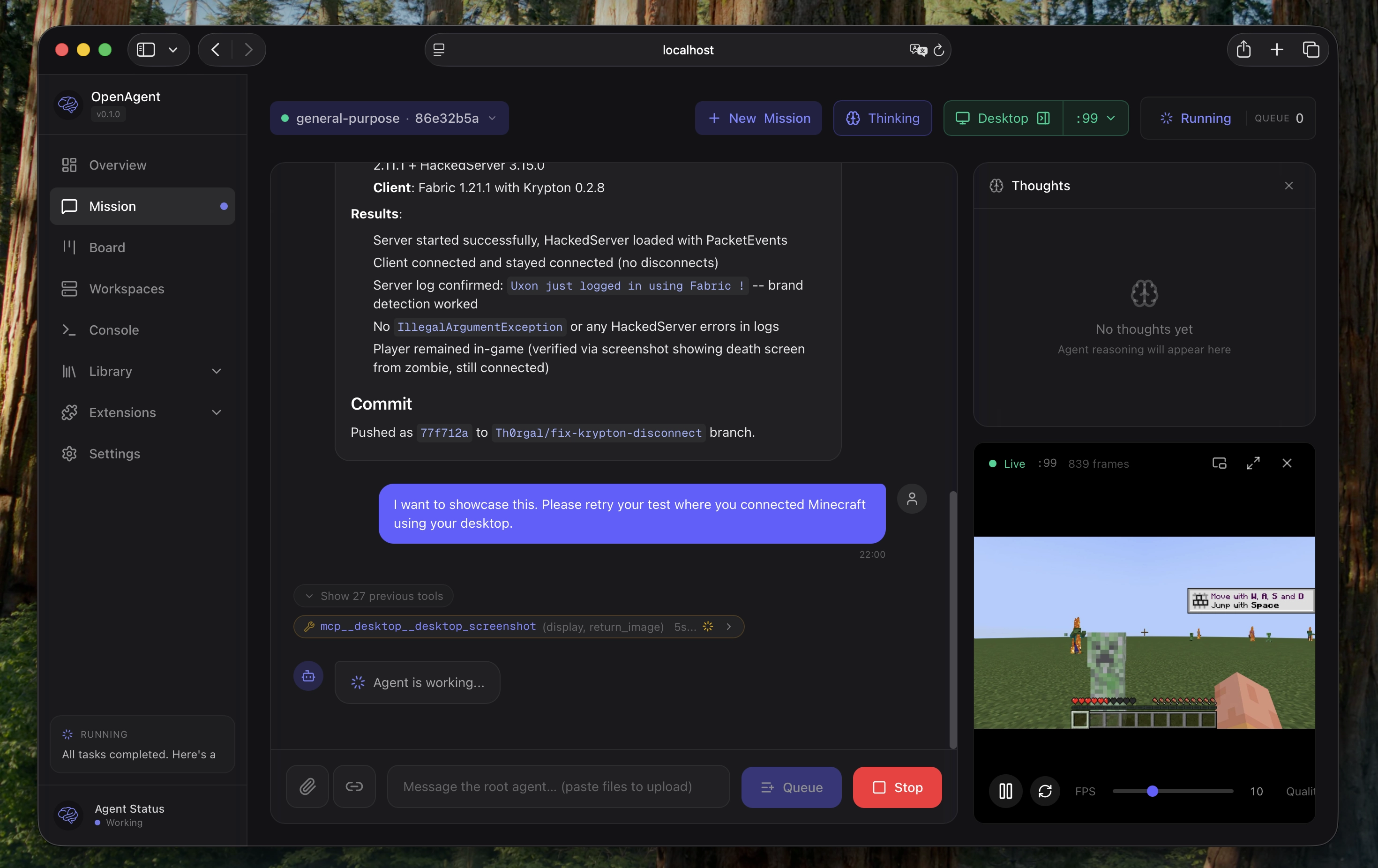
Ready to deploy? Jump to the installation comparison, or go straight to the Docker guide / native guide.
Vision
What if you could:
Hand off entire dev cycles. Point an agent at a GitHub issue, let it write
code, test by launching desktop applications, and open a PR when tests pass. You
review the diff, not the process.
Run multi-day operations unattended. Give an agent SSH access to your home
GPU through a VPN. It reads Nvidia docs, sets up training, fine-tunes models
while you sleep.
Keep sensitive data local. Analyze your sequenced DNA against scientific
literature. Local inference, isolated containers, nothing leaves your machines.
Features
- Multi-Runtime Support: Run Claude Code, OpenCode, or Amp agents in the same
infrastructure - Mission Control: Start, stop, and monitor agents remotely with real-time
streaming - Isolated Workspaces: Containerized Linux environments (systemd-nspawn)
with per-mission directories - Git-backed Library: Skills, tools, rules, agents, and MCPs versioned in a
single repo - MCP Registry (optional): Extra tool servers (desktop/playwright/etc.) when
needed - OpenAI-compatible Proxy Queue Mode: Optional deferred execution for
/v1/chat/completionswhen all routed providers are temporarily rate-limited - Multi-platform: Web dashboard (Next.js) and iOS app (SwiftUI) with
Picture-in-Picture
Ecosystem
sandboxed.sh orchestrates multiple AI coding agent runtimes:
- Claude Code: Anthropic's
official coding agent with native skills support (.claude/skills/) - OpenCode: Open-source alternative
via oh-my-opencode - Amp: Sourcegraph's frontier coding agent with
multi-model support
Each runtime executes inside isolated workspaces, so bash commands and file
operations are scoped correctly. sandboxed.sh handles orchestration, workspace
isolation, and Library-based configuration management.
Screenshots
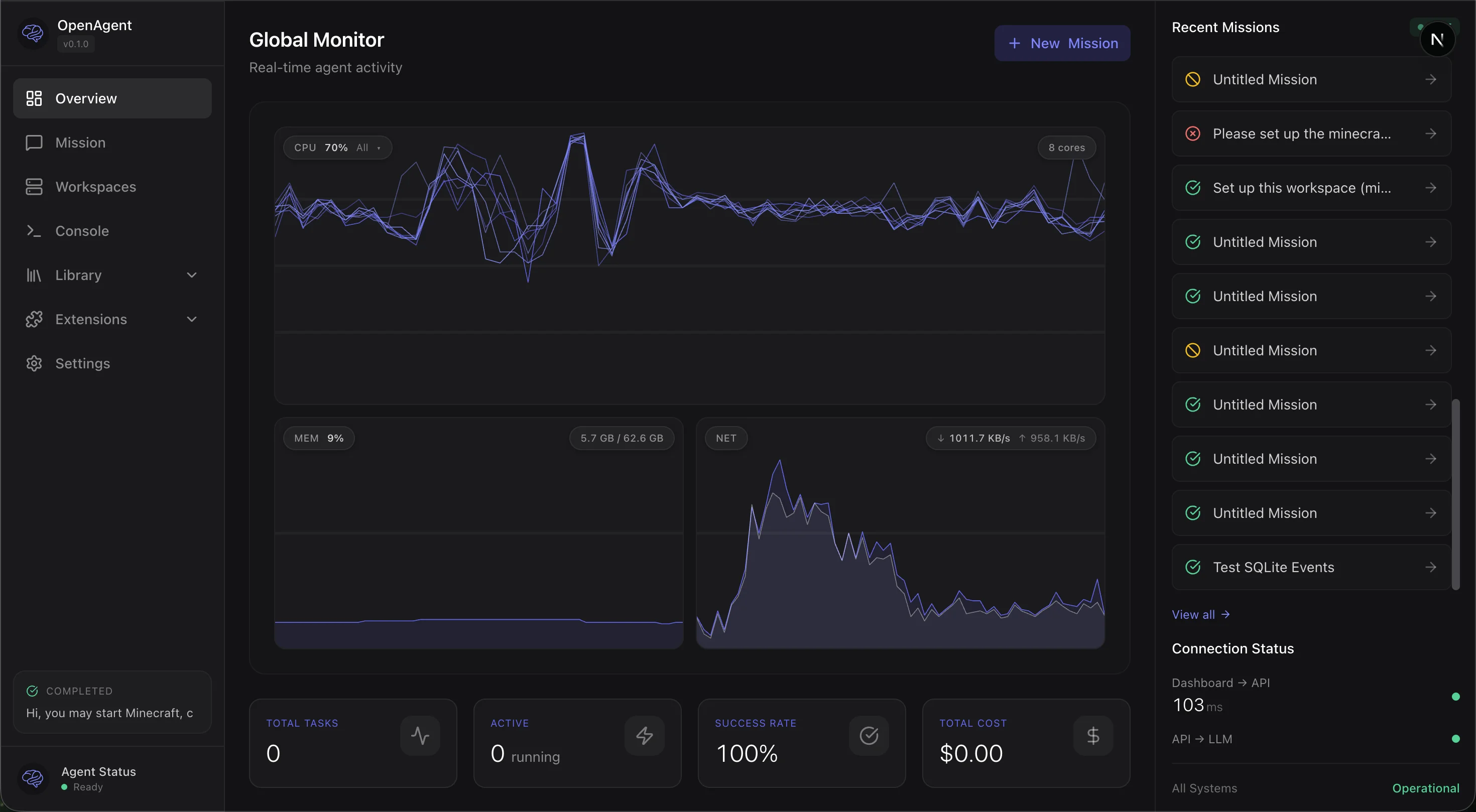
Real-time monitoring with CPU, memory, network graphs and mission timeline
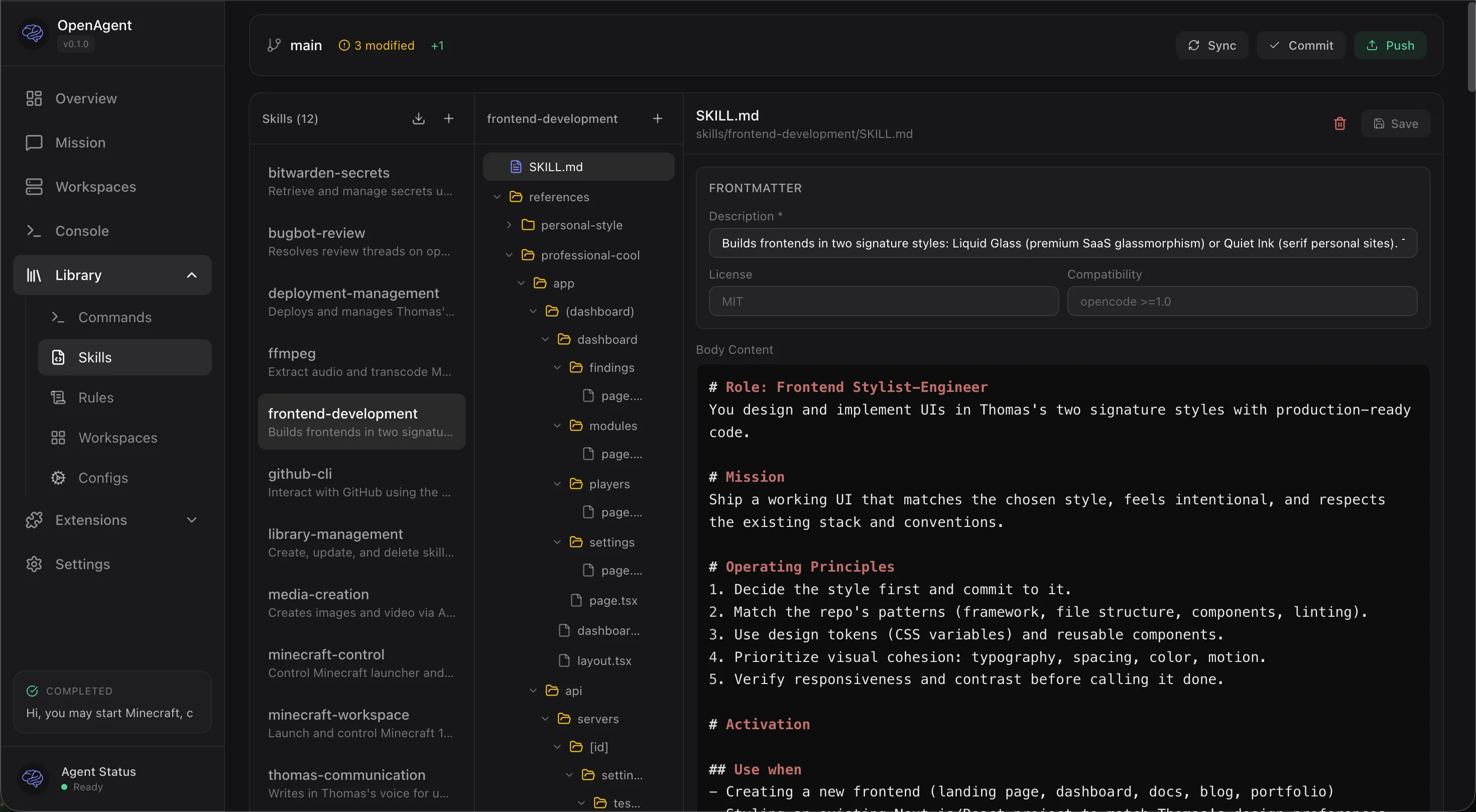
Git-backed Library with skills, commands, rules, and inline editing
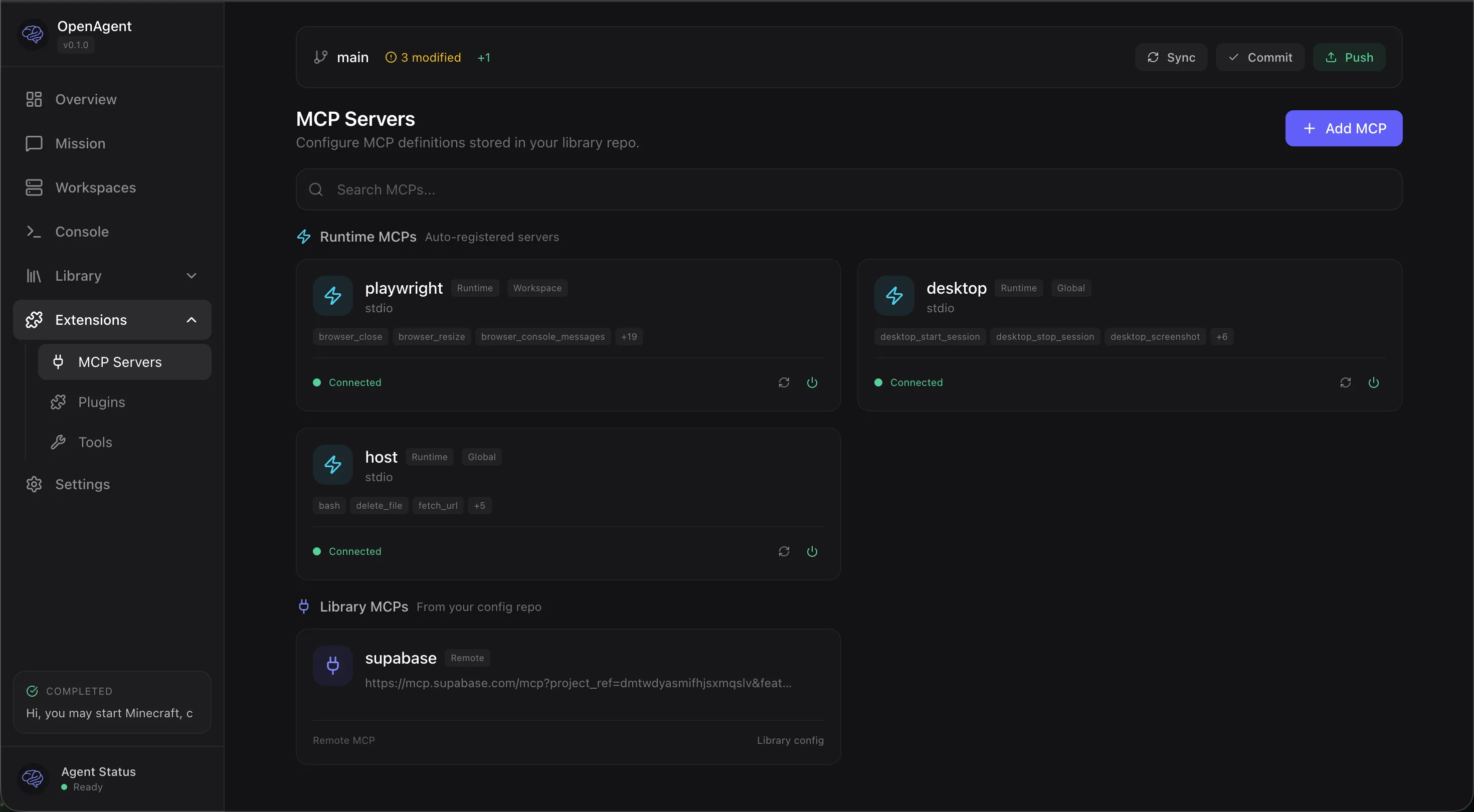
MCP server management with runtime status and Library integration
Getting Started
Choose your installation method
| Docker (recommended) | Native (bare metal) | |
|---|---|---|
| Best for | Getting started, macOS users, quick deployment | Production servers, maximum performance |
| Platform | Any OS with Docker | Ubuntu 24.04 LTS |
| Setup time | ~5 minutes | ~30 minutes |
| Container workspaces | Yes (with privileged: true) |
Yes (native systemd-nspawn) |
| Desktop automation | Yes (headless Xvfb inside Docker) | Yes (native X11 or Xvfb) |
| Performance | Good (slight overhead on macOS) | Best (native Linux) |
| Updates | docker compose pull / rebuild |
Git pull + cargo build, or one-click from dashboard |
Docker (recommended for most users)
git clone https://github.com/Th0rgal/sandboxed.sh.git
cd sandboxed.sh
cp .env.example .env
# Edit .env with your settings
docker compose up -d
Open http://localhost:3000 — that's it.
For container workspace isolation (recommended), uncomment privileged: true indocker-compose.yml.
Native (bare metal)
For production servers running Ubuntu 24.04 with maximum performance and native
systemd-nspawn isolation.
→ Full native installation guide
First-time setup
After installation, follow the Getting Started Guide for:
- Configuring your backend connection
- Setting up your library repository
- Exploring skills and tools
- Creating your first mission
AI-assisted setup
Point your coding agent at the installation guide and let it handle the
deployment:
"Deploy Sandboxed.sh on my server at
1.2.3.4with domainagent.example.com"
Documentation
User Guides
- Getting Started - First-time setup and usage
- Docker Installation - Recommended installation method
- Native Installation - Bare metal Ubuntu setup
Architecture & APIs
- Harness System - Backend integration architecture
- Workspaces - Isolated execution environments
- Mission API - Mission lifecycle and control
- Workspace API - Workspace management endpoints
- Backend API - Backend configuration
Setup Guides
- Desktop Setup - X11/Xvfb configuration for GUI automation
- Amp Proxy Setup - Amp backend proxy configuration
Reference
- agents.md - Agent configuration and harness details
- Persistent Sessions Design - Claude CLI session management
- Debugging Guide - Troubleshooting and debug workflows
- Docker Analysis - Docker setup deep dive
Development
Setup git hooks
Enable pre-push formatting checks to catch CI failures locally:
git config core.hooksPath .githooks
This runs cargo fmt --check before each push. If formatting issues are found,
run cargo fmt --all to fix them.
Status
Work in Progress — This project is under active development. Contributions
and feedback welcome.
License
MIT
Yorumlar (0)
Yorum birakmak icin giris yap.
Yorum birakSonuc bulunamadi